一年前react + vite + antd 项目 升级
目标升级到 antd 6 、 react 19、vite 8、babel-plugin-react-compiler
还有其他依赖项目 如 echarts
升级 antd6 和 vite 8
更新相关依赖
- 手动查看相关依赖版本,修改antd和vite相关依赖版本
- antd
- @ant-design/icons
- @vitejs/plugin-react-oxc -> @vitejs/plugin-react
- vite
- 其他一些无关紧要的依赖版本升级
antd@6要求@ant-design/icons版本 >= 6.0.0- @vitejs/plugin-react-oxc is deprecated. Please use @vitejs/plugin-react instead. The changes of this plugin is now included in @vitejs/plugin-react.
修改相关依赖项版本然后安装依赖
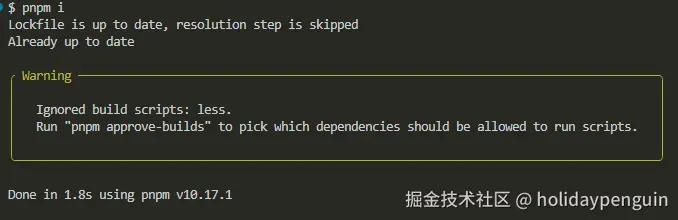
第一次启动
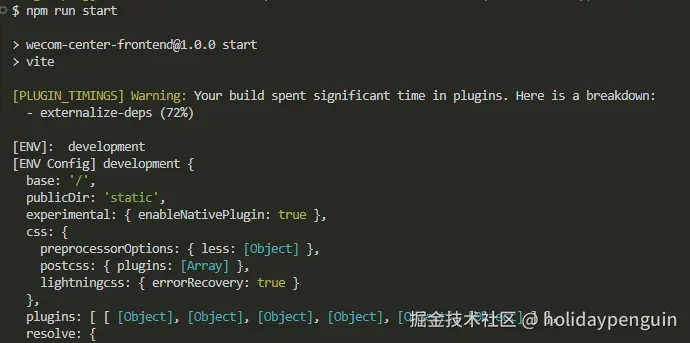
@vitejs/plugin-react
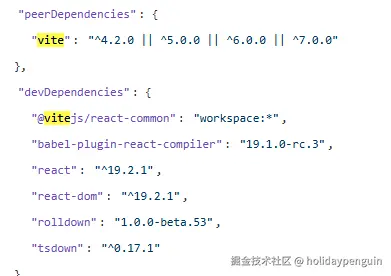
修改 antd 6 的API调整
Alert
message 属性改成 title
Card
bodyStyle 属性没有了,组件中 styles 属性中 body 自定义的时候报错 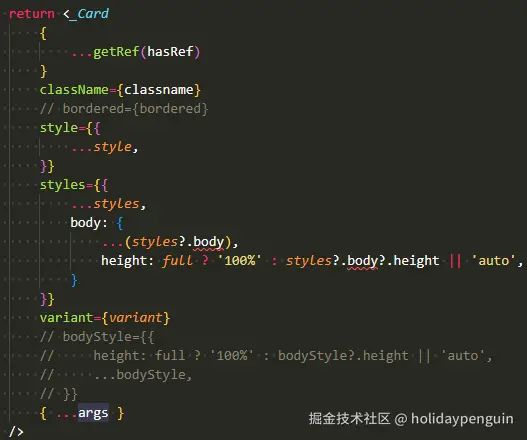
因为 styles 的类型 Record<SemanticDOM, CSSProperties> | (info: { props })=> Record<SemanticDOM, CSSProperties>
增加一个代理属性
tsx
const stylesProxy = (info) => {
    const stylesObj = typeof styles === 'function' ? styles(info) : styles
    return {
        ...stylesObj,
        body: {
            ...(stylesObj.body || {}),
            height: full ? '100%' : stylesObj?.body?.height || 'auto',
        }
    }
}

<Card
    {...args}
    styles={stylesProxy}
/>
Dropdown Button
hover显示的时候点击会消失,再次hover也不显示,等组件库升级好以后,在升级react 19 看看是否能解决。
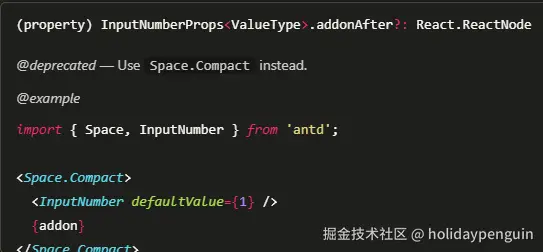
Input 和 InputNumber addonAfter addonAfter 属性废弃
预留问题:因为暂时还能用,先整体升级完再解决
Progress
strokeWidth 弃用,变为 size。当 type="circle" type="dashboard" 的时候 strokeWidth 还是保留的

Select
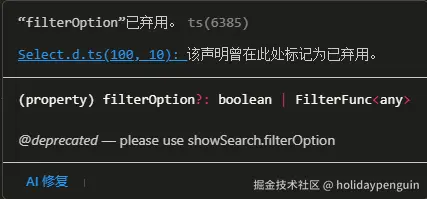
filterOption 废弃,使用 showSearch.filterOption
通用组件类型定义
java
export interface FISelectProps extends Omit<SelectProps, 'filterOption'> {}通用组件制定默认搜索方法
tsx
const showSearchProxy: SelectProps['showSearch'] = typeof showSearch === 'boolean' && showSearch === true
    ? {
        filterOption: filterOptionProxy,
    }
    : typeof showSearch !== 'boolean'
        ? {
            ...showSearch,
            filterOption: showSearch.filterOption || filterOptionProxy,
        }
: showSearch这个警告是因为 Select 的 options 里自定义属性(比如 labelPinyin)被直接传递到 DOM 元素上,React 19 对未知属性检查更严格,所以会报错。Ant Design 6.0.0 没有自动过滤这些非标准属性,导致自定义字段会被当作 DOM 属性渲染,触发警告 源码分析。
Issue 推荐做法是用 optionRender,只在渲染时取出自定义属性,不让它们直接传递到 DOM。例如:
ini
const options = [
  { label: '苹果', value: 'apple', labelPinyin: 'pingguo' },
  { label: '香蕉', value: 'banana', labelPinyin: 'xiangjiao' },
];

<Select
  options={options}
  optionRender={option => (
    <span>
      {option.data.label} <span style={{ color: '#aaa' }}>{option.data.labelPinyin}</span>
    </span>
  )}
/>
结果试了下都不行,仍然没有结果警告。但是我发现即使没有 optionRender ,选项出现的时候也没有问题,但是问题出现在选中后的显示上,我虽然加了 labelRender ,也一样会有警告。
所以我最终采用的办法是使用一个统一组件去过滤非必要的属性
tsx
import React, { memo, useContext, useEffect, useState } from 'react'
import { Select } from 'antd'
import type { SelectProps } from 'antd'

import { isArray, isEmpty, isString } from 'lodash'

export interface FISelectProps extends Omit<SelectProps, 'filterOption'> {
}

const FISelect: React.FC<FISelectProps> = ({
    options,
    placeholder = '请选择',
    value,
    onChange = () => {},
    mode,
    allowClear = true,
    showSearch = true,
    fieldNames = {},
    optionRender,
    ...args
}) => {

    const isMultiple = mode === 'multiple'
    const [valueProxy, setValueProxy] = useState<any>(isMultiple ? [] : '')

    useEffect(() => {
        setValueProxy(value)
    }, [value])


    const getOptions = () => {
        // console.log('-- getOptions --')
        return (options || []).map((item: any) => {
            return {
                origin_data: item,
                value: item[fieldNames.value || 'value'],
                label: item[fieldNames.label || 'label'],
            }
        })
    }

    const onChangeProxy = (value: any, option: any) => {
        // console.log('--onChangeProxy--', value, option, getOuterValue(value))
        onChange(value, option.origin_data)
    }

    const showSearchProxy: SelectProps['showSearch'] = typeof showSearch === 'boolean' && showSearch === true
        ? {
            filterOption: filterOptionProxy,
        }
        : typeof showSearch !== 'boolean'
            ? {
                ...showSearch,
                filterOption: showSearch.filterOption || filterOptionProxy,
            }
            : showSearch

    function filterOptionProxy (inputValue: any, option: any) {
        // console.log('-- filterOptionProxy --',inputValue, option)
        const { value: vf, label: vl } = fieldNames
        const value = option.origin_data[vf || 'value']
        const label = option.origin_data[vl || 'label']
        return value?.toString?.() === inputValue?.toString?.() || String(label).toLowerCase().indexOf(String(inputValue).toLowerCase()) > -1
    }

    const optionRenderProxy: SelectProps['optionRender'] = (option: any, info) => {
        // console.log('-- optionRenderProxy --',option, info)
        const value = option.data.origin_data[fieldNames.value || 'value']
        const label = option.data.origin_data[fieldNames.label || 'label']
        if (!optionRender) {
            return (label)
        }
        return optionRender(option.data.origin_data, info)
    }

    return (
        <Select
            {...args}
            options={getOptions()}
            placeholder={placeholder}
            className={`fi-select ${args.className || ''}`}
            value={valueProxy}
            onChange={onChangeProxy}
            mode={mode}
            allowClear={allowClear}
            showSearch={showSearchProxy}
            optionRender={optionRender ? optionRenderProxy : undefined}
        />
    )
}

export default memo(FISelect)
升级 react 19
react-activation
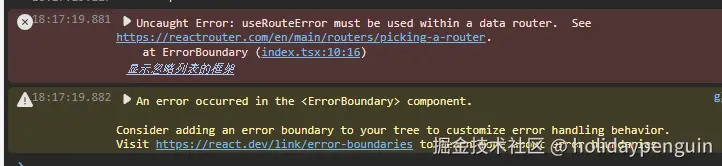
使用 keepalive-for-react 替代 react-activation
- React Router v7 架构变更
- React Router v7 使用了新的 Data Router 架构
- 要求所有 hooks 必须在正确的 router 上下文内使用
- 对组件嵌套和上下文传递有更严格的要求
- react-activation 不兼容
react-activation(v0.13.4) 还不支持 React 19,但是理论上是支持的- 与 React Router v7 的新架构存在冲突
KeepAlive组件破坏了 Router 的上下文传递- 查看了下组件的使用方式,发现原来的使用方法可能不正确,待后续解决
升级 babel-plugin-react-compiler
升级其他组件库
遗留问题
- Input InputNumber addonAfter addonAfter 属性废弃 解决方案
- react-activation 无法运行
- 升级babel-plugin-react-compiler
- 升级其他组件库