在浏览器中用F12打开调试,找到网络一页,刷新页面,找到.M3U8的请求,并找到相关的引用项,比如
罗小黑战记2:https://www.66ss.org/e/DownSys/play/?classid=20&id=27261&pathid1=0&bf=0
里面的选项就是:
python
M3U8_URL = "https://vip.dytt-cine.com/20251024/59985_d292974a/3000k/hls/mixed.m3u8"
OUTPUT = "output.mp4"

HEADERS = {
    "User-Agent": "Mozilla/5.0",
    # 如果你的合法资源需要 Referer / Cookie,可加
    "Referer": "https://vip.dytt-cine.com/share/d292974a12895cb3f54966cfc83576a8",
    # "Cookie": "session=xxxx",
}
如果使用ffmpeg下载,代码如下:
python
import subprocess

M3U8_URL = "https://vip.dytt-cine.com/20251024/59985_d292974a/3000k/hls/mixed.m3u8"
OUTPUT = "output.mp4"

HEADERS = {
    "User-Agent": "Mozilla/5.0",
    # 如果你的合法资源需要 Referer / Cookie,可加
    "Referer": "https://vip.dytt-cine.com/share/d292974a12895cb3f54966cfc83576a8",
    # "Cookie": "session=xxxx",
}

def build_header_args(headers: dict):
    # ffmpeg 需要把 header 拼成字符串
    header_str = ""
    for k, v in headers.items():
        header_str += f"{k}: {v}\r\n"
    return header_str

cmd = [
    "ffmpeg",
    "-y",
    "-headers", build_header_args(HEADERS),
    "-i", M3U8_URL,
    "-c", "copy",
    "-bsf:a", "aac_adtstoasc",
    OUTPUT,
]

print("Running ffmpeg...")
subprocess.run(cmd, check=True)
print("Done:", OUTPUT)
但是这个东西实在是太慢了,
目前有开源的项目直接做了这个:
https://github.com/nilaoda/N_m3u8DL-RE
主页有详细的参数说明,那么一个命令行执行就可以了:
bash
./N_m3u8DL-RE "https://vip.dytt-cine.com/20251024/59985_d292974a/3000k/hls/mixed.m3u8" --thread-count 6 --auto-select --binary-merge --save-name output --header "User-Agent:Mozilla/5.0" --header "Referer:https://vip.dytt-cine.com/share/d292974a12895cb3f54966cfc83576a8"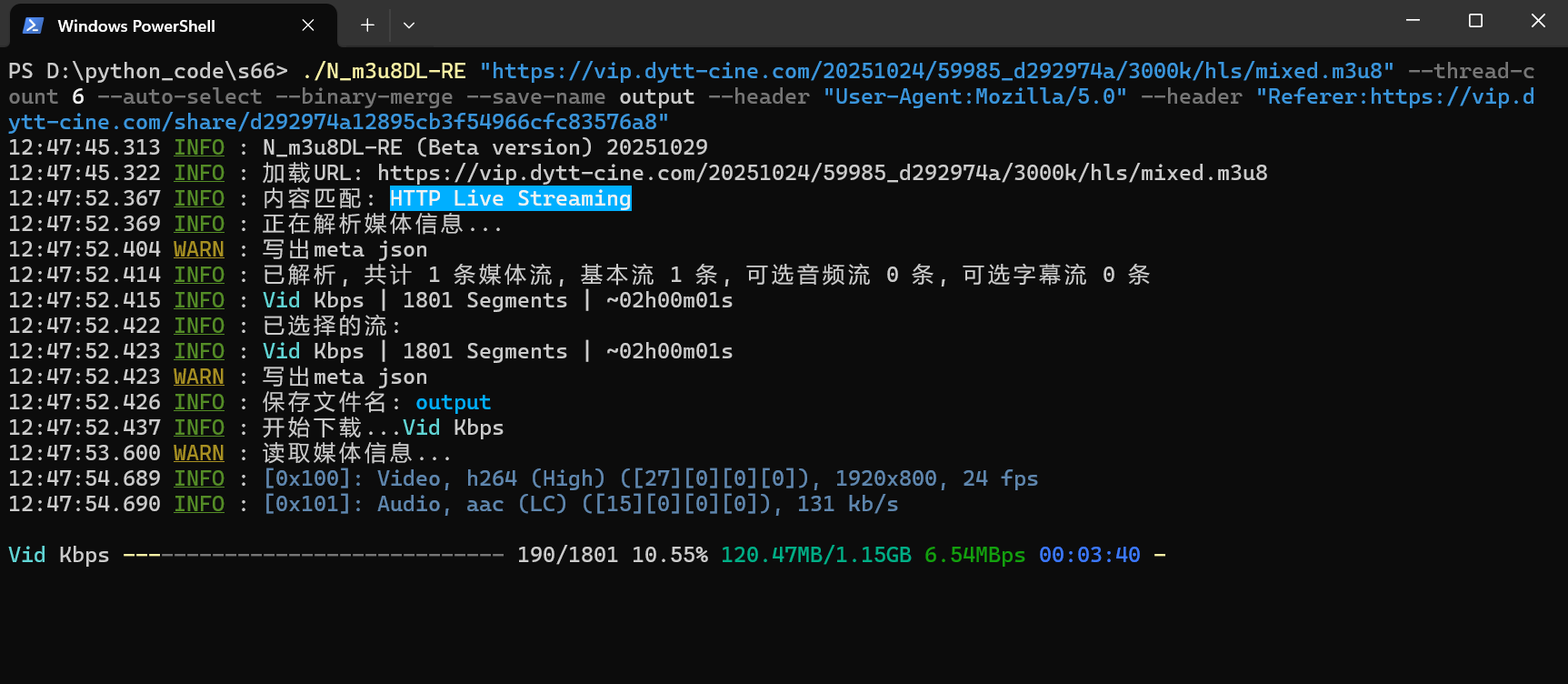
速度比ffmpeg快,而且输出更加清晰。