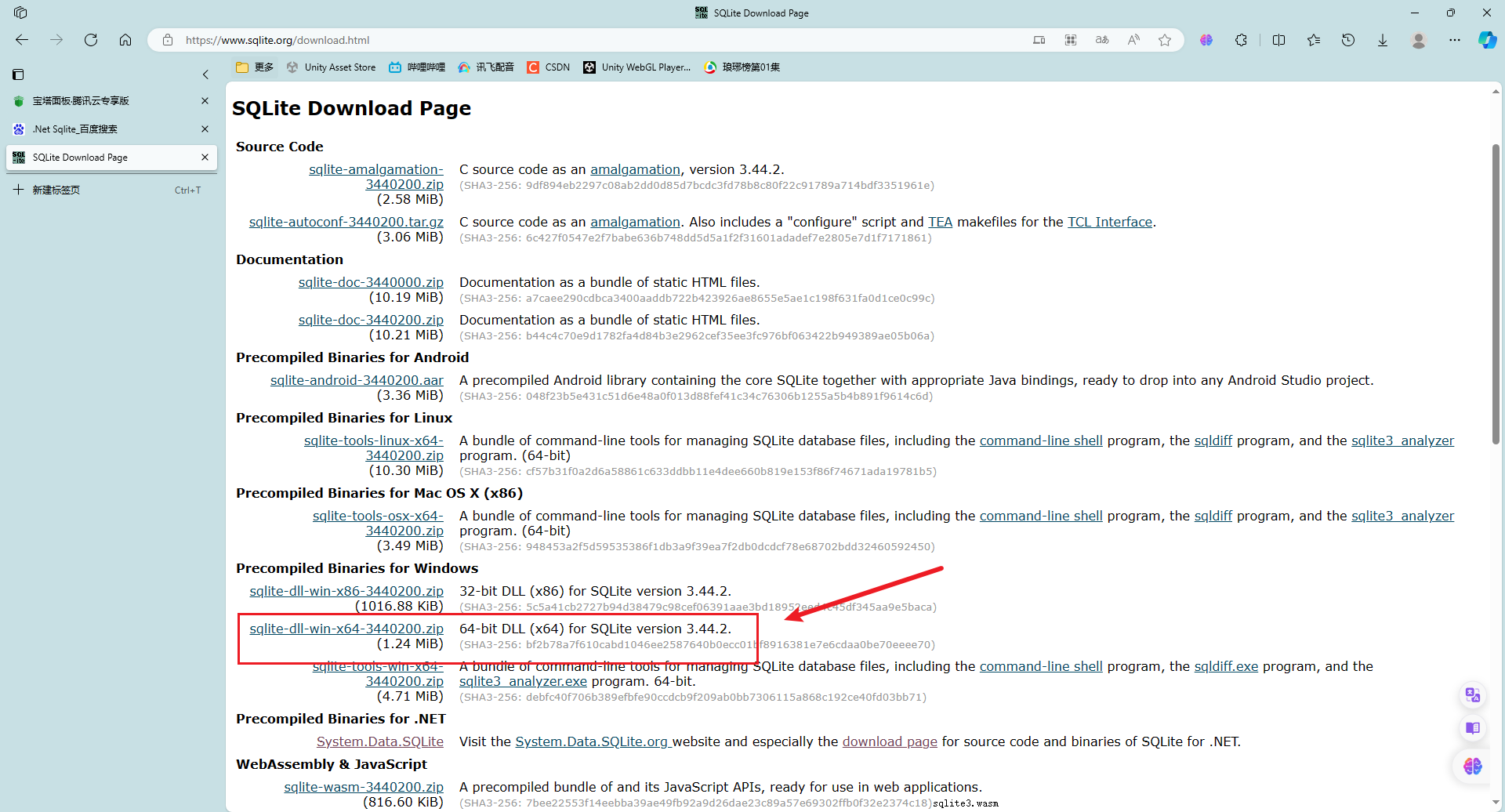
1.去SQLite Download Page下载dll
2.可以使用Mono.Data.Sqlite.dll(在Unity安装目录下找到)
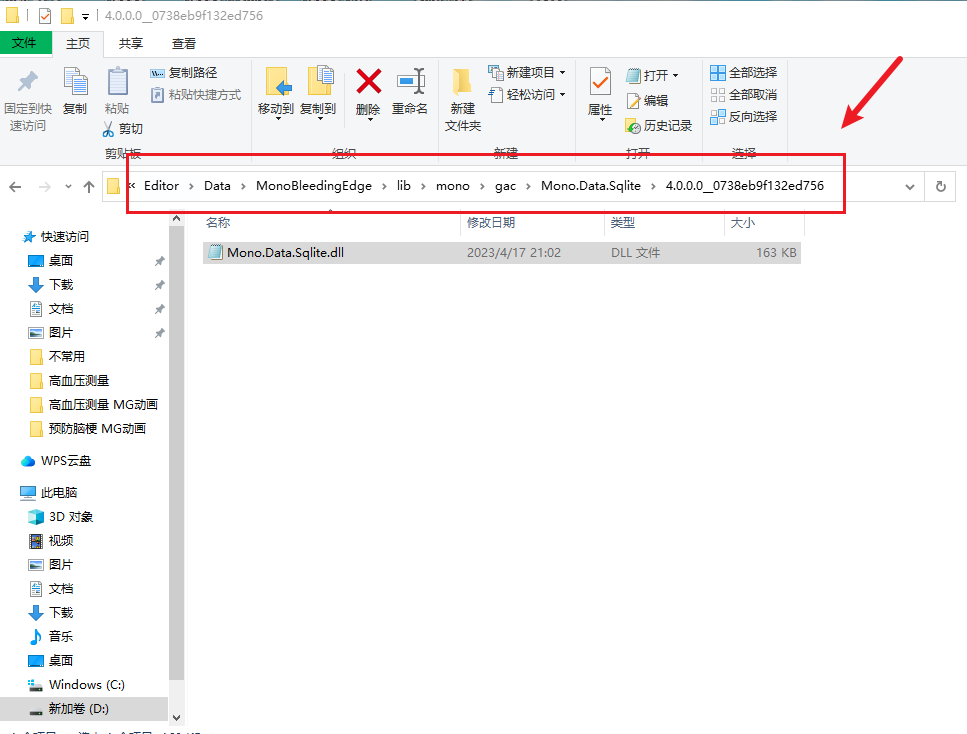
也可以使用System.Data.Sqlite.dll(在VS的Nuget包中找到)
3.Unity新建一个项目,将sqlite3.dll任意结合一款dll导入Plugins文件夹,下面以Mono.Data.Sqlite.dll为例:
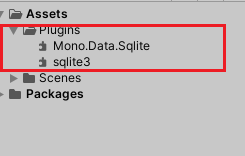
实现一个用户注册的案例,将用户注册并存储账号密码到数据库:
在StreamingAssets文件夹下新建一个leoyang.db文件
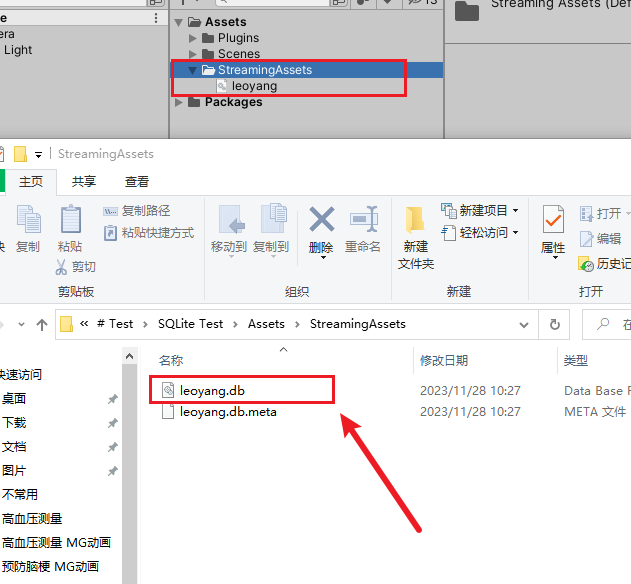
4.创建两个脚本命名为UserLogin和ConnectDataSQL,内容如下:
cs
using System;
using System.Collections;
using System.Collections.Generic;
using TMPro;
using UnityEngine;


public class UserLogin : MonoBehaviour
{
    public  string UserAccount;//注册的账号
    public  string UserPassword;//注册的密码

    private void Start()
    {
        Login();
    }

    public void Login()//该函数用来在外部登录按钮面板中触发
    {
        Debug.Log("用户输入的注册:" + UserAccount);
        Debug.Log("用户输入的密码是:" + UserAccount);


        Debug.Log("面板上的函数触发成功,用户点击了注册按钮" + UserAccount + "  " + UserPassword);
        do
        {
            ConnectDataSQL.GetUserInput(UserAccount, UserPassword);//调用另一个类的方法:插入数据库并存储
            Debug.Log("注册成功");
        } while (false);

    }
}
cs
using UnityEngine;
using System.Data;
using Mono.Data.Sqlite;


public class ConnectDataSQL : MonoBehaviour
{

    private const string databaseName = "leoyang.db"; // 数据库文件名称
    static SqliteConnection MyConnectionDB;//创建一个数据库链接事件对象

    string UserAccount;
    string UserPassword;
    private void Awake()
    {
        // 定义数据库连接字符串
        string connectionString = "URI=file:" + Application.streamingAssetsPath + "/" + databaseName;

        // 创建数据库连接
        //传入创建或者访问SQLITE数据库的路径
        MyConnectionDB = new SqliteConnection(connectionString);
        if (MyConnectionDB.State == ConnectionState.Closed)//检测当前数据库链接状态是否关闭
        {
            MyConnectionDB.Open();//打开数据库
            Debug.Log("数据库链接完毕已打开");
        }
        else
        {
            Debug.Log("数据库连接失败");
        }
        // 创建数据库用户表(如果不存在)
        CreateTable(MyConnectionDB);
    }

    // 创建用户表的方法
    private void CreateTable(SqliteConnection oneConnect)
    {
        string sqlCreateTable = "CREATE TABLE IF NOT EXISTS UserTable (" +
                                  "Id INTEGER PRIMARY KEY AUTOINCREMENT," +
                                  "Username TEXT NOT NULL," +
                                  "Password TEXT NOT NULL" +
                                  ");";
        SqliteCommand SQcommand = new SqliteCommand(sqlCreateTable, oneConnect);//数据库创建命令
        SQcommand.ExecuteNonQuery();
        SQcommand.Dispose();
        SQcommand = null;
    }

    public static void GetUserInput(string UserAccount, string UserPassword)//用户点击注册开始插入数据库
    {
        if (UserPassword != null && UserAccount != null)
        {
            InsertUser(UserAccount, UserPassword);
        }
    }
    // 插入用户输入的账号和密码的方法
    public static void InsertUser(string username, string password)
    {
        string sqlCreateTable = "INSERT INTO UserTable (Username, Password) VALUES (@Username, @Password)";
        if (MyConnectionDB.State != ConnectionState.Open)
        {
            MyConnectionDB.Open();
            Debug.Log("我为您重新打开了数据库");
        }
        else
        {

            SqliteCommand Insertuser = new SqliteCommand(sqlCreateTable, MyConnectionDB);
            Insertuser.Parameters.AddWithValue("@Username", username);
            Insertuser.Parameters.AddWithValue("@Password", password);
            //在 try 块中的代码执行期间,如果发生了异常,则会跳过后续的代码,并进入与异常类型匹配的 catch 块中进行处理。如果异常类型没有与任何 catch 块匹配,那么将会跳过所有的 catch 块,但仍然可以选择执行 finally 块。
            try
            {
                Insertuser.ExecuteNonQuery();
                Debug.Log("插入注册成功.");
            }
            catch (SqliteException yichang)
            {
                Debug.LogError("插入注册失败 " + yichang.Message);
            }
            finally
            {
                // 释放资源和清理操作
                Insertuser.Dispose();
                Insertuser = null;
                MyConnectionDB.Close();
            }
        }
        Debug.Log("注册成功.");

    }

    // 读取用户表中的数据的方法
    // 每次执行完数据库命令后,通常需要调用 ExecuteNonQuery() 方法来执行命令,然后使用 Dispose() 方法释放相关资源,
    // 最后将对象置为 null。
    public void ClearDB()//关闭数据库
    {

        MyConnectionDB.Close();
        MyConnectionDB = null;
    }
}
5.均挂载到空物体上,输入要注册的账号和密码,然后运行即可!
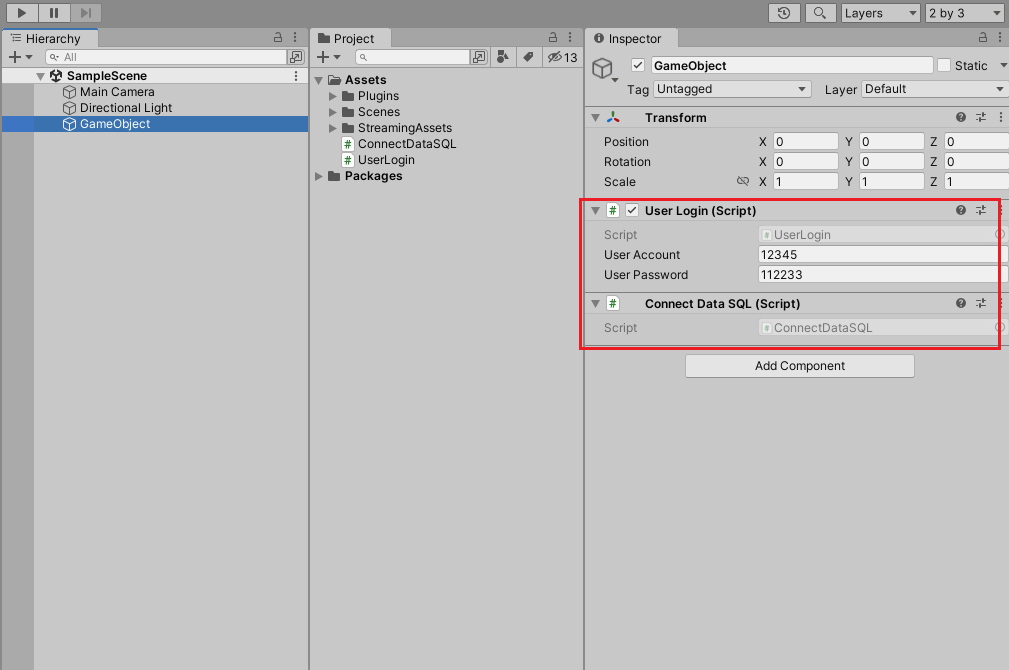
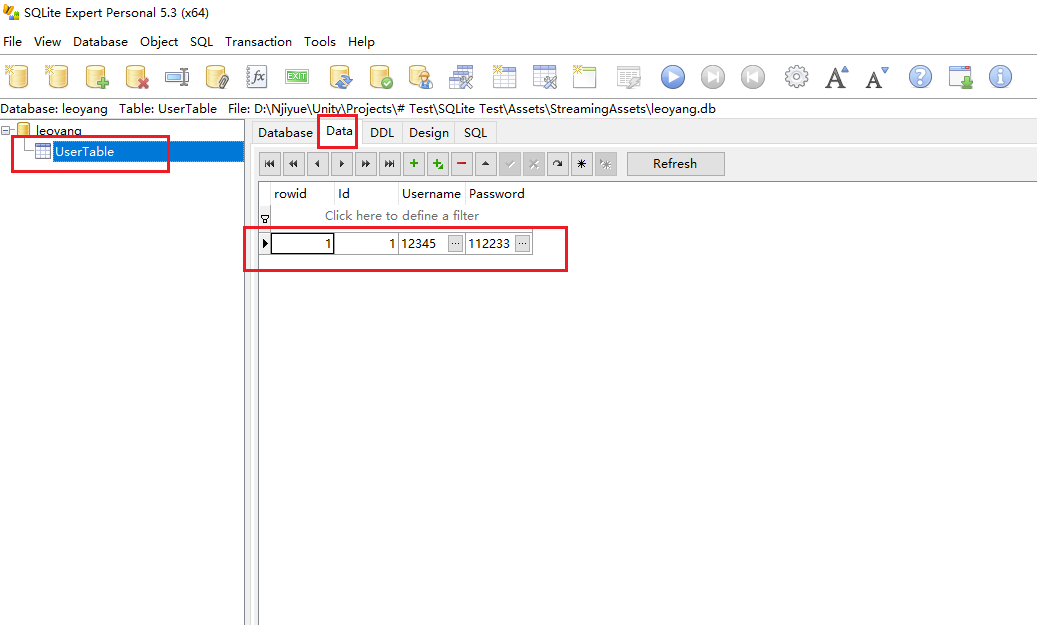
6.可以在SQLite Expert中看到这条数据被存储到了表中!