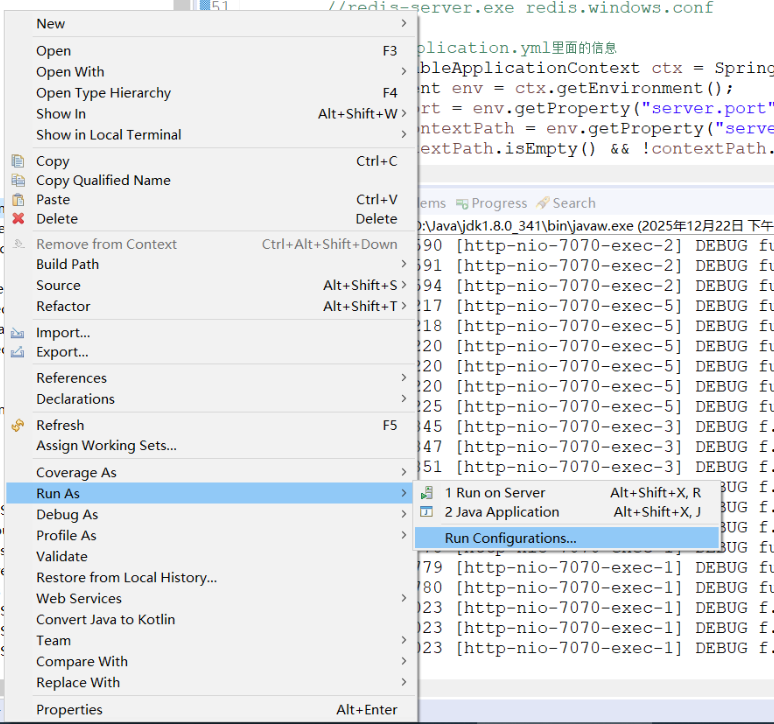
点击你的 Java 项目 / 类 → 选择 Run As → 选择 Run Configurations
点击 Eclipse 顶部菜单栏的 Run → Run Configurations
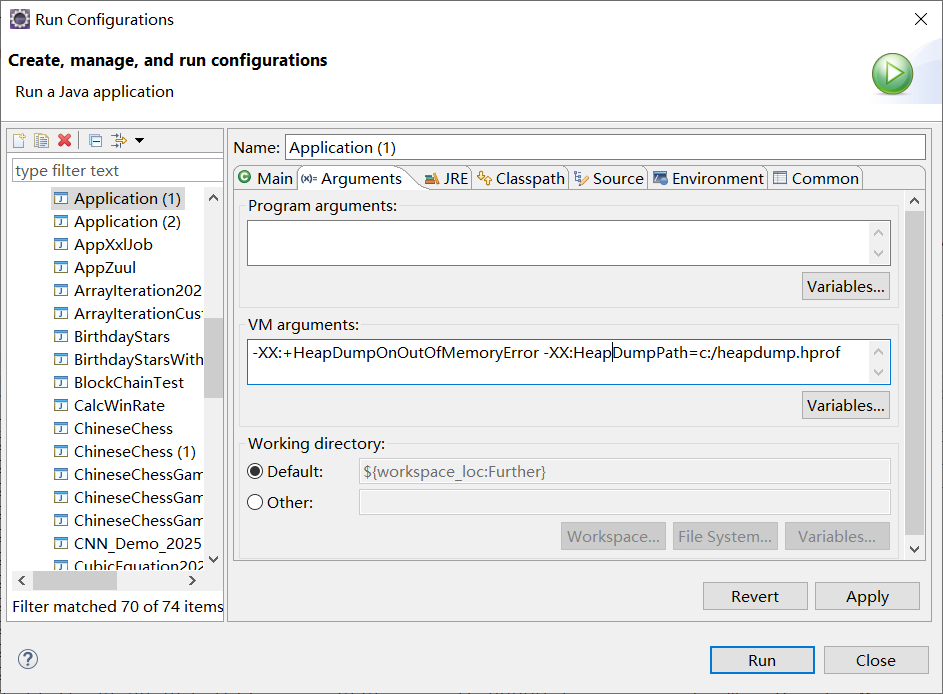
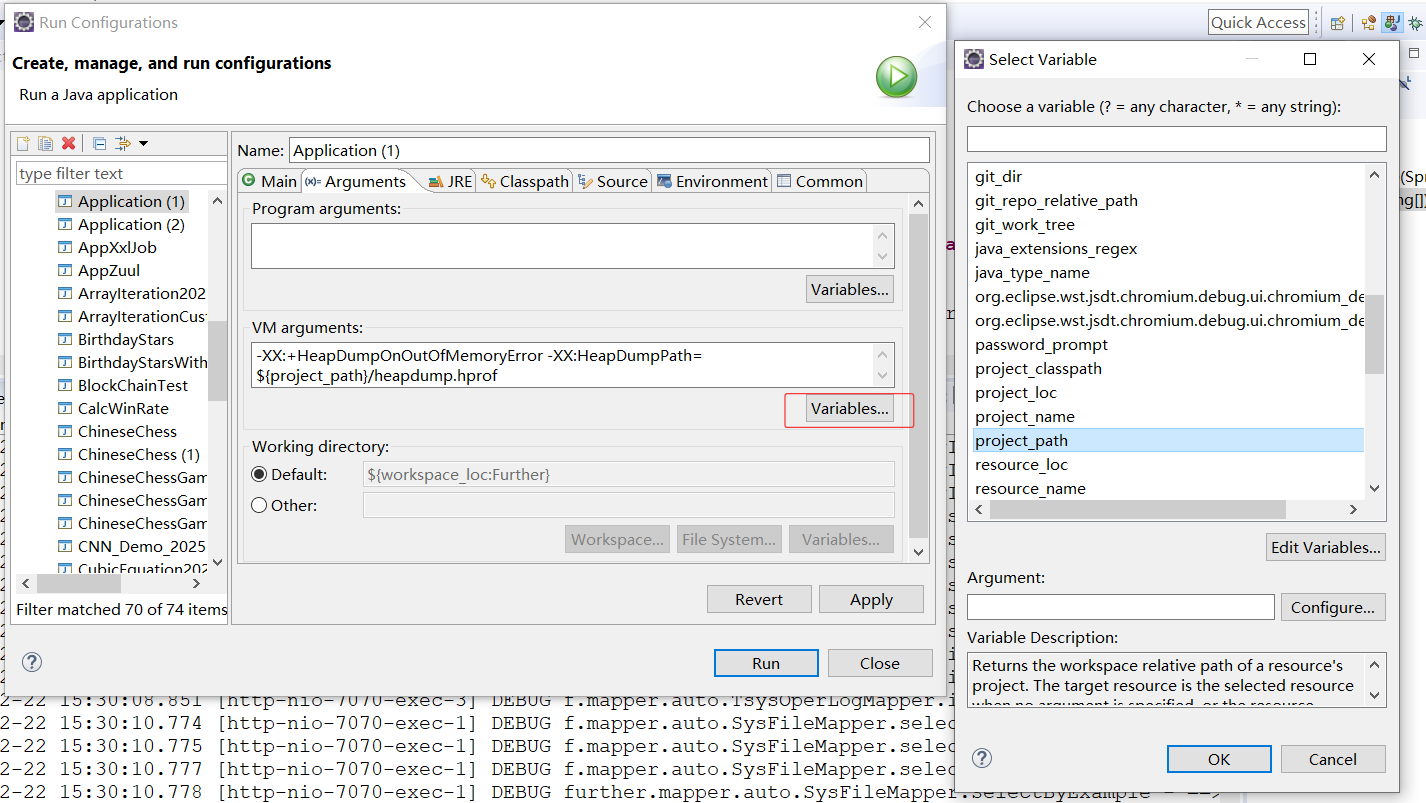
在 VM arguments(VM 参数)输入框中,添加以下参数
-XX:+HeapDumpOnOutOfMemoryError -XX:HeapDumpPath=c:/heapdump.hprof点击你的 Java 项目 / 类 → 选择 Run As → 选择 Run Configurations
点击 Eclipse 顶部菜单栏的 Run → Run Configurations
在 VM arguments(VM 参数)输入框中,添加以下参数
-XX:+HeapDumpOnOutOfMemoryError -XX:HeapDumpPath=c:/heapdump.hprof