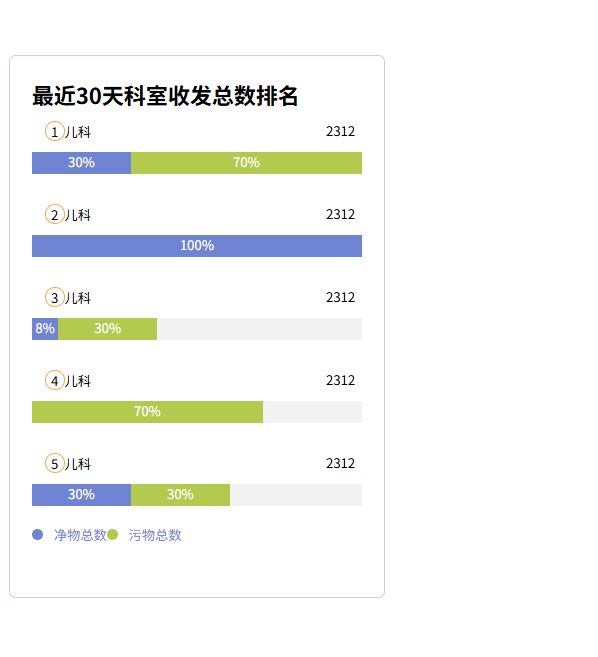
效果图:
<!DOCTYPE html>
<html>
<head>
  <meta charset="UTF-8">
  <!-- import CSS -->
  <link rel="stylesheet" href="https://cdn.staticfile.org/element-ui/2.15.9/theme-chalk/index.css">

</head>
<style>
  .clean-clr-bg {
    background-color:#6f85d4 ;
  }
  .clean-clr {
    color: #6f85d4;
  }

  .custom-segmented-progress {
    position: relative;
    display: flex;
    //align-items: flex-start;
    //flex-direction: column;
  }

  .custom-segmented-progress > div {
    text-align: center; /* 文本居中 */
    color: #fff; /* 文本颜色 */
  }
</style>
<body>
<div id="app">

  <div style="margin-bottom: 10px">
    <div class="custom-segmented-progress" style="background-color: #ada9a9">
      <div style="width: 30%;background-color: #00C777">30%</div>
      <div style="width: 30%;background-color: #b0cbc1">30%</div>
    </div>
  </div>
  <br>

  <div
    style="border:1px solid #e2c7c7;border-radius:6px;width: 28%;height:452px;margin-top: 30px;overflow: hidden;padding: 20px;font-size: 12px;max-width: 300px;min-width: 180px;">
    <div style="font-size: 20px;font-weight: bold">最近30天科室收发总数排名</div>

    <div v-for="(segment, index) in segments" :key="index" style="background-color: #fff; ">
      <div style="display: flex;justify-content: space-between;margin-left: 6px;margin-right: 6px;padding-top: 10px;">
        <div>
          <span
            style="display:inline-block;height:16px;width:16px;border: 1px solid #f0ad4e;border-radius: 50%;text-align: center;margin-left: 6px;">{{ index + 1 }}</span><span>儿科</span>
        </div>
        <span>2312</span>
      </div>


      <div class="custom-segmented-progress"
           style="background-color: #f2f2f2;border:0px solid #7b7676;margin-top: 10px">
        <div v-for="(part, pindex) in segment" :key="pindex"
             :style="segmentStyle(part)">{{ part.percentage }}%
        </div>
      </div>

      <br>
    </div>
    <div style="display: flex;justify-content: start">
      <div class="clean-clr"  ><span class="clean-clr-bg"
        style="display:inline-block;height: 10px;width: 10px; margin-right: 10px;border-radius: 50%"> </span>净物总数</div>
      <div style="color: #6f85d4"><span
        style="display:inline-block;height: 10px;width: 10px;background-color: #b2ca4d;margin-right: 10px;border-radius: 50%"> </span>污物总数
      </div>
    </div>
  </div>
</div>
</body>
<script src="https://unpkg.com/vue@2/dist/vue.js"></script>
<script src="https://cdn.staticfile.org/element-ui/2.15.9/index.min.js"></script>
<script>
  Vue.config.productionTip = false //阻止vue在启动时生成生产提示
  const vm = new Vue({
    el: '#app',
    data: {
      message: "好的",
      segments: [
        [{percentage: 30, color: '#6f85d4'}, {percentage: 70, color: '#b2ca4d'}],
        [{percentage: 100, color: '#6f85d4'}],
        [{percentage: 8, color: '#6f85d4'}, {percentage: 30, color: '#b2ca4d'},],
        [{percentage: 70, color: '#b2ca4d'},],
        [{percentage: 30, color: '#6f85d4'}, {percentage: 30, color: '#b2ca4d'},],
      ]
    },
    computed: {},
    components: {},
    props: {},
    methods: {
      segmentStyle(segment) {
        return {
          width: `${segment.percentage}%`,
          backgroundColor: segment.color,
          height: '20px' // 根据需要调整高度
        };
      }
    },
    watch: {},// 监控 data 中的数据变化
    //过滤器
    filters: {},
  })

</script>
</html>