目录
- [1 Allure测试报告框架](#1 Allure测试报告框架)
- [2 Allure核心装饰器](#2 Allure核心装饰器)
-
- [2.1 @allure.epic](#2.1 @allure.epic)
- [2.2 @allure.feature](#2.2 @allure.feature)
- [2.3 @allure.story](#2.3 @allure.story)
- [2.4 @allure.title](#2.4 @allure.title)
- [2.5 @allure.severity](#2.5 @allure.severity)
- [2.6 @allure.step](#2.6 @allure.step)
- [2.7 @allure.attach](#2.7 @allure.attach)
- [3 演示:使用Allure实现测试用例分组](#3 演示:使用Allure实现测试用例分组)
- 写在最后
1 Allure测试报告框架
Allure 是一个轻量级、多语言支持的自动化测试报告框架,最初由 Yandex 团队开发,后成为开源项目。它通过清晰的测试步骤分层、丰富的注解支持和直观的可视化报告界面,解决了测试结果难以追溯与沟通的痛点,成为众多测试团队的首选报告工具。
安装:
shell
pip install allure-pytest配置(命令行或pytest.ini):
shell
--alluredir=temps --clean-alluredir生成Allure测试报告:
shell
allure generate -o report -c temps示例代码:
python
import pytest
import os

pytest.main()

# 生成Allure测试报告
os.system("allure generate -o report -c temps")注,使用allure前需要确保已经安装了Allure 命令行工具,以及依赖的Java环境
shell
wget https://github.com/allure-framework/allure2/releases/download/2.12.1/allure-commandline-2.12.1.zip
unzip allure-commandline-2.12.1.zip -d D:\develop\allure也可以参考博客:allure的安装和使用(windows环境),进行手动安装
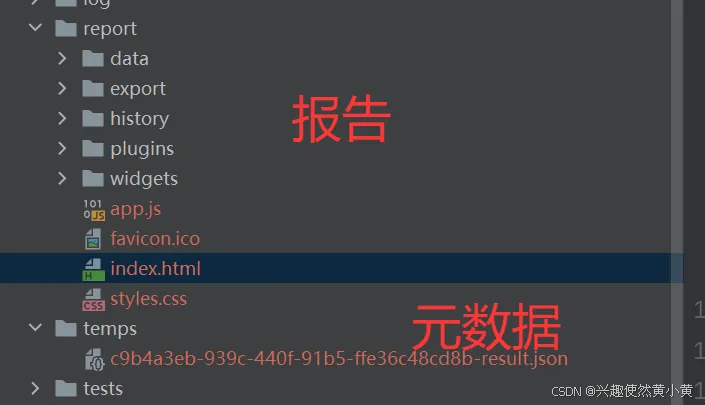
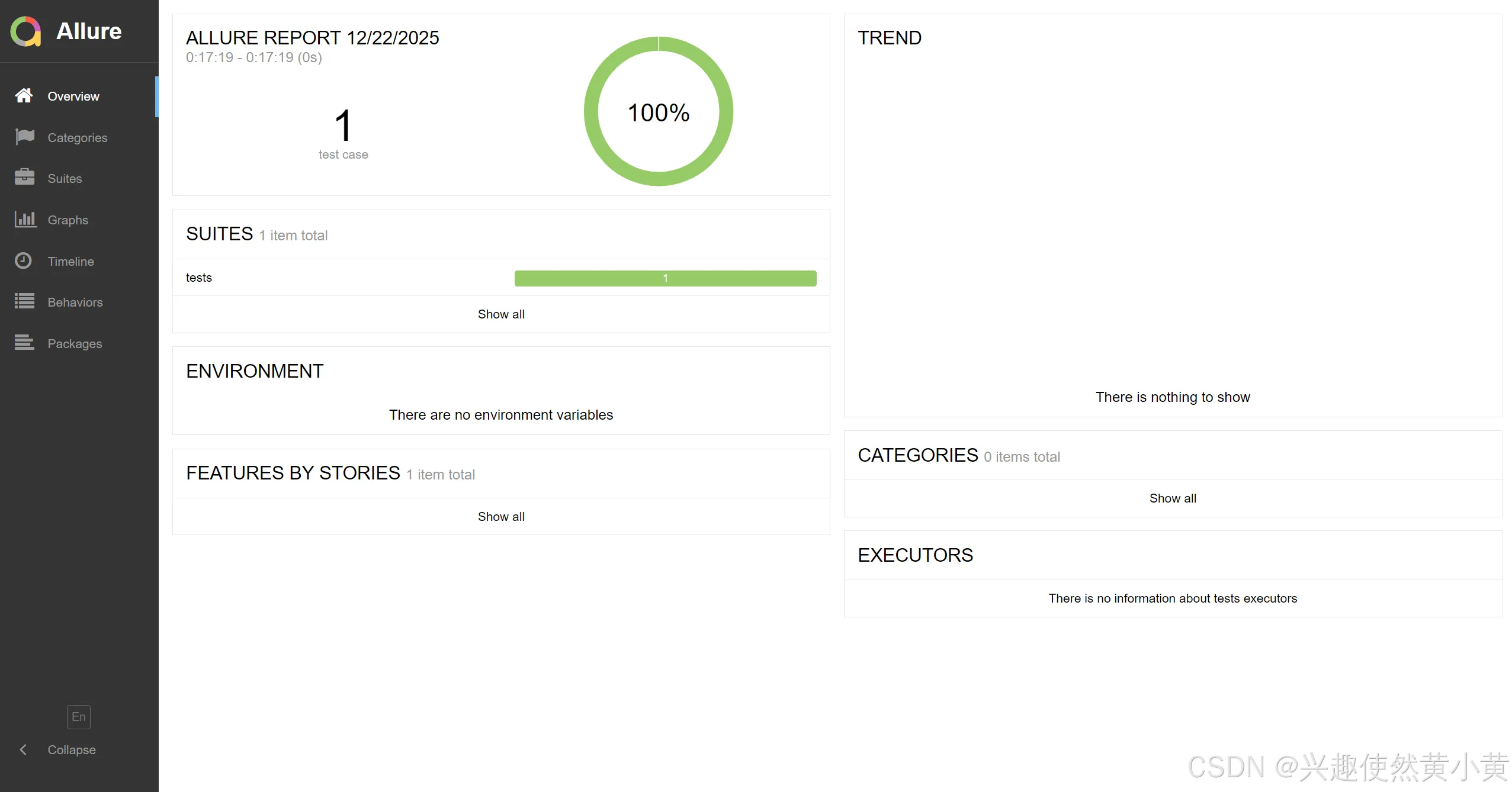
配置完成后,运行pytest,可以看到在temps目录下生成了报告的元数据,而后,我们通过allure命令生成最终的测试报告:
2 Allure核心装饰器
Allure 提供多种装饰器用于增强测试报告的可读性与结构化。总体层级遵循 :
● Epic > Feature > Story > Title
2.1 @allure.epic
定义测试用例的史诗(Epic),通常用于表示项目需求或大模块。在 Behaviors 栏目下按层级分组展示,便于按需求模块管理测试用例。
示例代码:
python
@allure.epic('需求1')
@allure.feature('功能模块1')
@allure.story('子功能1')
@allure.title('用例1')
def test_case1():
    pass
2.2 @allure.feature
定义功能模块(Feature),是 Epic 的子集。在 Behaviors 栏目下按 Epic 分组,再按 Feature 展示用例。
示例代码:
python
@allure.feature('用户登录功能')
def test_login():
    pass
2.3 @allure.story
定义子功能或场景(Story),是 Feature 的子集。在 Behaviors 栏目下按 Epic → Feature → Story 层级展示。
示例代码:
python
@allure.story('登录成功场景')
def test_login_success():
    pass
2.4 @allure.title
自定义测试用例标题,覆盖默认名称。
示例代码:
python
@allure.title('验证登录失败时的错误提示')
def test_login_failure():
    pass
2.5 @allure.severity
定义测试用例的严重级别(如 blocker、critical、normal),用于优先级排序。
示例代码:
python
@allure.severity(allure.severity_level.CRITICAL)
def test_critical_functionality():
    pass
2.6 @allure.step
将测试步骤分层显示,便于追踪执行过程。
示例代码:
python
@allure.step('执行登录操作')
def login(username, password):
    pass
2.7 @allure.attach
附加额外信息(如日志、截图)到测试用例中。
示例代码:
python
@allure.attach('登录请求数据', '{"username":"admin", "password":"123"}', allure.attachment_type.JSON)
def test_login():
    pass
3 演示:使用Allure实现测试用例分组
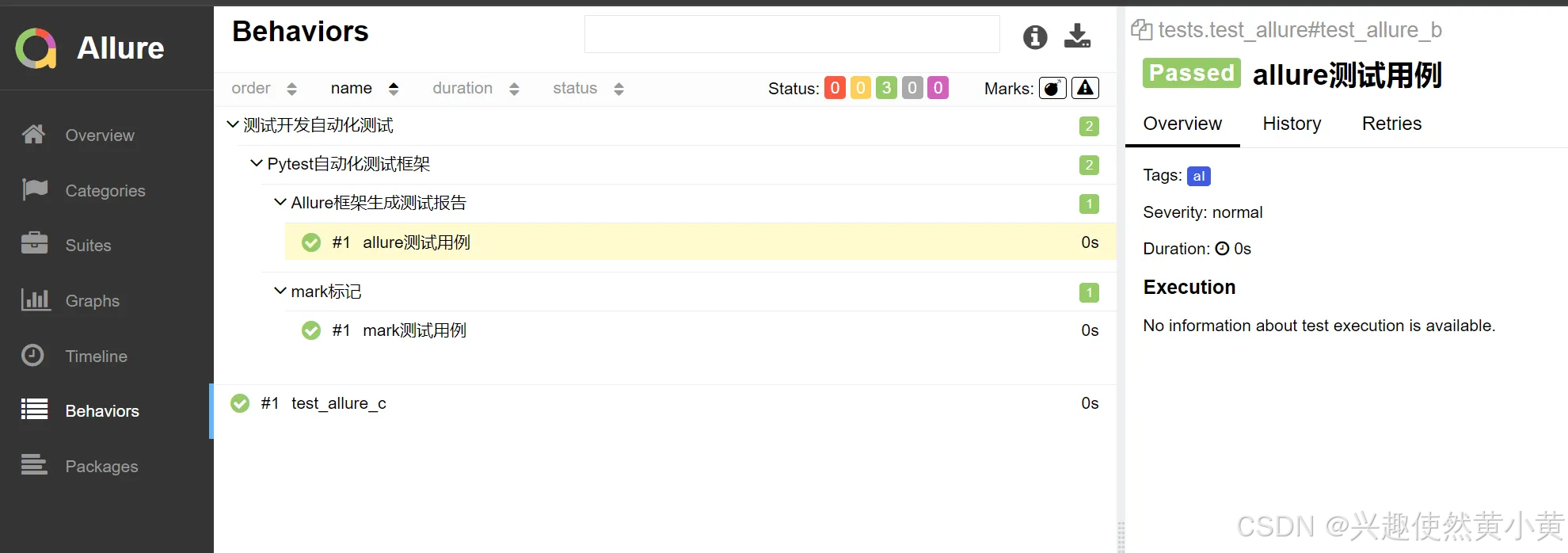
编写三个测试用例,其中两个属于同一个Epic,不同的story,不同的feature;一个用例不属于任何Epic。
示例代码:
python
import allure
import pytest


@allure.epic('测试开发自动化测试')
@allure.feature('Pytest自动化测试框架')
@allure.story('mark标记')
@allure.title('mark测试用例')
@pytest.mark.al
def test_allure_a():
    assert True


@allure.epic('测试开发自动化测试')
@allure.feature('Pytest自动化测试框架')
@allure.story('Allure框架生成测试报告')
@allure.title('allure测试用例')
@pytest.mark.al
def test_allure_b():
    assert True


@pytest.mark.al
def test_allure_c():
    assert True
演示结果:
写在最后
以上便是本文的全部内容啦!创作不易,如果你有任何问题,欢迎私信,感谢您的支持!
