1. 报错known_hosts
@@@@@@@@@@@@@@@@@@@@@@@@@@@@@@@@@@@@@@@@@@@@@@@@@@@@@@@@@@@
@ WARNING: REMOTE HOST IDENTIFICATION HAS CHANGED! @
@@@@@@@@@@@@@@@@@@@@@@@@@@@@@@@@@@@@@@@@@@@@@@@@@@@@@@@@@@@
IT IS POSSIBLE THAT SOMEONE IS DOING SOMETHING NASTY!
Someone could be eavesdropping on you right now (man-in-the-middle attack)!
It is also possible that a host key has just been changed.
The fingerprint for the EDxxxx key sent by the remote host is
SHA256:.............................................................................................
Please contact your system administrator.
Add correct host key in C:\\Users\\xxx/.ssh/known_hosts to get rid of this message.
Offending ECDSA key in C:\\Users\\xxx/.ssh/known_hosts:5
Host key for 192.168.1.x has changed and you have requested strict checking.
Host key verification failed.
解决方法:找出对应的known_hosts文件并删除或清空文件内容。
2. 双方都能ping通但ssh都报错time out
因为昨天还能用windows进行ssh访问,今天就不行了。
一开始以为是ubuntu的问题。经过千万次的设置ubuntu网络重启等操作,仍然不管用。
后来,用ubuntu连接了另一台ubuntu,是完全没问题的。
看来问题不是出在ubuntu上,问题一定是出在了windows上。
反复排查,最终发现需要在windows上设置共享。
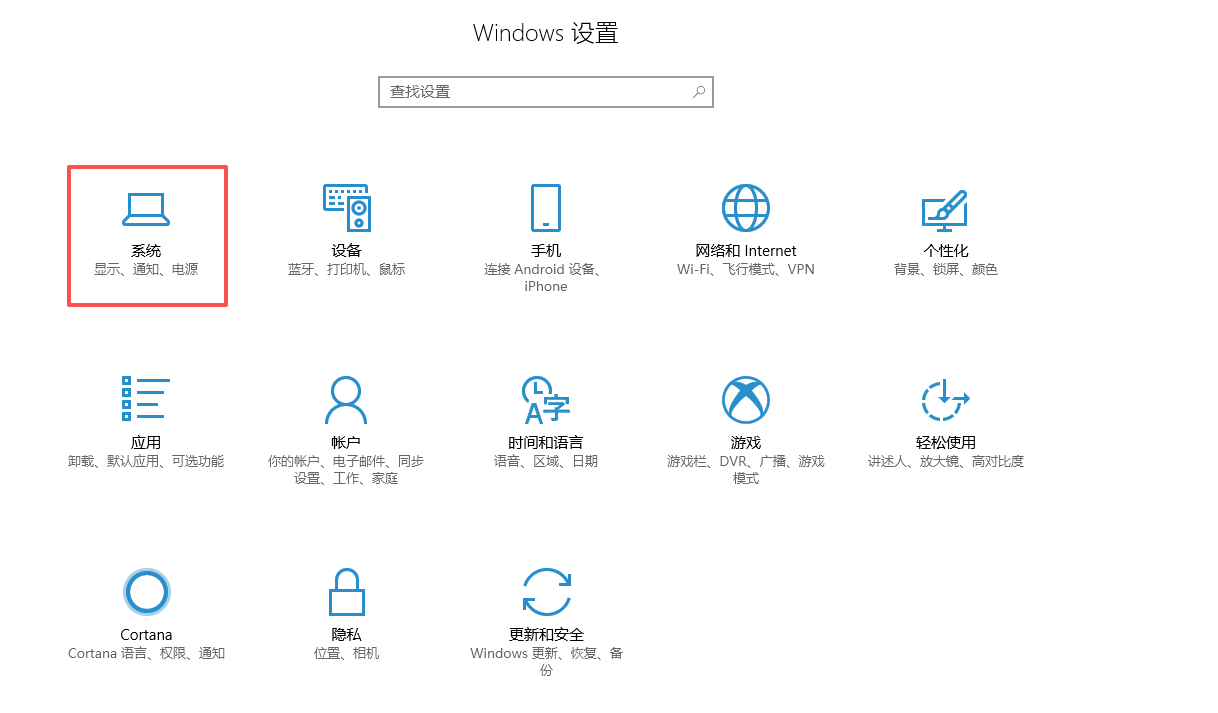
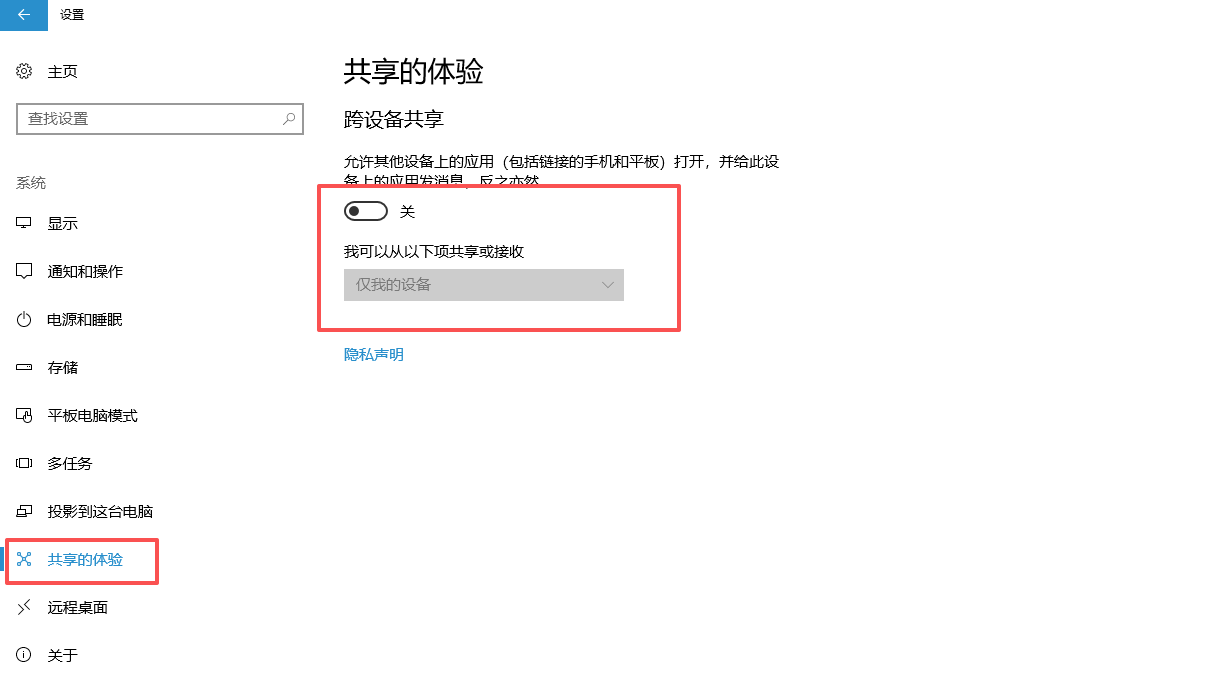
把这里的开关打开,如果网络环境相对安全,可选择"附近的任何人"。
3. 到底什么原因?
比较纳闷的是:为什么昨天还能连接,今天就不能连接了呢?
应该是windows在更新系统时,修改了配置。
致谢windows:真NMB的尿性!!!