<!doctype html>
<html lang="en">
  <head>
    <meta charset="UTF-8" />
    <meta name="viewport" content="width=device-width, initial-scale=1.0" />
    <title>Document</title>
    <script>
      window.MathJax = {
        tex: {
          packages: { '[+]': ['mhchem'] },
        },
      }
    </script>
    <!-- <script src="https://cdn.jsdelivr.net/npm/mathjax@3/es5/tex-mml-svg.js"></script> -->
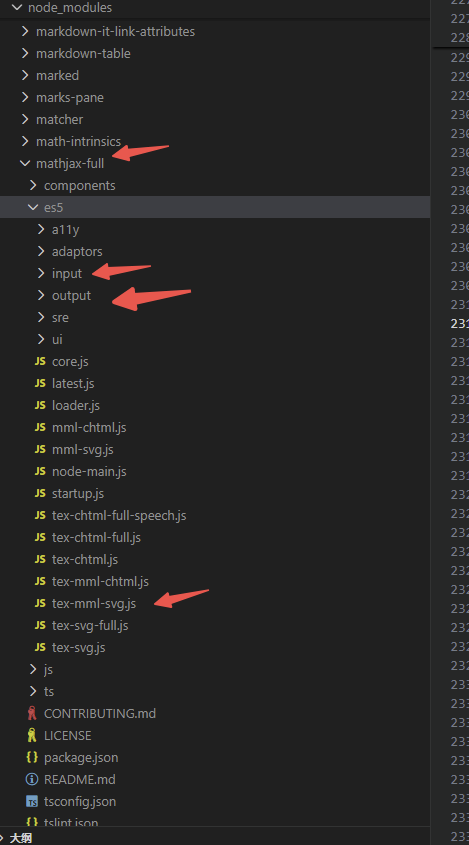
    <script src="./public/tex-mml-svg.js"></script>
  </head>
  <body>
    <div id="preview"></div>
    <div id="preview2"></div>
    <script></script>
    <script>
      const cleanChemLatex = (tex, type) => {
        console.log('Original LaTeX:', tex)

        // 1. 移除 \[ 和 \] 标记(因为我们通过 display 参数控制)
        tex = tex
          .replace(/^\s*\\?\[/, '')
          .replace(/\\?\]\s*$/, '')
          .trim()

        // 2. 清理可能的双倍反斜杠(需要在字符串中处理)
        tex = tex.replace(/\\\\/g, '\\')

        // 3. 修复 \chemabove 和 \chembelow 的空第一个参数问题

        if (type === '1') {
          tex = tex.replace(/\\chemabove/g, '')
          tex = tex.replace(/\\chembelow/g, '-')
        } else {
          tex = tex.replace(/\\chemabove/g, '')
          tex = tex.replace(/\\chembelow/g, '')
        }
        tex = tex.replace(/\\ce/g, '')

        // 4. 修复 \phantom{} 空内容
        tex = tex.replace(/\\phantom\{\}/g, '\\phantom{X}')

        // 5. 修复 \phantom{|} 问题
        tex = tex.replace(/\\phantom\{\|\}/g, '\\phantom{X}')

        // 6. 检查并移除多余的右花括号
        let depth = 0
        let cleaned = ''
        let skipNext = false

        for (let i = 0; i < tex.length; i++) {
          if (skipNext) {
            skipNext = false
            continue
          }

          const char = tex[i]
          const nextChar = tex[i + 1]

          // 跳过转义字符
          if (char === '\\') {
            cleaned += char
            if (nextChar) {
              cleaned += nextChar
              i++
            }
            continue
          }

          if (char === '{') {
            depth++
            cleaned += char
          } else if (char === '}') {
            // 只添加右括号如果有匹配的左括号
            if (depth > 0) {
              depth--
              cleaned += char
            } else {
              // 跳过多余的右括号
              console.log('Skipping extra closing brace at position', i)
            }
          } else {
            cleaned += char
          }
        }

        // 7. 如果还有未闭合的左括号,添加对应的右括号
        while (depth > 0) {
          cleaned += '}'
          depth--
        }

        // 8. 移除连续的空格和换行
        cleaned = cleaned.replace(/\s+/g, ' ').trim()

        console.log('Cleaned LaTeX:', cleaned)
        return cleaned
      }

      try {
        async function renderTexToSVG(tex, display = false) {
          await MathJax.startup.promise

          const node = await MathJax.tex2svgPromise(tex, { display })

          return node
        }

        const preview = document.getElementById('preview')

        let tex =
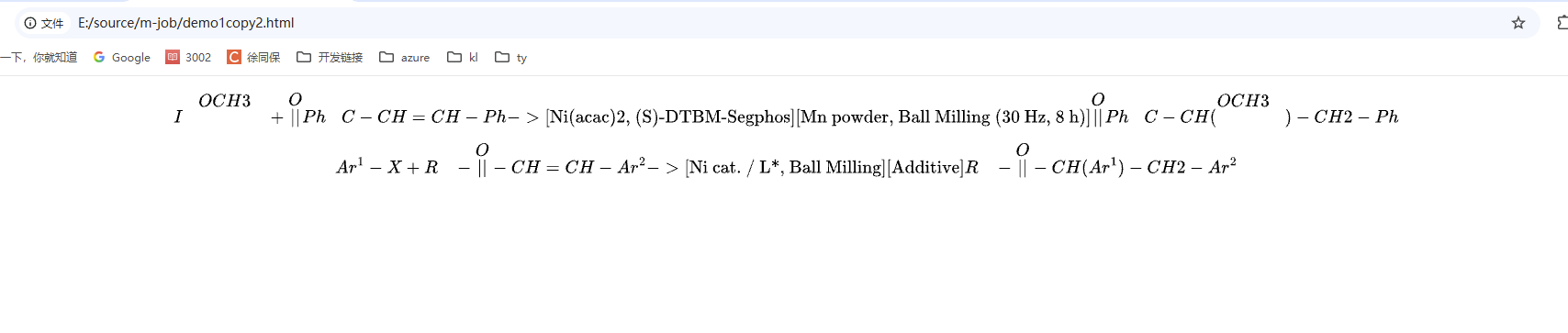
          '\n\n\\[\\ce{\\chembelow{I}{\\phantom{}}} \\chemabove{}{\\displaystyle\\overset{\\displaystyle OCH3}{\\phantom{|}}} \\chembelow{}{\\phantom{}}} + \\chembelow{}{\\displaystyle\\overset{\\displaystyle O}{||}} \\chemabove{Ph}{\\phantom{}}}C-CH=CH-Ph ->[\\text{Ni(acac)2, (S)-DTBM-Segphos}][\\text{Mn powder, Ball Milling (30 Hz, 8 h)}] \\chembelow{}{\\displaystyle\\overset{\\displaystyle O}{||}} \\chemabove{Ph}{\\phantom{}}}C-CH( \\chembelow{}{\\displaystyle\\overset{\\displaystyle OCH3}{\\phantom{|}}} \\chemabove{}{\\phantom{}}} )-CH2-Ph\\]\n\n'

        tex = cleanChemLatex(tex, '2')

        renderTexToSVG(tex, true).then((node) => {
          preview.innerHTML = ''
          preview.appendChild(node)
        })
      } catch (error) {
        console.error('Error rendering TeX to SVG:', error)
      }

      try {
        async function renderTexToSVG(tex, display = false) {
          await MathJax.startup.promise

          const node = await MathJax.tex2svgPromise(tex, { display })

          return node
        }

        const preview = document.getElementById('preview2')

        let tex =
          '\n\n\\[\\ce{Ar^{1}-X + \\chemabove{R}{\\phantom{}} \\chembelow{}{\\displaystyle\\overset{\\displaystyle O}{||}} -CH=CH-Ar^{2} ->[\\text{Ni cat. / L*, Ball Milling}][\\text{Additive}] \\chemabove{R}{\\phantom{}} \\chembelow{}{\\displaystyle\\overset{\\displaystyle O}{||}} -CH(Ar^{1})-CH2-Ar^{2}}\\]\n\n'

        tex = cleanChemLatex(tex, '1')

        renderTexToSVG(tex, true).then((node) => {
          preview.innerHTML = ''
          preview.appendChild(node)
        })
      } catch (error) {
        console.error('Error rendering TeX to SVG:', error)
      }
    </script>
  </body>
</html>