📌 模块概述
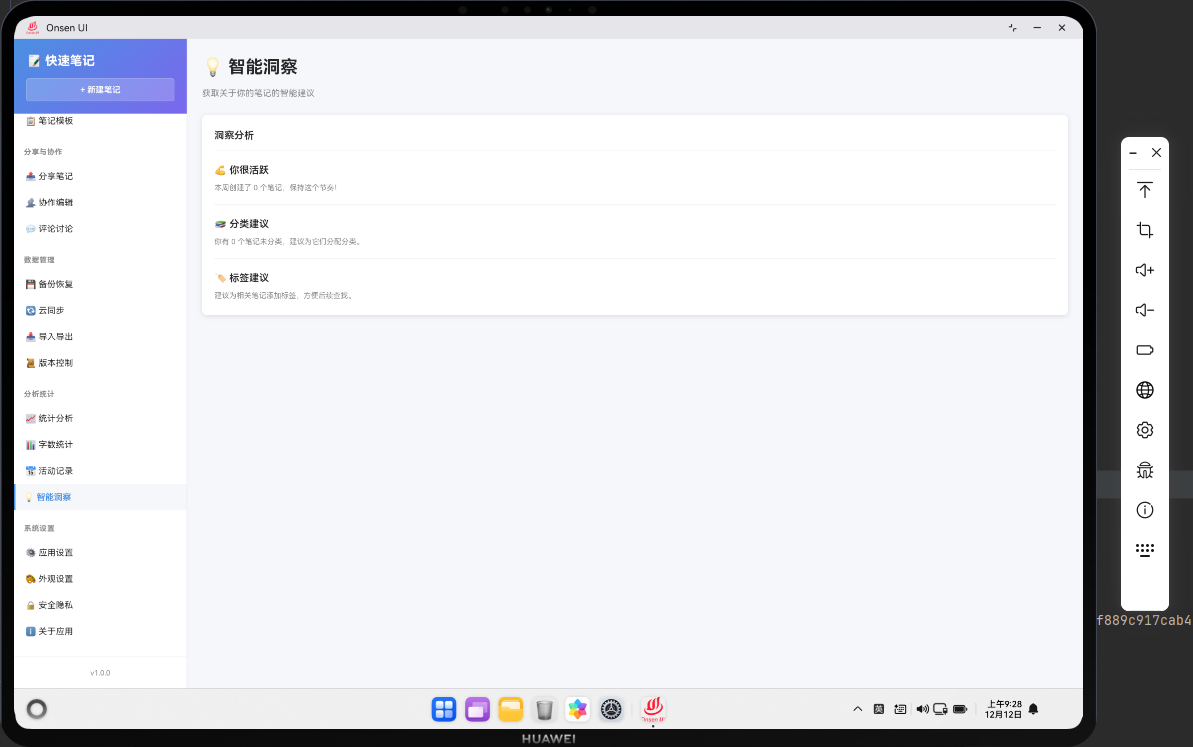
智能洞察功能使用AI算法分析笔记数据,提供智能建议和洞察。比如推荐用户应该更新哪些笔记,或者识别笔记中的关键信息。
🔗 完整流程
第一步:分析数据
分析笔记的内容和元数据。
第二步:生成洞察
基于分析结果生成洞察和建议。
第三步:展示洞察
向用户展示洞察和建议。
🔧 Web代码实现
javascript
async renderInsights() {
  const allNotes = await noteDB.getAllNotes();
  const insights = this.generateInsights(allNotes);

  return `
    <div class="page active">
      <div class="page-header">
        <h1 class="page-title">💡 智能洞察</h1>
      </div>
      <div class="insights-list">
        ${insights.map(insight => `
          <div class="insight-item">
            <h3>${insight.title}</h3>
            <p>${insight.description}</p>
          </div>
        `).join('')}
      </div>
    </div>
  `;
}

// 生成洞察
generateInsights(notes) {
  const insights = [];

  // 分析长时间未更新的笔记
  const oldNotes = notes.filter(note => {
    const daysSinceUpdate = (Date.now() - new Date(note.updatedAt).getTime()) / (1000 * 60 * 60 * 24);
    return daysSinceUpdate > 30;
  });

  if (oldNotes.length > 0) {
    insights.push({
      title: '有笔记需要更新',
      description: `您有 ${oldNotes.length} 个笔记超过30天未更新,建议检查并更新。`
    });
  }

  // 分析笔记分布
  const avgWords = notes.reduce((sum, note) => sum + (note.wordCount || 0), 0) / notes.length;
  if (avgWords < 100) {
    insights.push({
      title: '笔记内容较少',
      description: '您的笔记平均字数较少,建议添加更多内容。'
    });
  }

  return insights;
}
🔌 OpenHarmony 原生代码
typescript
// InsightsPlugin.ets - 智能洞察插件
import { webview } from '@kit.ArkWeb';
import { common } from '@kit.AbilityKit';
import { fileIo } from '@kit.CoreFileKit';

@NativeComponent
export class InsightsPlugin {
  private context: common.UIAbilityContext;

  constructor(context: common.UIAbilityContext) {
    this.context = context;
  }

  // 初始化插件
  public init(webviewController: webview.WebviewController): void {
    webviewController.registerJavaScriptProxy(
      new InsightsJSProxy(this),
      'insightsPlugin',
      ['generateInsights']
    );
  }

  // 生成洞察
  public generateInsights(): Promise<Array<any>> {
    return new Promise((resolve) => {
      try {
        const notesPath = this.context.cacheDir + '/notes.json';
        const content = fileIo.readTextSync(notesPath);
        const notes = JSON.parse(content);

        const insights: Array<any> = [];

        // 分析笔记数量
        if (notes.length === 0) {
          insights.push({
            title: '开始创建笔记',
            description: '您还没有创建任何笔记,现在就开始吧!'
          });
        }

        resolve(insights);
      } catch (error) {
        console.error('Failed to generate insights:', error);
        resolve([]);
      }
    });
  }
}

// InsightsJSProxy.ets - JavaScript代理类
class InsightsJSProxy {
  private plugin: InsightsPlugin;

  constructor(plugin: InsightsPlugin) {
    this.plugin = plugin;
  }

  generateInsights(): void {
    this.plugin.generateInsights().then(insights => {
      console.log('Insights generated:', insights.length);
    });
  }
}
📝 总结
智能洞察功能展示了如何在Cordova与OpenHarmony混合开发中实现智能分析功能。
欢迎加入开源鸿蒙跨平台社区:https://openharmonycrossplatform.csdn.net