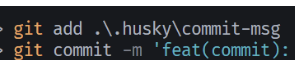
- npm install
2.npm install husky -D
3.npx husky init / npx husky install(可能无法使用)
自动生成/手动创建
{
  "scripts": {
    "prepare": "husky install"
  }
4.创建commit-msg
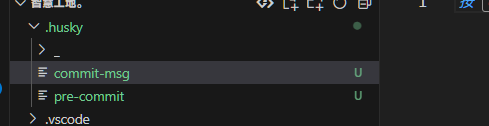
删掉pre-commit
#!/bin/sh
. "$(dirname "$0")/_/husky.sh"
npx --no -- commitlint --edit ${1}- npm install @commitlint/config-conventional @commitlint/cli -D
6.在项目根目录中添加commitlint.config.js文件
// commitlint.config.js
export default {
  // 继承的规则
  extends: ['@commitlint/config-conventional'],
  // 自定义规则
  rules: {
    // @see https://commitlint.js.org/#/reference-rules

    // 提交类型枚举,git提交type必须是以下类型
    'type-enum': [
      2,
      'always',
      [
        'feat', // 新功能
        'fix', // 修复Bug
        'docs', // 文档变更
        'style', // 代码格式修改
        'refactor', // 代码重构(不影响功能,不包括 bug 修复、功能新增)
        'perf', // 性能优化
        'test', // 添加疏漏测试或已有测试改动
        'build', // 构建流程、依赖变更(如升级 npm 包、修改 webpack 配置等)
        'ci', // 修改 CI 配置、脚本
        'revert', // 代码回滚
        'chore', // 杂项,对构建过程或辅助工具和库的更改(不影响源文件、测试用例)
      ],
    ],
    'subject-case': [0], // subject大小写不做校验
  },
}