文章目录
python脚本打包成exe后实现日历库实时更新-动态化加载模块
一、背景
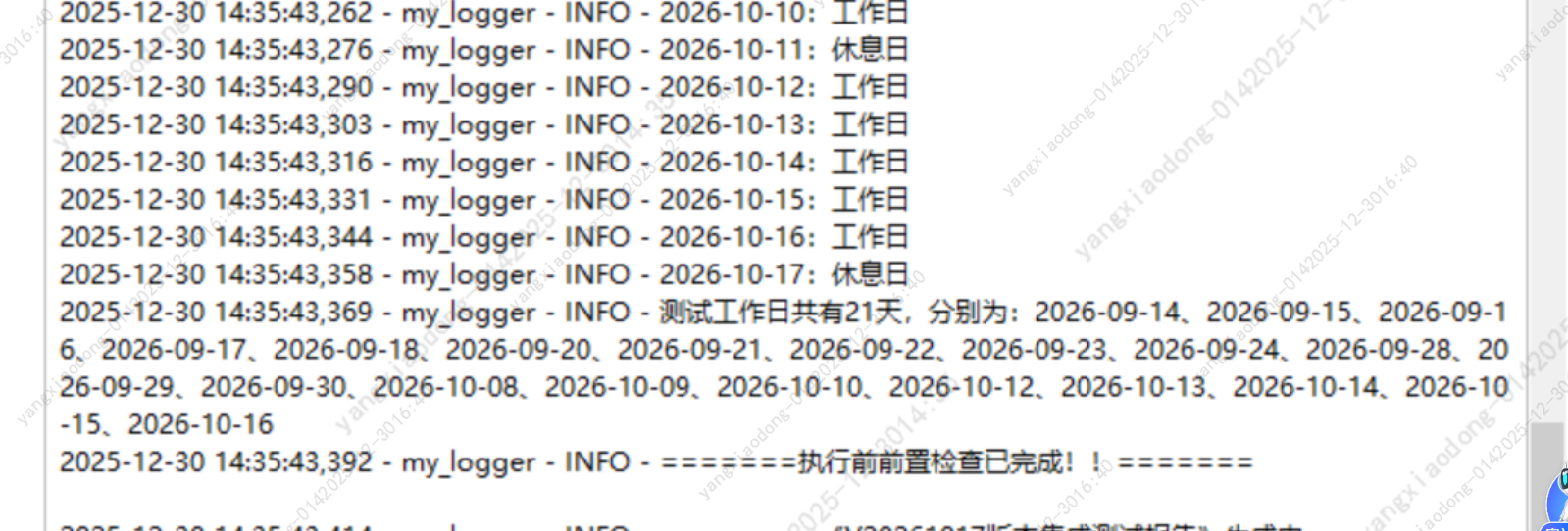
开发了一个测试报告生成工具,集成了日历库chinese_calendar,用来保证报告执行日期和结束日期在正常工作日时间。但该日历库会在每年年末,官方公布来年的法定节假日日期后进行更新,如未能更新致最新版本,会导致生成报告时日期处理异常。例如:1.11.0版本的日历库只能对2026年之前的日期进行处理,对2027年的日期进行处理时,会报NotImplementedError异常。
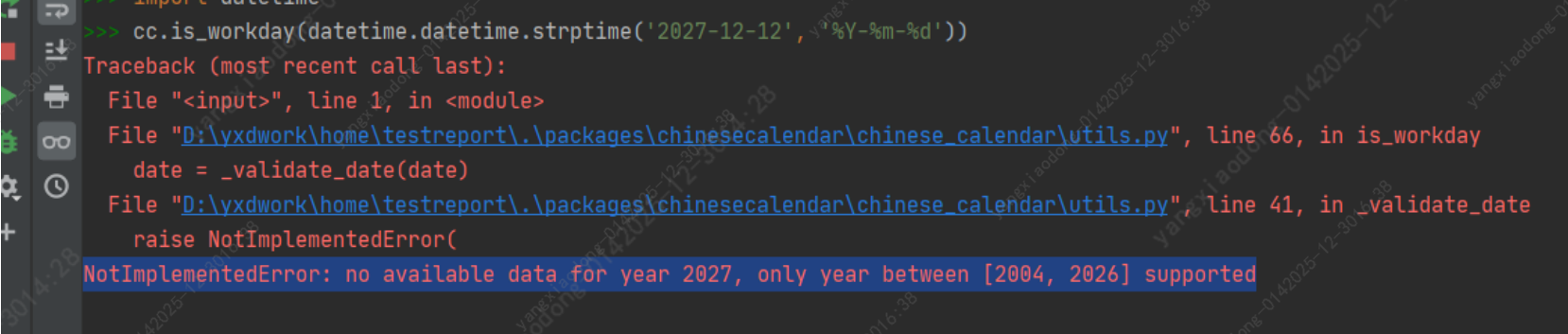
因此目前的工具需要在官方日历库更新后,手动更新日历库的版本重新打包后才能生成来年的报告。若作者更新不及时,有可能造成较多用户无法使用工具的情况,有一定风险。
为了排除上述风险,实现日历库的实时动态更新,制定如下方案:
- 日历库的引用:将日历库从python环境中摘出来放在本地,作为一个本地包来引用
- 日历库的更新方式:从第三方库地址下载日历库压缩包,与本地当前使用版本进行对比,如果高于当前使用版本,则下载最新包,解压后覆盖现有包
- 何时进行更新:基于日历库未更新对来年的日期进行处理时会报特殊异常的情况,在工具进行日期判定时若捕获到该异常,则对日历库进行更新
二、动态更新日历库的实现
1、如何加载本地包
经过多次尝试,在需要打包成exe的场景下,使用import ,__import__等方法,均无法实现动态更新,因为在打包时他会将当前import的版本打包进exe中,而不会动态引用指定路径下的包,最终使用importlib库指定包路径的方式实现。代码如下
python
# hot_loader_module.py
import importlib
import importlib.util
import sys
import os


def load_external_module(module_name, module_path):
    """动态加载本地指定路径的模块"""
    if not os.path.exists(module_path):
        raise FileNotFoundError(f"模块不存在,请检查是否存在 {module_path}!")
    spec = importlib.util.spec_from_file_location(module_name, module_path)
    module = importlib.util.module_from_spec(spec)
    sys.modules[module_name] = module
    spec.loader.exec_module(module)
    return module
2、日历库的更新
日历库更新,从官网获取最新版本号与当前使用版本对比,若当前版本不是最新,则下载最新包并解压覆盖当前包
python
# check_version.py
"""
由于明年的法定节假日只会于今年年末官方公布,
chinesecalendar库只会存当年以前的节假日情况,并在官方公司数据后进行更新
所以每年都需要对这个库进行一次更新操作
"""

import urllib
import re
from packaging.version import parse as parse_version
import os
import requests
import shutil
import tarfile
from hot_loader_module import load_external_module


def update_cc(module_name, module_path):
    """更新日历库"""
    # 第三方库镜像网址主页
    url = r'http://mirrors.aliyun.com/pypi/'

    # 日历库地址
    cc_url = r'http://mirrors.aliyun.com/pypi/simple/chinesecalendar/'

    # 代理
    proxies = {'http': 'http://ip:port'}

    # 从python第三方库地址获取最新包的地址地址和版本号
    response = requests.get(cc_url, proxies=proxies, timeout=10)
    data = response.text
    # 正则匹配所有包的链接地址,和版本号
    ver_list = re.findall(r'(?<=\.\./\.\./)(.*(?<=chinesecalendar-)([\d\.]*)\..*tar.*)(?=#)', data)
    # 按版本升序排序
    ver_list.sort(key=lambda x: parse_version(x[1]))
    # 获取最新的版本号
    last_verion = ver_list[-1][1]
    # 获取最新的版本号的包名
    last_file_name = os.path.basename(ver_list[-1][0])  # chinesecalendar-1.11.0.tar.gz
    # 获取解压后的目录名称
    last_whl_name = re.sub(r'\.tar|\.gz', '', last_file_name)  # chinesecalendar-1.11.0
    # 获取最新的版本的下载地址链接
    last_url = urllib.parse.urljoin(url, ver_list[-1][0])
    print(last_url)

    # 暂时存放第三方库的目录
    target_dir = '.\packages'
    # 包解压后的目录
    whl_dir = fr'.\{target_dir}\chinesecalendar'

    def download_and_extract():
        """下载并解压包,"""
        # 放包的文件夹,如果没有,就创建一个
        if not os.path.exists(target_dir):
            os.mkdir(target_dir)
        # 删除packages目录下旧的包
        if os.path.exists(whl_dir):
            shutil.rmtree(whl_dir)
        # 去官网下载包
        file = requests.get(last_url, proxies=proxies, stream=True, timeout=10)
        # 官方下载的包,指定他的存放地址,保存在本地
        file_path = fr'.\{target_dir}\{last_file_name}'
        with open(file_path, 'wb') as f:
            f.write(file.content)

        # 官司网下载的包均为压缩格式,需要解压
        if file_path.endswith('.tar.gz') or file_path.endswith('tar'):
            with tarfile.open(file_path, 'r:*') as f:
                f.extractall(target_dir)
        else:
            raise Exception('压缩包格式当前不支持,请联系作者!')
        # 正常解压会带着版本号,为了让主程序能正常引用,对其名进行重合名,保证引用路径始终不变
        shutil.move(fr'.\{target_dir}\{last_whl_name}', fr'.\{target_dir}\chinesecalendar')
        print("最新日历库更新完毕!")

    # 加载当前包,获取其版本号
    cc = load_external_module(module_name, module_path)
    use_version = cc.__version__
    if parse_version(last_verion) > parse_version(use_version):
        # 最新版本号>当前使用版本号时
        print('chinesecalendar库当前不是最新版本!需要更新')
        print('更新执行中...请稍等')
        download_and_extract()
    else:
        print('chinesecalendar库已是最新版本')


if __name__ == '__main__':
    module_name = 'chinese_calendar'
    module_path = r'.\packages\chinesecalendar\chinese_calendar\__init__.py'
    update_cc(module_name, module_path)
    # cc.is_workday(datetime.datetime.strptime('2026-12-12', '%Y-%m-%d'))
3、异常捕获后进行更新
python
from hot_loader_module import load_external_module


module_name = 'chinese_calendar'
module_path = r'.\packages\chinesecalendar\chinese_calendar\__init__.py'
cc = load_external_module(module_name, module_path)

def work_day(date):
    """判断是否是工作日"""
    global cc
    try:
        is_work_day = cc.is_workday(datetime.datetime.strptime(date, '%Y-%m-%d'))
        return is_work_day
    except NotImplementedError as msg:
		# 报该异常时,则是日历库配置不足,无法处理当前给定的日期
        logger.info(r'chinesecalendar库当前版本%s,不是最新版本!需要更新,请稍等。。。' % cc.__version__)
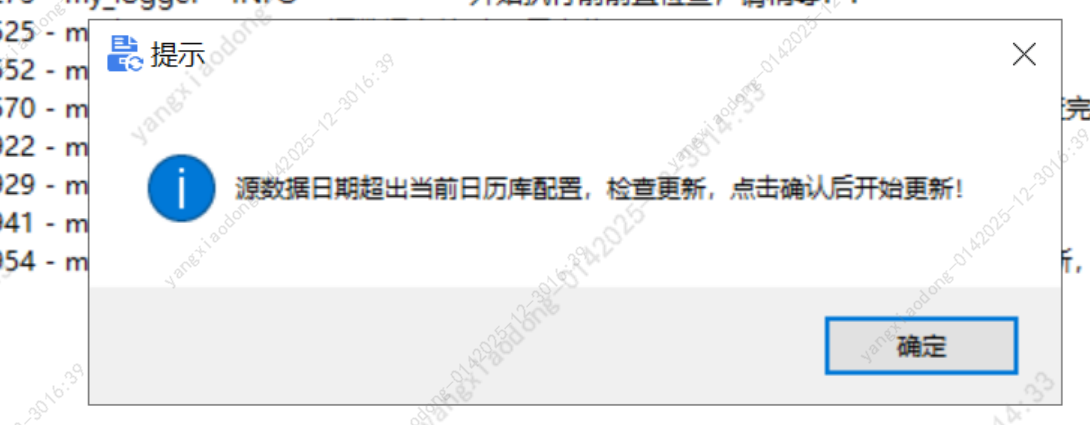
        showinfo(r'提示', '源数据日期超出当前日历库配置,检查更新,点击确认后开始更新!')

		# 执行更新日历库操作
        check_version.update_cc(module_name, module_path)

		# 重新加载库,检查最新版本号,判断是否更新成功
        cc = load_external_module(module_name, module_path)

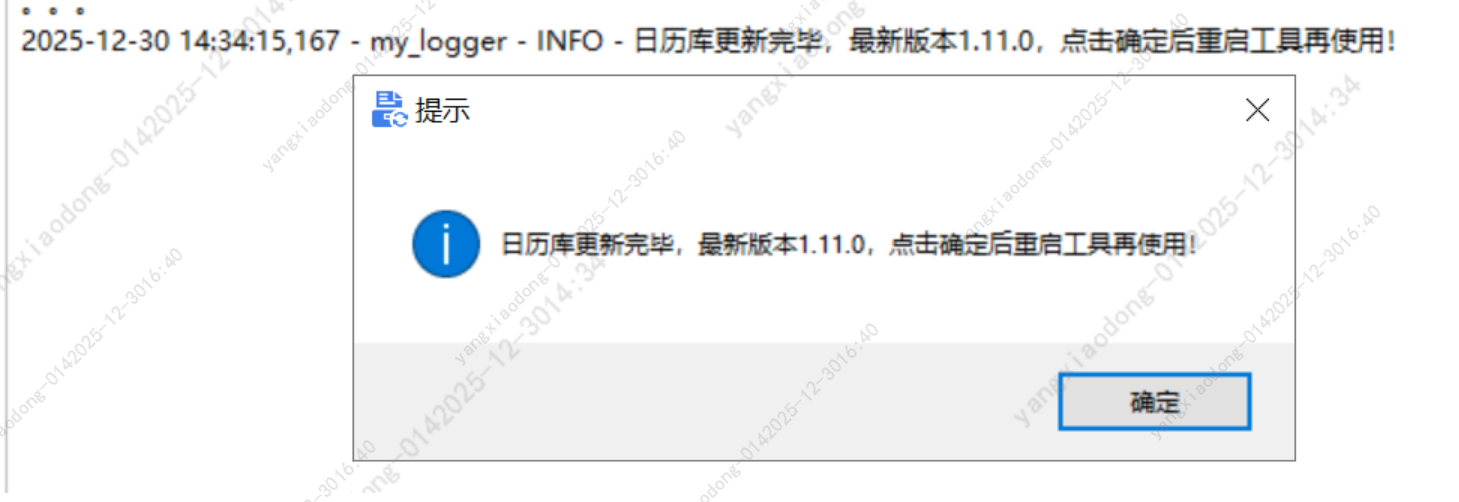
        logger.info(r'日历库更新完毕,最新版本%s,点击确定后重启工具再使用!' % cc.__version__)
        showinfo(r'提示', '日历库更新完毕,最新版本%s,点击确定后重启工具再使用!' % cc.__version__)

        # 关闭工具,用户重新打开生效
        root.destroy()
三、最终实现效果
-
使用旧版本处理未来日期异常时
-
提示更新完毕后,点击确定工具自动关闭后,再双击打开工具,生成报告,可以正常生成报告了