在项目中有个需求是视频需要上传到腾讯云点播里面,打算使用uniapp的插件
插件地址
https://ext.dcloud.net.cn/plugin?id=2750
- 使用教程: https://uniapp.helpyougo.com/web/userpage/documents?id=203
- 接口文档: https://uniapp.helpyougo.com/web/userpage/documents?id=204
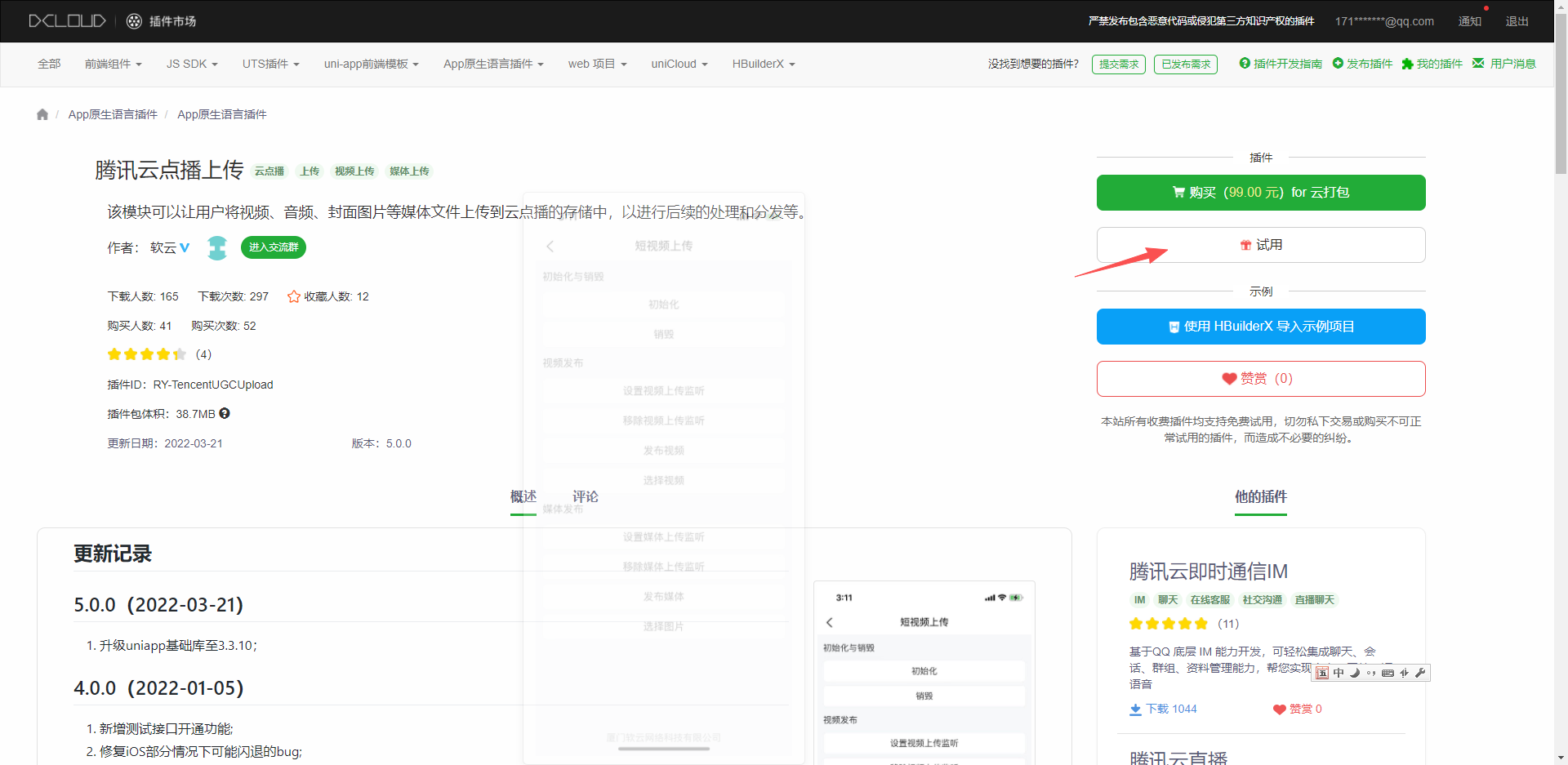
首先在uniapp插件市场导入插件
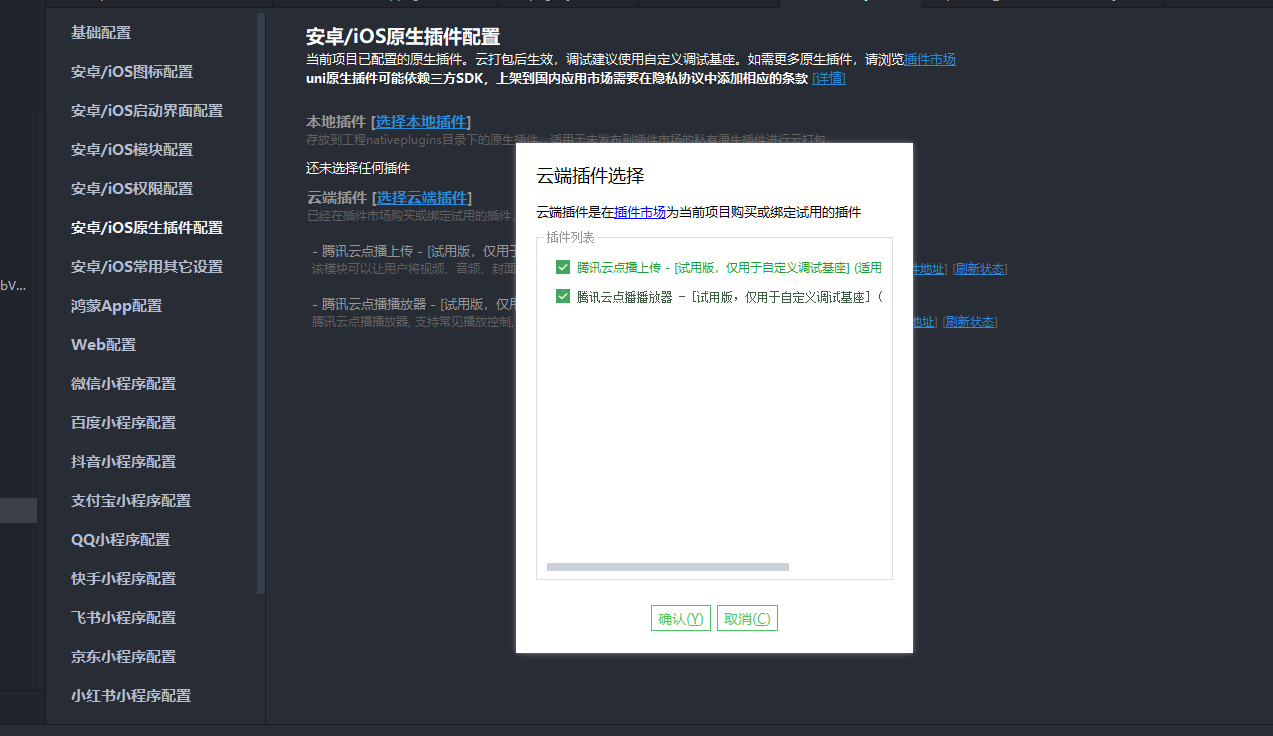
去manifest.json的原生插件配置导入
然后去打自定义基座
引入插件
var UGCUpload = uni.requireNativePlugin("RY-TencentUGCUpload");获取上传签名后端生成的
javascript
// 获取上传签名的函数

	const getSignature = () => {
		return new Promise((resolve, reject) => {
			request({
				url: '/app/tencentCloudOnDemand/signature',
				method: 'GET',
			}).then(res => {
				resolve(res.data)
			}).catch(error => {
				reject(error)
			})
		});
	}
签名生成文档
https://cloud.tencent.com/document/product/266/9221
验证签名是否正确
https://vod-tool.vod-qcloud.com/ugcdecode?lang=zh
初始化插件
javascript
const signature = ref();

	onReady(async () => {
		const res = await getSignature();
		console.log(res, "当前获取到的参数1");
		signature.value=res;
        //初始化
		UGCUpload.init({
			userId: 'test001',
			signature: res
		}, ret => {
			console.log(ret);
		});
        //获取上传的进度
		UGCUpload.setVideoListener({}, ret => {
			console.log(ret, 'setVideoListener');
		});
	})
点击按钮触发函数
javascript
const goVideoUpload = () => {
		uni.chooseVideo({
			sourceType: ['camera', 'album'],
			success: function(res) {
				let tempPath = res.tempFilePath;
				let videoPath = plus.io.convertLocalFileSystemURL(tempPath);
				console.log(tempPath,videoPath,"当前获取的文件")
				goUploadPublishVideo(videoPath);
			}
		});
	}
调用插件上传方法
javascript
const goUploadPublishVideo = (videoPath) => {
		console.log(videoPath,"当前获取的文件goUploadPublishVideo")
		console.log( signature.value,"当前获取的签名signature")

		UGCUpload.publishVideo({
			signature: signature.value,
			videoPath: videoPath
		}, ret => {
			console.log(ret, "publishVideo");
		});

	}
完整代码
javascript
<template>
	<view>
		<button @click="goVideoUpload">上传视频</button>
	</view>
</template>

<script setup>
	var UGCUpload = uni.requireNativePlugin("RY-TencentUGCUpload");
	import {
		ref
	} from 'vue';
	import {
		onReady
	} from '@dcloudio/uni-app'
	import request from '@/common/request.js'
	// 获取上传签名的函数

	const getSignature = () => {
		return new Promise((resolve, reject) => {
			request({
				url: '/app/tencentCloudOnDemand/signature',
				method: 'GET',
			}).then(res => {
				resolve(res.data)
			}).catch(error => {
				reject(error)
			})
		});
	}
	const signature = ref();

	onReady(async () => {
		const res = await getSignature();
		console.log(res, "当前获取到的参数1");
		signature.value=res;
		UGCUpload.init({
			userId: 'test001',
			signature: res
		}, ret => {
			console.log(ret);
		});
		UGCUpload.setVideoListener({}, ret => {
			console.log(ret, 'setVideoListener');
		});
	})
	const goVideoUpload = () => {
		uni.chooseVideo({
			sourceType: ['camera', 'album'],
			success: function(res) {
				let tempPath = res.tempFilePath;
				let videoPath = plus.io.convertLocalFileSystemURL(tempPath);
				console.log(tempPath,videoPath,"当前获取的文件")
				goUploadPublishVideo(videoPath);
			}
		});
	}

	const goUploadPublishVideo = (videoPath) => {
		console.log(videoPath,"当前获取的文件goUploadPublishVideo")
		console.log( signature.value,"当前获取的签名signature")

		UGCUpload.publishVideo({
			signature: signature.value,
			videoPath: videoPath
		}, ret => {
			console.log(ret, "publishVideo");
		});

	}
</script>

<style>

</style>