UDP基本介绍:
UDP 是一种无连接协议,客户端和服务器之间不需要建立连接即可发送数据。它的核心功能是快速传输数据包。
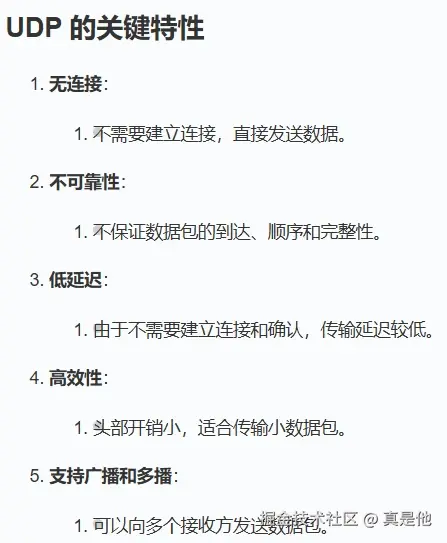
更多特性,参考
arduino
https://www.runoob.com/np/udp-protocol.html一、UDP 点对点通讯:
虽然UDP是无连接的,但是也可以手动绑定本地IP。(在UdpClient构造里,或使用)
绑定后,udp将以此本地IP及端口通讯。
例如:
ini
            // 绑定本地端口
            UdpClient udpClientA = new UdpClient(321);

            //绑定本地IP端点
            IPAddress ip_127_0_0_5 = IPAddress.Parse("127.0.0.5");
            IPEndPoint iPEndPoint_B = new IPEndPoint(ip_127_0_0_5, 321);
            UdpClient udpClientB = new UdpClient(iPEndPoint_B);

            //不绑定端口
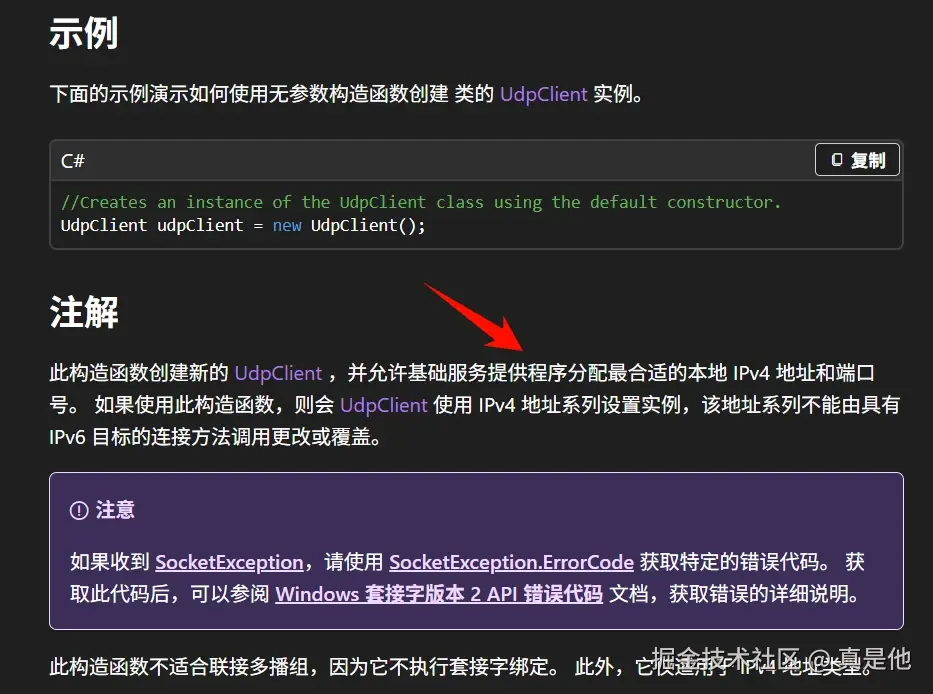
            UdpClient udpClientC = new UdpClient();
A指定了端口321,B指定了IP及端口 127.0.0.5:321,C不指定;
然后通过UdpClient.Send方法进行消息发送,代码如下:
ini
  Byte[] sendBytes_A_P2P = Encoding.ASCII.GetBytes("A say Hi?");
  Byte[] sendBytes_B_P2P = Encoding.ASCII.GetBytes("B say Hi?");
  Byte[] sendBytes_C_P2P = Encoding.ASCII.GetBytes("C say Hi?");

  IPEndPoint remoteIPEndP_IP3 = new IPEndPoint(IPAddress.Parse("127.0.0.1"), 555);
  IPEndPoint remoteIPEndIP_IP1 = new IPEndPoint(
      IPAddress.Parse("192.168.153.1"),
      666
  );
  #region P2P发送
  Console.WriteLine("点对点收发");
  try
  {
      udpClientA.Send(sendBytes_A_P2P);
  }
  catch (Exception e)
  {
      Console.WriteLine(e.Message);
      Console.WriteLine();
  }

  udpClientA.Send(sendBytes_A_P2P, remoteIPEndP_IP3);
  Console.WriteLine();
  Console.WriteLine("A say Hi to 127.0.0.1:555");
  udpClientA.Send(sendBytes_A_P2P, remoteIPEndIP_IP1);
  Console.WriteLine();
  Console.WriteLine("A say Hi to 192.168.153.1:666");

  udpClientB.Send(sendBytes_B_P2P, remoteIPEndP_IP3);
  Console.WriteLine();
  Console.WriteLine("B say Hi to 127.0.0.1:555");
  try
  {
      udpClientB.Send(sendBytes_B_P2P, remoteIPEndIP_IP1);
      Console.WriteLine();
      Console.WriteLine("B say Hi to 192.168.153.1:666");
  }
  catch (Exception e)
  {
      Console.WriteLine();
      Console.WriteLine($"{e.Message},IPEndPoint:{remoteIPEndIP_IP1}");
  }

  udpClientC.Send(sendBytes_C_P2P, remoteIPEndP_IP3);
  Console.WriteLine();
  Console.WriteLine("C say Hi to 127.0.0.1:555");
  udpClientC.Send(sendBytes_C_P2P, remoteIPEndIP_IP1);
  Console.WriteLine();
  Console.WriteLine("C say Hi to 192.168.153.1:666");


  #endregion
其中UdpClient.Send方法有多个重载,
当使用了UdpClient.Connect 方法
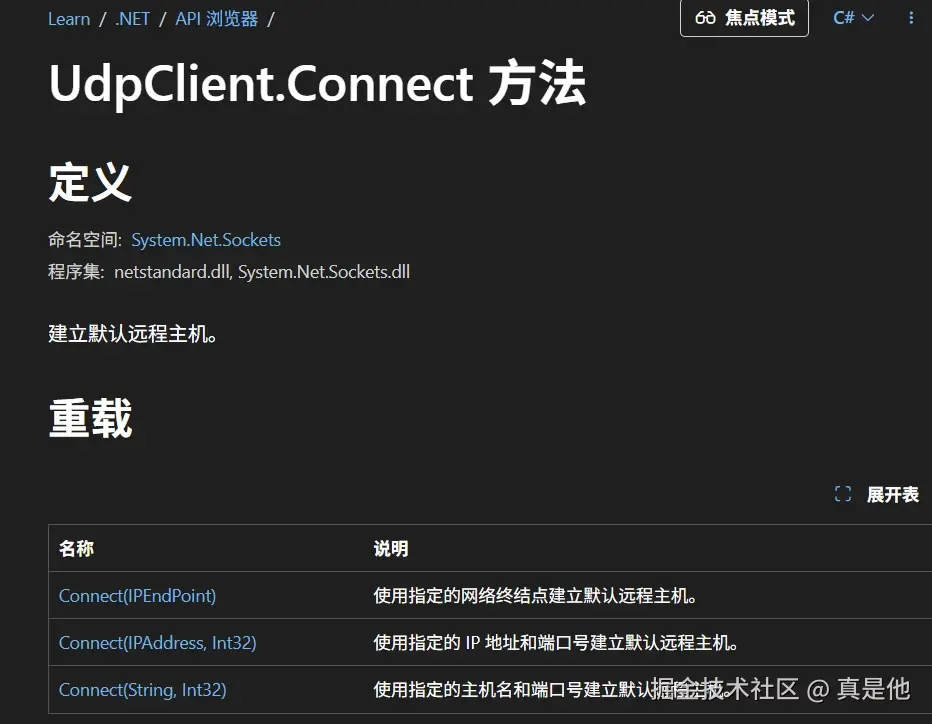
建立远程连接后,可以不带IPEndPoint参数,
如
ini
udpClientA.Send(sendBytes_A_P2P);但要是没有使用Connect就调用此函数就会出现异常:
The operation is not allowed on non-connected sockets.
注意:
1、使用UdpClient.Connect 方法
建立连接后,就只能接受此远程IP节点的信息。而且还不可以在Send时候再指定远程节点。
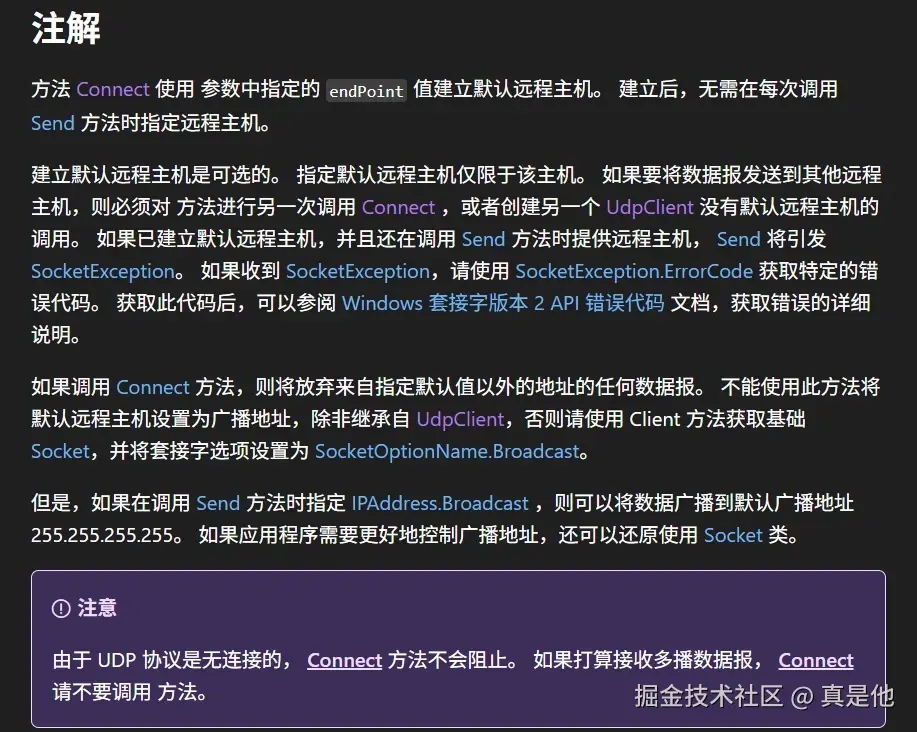
2、在构造函数里指定绑定本地IP后,就只能在此本地IP网段通讯,UDPClinet不会再根据远程节点切换IP。
如上述中的B,绑定本地127.0.0.5,此时向其他网段通讯。
arduino
                try
                {
                    udpClientB.Send(sendBytes_B_P2P, remoteIPEndIP_IP1);
                    Console.WriteLine();
                    Console.WriteLine("B say Hi to 192.168.153.1:666");
                }
                catch (Exception e)
                {
                    Console.WriteLine();
                    Console.WriteLine($"{e.Message},IPEndPoint:{remoteIPEndIP_IP1}");
                }
出现异常,向一个无法连接的网络尝试了一个套接字操作。,IPEndPoint:192.168.153.1:666。
通讯结果如下:
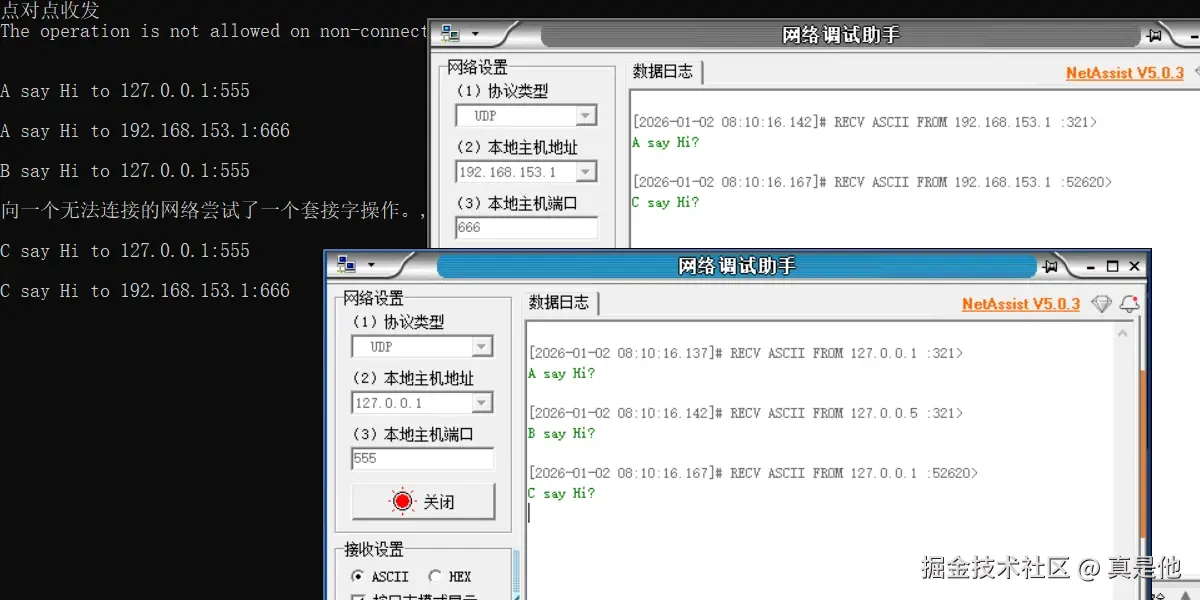
A因为绑定了端口,所以发送的时候会使用固定端口321 。 B绑定了端口及IP,无法与其他网段通讯。C由于没有手动指定,会由基础服务提供合适的IP及端口。
二、UDP广播:
将主机号,设置成255,就是此网段的广播地址。全网段广播地址为255.255.255.255.
如下:
ini
    //此网段所有IP
    IPEndPoint allIPEndPoint_IP1 = new IPEndPoint(
        IPAddress.Parse("192.168.153.255"),
        666
    );

    //默认网卡IP
    IPEndPoint allIPEndPoint = new IPEndPoint(IPAddress.Parse("255.255.255.255"), 666);

    Byte[] sendBytes_A_all_IP1 = Encoding.ASCII.GetBytes(
        "A say Hi to everyone in 192.168.153 ?"
    );
    Byte[] sendBytes_C_all_IP1 = Encoding.ASCII.GetBytes(
        "C say Hi to everyone in 192.168.153 ?"
    );

    Byte[] sendBytes_A_all = Encoding.ASCII.GetBytes("A say Hi to everyone?");
    Byte[] sendBytes_C_all = Encoding.ASCII.GetBytes("C say Hi to everyone?");
    #region 广播

    Console.WriteLine("广播");

    udpClientA.Send(sendBytes_A_all_IP1, allIPEndPoint_IP1);
    Console.WriteLine();
    Console.WriteLine("A say Hi to 192.168.153:666");
    udpClientC.Send(sendBytes_C_all_IP1, allIPEndPoint_IP1);
    Console.WriteLine();
    Console.WriteLine("C say Hi to 192.168.153:666");
    //udpClientA.EnableBroadcast = true;
    //udpClientC.EnableBroadcast = true;
    var a = udpClientA.Send(sendBytes_A_all, allIPEndPoint);
    Console.WriteLine();
    Console.WriteLine("A say Hi to everyone:666");
    var b = udpClientC.Send(sendBytes_C_all, allIPEndPoint);
    Console.WriteLine();
    Console.WriteLine("C say Hi to everyone:666");

    #endregion
有些文章说需要设置
ini
udpClientA.EnableBroadcast = true;但是我尝试过,没什么效果。
三、组播:
组播拥有特殊的地址:
arduino
  //组播地址
  //IP 组播通信必须依赖于 IP 多播地址,在 IPv4 中它是一个 D 类 IP 地址,范围从 224.0.0.0 到 239.255.255.255,并被划分为局部链接多播地址、预留多播地址和管理权限多播地址3类:

  //局部链接多播地址范围在 224.0.0.0~224.0.0.255,这是为路由协议和其它用途保留的地址,路由器并不转发属于此范围的IP包;

  //预留多播地址为 224.0.1.0~238.255.255.255,可用于全球范围(如Internet)或网络协议;

  //管理权限多播地址为 239.0.0.0~239.255.255.255,可供组织内部使用,类似于私有 IP 地址,不能用于 Internet,可限制多播范围。
测试代码:
ini
    Byte[] sendBytes_multi = Encoding.ASCII.GetBytes("Gruop 224.0.1.0 say Hi");

    IPAddress multiCastIP = IPAddress.Parse("224.0.1.0");

    #region 组播

    Console.WriteLine("组播");

    UdpClient multiRev_D = new UdpClient();

    multiRev_D.Client.SetSocketOption(SocketOptionLevel.Socket, SocketOptionName.ReuseAddress, true);

    multiRev_D.Client.Bind(new IPEndPoint(IPAddress.Any,777));

    multiRev_D.JoinMulticastGroup(multiCastIP);


    UdpClient multiRev_E = new UdpClient();


    multiRev_E.Client.SetSocketOption(SocketOptionLevel.Socket, SocketOptionName.ReuseAddress, true);

    multiRev_E.Client.Bind(new IPEndPoint(IPAddress.Any, 777));

    multiRev_E.JoinMulticastGroup(multiCastIP);

    //接受组播信息

    Task.Run(() =>
    {
        IPEndPoint multiRev_D_IPEndPoint = null;
        var bytes = multiRev_D.Receive(ref multiRev_D_IPEndPoint);
        string msg = Encoding.UTF8.GetString(bytes);
        Console.WriteLine($"multiRev_D receive: {msg} receive IPEndPoint:{multiRev_D_IPEndPoint}");
        Console.WriteLine();
        multiRev_D.DropMulticastGroup(multiCastIP);
    });

    Task.Run(() =>
    {
        IPEndPoint multiRev_E_IPEndPoint = null;
        var bytes = multiRev_E.Receive(ref multiRev_E_IPEndPoint);
        string msg = Encoding.UTF8.GetString(bytes);
        Console.WriteLine($"multiRev_E receive: {msg} receive IPEndPoint:{multiRev_E_IPEndPoint}");
        Console.WriteLine();
        multiRev_E.DropMulticastGroup(multiCastIP);
    });

    //发送组播信息

    IPEndPoint multiCastIPEndPoint = new IPEndPoint(multiCastIP, 777);

    UdpClient sendMultiUdp = new UdpClient();

    sendMultiUdp.Connect(multiCastIPEndPoint);

    sendMultiUdp.Send(sendBytes_multi);
使用:
arduino
Client.SetSocketOption(SocketOptionLevel.Socket, SocketOptionName.ReuseAddress, true);是为了可以重复使用绑定端口号。
arduino
JoinMulticastGroup //加入IP组
DropMulticastGroup //退出IP组,在不需要时记得退出,不然还是会接受到此IP组发出的消息
结果:

注意:
组播更多注意事项,参考链接:
perl
https://blog.lindexi.com/post/C-dotnet-core-%E5%B1%80%E5%9F%9F%E7%BD%91%E7%BB%84%E6%92%AD%E6%96%B9%E6%B3%95.html四、UDP接受
使用
csharp
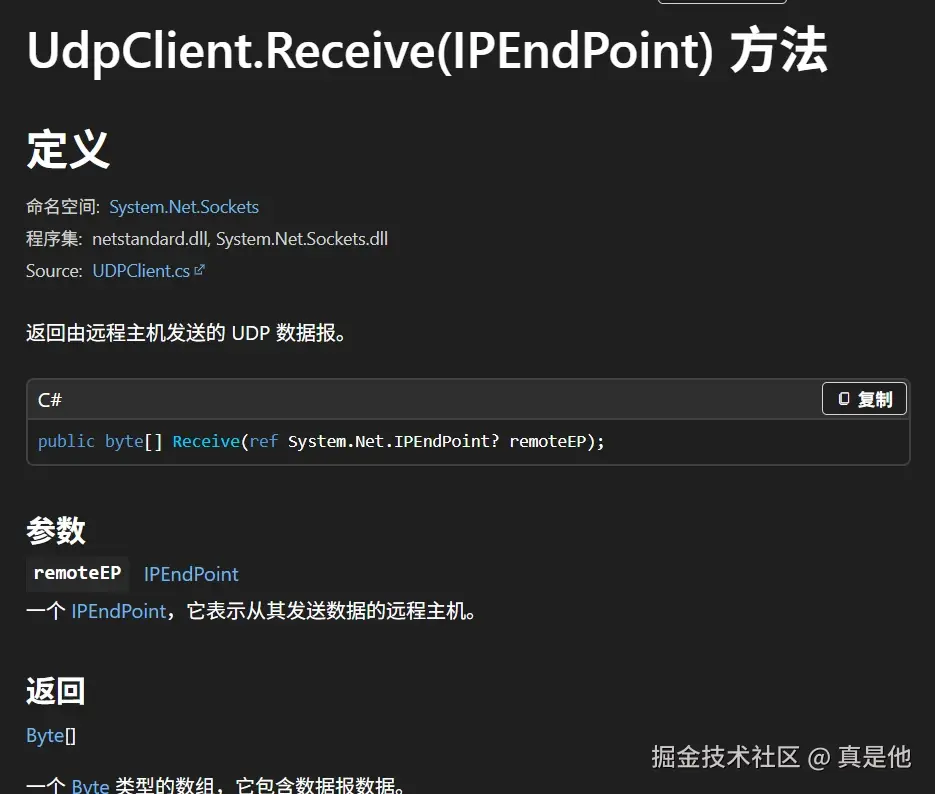
public byte[] Receive(ref System.Net.IPEndPoint? remoteEP);接受,其中remoteEP参数为远端IP。