导入包:
bash
pip install fastapi uvicorn -i https://pypi.tuna.tsinghua.edu.cn/simple/最简单的项目:
python
# 从fastapi框架中导入核心的FastAPI类,用于创建web应用实例
from fastapi import FastAPI
# 导入uvicorn,这是FastAPI推荐的高性能ASGI服务器,用于运行FastAPI应用
import uvicorn

# 创建一个FastAPI应用的核心实例,所有的接口路由都基于这个实例注册
app = FastAPI()

# 注册一个GET请求的接口路由,路由路径为根路径 /
@app.get("/")
# 定义该接口的处理函数,async声明为异步函数(FastAPI原生支持异步,性能更优)
async def root():
    # 接口的返回值,FastAPI会自动序列化为JSON格式响应给前端
    return {"message": "Hello World"}

# Python主程序入口判断:只有当本文件被直接运行时,才执行下面的代码
# 避免被当作模块导入时,自动执行启动服务的逻辑
if __name__ == "__main__":
    # 通过uvicorn启动FastAPI服务
    # 参数说明:
    # "fastapi_test:app" : 当前运行的文件名(不带.py) + 冒号 + FastAPI实例名
    # host="127.0.0.1"   : 服务绑定的本机IP,127.0.0.1代表仅本机可访问
    # port=8000          : 服务监听的端口号,访问地址就是 http://127.0.0.1:8000
    uvicorn.run("fastapi_test:app", host="127.0.0.1", port=8000)
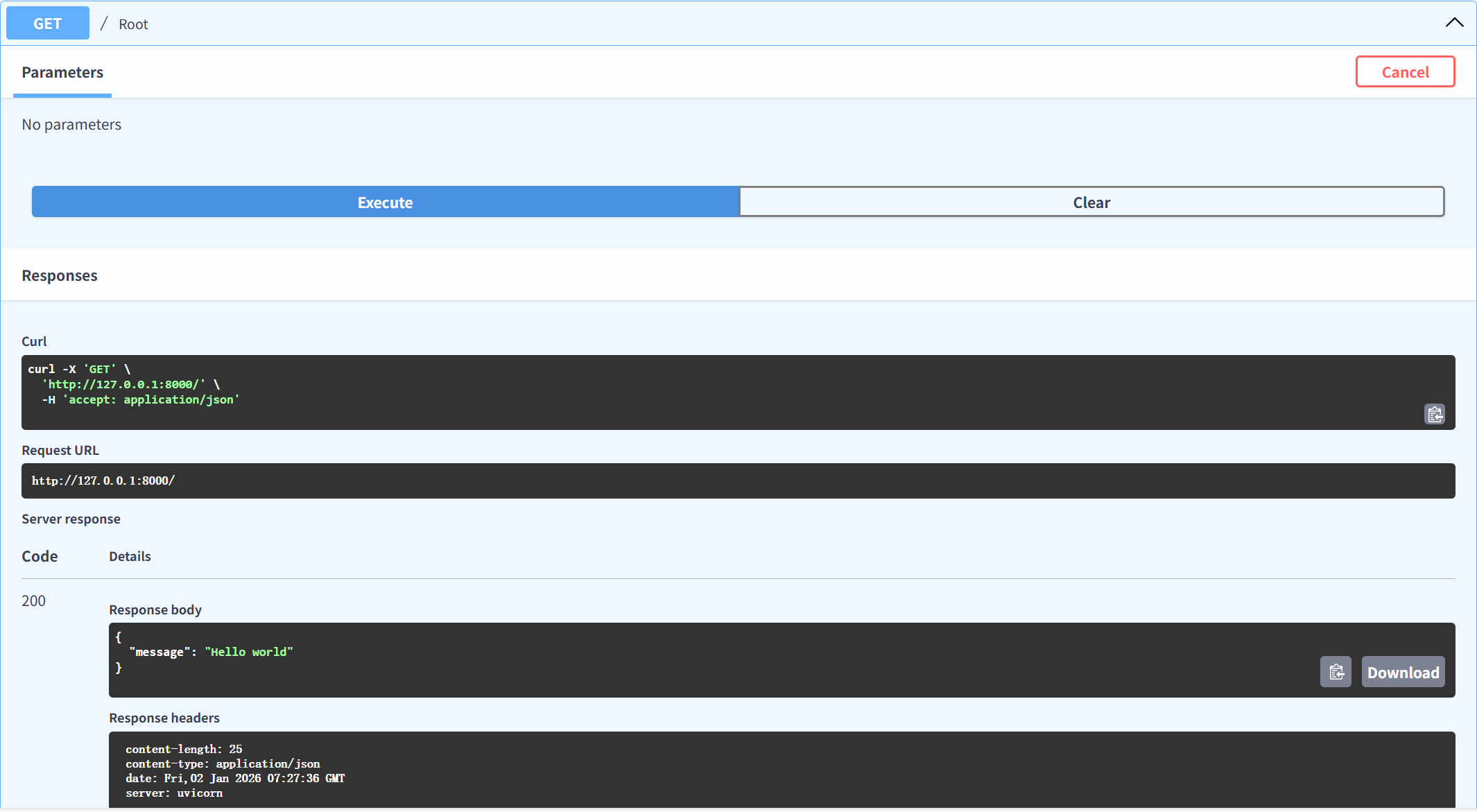
运行结果: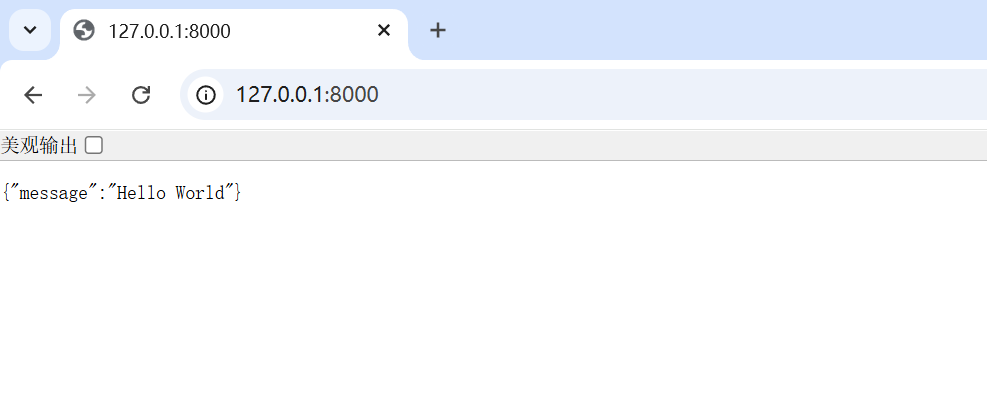
接口演示项目:
python
# 导入FastAPI框架核心类,用于创建Web应用
from fastapi import FastAPI
# 导入uvicorn服务器,用于运行FastAPI应用
import uvicorn

# 创建FastAPI应用实例,后续所有接口都基于这个实例注册
app = FastAPI()


# ------------------- 1. GET请求接口 -------------------
# 路由装饰器:注册GET请求,路径为根路径 "/"
@app.get("/")
# 异步函数(FastAPI支持异步/同步函数,这里用async声明异步)
async def root():
    # 返回JSON格式响应,FastAPI会自动序列化
    return {"message": "Hello world"}


# 路由装饰器:注册GET请求,路径为 "/get"
@app.get("/get")
# 同步函数(也可以正常运行,不影响功能)
def get_test():
    return {"method": "get方法"}


# ------------------- 2. POST请求接口 -------------------
# 路由装饰器:注册POST请求,路径为 "/post"
@app.post("/post")
def post_test():
    return {"method": "post方法"}


# ------------------- 3. PUT请求接口 -------------------
# 路由装饰器:注册PUT请求,路径为 "/put"
@app.put("/put")
def put_test():
    return {"method": "put方法"}


# ------------------- 4. DELETE请求接口 -------------------
# 路由装饰器:注册DELETE请求,路径为 "/delete"
@app.delete("/delete")
def delete_test():
    return {"method": "delete方法"}


# 程序启动入口:只有直接运行本文件时,才启动服务
if __name__ == "__main__":
    # 启动uvicorn服务器,绑定127.0.0.1:8000
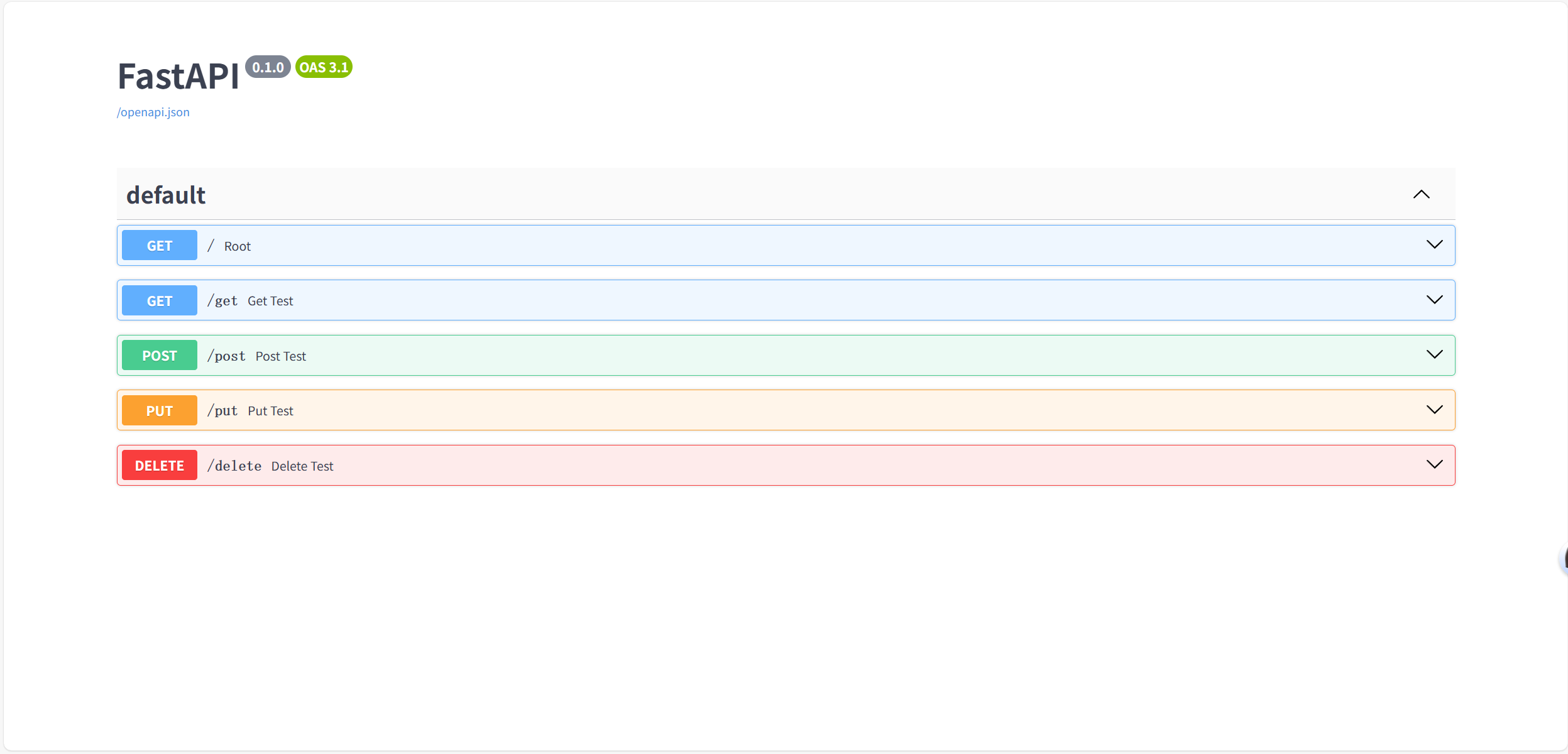
uvicorn.run("test2:app", host="127.0.0.1", port=8000)演示:http://127.0.0.1:8000/docs#/
路由分发:
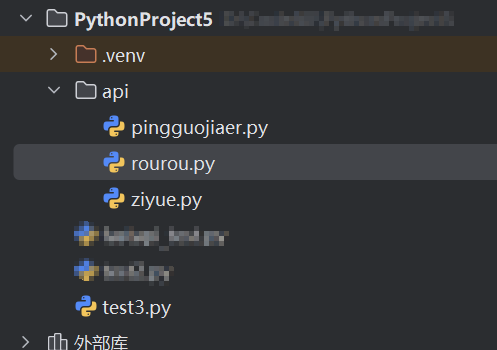
项目结构:
python
from fastapi import FastAPI

import uvicorn

from api.rourou import api_rourou
from api.ziyue import api_ziyue
from api.pingguojiaer import api_pingguojiaer

app = FastAPI()


app.include_router(api_rourou, prefix="/rourou", tags=["柔柔"])
app.include_router(api_ziyue, prefix="/ziyue", tags=["紫悦"])
app.include_router(api_pingguojiaer, prefix="/pingguojia", tags=["苹果嘉儿"])


if __name__ == "__main__":
    # 启动uvicorn服务器,绑定127.0.0.1:8000
    uvicorn.run("test3:app", host="127.0.0.1", port=8000)
python
from fastapi import APIRouter

api_rourou= APIRouter()

# 路由装饰器:注册GET请求,路径为 "/get"
@api_rourou.get("/get")
# 同步函数(也可以正常运行,不影响功能)
def get_test():
    return {"method": "柔柔get方法"}


# ------------------- 2. POST请求接口 -------------------
# 路由装饰器:注册POST请求,路径为 "/post"
@api_rourou.post("/post")
def post_test():
    return {"method": "柔柔post方法"}


# ------------------- 3. PUT请求接口 -------------------
# 路由装饰器:注册PUT请求,路径为 "/put"
@api_rourou.put("/put")
def put_test():
    return {"method": "柔柔put方法"}


# ------------------- 4. DELETE请求接口 -------------------
# 路由装饰器:注册DELETE请求,路径为 "/delete"
@api_rourou.delete("/delete")
def delete_test():
    return {"method": "柔柔delete方法"}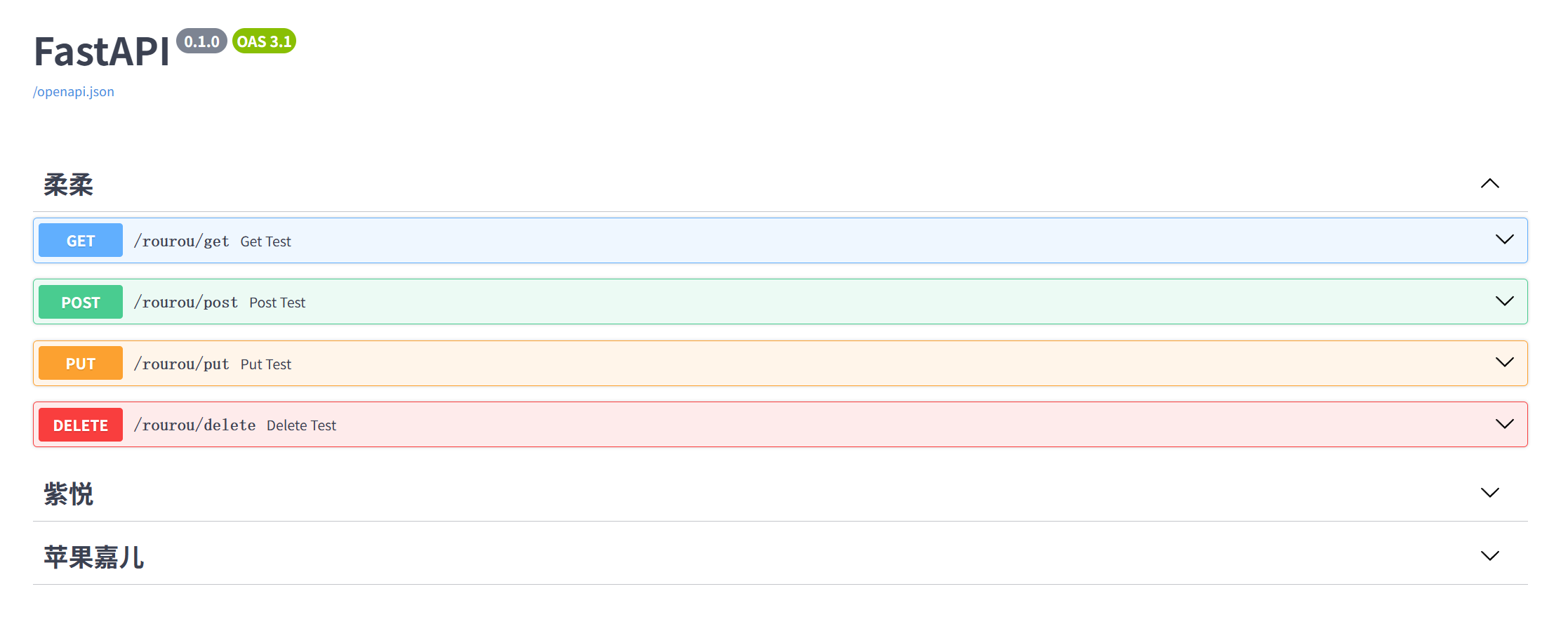
Request:
python
from fastapi import FastAPI
from fastapi import Request

import uvicorn

from api.rourou import api_rourou
from api.ziyue import api_ziyue
from api.pingguojiaer import api_pingguojiaer

app = FastAPI()


app.include_router(api_rourou, prefix="/rourou", tags=["柔柔"])
app.include_router(api_ziyue, prefix="/ziyue", tags=["紫悦"])
app.include_router(api_pingguojiaer, prefix="/pingguojia", tags=["苹果嘉儿"])

@app.get("/get_test")
async def get_test(request : Request):
    get_test = request.query_params
    print(get_test)
    return {"method": "get_test"}

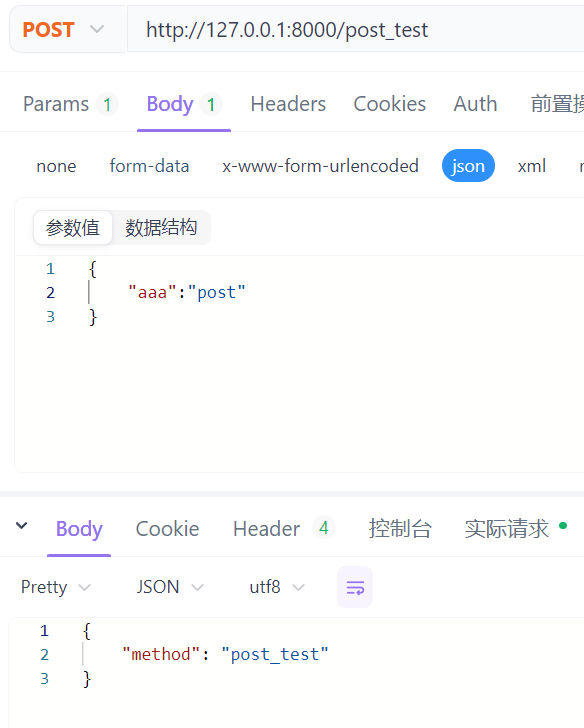
@app.post("/post_test")
async def post_test(request : Request):
    post_test = await request.json()
    print(post_test)
    return {"method": "post_test"}

if __name__ == "__main__":
    # 启动uvicorn服务器,绑定127.0.0.1:8000
    uvicorn.run("test3:app", host="127.0.0.1", port=8000)
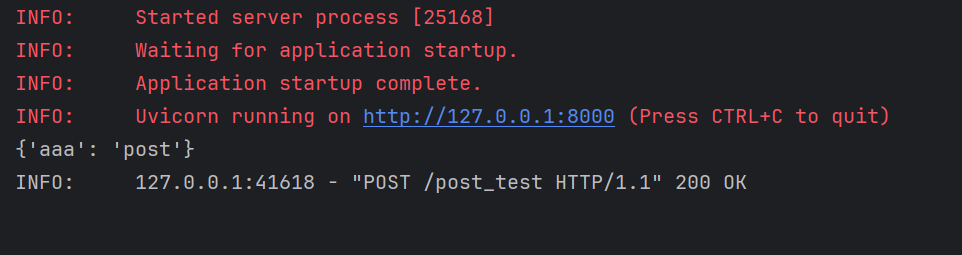
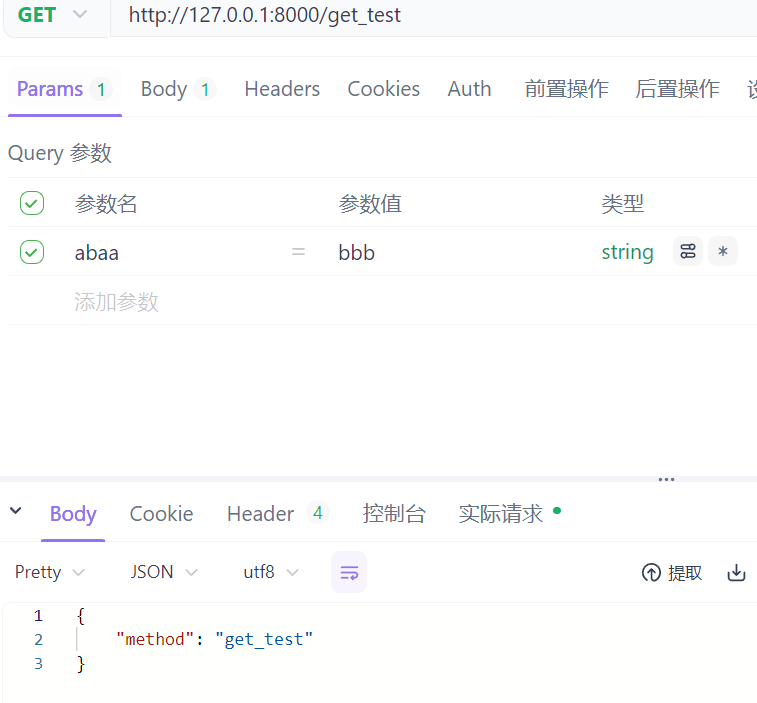
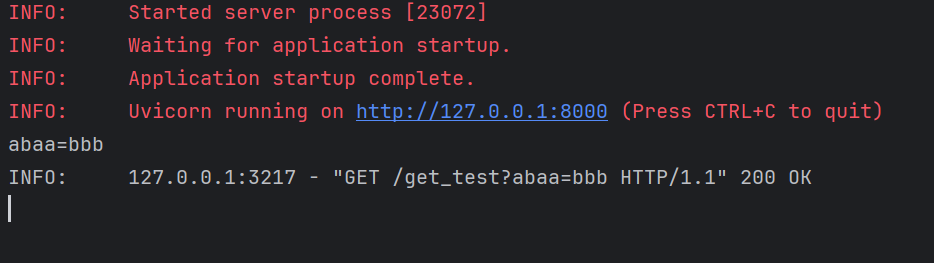
演示:
post:
get:
静态文件:
python
from fastapi.staticfiles import StaticFiles
from fastapi import FastAPI
from fastapi import Request

import uvicorn

app = FastAPI()


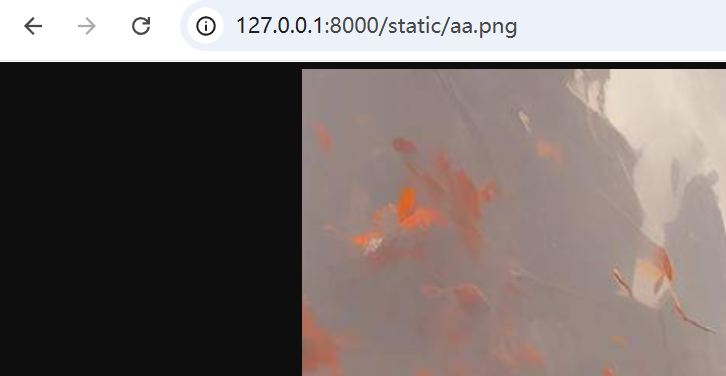
app.mount("/static", StaticFiles(directory="static"), name="static")

if __name__ == "__main__":
    # 启动uvicorn服务器,绑定127.0.0.1:8000
    uvicorn.run("test4:app", host="127.0.0.1", port=8000)
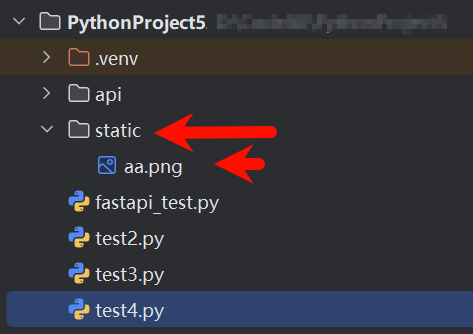
项目结构: