在查看trinitycore手册的时候看到这个链接:World of Warcraft | Arctium
点开后发现有三个下载文件:
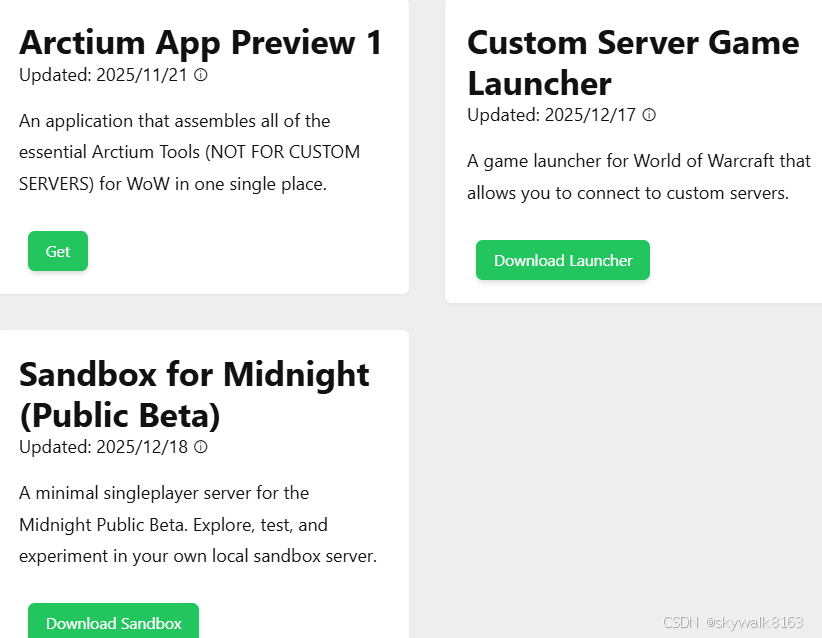
Arctium:在一个地方为魔兽世界组装所有基本Arctium工具(不适用于定制服务器)的应用程序。
Sandbox:用于Midnight Public Beta的最小单机服务器。在您自己的本地沙箱服务器中进行探索、测试和实验。
看了一下Sandbox的安装说明:
Arctium Sandbox for Midnight Public Beta.
Please read carefully before starting.
###########
NOTE: DELETE YOUR OLD ALPHA JSON FILES!!!
###########
Bnet Game Installer
- Start your Battle.net client.
- Run Bnet Game Installer.exe.
- In the dropdown, choose World of Warcraft Beta.
- Click Install.
Client Launcher
- Copy "Arctium Game Launcher.exe" into your WoW game folder.
- Start the sandbox.
- Run "Arctium Game Launcher.exe".
- Login with:
- Email:
arctium@arctium - Password:
arctium
- Email:
Have fun!
Known Issues
- !level command might not fully update until relog.
- Clicking the housing icon crashes the client.
- Adding objects might not show them at correct locations.
- Equipping items other than 'normal' do not display correctly until relog.
- Some spells/items won't work or may crash.
- No Hotfixes
Restrictions
- Login is only possible on localhost (
127.0.0.1:8000).
(You can change the port using theSANDBOX_BNET_PORTenvironment variable and the--portparameter on the launcher.) - Multiplayer is not possible -- singleplayer only.
Commands
✅ Working Commands
!tele #x #y #z #o #mapId(Teleport -- #o is optional)!morph #displayId!mount #displayId(Use!mountwith no id to remove)!fly on/off!runspeed #value(1--1000)!flightspeed #value(1--1000)!swimspeed #value(1--1000)!scale #size!loc #name(Shows current location, saves tolocations.txtif named)!addnpc #creatureId!delnpc #currentSelection!addobj #gameobjectId!level #level(1--90)!addspell #spellId(Partially working -- visuals like Winning Hand work)!commentator on/off(Free camera; change speed with/script C_Commentator.SetMoveSpeed(40))!ctime #hours(Change client time ±)!additem #itemIds(Multiple IDs space-separated)!additem #itemId,#version(normal / heroic / mythic / lfr)!race #raceId(Change your current race, for example 86`
❓ Untested Commands
!emote #emoteId!anim id #animId!anim name #animName!addequip #itemId(Adds equip to selected NPC, max 3)!clearequip!aura #spellId #enable
Example:- Enable Dracthyr dragon form →
!aura 97709 1 - Disable form →
!aura 97709 0
- Enable Dracthyr dragon form →
Login Info
- Email:
arctium@arctium - Password:
arctium
Enjoy exploring!
中文安装说明
#Arctium Sandbox的午夜公开测试版。
开始前请仔细阅读。
###########
注意:删除旧的ALPHA JSON文件!!!
###########
##Bnet游戏安装程序
1.启动您的**Battle.net客户端**。
2.运行**Bnet游戏安装程序.exe**。
3.在下拉列表中,选择**魔兽世界测试版**。
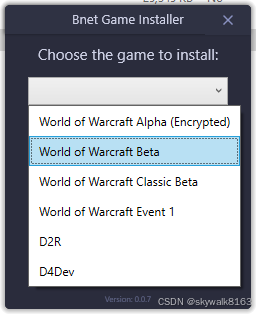
4.单击**安装**。
##客户端启动器
1.将**"Arctium Game Launcher.exe"**复制到您的魔兽世界游戏文件夹中。
2.启动**沙盒**。
好了,现在就可以开始游戏了!
按照安装说明安装好后,启动Arctium Game Launcher.exe还是报错:
The required instruction sets are not supported by the current CPU.
看来这台机器的cpu还是不行啊,这就没法了。