效果展示

拆解代码
容器布局
html
<div id="container">
    <svg></svg>
    <div id="outer-glow"></div>
    <div id="center">
        <!-- SVG箭头图标 -->
    </div>
    <search-bar></search-bar>
</div>
中心svg元素
html
<path d="M10 90 L50 10 L90 90 M50 75 A5 5 0 1 1 50 85 A5 5 0 1 1 50 75"
      stroke="#4CAF50" stroke-width="12" fill="none" />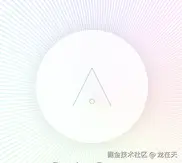
功能开关
js
// 检查URL参数
const beta = new URL(window.location.href).searchParams.get("beta");
if (beta) localStorage.setItem("beta", beta);

// 判断是否为beta版本
const isBeta = localStorage.getItem("beta");

// 根据版本状态替换搜索栏
if (!isBeta) {
    const comingSoon = document.createElement("div");
    comingSoon.id = 'coming';
    comingSoon.innerText = "Coming Soon...";
    document.querySelector('search-bar').replaceWith(comingSoon);
}
数据配置
js
const logos = [
    {
        icon: 'fa-google',
        color: '#4285F4',
        placeholder: 'Search for images using a SERP provider'
    },
    {
        src: 'logos/vercel.svg',
        placeholder: 'Add a domain to a project on Vercel'
    },
    // ... 更多工具配置
];
动态图标
js
function createLogo(logo, x, y) {
    const logoElement = document.createElement(logo.icon ? 'i' : 'img');
    logoElement.style.left = `${x}px`;
    logoElement.style.top = `${y}px`;

    // 移动端适配
    if (isMobile) {
        logoElement.style.fontSize = '16px';
        logoElement.style.width = '16px';
        logoElement.style.height = '16px';
    }

    // 添加交互事件
    logoElement.addEventListener("click", () => {
        const searchInput = document.querySelector('search-bar');
        searchInput.setAttribute('value', logo.placeholder);
    });
}
曲线创建
生成200条从中心向外辐射的贝塞尔曲线:
js
function createCurves() {
    const curves = [];
    const numCurves = 200;
    const centerX = window.innerWidth / 2;
    const centerY = window.innerHeight / 2;

    for (let i = 0; i < numCurves; i++) {
        const angle = (i / numCurves) * Math.PI * 2;
        const radius = Math.min(window.innerWidth, window.innerHeight) * 0.4;
        const x = centerX + Math.cos(angle) * radius;
        const y = centerY + Math.sin(angle) * radius;

        const path = document.createElementNS('http://www.w3.org/2000/svg', 'path');
        const d = `M ${centerX} ${centerY} Q ${centerX} ${centerY} ${x} ${y}`;
        path.setAttribute('d', d);
        path.setAttribute('stroke', `hsl(${(i / numCurves) * 360}, 70%, 50%)`);
        svg.appendChild(path);
        curves.push({ path, endX: x, endY: y });
    }
    return curves;
}
鼠标改曲线
js
function updateCurves(curves, mouseX, mouseY) {
    const centerX = window.innerWidth / 2;
    const centerY = window.innerHeight / 2;

    curves.forEach((curve, index) => {
        // 计算中点偏移
        const dx = curve.endX - centerX;
        const dy = curve.endY - centerY;
        const distance = Math.sqrt(dx * dx + dy * dy);

        const midX = centerX + dx * 0.5 + (mouseX - centerX) * 0.1 * (distance / 100);
        const midY = centerY + dy * 0.5 + (mouseY - centerY) * 0.1 * (distance / 100);

        // 更新贝塞尔曲线路径
        const d = `M ${centerX} ${centerY} Q ${midX} ${midY} ${curve.endX} ${curve.endY}`;
        curve.path.setAttribute('d', d);

        // 动态颜色变化
        const hue = (index / curves.length * 360 + (mouseX + mouseY) / 5) % 360;
        curve.path.setAttribute('stroke', `hsl(${hue}, 70%, 50%)`);
    });
}
鼠标区域检测
js
function isPointInsideCircle(x, y, centerX, centerY, radius) {
    const dx = x - centerX;
    const dy = y - centerY;
    return dx * dx + dy * dy <= radius * radius;
}
自动动画
鼠标离开交互区域,启动自动旋转动画:
js
function autoAnimate(curves) {
    const centerX = window.innerWidth / 2;
    const centerY = window.innerHeight / 2;
    const radius = Math.min(window.innerWidth, window.innerHeight) * 0.2;

    autoAnimationAngle += 0.02;
    const mouseX = centerX + Math.cos(autoAnimationAngle) * radius;
    const mouseY = centerY + Math.sin(autoAnimationAngle) * radius;

    updateCurves(curves, mouseX, mouseY);
    animationFrame = requestAnimationFrame(() => autoAnimate(curves));
}
初始化与响应式处理
js
function init() {
    // 创建曲线和图标
    const curves = createCurves();
    const centerX = window.innerWidth / 2;
    const centerY = window.innerHeight / 2;
    const circleRadius = Math.min(window.innerWidth, window.innerHeight) * 0.38;

    // 创建工具图标
    logos.forEach((logo, index) => {
        const angle = (index / logos.length) * Math.PI * 2;
        const x = centerX + Math.cos(angle) * circleRadius - 16;
        const y = centerY + Math.sin(angle) * circleRadius - 16;
        createLogo(logo, x, y);
    });

    // 添加鼠标事件监听
    document.addEventListener('mousemove', (e) => {
        // 鼠标交互逻辑
    });
}

// 窗口大小变化时重新初始化
window.addEventListener('resize', () => {
    svg.innerHTML = '';
    container.querySelectorAll('.logo').forEach(logo => logo.remove());
    cancelAnimationFrame(animationFrame);
    init();
});
完整代码
html 部分
html
<body>
    <div id="container">
        <svg></svg>
        <div id="outer-glow"></div>
        <div id="center">
            <svg class="h-16 w-16" xmlns="http://www.w3.org/2000/svg" viewBox="0 0 100 100">
                <path d="M10 90 L50 10 L90 90 M50 75 A5 5 0 1 1 50 85 A5 5 0 1 1 50 75" stroke="#4CAF50"
                    stroke-width="12" fill="none" />
            </svg>
        </div>
        <search-bar></search-bar>
    </div>

    <script>
        const beta = new URL(window.location.href).searchParams.get("beta")
        if (beta) {
            localStorage.setItem("beta", beta)
        }

        const isBeta = localStorage.getItem("beta")

        if (!isBeta) {
            const beta = document.createElement("div")
            beta.id = 'coming'
            beta.innerText = "Coming Soon...";
            document.querySelector('search-bar').replaceWith(beta);
        }

        const container = document.getElementById('container');
        const svg = document.querySelector('svg');
        const center = document.getElementById('center');

        const isMobile = window.innerWidth < 1024;

        const logos = [
            { icon: 'fa-google', color: '#4285F4', placeholder: 'Search for images using a SERP provider' },
            { icon: 'fa-slack', color: '#4A154B', placeholder: 'Create a new channel in slack' },
            { icon: 'fa-npm', color: '#CB3837', placeholder: 'Search for a package on npm' },
            { icon: 'fa-youtube', color: '#FF0000', placeholder: 'YouTube get videos of a channel' },
            { icon: 'fa-twitter', color: '#1DA1F2', placeholder: 'Get all my tweets' },
            { icon: 'fa-stripe-s', color: '#008CDD', placeholder: 'Create payment link on stripe' },
            { icon: 'fa-github', color: '#181717', placeholder: 'Create a new repository' },
            { icon: 'fa-cloudflare', color: '#F38020', placeholder: 'Configure DNS settings' },
            { src: 'logos/vercel.svg', placeholder: 'Add a domain to a project on Vercel' },
            { src: 'logos/anthropic.png', placeholder: 'Send a message to claude of Anthropic' },
            { src: 'logos/groq.jpeg', placeholder: 'Create a groq chat completion for LLama 3.1' },
            { src: 'logos/notion.png', placeholder: 'Create a new Notion Database' },
            { src: 'logos/openai.svg', placeholder: 'Run text to speech on OpenAI' },
            { src: 'logos/replicate.webp', placeholder: 'List all my models on Replicate' },
            { src: 'logos/supabase.png', placeholder: 'Show my supabase projects' },
            { src: 'logos/google-analytics.svg', placeholder: 'Find my realtime statistics' },
            { src: 'logos/gmail.png', placeholder: 'List Gmail messages from a sender' },

            // not good enough yet!

            // { icon: 'fa-apple', color: '#A2AAAD', placeholder: 'Check iPhone battery health' },
            // { icon: 'fa-microsoft', color: '#00A4EF', placeholder: 'Schedule a Teams meeting' },
            // { icon: 'fa-amazon', color: '#FF9900', placeholder: 'Track my package' },
            // { icon: 'fa-jira', color: '#0052CC', placeholder: 'Create a new sprint' },
            // { icon: 'fa-trello', color: '#0052CC', placeholder: 'Add a new card to board' },
            // { icon: 'fa-linkedin', color: '#0A66C2', placeholder: 'Update my work experience' },
            // { icon: 'fa-whatsapp', color: '#25D366', placeholder: 'Start a group video call' },
            // { icon: 'fa-spotify', color: '#1ED760', placeholder: 'Create a workout playlist' },
            // { icon: 'fa-aws', color: '#232F3E', placeholder: 'Add a new object in simple storage service (s3)' },

        ];

        let animationFrame;
        let isMouseInside = false;
        let autoAnimationAngle = 0;

        function createLogo(logo, x, y) {
            const logoElement = document.createElement(logo.icon ? 'i' : 'img');
            logoElement.style.left = `${x}px`;
            logoElement.style.top = `${y}px`;
            if (isMobile) {
                logoElement.style.fontSize = '16px'
                logoElement.style.width = '16px'
                logoElement.style.height = '16px'
            }

            if (logo.icon) {

                logoElement.className = `fab ${logo.icon} logo`;
                logoElement.style.color = logo.color;
            } else {
                logoElement.src = logo.src;
                logoElement.className = `logo-image`;
            }

            logoElement.setAttribute('data-placeholder', logo.placeholder);

            container.appendChild(logoElement);

            logoElement.addEventListener("click", () => {
                const searchInput = document.querySelector('search-bar');
                searchInput.setAttribute('value', logo.placeholder);
            })

            if (isBeta) {


                logoElement.addEventListener('mouseenter', () => {


                    const searchInput = document.querySelector('search-bar');
                    searchInput.setAttribute('placeholder', logo.placeholder);
                });

                logoElement.addEventListener('mouseleave', () => {
                    const searchInput = document.querySelector('search-bar');
                    searchInput.setAttribute('placeholder', 'Search 5829+ Tools');
                });
            } else {

                logoElement.addEventListener('mouseenter', () => {
                    document.getElementById('coming').innerText = logo.placeholder;
                });

                logoElement.addEventListener('mouseleave', () => {
                    document.getElementById('coming').innerText = 'Coming soon...';
                });

            }

        }

        function createCurves() {
            const curves = [];
            const numCurves = 200;
            const centerX = window.innerWidth / 2;
            const centerY = window.innerHeight / 2;

            for (let i = 0; i < numCurves; i++) {
                const angle = (i / numCurves) * Math.PI * 2;
                const radius = Math.min(window.innerWidth, window.innerHeight) * 0.4;
                const x = centerX + Math.cos(angle) * radius;
                const y = centerY + Math.sin(angle) * radius;

                const path = document.createElementNS('http://www.w3.org/2000/svg', 'path');
                const d = `M ${centerX} ${centerY} Q ${centerX} ${centerY} ${x} ${y}`;
                path.setAttribute('d', d);
                path.setAttribute('stroke', `hsl(${(i / numCurves) * 360}, 70%, 50%)`);
                svg.appendChild(path);
                curves.push({ path, endX: x, endY: y });
            }

            return curves;
        }

        function updateCurves(curves, mouseX, mouseY) {
            const centerX = window.innerWidth / 2;
            const centerY = window.innerHeight / 2;

            curves.forEach((curve, index) => {
                const dx = curve.endX - centerX;
                const dy = curve.endY - centerY;
                const distance = Math.sqrt(dx * dx + dy * dy);

                const midX = centerX + dx * 0.5 + (mouseX - centerX) * 0.1 * (distance / 100);
                const midY = centerY + dy * 0.5 + (mouseY - centerY) * 0.1 * (distance / 100);

                const d = `M ${centerX} ${centerY} Q ${midX} ${midY} ${curve.endX} ${curve.endY}`;
                curve.path.setAttribute('d', d);

                const hue = (index / curves.length * 360 + (mouseX + mouseY) / 5) % 360;
                curve.path.setAttribute('stroke', `hsl(${hue}, 70%, 50%)`);
            });
        }

        function isPointInsideCircle(x, y, centerX, centerY, radius) {
            const dx = x - centerX;
            const dy = y - centerY;
            return dx * dx + dy * dy <= radius * radius;
        }

        function autoAnimate(curves) {
            const centerX = window.innerWidth / 2;
            const centerY = window.innerHeight / 2;
            const radius = Math.min(window.innerWidth, window.innerHeight) * 0.2;

            autoAnimationAngle += 0.02;
            const mouseX = centerX + Math.cos(autoAnimationAngle) * radius;
            const mouseY = centerY + Math.sin(autoAnimationAngle) * radius;

            updateCurves(curves, mouseX, mouseY);
            animationFrame = requestAnimationFrame(() => autoAnimate(curves));
        }

        function init() {
            const curves = createCurves();
            const centerX = window.innerWidth / 2;
            const centerY = window.innerHeight / 2;
            const circleRadius = Math.min(window.innerWidth, window.innerHeight) * 0.38;

            logos.forEach((logo, index) => {
                const angle = (index / logos.length) * Math.PI * 2;
                const x = centerX + Math.cos(angle) * circleRadius - 16;
                const y = centerY + Math.sin(angle) * circleRadius - 16;
                createLogo(logo, x, y);
            });

            document.addEventListener('mousemove', (e) => {
                if (isPointInsideCircle(e.clientX, e.clientY, centerX, centerY, circleRadius)) {
                    if (!isMouseInside) {
                        isMouseInside = true;
                        cancelAnimationFrame(animationFrame);
                    }
                    updateCurves(curves, e.clientX, e.clientY);
                } else {
                    if (isMouseInside) {
                        isMouseInside = false;
                        autoAnimate(curves);
                    }
                }
            });

            document.addEventListener('mouseleave', () => {
                isMouseInside = false;
                autoAnimate(curves);
            });


            // Start with auto animation
            autoAnimate(curves);
        }

        window.addEventListener('resize', () => {
            svg.innerHTML = '';
            container.querySelectorAll('.logo').forEach(logo => logo.remove());
            container.querySelectorAll('.logo-image').forEach(logo => logo.remove());
            cancelAnimationFrame(animationFrame);
            init();
        });


        init();
    </script>
</body>
css 部分
css
<style>body,
        html {
            margin: 0;
            padding: 0;
            width: 100%;
            height: 100%;
            overflow: hidden;
            background-color: #fff;
            font-family: Arial, sans-serif;
        }

        #container {
            width: 100%;
            height: 100%;
            display: flex;
            flex-direction: column;
            justify-content: center;
            align-items: center;
            position: relative;
        }

        #center {
            position: relative;
            width: 150px;
            height: 150px;
            display: flex;
            justify-content: center;
            align-items: center;
            z-index: 10;
            background-color: rgba(255, 255, 255, 0.8);
            border-radius: 50%;
            box-shadow: 0 0 20px rgba(0, 0, 0, 0.1);
            margin-bottom: 20px;
        }

        .logo {
            position: absolute;
            font-size: 32px;
            transition: transform 0.3s ease;
            z-index: 5;
            filter: drop-shadow(0 0 5px rgba(255, 255, 255, 0.8));
            cursor: pointer;
        }

        .logo-image {
            position: absolute;
            width: 32px;
            height: 32px;
            transition: transform 0.3s ease;
            z-index: 5;
            filter: drop-shadow(0 0 5px rgba(255, 255, 255, 0.8));
            cursor: pointer;
        }

        .logo:hover {
            transform: scale(1.2);
        }

        .logo-image:hover {
            transform: scale(1.2);
        }

        svg {
            position: absolute;
            width: 100%;
            height: 100%;
            pointer-events: none;
        }

        path {
            fill: none;
            stroke-width: 2;
            opacity: 0.3;
        }

        #outer-glow {
            position: absolute;
            width: 76%;
            height: 76%;
            border-radius: 50%;
            background: radial-gradient(circle, rgba(255, 255, 255, 0.8) 0%, rgba(255, 255, 255, 0) 70%);
            z-index: 1;
        }
</style>