一、基本概念
响应式布局(Responsiveness):网页或应用能够根据不同的设备屏幕尺寸和方向,自动调整其布局、内容和交互方式,以提供最佳的用户体验。
二、练习
2.1 webapp/view/InvoiceList.view.xml
XML
<mvc:View
   controllerName="sap.ui5.walkthrough.controller.InvoiceList"
   xmlns="sap.m"
   xmlns:core="sap.ui.core"
   xmlns:mvc="sap.ui.core.mvc">
   <Table
      id="invoiceList"
      class="sapUiResponsiveMargin"
      width="auto"
      items="{
         path : 'invoice>/Invoices',
         sorter: [
            {
                path: 'ShipperName',
                group: true
            },
            {
                path: 'Quantity',
                descending: true
            }
        ]
            }">
       <headerToolbar>
         <Toolbar>
            <Title text="{i18n>invoiceListTitle}"/>    <!-- 左侧标题 -->
            <ToolbarSpacer/>  <!-- 弹性间距,将后面的控件推到右侧 -->
            <SearchField
               width="50%"
               search=".onFilterInvoices"/>  <!-- 搜索事件处理函数 -->
         </Toolbar>
      </headerToolbar>
      <columns>
      <Column
				hAlign="End"
				minScreenWidth="Small"
				demandPopin="true"
				width="4em">
				<Text text="{i18n>columnQuantity}"/>
			</Column>
			<Column>
				<Text text="{i18n>columnName}"/>
			</Column>
			<Column
				minScreenWidth="Small"
				demandPopin="true">
				<Text text="{i18n>columnStatus}"/>
			</Column>
			<Column
				minScreenWidth="Tablet"
				demandPopin="false">
				<Text text="{i18n>columnSupplier}"/>
			</Column>
			<Column
				hAlign="End">
				<Text text="{i18n>columnPrice}"/>
			</Column>
		</columns>
      <items>
         <ColumnListItem
            type="Navigation"
				press="onPress" >
            <cells>
            <ObjectNumber number="{invoice>Quantity}" emphasized="false"/>
			   <ObjectIdentifier title="{invoice>ProductName}"/>
            <Text text="{path:'invoice>Status',formatter:'.formatter.statusText'}" />
            <Text text="{invoice>ShipperName}"/>
			   <ObjectNumber
						number="{
							parts: [{path: 'invoice>ExtendedPrice'}, {path: 'view>/currency'}],
							type: 'sap.ui.model.type.Currency',
							formatOptions: {
								showMeasure: false
							}
						}"
						unit="{view>/currency}"
						state="{= ${invoice>ExtendedPrice} > 50 ? 'Error' : 'Success' }"/>
            </cells>
        </ColumnListItem>
      </items>
   </Table>
</mvc:View>
2.2 webapp\i18n\i18n.properties
XML
# App Descriptor
apptitle=SAPUI5 Walkthrough Step Step 34: Responsiveness
appTitle=SAPUI5 Walkthrough Step Step 34: Responsiveness
appDescription= Descriptor for Applications

homePageTitle=PageTitle
panelTitle1=PanelTitle

# Invoice List
ButtonText=Click me
Msg=Hello {0}
inputText= Step Step 34: Responsiveness
textDesc=Hello
openDialogButtonText=Dialogs and Fragments
helloDialogMsg =helloDialoginf
dialogCloseButtonText=Ok
invoiceListTitle=Invoices
invoiceStatusA=New
invoiceStatusB=In Progress
invoiceStatusC=Done
columnQuantity=Quantity
columnName=Name
columnSupplier=Supplier
columnStatus=Status
columnPrice=Price
# Detail Page
detailPageTitle=Walkthrough - Details
ratingConfirmation=You have rated this product with {0} stars

# Product Rating
productRatingLabelInitial=Please rate this product
productRatingLabelIndicator=Your rating: {0} out of {1}
productRatingLabelFinal=Thank you for your rating!
productRatingButton=Rate
三 、运行结果
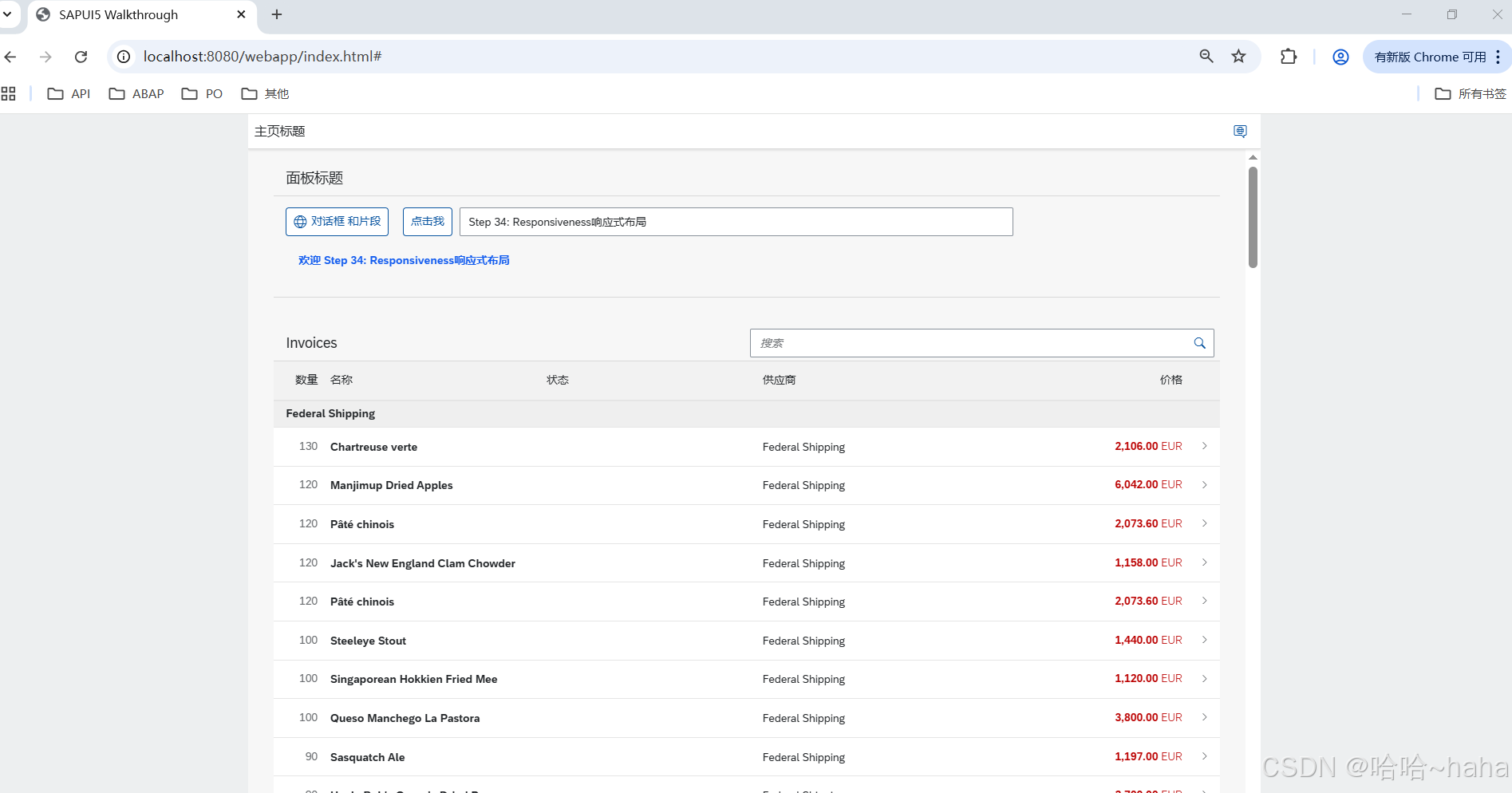
http://localhost:8080/webapp/index.html# 默认显示
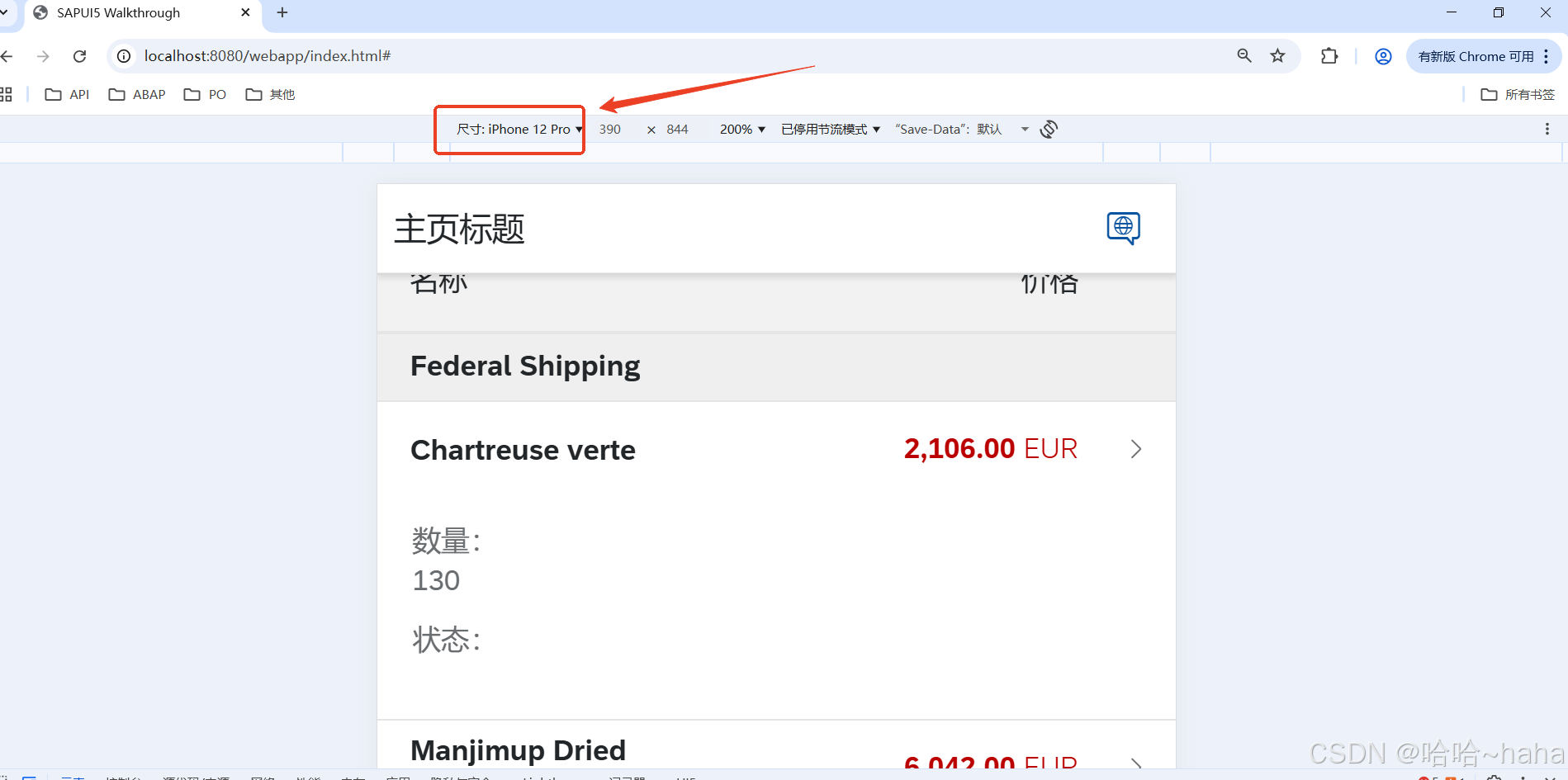
浏览器打开开发者工具,切换单元素页签,选择设备iphone 12 pro 如下