下载
官网如下
https://www.python.org/downloads/
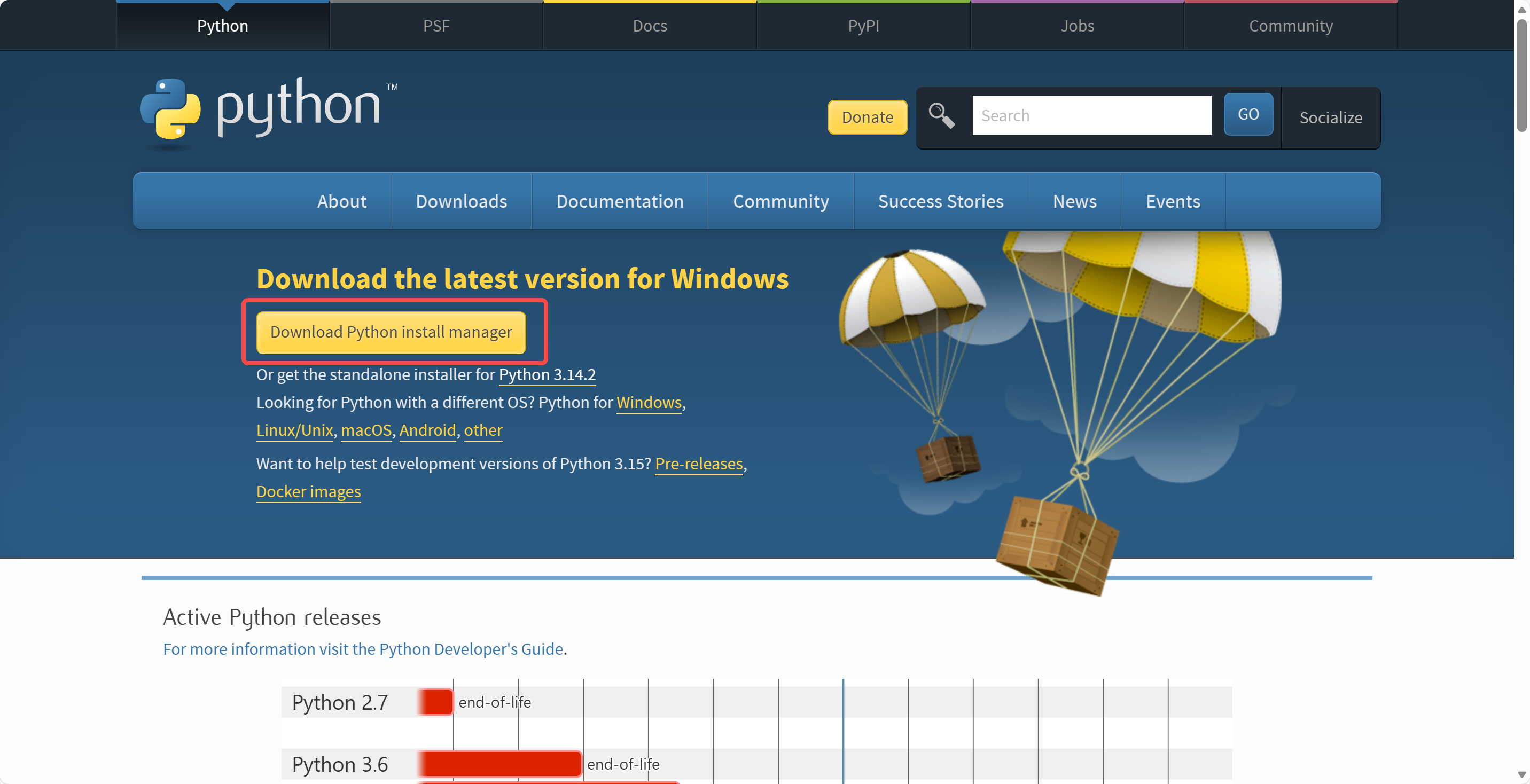
如果选择传统的【exe】格式,安装时会有如下界面
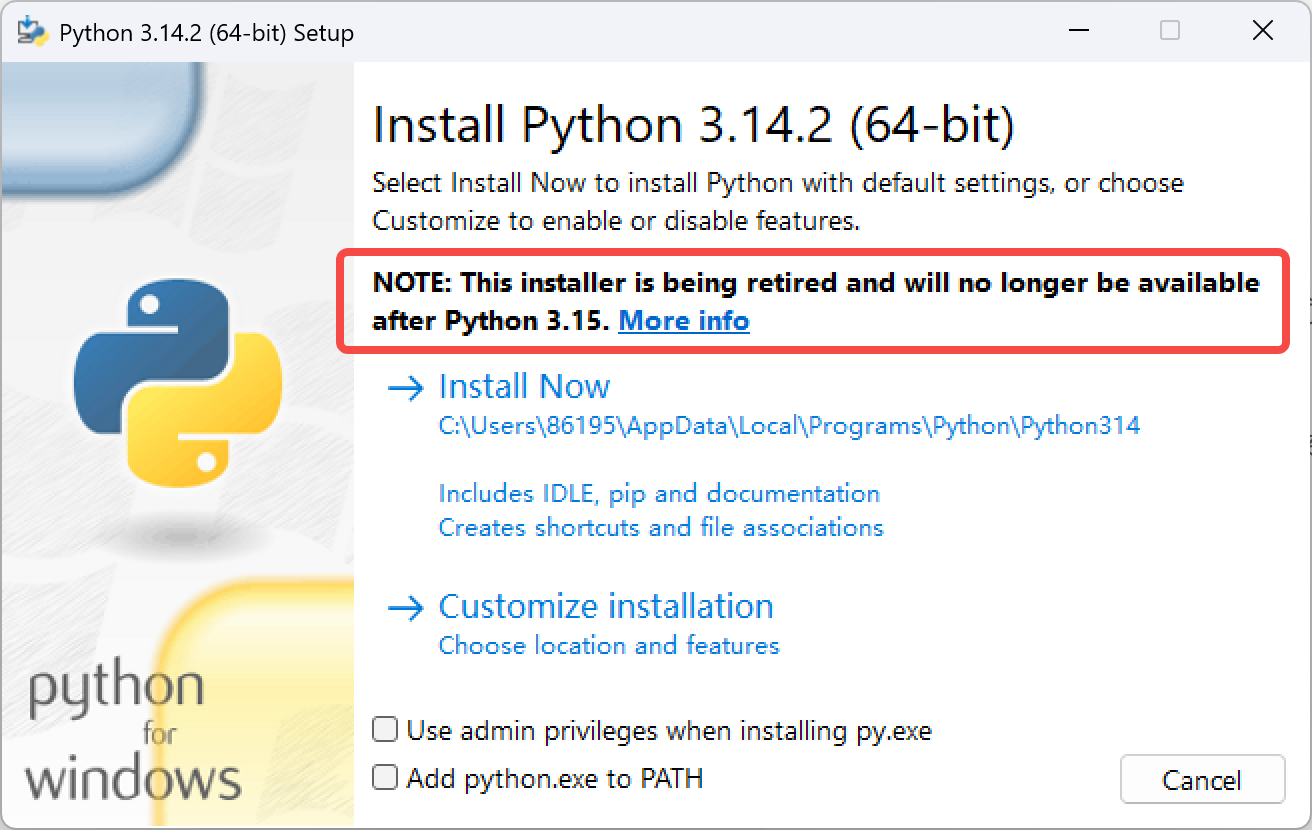
NOTE: This installer is being retired and will no longerbe available after Python 3.15
这句话的翻译是
注意:此安装程序即将停用,在 Python 3.15 版本发布后将不再提供
所以推荐选择【msix】格式的安装包,这是现代打包格式
安装
双击下载的【msix】文件
1
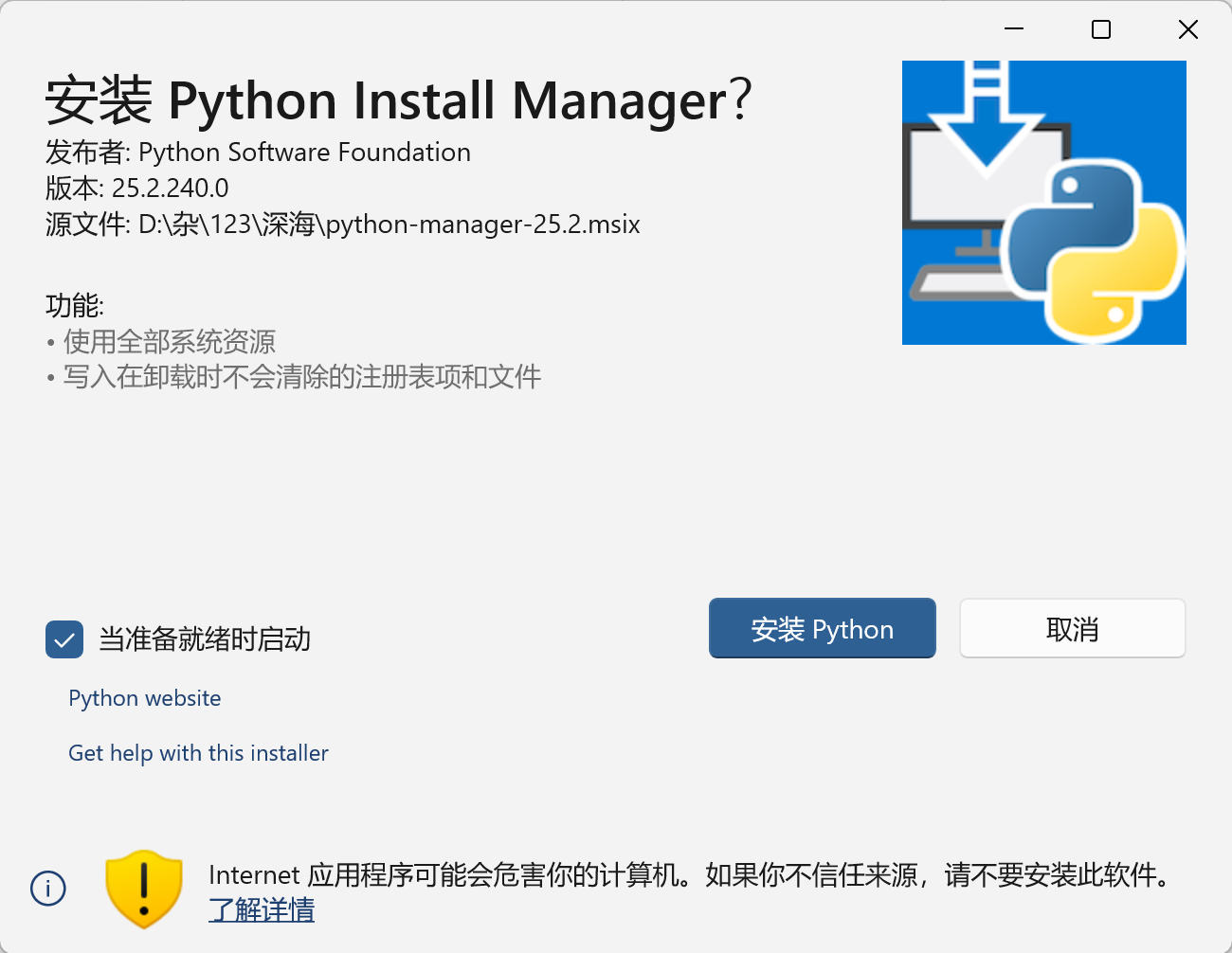
当准备就绪时启动:
勾选后,点击"安装 Python" -> 等待进度条走完 -> Python Install Manager 界面会自动弹出来
图中虽然按钮名字叫"安装 Python",但是安装的只是一个"管家"(Manager),真正的 Python 还没有安装
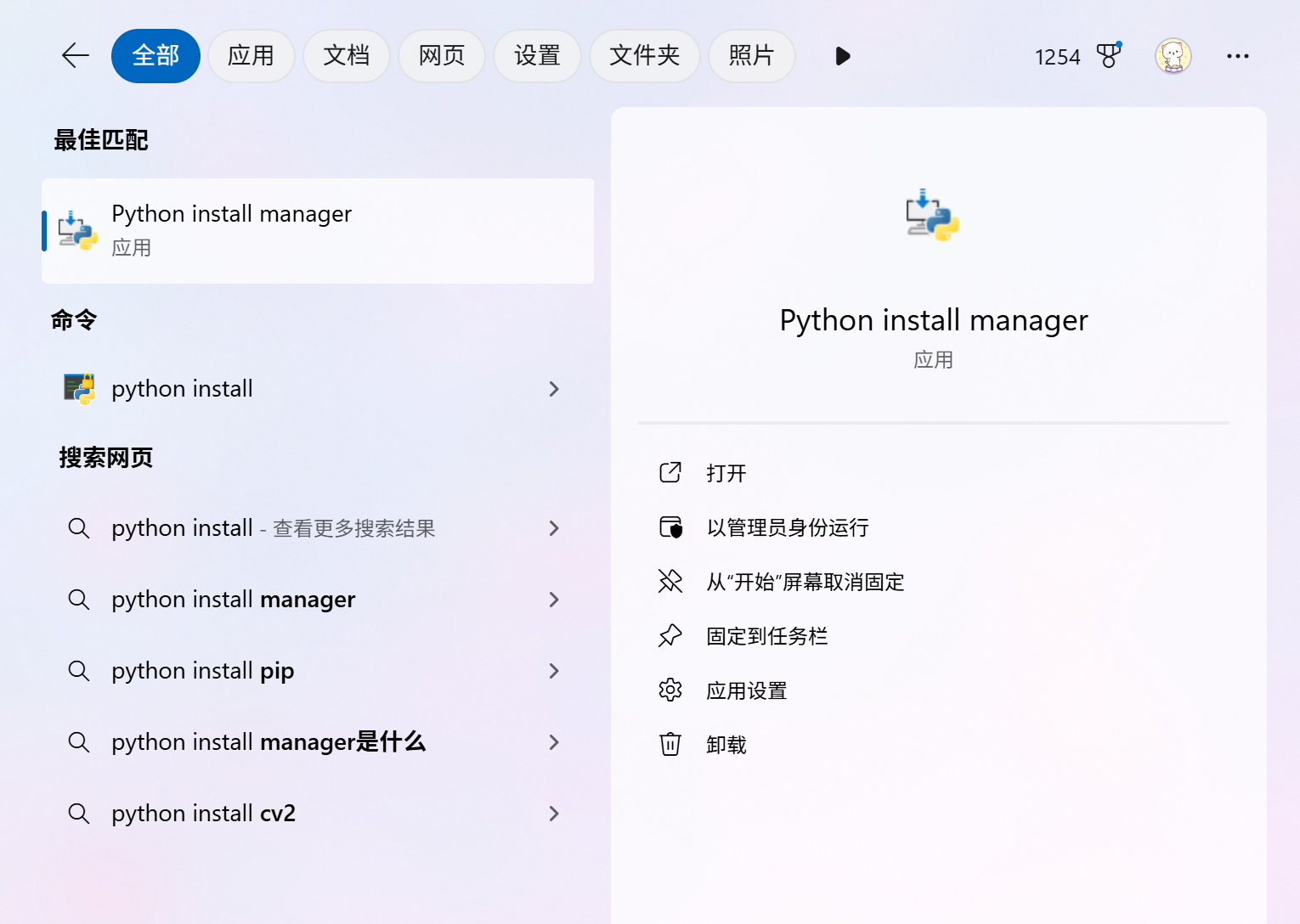
这个管家可以在搜索里看到,搜索【python install】
2
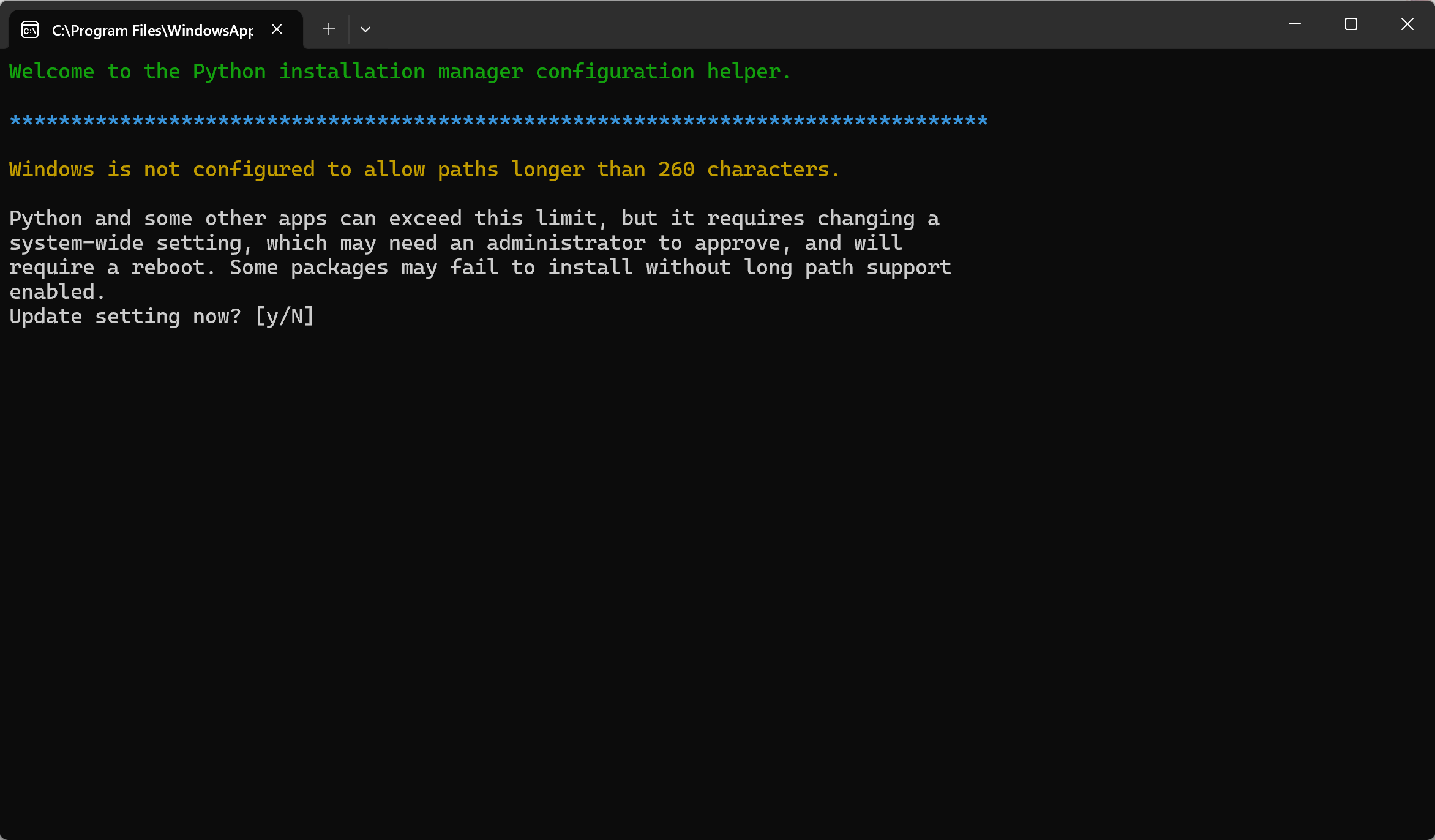
- 图中这句话是
Windows is not configured to allow paths longer than 260 characters.
Python and some other apps can exceed this limit, but it requires changing a system-wide setting, which may need an administrator to approve, and will require a reboot. Some packages may fail to install without long path support enabled.
- 翻译之后是
Windows 未配置为允许长度超过 260 个字符的路径。
Python 及部分其他应用程序可突破此限制,但这需要修改一项系统级设置,该操作可能需要管理员权限批准,且修改后需重启电脑。如果未启用长路径支持,部分软件包可能会安装失败。
我们需要解除 260 字符路径限制,所以输入 y
3
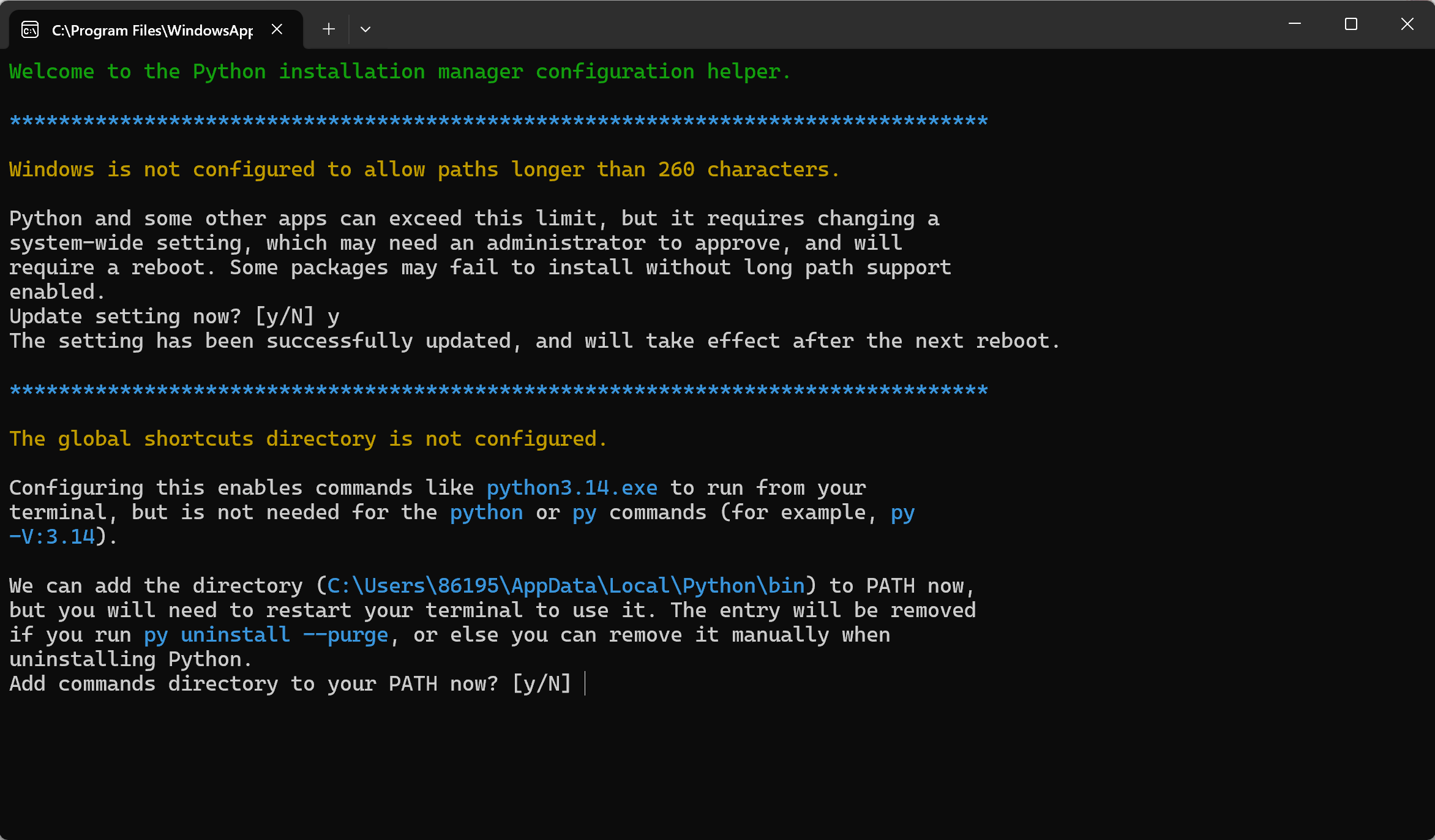
- 图中内容是
The global shortcuts directory is not configured.
Configuring this enables commands like python3.14.exe to run from your terminal, but is not needed for the python or py commands (for example, py -V:3.14).
We can add the directory (C:\Users\86195\AppData\Local\Python\bin) to PATH now,but you will need to restart your terminal to use it. The entry will be removed if you run py uninstall --purge, or else you can remove it manually when uninstalling Python.
- 翻译之后是
全局快捷方式目录尚未配置。
完成此项配置后,你就可以在终端中直接运行 python3.14.exe 这类命令,但这对 python 或 py 命令(例如 py -V:3.14)来说并非必需操作。
我们现在可以将目录 C:\Users\86195\AppData\Local\Python\bin 添加至系统环境变量 PATH,但你需要重启终端才能使配置生效。若执行 py uninstall --purge 命令,该环境变量条目将会被自动移除;你也可以在卸载 Python 时手动删除它。
这是一个关于环境变量 (PATH) 的配置选项
如果输入 y,安装程序会自动把那个长长的路径添加到系统的 PATH 里
所以输入 y
4
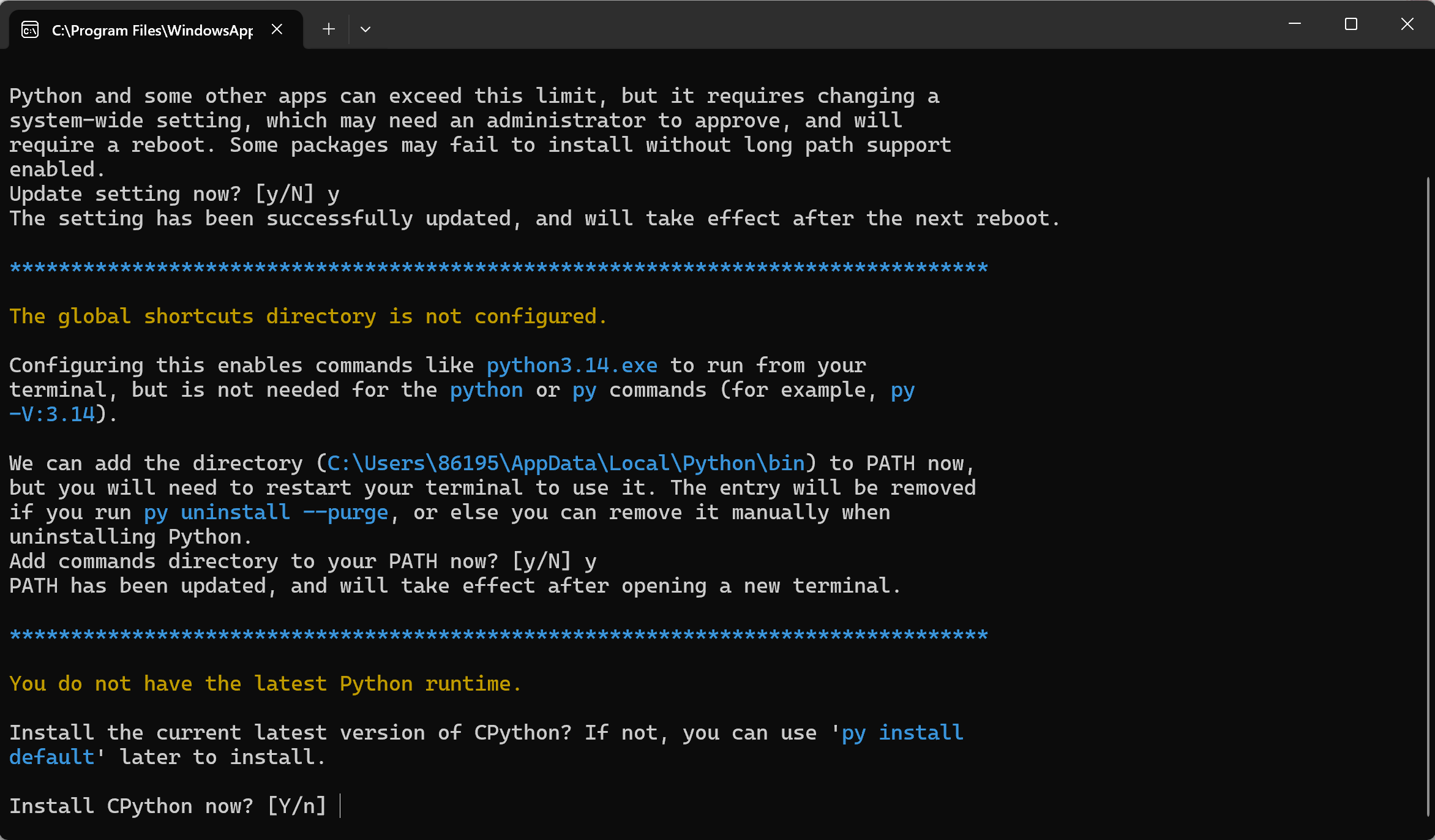
- 图中内容是
You do not have the latest Python runtime.
Install the current latest version of CPython? If not, you can use 'py install default' later to install.
- 翻译之后是
你当前未安装最新版 Python 运行时环境。
是否安装当前最新版的 CPython?若暂不安装,你可后续执行 py install default 命令来完成安装。
Python: 这是一门编程语言的规范
CPython: 这是 Python 语言的官方标准实现(用 C 语言写的)
CPython 就是我们需要的东西
选择 y 后,会开始从网络下载最新版本的 Python
所以选择 y
5
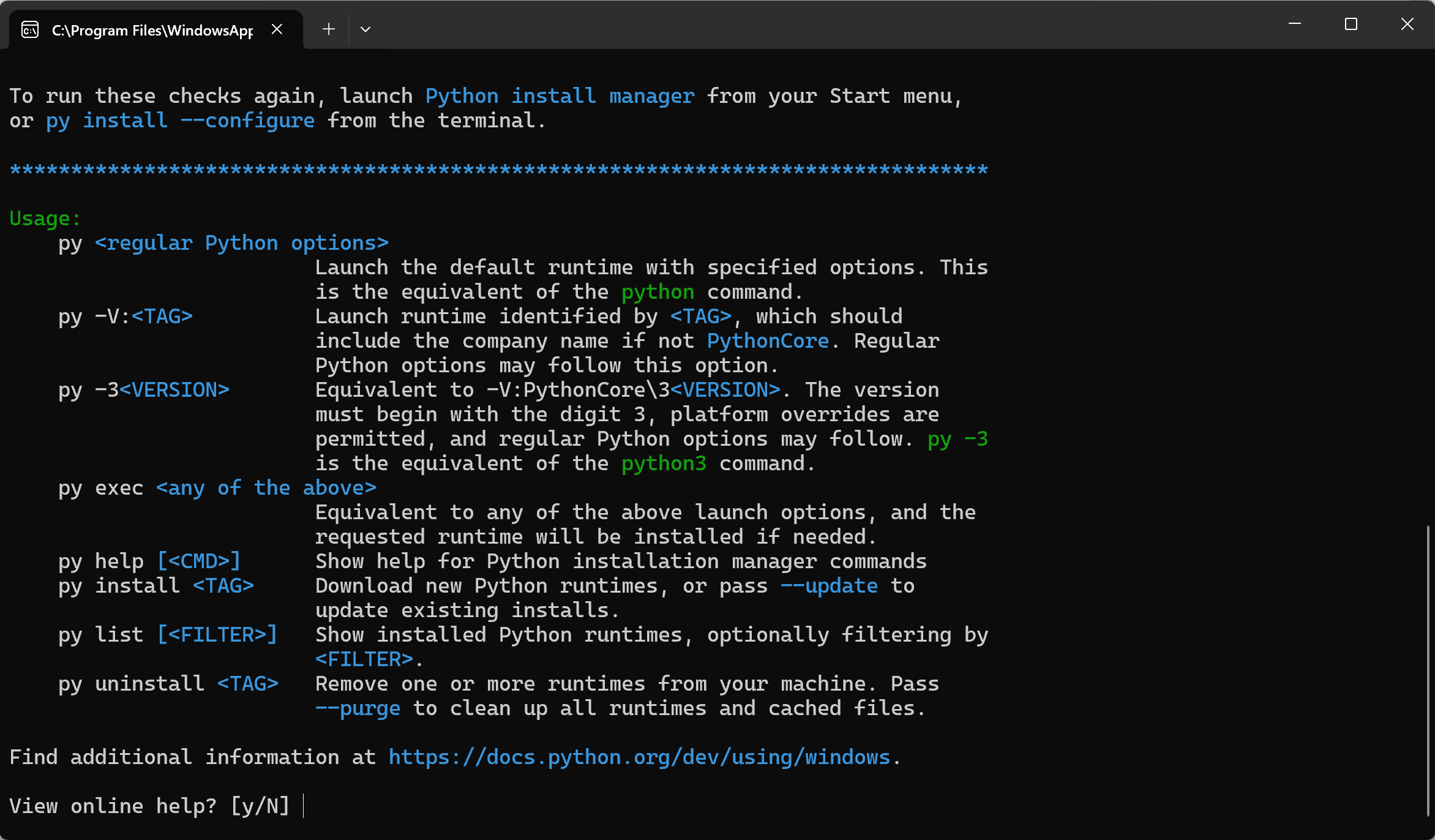
这是安装过程的最后一个画面,意味着 Python 环境已经安装完成了
这是在问你:是否查看在线帮助文档?
这里选 n,不阅读文档
安装 pip
找到 python 的安装位置,我的是【C:\Users\86195\AppData\Local\Python\pythoncore-3.14-64】
在这个文件夹下打开 cmd,输入
curl https://bootstrap.pypa.io/get-pip.py -o get-pip.py这句话的意思是:访问 pip 官方提供的引导脚本地址,下载保存为本地文件
如果不加 -o 参数,代码会直接打印在屏幕上而不是保存文件
可以看到多了个文件
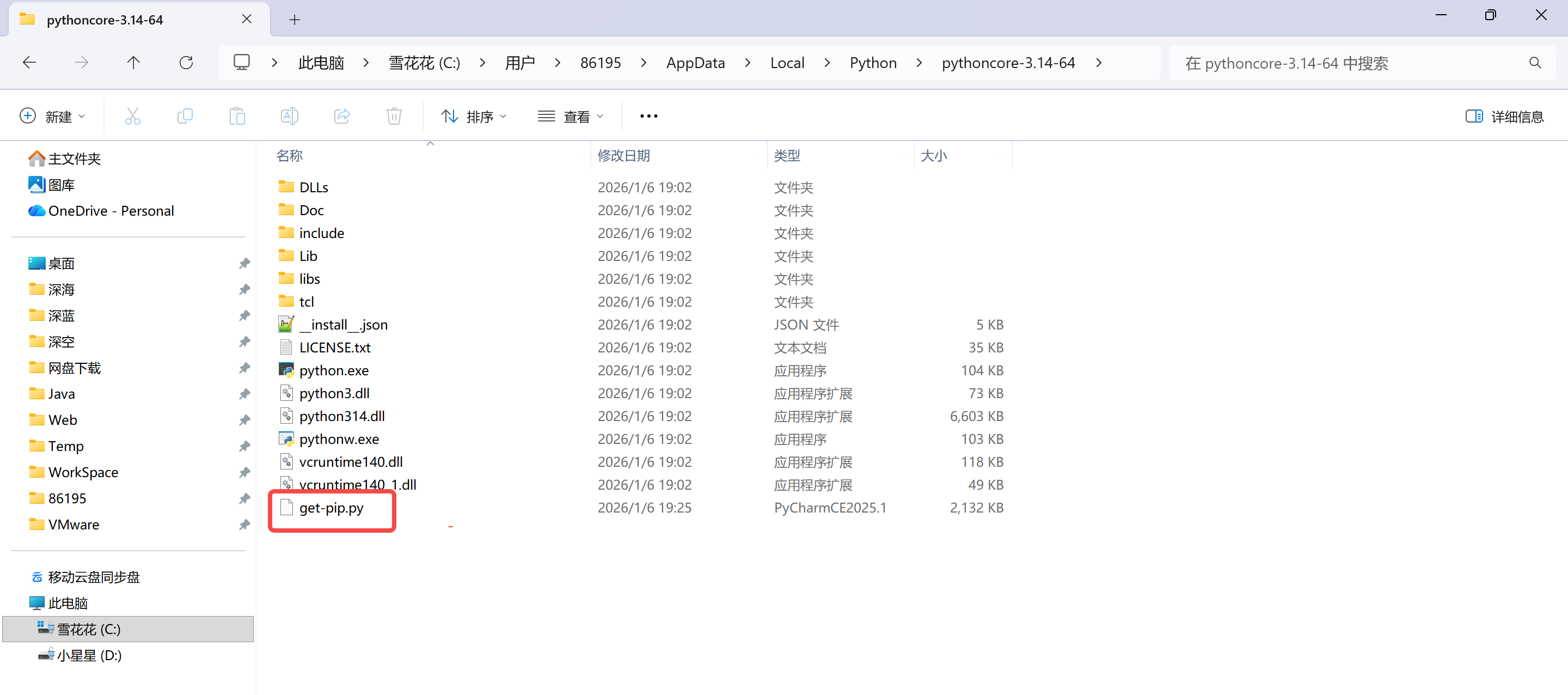
然后运行这个【py】文件
python get-pip.py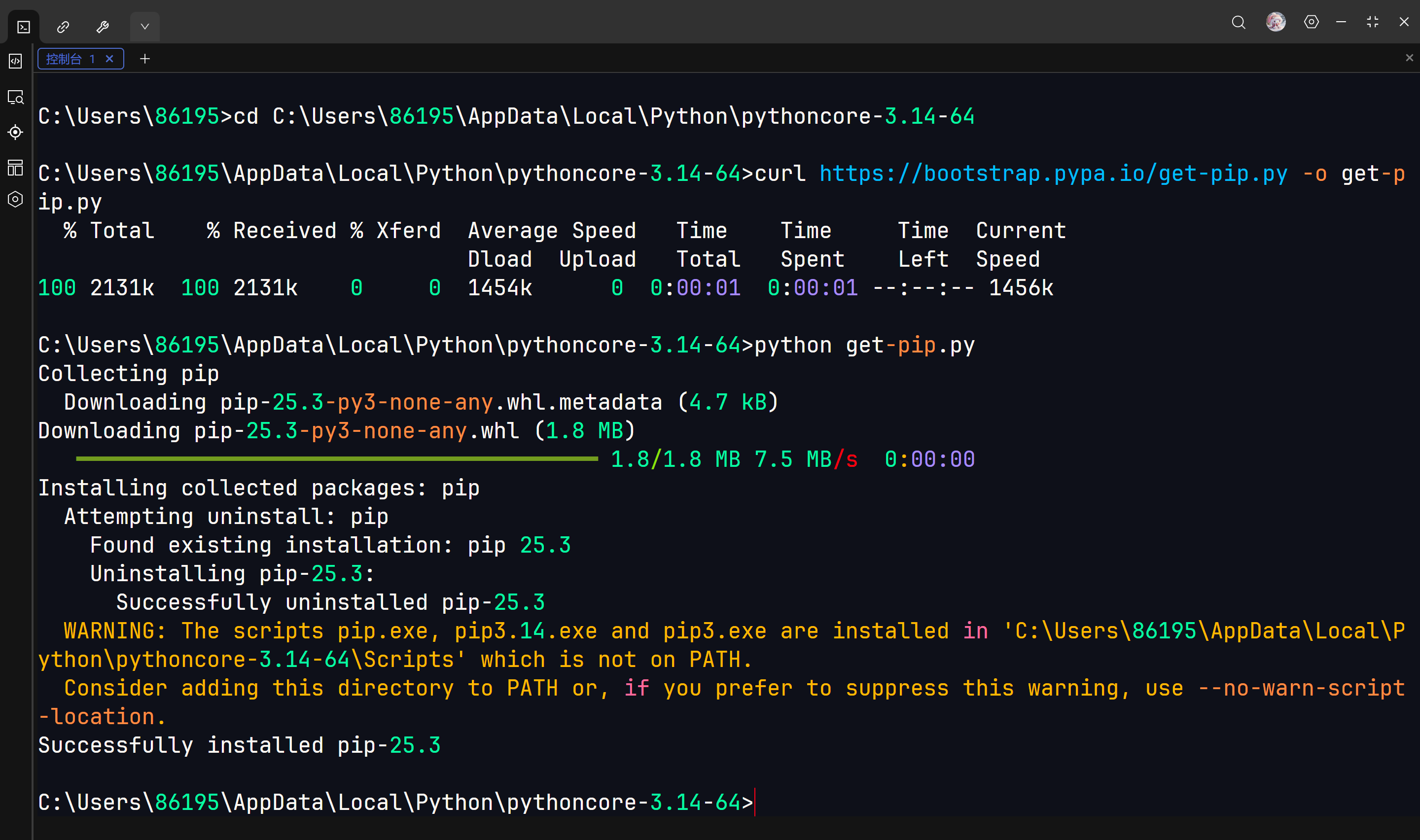
可以看到【Scripts】文件夹出现了
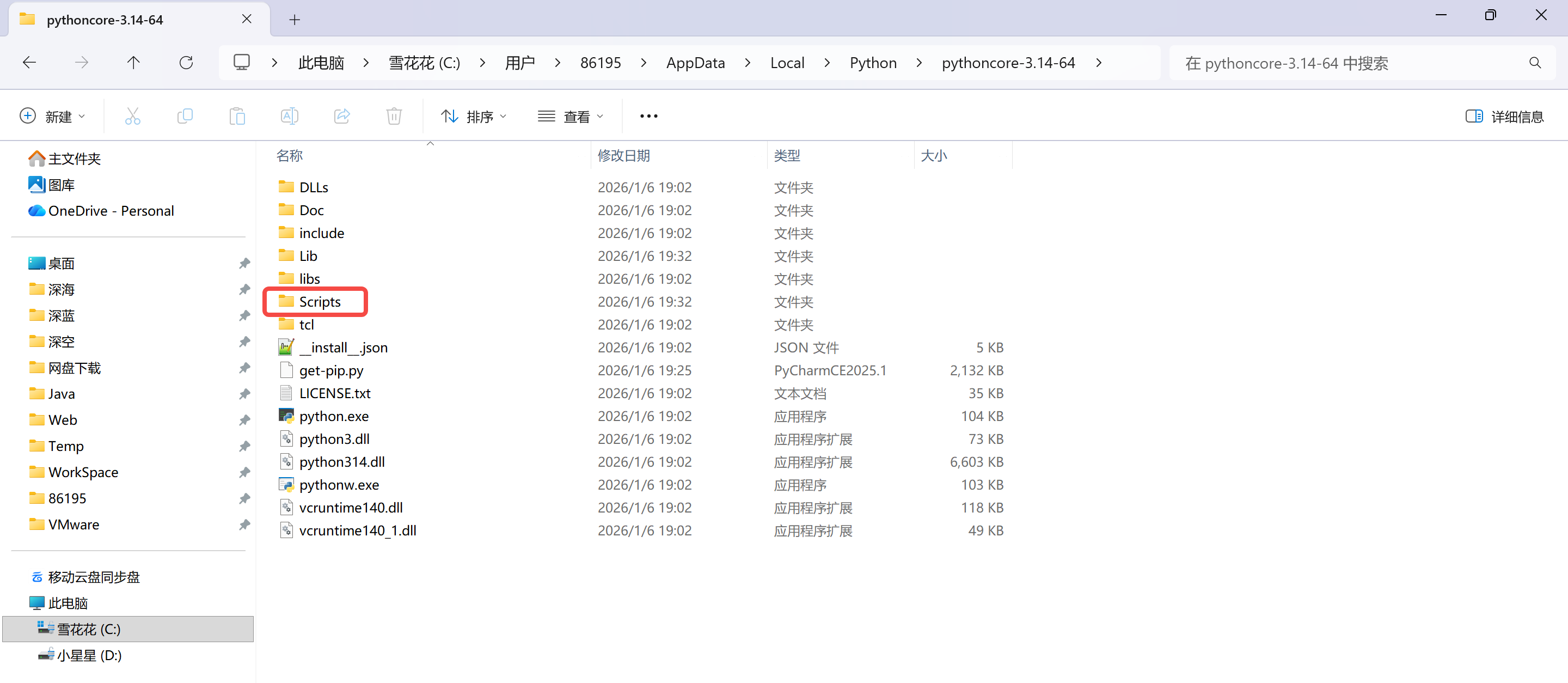
把【Scripts】文件夹添加到环境变量的 PATH 中
验证
修改环境变量后,需要重启 cmd 才能重新加载环境变量,输入
python --version

pip --version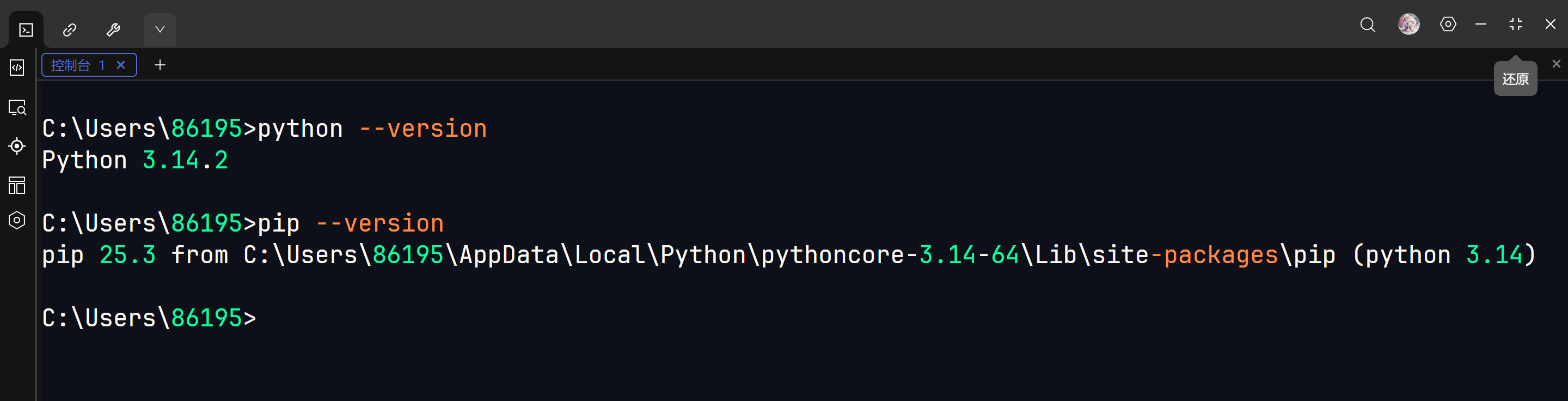
pip 镜像源配置
可以看我这篇文章