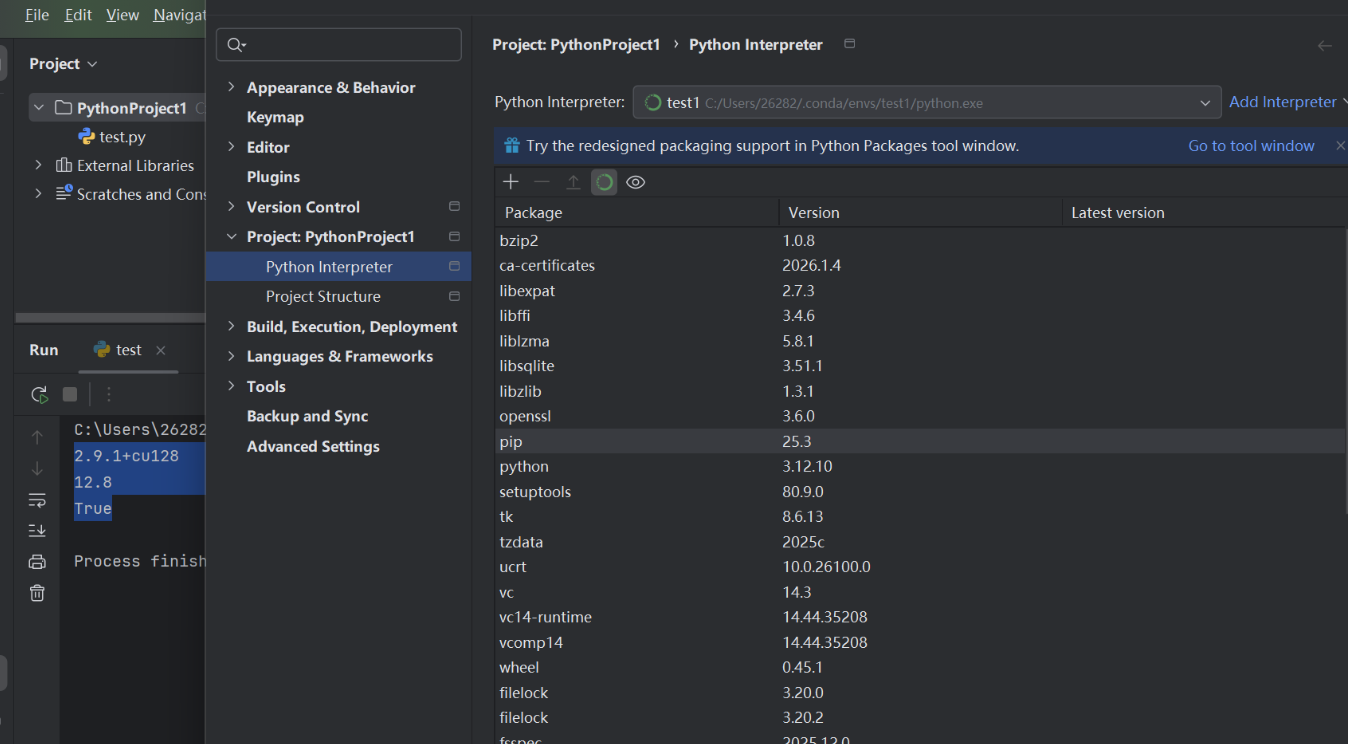
test1为激活项目名称
Step 1:找到 test1 的 python.exe 路径(最稳)
在 Anaconda Prompt(或 CMD)里,保持 test1 激活,然后运行:
where python
python -c "import sys; print(sys.executable)"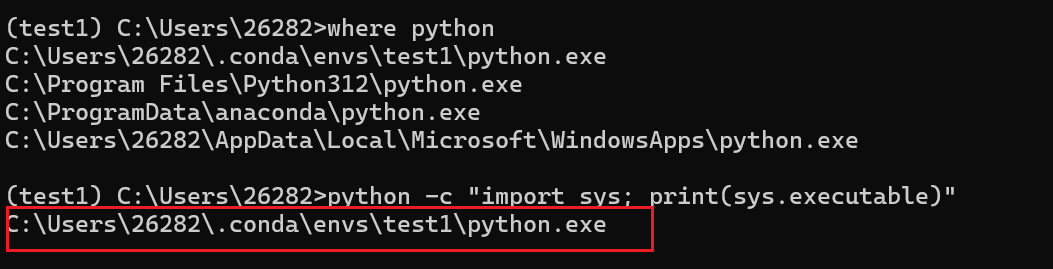
Step 2:PyCharm 里切换解释器到 test1
路径(Windows):
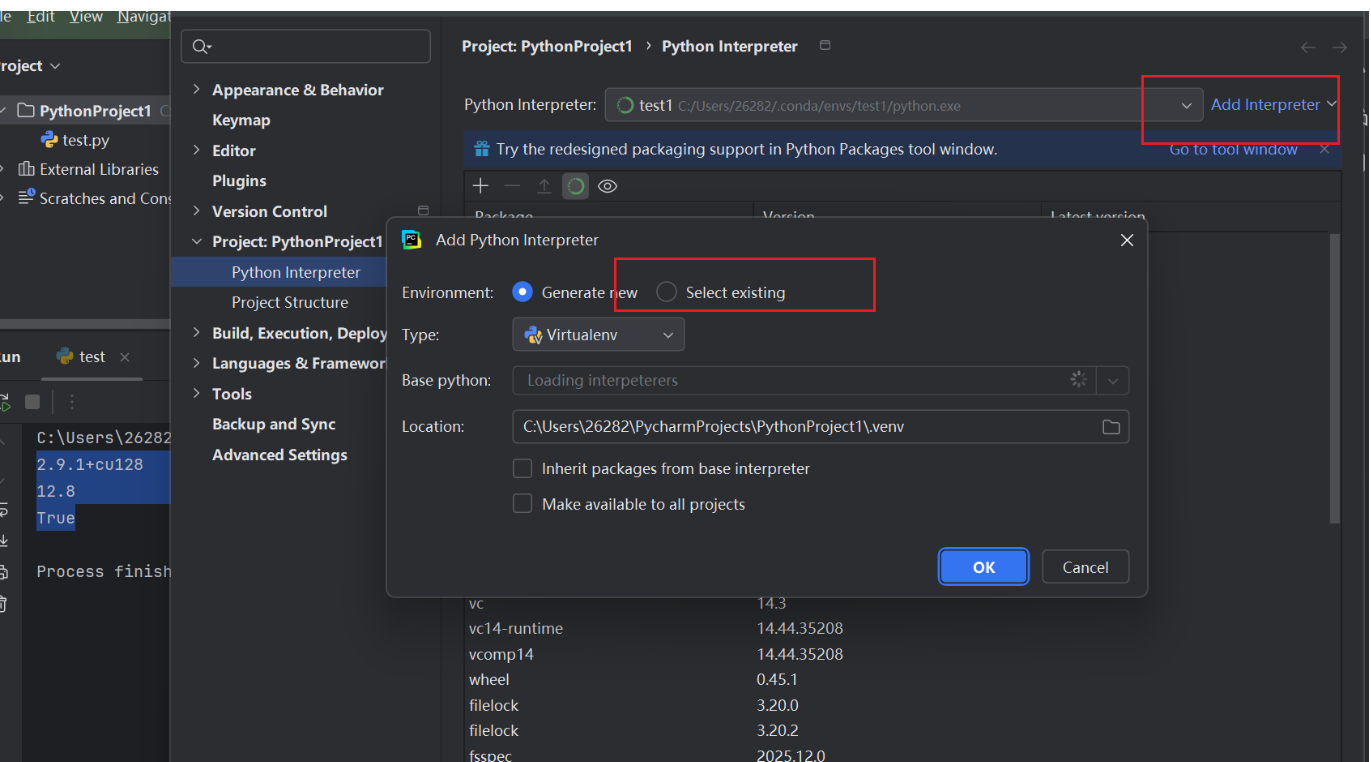
File → Settings → Project: xxx → Python Interpreter
然后:
-
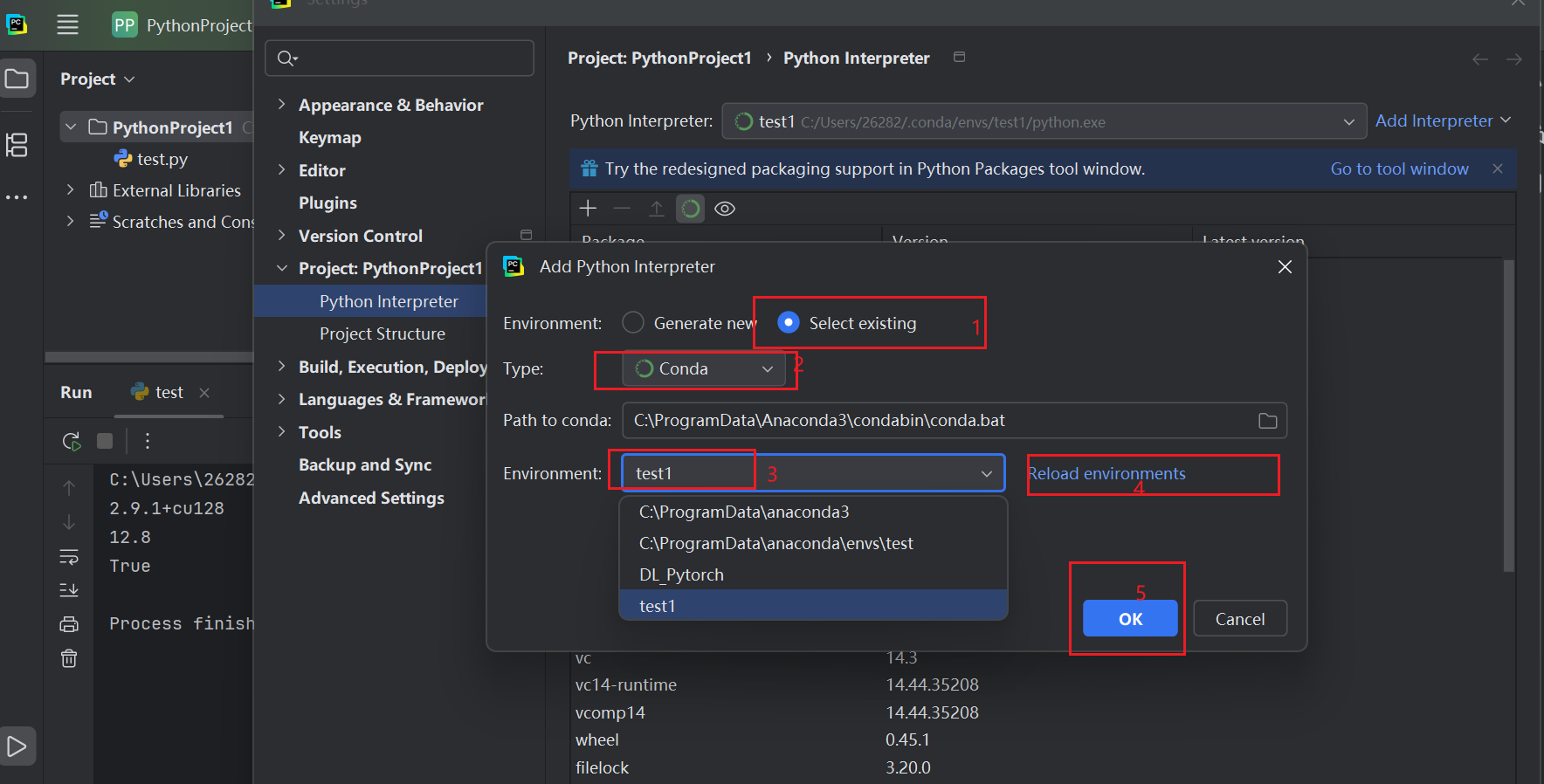
右上角齿轮 ⚙️ → Add Interpreter
-
选 Conda Environment
-
选 Existing environment
-
Interpreter 选择你刚才拿到的:
C:\Users\26282.conda\envs\test1\python.exe
Apply / OK
重点:一定要看到解释器路径里含
envs\test1\python.exe
Step 3:在 PyCharm 里重新跑验证(建议直接用这段)
import sys, torch
print("python:", sys.executable)
print("torch:", torch.__version__)
print("cuda:", torch.version.cuda)
print("available:", torch.cuda.is_available())
if torch.cuda.is_available():
    print("gpu:", torch.cuda.get_device_name(0))
应该看到:
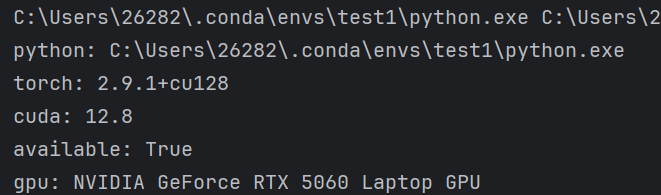
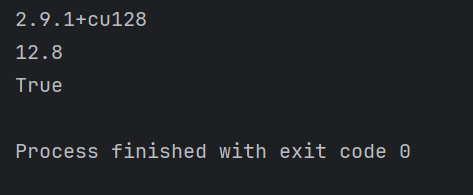
如果切了解释器还是显示 CPU(少数情况)
这通常是 PyCharm 的缓存/索引没刷新或项目依赖没对齐:
- Invalidate Caches
- File → Invalidate Caches / Restart → Invalidate and Restart
-
检查 PyCharm 右下角解释器名称是否已经变成 test1
-
在 PyCharm Terminal 里(不是系统 CMD),跑:
python -c "import sys; print(sys.executable)"
pip show torch
看是不是 test1 + 2.9.1+cu128
这里还有一个"隐患提醒"(但不影响现在解决)
test1 的 Python 是 3.12.10 (conda-forge) ,torch CUDA 也能跑
但以后你要装一些生态包(比如某些旧版本的 mmcv, detectron2, xformers 特定组合)可能会遇到编译/兼容问题。
如果后面你要搞 训练/推理加速、LLM、各种三方库,我更推荐你再建一个更通用的环境:
- Python 3.10 或 3.11
- pytorch-cuda 11.8/12.1(看你生态需求)
但现在先不折腾,先把 PyCharm 的 GPU 跑通最重要。
以下是具体截图