1.修复建议:
bash
Fedora and Ubuntu (since 17.04) start Wayland session by default. Ulauncher in Wayland does not receive hotkey events when triggered from some windows (like terminal or OS Settings).

Please follow these steps to fix that:

Install package wmctrl (needed to activate app focus)
Open Ulauncher Preferences and set hotkey to something you'll never use
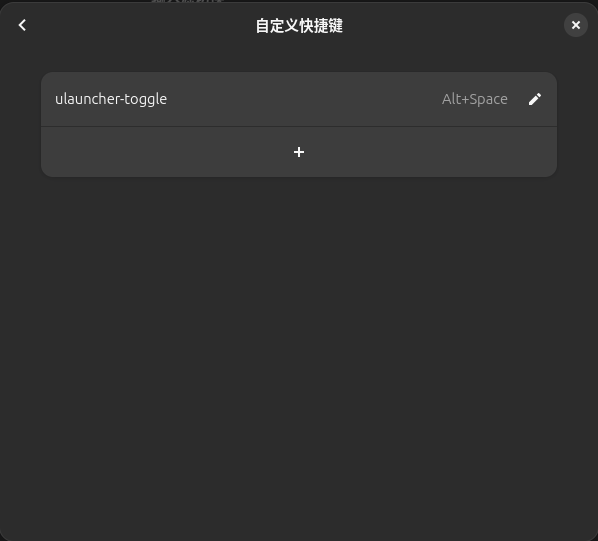
Open Settings > Keyboard (may be named "Keyboard Shortcuts"), then scroll down to Customize Shortcuts > Custom Shortcuts > +
In Command enter ulauncher-toggle, set name and shortcut, then click Add
If you followed the instructions and Ulauncher still doesn't get focus when launched, try the workaround in this comment.

Another option is to switch from Wayland to X11:

Log out
Click on a gear box and select GNOME on Xorg
Set Ulauncher hotkey as usual
2.解决办法
-
打开系统设置(Settings)> 键盘(Keyboard)> 快捷键(Shortcuts)> 自定义快捷键(Custom Shortcuts)> 点击"+"添加。
-
在命令(Command)一栏中,输入
ulauncher-toggle(如果这个命令有效的话)。但是根据uLauncher的文档,可能我们需要使用一个脚本来确保uLauncher获得焦点。/usr/bin/ulauncher-toggle --hide-window