复现步骤
设置 - 壁纸 - 壁纸与风格 - 主屏幕 - 应用网格,发现有两个5X5的选项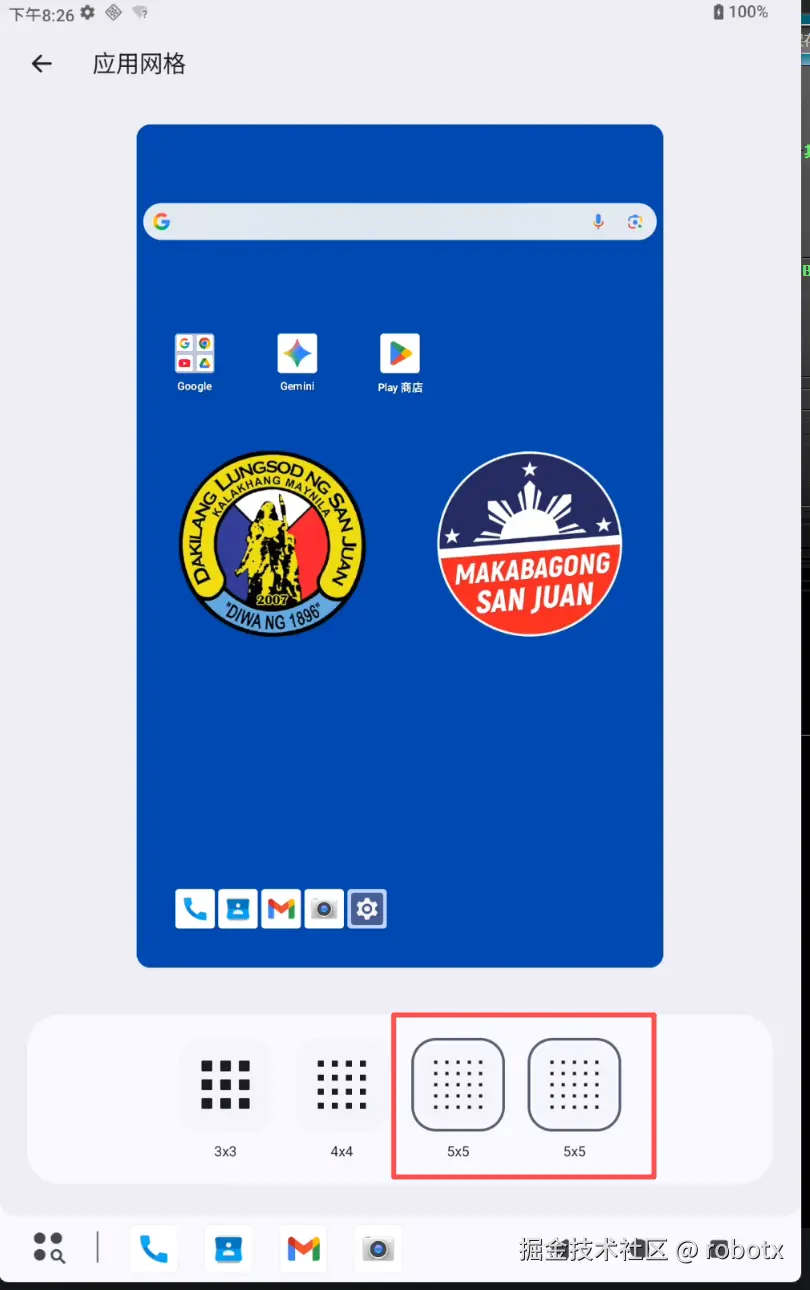 要做的就是去掉一个5x5
解决
 搜索关键词
搜索关键词应用网格,发现不是在Setting中,而是在ThemePicker模块下,后续更改均在ThemePicker模块。 模块路径:packages/apps/ThemePicker。
根据应用网格定位:
xml
strings.xml

<string name="grid_title" msgid="1688173478777254123">"应用网格"</string>定位到布局文件grid_section_view.xml,这个布局文件其实是图片二内容,即一级目录,图片一展示的是二级目录的。这个一级目录布局对应的java文件为GridSectionView,但GridSectionView.java没内容,需要看GridSectionController.java
xml
grid_section_view.xml

<com.android.customization.picker.grid.ui.view.GridSectionView
......


        <TextView
            android:layout_width="match_parent"
            android:layout_height="wrap_content"
            android:text="@string/grid_title" // 这里
            style="@style/SectionTitleTextStyle" />

......
</com.android.customization.picker.grid.ui.view.GridSectionView>
java
GridSectionController.java

gridSectionView.setOnClickListener(
        v -> {
            //代码中有点击事件的处理,即点击图片二中那个"应用网格"的处理事件,发现跳转的是GridFragment中调用了GridScreenBinder,我就是修改的这个Binder
            ```kotlin
            GridScreenBinder.kt

            lifecycleOwner.lifecycleScope.launch {
            lifecycleOwner.repeatOnLifecycle(Lifecycle.State.STARTED) {
                launch {
                    viewModel.optionItems.collect { options ->
                        // According to the number of rows and columns, to avoid duplication.
                        Log.d(
                            "cmy-GridScreenBinder",
                            "collect optionItems: size=${options.size}, keys=${
                                options.joinToString { it.key.value }
                            }"
                        )

                        val uniqueOptions = options.distinctBy { it.key.value }

                        Log.d(
                            "cmy-GridScreenBinder",
                            "after distinctBy key: size=${uniqueOptions.size}, keys=${
                                uniqueOptions.joinToString { it.key.value }
                            }"
                        )

                        adapter.setItems(uniqueOptions)
                        onOptionsChanged()
                    }
                }
            }
        }
            ```
            final Fragment gridFragment = new GridFragment();
            mSectionNavigationController.navigateTo(gridFragment);
        });
在GridFragment中调用了GridScreenBinder,我就是修改的这个Binder
kotlin
GridScreenBinder.kt

lifecycleOwner.lifecycleScope.launch {
    lifecycleOwner.repeatOnLifecycle(Lifecycle.State.STARTED) {
        launch {
            viewModel.optionItems.collect { options ->
                // According to the number of rows and columns, to avoid duplication.
                // 这个log打印的是有两个5x5
                Log.d(
                    "cmy-GridScreenBinder",
                    "collect optionItems: size=${options.size}, keys=${
                        options.joinToString { it.key.value }
                    }"
                )


                // ********数据去重:使用 `distinctBy { it.key.value }`对 `options`进行去重,确保基于 `key`的唯一性
                val uniqueOptions = options.distinctBy { it.key.value } //

                // 这个log打印的是过滤之后的,只有一个5x5
                Log.d(
                    "cmy-GridScreenBinder",
                    "after distinctBy key: size=${uniqueOptions.size}, keys=${
                        uniqueOptions.joinToString { it.key.value }
                    }"
                )

                adapter.setItems(uniqueOptions) //**更新UI**:将去重后的列表 `uniqueOptions`设置给 `adapter`,从而更新界面显示
                onOptionsChanged()
            }
        }
    }
}
经过去重后,这样就只显示一个5x5选项了。