🍉 CSDN 叶庭云:https://yetingyun.blog.csdn.net/
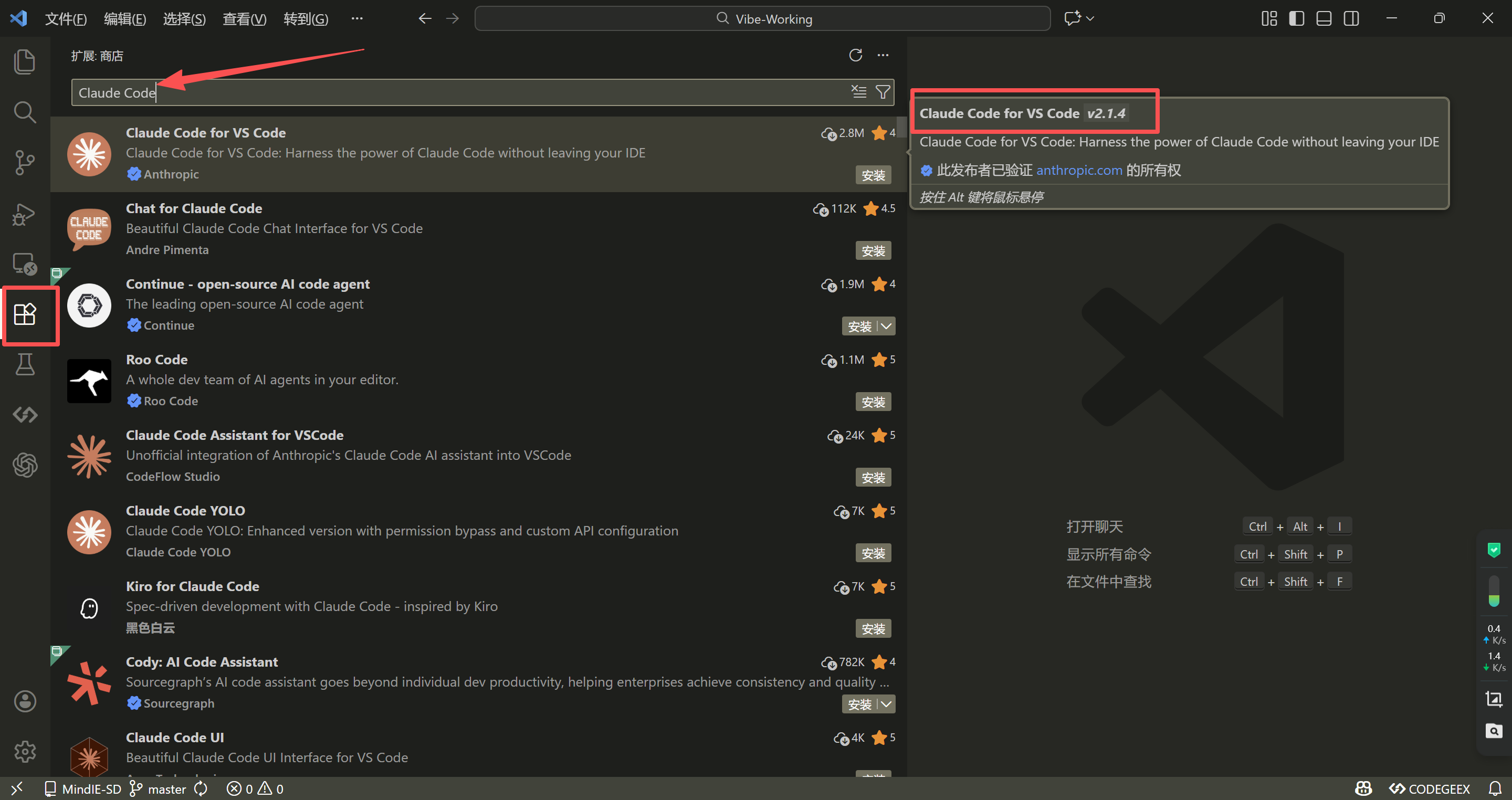
VSCode 集成开发环境(Integrated Development Environment,IDE)中,点进 扩展 (Ctrl + Shift + X)进去,检索并找到 Claude Code 插件,如下图所示:
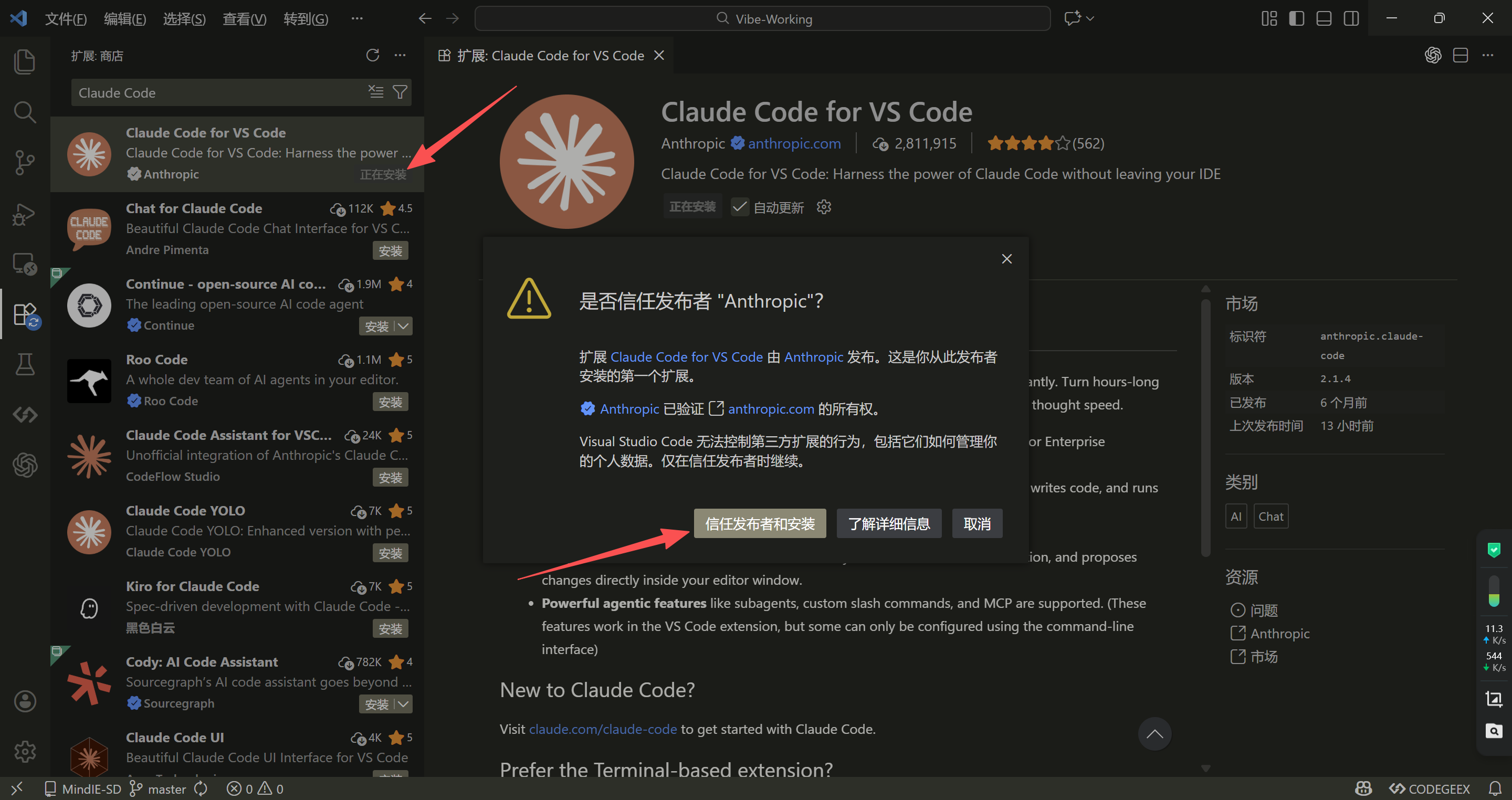
点击开始安装 Claude Code for VSCode 这个插件,安装好之后,开始配置,如下图所示:
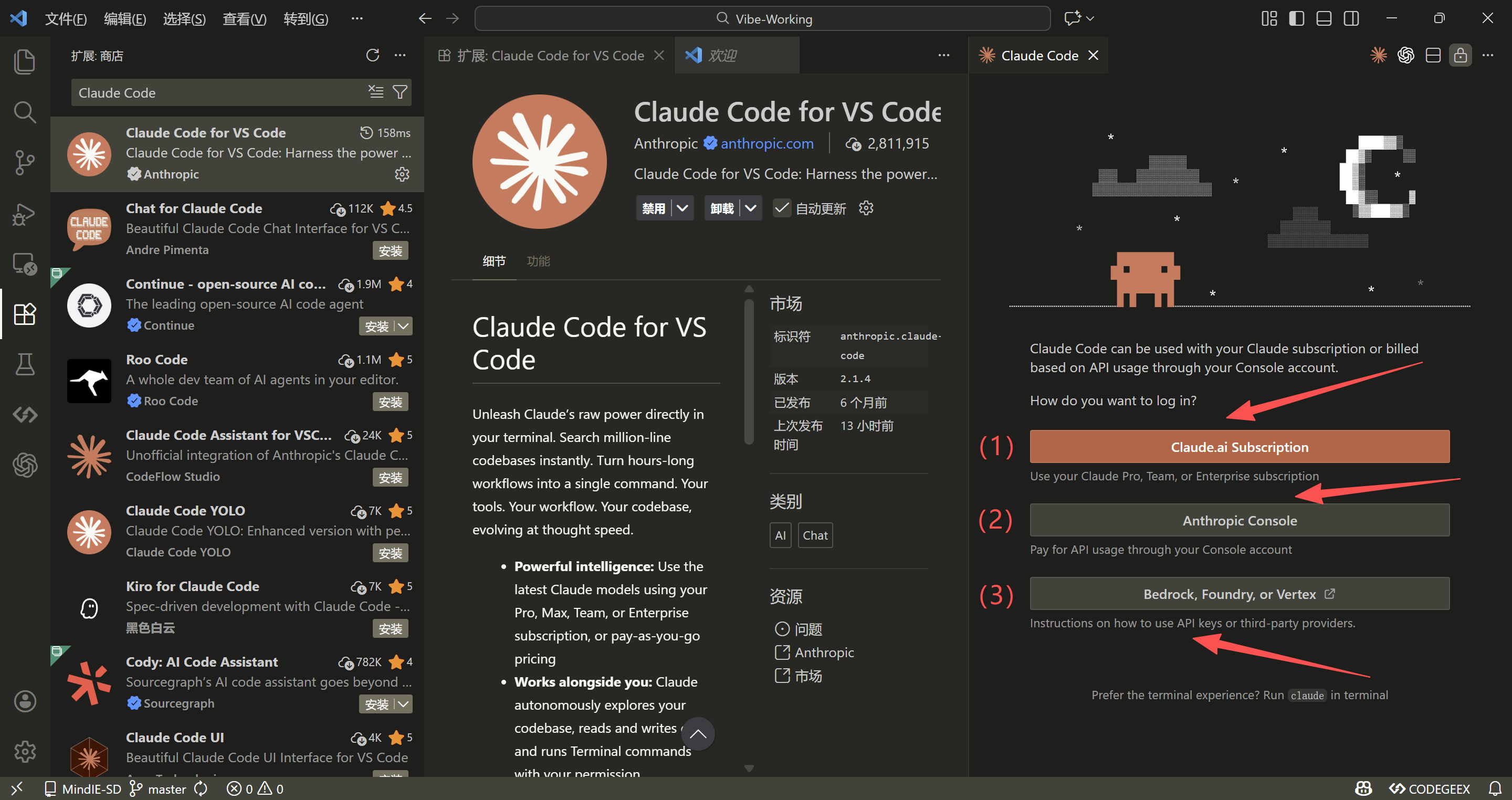
实际有三种登录方式,本质就是要通过认证你才能使用,点击选项卡会提示你跳转到对应的说明文档,如下图所示:
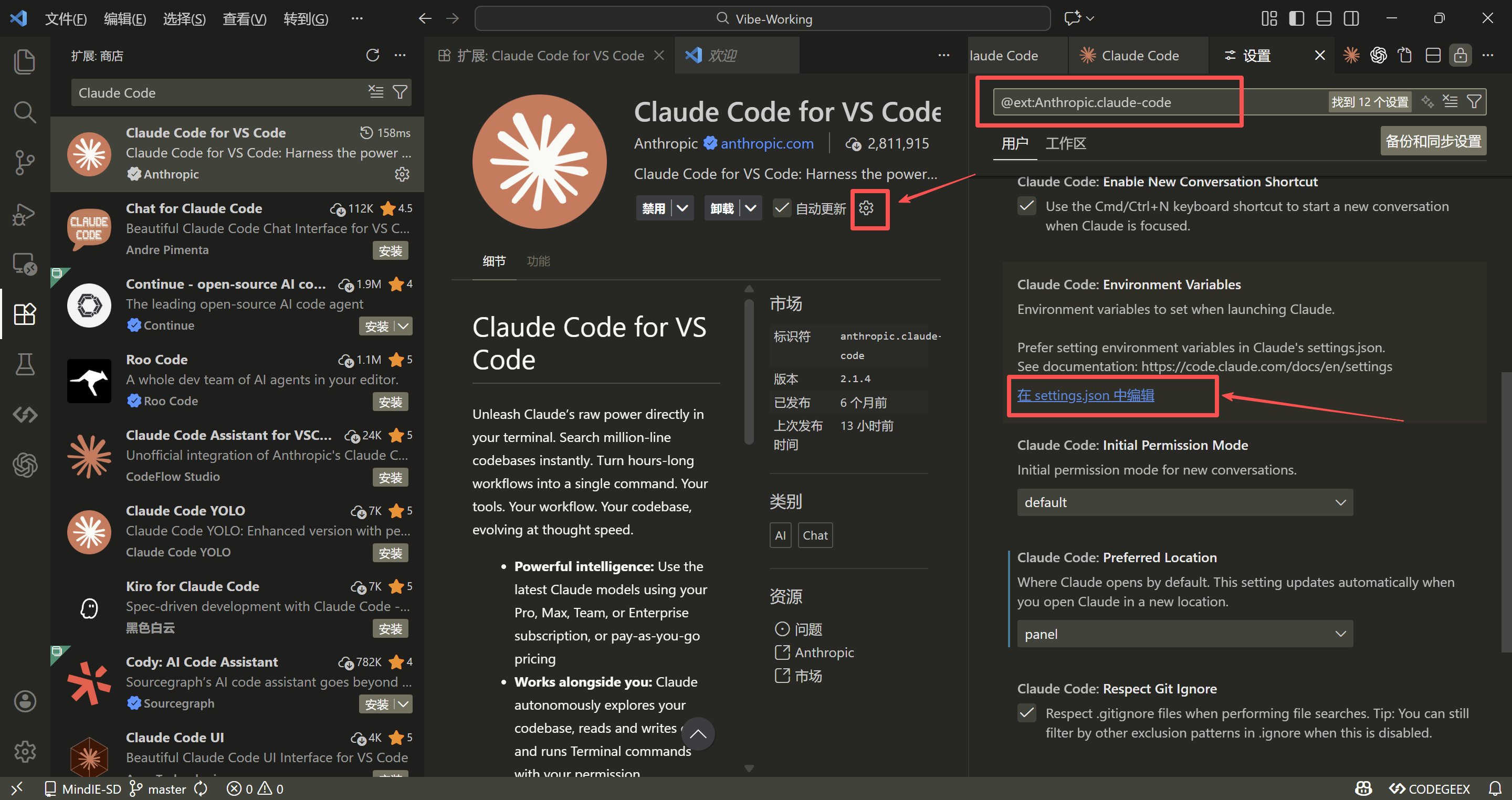
我们其实可以直接配置 API KEY、BASE URL 和使用的 Model ,比如接入智谱的模型:https://www.bigmodel.cn/invite?icode=WIOY4POOgV6VZ365Bqf66bC%2Fk7jQAKmT1mpEiZXXnFw%3D。点这个插件的设置 (齿轮)进去,然后找到 在 settings.json 中编辑 点进去,如下图所示:
首次打开 settings.json,里面的原始内容如下图所示:
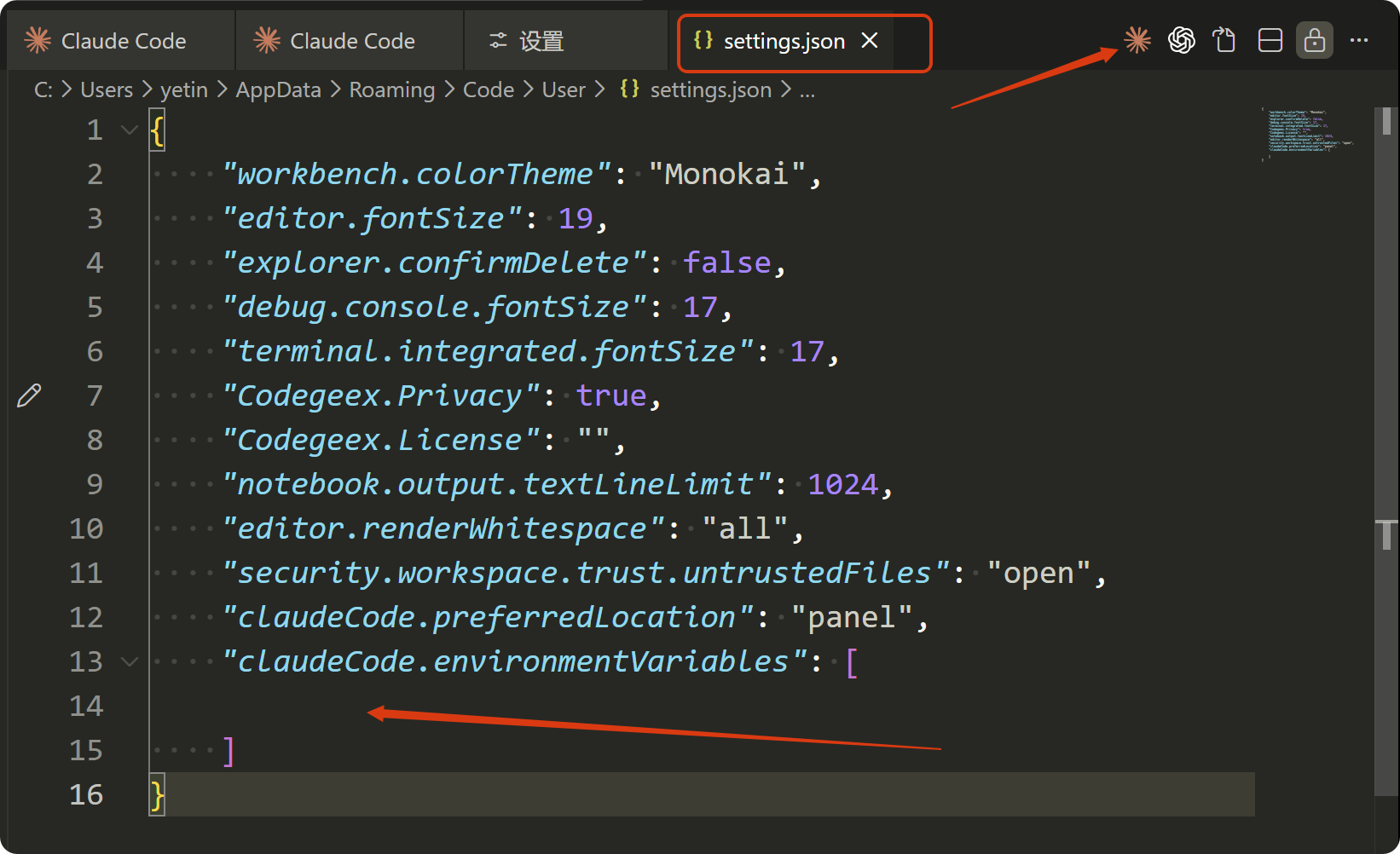
添加如下内容,保存 settings.json 后,先退出 VSCode,再重新进入。
bash
{
    "workbench.colorTheme": "Monokai",
    "editor.fontSize": 19,
    "explorer.confirmDelete": false,
    "debug.console.fontSize": 17,
    "terminal.integrated.fontSize": 17,
    "Codegeex.Privacy": true,
    "Codegeex.License": "",
    "notebook.output.textLineLimit": 1024,
    "editor.renderWhitespace": "all",
    "security.workspace.trust.untrustedFiles": "open",
    "claudeCode.preferredLocation": "panel",
    "claudeCode.environmentVariables": [
        {
            "name": "ANTHROPIC_AUTH_TOKEN",
            "value": "your_api_key......."
        },
        {
            "name": "ANTHROPIC_BASE_URL",
            "value": "https://open.bigmodel.cn/api/anthropic"
        },
        {
            "name": "ANTHROPIC_MODEL",
            "value": "glm-4.7"
        },
        {
            "name": "ANTHROPIC_DEFAULT_HAIKU_MODEL",
            "value": "glm-4.7"
        }
    ]
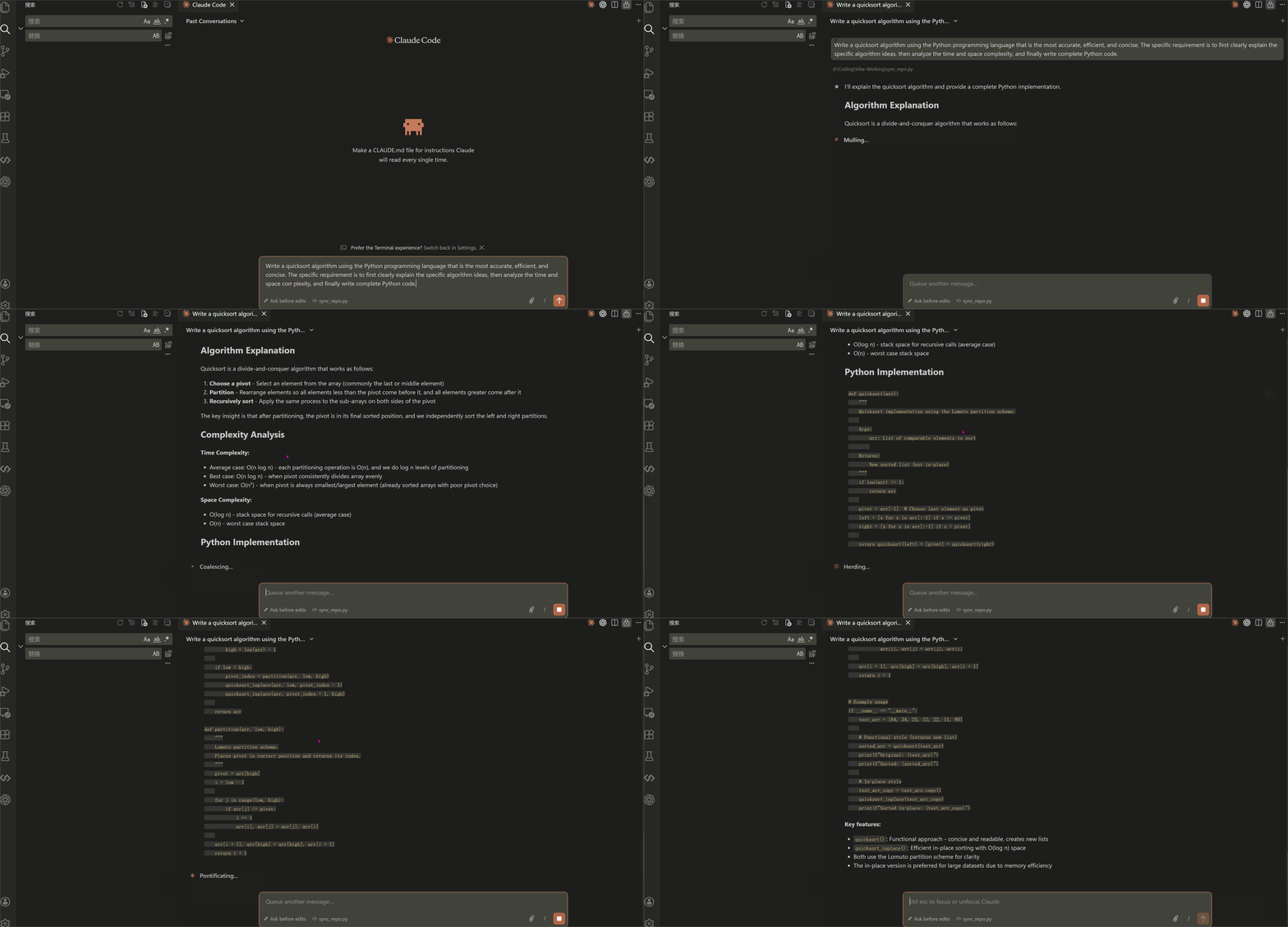
}最后,测试在 VSCode 中成功使用 Claude Code 插件,如下图所示:
输入 Prompt:Write a quicksort algorithm using the Python programming language that is the most accurate, efficient, and concise. The specific requirement is to first clearly explain the specific algorithm ideas, then analyze the time and space complexity, and finally write complete Python code.
🚀 完结,撒花 💐