libsodium.js:web端与 Node.js 的现代加密工具集,构建前端安全加密体系
- 一、简介
- 二、安装
- 三、哈希加密
- [四、ChaCha20-Poly1305 对称认证加密(带消息认证的对称加密)](#四、ChaCha20-Poly1305 对称认证加密(带消息认证的对称加密))
- [五、XChaCha20-Poly1305对称认证加密(扩展非 Nonce 的对称认证加密)](#五、XChaCha20-Poly1305对称认证加密(扩展非 Nonce 的对称认证加密))
- [六、Aegis128 对称认证加密(128 位密钥的高性能 AEAD 算法)](#六、Aegis128 对称认证加密(128 位密钥的高性能 AEAD 算法))
- [七、Aegis256 对称认证加密(256 位密钥的高性能 AEAD 算法)](#七、Aegis256 对称认证加密(256 位密钥的高性能 AEAD 算法))
- 八、crypto_auth消息认证(独立的消息完整性验证)
- 九、crypto_box非对称加密
- 十、crypto_sign数字签名
- 十一、crypto_secretbox对称加密(轻量型对称密钥加密)
- 十二、crypto_secretstream_xchacha20poly1305流式加密
- 十三、crypto_shorthash短哈希(低碰撞率的快速哈希计算)
- 十四、crypto_kdf密钥派生(从主密钥生成子密钥)
- 十五、crypto_kx密钥交换(安全的双向密钥协商)
- 十六、其他辅助函数
夸克资源分享:
表情包:https://pan.quark.cn/s/5b9ddeb237fe
工具箱:https://pan.quark.cn/s/aa2d6a730482,图吧、美蛋、路遥、入梦等
Fiddler Everywhere抓包:https://pan.quark.cn/s/6b1e2fbae019,
Adobe:https://pan.quark.cn/s/13e39cfeaadb,先看安装教程
JetBranis开发者工具:https://pan.quark.cn/s/16e94dcff1f7,先看安装教程下的jetbra教程
逆向工具:https://pan.quark.cn/s/50e93c8ca54c
数据库工具:https://pan.quark.cn/s/2f14eda13d24
kettle:https://pan.quark.cn/s/62f320634c75
前端项目搭建集锦:https://blog.csdn.net/randy521520/article/details/146998467
前端接单》前端接单 》前端接单: https://www.goofish.com/item?id=1008883794643
一、简介
libsodium.js 是原生轻量安全加密库 libsodium 的纯 JavaScript 实现(基于 NaCl 加密库优化构建),核心价值在于让前端与 Node.js 开发者无需依赖原生编译环境,即可快速实现高安全性的加密功能,是跨环境加密开发的优选方案。
它兼具易用性与安全性:一方面封装了复杂的加密底层细节,提供简洁直观的标准化 API,开发者无需深入钻研加密算法原理,就能规避误用接口导致的安全风险,实现 "开箱即用";另一方面默认采用业界验证的强安全算法,包括 X25519 密钥交换、ChaCha20-Poly1305 对称加密、Ed25519 数字签名等,还内置防侧信道攻击保护,从底层保障数据安全。
该库支持两种部署形态以适配不同需求:纯 JavaScript 版本体积小巧(几十 KB),无任何原生依赖,兼容所有主流浏览器与 Node.js 环境;WebAssembly 版本性能接近原生 libsodium,适合大文件加密、高频加密请求等对速度要求较高的场景。
其功能覆盖绝大多数常见加密需求,包含对称加密、非对称加密、密钥交换、数字签名、密码哈希(Argon2/scrypt 算法,适配密码安全存储)、安全随机数生成、哈希运算等核心模块。
适用场景广泛,可用于浏览器本地存储敏感数据加密、即时通讯端到端(E2EE)通信、前后端接口敏感参数传输加密、Node.js 端用户密码安全存储、DApp 交易签名等,凭借成熟的社区维护、完善的文档和与原生 libsodium 一致的 API 风格,成为兼顾便捷性、安全性与兼容性的 JavaScript 加密标杆库。
Git地址:https://gitcode.com/gh_mirrors/li/libsodium.js?source_module=search_project
二、安装
javascript
yarn add libsodium-wrappers三、哈希加密
1.crypto_generichash通用哈希
javascript
import sodium from 'libsodium-wrappers';

await sodium.ready;

// 输出 Uint8Array 格式(默认)
console.log('==================案例1:输出 Uint8Array 格式(默认)==================');
const message1 = 'Hello, libsodium!';
const hashUint8 = sodium.crypto_generichash(32, message1); // 32字节哈希长度
console.log('Uint8Array:', hashUint8);
console.log('String:', sodium.to_hex(hashUint8), sodium.to_hex(hashUint8).length);

// 输出字符串格式(base64 编码)
console.log('==================案例2:输出字符串格式(hex 编码)==================');
const hashString = sodium.crypto_generichash(32, message1, null, 'base64');
console.log('hashString:', hashString);
console.log('String:', sodium.to_hex(hashString), sodium.to_hex(hashString).length);

// 带密钥的通用哈希(密钥验证哈希)
console.log('==================案例3:带密钥的通用哈希(密钥验证哈希)==================');
const key = sodium.crypto_generichash_keygen(); // 生成密钥
const keyedHash = sodium.crypto_generichash(32, message1, key);
console.log('Uint8Array:', keyedHash);
console.log('String:', sodium.to_hex(keyedHash), sodium.to_hex(keyedHash).length);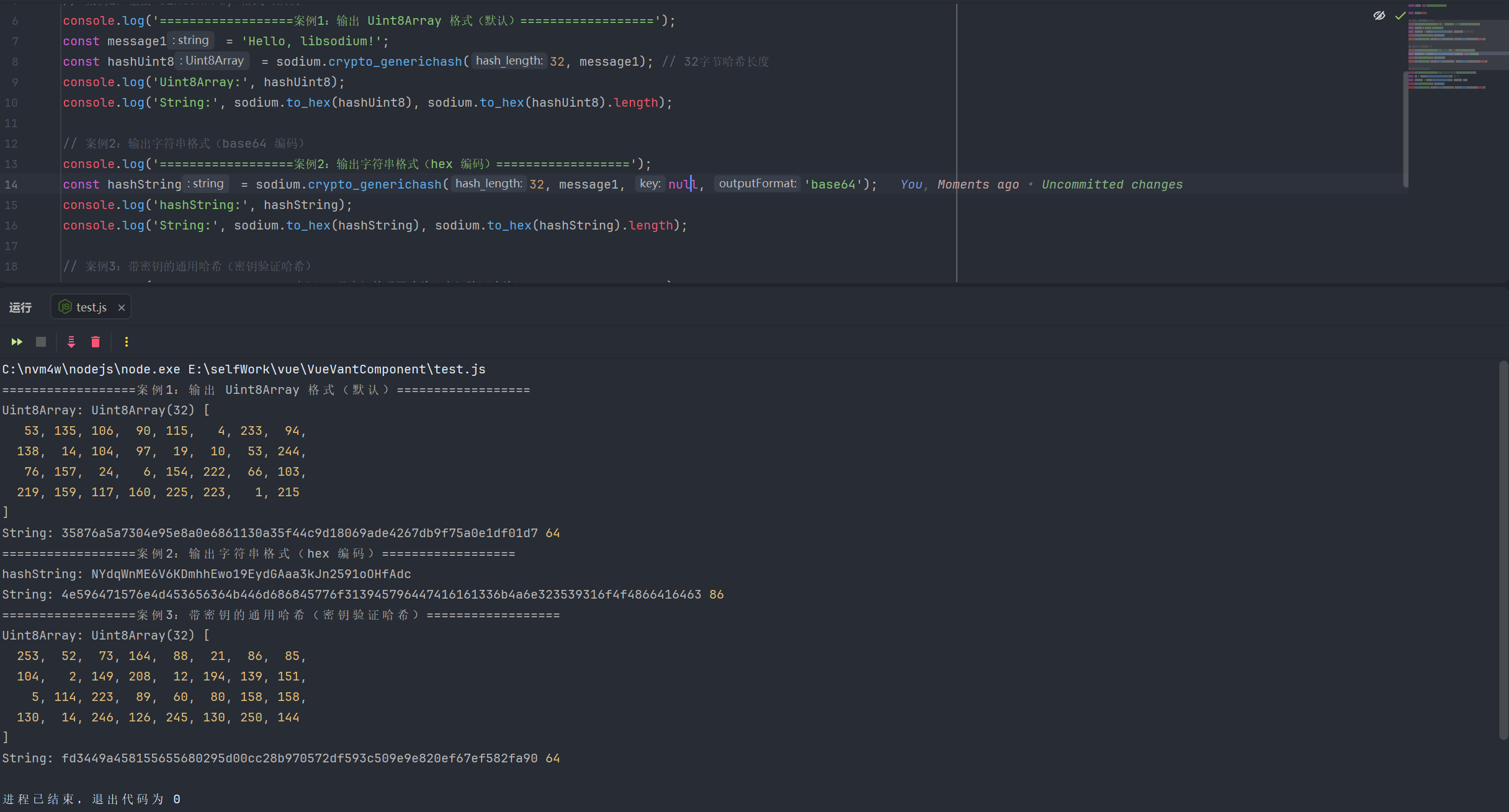
2.crypto_generichash 流式操作
javascript
import sodium from 'libsodium-wrappers';

await sodium.ready;

const key = sodium.crypto_generichash_keygen('base64');
const state = sodium.crypto_generichash_init(key, 32); // 传入密钥和哈希长度

// 分块更新消息(适合大文件/分段数据)
const chunk1 = 'Hello, libsodium!';
const chunk2 = new Uint8Array([108, 105, 98, 115, 111, 100, 105, 117, 109]); // "libsodium" 的 Uint8Array 格式
sodium.crypto_generichash_update(state, chunk1);
sodium.crypto_generichash_update(state, chunk2);

const streamHashUint8 = sodium.crypto_generichash_finl(state, 32);
console.log('Uint8Array:', streamHashUint8);
console.log('String:', sodium.to_hex(streamHashUint8), sodium.to_hex(streamHashUint8).length);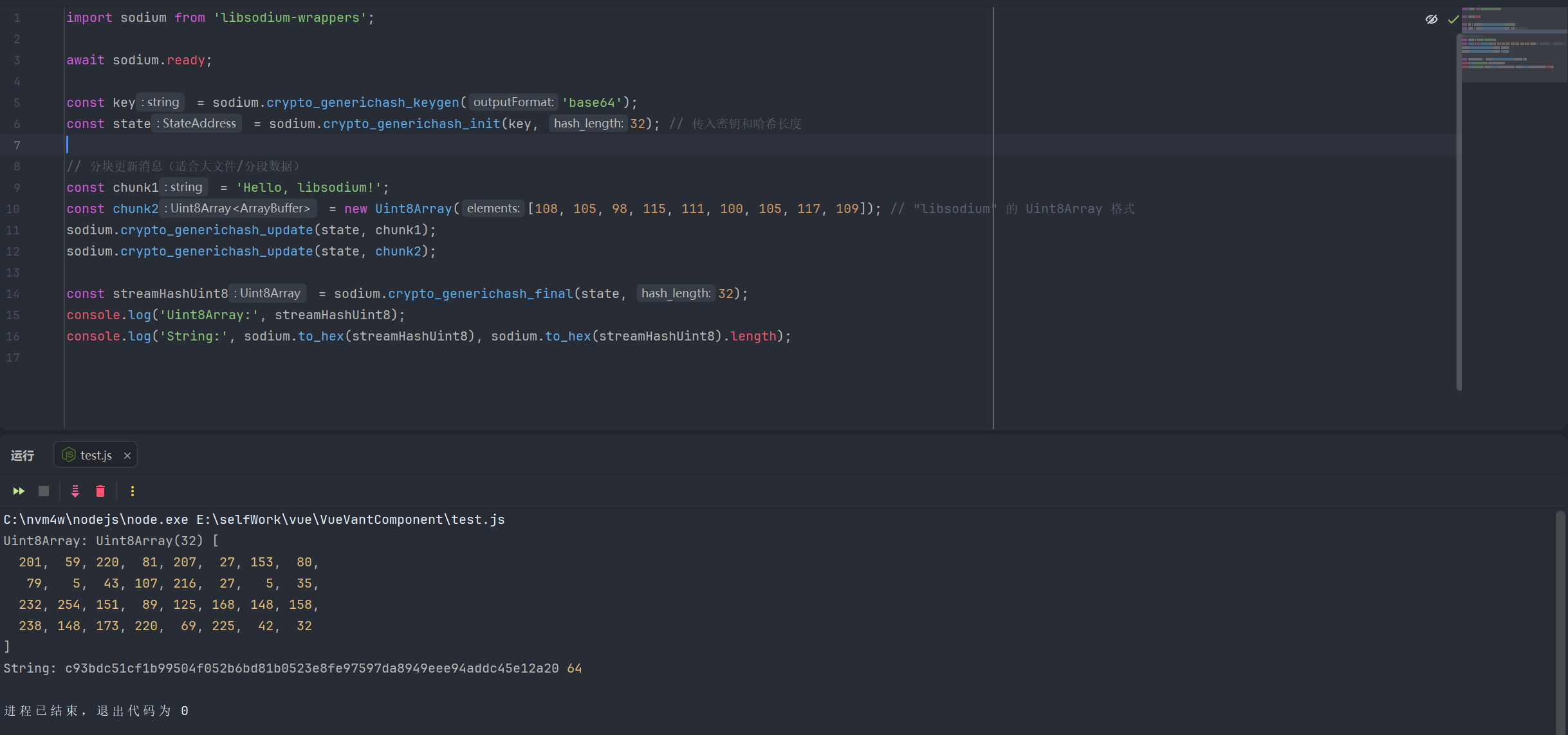
3.crypto_hash加密安全哈希,
javascript
import sodium from 'libsodium-wrappers';

await sodium.ready;

const message2 = 'Test crypto_hash function';
const hashRaw = sodium.crypto_hash(message2);
console.log('crypto_hash (Uint8Array):', hashRaw);

// 输出字符串格式哈希(Hex 编码)
const hashHex = sodium.crypto_hash(message2, 'hex');
console.log('crypto_hash (Hex String):', hashHex, hashHex.length);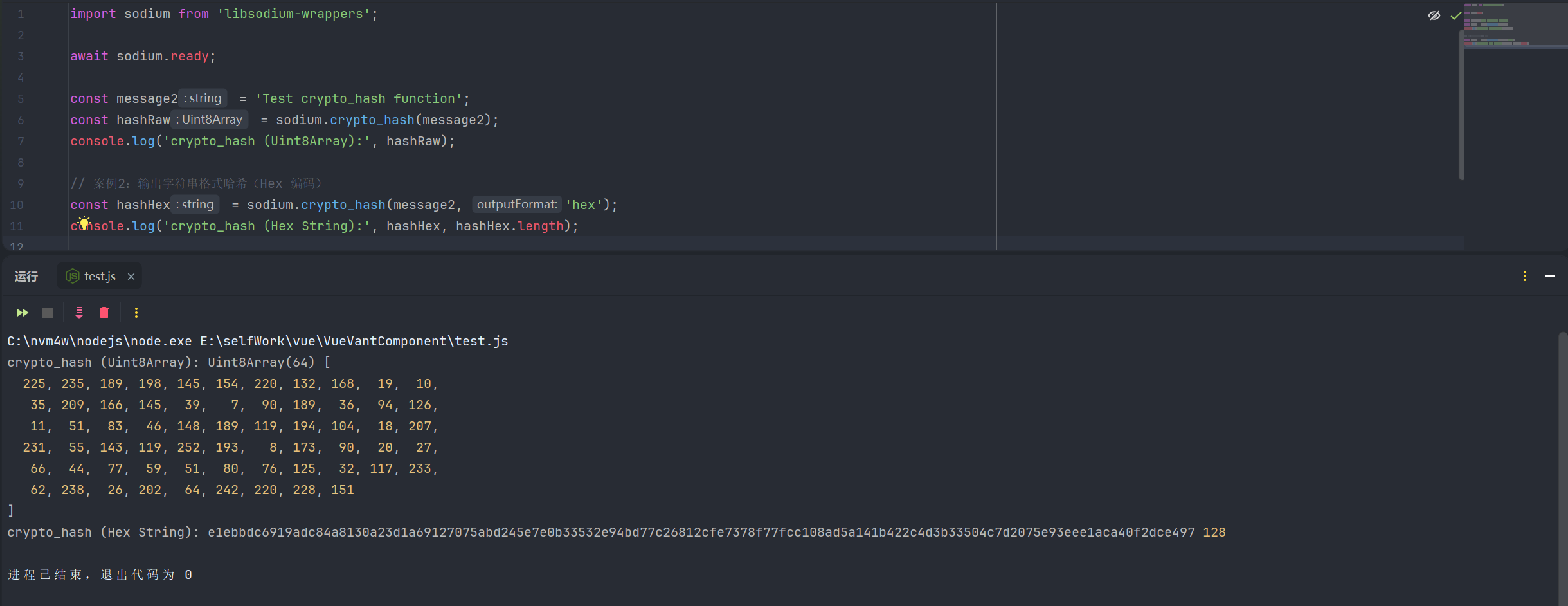
4.相关函数
| 函数名 | 函数说明 | 参数 | 返回值 |
|---|---|---|---|
| crypto_generichash | 通用加密安全哈希函数(基于 Blake2b),支持一次性哈希,可带密钥验证哈希 | 1.hash_length: 哈希输出长度(数字) 2.message: 待哈希数据(字符串 / Uint8Array) 3.key?: 可选哈希密钥(字符串 / Uint8Array/null) 4.outputFormat?: 可选输出格式(uint8Array、text、hex、base64) | 返回outputFormat对应格式 |
| crypto_generichash_final | 流式哈希的最终步骤,根据初始化的状态生成最终哈希值 | 1.state_address: 流式哈希状态地址(StateAddress) 2.hash_length: 哈希输出长度(数字) 3.outputFormat?: 可选输出格式(uint8Array、text、hex、base64) | 返回outputFormat对应格式 |
| crypto_generichash_init | 初始化流式通用哈希状态,为后续分块更新做准备 | 1.key: 哈希密钥(字符串 / Uint8Array/null) 2.hash_length: 最终哈希输出长度(数字) | StateAddress:流式哈希状态地址(用于后续generichash_update和crypto_generichash_final) |
| crypto_generichash_keygen | 生成适用于crypto_generichash的安全随机密钥 | 1.outputFormat?: 可选输出格式(uint8Array、text、hex、base64) | 返回outputFormat对应格式 |
| crypto_generichash_update | 流式哈希的更新步骤,分块传入待哈希数据(适合大文件 / 分段数据) | 1.state_address: 流式哈希状态地址(StateAddress) 2.message_chunk: 待哈希数据块(字符串 / Uint8Array) | 无返回值,仅更新哈希状态 |
| crypto_hash | 一次性加密安全哈希函数(默认使用 Blake2b,输出固定长度),无需手动指定哈希长度 | 1.message: 待哈希数据(字符串 / Uint8Array) 2.outputFormat?: 可选输出(uint8Array、text、hex、base64) | 返回outputFormat对应格式 |
5.算法常量
| 常量名 | 含义说明 |
|---|---|
| crypto_generichash_BYTES | crypto_generichash(通用哈希,底层 BLAKE2b)的默认输出哈希值长度(单位:字节) |
| crypto_generichash_BYTES_MAX | crypto_generichash支持输出的哈希值最大长度(单位:字节) |
| crypto_generichash_BYTES_MIN | crypto_generichash支持输出的哈希值最小长度(单位:字节) |
| crypto_generichash_KEYBYTES | crypto_generichash带密钥哈希模式下的默认密钥长度(单位:字节) |
| crypto_generichash_KEYBYTES_MAX | crypto_generichash带密钥哈希模式下支持的最大密钥长度(单位:字节) |
| crypto_generichash_KEYBYTES_MIN | crypto_generichash带密钥哈希模式下支持的最小密钥长度(单位:字节) |
| crypto_hash_BYTES | crypto_hash(纯哈希,底层 SHA-512/256)的固定输出哈希值长度(单位:字节) |
四、ChaCha20-Poly1305 对称认证加密(带消息认证的对称加密)
1.ChaCha20-Poly1305标准加密
javascript
import sodium from 'libsodium-wrappers';

await sodium.ready;

// 生成密钥
const chacha20poly1305Key = sodium.crypto_aead_chacha20poly1305_keygen();
// 生成 Public Nonce(不同算法 Nonce 长度不同)
const chacha20poly1305PubNonce = sodium.randombytes_buf(sodium.crypto_aead_chacha20poly1305_NPUBBYTES);
const plainMessage = 'Hello, AEAD ChaCha20-Poly1305!';
const additionalData = 'This is additional authenticated data';
const secretNonce = null; // 多数场景下无需使用 secret_nonce,传 null 即可、

console.log('=================ChaCha20-Poly1305 加密=================');
const chachaCiphertext = sodium.crypto_aead_chacha20poly1305_encrypt(
    plainMessage,
    additionalData,
    secretNonce,
    chacha20poly1305PubNonce,
    chacha20poly1305Key
);

console.log('ChaCha20-Poly1305加密:', chachaCiphertext);

// 解密(Uint8Array 输入,默认 Uint8Array 输出)
const chachaPlaintext = sodium.crypto_aead_chacha20poly1305_decrypt(
    secretNonce,
    chachaCiphertext,
    additionalData,
    chacha20poly1305PubNonce,
    chacha20poly1305Key,
    'text'
);
console.log('ChaCha20-Poly1305解密:', chachaPlaintext);

console.log('=================ChaCha20-Poly1305 加密(Hex)=================');
// 加密(Hex 字符串输出)
const chachaCiphertextHex = sodium.crypto_aead_chacha20poly1305_encrypt(
    plainMessage,
    additionalData,
    secretNonce,
    chacha20poly1305PubNonce,
    chacha20poly1305Key,
    'hex'
);
console.log('ChaCha20-Poly1305 加密(Hex):', chachaCiphertextHex);

// 解密(Hex 字符串输入,Hex 字符串输出)
const chachaPlaintextHex = sodium.crypto_aead_chacha20poly1305_decrypt(
    secretNonce,
    sodium.from_hex(chachaCiphertextHex),
    additionalData,
    chacha20poly1305PubNonce,
    chacha20poly1305Key,
    'text'
);

console.log('ChaCha20-Poly1305 解密(Hex)', chachaPlaintextHex);

console.log('=================ChaCha20-Poly1305 分离式加密=================');
// 分离式加密(返回 ciphertext 和 mac 分离的 CryptoBox)
const chachaDetachedBox = sodium.crypto_aead_chacha20poly1305_encrypt_detached(
    plainMessage,
    additionalData,
    secretNonce,
    chacha20poly1305PubNonce,
    chacha20poly1305Key
);
console.log('ChaCha20-Poly1305 加密(密文):', chachaDetachedBox.ciphertext);
console.log('ChaCha20-Poly1305加密(MAC):', chachaDetachedBox.mac);
// 分离式解密
const chachaDetachedPlaintext = sodium.crypto_aead_chacha20poly1305_decrypt_detached(
    secretNonce,
    chachaDetachedBox.ciphertext,
    chachaDetachedBox.mac,
    additionalData,
    chacha20poly1305PubNonce,
    chacha20poly1305Key,
    'text'
);
console.log('ChaCha20-Poly1305 解密:', chachaDetachedPlaintext);

console.log('=================ChaCha20-Poly1305 分离式加密(hex)=================');
// 分离式加密(返回 ciphertext 和 mac 分离的 CryptoBox)
const chachaDetachedBoxHex = sodium.crypto_aead_chacha20poly1305_encrypt_detached(
    plainMessage,
    additionalData,
    secretNonce,
    chacha20poly1305PubNonce,
    chacha20poly1305Key,
    'hex'
);
console.log('ChaCha20-Poly1305 加密hex(密文):', chachaDetachedBoxHex.ciphertext);
console.log('ChaCha20-Poly1305加密hex(MAC):', chachaDetachedBoxHex.mac);
// 分离式解密
const chachaDetachedPlaintextHex = sodium.crypto_aead_chacha20poly1305_decrypt_detached(
    secretNonce,
    chachaDetachedBox.ciphertext,
    chachaDetachedBox.mac,
    additionalData,
    chacha20poly1305PubNonce,
    chacha20poly1305Key,
    'text'
);
console.log('ChaCha20-Poly1305 解密hex:', chachaDetachedPlaintextHex);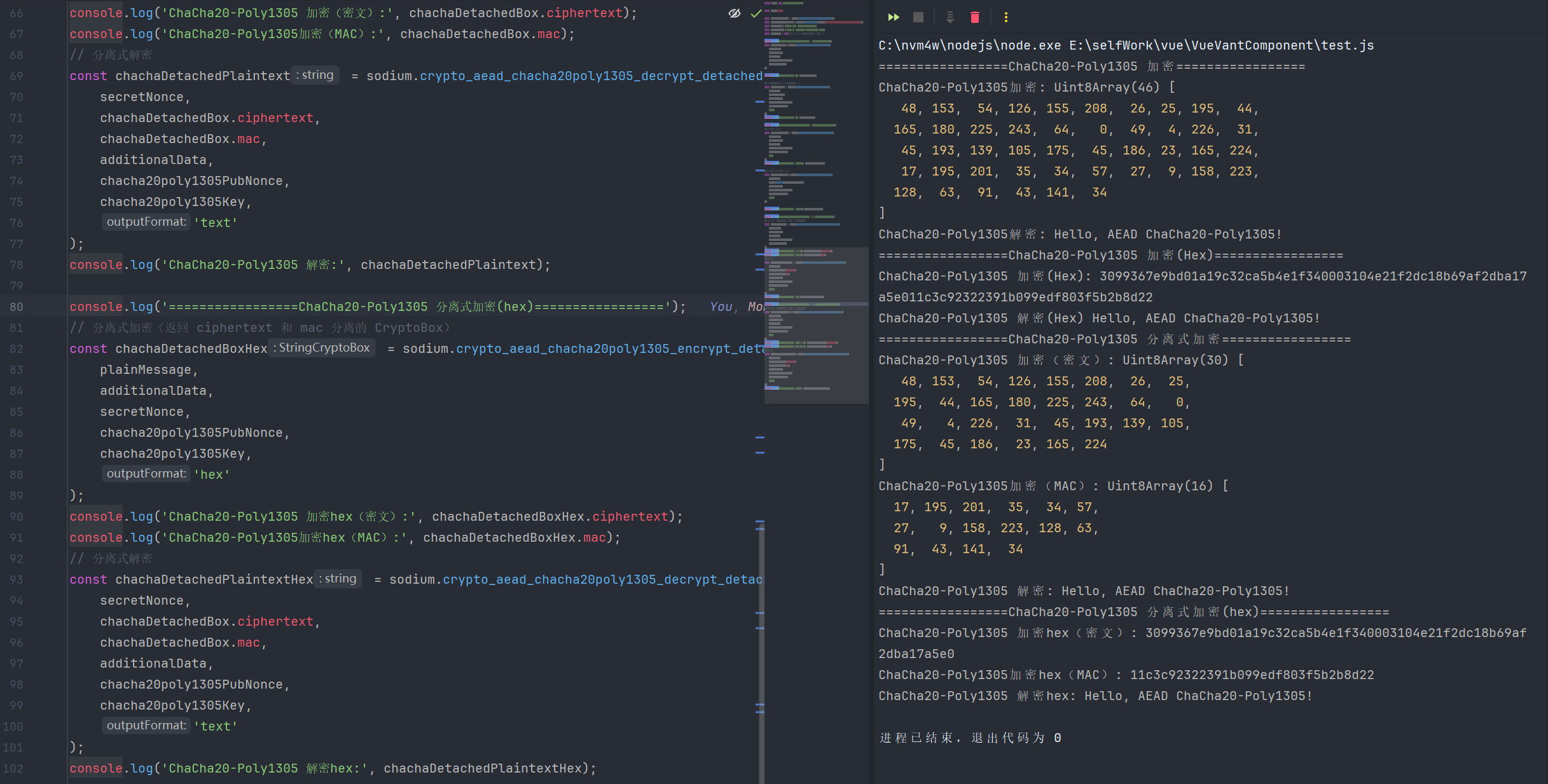
2.IETF 标准 ChaCha20-Poly1305
javascript
import sodium from 'libsodium-wrappers';

await sodium.ready;

// 生成密钥
const chacha20poly1305IetfKey = sodium.crypto_aead_chacha20poly1305_ietf_keygen();
// 生成 Public Nonce(不同算法 Nonce 长度不同)
const chacha20poly1305IetfPubNonce = sodium.randombytes_buf(sodium.crypto_aead_chacha20poly1305_ietf_NPUBBYTES);

// 待加密消息与附加数据
const plainMessage = 'Hello, AEAD ChaCha20-Poly1305!';
const additionalData = 'This is additional authenticated data';
const secretNonce = null; // 多数场景下无需使用 secret_nonce,传 null 即可

console.log('====================== IETF ChaCha20-Poly1305 加密 ======================');
// 加密
const ietfCiphertextB64 = sodium.crypto_aead_chacha20poly1305_ietf_encrypt(
    plainMessage,
    additionalData,
    secretNonce,
    chacha20poly1305IetfPubNonce,
    chacha20poly1305IetfKey
);
console.log('IETF ChaCha20-Poly1305 加密:', ietfCiphertextB64);
// 解密(Base64 字符串输入,字符串输出)
const ietfPlaintext = sodium.crypto_aead_chacha20poly1305_ietf_decrypt(
    secretNonce,
    ietfCiphertextB64,
    additionalData,
    chacha20poly1305IetfPubNonce,
    chacha20poly1305IetfKey,
    'text'
);
console.log('IETF ChaCha20-Poly1305 解密:', ietfPlaintext);

console.log('====================== IETF ChaCha20-Poly1305 加密hex ======================');

// 分离式加密(字符串输出格式)
const ietfDetachedBoxStr = sodium.crypto_aead_chacha20poly1305_ietf_encrypt_detached(
    plainMessage,
    additionalData,
    secretNonce,
    chacha20poly1305IetfPubNonce,
    chacha20poly1305IetfKey,
    'hex'
);
console.log('IETF ChaCha20-Poly1305 解密(加密字符):', ietfDetachedBoxStr.ciphertext);
console.log('IETF ChaCha20-Poly1305 解密(mac):', ietfDetachedBoxStr.mac);
console.log(sodium.from_hex(ietfDetachedBoxStr.mac));
// 分离式解密(字符串输入格式)
const ietfDetachedPlaintextStr = sodium.crypto_aead_chacha20poly1305_ietf_decrypt_detached(
    secretNonce,
    sodium.from_hex(ietfDetachedBoxStr.ciphertext),
    sodium.from_hex(ietfDetachedBoxStr.mac), // mac 需转为 Uint8Array
    additionalData,
    chacha20poly1305IetfPubNonce,
    chacha20poly1305IetfKey,
    'text'
);
console.log('IETF ChaCha20-Poly1305 分离式解密结果(UTF8):', ietfDetachedPlaintextStr);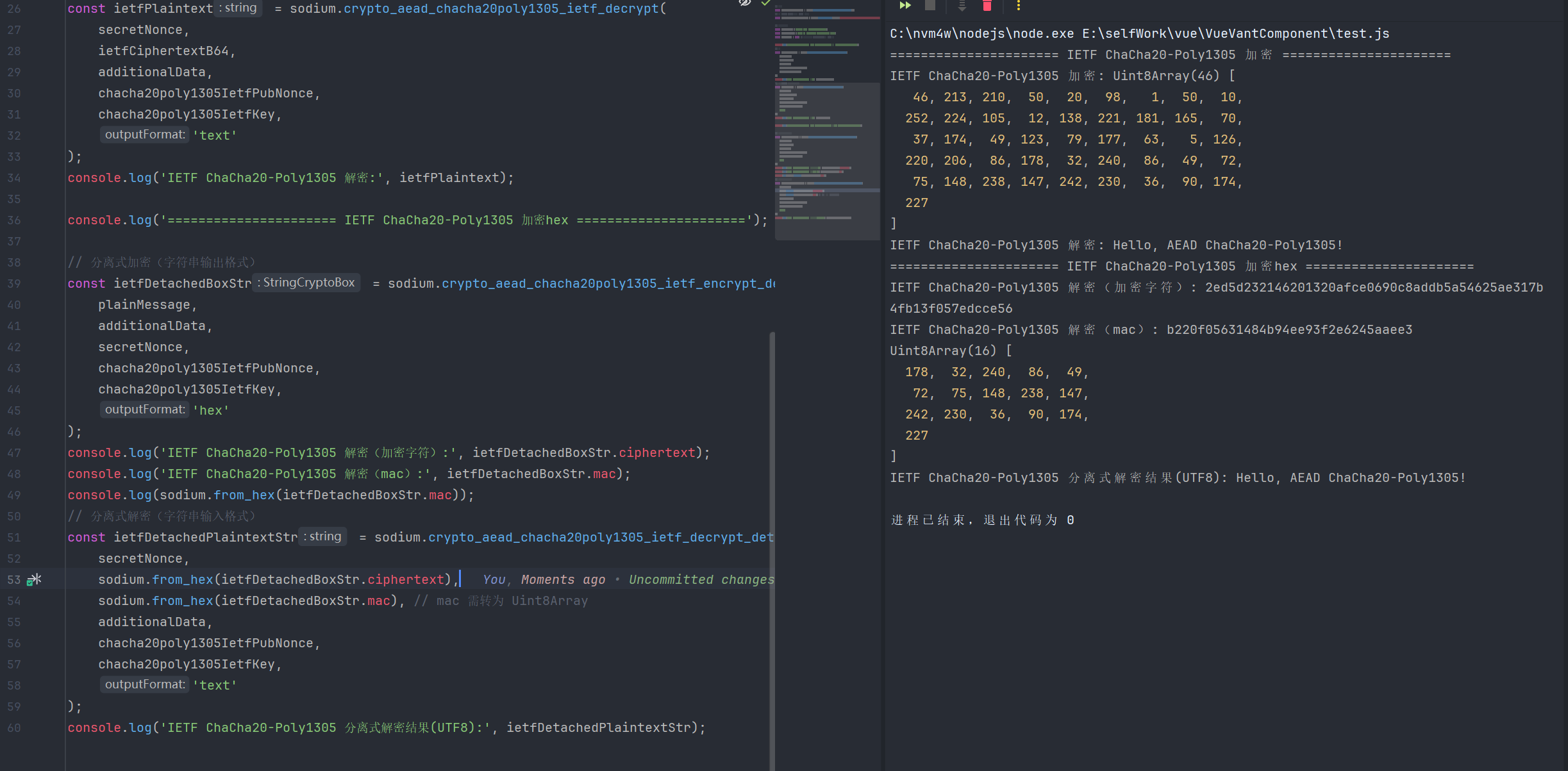
7.相关函数
| 函数名 | 函数说明 | 参数 | 返回值 |
|---|---|---|---|
| crypto_aead_chacha20poly1305_encrypt | 标准ChaCha20-Poly1305认证加密函数,将明文加密为密文(密文与MAC合并),提供数据机密性与完整性校验 | 1.message: 待加密明文(字符串 / Uint8Array) 2.additional_data: 附加认证数据(字符串 / Uint8Array/null) 3.secret_nonce: 可选秘密随机数(字符串 / Uint8Array/null,通常传null) 4.public_nonce: 公开随机数(Uint8Array) 5.key: 加密密钥(Uint8Array) 6.outputFormat?: 可选输出格式(( uint8Array、text、hex、base64) | 返回outputFormat对应格式 |
| crypto_aead_chacha20poly1305_decrypt | 标准ChaCha20-Poly1305认证解密函数,验证并解密密文(密文与MAC合并),验证失败则抛出异常 | 1.secret_nonce: 可选秘密随机数(字符串 / Uint8Array/null,需与加密时一致) 2.ciphertext: 待解密密文(字符串 / Uint8Array, 含MAC) 3.additional_data: 附加认证数据(字符串 / Uint8Array/null,需与加密时一致) 4.public_nonce: 公开随机数(Uint8Array,需与加密时一致) 5.key: 解密密钥(Uint8Array,需与加密时一致) 6.outputFormat?: 可选输出格式(uint8Array、text、hex、base64) | 返回outputFormat对应格式 |
| crypto_aead_chacha20poly1305_encrypt_detached | 标准ChaCha20-Poly1305分离式认证加密函数,密文与MAC分开返回,便于单独存储/传输MAC | 1.message: 待加密明文(字符串 / Uint8Array) 2.additional_data: 附加认证数据(字符串 / Uint8Array/null) 3.secret_nonce: 可选秘密随机数(字符串 / Uint8Array/null,通常传null) 4.public_nonce: 公开随机数(Uint8Array) 5.key: 加密密钥(Uint8Array) 6.outputFormat?: 可选输出格式(uint8Array、text、hex、base64) | 返回一个包含加密字符串和mac的对象 |
| crypto_aead_chacha20poly1305_decrypt_detached | 标准ChaCha20-Poly1305分离式认证解密函数,单独传入密文与MAC进行验证解密,验证失败则抛出异常 | 1.secret_nonce: 可选秘密随机数(字符串 / Uint8Array/null,需与加密时一致) 2.ciphertext: 待解密密文(字符串 / Uint8Array) 3.mac: 消息认证码(Uint8Array,需与加密时一致) 4.additional_data: 附加认证数据(字符串 / Uint8Array/null,需与加密时一致) 5.public_nonce: 公开随机数(Uint8Array,需与加密时一致) 6.key: 解密密钥(Uint8Array,需与加密时一致) 7.outputFormat?: 可选输出格式(uint8Array、text、hex、base64) | 返回outputFormat对应格式 |
| crypto_aead_chacha20poly1305_ietf_encrypt | IETF标准ChaCha20-Poly1305认证加密函数,符合RFC 8439标准(Nonce长度固定12字节),密文与MAC合并 | 1.message: 待加密明文(字符串 / Uint8Array) 2.additional_data: 附加认证数据(字符串 / Uint8Array/null) 3.secret_nonce: 可选秘密随机数(字符串 / Uint8Array/null,通常传null) 4.public_nonce: 公开随机数(Uint8Array,12字节) 5.key: 加密密钥(Uint8Array) 6.outputFormat?: 可选输出格式(uint8Array、text、hex、base64) | 返回outputFormat对应格式 |
| crypto_aead_chacha20poly1305_ietf_decrypt | IETF标准ChaCha20-Poly1305认证解密函数(符合RFC 8439标准),验证并解密密文(密文与MAC合并),验证失败则抛出异常 | 1.secret_nonce: 可选秘密随机数(字符串 / Uint8Array/null,需与加密时一致) 2.ciphertext: 待解密密文(字符串 / Uint8Array,含MAC) 3.additional_data: 附加认证数据(字符串 / Uint8Array/null,需与加密时一致) 4.public_nonce: 公开随机数(Uint8Array,12字节,需与加密时一致) 5.key: 解密密钥(Uint8Array,需与加密时一致) 6.outputFormat?: 可选输出格式(uint8array、text、hex、base64) | 返回outputFormat对应格式 |
| crypto_aead_chacha20poly1305_ietf_encrypt_detached | IETF标准ChaCha20-Poly1305分离式认证加密函数,密文与MAC分开返回,符合RFC 8439标准 | 1.message: 待加密明文(字符串 / Uint8Array) 2.additional_data: 附加认证数据(字符串 / Uint8Array/null) 3.secret_nonce: 可选秘密随机数(字符串 / Uint8Array/null,通常传null) 4.public_nonce: 公开随机数(Uint8Array,12字节) 5.key: 加密密钥(Uint8Array) 6.outputFormat?: 可选输出格式(uint8array、text、hex、base64) | 返回包含加密密文和mac的对象 |
| crypto_aead_chacha20poly1305_ietf_decrypt_detached | IETF标准ChaCha20-Poly1305分离式认证解密函数,单独传入密文与MAC验证解密,符合RFC 8439标准 | 1.secret_nonce: 可选秘密随机数(字符串 / Uint8Array/null,需与加密时一致) 2.ciphertext: 待解密密文(字符串 / Uint8Array) 3.mac: 消息认证码(Uint8Array,需与加密时一致) 4.additional_data: 附加认证数据(字符串 / Uint8Array/null,需与加密时一致) 5.public_nonce: 公开随机数(Uint8Array,12字节,需与加密时一致) 6.key: 解密密钥(Uint8Array,需与加密时一致) 7.outputFormat?: 可选输出格式(uint8array、text、hex、base64) | 返回outputFormat对应格式 |
| crypto_aead_chacha20poly1305_keygen | 生成标准ChaCha20-Poly1305算法的安全随机密钥 | 1.outputFormat?: 可选输出格式(uint8array、text、hex、base64) | 返回outputFormat对应格式 |
| crypto_aead_chacha20poly1305_ietf_keygen | 生成IETF标准ChaCha20-Poly1305算法的安全随机密钥(符合RFC 8439标准) | 1.outputFormat?: 可选输出格式(uint8array、text、hex、base64) | 返回outputFormat对应格式 |
8.算法常量
| 常量名 | 含义说明 |
|---|---|
| crypto_aead_chacha20poly1305_ABYTES | 标准 ChaCha20-Poly1305 算法的认证标签(MAC)长度(字节数) |
| crypto_aead_chacha20poly1305_ietf_ABYTES | IETF 标准 ChaCha20-Poly1305 算法的认证标签(MAC)长度(字节数) |
| crypto_aead_chacha20poly1305_IETF_ABYTES | 与crypto_aead_chacha20poly1305_ietf_ABYTES等价(大小写差异,功能一致) |
| crypto_aead_chacha20poly1305_ietf_KEYBYTES | IETF 标准 ChaCha20-Poly1305 算法的密钥长度(字节数) |
| crypto_aead_chacha20poly1305_IETF_KEYBYTES | 与crypto_aead_chacha20poly1305_ietf_KEYBYTES等价(大小写差异,功能一致) |
| crypto_aead_chacha20poly1305_ietf_MESSAGEBYTES_MAX | IETF 标准 ChaCha20-Poly1305 算法支持的最大明文长度(字节数) |
| crypto_aead_chacha20poly1305_IETF_MESSAGEBYTES_MAX | 与crypto_aead_chacha20poly1305_ietf_MESSAGEBYTES_MAX等价(大小写差异,功能一致) |
| crypto_aead_chacha20poly1305_ietf_NPUBBYTES | IETF 标准 ChaCha20-Poly1305 算法的公随机数(nonce)长度(字节数) |
| crypto_aead_chacha20poly1305_IETF_NPUBBYTES | 与crypto_aead_chacha20poly1305_ietf_NPUBBYTES等价(大小写差异,功能一致) |
| crypto_aead_chacha20poly1305_ietf_NSECBYTES | IETF 标准 ChaCha20-Poly1305 算法的私随机数(secret nonce)长度(字节数,通常为0) |
| crypto_aead_chacha20poly1305_IETF_NSECBYTES | 与crypto_aead_chacha20poly1305_ietf_NSECBYTES等价(大小写差异,功能一致) |
| crypto_aead_chacha20poly1305_KEYBYTES | 标准 ChaCha20-Poly1305 算法的密钥长度(字节数) |
| crypto_aead_chacha20poly1305_MESSAGEBYTES_MAX | 标准 ChaCha20-Poly1305 算法支持的最大明文长度(字节数) |
| crypto_aead_chacha20poly1305_NPUBBYTES | 标准 ChaCha20-Poly1305 算法的公随机数(nonce)长度(字节数) |
| crypto_aead_chacha20poly1305_NSECBYTES | 标准 ChaCha20-Poly1305 算法的私随机数(secret nonce)长度(字节数,通常为0) |
五、XChaCha20-Poly1305对称认证加密(扩展非 Nonce 的对称认证加密)
1.XChaCha20-Poly1305标准加密
javascript
import sodium from 'libsodium-wrappers';

await sodium.ready;

// 生成 XChaCha20-Poly1305 IETF 标准密钥
const key = sodium.crypto_aead_xchacha20poly1305_ietf_keygen();

// 生成 XChaCha20-Poly1305 专属 Nonce(24字节,扩展Nonce降低重复风险)
const publicNonce = sodium.randombytes_buf(sodium.crypto_aead_xchacha20poly1305_ietf_NPUBBYTES);

// 待加密明文、附加数据(解密时需完全一致)
const plainMessage = 'Hello, XChaCha20-Poly1305 IETF!(扩展Nonce更安全)';
const additionalData = '附加认证数据:用户ID=10086,时间戳=1735689600';
const secretNonce = null; // 常规场景无需使用,保持null即可

console.log('====================== XChaCha20-Poly1305 加密======================');
// 加密 - 默认返回 Uint8Array 格式(密文+MAC合并)
const ciphertextUint8 = sodium.crypto_aead_xchacha20poly1305_ietf_encrypt(
    plainMessage,
    additionalData,
    secretNonce,
    publicNonce,
    key
);
console.log('XChaCha20-Poly1305 加密结果(Uint8Array):', ciphertextUint8);

const decryptedUint8 = sodium.crypto_aead_xchacha20poly1305_ietf_decrypt(
    secretNonce,
    ciphertextUint8,
    additionalData,
    publicNonce,
    key
);
console.log('XChaCha20-Poly1305 解密结果(Uint8Array):', decryptedUint8);
console.log('XChaCha20-Poly1305 解密结果(UTF-8 字符串):', new TextDecoder('utf-8').decode(decryptedUint8));

console.log('====================== XChaCha20-Poly1305 加密(Hex 字符串)======================');
// 加密 - 指定输出格式为 Hex 字符串
const ciphertextHex = sodium.crypto_aead_xchacha20poly1305_ietf_encrypt(
    plainMessage,
    additionalData,
    secretNonce,
    publicNonce,
    key,
    'hex'
);
console.log('XChaCha20-Poly1305 加密结果(Hex 字符串):', ciphertextHex);

// 案例4:解密 - Hex 字符串密文输入,指定输出为 UTF-8 明文字符串
const decryptedText = sodium.crypto_aead_xchacha20poly1305_ietf_decrypt(
    secretNonce,
    sodium.from_hex(ciphertextHex),
    additionalData,
    publicNonce,
    key,
    'text'
);
console.log('XChaCha20-Poly1305 解密结果:', decryptedText);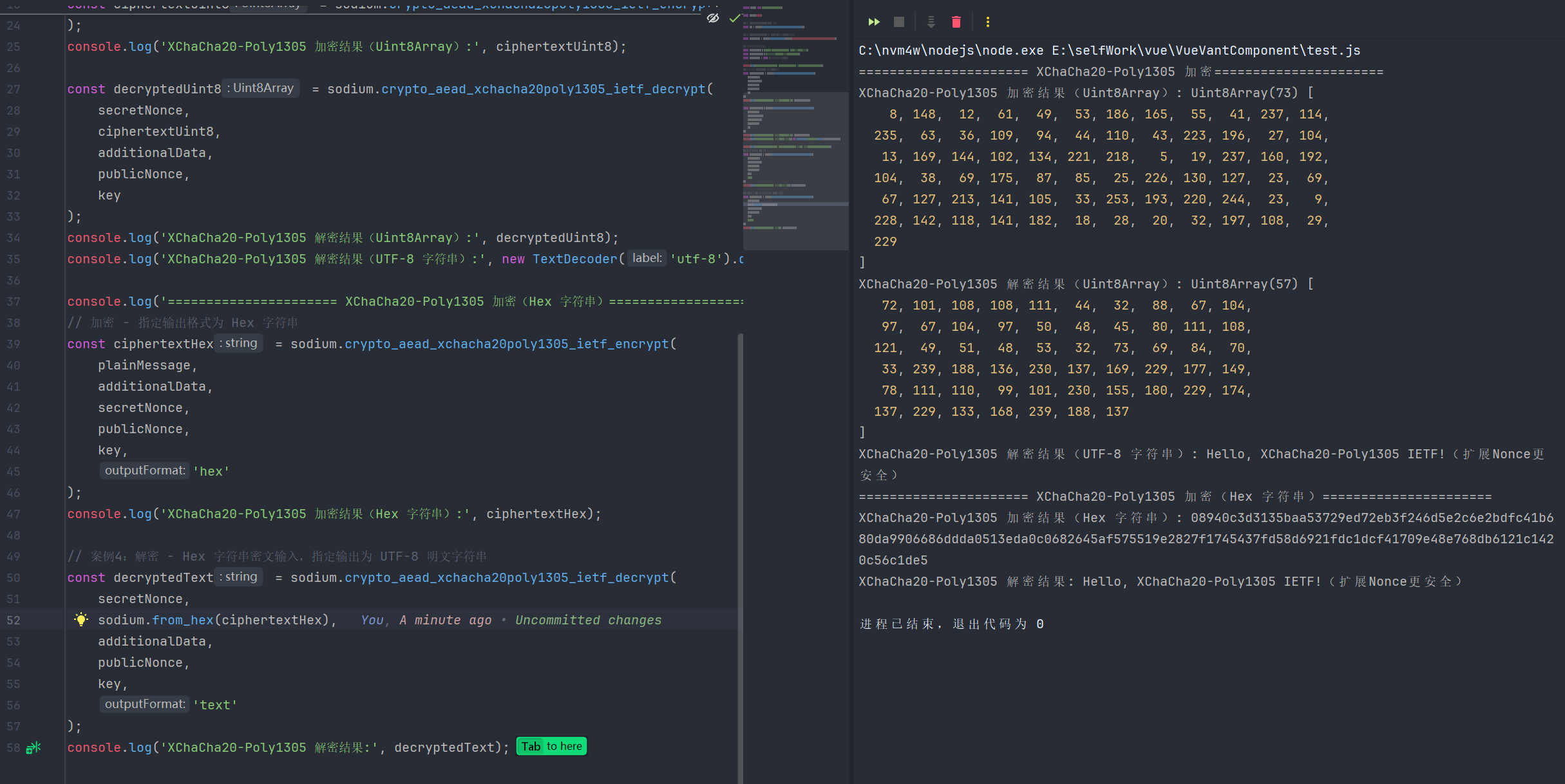
2.XChaCha20-Poly1305分离式加密
javascript
import sodium from 'libsodium-wrappers';

await sodium.ready;

// 生成 XChaCha20-Poly1305 IETF 标准密钥
const key = sodium.crypto_aead_xchacha20poly1305_ietf_keygen();
// 生成 XChaCha20-Poly1305 专属 Nonce(24字节,扩展Nonce降低重复风险)
const publicNonce = sodium.randombytes_buf(sodium.crypto_aead_xchacha20poly1305_ietf_NPUBBYTES);

// 待加密明文、附加数据(解密时需完全一致)
const plainMessage = 'Hello, XChaCha20-Poly1305 IETF!(扩展Nonce更安全)';
const additionalData = '附加认证数据:用户ID=10086,时间戳=1735689600';
const secretNonce = null; // 常规场景无需使用,保持null即可

console.log('===============分离式加密 ===============');
// 分离式加密 - 默认返回 CryptoBox(ciphertext + mac 分离)
const cryptoBox = sodium.crypto_aead_xchacha20poly1305_ietf_encrypt_detached(
    plainMessage,
    additionalData,
    secretNonce,
    publicNonce,
    key
);
console.log('分离式加密 - 密文(Uint8Array):', cryptoBox.ciphertext);
console.log('分离式加密 - MAC 认证码(Uint8Array):', cryptoBox.mac);

const detachedDecryptedUint8 = sodium.crypto_aead_xchacha20poly1305_ietf_decrypt_detached(
    secretNonce,
    cryptoBox.ciphertext,
    cryptoBox.mac,
    additionalData,
    publicNonce,
    key
);
console.log('分离式解密结果(Uint8Array):', detachedDecryptedUint8);
console.log('分离式解密结果(UTF-8 字符串):', new TextDecoder('utf-8').decode(detachedDecryptedUint8));


console.log('=============== 分离式加密 base64 ===============');
const stringCryptoBox = sodium.crypto_aead_xchacha20poly1305_ietf_encrypt_detached(
    plainMessage,
    additionalData,
    secretNonce,
    publicNonce,
    key,
    'base64'
);
console.log('分离式加密 - 密文(Base64 字符串):', stringCryptoBox.ciphertext);
console.log('分离式加密 - MAC 认证码(Base64 字符串):', stringCryptoBox.mac);

const ciphertextFromB64 = sodium.from_base64(stringCryptoBox.ciphertext);
const macFromB64 = sodium.from_base64(stringCryptoBox.mac);
const detachedDecryptedText = sodium.crypto_aead_xchacha20poly1305_ietf_decrypt_detached(
    secretNonce,
    ciphertextFromB64,
    macFromB64,
    additionalData,
    publicNonce,
    key,
    'text'
);
console.log('分离式解密结果(UTF-8 字符串):', detachedDecryptedText);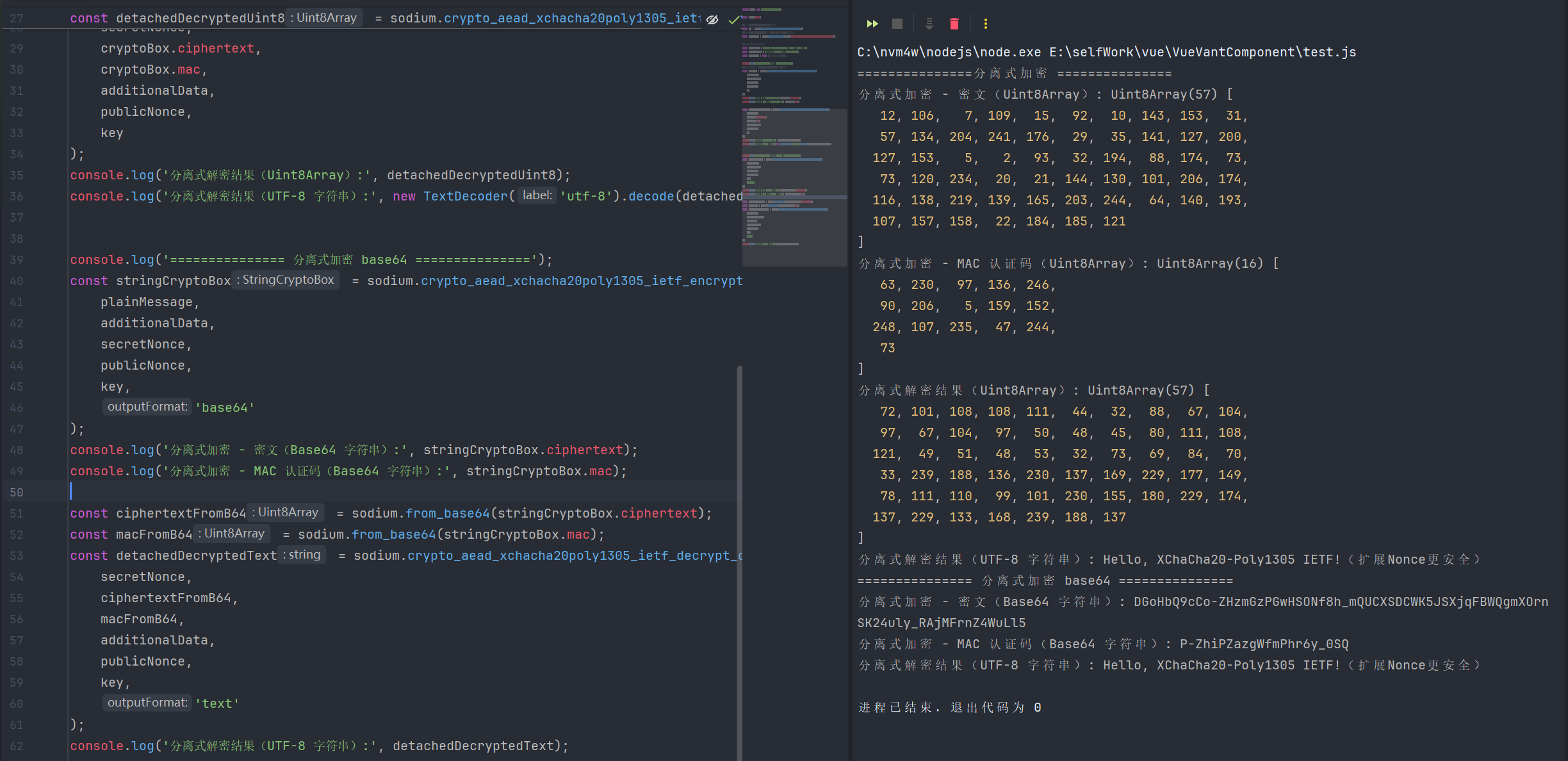
3.相关函数
| 函数名 | 函数说明 | 参数 | 返回值 |
|---|---|---|---|
| crypto_aead_xchacha20poly1305_ietf_encrypt | XChaCha20-Poly1305 IETF标准合并式认证加密函数,扩展24字节Nonce 降低重复风险,密文与MAC合并存储/传输,提供数据机密性、完整性和真实性保障 | 1.message: 待加密明文(字符串 / Uint8Array) 2.additional_data: 附加认证数据(字符串 / Uint8Array/null,仅参与认证不参与加密) 3.secret_nonce: 可选秘密随机数(字符串 / Uint8Array/null,通常传null) 4.public_nonce: 公开随机数(Uint8Array,24字节) 5.key: 加密密钥(Uint8Array) 6.outputFormat?: 可选输出格式(uint8array、text、hex、base64) | 返回outputFormat对应格式 |
| crypto_aead_xchacha20poly1305_ietf_decrypt | XChaCha20-Poly1305 IETF标准合并式认证解密函数,验证密文+附加数据的完整性,验证通过后解密密文,验证失败则抛出异常 | 1.secret_nonce: 可选秘密随机数(字符串 / Uint8Array/null,需与加密时一致) 2.ciphertext: 待解密密文(字符串 / Uint8Array,含MAC) 3.additional_data: 附加认证数据(字符串 / Uint8Array/null,需与加密时一致) 4.public_nonce: 公开随机数(Uint8Array,24字节,需与加密时一致) 5.key: 解密密钥(Uint8Array,需与加密时一致) 6.outputFormat?: 可选输出格式(uint8array、text、hex、base64) | 返回outputFormat对应格式 |
| crypto_aead_xchacha20poly1305_ietf_encrypt_detached | XChaCha20-Poly1305 IETF标准分离式认证加密函数,密文与MAC分开返回,便于单独存储/校验MAC,24字节扩展Nonce降低重复风险 | 1.message: 待加密明文(字符串 / Uint8Array) 2.additional_data: 附加认证数据(字符串 / Uint8Array/null) 3.secret_nonce: 可选秘密随机数(字符串 / Uint8Array/null,通常传null) 4.public_nonce: 公开随机数(Uint8Array,24字节) 5.key: 加密密钥(Uint8Array) 6.outputFormat?: 可选输出格式(uint8array、text、hex、base64) | 返回包含密文和mac的对象 |
| crypto_aead_xchacha20poly1305_ietf_decrypt_detached | XChaCha20-Poly1305 IETF标准分离式认证解密函数,单独传入密文与MAC进行验证解密,验证失败则抛出异常,24字节扩展Nonce适配分布式场景 | 1.secret_nonce: 可选秘密随机数(字符串 / Uint8Array/null,需与加密时一致) 2.ciphertext: 待解密密文(字符串 / Uint8Array) 3.mac: MAC认证码(Uint8Array,需与加密时一致) 4.additional_data: 附加认证数据(字符串 / Uint8Array/null,需与加密时一致) 5.public_nonce: 公开随机数(Uint8Array,24字节,需与加密时一致) 6.key: 解密密钥(Uint8Array,需与加密时一致) 7.outputFormat?: 可选输出格式(uint8array、text、hex、base64) | 返回outputFormat对应格式 |
| crypto_aead_xchacha20poly1305_ietf_keygen | 生成XChaCha20-Poly1305 IETF标准算法的安全随机密钥,适配24字节扩展Nonce场景,密钥长度符合算法要求 | 1.outputFormat?: 可选输出格式(uint8array、text、hex、base64) | 返回outputFormat对应格式 |
4.算法常量
| 常量名 | 含义说明 |
|---|---|
| crypto_aead_xchacha20poly1305_ietf_ABYTES | XChaCha20-Poly1305 IETF 标准算法中,MAC 认证码(附加字节)的长度(单位:字节) |
| crypto_aead_xchacha20poly1305_IETF_ABYTES | (大写命名等价常量)XChaCha20-Poly1305 IETF 标准算法中,MAC 认证码的长度(单位:字节) |
| crypto_aead_xchacha20poly1305_ietf_KEYBYTES | XChaCha20-Poly1305 IETF 标准算法要求的密钥长度(单位:字节) |
| crypto_aead_xchacha20poly1305_IETF_KEYBYTES | (大写命名等价常量)XChaCha20-Poly1305 IETF 标准算法要求的密钥长度(单位:字节) |
| crypto_aead_xchacha20poly1305_ietf_MESSAGEBYTES_MAX | XChaCha20-Poly1305 IETF 标准算法支持加密的单个消息的最大长度(单位:字节) |
| crypto_aead_xchacha20poly1305_IETF_MESSAGEBYTES_MAX | (大写命名等价常量)XChaCha20-Poly1305 IETF 标准算法支持加密的单个消息的最大长度(单位:字节) |
| crypto_aead_xchacha20poly1305_ietf_NPUBBYTES | XChaCha20-Poly1305 IETF 标准算法中,公共随机数(public_nonce)的长度(单位:字节) |
| crypto_aead_xchacha20poly1305_IETF_NPUBBYTES | (大写命名等价常量)XChaCha20-Poly1305 IETF 标准算法中,公共随机数(public_nonce)的长度(单位:字节) |
| crypto_aead_xchacha20poly1305_ietf_NSECBYTES | XChaCha20-Poly1305 IETF 标准算法中,秘密随机数(secret_nonce)的长度(单位:字节) |
| crypto_aead_xchacha20poly1305_IETF_NSECBYTES | (大写命名等价常量)XChaCha20-Poly1305 IETF 标准算法中,秘密随机数(secret_nonce)的长度(单位:字节) |
六、Aegis128 对称认证加密(128 位密钥的高性能 AEAD 算法)
1.Aegis128l标准加密
javascript
import sodium from 'libsodium-wrappers';

await sodium.ready;

// 生成 Aegis128l 算法密钥
const key = sodium.crypto_aead_aegis128l_keygen();

// 生成公共 Nonce(需符合 Aegis128l 要求的长度)
const publicNonce = sodium.randombytes_buf(sodium.crypto_aead_aegis128l_NPUBBYTES);

// 待加密明文、附加数据
const plainMessage = 'Hello, Aegis128l! 一款高性能AEAD加密算法';
const additionalData = '附加认证数据:日志ID=9527,时间戳=1735692000';
const secretNonce = null; // 常规场景无需使用,保持null即可


console.log('==========================Aegis128标准加密==========================');
// 加密 - 默认返回 Uint8Array 格式(密文+MAC合并)
const ciphertextUint8 = sodium.crypto_aead_aegis128l_encrypt(
    plainMessage,
    additionalData,
    secretNonce,
    publicNonce,
    key
);
console.log('aead_aegis128l 加密(Uint8Array):', ciphertextUint8);
// 解密 - Uint8Array 密文输入,默认返回 Uint8Array 明文
const decryptedUint8 = sodium.crypto_aead_aegis128l_decrypt(
    secretNonce,
    ciphertextUint8,
    additionalData,
    publicNonce,
    key,
    'text'
);
console.log('aead_aegis128l 解密:', decryptedUint8);

console.log('==========================Aegis128标准加密(hex)==========================');
// 加密 - 指定输出格式为hex 字符串
const ciphertextB64 = sodium.crypto_aead_aegis128l_encrypt(
    plainMessage,
    additionalData,
    secretNonce,
    publicNonce,
    key,
    'hex'
);
console.log('aead_aegis128l 加密(hex):', ciphertextB64);

// 解密 - hex 字符串密文输入,指定输出为 UTF-8 明文字符串
const decryptedUint8Array = sodium.crypto_aead_aegis128l_decrypt(
    secretNonce,
    sodium.from_hex(ciphertextB64),
    additionalData,
    publicNonce,
    key
);
console.log('aead_aegis128l 解密(Uint8Array):',decryptedUint8Array);
console.log('aead_aegis128l 解密(UTF-8 字符串):', new TextDecoder('utf-8').decode(decryptedUint8Array));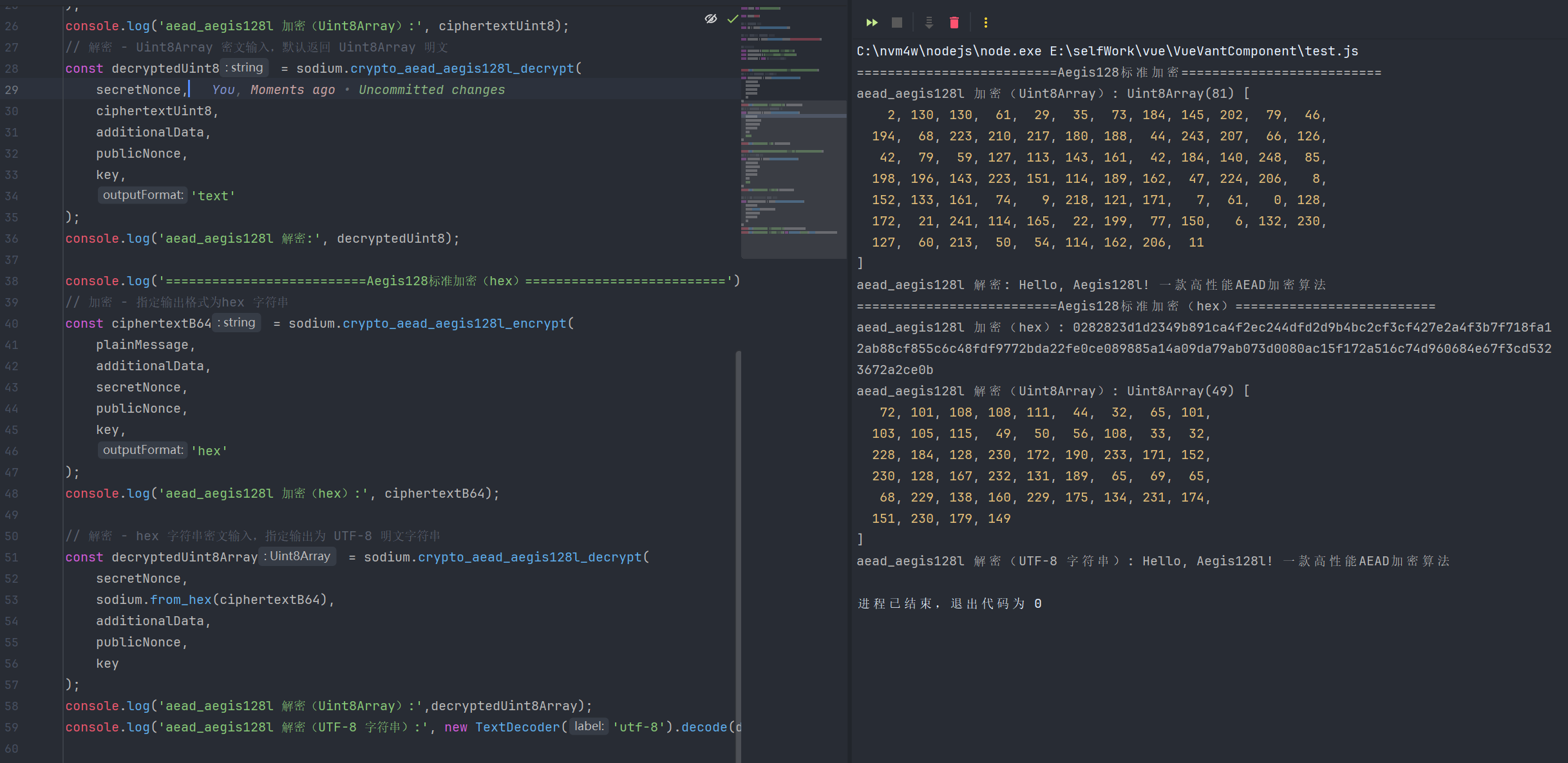
2.Aegis128l分离式加密
javascript
import sodium from 'libsodium-wrappers';

await sodium.ready;

// 生成 Aegis128l 算法密钥
const key = sodium.crypto_aead_aegis128l_keygen();

// 生成公共 Nonce(Aegis128l 的 Nonce 长度是 16 字节)
const publicNonce = sodium.randombytes_buf(sodium.crypto_aead_aegis128l_NPUBBYTES);

// 待加密明文、附加数据
const plainMessage = 'Hello, Aegis128l! 一款高性能AEAD加密算法';
const additionalData = '附加认证数据:日志ID=9527,时间戳=1735692000';
const secretNonce = null;

console.log('===========================Aegis128l 分离式加密===========================');
// 分离式加密 - 默认返回 CryptoBox(ciphertext + mac 分离)
const cryptoBox = sodium.crypto_aead_aegis128l_encrypt_detached(
    plainMessage,
    additionalData,
    secretNonce,
    publicNonce,
    key
);
console.log('分离式加密 - 密文(Uint8Array):', cryptoBox.ciphertext);
console.log('分离式加密 - MAC 认证码(Uint8Array):', cryptoBox.mac);
console.log(cryptoBox);
// 分离式解密 - Uint8Array 密文/MAC 输入,返回 Uint8Array 明文
const detachedDecryptedUint8 = sodium.crypto_aead_aegis128l_decrypt_detached(
    secretNonce,
    cryptoBox.ciphertext,
    cryptoBox.mac,
    additionalData,
    publicNonce,
    key
);
console.log('分离式解密结果(Uint8Array):', detachedDecryptedUint8);
console.log('分离式解密结果(UTF-8 字符串):', new TextDecoder('utf-8').decode(detachedDecryptedUint8));

console.log('===========================Aegis128l 分离式加密(Hex 字符串)===========================');
// 分离式加密 - 指定输出格式为 Hex 字符串,返回 StringCryptoBox
const stringCryptoBox = sodium.crypto_aead_aegis128l_encrypt_detached(
    plainMessage,
    additionalData,
    secretNonce,
    publicNonce,
    key,
    'hex'
);
console.log('分离式加密 - 密文(Hex 字符串):', stringCryptoBox.ciphertext);
console.log('分离式加密 - MAC 认证码(Hex 字符串):', stringCryptoBox.mac);

// 分离式解密 - Hex 字符串密文输入(需先还原为 Uint8Array),返回 UTF-8 明文
const detachedDecryptedText = sodium.crypto_aead_aegis128l_decrypt_detached(
    secretNonce,
    sodium.from_hex(stringCryptoBox.ciphertext),
    sodium.from_hex(stringCryptoBox.mac),
    additionalData,
    publicNonce,
    key
);
console.log('分离式解密结果(UTF-8 字符串):', detachedDecryptedText);
3.相关函数
| 函数名 | 函数说明 | 参数 | 返回值 |
|---|---|---|---|
| crypto_aead_aegis128_encrypt | Aegis128 算法合并式认证加密函数,一款轻量级、高性能AEAD算法,密文与MAC合并存储/传输,同时保障数据机密性、完整性和真实性 | 1.message: 待加密明文(字符串 / Uint8Array) 2.additional_data: 附加认证数据(字符串 / Uint8Array/null,仅参与认证不参与加密) 3.secret_nonce: 可选秘密随机数(字符串 / Uint8Array/null,通常传null) 4.public_nonce: 公开随机数(Uint8Array,符合算法指定长度) 5.key: 加密密钥(Uint8Array) 6.outputFormat?: 可选输出格式(uint8array、text、hex、base64) | 返回outputFormat对应格式 |
| crypto_aead_aegis128_decrypt | Aegis128 算法合并式认证解密函数,先验证密文与附加数据的完整性,验证通过后解密密文,验证失败则抛出异常 | 1.secret_nonce: 可选秘密随机数(字符串 / Uint8Array/null,需与加密时一致) 2.ciphertext: 待解密密文(字符串 / Uint8Array,含MAC) 3.additional_data: 附加认证数据(字符串 / Uint8Array/null,需与加密时一致) 4.public_nonce: 公开随机数(Uint8Array,需与加密时一致) 5.key: 解密密钥(Uint8Array,需与加密时一致) 6.outputFormat?: 可选输出格式(uint8array、text、hex、base64) | 返回outputFormat对应格式 |
| crypto_aead_aegis128_encrypt_detached | Aegis128 算法分离式认证加密函数,密文与MAC分开返回,便于单独存储、校验MAC,适配需先认证后解密的场景 | 1.message: 待加密明文(字符串 / Uint8Array) 2.additional_data: 附加认证数据(字符串 / Uint8Array/null) 3.secret_nonce: 可选秘密随机数(字符串 / Uint8Array/null,通常传null) 4.public_nonce: 公开随机数(Uint8Array,符合算法指定长度) 5.key: 加密密钥(Uint8Array) 6.outputFormat?: 可选输出格式(uint8array、text、hex、base64) | 返回包含密文和mac的对象 |
| crypto_aead_aegis128_decrypt_detached | Aegis128 算法分离式认证解密函数,单独传入密文与MAC进行验证解密,验证失败则抛出异常,灵活性更高 | 1.secret_nonce: 可选秘密随机数(字符串 / Uint8Array/null,需与加密时一致) 2.ciphertext: 待解密密文(字符串 / Uint8Array) 3.mac: MAC认证码(Uint8Array,需与加密时一致) 4.additional_data: 附加认证数据(字符串 / Uint8Array/null,需与加密时一致) 5.public_nonce: 公开随机数(Uint8Array,需与加密时一致) 6.key: 解密密钥(Uint8Array,需与加密时一致) 7.outputFormat?: 可选输出格式(uint8array、text、hex、base64) | 返回outputFormat对应格式 |
| crypto_aead_aegis128_keygen | 生成Aegis128算法专用的安全随机密钥,密钥长度符合算法安全要求,保障加密强度 | 1.outputFormat?: 可选输出格式(uint8array、text、hex、base64) | 返回outputFormat对应格式 |
4.算法常量
| 常量名 | 含义说明 |
|---|---|
| crypto_aead_aegis128L_ABYTES | Aegis128I 算法中,MAC 认证码(消息认证标签)的固定长度(单位:字节) |
| crypto_aead_aegis128L_KEYBYTES | Aegis128I 算法要求的加密/解密密钥的固定长度(单位:字节) |
| crypto_aead_aegis128L_MESSAGEBYTES_MAX | Aegis128I 算法支持加密的单个消息的最大长度限制(单位:字节) |
| crypto_aead_aegis128L_NPUBBYTES | Aegis128I 算法中,公共随机数(public_nonce)的固定长度(单位:字节) |
| crypto_aead_aegis128L_NSECBYTES | Aegis128I 算法中,秘密随机数(secret_nonce)的固定长度(单位:字节) |
七、Aegis256 对称认证加密(256 位密钥的高性能 AEAD 算法)
1.Aegis256 标准加密
javascript
import sodium from 'libsodium-wrappers';

await sodium.ready;

// 生成 Aegis256 算法密钥
const key = sodium.crypto_aead_aegis256_keygen();

// 生成公共 Nonce(需符合 Aegis256 要求的长度)
const publicNonce = sodium.randombytes_buf(sodium.crypto_aead_aegis256_NPUBBYTES);

// 待加密明文、附加数据
const plainMessage = 'Hello, Aegis256! 一款高性能AEAD加密算法';
const additionalData = '附加认证数据:日志ID=9527,时间戳=1735692000';
const secretNonce = null; // 常规场景无需使用,保持null即可


console.log('==========================Aegis256标准加密==========================');
// 加密 - 默认返回 Uint8Array 格式(密文+MAC合并)
const ciphertextUint8 = sodium.crypto_aead_aegis256_encrypt(
    plainMessage,
    additionalData,
    secretNonce,
    publicNonce,
    key
);
console.log('aead_aegis256 加密(Uint8Array):', ciphertextUint8);
// 解密 - Uint8Array 密文输入,默认返回 Uint8Array 明文
const decryptedUint8 = sodium.crypto_aead_aegis256_decrypt(
    secretNonce,
    ciphertextUint8,
    additionalData,
    publicNonce,
    key,
    'text'
);
console.log('aead_aegis256 解密:', decryptedUint8);

console.log('==========================Aegis256标准加密(hex)==========================');
// 加密 - 指定输出格式为hex 字符串
const ciphertextB64 = sodium.crypto_aead_aegis256_encrypt(
    plainMessage,
    additionalData,
    secretNonce,
    publicNonce,
    key,
    'hex'
);
console.log('aead_aegis256 加密(hex):', ciphertextB64);

// 解密 - hex 字符串密文输入,指定输出为 UTF-8 明文字符串
const decryptedUint8Array = sodium.crypto_aead_aegis256_decrypt(
    secretNonce,
    sodium.from_hex(ciphertextB64),
    additionalData,
    publicNonce,
    key
);
console.log('aead_aegis256 解密(Uint8Array):',decryptedUint8Array);
console.log('aead_aegis256 解密(UTF-8 字符串):', new TextDecoder('utf-8').decode(decryptedUint8Array));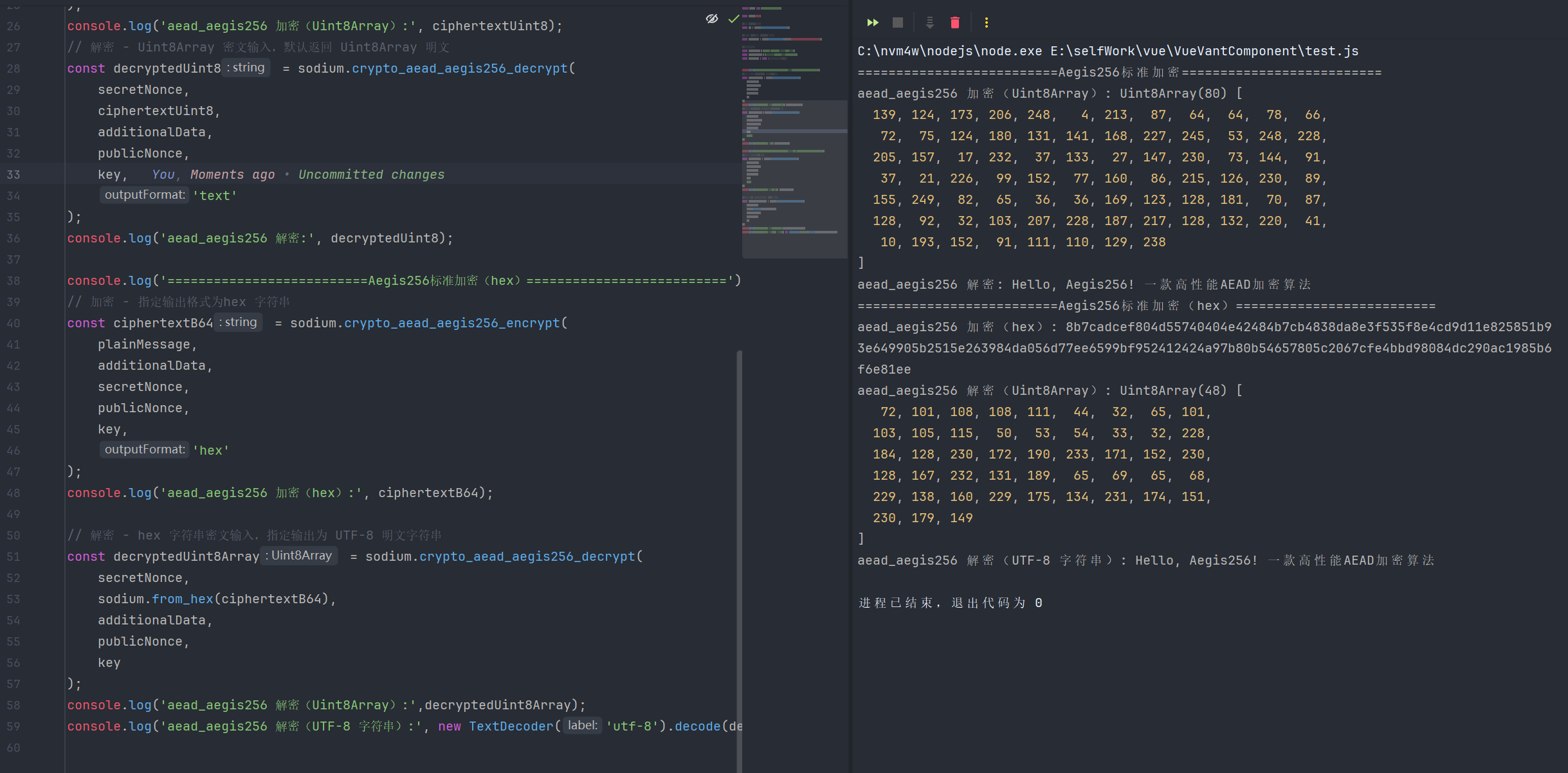
2.Aegis256分离式加密
javascript
import sodium from 'libsodium-wrappers';

await sodium.ready;

// 生成 Aegis256 算法密钥
const key = sodium.crypto_aead_aegis256_keygen();

// 生成公共 Nonce(Aegis256 的 Nonce 长度是 16 字节)
const publicNonce = sodium.randombytes_buf(sodium.crypto_aead_aegis256_NPUBBYTES);

// 待加密明文、附加数据
const plainMessage = 'Hello, Aegis256! 一款高性能AEAD加密算法';
const additionalData = '附加认证数据:日志ID=9527,时间戳=1735692000';
const secretNonce = null;

console.log('===========================Aegis256 分离式加密===========================');
// 分离式加密 - 默认返回 CryptoBox(ciphertext + mac 分离)
const cryptoBox = sodium.crypto_aead_aegis256_encrypt_detached(
    plainMessage,
    additionalData,
    secretNonce,
    publicNonce,
    key
);
console.log('分离式加密 - 密文(Uint8Array):', cryptoBox.ciphertext);
console.log('分离式加密 - MAC 认证码(Uint8Array):', cryptoBox.mac);
console.log(cryptoBox);
// 分离式解密 - Uint8Array 密文/MAC 输入,返回 Uint8Array 明文
const detachedDecryptedUint8 = sodium.crypto_aead_aegis256_decrypt_detached(
    secretNonce,
    cryptoBox.ciphertext,
    cryptoBox.mac,
    additionalData,
    publicNonce,
    key
);
console.log('分离式解密结果(Uint8Array):', detachedDecryptedUint8);
console.log('分离式解密结果(UTF-8 字符串):', new TextDecoder('utf-8').decode(detachedDecryptedUint8));

console.log('===========================Aegis256 分离式加密(Hex 字符串)===========================');
// 分离式加密 - 指定输出格式为 Hex 字符串,返回 StringCryptoBox
const stringCryptoBox = sodium.crypto_aead_aegis256_encrypt_detached(
    plainMessage,
    additionalData,
    secretNonce,
    publicNonce,
    key,
    'hex'
);
console.log('分离式加密 - 密文(Hex 字符串):', stringCryptoBox.ciphertext);
console.log('分离式加密 - MAC 认证码(Hex 字符串):', stringCryptoBox.mac);

// 分离式解密 - Hex 字符串密文输入(需先还原为 Uint8Array),返回 UTF-8 明文
const detachedDecryptedText = sodium.crypto_aead_aegis256_decrypt_detached(
    secretNonce,
    sodium.from_hex(stringCryptoBox.ciphertext),
    sodium.from_hex(stringCryptoBox.mac),
    additionalData,
    publicNonce,
    key
);
console.log('分离式解密结果(UTF-8 字符串):', detachedDecryptedText);
3.相关函数
| 函数名 | 函数说明 | 参数 | 返回值 |
|---|---|---|---|
| crypto_aead_aegis256_encrypt | Aegis256算法合并式认证加密函数,高强度AEAD算法,将密文与MAC认证码合并存储/传输,同时保障数据机密性、完整性和真实性,性能优异且抗侧信道攻击能力强 | 1.message: 待加密明文(字符串 / Uint8Array) 2.additional_data: 附加认证数据(字符串 / Uint8Array/null,仅参与认证不参与加密) 3.secret_nonce: 可选秘密随机数(字符串 / Uint8Array/null,固定传null) 4.public_nonce: 公开随机数(Uint8Array,符合Aegis256标准长度) 5.key: 加密密钥(Uint8Array,Aegis256专用密钥) 6.outputFormat?: 可选输出格式(uint8array、text、hex、base64) | 返回outputFormat对应格式 |
| crypto_aead_aegis256_decrypt | Aegis256算法合并式认证解密函数,先验证密文与附加数据的完整性和真实性,验证通过后解密密文,验证失败(篡改/参数不匹配)则抛出异常 | 1.secret_nonce: 可选秘密随机数(字符串 / Uint8Array/null,需与加密时一致,固定传null) 2.ciphertext: 待解密密文(字符串 / Uint8Array,含MAC认证码) 3.additional_data: 附加认证数据(字符串 / Uint8Array/null,需与加密时一致) 4.public_nonce: 公开随机数(Uint8Array,需与加密时一致) 5.key: 解密密钥(Uint8Array,需与加密时一致) 6.outputFormat?: 可选输出格式(uint8array、text、hex、base64) | 返回outputFormat对应格式 |
| crypto_aead_aegis256_encrypt_detached | Aegis256算法分离式认证加密函数,密文与MAC认证码独立返回,便于单独存储、前置MAC校验(先验真再解密,减少无效开销),灵活性更高 | 1.message: 待加密明文(字符串 / Uint8Array) 2.additional_data: 附加认证数据(字符串 / Uint8Array/null) 3.secret_nonce: 可选秘密随机数(字符串 / Uint8Array/null,固定传null) 4.public_nonce: 公开随机数(Uint8Array,符合Aegis256标准长度) 5.key: 加密密钥(Uint8Array,Aegis256专用密钥) 6.outputFormat?: 可选输出格式(uint8array、text、hex、base64) | 返回包含密文和mac的对象 |
| crypto_aead_aegis256_decrypt_detached | Aegis256算法分离式认证解密函数,单独传入密文与MAC认证码进行验证解密,验证失败则抛出异常,适配网关校验、分阶段数据处理等场景 | 1.secret_nonce: 可选秘密随机数(字符串 / Uint8Array/null,需与加密时一致,固定传null) 2.ciphertext: 待解密密文(字符串 / Uint8Array) 3.mac: MAC认证码(Uint8Array,需与加密时一致) 4.additional_data: 附加认证数据(字符串 / Uint8Array/null,需与加密时一致) 5.public_nonce: 公开随机数(Uint8Array,需与加密时一致) 6.key: 解密密钥(Uint8Array,需与加密时一致) 7.outputFormat?: 可选输出格式(uint8array、text、hex、base64) | 返回outputFormat对应格式 |
| crypto_aead_aegis256_keygen | 生成Aegis256算法专用的安全随机密钥,密钥长度符合算法高强度安全要求,无需手动生成,避免密钥强度不足的安全风险 | 1.outputFormat?: 可选输出格式(uint8array、text、hex、base64) | 返回outputFormat对应格式 |
4.算法常量
| 常量名 | 含义说明 |
|---|---|
| crypto_aead_aegis256_ABYTES | Aegis256 算法中,MAC 认证码(消息认证标签)的固定长度(单位:字节) |
| crypto_aead_aegis256_KEYBYTES | Aegis256 算法要求的加密/解密密钥的固定长度(单位:字节) |
| crypto_aead_aegis256_MESSAGEBYTES_MAX | Aegis256 算法支持加密的单个消息的最大长度限制(单位:字节) |
| crypto_aead_aegis256_NPUBBYTES | Aegis256 算法中,公共随机数(public_nonce)的固定长度(单位:字节) |
| crypto_aead_aegis256_NSECBYTES | Aegis256 算法中,秘密随机数(secret_nonce)的固定长度(单位:字节) |
八、crypto_auth消息认证(独立的消息完整性验证)
1.crypto_auth消息认证
javascript
import sodium from 'libsodium-wrappers';

await sodium.ready;


// 生成 crypto_auth 专用认证密钥
const authKey = sodium.crypto_auth_keygen();

// 待认证的消息(可是普通字符串或二进制数据)
const originalMessage = '这是需要进行完整性和真实性认证的业务数据:订单ID=123456,金额=99.99';

console.log('=================================crypto_auth消息认证Uint8Array ================================');
// 认证字符串消息,默认返回 Uint8Array 格式标签(MAC)
const tagUint8 = sodium.crypto_auth(
    originalMessage,
    authKey
);
console.log('消息认证标签(Uint8Array):', tagUint8);
// 验证 Uint8Array 标签与原始消息(验证通过返回 true)
const verifySuccess1 = sodium.crypto_auth_verify(
    tagUint8,
    originalMessage,
    authKey
);
console.log('Uint8Array标签验证结果(未篡改):', verifySuccess1); // 输出 true

console.log('=================================crypto_auth消息认证Base64 ================================');
const binaryMessage = new TextEncoder('utf-8').encode(originalMessage); // 二进制格式消息
// 认证二进制消息,指定输出格式为 Base64 字符串标签
const tagB64 = sodium.crypto_auth(
    binaryMessage,
    authKey,
    'base64'
);
console.log('消息认证标签(Base64 字符串):', tagB64);

// 验证 Base64 字符串标签(需先还原为 Uint8Array)
const tagFromB64 = sodium.from_base64(tagB64);
const verifySuccess2 = sodium.crypto_auth_verify(
    tagFromB64,
    binaryMessage,
    authKey
);
console.log('Base64标签验证结果(未篡改):', verifySuccess2); // 输出 true

console.log('=================================crypto_auth消息认证hex ================================');
const authKeyHex = sodium.crypto_auth_keygen('hex'); // Hex 字符串格式密钥
// 使用 Hex 格式密钥生成认证标签(需先还原为 Uint8Array)
const keyFromHex = sodium.from_hex(authKeyHex);
const tagHex = sodium.crypto_auth(
    originalMessage,
    keyFromHex,
    'hex'
);
console.log('使用Hex密钥生成的认证标签(Hex 字符串):', tagHex);

// 使用 Hex 标签与 Hex 密钥验证
const tagFromHex = sodium.from_hex(tagHex);
const verifySuccess3 = sodium.crypto_auth_verify(
    tagFromHex,
    originalMessage,
    keyFromHex
);
console.log('Hex格式标签与密钥的验证结果:', verifySuccess3); // 输出 true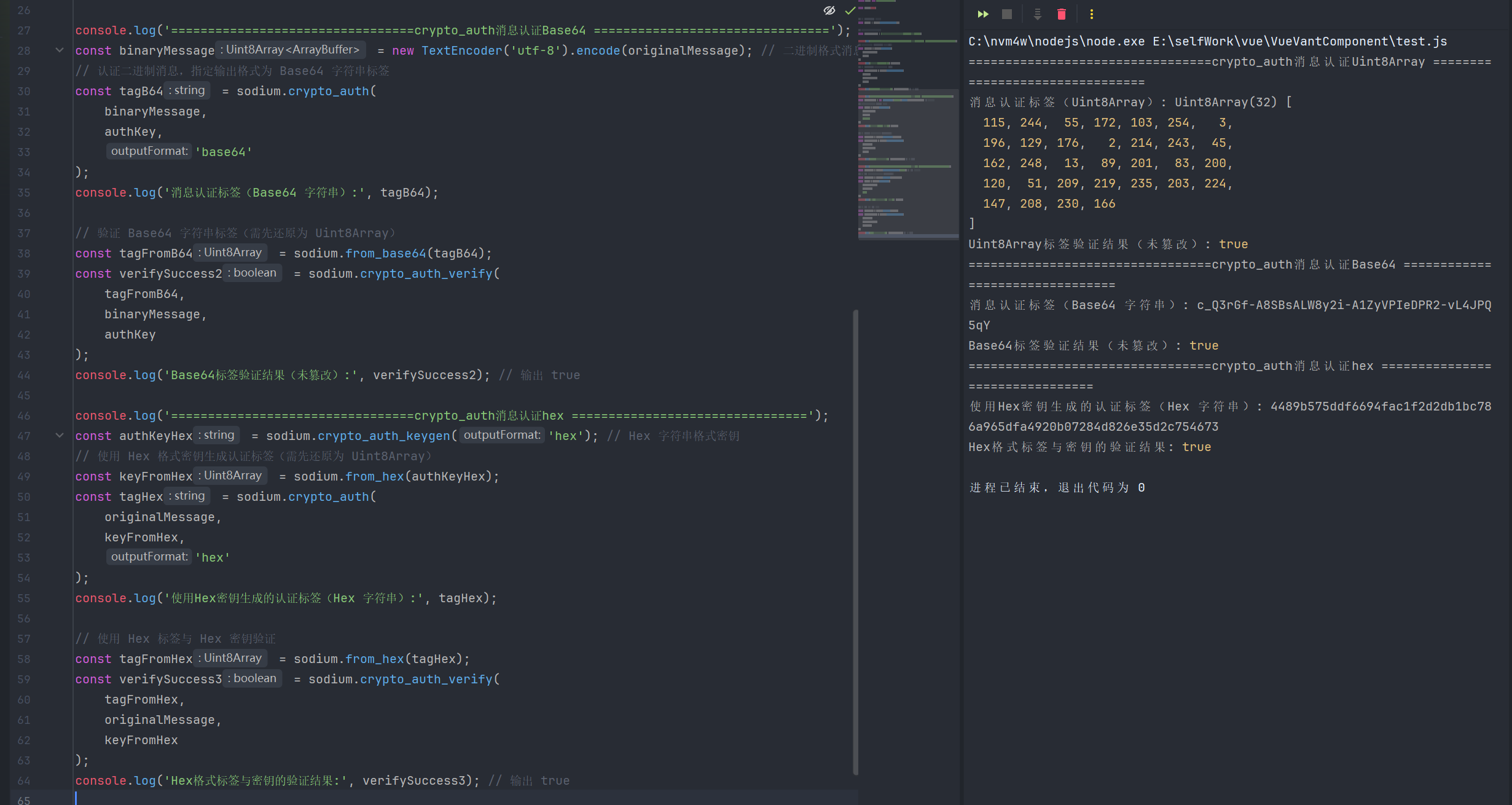
2.相关函数
| 函数名 | 函数说明 | 参数 | 返回值 |
|---|---|---|---|
| crypto_auth | 生成消息的认证标签(MAC),用于验证消息的完整性(未被篡改)和真实性(来自合法发送方),基于HMAC-SHA-256算法实现,仅提供认证功能,不提供加密功能 | 1.message: 待认证的消息(字符串 / Uint8Array,可是普通文本或二进制数据) 2.key: 认证密钥(Uint8Array,需为crypto_auth专用密钥) 3.outputFormat?: 可选输出格式(uint8array、text、hex、base64) | 返回outputFormat对应格式 |
| crypto_auth_keygen | 生成crypto_auth算法专用的安全随机密钥,密钥长度符合HMAC-SHA-256算法要求,保障认证强度,无需手动生成 | 1.outputFormat?: 可选输出格式(uint8array、text、hex、base64) | 返回outputFormat对应格式 |
| crypto_auth_verify | 验证消息与认证标签的一致性,判断消息是否被篡改、是否来自合法发送方(持有正确密钥),验证通过返回布尔值,无异常抛出 | 1.tag: 待验证的认证标签(仅支持Uint8Array格式,字符串格式需先还原为Uint8Array) 2.message: 待验证的消息(字符串 / Uint8Array,需与生成标签时的消息一致) 3.key: 认证密钥(Uint8Array,需与生成标签时的密钥一致) | 返回布尔值(boolean): 1.true:验证通过,消息未被篡改,来源合法 2.false:验证失败,消息已被篡改或密钥/标签不匹配 |
3.算法常量
| 常量名 | 含义说明 |
|---|---|
| crypto_auth_BYTES | crypto_auth算法生成的消息认证标签(MAC)的固定长度(单位:字节) |
| crypto_auth_KEYBYTES | crypto_auth算法要求的认证密钥的固定长度(单位:字节) |
九、crypto_box非对称加密
1.crypto_box_easy 简易加密
javascript
import sodium from 'libsodium-wrappers';

await sodium.ready;

// 生成发送方与接收方的密钥对(非对称加密密钥对)
const senderKeyPair = sodium.crypto_box_keypair(); // Uint8Array 格式密钥对
const receiverKeyPair = sodium.crypto_box_keypair('hex'); // Hex 字符串格式密钥对
console.log('发送方私钥(Uint8Array):', senderKeyPair.privateKey);
console.log('发送方公钥(Uint8Array):', senderKeyPair.publicKey);
console.log('接收方私钥(Hex 字符串):', receiverKeyPair.privateKey);
console.log('接收方公钥(Hex 字符串):', receiverKeyPair.publicKey);

// 待加密的消息与 Nonce(Nonce 需符合 crypto_box 标准长度)
const originalMessage = '这是需要非对称加密传输的敏感数据:用户隐私信息、业务核心参数';
const nonce = sodium.randombytes_buf(sodium.crypto_box_NONCEBYTES);
console.log('加密使用的 Nonce(Uint8Array):', nonce);

//还原接收方密钥对为 Uint8Array 格式(用于后续操作)
const receiverPublicKeyUint8 = sodium.from_hex(receiverKeyPair.publicKey);
const receiverPrivateKeyUint8 = sodium.from_hex(receiverKeyPair.privateKey);

console.log('======================crypto_box_easy简易加密(Uint8Array)======================');
// 简易加密,默认返回 Uint8Array 格式密文(密文+MAC合并)
const ciphertextEasyUint8 = sodium.crypto_box_easy(
    originalMessage,
    nonce,
    receiverPublicKeyUint8, // 接收方公钥
    senderKeyPair.privateKey // 发送方私钥
);
console.log('crypto_box_easy 加密结果(Uint8Array):', ciphertextEasyUint8);

// 简易解密(还原 Uint8Array 密文)
const decryptedEasyUint8 = sodium.crypto_box_open_easy(
    ciphertextEasyUint8,
    nonce,
    senderKeyPair.publicKey, // 发送方公钥
    receiverPrivateKeyUint8 // 接收方私钥
);
console.log('crypto_box_easy 解密结果(Uint8Array):', decryptedEasyUint8);
console.log('crypto_box_easy 解密结果(UTF-8 字符串):', new TextDecoder('utf-8').decode(decryptedEasyUint8));

console.log('======================crypto_box_easy简易加密(Base64)======================');
// 简易加密,指定输出为 Base64 字符串格式密文
const ciphertextEasyB64 = sodium.crypto_box_easy(
    originalMessage,
    nonce,
    receiverPublicKeyUint8,
    senderKeyPair.privateKey,
    'base64'
);
console.log('crypto_box_easy 加密结果(Base64 字符串):', ciphertextEasyB64);

// 简易解密(Base64 字符串密文,需先还原为 Uint8Array)
const ciphertextEasyFromB64 = sodium.from_base64(ciphertextEasyB64);
const decryptedEasyText = sodium.crypto_box_open_easy(
    ciphertextEasyFromB64,
    nonce,
    senderKeyPair.publicKey,
    receiverPrivateKeyUint8,
    'text'
);
console.log('crypto_box_easy 解密结果(UTF-8 字符串,还原原文):', decryptedEasyText);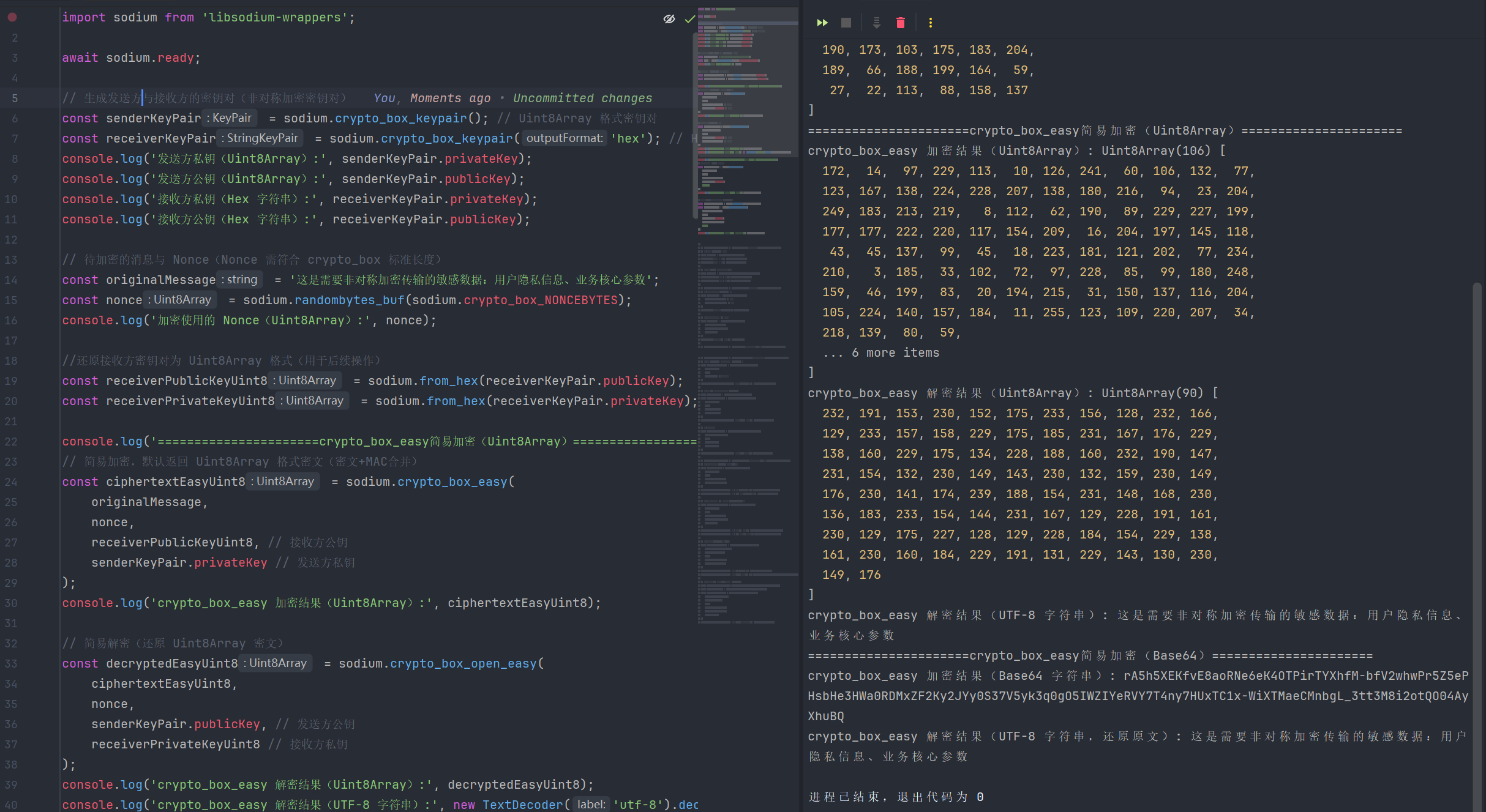
2.crypto_box_easy 共享密钥加密
javascript
import sodium from 'libsodium-wrappers';

await sodium.ready;

// 生成发送方与接收方的密钥对(非对称加密密钥对)
const senderKeyPair = sodium.crypto_box_keypair(); // Uint8Array 格式密钥对
const receiverKeyPair = sodium.crypto_box_keypair('hex'); // Hex 字符串格式密钥对

// 待加密的消息与 Nonce(Nonce 需符合 crypto_box 标准长度)
const originalMessage = '这是需要非对称加密传输的敏感数据:用户隐私信息、业务核心参数';
const nonce = sodium.randombytes_buf(sodium.crypto_box_NONCEBYTES);

//还原接收方密钥对为 Uint8Array 格式(用于后续操作)
const receiverPublicKeyUint8 = sodium.from_hex(receiverKeyPair.publicKey);

// 预计算共享密钥,默认返回 Uint8Array 格式
const sharedKeyUint8 = sodium.crypto_box_beforenm(
    receiverPublicKeyUint8, // 对方公钥
    senderKeyPair.privateKey // 己方私钥
);
console.log('预计算共享密钥(Uint8Array):', sharedKeyUint8);

// 使用 Uint8Array 共享密钥加密,默认返回 Uint8Array 密文
const ciphertextAfternmUint8 = sodium.crypto_box_easy_afternm(
    originalMessage,
    nonce,
    sharedKeyUint8 // 预计算的共享密钥
);
console.log('crypto_box_easy_afternm 加密结果(Uint8Array):', ciphertextAfternmUint8);
// 使用共享密钥解密
const decryptedAfternmText = sodium.crypto_box_open_easy_afternm(
    ciphertextAfternmUint8,
    nonce,
    sharedKeyUint8,
    'text'
);
console.log('crypto_box_easy_afternm 解密结果(UTF-8 字符串):', decryptedAfternmText);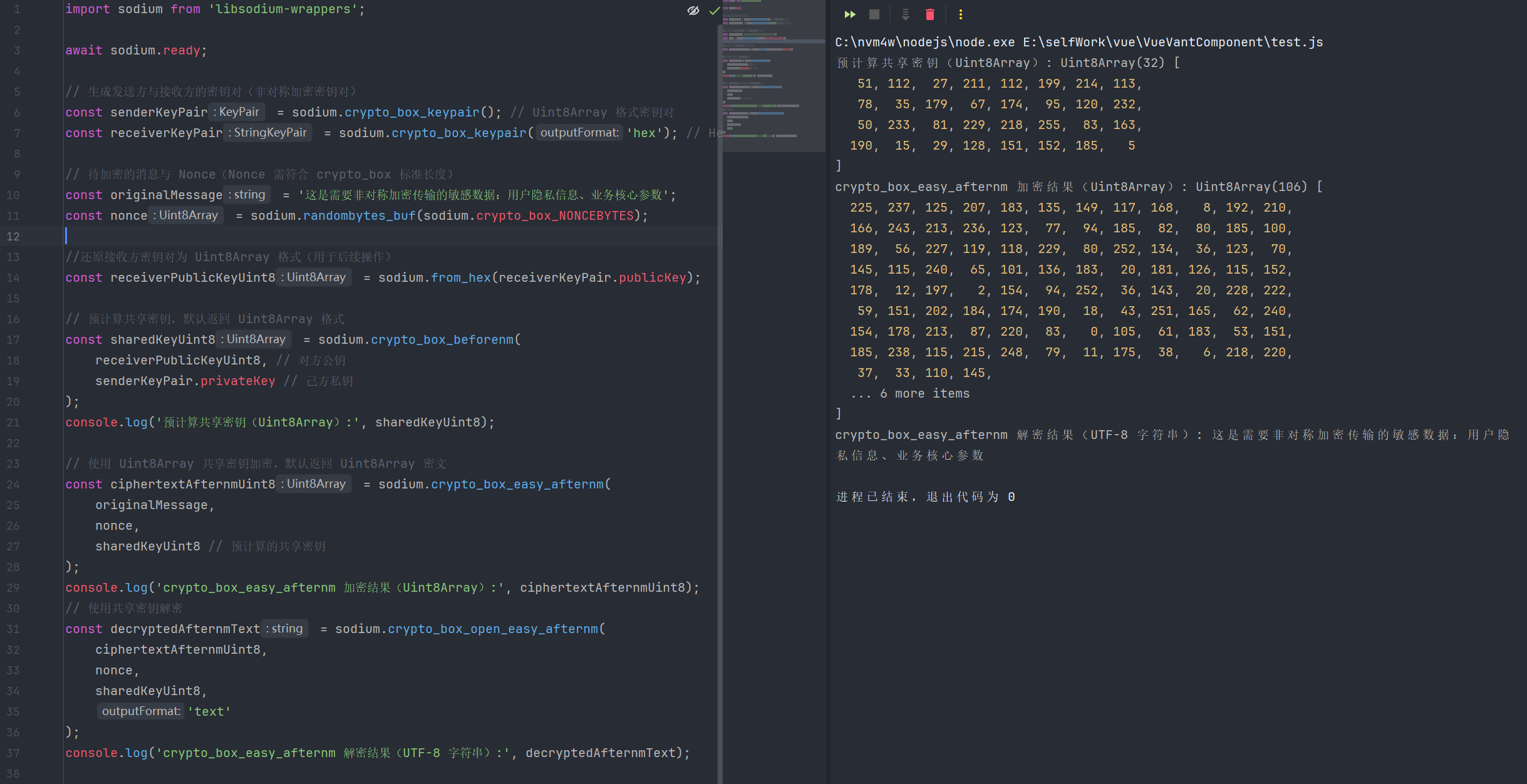
3.crypto_box_easy 分离式加密
javascript
import sodium from 'libsodium-wrappers';

await sodium.ready;

// 生成发送方与接收方的密钥对(非对称加密密钥对)
const senderKeyPair = sodium.crypto_box_keypair(); // Uint8Array 格式密钥对
const receiverKeyPair = sodium.crypto_box_keypair('hex'); // Hex 字符串格式密钥对

// 待加密的消息与 Nonce(Nonce 需符合 crypto_box 标准长度)
const originalMessage = '这是需要非对称加密传输的敏感数据:用户隐私信息、业务核心参数';
const nonce = sodium.randombytes_buf(sodium.crypto_box_NONCEBYTES);

//还原接收方密钥对为 Uint8Array 格式(用于后续操作)
const receiverPublicKeyUint8 = sodium.from_hex(receiverKeyPair.publicKey);
const receiverPrivateKeyUint8 = sodium.from_hex(receiverKeyPair.privateKey);

// 预计算共享密钥,默认返回 Uint8Array 格式
const sharedKeyUint8 = sodium.crypto_box_beforenm(
    receiverPublicKeyUint8, // 对方公钥
    senderKeyPair.privateKey // 己方私钥
);
console.log('预计算共享密钥(Uint8Array):', sharedKeyUint8);


console.log('================ crypto_box_detached(分离式非对称加密Uint8Array)================');
// 分离式加密,默认返回 CryptoBox 对象(密文+MAC分离)
const cryptoBoxDetached = sodium.crypto_box_detached(
    originalMessage,
    nonce,
    receiverPublicKeyUint8,
    senderKeyPair.privateKey
);
console.log('crypto_box_detached 加密 - 密文(Uint8Array):', cryptoBoxDetached.ciphertext);
console.log('crypto_box_detached 加密 - MAC 认证码(Uint8Array):', cryptoBoxDetached.mac);

// 分离式解密(Uint8Array 密文+MAC)
const decryptedDetachedUint8 = sodium.crypto_box_open_detached(
    cryptoBoxDetached.ciphertext,
    cryptoBoxDetached.mac,
    nonce,
    senderKeyPair.publicKey,
    receiverPrivateKeyUint8
);
console.log('crypto_box_detached 解密结果(Uint8Array):', decryptedDetachedUint8);
console.log('crypto_box_detached 解密结果(UTF-8 字符串):', new TextDecoder('utf-8').decode(decryptedDetachedUint8));

console.log('================ crypto_box_detached(分离式非对称加密hex)================');
// 分离式加密,指定输出为 Hex 字符串,返回 StringCryptoBox 对象
const stringCryptoBoxDetached = sodium.crypto_box_detached(
    originalMessage,
    nonce,
    receiverPublicKeyUint8,
    senderKeyPair.privateKey,
    'hex'
);
console.log('crypto_box_detached 加密 - 密文(Hex 字符串):', stringCryptoBoxDetached.ciphertext);
console.log('crypto_box_detached 加密 - MAC 认证码(Hex 字符串):', stringCryptoBoxDetached.mac);

// 分离式解密(Hex 字符串密文+MAC,需先还原为 Uint8Array)
const decryptedDetachedText = sodium.crypto_box_open_detached(
    sodium.from_hex(stringCryptoBoxDetached.ciphertext),
    sodium.from_hex(stringCryptoBoxDetached.mac),
    nonce,
    senderKeyPair.publicKey,
    receiverPrivateKeyUint8,
    'text'
);
console.log('crypto_box_detached 解密结果(UTF-8 字符串,还原原文):', decryptedDetachedText);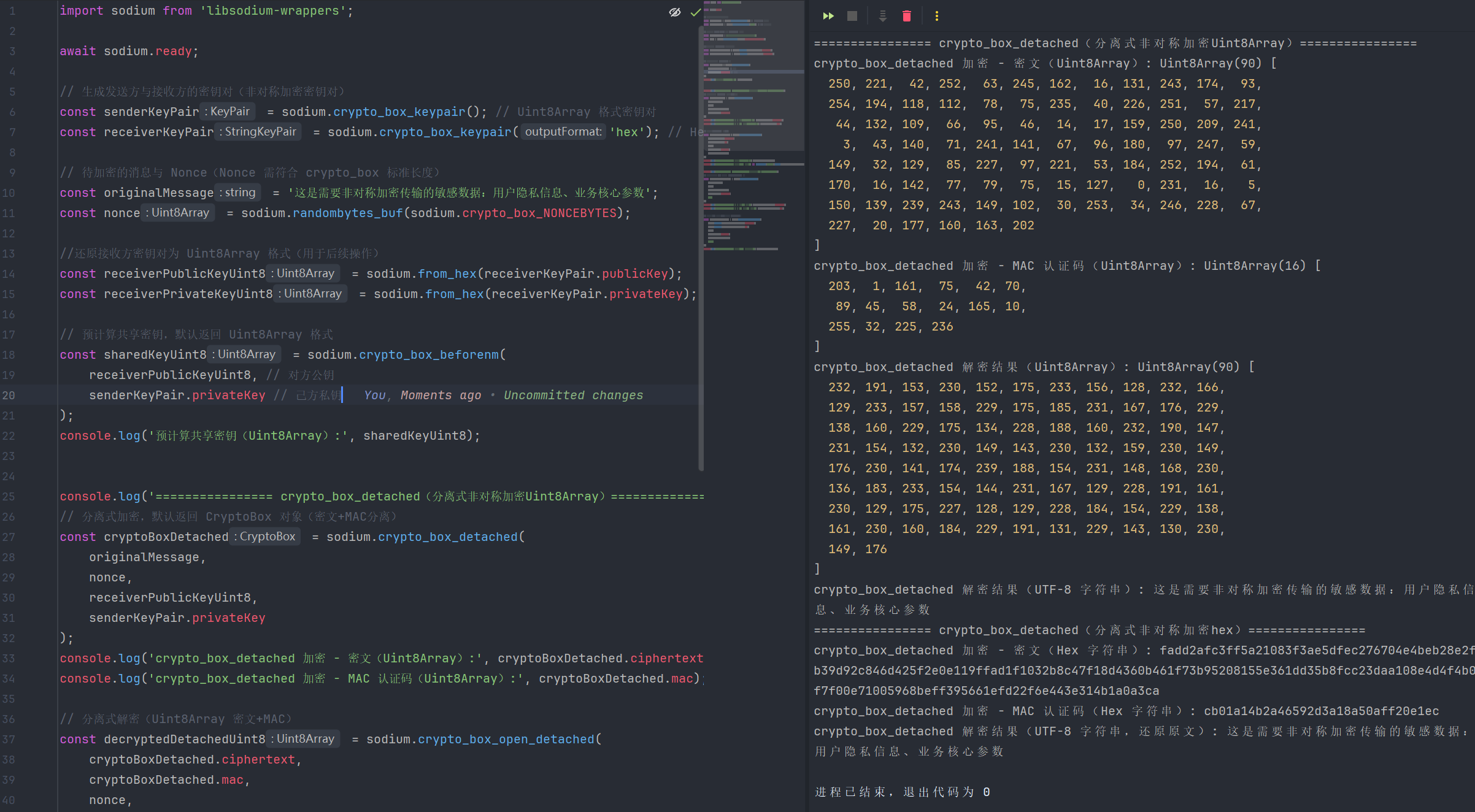
4.相关函数
| 函数名 | 函数说明 | 参数 | 返回值 |
|---|---|---|---|
| crypto_box_beforenm | 预计算非对称加密的共享密钥,基于己方私钥和对方公钥生成共享密钥,后续可重复使用其完成加密/解密,减少重复计算开销,提升性能 | 1.publicKey: 通信对方的公钥(Uint8Array,需为crypto_box生成的合规公钥) 2.privateKey: 己方的私钥(Uint8Array,需为crypto_box生成的合规私钥) 3.outputFormat?: 可选输出格式(uint8array、text、hex、base64) | 返回outputFormat对应格式 |
| crypto_box_detached | crypto_box分离式非对称加密函数,密文与MAC认证码分开独立返回,便于单独存储、前置MAC校验,灵活性场景高,适用于高安全场景 | 1.message: 待加密明文(字符串 / Uint8Array) 2.nonce: 随机数(Uint8Array,符合crypto_box标准长度) 3.publicKey: 接收方公钥(Uint8Array) 4.privateKey: 发送方私钥(Uint8Array) 5.outputFormat?: 可选输出格式(uint8array、text、hex、base64) | 返回包含密文和mac的对象 |
| crypto_box_open_detached | crypto_box_detached对应的分离式解密函数,需单独传入密文与MAC认证码,先验证MAC合法性再解密密文,验证失败抛出异常,适配高安全场景 | 1.ciphertext: 待解密密文(字符串 / Uint8Array,分离式加密生成) 2.mac: MAC认证码(仅Uint8Array格式,字符串格式需先还原) 3.nonce: 随机数(Uint8Array,需与加密时一致) 4.publicKey: 发送方公钥(Uint8Array,需与加密时一致) 5.privateKey: 接收方私钥(Uint8Array,需与加密时一致) 6.outputFormat?: 可选输出格式(uint8array、text、hex、base64) | 返回outputFormat对应格式 |
| crypto_box_easy | crypto_box简易非对称加密函数,密文与MAC认证码合并存储/传输,操作简洁,适合普通非对称加密场景,底层封装了完整的加密流程 | 1.message: 待加密明文(字符串 / Uint8Array) 2.nonce: 随机数(Uint8Array,符合crypto_box标准长度) 3.publicKey: 接收方公钥(Uint8Array) 4.privateKey: 发送方私钥(Uint8Array) 5.outputFormat?: 可选输出格式(uint8array、text、hex、base64) | 返回outputFormat对应格式 |
| crypto_box_easy | crypto_box简易非对称加密函数,密文与MAC认证码合并存储/传输,操作简洁,适合普通非对称加密场景,底层封装了完整的加密流程 | 1.message: 待加密明文(字符串 / Uint8Array) 2.nonce: 随机数(Uint8Array,符合crypto_box标准长度) 3.publicKey: 接收方公钥(Uint8Array) 4.privateKey: 发送方私钥(Uint8Array) 5.outputFormat?: 可选输出格式(uint8array、text、hex、base64) | 返回outputFormat对应格式 |
| crypto_box_open_easy | crypto_box_easy对应的简易解密函数,针对合并式加密密文(密文+MAC一体)进行解密,操作简洁,验证失败抛出异常,适合普通非对称解密场景 | 1.ciphertext: 待解密密文(字符串 / Uint8Array,合并式加密生成,含MAC) 2.nonce: 随机数(Uint8Array,需与加密时一致) 3.publicKey: 发送方公钥(Uint8Array,需与加密时一致) 4.privateKey: 接收方私钥(Uint8Array,需与加密时一致) 5.outputFormat?: 可选输出格式(uint8array、text、hex、base64) | 返回outputFormat对应格式 |
| crypto_box_easy_afterm | crypto_box简易加密的优化版本,使用预计算的共享密钥进行加密,无需重复计算密钥协商,提升批量加密/高频通信场景的性能 | 1.message: 待加密明文(字符串 / Uint8Array) 2.nonce: 随机数(Uint8Array,符合crypto_box标准长度) 3.sharedKey: 预计算的共享密钥(Uint8Array,由crypto_box_beforenm生成) 4.outputFormat?: 可选输出格式(uint8array、text、hex、base64) | 返回outputFormat对应格式 |
| crypto_box_open_easy_aftermm | crypto_box_easy_afterm对应的优化解密函数,使用预计算共享密钥解密,无需重复协商密钥,提升批量/高频解密场景的性能,验证失败抛出异常 | 1.ciphertext: 待解密密文(字符串 / Uint8Array,合并式加密生成,含MAC) 2.nonce: 随机数(Uint8Array,需与加密时一致) 3.sharedKey: 预计算共享密钥(Uint8Array,由crypto_box_beforenm生成,需与加密时一致) 4.outputFormat?: 可选输出格式(uint8array、text、hex、base64) | 返回outputFormat对应格式 |
| crypto_box_keypair | 生成crypto_box非对称加密专用的密钥对(公钥+私钥),基于X25519椭圆曲线算法实现,保障非对称加密的高强度安全 | 1.outputFormat?: 可选输出格式(uint8array、text、hex、base64) | 返回包含公钥和私钥的对象 |
| crypto_box_seal | 密封非对称加密函数,无需提前交换Nonce,仅需接收方公钥即可加密,底层自动生成临时密钥对并封装,适合一次性消息加密、未知发送方场景 | 1.message: 待加密明文(字符串 / Uint8Array) 2.publicKey: 接收方公钥(Uint8Array,用于加密) 3.outputFormat?: 可选输出格式(uint8array、text、hex、base64) | 返回outputFormat对应格式 |
| crypto_box_seal_open | crypto_box_seal对应的密封解密函数,需接收方公钥+私钥才能解密,自动解析封装的临时密钥信息,验证失败抛出异常,适配密封加密场景 | 1.ciphertext: 待解密密文(字符串 / Uint8Array,密封加密生成) 2.publicKey: 接收方公钥(Uint8Array,需与加密时使用的接收方公钥一致) 3.privateKey: 接收方私钥(Uint8Array,需与接收方公钥配对) 4.outputFormat?: 可选输出格式(uint8array、text、hex、base64) | 返回outputFormat对应格式 |
| crypto_box_seed_keypair | 基于固定种子生成crypto_box专用非对称密钥对,种子相同则生成的密钥对完全一致,支持密钥对可重现,适合备份、身份绑定、批量生成密钥场景 | 1.seed: 种子数据(Uint8Array,长度需为crypto_box_SEEDBYTES=32字节) 2.outputFormat?: 可选输出格式(uint8array、text、hex、base64) | 返回包含公钥和私钥的对象 |
5.算法常量
| 常量名 | 含义说明 |
|---|---|
| crypto_box_BEFORENMBYTES | crypto_box_beforenm预计算生成的共享密钥的固定长度(单位:字节) |
| crypto_box_MACBYTES | crypto_box非对称加密算法生成的MAC认证码的固定长度(单位:字节) |
| crypto_box_MESSAGEBYTES_MAX | crypto_box算法支持加密的单个消息的最大长度限制(单位:字节) |
| crypto_box_NONCEBYTES | crypto_box算法使用的随机数(nonce)的固定长度(单位:字节) |
| crypto_box_PUBLICKEYBYTES | crypto_box非对称加密公钥的固定长度(单位:字节) |
| crypto_box_SEALBYTES | crypto_box_seal(密封加密)算法附加的额外字节长度(单位:字节) |
| crypto_box_SECRETKEYBYTES | crypto_box非对称加密私钥(秘密密钥)的固定长度(单位:字节) |
| crypto_box_SEEDBYTES | crypto_box_seed_keypair(基于种子生成密钥对)算法中种子的固定长度(单位:字节) |
十、crypto_sign数字签名
1.基础签名与验签
javascript
import sodium from 'libsodium-wrappers';

await sodium.ready;

// 生成常规签名密钥对(Ed25519)
const signKeyPair = sodium.crypto_sign_keypair(); // Uint8Array 格式

// 生成种子并基于种子生成签名密钥对(可重现)
const seed = sodium.randombytes_buf(sodium.crypto_sign_SEEDBYTES); // 32字节合规种子

// 待签名的消息(普通字符串/二进制数据/大文件分块)
const originalMessage = '这是需要进行数字签名的重要数据:合同编号=789012,生效日期=2025-12-23';

// crypto_sign(生成包含消息的签名数据,消息+签名一体)
const signedMessageUint8 = sodium.crypto_sign(originalMessage, signKeyPair.privateKey);
console.log('包含消息的签名数据(Uint8Array):', signedMessageUint8);

// 对应验签:crypto_sign_open
const openedMessageText = sodium.crypto_sign_open(signedMessageUint8, signKeyPair.publicKey, 'text');
console.log('验签后还原的消息(UTF-8):', openedMessageText);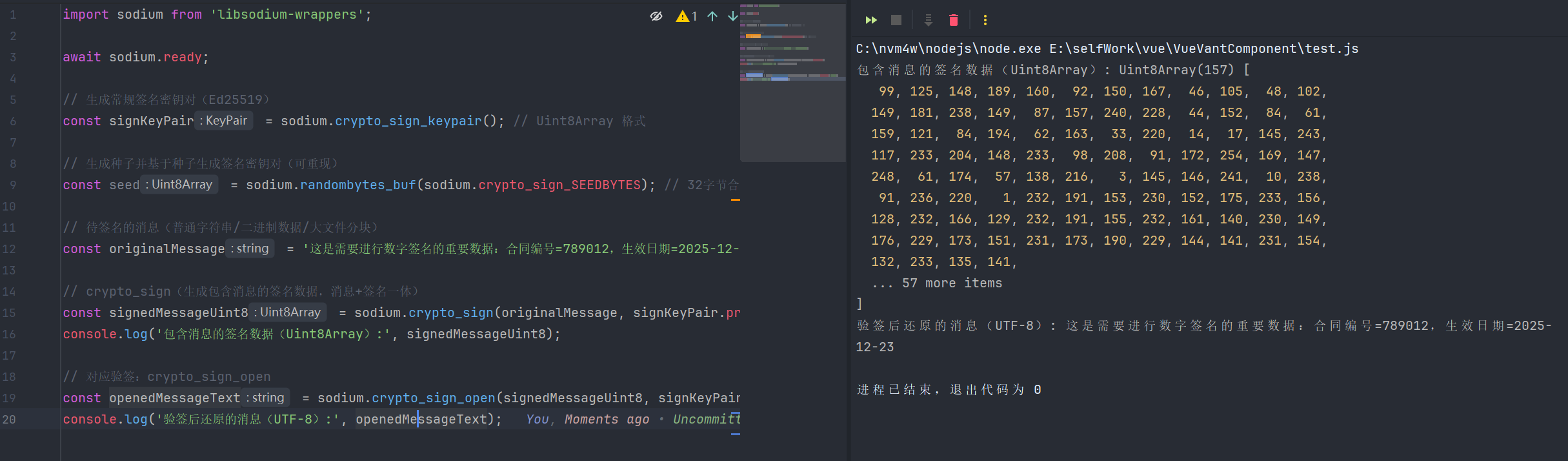
2.分离式签名与验签
javascript
import sodium from 'libsodium-wrappers';

await sodium.ready;

// 生成常规签名密钥对(Ed25519)
const signKeyPair = sodium.crypto_sign_keypair(); // Uint8Array 格式

// 待签名的消息(普通字符串/二进制数据/大文件分块)
const originalMessage = '这是需要进行数字签名的重要数据:合同编号=789012,生效日期=2025-12-23';

const detachedSignatureUint8 = sodium.crypto_sign_detached(originalMessage, signKeyPair.privateKey);
const detachedSignatureHex = sodium.crypto_sign_detached(originalMessage, signKeyPair.privateKey, 'hex');
console.log('分离式签名(Hex):', detachedSignatureHex);
// 对应验签:crypto_sign_verify_detached
const verifyDetachedSuccess = sodium.crypto_sign_verify_detached(
    detachedSignatureUint8,
    originalMessage,
    signKeyPair.publicKey
);
console.log('分离式签名验签结果:', verifyDetachedSuccess); // true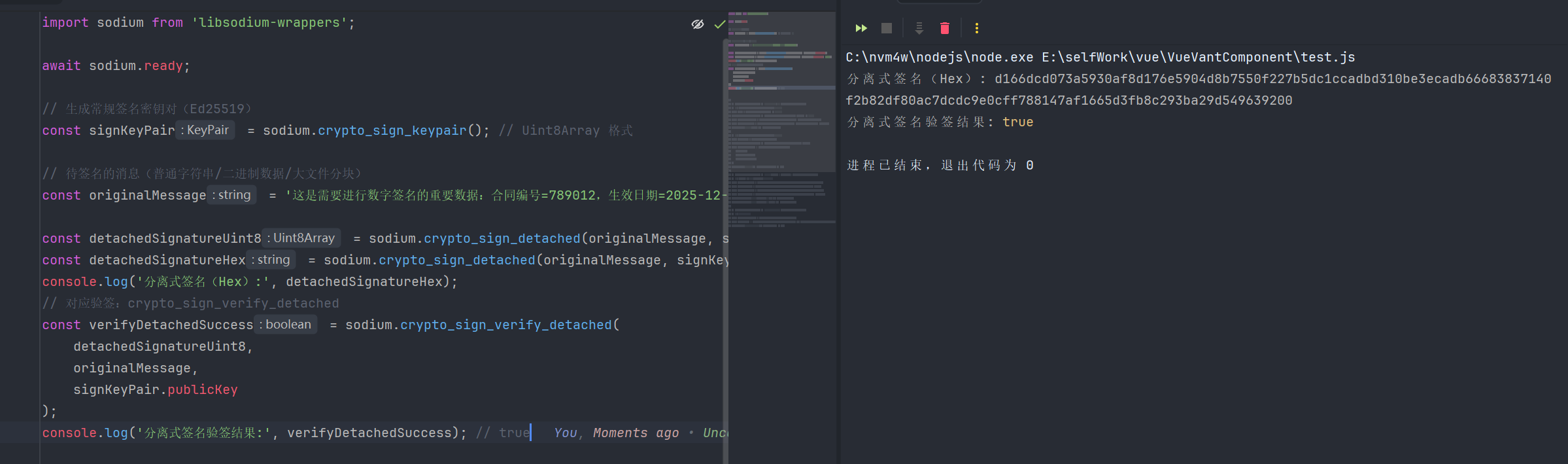
3.分块签名与验签
javascript
import sodium from 'libsodium-wrappers';

await sodium.ready;

// 生成常规签名密钥对(Ed25519)
const signKeyPair = sodium.crypto_sign_keypair(); // Uint8Array 格式

// 待签名的消息(普通字符串/二进制数据/大文件分块)
const messageChunks = [
    new TextEncoder().encode('这是大文件的第1块数据:'),
    new TextEncoder().encode('大文件分块签名演示,适用于超大消息处理')
];


// -------------------------- 2. 分块签名(适用于超大消息/文件) --------------------------
// 案例3:crypto_sign_init/update/final_create(分块签名流程)
const state = sodium.crypto_sign_init(); // 初始化签名状态
messageChunks.forEach((chunk) => sodium.crypto_sign_update(state, chunk)); // 更新分块数据
const chunkSignatureUint8 = sodium.crypto_sign_final_create(state, signKeyPair.privateKey);
const chunkSignatureB64 = sodium.crypto_sign_final_create(state, signKeyPair.privateKey, 'base64');
console.log('分块签名结果(Base64):', chunkSignatureB64);

// 案例4:crypto_sign_init/update/final_verify(分块验签流程)
const verifyState = sodium.crypto_sign_init();
messageChunks.forEach((chunk) => sodium.crypto_sign_update(verifyState, chunk));
const verifyChunkSuccess = sodium.crypto_sign_final_verify(
    verifyState,
    chunkSignatureUint8,
    signKeyPair.publicKey
);
console.log('分块签名验签结果:', verifyChunkSuccess); // true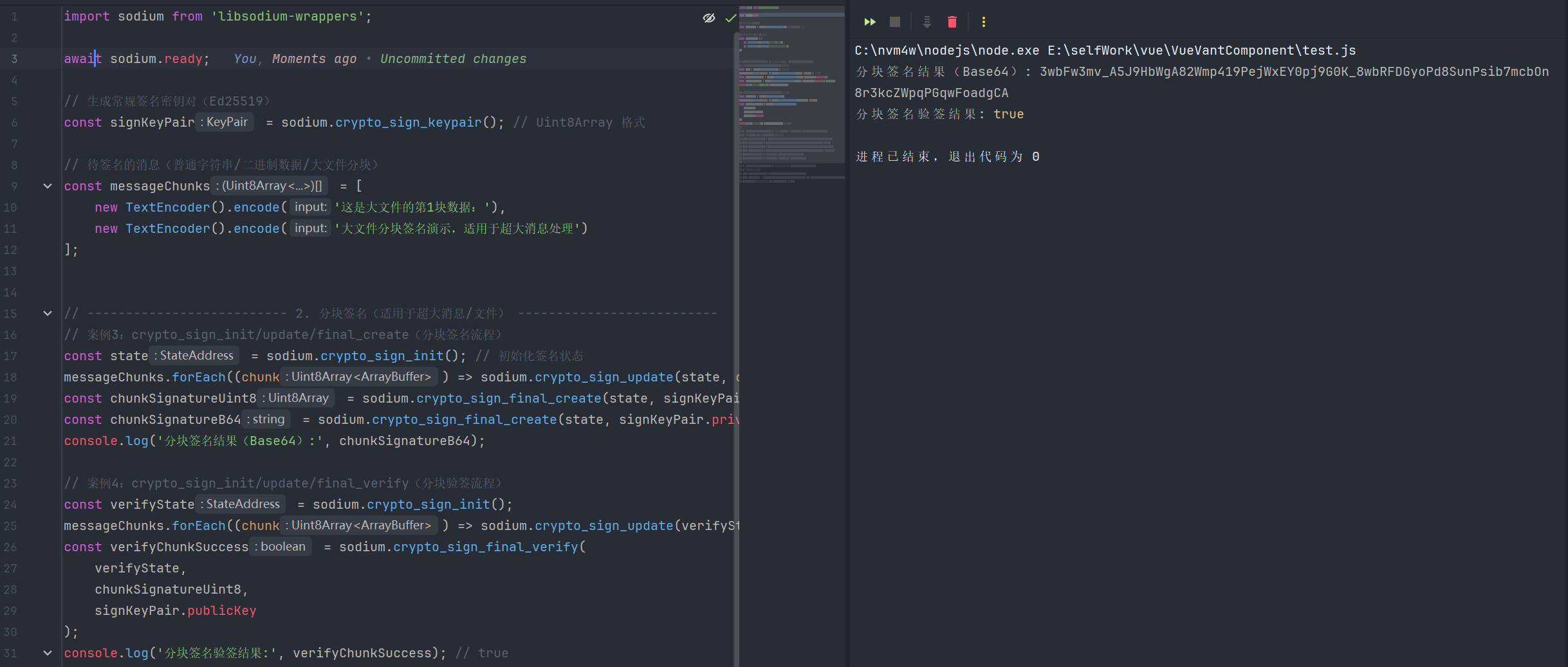
4.相关函数
| 函数名 | 函数说明 | 参数 | 返回值 |
|---|---|---|---|
| crypto_sign | 生成包含原始消息的一体化签名数据,将消息与Ed25519数字签名合并为一个数据块,验签时可还原原始消息,适用于无需分离消息和签名的场景 | 1.message: 待签名消息(字符串 / Uint8Array,普通文本或二进制数据) 2.privateKey: 签名私钥(Uint8Array,Ed25519算法合规私钥,由crypto_sign_keypair生成) 3.outputFormat?: 可选输出格式(uint8array、text、hex、base64) | 返回outputFormat对应格式 |
| crypto_sign_detached | 生成分离式数字签名,消息与签名相互独立,仅返回签名结果,不包含原始消息,适用于需要单独输/存储消息和签名的场景 | 1.message: 待签名消息(字符串 / Uint8Array) 2.privateKey: 签名私钥(Uint8Array,Ed25519合规私钥) 3.outputFormat?: 可选输出格式(uint8array、text、hex、base64) | 返回outputFormat对应格式 |
| crypto_sign_ed25519_pk_to_curve25519 | 将Ed25519签名算法的公钥转换为Curve25519密钥交换算法的公钥,实现签名公钥与密钥交换公钥的互通,无需额外生成密钥对 | 1.edPk: Ed25519公钥(Uint8Array,合规签名公钥) 2.outputFormat?: 可选输出格式(uint8array、text、hex、base64) | 返回outputFormat对应格式 |
| crypto_sign_ed25519_sk_to_curve25519 | 将Ed25519签名算法的私钥转换为Curve25519密钥交换算法的私钥,实现签名私钥与密钥交换私钥的互通,提升密钥复用性 | 1.edSk: Ed25519私钥(Uint8Array,合规签名私钥) 2.outputFormat?: 可选输出格式(uint8array、text、hex、base64) | 返回outputFormat对应格式 |
| crypto_sign_final_create | 完成分块签名流程,基于已初始化并更新数据的签名状态,生成最终的数字签名,适用于超大消息/文件的分块签名场景 | 1.state_address: 签名状态地址(StateAddress,由crypto_sign_init初始化生成) 2.privateKey: 签名私钥(Uint8Array,Ed25519合规私钥) 3.outputFormat?: 可选输出格式(uint8array、text、hex、base64) | 返回outputFormat对应格式 |
| crypto_sign_final_verify | 完成分块验签流程,基于已初始化并更新数据的验签状态,验证签名的有效性,适用于超大消息/文件的分块验签场景 | 1.state_address: 验签状态地址(StateAddress,由crypto_sign_init初始化生成) 2.signature: 待验证的签名(Uint8Array,分块签名生成的合规签名) 3.publicKey: 验证公钥(Uint8Array,Ed25519合规公钥,与签名私钥配对) | 返回布尔值(boolean): 1.true: 验签通过,签名有效且消息未被篡改 2.false: 验签失败,签名无效或消息已被篡改 |
| crypto_sign_init | 初始化数字签名/验签的状态对象,为分块签名/验签做准备,后续需通过crypto_sign_update更新数据 | 无参数 | 返回签名/验签状态的StateAddress:用于存储分块签名/验签的中间状态,供后续update/final_create/final_verify使用 |
| crypto_sign_keypair | 生成Ed25519数字签名专用的常规密钥对(公钥+私钥),密钥对随机生成,不可重现,适用于普通签名场景 | 1.outputFormat?: 可选输出格式(uint8array、text、hex、base64) | 返回outputFormat对应格式 |
| crypto_sign_open | 验证crypto_sign生成的一体化签名数据,验签通过后还原原始消息,验签失败则抛出异常,适用于一体化签名的验证场景 | 1.signedMessage: 一体化签名数据(字符串 / Uint8Array,由crypto_sign生成) 2.publicKey: 验证公钥(Uint8Array,Ed25519合规公钥,与签名私钥配对) 3.outputFormat?: 可选输出格式(uint8array、text、hex、base64) | 返回outputFormat对应格式 |
| crypto_sign_seed_keypair | 基于固定种子生成Ed25519数字签名专用密钥对,种子相同则生成的密钥对完全一致,支持密钥对可重现,适用于备份、身份绑定场景 | 1.seed: 种子数据(Uint8Array,长度为crypto_sign_SEEDBYTES=32字节,合规种子由sodium.randombytes_buf生成) 2.outputFormat?: 可选输出格式(uint8array、text、hex、base64) | 返回outputFormat对应格式 |
| crypto_sign_update | 更新分块签名/验签的状态对象,将消息分块数据写入状态中,适用于超大消息/文件的分段处理,可多次调用 | 1.state_address: 签名/验签状态地址(StateAddress,由crypto_sign_init生成) 2.message_chunk: 消息分块数据(字符串 / Uint8Array,单个模块或分段内容) | 无返回值(void):仅更新状态对象中的中间数据,不返回任何结果 |
| crypto_sign_verify_detached | 验证crypto_sign_detached生成的分离式签名,独立校验消息与签名的一致性,验签结果通过布尔值返回,适用于分离式签名的验证场景 | 1.signature: 待验证的分离式签名(Uint8Array,字符串格式需先还原为Uint8Array) 2.message: 待验证的原始消息(字符串 / Uint8Array,需与签名时的消息一致) 3.publicKey: 验证公钥(Uint8Array,Ed25519合规公钥,与签名私钥配对) | 返回布尔值(boolean): 1.true: 验签通过,签名有效且消息未被篡改 2.false: 验签失败,签名无效或消息已被篡改 |
5.签名常量
| 常量名 | 含义说明 |
|---|---|
| crypto_sign_BYTES | crypto_sign系列函数生成的Ed25519数字签名的固定长度(单位:字节) |
| crypto_sign_MESSAGEBYTES_MAX | crypto_sign算法支持签名的单个消息最大长度(单位:字节) |
| crypto_sign_PUBLICKEYBYTES | crypto_sign系列函数使用的Ed25519签名公钥的固定长度(单位:字节) |
| crypto_sign_SECRETKEYBYTES | crypto_sign系列函数使用的Ed25519签名私钥(秘密密钥)的固定长度(单位:字节) |
| crypto_sign_SEEDBYTES | crypto_sign_seed_keypair函数生成可重现签名密钥对所需种子的固定长度(单位:字节) |
十一、crypto_secretbox对称加密(轻量型对称密钥加密)
1.crypto_secretbox简易加密
javascript
import sodium from 'libsodium-wrappers';

await sodium.ready;

// 生成 crypto_secretbox 专用密钥
const secretKey = sodium.crypto_secretbox_keygen(); // Uint8Array 格式

// 生成合规 Nonce(固定长度,需唯一且不可重复使用)
const nonce = sodium.randombytes_buf(sodium.crypto_secretbox_NONCEBYTES); // 24字节 Nonce

// 待加密的消息(普通文本/二进制数据)
const originalMessage = '这是需要对称加密的敏感数据:业务机密、用户隐私信息、内部配置参数';

console.log('===== 简易加密(默认 Uint8Array 格式密文)=====');
// 简易加密,默认返回 Uint8Array 格式密文(密文+MAC 合并)
const ciphertextEasyUint8 = sodium.crypto_secretbox_easy(
    originalMessage,
    nonce,
    secretKey
);
console.log('crypto_secretbox_easy 加密结果(Uint8Array):', ciphertextEasyUint8);

const decryptedEasyUint8 = sodium.crypto_secretbox_open_easy(
    ciphertextEasyUint8,
    nonce,
    secretKey
);
console.log('crypto_secretbox_open_easy 解密结果(Uint8Array):', decryptedEasyUint8);
console.log('解密后还原的文本消息:', new TextDecoder('utf-8').decode(decryptedEasyUint8));

console.log('===== 简易加密(默认 Uint8Array 格式密文)=====');
// 简易加密,指定输出为 Base64 字符串格式密文
const ciphertextEasyB64 = sodium.crypto_secretbox_easy(
    originalMessage,
    nonce,
    secretKey,
    'base64'
);
console.log('crypto_secretbox_easy 加密结果(Base64 字符串):', ciphertextEasyB64);

const decryptedEasyUint81 = sodium.crypto_secretbox_open_easy(
    ciphertextEasyUint8,
    nonce,
    secretKey
);
console.log('crypto_secretbox_open_easy 解密结果(Uint8Array):', decryptedEasyUint81);
console.log('解密后还原的文本消息:', new TextDecoder('utf-8').decode(decryptedEasyUint8));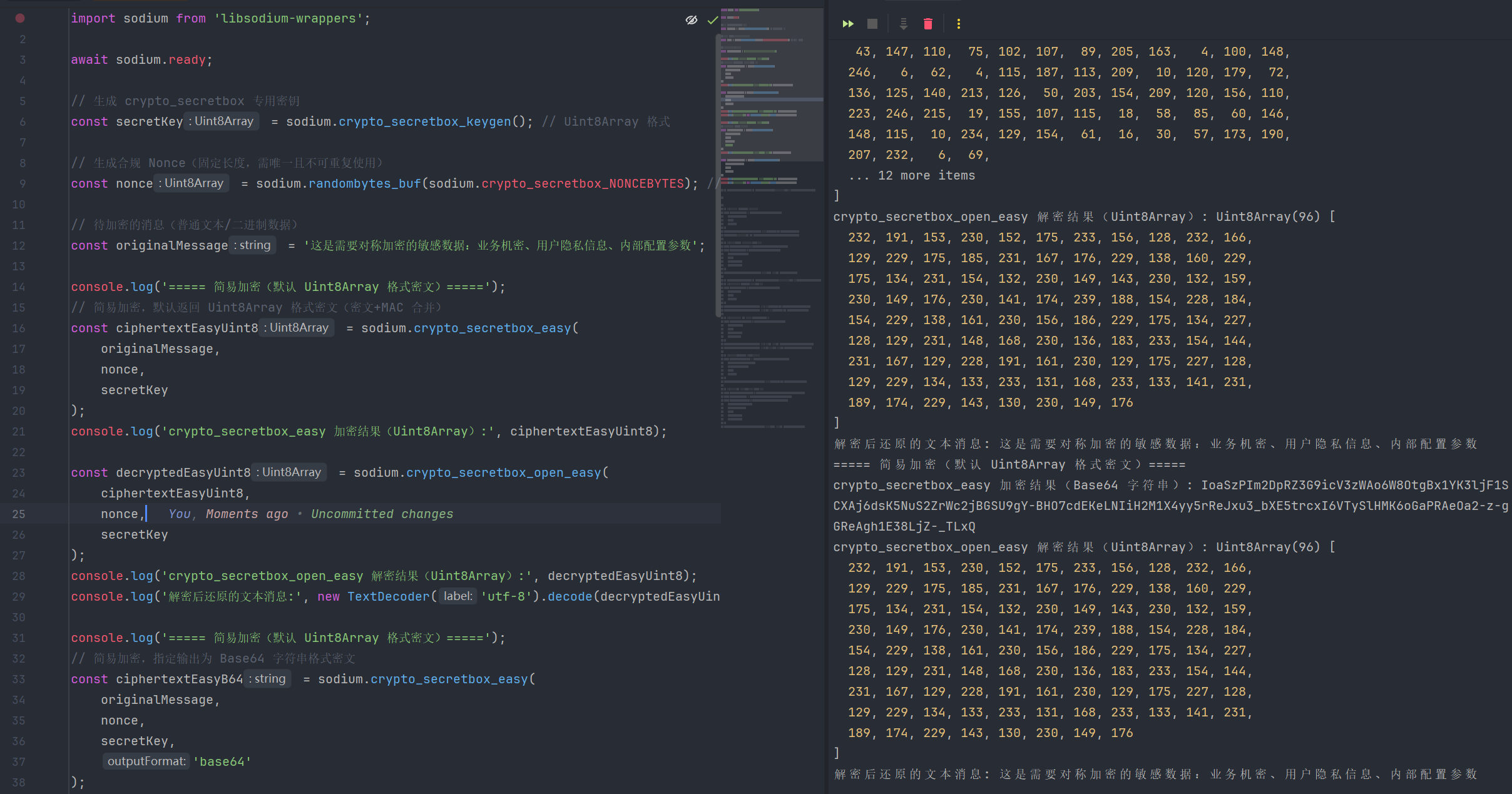
2.crypto_secretbox分离式加密
javascript
import sodium from 'libsodium-wrappers';

await sodium.ready;

// 生成 crypto_secretbox 专用密钥
const secretKey = sodium.crypto_secretbox_keygen(); // Uint8Array 格式

// 生成合规 Nonce(固定长度,需唯一且不可重复使用)
const nonce = sodium.randombytes_buf(sodium.crypto_secretbox_NONCEBYTES); // 24字节 Nonce

// 待加密的消息(普通文本/二进制数据)
const originalMessage = '这是需要对称加密的敏感数据:业务机密、用户隐私信息、内部配置参数';

console.log('===========crypto_secretbox_detached 分离式加密(Uint8Array)===========');
// 分离式加密,默认返回 SecretBox 对象(密文+MAC 分离)
const secretBoxDetached = sodium.crypto_secretbox_detached(
    originalMessage,
    nonce,
    secretKey
);
console.log('crypto_secretbox_detached 加密 - 密文(Uint8Array):', secretBoxDetached.cipher);
console.log('crypto_secretbox_detached 加密 - MAC 认证码(Uint8Array):', secretBoxDetached.mac);

// 分离式解密(Uint8Array 密文+MAC,获取原始消息)
const decryptedDetachedUint8 = sodium.crypto_secretbox_open_detached(
    secretBoxDetached.cipher,
    secretBoxDetached.mac,
    nonce,
    secretKey,
    'text'
);
console.log('crypto_secretbox_open_detached 解密结果(Uint8Array):', decryptedDetachedUint8);

console.log('===========crypto_secretbox_detached 分离式加密(hex)===========');
const stringSecretBoxDetached = sodium.crypto_secretbox_detached(
    originalMessage,
    nonce,
    secretKey,
    'hex'
);
console.log('crypto_secretbox_detached 加密 - 密文(Hex 字符串):', stringSecretBoxDetached.cipher);
console.log('crypto_secretbox_detached 加密 - MAC 认证码(Hex 字符串):', stringSecretBoxDetached.mac);

// 分离式解密(Hex 字符串密文+MAC,直接返回 UTF-8 字符串)
const ciphertextDetachedFromHex = sodium.from_hex(stringSecretBoxDetached.cipher);
const macDetachedFromHex = sodium.from_hex(stringSecretBoxDetached.mac);
const decryptedDetachedText = sodium.crypto_secretbox_open_detached(
    ciphertextDetachedFromHex,
    macDetachedFromHex,
    nonce,
    secretKey,
    'text'
);
console.log('crypto_secretbox_open_detached 解密结果(UTF-8 字符串):', decryptedDetachedText);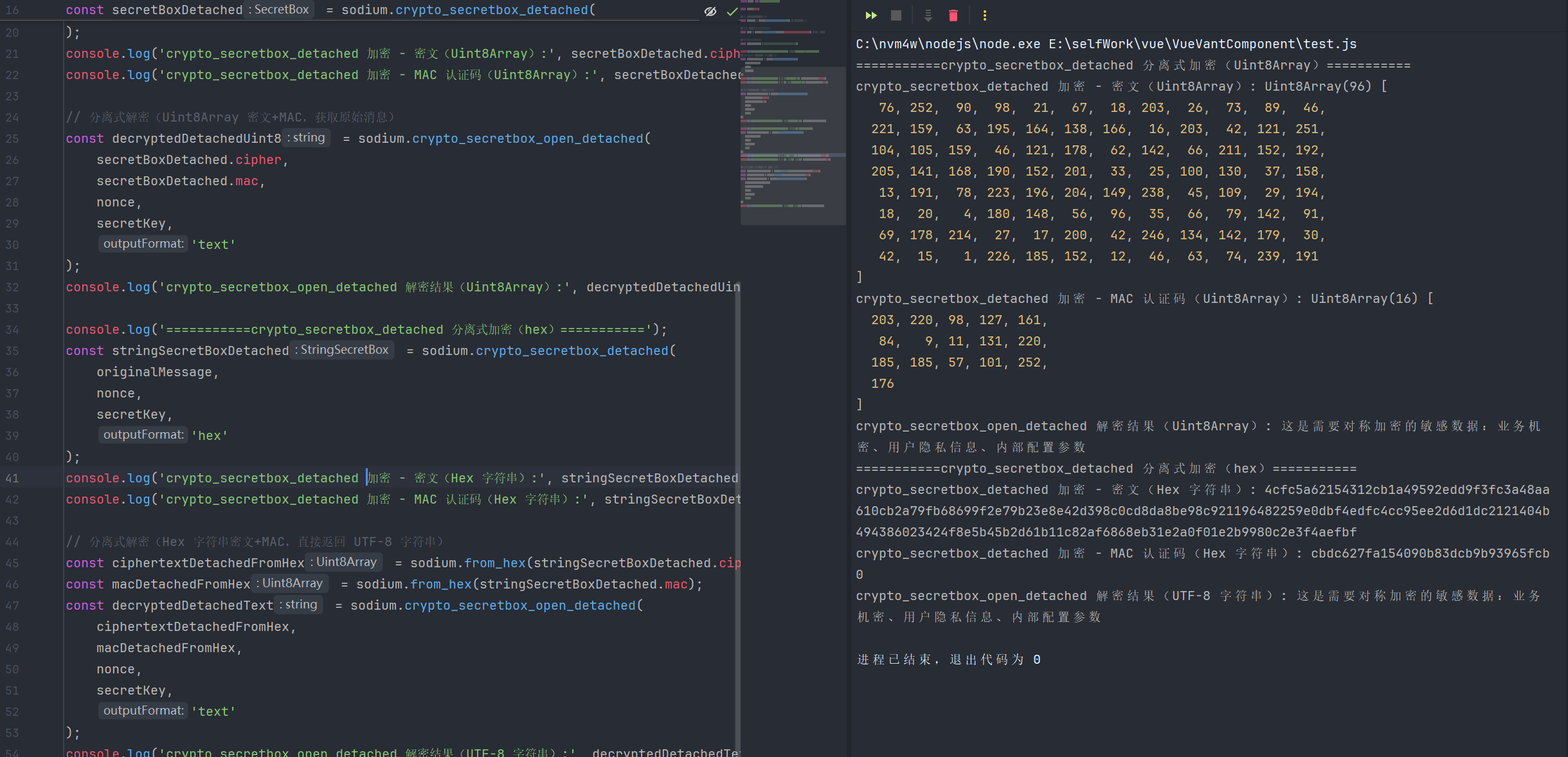
3.相关函数
| 函数名 | 函数说明 | 参数 | 返回值 |
|---|---|---|---|
| crypto_secretbox_detached | 分离式对称加密函数,基于XSalsa20-Poly1305算法,将密文与MAC认证码独立返回,便于单独存储、前置MAC校验,灵活性更高,适用于高安全场景 | 1.message: 待加密明文(字符串 / Uint8Array,普通文本或二进制数据) 2.nonce: 随机数(Uint8Array,长度为crypto_secretbox_NONCEBYTES=24字节,需唯一不可重复使用) 3.key: 对称加密密钥(Uint8Array,由crypto_secretbox_keygen生成的合规32字节密钥) 4.outputFormat?: 可选输出格式(uint8array、text、hex、base64) | 返回包含密文和mac的对象 |
| sodium.crypto_secretbox_open_detached | 分离式对称解密函数,基于XSalsa20-Poly1305算法,将密文与MAC认证码独立返回,便于单独存储、前置MAC校验,灵活性更高,适用于高安全场景 | 1.ciphertext: 加密密文(字符串 / Uint8Array,普通文本或二进制数据) 2.mac: MAC认证码 3.nonce: 随机数(Uint8Array,长度为crypto_secretbox_NONCEBYTES=24字节,需唯一不可重复使用) 4.key: 对称加密密钥(Uint8Array,由crypto_secretbox_keygen生成的合规32字节密钥) 5.outputFormat?: 可选输出格式(uint8array、text、hex、base64) | 返回outputFormat对应格式 |
| crypto_secretbox_easy | 简易对称加密函数,基于XSalsa20-Poly1305算法,将密文与MAC认证码合并为一个数据块,操作简洁,无需单独管理MAC,适合普通对称加密场景 | 1.message: 待加密明文(字符串 / Uint8Array) 2.nonce: 随机数(Uint8Array,24字节合规Nonce,需唯一不可重复) 3.key: 对称加密密钥(Uint8Array,32字节合规密钥) 4.outputFormat?: 可选输出格式(uint8array、text、hex、base64) | 返回outputFormat对应格式 |
| crypto_secretbox_open_easy | 简易对称解密函数,基于XSalsa20-Poly1305算法,将密文与MAC认证码合并为一个数据块,操作简洁,无需单独管理MAC,适合普通对称加密场景 | 1.ciphertext: 加密密文(字符串 / Uint8Array,普通文本或二进制数据) 2.nonce: 随机数(Uint8Array,24字节合规Nonce,需唯一不可重复) 3.key: 对称加密密钥(Uint8Array,32字节合规密钥) 4.outputFormat?: 可选输出格式(uint8array、text、hex、base64) | 返回outputFormat对应格式 |
| crypto_secretbox_keygen | 生成crypto_secretbox对称加密专用密钥,基于安全随机数生成,长度符合XSalsa20-Poly1305算法要求,无需手动生成,保障加密安全性 | 1.outputFormat?: 可选输出格式(uint8array、text、hex、base64) | 返回outputFormat对应格式 |
4.算法常量
| 常量名 | 含义说明 |
|---|---|
| crypto_secretbox_KEYBYTES | crypto_secretbox对称加密算法专用密钥的固定长度(单位:字节) |
| crypto_secretbox_MACBYTES | crypto_secretbox算法生成的MAC(消息认证码)的固定长度(单位:字节) |
| crypto_secretbox_MESSAGEBYTES_MAX | crypto_secretbox算法支持加密的单个消息最大长度(单位:字节) |
| crypto_secretbox_NONCEBYTES | crypto_secretbox算法使用的Nonce(随机数)的固定长度(单位:字节) |
十二、crypto_secretstream_xchacha20poly1305流式加密
1.crypto_secretstream_xchacha20poly1305流式加密
javascript
import sodium from 'libsodium-wrappers';

await sodium.ready;

// 生成流加密专用密钥
const streamKey = sodium.crypto_secretstream_xchacha20poly1305_keygen(); // Uint8Array 格式

// 待加密的消息分块(模拟大文件/流式数据)
const messageChunks = [
    '这是流式加密的第1块数据:用户基本信息',
    '这是流式加密的第2块数据:业务交易记录',
    '这是流式加密的第3块数据:敏感配置参数(结束块)'
];
const associatedData = 'stream_enc_20251223'; // 附加认证数据(可选,增强安全性)

console.log('==========  1. 流式加密(推送端:init_push → push → 结束) ========== ');
// 初始化推送端状态(获取状态对象和头部信息)
const pushStateObj = sodium.crypto_secretstream_xchacha20poly1305_init_push(streamKey);
const { state: pushState, header } = pushStateObj;
console.log('推送端状态对象:', pushState);
console.log('流加密头部信息(Hex):', sodium.to_hex(header));


const encryptedChunks = [];
// 加密前2块(普通数据块,标签为 TAG_MESSAGE)
for (let i = 0; i < messageChunks.length - 1; i++) {
    const encryptedChunk = sodium.crypto_secretstream_xchacha20poly1305_push(
        pushState,
        messageChunks[i],
        associatedData,
        sodium.crypto_secretstream_xchacha20poly1305_TAG_MESSAGE
    );
    encryptedChunks.push(encryptedChunk);
    console.log(`第${i + 1}块加密结果(Uint8Array长度):`, encryptedChunk.length);
}
// 加密最后1块(结束块,标签为 TAG_FINAL,标识流结束)
const finalEncryptedChunk = sodium.crypto_secretstream_xchacha20poly1305_push(
    pushState,
    messageChunks[messageChunks.length - 1],
    associatedData,
    sodium.crypto_secretstream_xchacha20poly1305_TAG_FINAL,
    'hex'
);
encryptedChunks.push(finalEncryptedChunk);
console.log('结束块加密结果(Hex 字符串):', finalEncryptedChunk);


console.log('========== 2. 流式解密(拉取端:init_pull → pull → 验证结束) ========== ');
// 初始化拉取端状态(传入头部信息和密钥,与推送端对应)
const pullState = sodium.crypto_secretstream_xchacha20poly1305_init_pull(header, streamKey);
console.log('拉取端状态对象:', pullState);

const decryptedChunks = [];
// 解密前2块普通数据
for (let i = 0; i < encryptedChunks.length - 1; i++) {
    const decryptedResult = sodium.crypto_secretstream_xchacha20poly1305_pull(
        pullState,
        encryptedChunks[i],
        associatedData
    );
    decryptedChunks.push(decryptedResult.message);
    console.log(`第${i + 1}块解密结果(文本):`, new TextDecoder().decode(decryptedResult.message));
    console.log(`第${i + 1}块标签类型:`, decryptedResult.tag); // TAG_MESSAGE
}
// 解密结束块(验证结束标签)
const finalDecryptedResult = sodium.crypto_secretstream_xchacha20poly1305_pull(
    pullState,
    sodium.from_hex(encryptedChunks[encryptedChunks.length - 1]),
    associatedData,
    'text'
);
decryptedChunks.push(finalDecryptedResult.message);
console.log('结束块解密结果(文本):', finalDecryptedResult.message);
console.log('结束块标签类型:', finalDecryptedResult.tag); // TAG_FINAL

// 案例7:拉取端密钥更新(与推送端同步,可选操作)
const pullRekeyResult = sodium.crypto_secretstream_xchacha20poly1305_rekey(pullState);
console.log('拉取端密钥更新结果:', pullRekeyResult); // true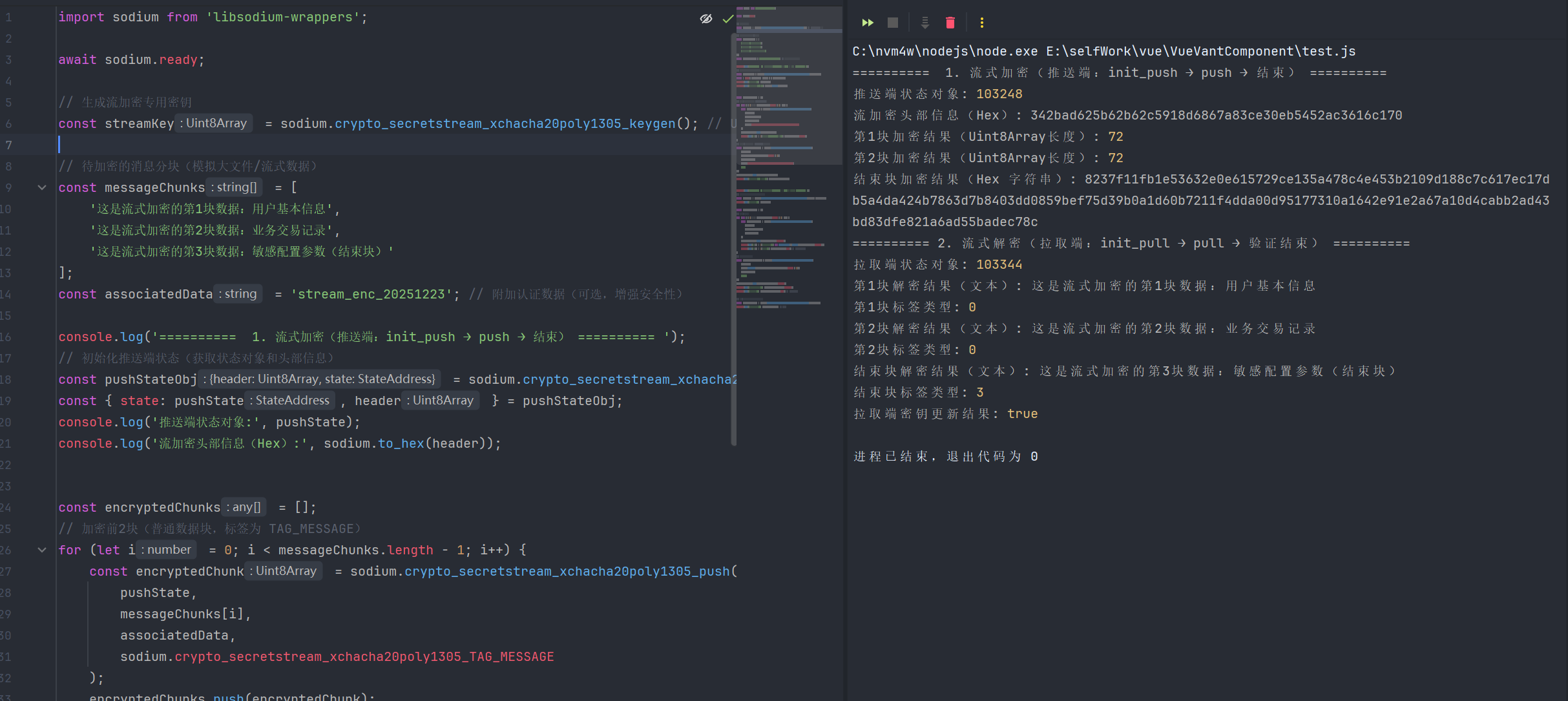
2.相关函数
| 函数名 | 函数说明 | 参数 | 返回值 |
|---|---|---|---|
| crypto_secretstream_xchacha20poly1305_init_pull | 初始化流式解密(拉取端)状态,通过推送端生成的头部信息和共享密钥,建立与推送端对应的解密上下文,为后续分块解密做准备 | 1.header: 流头部信息(Uint8Array,由推送端init_push生成,用于同步加密上下文) 2.key: 流加密共享密钥(Uint8Array,由keygen生成,需与推送端密钥一致) | 返回拉取端状态地址(StateAddress):存储解密上下文状态,供后续pull和rekey操作使用 |
| crypto_secretstream_xchacha20poly1305_init_push | 初始化流式加密(推送端)状态,生成加密上下文状态和头部信息,头部信息需传递给拉取端用于解密同步,是流式加密的入口函数 | 1.key: 流加密专用密钥(Uint8Array,keygen生成的合规密钥) 2.outputFormat?: 可选输出格式(uint8array、text、hex、base64) | 返回包含StateAddress和header的对象 |
| crypto_secretstream_xchacha20poly1305_keygen | 生成crypto_secretstream_xchacha20poly1305流式加密专用密钥,基于安全随机数生成,长度符合XChaCha20-Poly1305算法要求,保障流式加密的安全性 | 1.outputFormat?: 可选输出格式(uint8array、text、hex、base64) | 返回outputFormat对应格式 |
| crypto_secretstream_xchacha20poly1305_pull | 拉取端分块解密函数,基于已初始化的解密状态,对加密分块数据进行解密和完整性验证,同时返回解密后的消息和标签类型,标识数据块属性 | 1.state_address: 拉取端状态地址(StateAddress,由init_pull生成) 2.cipher: 加密分块数据(字符串 / Uint8Array,由推送端push生成) 3.ad: 附加认证数据(string/Uint8Array/null,可选,需与推送端一致,增强安全性) 4.outputFormat?: 可选输出格式(uint8array、text、hex、base64) | 返回包含message和tag的对象 |
| crypto_secretstream_xchacha20poly1305_push | 推送端分块加密函数,基于已初始化的加密状态,对消息分块进行加密,支持附加认证数据和数据块标签,标识数据块是否为结束块,是流式加密的核心操作 | 1.state_address: 推送端状态地址(StateAddress,由init_push生成) 2.message_chunk: 消息分块数据(string/Uint8Array,单个流式数据块) 3.ad: 附加认证数据(string/Uint8Array/null,可选,与拉取端一致用于完整性验证) 4.tag: 数据块标签(number,官方预设常量,标识块类型:普通块/结束块等) 5.outputFormat?: 可选输出格式(uint8array、text、hex、base64) | 返回outputFormat对应格式 |
| crypto_secretstream_xchacha20poly1305_rekey | 更新流式加密/解密的会话密钥,无需重新初始化状态即可生成新的密钥上下文,增强流式传输的安全性,防止密钥长期使用导致泄露风险 | 1.state_address: 推送端/拉取端状态地址(StateAddress,由init_push/init_pull生成,支持两端分别或同步更新) | 返回布尔值true:表示密钥更新成功,无失败场景(状态合法时必返回true) |
3.算法常量
| 常量名 | 含义说明 |
|---|---|
| crypto_secretstream_xchacha20poly1305_ABYTES | 流式加密中每个数据块附加的认证数据长度(单位:字节) |
| crypto_secretstream_xchacha20poly1305_HEADERBYTES | 流式加密的头部信息固定长度(单位:字节) |
| crypto_secretstream_xchacha20poly1305_KEYBYTES | 流式加密专用密钥的固定长度(单位:字节) |
| crypto_secretstream_xchacha20poly1305_MESSAGEBYTES_MAX | 流式加密单个数据块支持的最大明文长度(单位:字节) |
| crypto_secretstream_xchacha20poly1305_TAG_FINAL | 流式加密的结束块标签标识,用于标记流传输的最后一个数据块 |
| crypto_secretstream_xchacha20poly1305_TAG_MESSAGE | 流式加密的普通数据块标签标识,用于标记常规的业务数据块 |
| crypto_secretstream_xchacha20poly1305_TAG_PUSH | 流式加密的推送块标签标识,用于兼容早期版本或特殊推送场景 |
| crypto_secretstream_xchacha20poly1305_TAG_REKEY | 流式加密的密钥更新标签标识,用于标记密钥更新后的首个数据块 |
十三、crypto_shorthash短哈希(低碰撞率的快速哈希计算)
1.crypto_secretbox简易加密
javascript
import sodium from 'libsodium-wrappers';

await sodium.ready;

// -------------------------- 通用准备:待哈希消息 --------------------------
// 1. 待计算短哈希的消息(普通文本/二进制数据,支持短消息/长消息)
const textMessage = '这是需要计算短哈希的小型数据:用户ID、订单编号、配置项';
const binaryMessage = new TextEncoder('utf-8').encode('binary_data_123456');

// -------------------------- 1. crypto_shorthash_keygen(生成短哈希专用密钥)--------------------------
// 案例1:生成默认 Uint8Array 格式密钥(16字节合规密钥)
const shortHashKeyRaw = sodium.crypto_shorthash_keygen();
console.log('短哈希密钥(Uint8Array):', shortHashKeyRaw);
console.log('密钥长度(字节):', shortHashKeyRaw.length); // 输出16

// 案例2:生成 Hex 字符串格式密钥(便于存储/传输)
const shortHashKeyHex = sodium.crypto_shorthash_keygen('hex');
console.log('短哈希密钥(Hex 字符串):', shortHashKeyHex);

// 案例3:生成 Base64 字符串格式密钥
const shortHashKeyB64 = sodium.crypto_shorthash_keygen('base64');
console.log('短哈希密钥(Base64 字符串):', shortHashKeyB64);

// 还原 Hex 格式密钥为 Uint8Array(用于后续哈希计算)
const shortHashKeyUint8 = sodium.from_hex(shortHashKeyHex);

// -------------------------- 2. crypto_shorthash(计算短哈希值)--------------------------
// 案例1:计算文本消息的 Uint8Array 格式短哈希(8字节哈希值)
const hashRaw = sodium.crypto_shorthash(textMessage, shortHashKeyRaw);
console.log('短哈希值(Uint8Array):', hashRaw);
console.log('哈希值长度(字节):', hashRaw.length); // 输出8

// 案例2:计算二进制消息的 Hex 字符串格式短哈希
const hashHex = sodium.crypto_shorthash(binaryMessage, shortHashKeyUint8, 'hex');
console.log('二进制消息短哈希(Hex 字符串):', hashHex);

// 案例3:计算文本消息的 Base64 字符串格式短哈希
const hashB64 = sodium.crypto_shorthash(textMessage, shortHashKeyRaw, 'base64');
console.log('文本消息短哈希(Base64 字符串):', hashB64);

// 验证相同消息+相同密钥的哈希一致性
const hashHexRepeat = sodium.crypto_shorthash(binaryMessage, shortHashKeyUint8, 'hex');
console.log('相同参数哈希结果是否一致:', hashHex === hashHexRepeat); // 输出true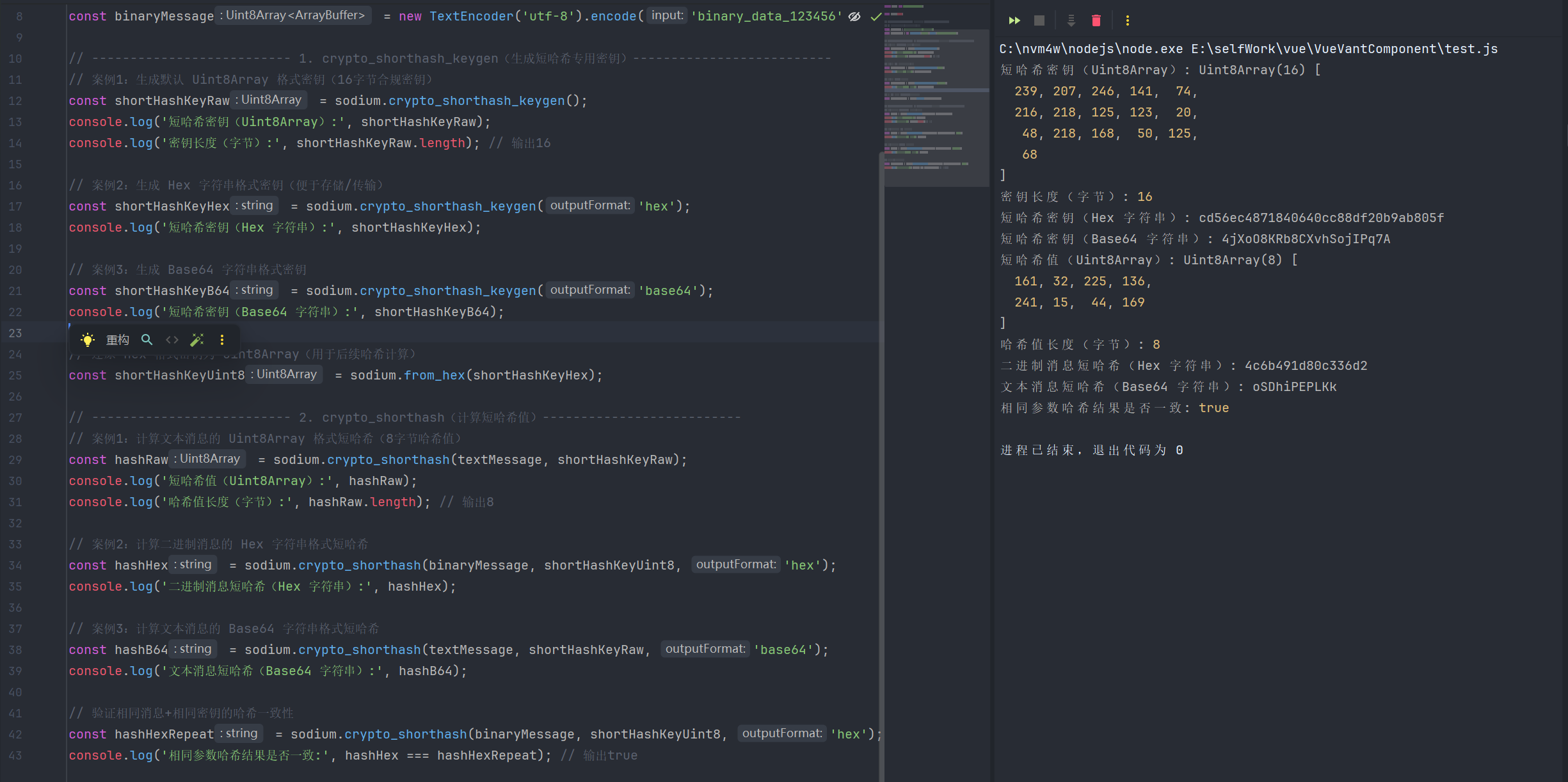
2.相关函数
| 函数名 | 函数说明 | 参数 | 返回值 |
|---|---|---|---|
| crypto_shorthash | 短哈希计算函数,基于SipHash-2-4算法实现,生成固定8字节紧凑哈希值,运算速度快、轻量级,适用于哈希表索引、小型数据完整性校验、短消息唯一标识等场景,不适合密码存储或高强度安全校验 | 1.message: 待计算哈希的消息(字符串 / Uint8Array,支持任意长度文本或二进制数据) 2.key: 短哈希专用密钥(Uint8Array,16字节合规密钥,由crypto_shorthash_keygen生成,不可自定义长度) 3.outputFormat?: 可选输出格式(uint8array、text、hex、base64) | 返回outputFormat对应格式 |
| crypto_shorthash_keygen | 生成crypto_shorthash短哈希专用密钥,基于安全随机数生成,长度固定为16字节,符合SipHash-2-4算法密钥要求,无需手动生成,保障短哈希的抗碰撞性和安全性 | 1.outputFormat?: 可选输出格式(uint8array、text、hex、base64) | 返回outputFormat对应格式 |
3.算法常量
| 常量名 | 补充说明 |
|---|---|
| crypto_shorthash_BYTES | 固定为8字节,是SipHash-2-4算法规定的短哈希长度,生成的哈希值小巧紧凑,适用于不需要长哈希的轻量级校验场景 |
| crypto_shorthash_KEYBYTES | 固定为16字节,由安全随机数生成(通常使用sodium.randombytes_buf),不可自定义长度,保障短哈希的安全性,避免被暴力碰撞破解 |
十四、crypto_kdf密钥派生(从主密钥生成子密钥)
1.crypto_kdf密钥派生
javascript
import sodium from 'libsodium-wrappers';

await sodium.ready;

// -------------------------- 通用准备:生成KDF主密钥与基础参数 --------------------------
// 1. 生成 crypto_kdf 专用主密钥
const masterKey = sodium.crypto_kdf_keygen();
const masterKeyHex = sodium.crypto_kdf_keygen('hex'); // Hex 字符串格式主密钥
console.log('KDF 主密钥(Uint8Array):', masterKey);
console.log('KDF 主密钥(Hex 字符串):', masterKeyHex);

// 2. KDF 派生参数配置(需符合规范要求)
const subkeyLen = sodium.crypto_kdf_BYTES_MIN; // 子密钥最小长度(16字节)
const subkeyId1 = 0; // 子密钥唯一ID(不可重复使用相同ID+ctx生成子密钥)
const subkeyId2 = 1; // 另一个子密钥唯一ID
const ctx = 'user_data_enc'; // 上下文字符串(固定8字节长度,超出会自动截断,不足补0)
console.log('子密钥长度:', subkeyLen);
console.log('上下文标识:', ctx);

// -------------------------- 1. crypto_kdf_keygen(生成KDF主密钥)--------------------------
// 案例1:生成默认 Uint8Array 格式主密钥
const masterKeyRaw = sodium.crypto_kdf_keygen();
console.log('默认主密钥(Uint8Array):', masterKeyRaw);

// 案例2:生成 Base64 字符串格式主密钥(便于存储/传输)
const masterKeyB64 = sodium.crypto_kdf_keygen('base64');
console.log('Base64 格式主密钥:', masterKeyB64);

// -------------------------- 2. crypto_kdf_derive_from_key(从主密钥派生子密钥)--------------------------
// 案例1:派生 Uint8Array 格式子密钥(使用默认主密钥)
const subkey1Uint8 = sodium.crypto_kdf_derive_from_key(
    subkeyLen,
    subkeyId1,
    ctx,
    masterKey
);
console.log('派生子密钥1(Uint8Array):', subkey1Uint8);

// 案例2:派生 Hex 字符串格式子密钥(使用Hex格式主密钥,需先还原为Uint8Array)
const masterKeyFromHex = sodium.from_hex(masterKeyHex);
const subkey2Hex = sodium.crypto_kdf_derive_from_key(
    sodium.crypto_kdf_BYTES_MAX, // 子密钥最大长度(32字节)
    subkeyId2,
    ctx,
    masterKeyFromHex,
    'hex'
);
console.log('派生子密钥2(Hex 字符串):', subkey2Hex);

// 案例3:派生 Base64 格式子密钥(用于对称加密场景)
const subkey3B64 = sodium.crypto_kdf_derive_from_key(
    sodium.crypto_kdf_BYTES_MIN, // 子密钥默认长度(32字节)
    2, // 新的子密钥ID
    'file_encryption', // 新的上下文标识
    masterKey,
    'base64'
);
console.log('派生子密钥3(Base64 字符串):', subkey3B64);

// 案例4:验证相同参数派生的子密钥一致性(相同主密钥+ID+ctx,派生结果相同)
const subkey1RepeatUint8 = sodium.crypto_kdf_derive_from_key(
    subkeyLen,
    subkeyId1,
    ctx,
    masterKey
);
console.log('子密钥1重复派生是否一致:', sodium.to_hex(subkey1Uint8) === sodium.to_hex(subkey1RepeatUint8)); // true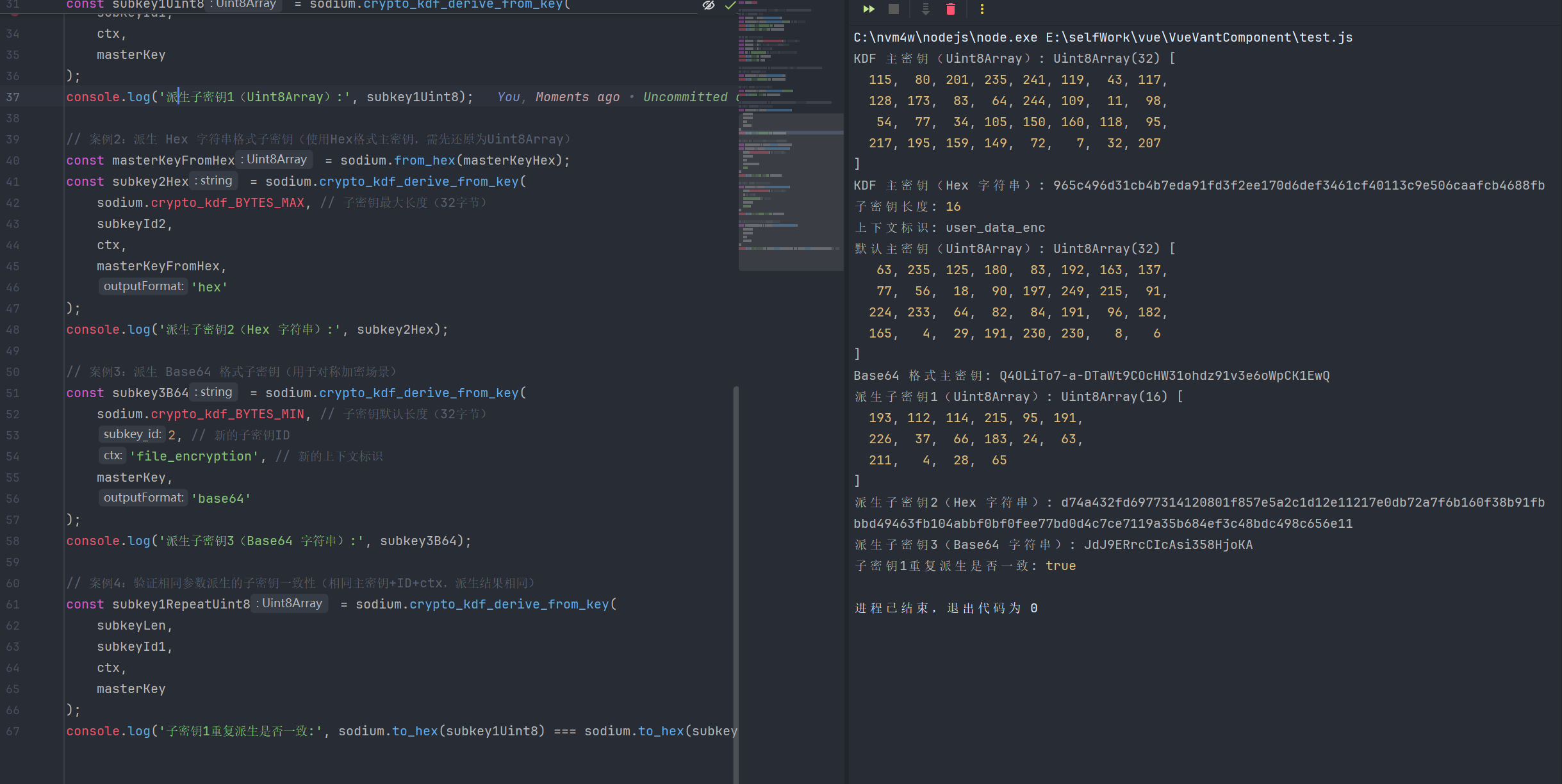
2.相关函数
| 函数名 | 函数说明 | 参数 | 返回值 |
|---|---|---|---|
| crypto_kdf_derive_from_key | 基于KDF主密钥派生子密钥的函数,通过唯一子密钥ID、固定上下文标识和指定长度,从主密钥派生出安全独立的子密钥,不同ID/ctx对应不同子密钥,相同参数派生结果一致,适用于多场景密钥管理 | 1.subkey_len: 派生子密钥的长度(number,需介于crypto_kdf_BYTES_MIN和crypto_kdf_BYTES_MAX之间) 2.subkey_id: 子密钥唯一标识(number,不可重复使用相同ID+ctx组合,避免子密钥冲突) 3.ctx: 上下文字符串(string,固定8字节长度,超出自动截断,不足补0,用于区分不同业务场景) 4.key: KDF主密钥(Uint8Array,crypto_kdf_keygen生成的合规主密钥) 5.outputFormat?: 可选输出格(uint8array、text、hex、base64) | 返回outputFormat对应格式 |
| crypto_kdf_keygen | 生成crypto_kdf算法专用的主密钥,该主密钥是后续派生所有子密钥的基础,长度符合KDF算法安全要求,无需手动生成,保障派生子密钥的安全性 | 1.outputFormat?: 可选输出格(uint8array、text、hex、base64) | 返回outputFormat对应格式 |
3.派生密钥常量
| 常量名 | 含义说明 |
|---|---|
| crypto_kdf_BYTES_MAX | crypto_kdf算法支持派生的子密钥最大长度(单位:字节) |
| crypto_kdf_BYTES_MIN | crypto_kdf算法支持派生的子密钥最小长度(单位:字节) |
| crypto_kdf_CONTEXTBYTES | crypto_kdf算法中上下文字符串(ctx)的固定长度(单位:字节) |
| crypto_kdf_KEYBYTES | crypto_kdf算法专用主密钥的固定长度(单位:字节) |
十五、crypto_kx密钥交换(安全的双向密钥协商)
1.crypto_kx密钥交换
javascript
import sodium from 'libsodium-wrappers';

await sodium.ready;

// 1. 生成客户端与服务端常规密钥对
const clientKeyPair = sodium.crypto_kx_keypair(); // Uint8Array 格式
const serverKeyPair = sodium.crypto_kx_keypair('hex'); // Hex 字符串格式
console.log('客户端公钥(Uint8Array):', clientKeyPair.publicKey);
console.log('客户端私钥(Uint8Array):', clientKeyPair.privateKey);
console.log('服务端公钥(Hex 字符串):', serverKeyPair.publicKey);
console.log('服务端私钥(Hex 字符串):', serverKeyPair.privateKey);

//2. 生成Base64 格式密钥对(便于传输/存储)
const keyPairUrlSafe = sodium.crypto_kx_keypair('base64');
console.log('URL 安全 Base64 密钥对 - 公钥:', keyPairUrlSafe.publicKey);
console.log('URL 安全 Base64 密钥对 - 私钥:', keyPairUrlSafe.privateKey);

// 2. 生成种子并基于种子生成密钥对(可重现)
const seed = sodium.randombytes_buf(sodium.crypto_kx_SEEDBYTES); // 32字节合规种子
const seedKeyPair = sodium.crypto_kx_seed_keypair(seed); // Uint8Array 格式
const seedKeyPairB64 = sodium.crypto_kx_seed_keypair(seed, 'base64'); // Base64 格式
console.log('基于种子生成的公钥(Uint8Array):', seedKeyPair.publicKey);
console.log('基于种子生成的私钥(Base64 字符串):', seedKeyPairB64.privateKey);

// 3. 还原服务端密钥对为 Uint8Array 格式(用于会话密钥协商)
const serverPublicKeyUint8 = sodium.from_hex(serverKeyPair.publicKey);
const serverPrivateKeyUint8 = sodium.from_hex(serverKeyPair.privateKey);


// -------------------------- 3. crypto_kx_client_session_keys(客户端协商会话密钥)--------------------------
// 案例1:客户端协商 Uint8Array 格式会话密钥
const clientSessionKeys = sodium.crypto_kx_client_session_keys(
    clientKeyPair.publicKey,
    clientKeyPair.privateKey,
    serverPublicKeyUint8
);
console.log('客户端会话密钥 - 发送密钥(Uint8Array):', clientSessionKeys.sharedTx);
console.log('客户端会话密钥 - 接收密钥(Uint8Array):', clientSessionKeys.sharedRx);

// 案例2:客户端协商 Base64 格式会话密钥
const clientSessionKeysB64 = sodium.crypto_kx_client_session_keys(
    clientKeyPair.publicKey,
    clientKeyPair.privateKey,
    serverPublicKeyUint8,
    'base64'
);
console.log('客户端会话密钥 - 发送密钥(Base64):', clientSessionKeysB64.sharedTx);
console.log('客户端会话密钥 - 接收密钥(Base64):', clientSessionKeysB64.sharedRx);

// -------------------------- 4. crypto_kx_server_session_keys(服务端协商会话密钥)--------------------------
// 案例1:服务端协商 Uint8Array 格式会话密钥
const serverSessionKeys = sodium.crypto_kx_server_session_keys(
    serverPublicKeyUint8,
    serverPrivateKeyUint8,
    clientKeyPair.publicKey
);
console.log('服务端会话密钥 - 发送密钥(Uint8Array):', serverSessionKeys.sharedTx);
console.log('服务端会话密钥 - 接收密钥(Uint8Array):', serverSessionKeys.sharedRx);

// 案例2:服务端协商 Hex 格式会话密钥
const serverSessionKeysHex = sodium.crypto_kx_server_session_keys(
    serverPublicKeyUint8,
    serverPrivateKeyUint8,
    clientKeyPair.publicKey,
    'hex'
);
console.log('服务端会话密钥 - 发送密钥(Hex):', serverSessionKeysHex.sharedTx);
console.log('服务端会话密钥 - 接收密钥(Hex):', serverSessionKeysHex.sharedRx);

// 验证会话密钥一致性:客户端发送密钥 = 服务端接收密钥,客户端接收密钥 = 服务端发送密钥
const clientTxEqualsServerRx = sodium.to_hex(clientSessionKeys.sharedTx) === sodium.to_hex(serverSessionKeys.sharedRx);
const clientRxEqualsServerTx = sodium.to_hex(clientSessionKeys.sharedRx) === sodium.to_hex(serverSessionKeys.sharedTx);
console.log('客户端发送密钥 === 服务端接收密钥:', clientTxEqualsServerRx); // true
console.log('客户端接收密钥 === 服务端发送密钥:', clientRxEqualsServerTx); // true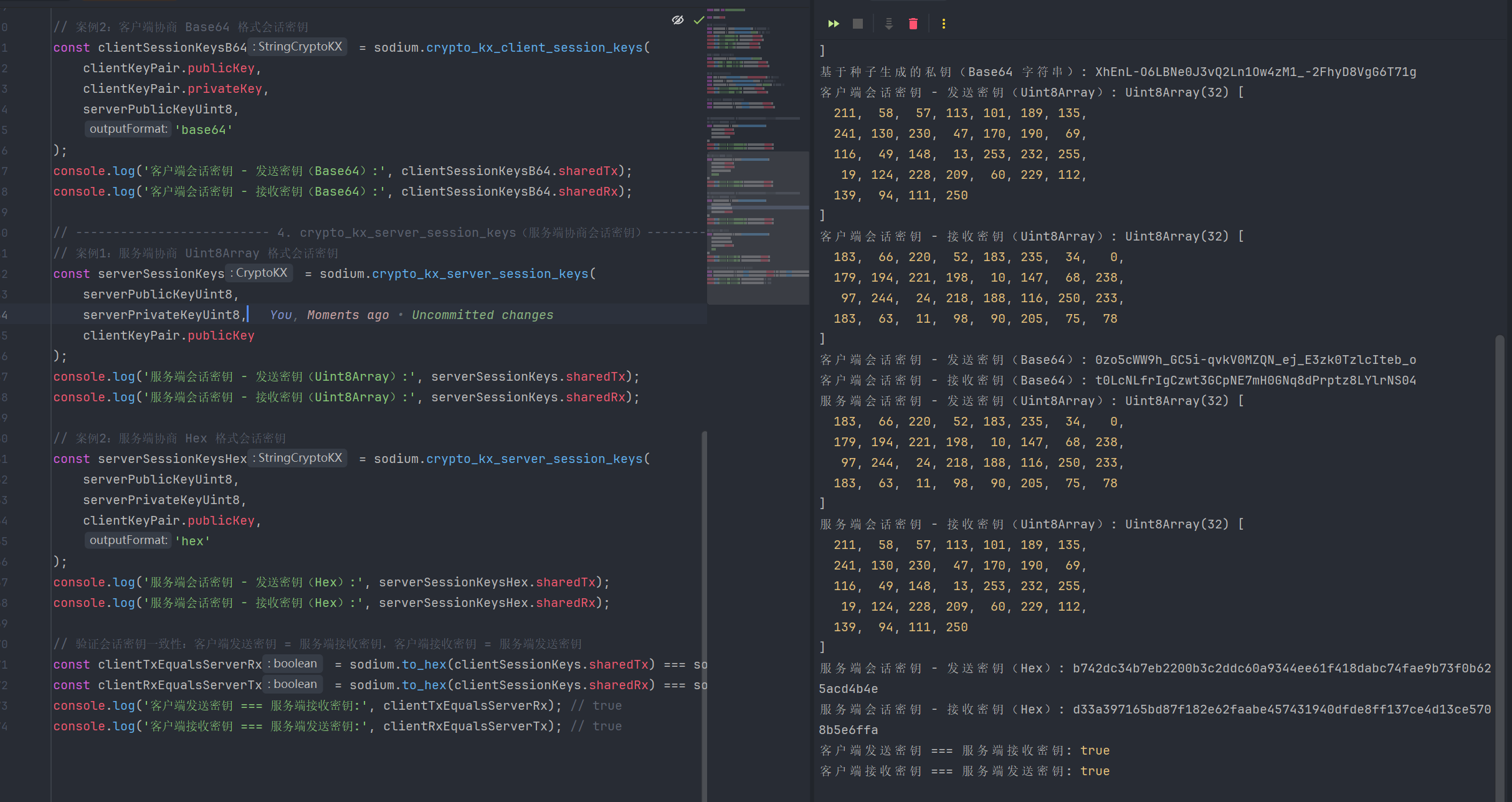
2.相关函数
| 函数名 | 函数说明 | 参数 | 返回值 |
|---|---|---|---|
| crypto_kx_client_session_keys | 客户端侧密钥协商函数,基于客户端公钥/私钥对和服务端公钥,协商生成安全的双向会话密钥(发送+接收),用于后续客户端与服务端的加密通信,底层基于X25519密钥交换算法 | 1.clientPublicKey: 客户端公钥(Uint8Array,由crypto_kx_keypair或crypto_kx_seed_keypair生成) 2.clientSecretKey: 客户端私钥(Uint8Array,需与客户端公钥配对) 3.serverPublicKey: 服务端公钥(Uint8Array,需为合规的crypto_kx公钥) 4.outputFormat?: 可选输出格式(uint8array、text、hex、base64) | 返回包含客户端发送密钥和接收密钥的对象 |
| crypto_kx_keypair | 生成crypto_kx密钥交换专用的常规密钥对(公钥+私钥),基于X25519椭圆曲线算法实现,密钥对随机生成,不可重现,适用于普通密钥协商场景 | 1.outputFormat?: 可选输出格式(uint8array、text、hex、base64) | 返回outputFormat对应格式 |
| crypto_kx_seed_keypair | 基于固定种子生成crypto_kx密钥交换专用的密钥对,种子相同则生成的密钥对完全一致,支持密钥对可重现,适用于备份、身份绑定、批量生成密钥对的场景 | 1.seed: 种子数据(Uint8Array,长度需为crypto_kx_SEEDBYTES=32字节,合规种子由sodium.randombytes_buf生成) 2.outputFormat?: 可选输出格式(uint8array、text、hex、base64) | 返回outputFormat对应格式 |
| crypto_kx_server_session_keys | 服务端侧密钥协商函数,基于服务端公钥/私钥对和客户端公钥,协商生成安全的双向会话密钥(发送+接收),与客户端密钥形成双向对应,用于后续加密通信 | 1.serverPublicKey: 服务端公钥(Uint8Array,由crypto_kx_keypair或crypto_kx_seed_keypair生成) 2.serverSecretKey: 服务端私钥(Uint8Array,需与服务端公钥配对) 3.clientPublicKey: 客户端公钥(Uint8Array,需为合规的crypto_kx公钥) 4.outputFormat?: 可选输出格式(uint8array、text、hex、base64) | 返回包含服务端发送密钥和接收密钥的对象 |
3.密钥交互交换常量
| 常量名 | 含义说明 |
|---|---|
| crypto_kx_PUBLICKEYBYTES | crypto_kx密钥交换算法中公钥的固定长度(单位:字节) |
| crypto_kx_SECRETKEYBYTES | crypto_kx密钥交换算法中私钥(秘密密钥)的固定长度(单位:字节) |
| crypto_kx_SEEDBYTES | crypto_kx_seed_keypair函数中生成可重现密钥对所需种子的固定长度(单位:字节) |
| crypto_kx_SESSIONKEYBYTES | crypto_kx密钥协商后生成的会话密钥(tx/rx)的固定长度(单位:字节) |
十六、其他辅助函数
| 函数名 | 参数 | 说明 | 返回值 |
|---|---|---|---|
| from_base64 | input: string(Base64格式字符串) variant?: base64_variants(可选,Base64编码变体) | 将Base64格式字符串解码为字节数组,支持指定编码变体 | Uint8Array(解码后的字节数组) |
| from_hex | input: string(十六进制格式字符串) | 将十六进制格式字符串解码为字节数组 | Uint8Array(解码后的字节数组) |
| from_string | str: string(普通字符串) | 将普通字符串转换为对应的字节数组(通常基于UTF-8编码) | Uint8Array(转换后的字节数组) |
| increment | bytes: Uint8Array(待递增的字节数组) | 对传入的字节数组进行原地递增操作(按无符号整数规则逐字节进位),无返回值,直接修改原数组 | void(无返回值) |
| is_zero | bytes: Uint8Array(待检测的字节数组) | 检测传入的字节数组是否所有元素均为0(即是否为空/零值字节数组) | boolean(true表示所有元素为0,false表示存在非0元素) |
| memcmp | b1: Uint8Array(第一个待比较字节数组) b2: Uint8Array(第二个待比较字节数组) | 安全地逐字节比较两个字节数组是否完全相等(具备恒定时间比较特性,可防止时序攻击) | boolean(true表示两个数完全一致,false表示不一致) |
| memzero | bytes: Uint8Array(待清零的字节数组) | 对传入的字节数组进行原地清零操作,销毁敏感数据,无返回值,直接修改原数组 | void(无返回值) |
| output_formats | 无参数 | 获取libsodium.js支持的所有输出格式类型列表,包含字节数组格式和字符串格式 | Array |
| pad | buf: Uint8Array(待填充的字节数组) blocksize: number(块大小,填充后的长度需为该值的整数倍) | 按照指定块大小对字节数组进行填充,使数组长度满足块大小的整数倍要求 | Uint8Array(填充后的新字节数组) |
| randombytes_buf | length: number(随机数据长度) outputFormat: StringOutputFormat(字符串输出格式) | 生成指定长度的随机数据,支持两种输出格式:字节数组或字符串 | 生成指定长度的随机数据,支持两种输出格式:字节数组或字符串 |
| randombytes_buf_deterministic | length: number(随机数据长度) seed: Uint8Array(确定性种子) outputFormat: StringOutputFormat(字符串输出格式) | 根据指定种子生成确定性的随机数据(相同种子生成相同结果),支持字节数组和字符串两种输出格式 | 根据指定种子生成确定性的随机数据(相同种子生成相同结果),支持字节数组和字符串两种输出格式 |
| randombytes_close | 无参数 | 关闭随机数生成器,释放相关资源 | void(无返回值) |
| randombytes_random | 无参数 | 生成一个随机的整数(具体范围由libsodium内部实现定义) | number(随机整数) |
| randombytes_stir | 无参数 | 重新搅拌随机数生成器的内部状态,增加随机性,提升随机数安全性 | void(无返回值) |
| randombytes_uniform | upper_bound: number(上界,不包含该值) | 生成一个范围在 [0, upper_bound) 之间的均匀分布随机整数,避免普通随机数的偏置问题 | number(指定范围内的均匀随机整数) |
| sodium_version_string | 无参数 | 获取当前使用的libsodium.js版本字符串 | string(版本信息字符串,如 "1.0.18") |
| symbols | 无参数 | 获取libsodium.js暴露的所有符号(函数、常量等)名称列表 | string\[\](符号名称字符串数组) |
| to_base64 | input: string Uint8Array(待编码的字符串或字节数组) variant?: base64_variants(可选,Base64编码变体) | 将字符串或字节数组编码为Base64格式字符串,支持指定编码变体 | 将字符串或字节数组编码为Base64格式字符串,支持指定编码变体 |
| to_hex | input: string Uint8Array(待编码的字符串或字节数组) | 将字符串或字节数组编码为十六进制格式字符串 | 将字符串或字节数组编码为十六进制格式字符串 |
| to_string | bytes: Uint8Array(待转换的字节数组) | 将字节数组转换为普通字符串(通常基于UTF-8解码) | string(转换后的普通字符串) |
| unpad | buf: Uint8Array(待去除填充的字节数组) blocksize: number(填充时使用的块大小) | 移除字节数组中按照指定块大小添加的填充数据,恢复原始数据长度 | Uint8Array(去除填充后的原始字节数组) |