1. uniapp富文本rich-text
官方文档:https://uniapp.dcloud.net.cn/component/rich-text.html
1.1. 示例
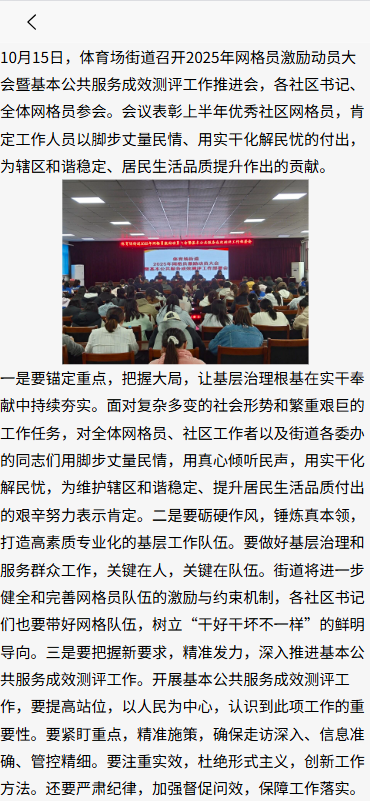
1.1.1. richText.vue
javascript
<template>
  <view >
    <view class="rich-layout" >
      <rich-text :nodes="richText"></rich-text>
    </view>
  </view>
</template>
<script>
import newsJson from "/data/newsJson.json";
import richTextHelper from "/helper/richTextHelper";
export default {
  data() {
    return {
      // nodes: [
      //
      // ],
      //richText: '<div style="text-align:center;"><img src="https://qiniu-web-assets.dcloud.net.cn/unidoc/zh/uni@2x.png"/></div>'
      richText: ""
    }
  },
  onLoad() {
    let that = this;
    let text = newsJson.data.newsContent
    text= richTextHelper.formatRichText(text)
    const urlRegex = new RegExp(`172.14.18.37:3103`, 'gi');
    text= text.replace(urlRegex, `90.310.123.156:3103`);
    console.log(text)
    that.richText=text
  },
  methods: {},
}
</script>
<style>
.rich-layout{
  width: 100%;
  font-size: 16px;
}
</style>
1.1.2. richTextHelper.vue
javascript
/**
 * 处理富文本里的图片宽度自适应
 * 1.去掉img、video标签里的style、width、height属性
 * 2.修改所有style里的width属性为max-width:100%
 * 3.img、video标签添加style属性:max-width:100%;height:auto
 * 4.去掉<br/>标签
 * @param html
 * @return string
 */
function formatRichText(html) {
    let newContent;
    // 去掉video标签里的style、width、height属性
    newContent = html.replace(/<video[^>]*>/gi,
        function (match, capture) {
            match = match.replace(/style="[^"]+"/gi, '')
                .replace(/width="[^"]+"/gi, '')
                .replace(/height="[^"]+"/gi, '');
            return match;
        });
    // 修改所有style里的width属性为max-width:100%
    newContent = newContent.replace(/style="[^"]+"/gi,
        function (match, capture) {
        match = match.replace(/width:[^;]+;/gi, 'max-width:100%;');
        return match;
    });
    // 去掉<br/>标签
    newContent = newContent.replace(/<br[^>]*\/>/gi, '');
    // img标签添加style属性:max-width:100%;height:auto
    newContent = newContent.replace(/<img/gi,
        '<img style="max-width:100%;height:auto;display:block;margin:0px auto;"');
    // video标签添加style属性:max-width:100%;height:auto
    newContent = newContent.replace(/<video/gi,
        '<video style="max-width:100%;height:auto;display:block;margin:0px auto;"');
    return newContent;
}

export default {
    formatRichText,
};
1.2. 问题
1.2.1. 使用rich-text标签渲染的富文本的css样式问题
对富文本的图片css进行处理列如宽度设定为750rpx,和table表格添加border,目前添加的css没有生效。
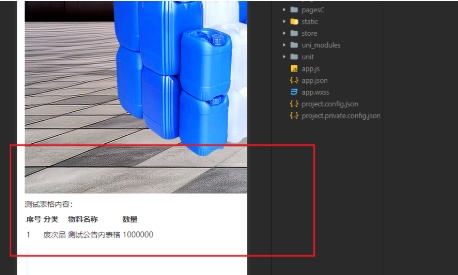
解决方案
javascript
//你得直接处理接口返回的原格式,可以用正则匹配,例如
content= content.replace(/\<img/gi, '<img style="max-width:100%;"');