【黑马程序员前端React18入门到实战视频教程,从react+hooks核心基础到企业级项目开发实战(B站评论、极客园项目等)及大厂面试全通关】https://www.bilibili.com/video/BV1ZB4y1Z7o8?p=25&vd_source=945998385830692994cbc8ecfd877732
美团案例
环境拉取
git clone http://git.itcast.cn/heimaqianduan/redux-meituan.git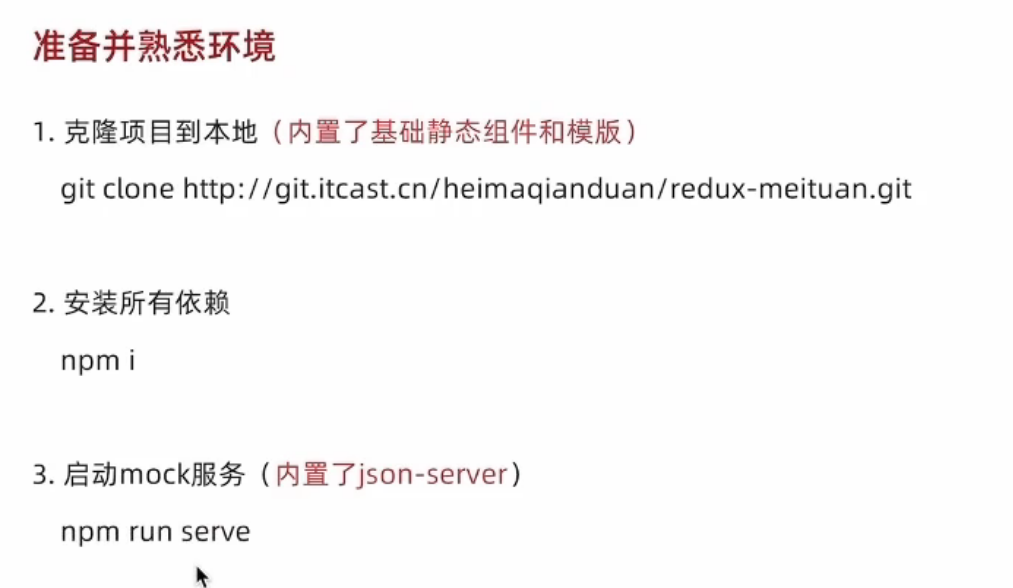
启动
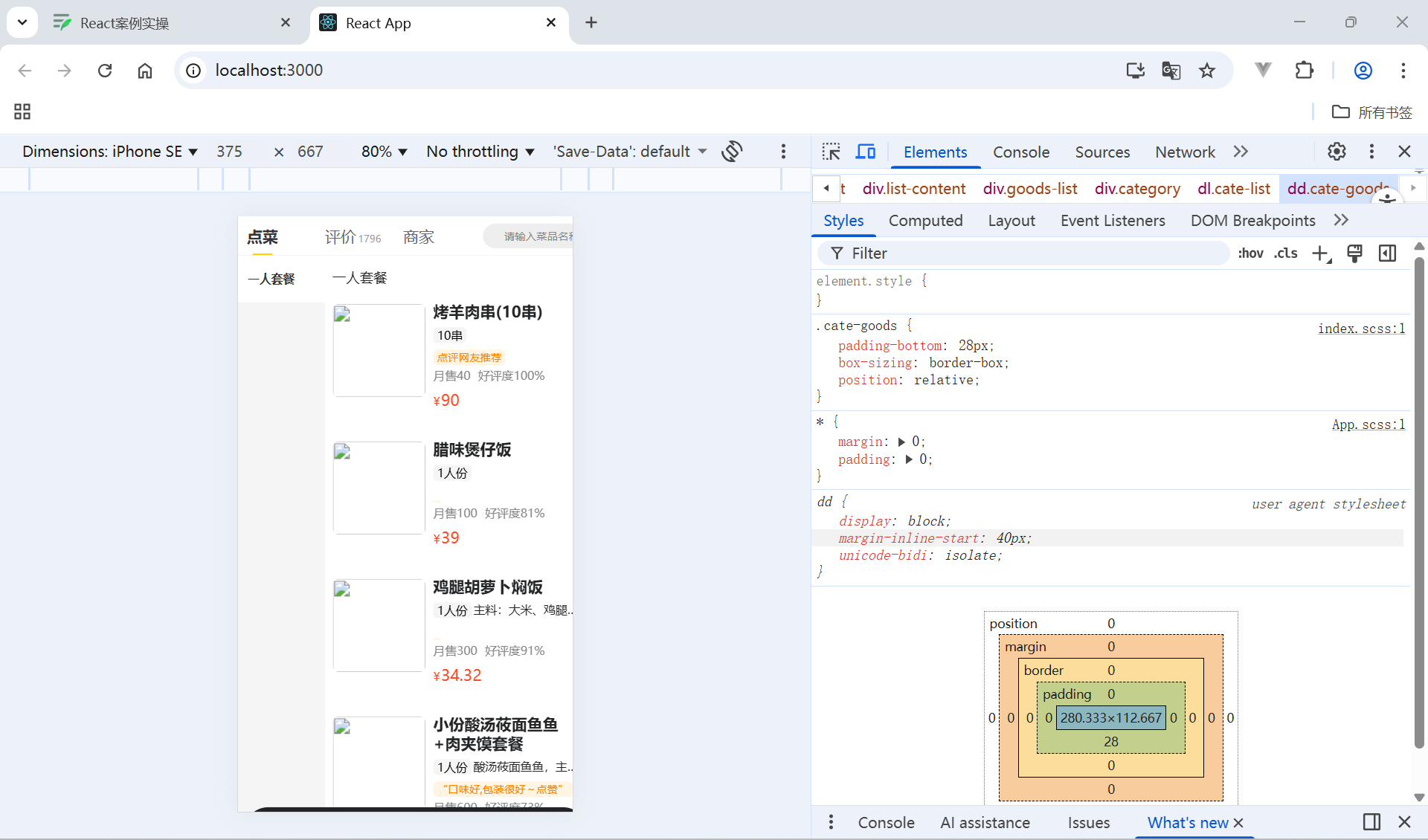
分类和商品列表渲染
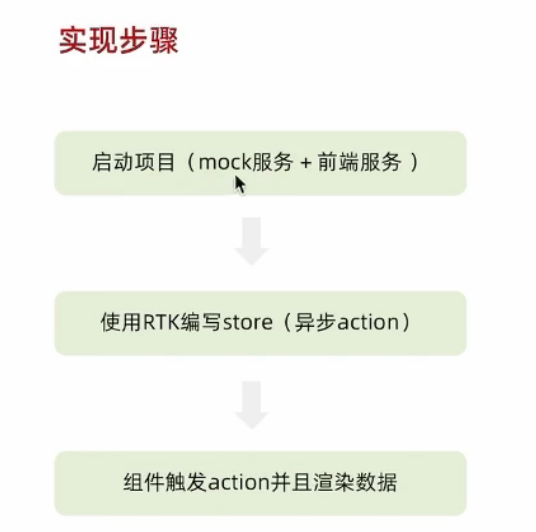
启动项目
mock服务
npm run serve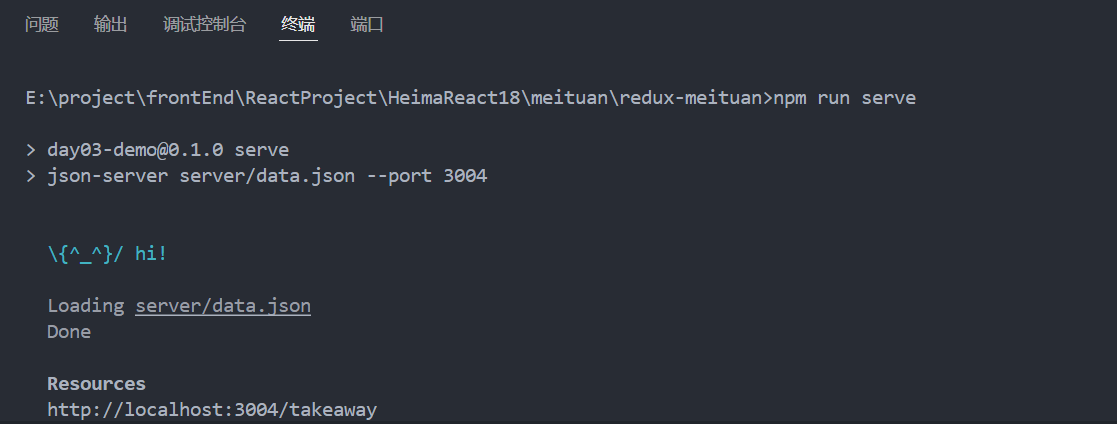
前端服务
npm run start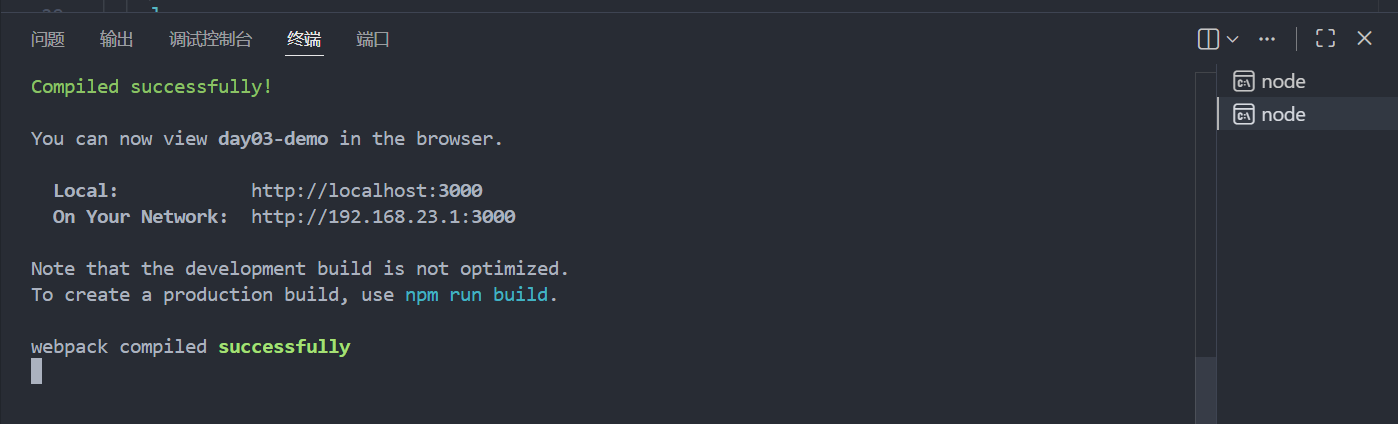
商品列表
使用RTK编写store(异步action)
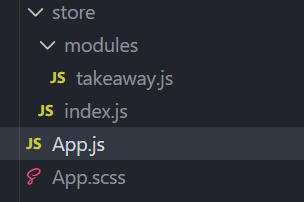
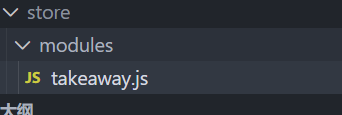
找到这个js文件
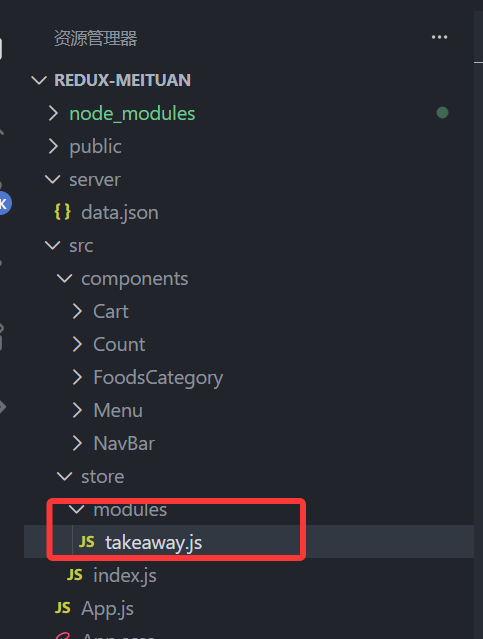
编写store
//编写store
import { createSlice } from "@reduxjs/toolkit";
import axios from "axios";

const foodsSlice = createSlice({
    name:'foods',
    initialState:{
        //商品列表
        foodsList:[]
    },
    reducers:{
        //设置商品列表
        setFoodsList(state,action){
            state.foodsList=action.payload
        }
    }
})
//异步获取部分
const {setFoodsList}=foodsSlice.actions

const fetchFoodsList=()=>{
    return async (dispatch)=>{
        const res = await axios.get('http://localhost:3004/takeaway')
        //调用dispatch方法,提交action
        dispatch(setFoodsList(res.data))
    }
}
export {fetchFoodsList}
const reducer=foodsSlice.reducer//导出reducer
export default reducer
引入store总文件
再来到这个文件
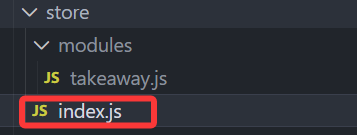
import foodsReducer from './modules/takeaway'
import { configureStore } from '@reduxjs/toolkit'

const store = configureStore({
    reducer:{
        takeaway: foodsReducer
    }
})

export default store
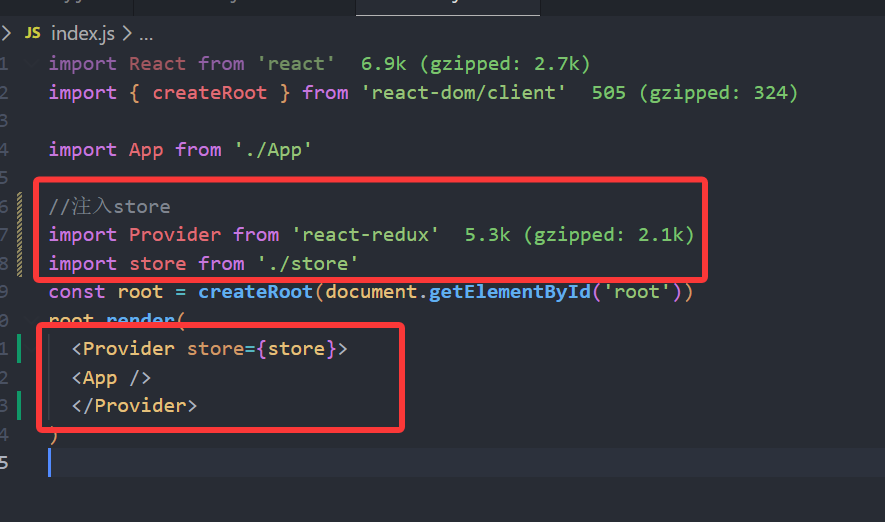
导入全局js内
最后在全局js里导入
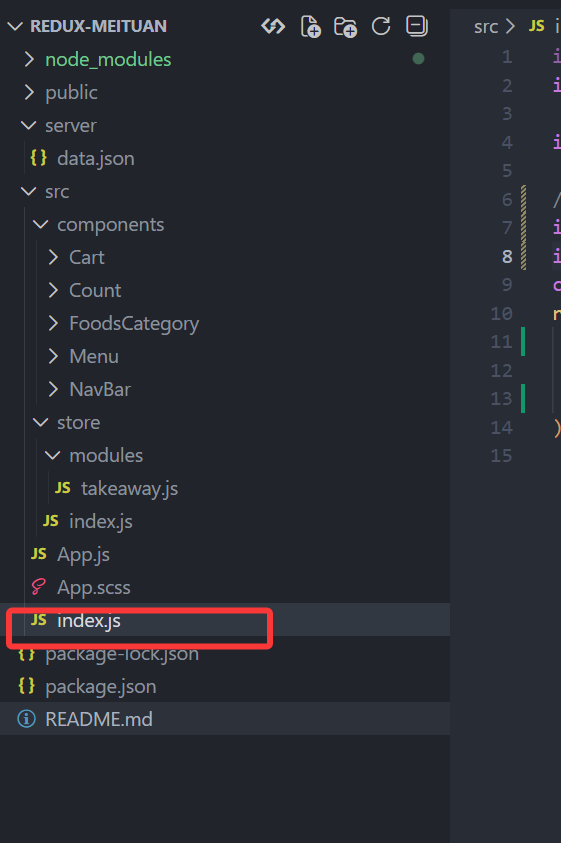
import React from 'react'
import { createRoot } from 'react-dom/client'

import App from './App'

//注入store
import Provider from 'react-redux'
import store from './store'
const root = createRoot(document.getElementById('root'))
root.render(
  <Provider store={store}>
  <App />
  </Provider>
)
组件触发action并且渲染数据
App.js内触发action
触发action执行步骤:1.引入useDispatch 2.创建dispatch常量 3.调用dispatch派发action 4.useEffect中调用
import { useDispatch } from 'react-redux'
import { fetchFoodsList } from './store/modules/takeaway'
import { useEffect } from 'react'
const dispatch = useDispatch()
useEffect(()=>{
  dispatch(fetchFoodsList())
},[dispatch])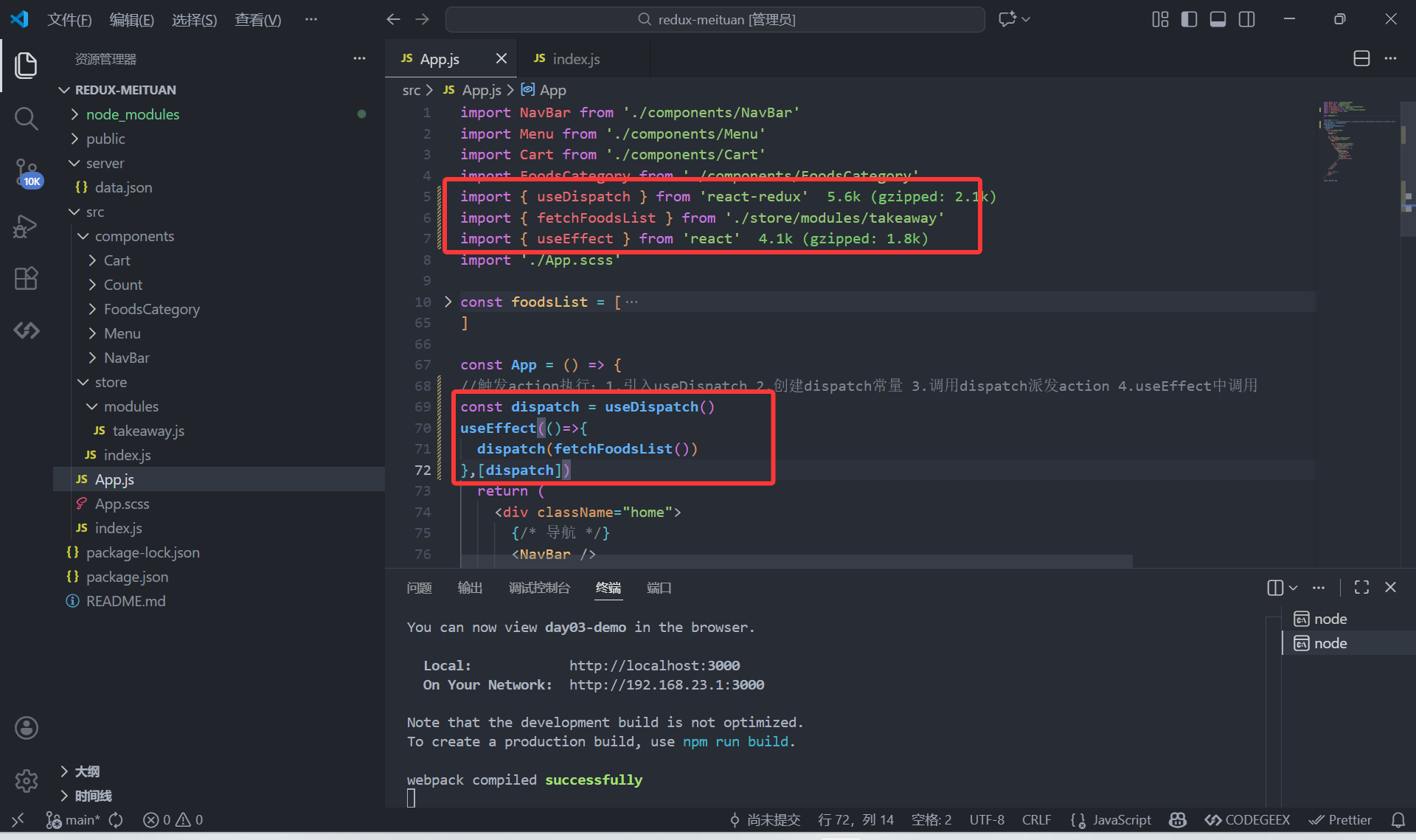
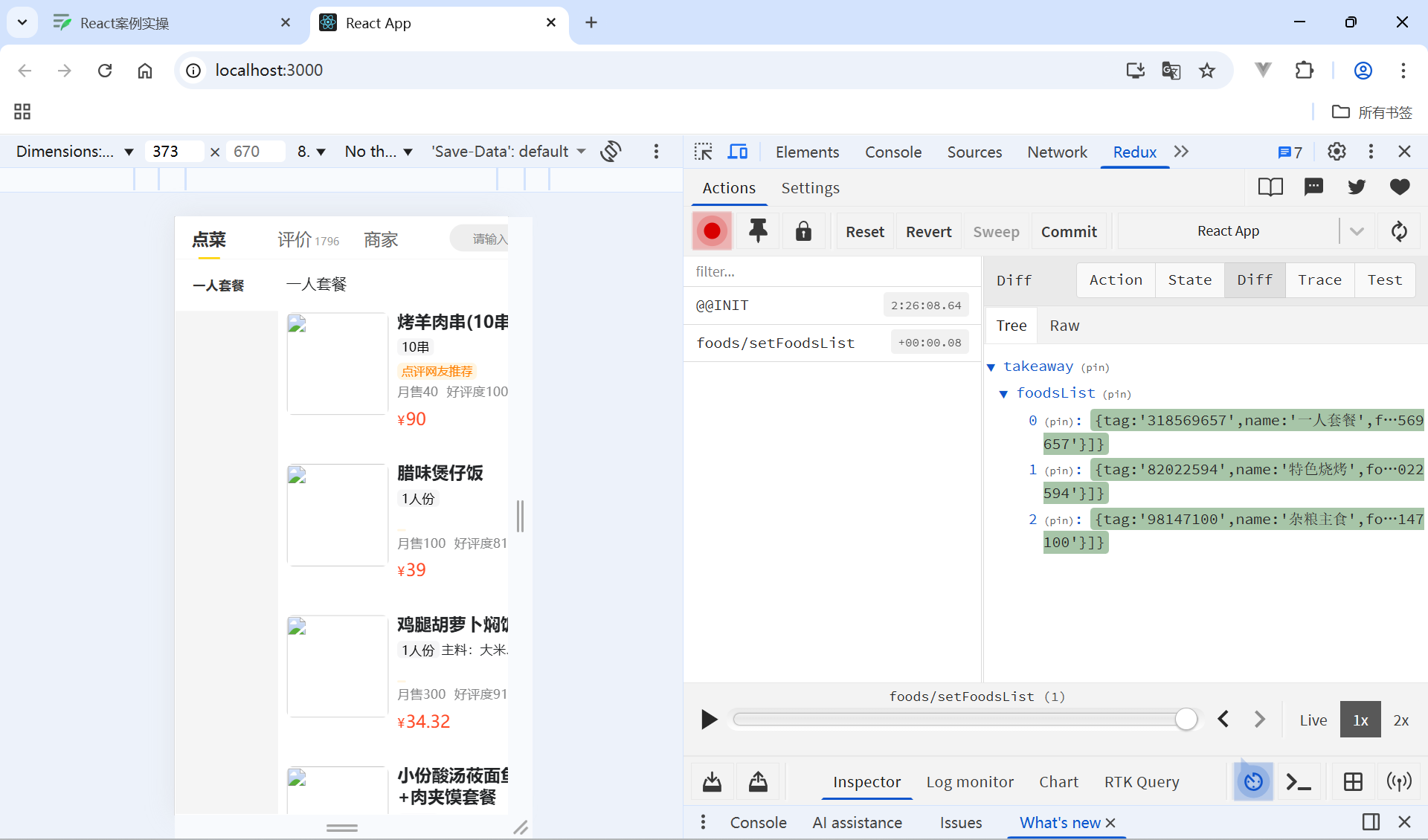
获取foodslist数据
//获取foodsList列表1.引入useSelector 2.创建常量 3.调用常量
import { useDispatch, useSelector } from 'react-redux'
//获取foodsList列表1.useSelector 2.创建常量 3.调用常量
  const {foodsList} = useSelector(state=>state.foods)
全部代码
import NavBar from './components/NavBar'
import Menu from './components/Menu'
import Cart from './components/Cart'
import FoodsCategory from './components/FoodsCategory'
import { useDispatch, useSelector } from 'react-redux'
import { fetchFoodsList } from './store/modules/takeaway'
import { useEffect } from 'react'
import './App.scss'

// const foodsList = [
//   {
//     "tag": "318569657",
//     "name": "一人套餐",
//     "foods": [
//       {
//         "id": 8078956697,
//         "name": "烤羊肉串(10串)",
//         "like_ratio_desc": "好评度100%",
//         "month_saled": 40,
//         "unit": "10串",
//         "food_tag_list": ["点评网友推荐"],
//         "price": 90,
//         "picture": "https://zqran.gitee.io/images/waimai/8078956697.jpg",
//         "description": "",
//         "tag": "318569657"
//       },
//       {
//         "id": 7384994864,
//         "name": "腊味煲仔饭",
//         "like_ratio_desc": "好评度81%",
//         "month_saled": 100,
//         "unit": "1人份",
//         "food_tag_list": [],
//         "price": 39,
//         "picture": "https://zqran.gitee.io/images/waimai/7384994864.jpg",
//         "description": "",
//         "tag": "318569657"
//       },
//       {
//         "id": 2305772036,
//         "name": "鸡腿胡萝卜焖饭",
//         "like_ratio_desc": "好评度91%",
//         "month_saled": 300,
//         "unit": "1人份",
//         "food_tag_list": [],
//         "price": 34.32,
//         "picture": "https://zqran.gitee.io/images/waimai/2305772036.jpg",
//         "description": "主料:大米、鸡腿、菜心、胡萝卜",
//         "tag": "318569657"
//       },
//       {
//         "id": 2233861812,
//         "name": "小份酸汤莜面鱼鱼+肉夹馍套餐",
//         "like_ratio_desc": "好评度73%",
//         "month_saled": 600,
//         "unit": "1人份",
//         "food_tag_list": [""口味好,包装很好~点赞""],
//         "price": 34.32,
//         "picture": "https://zqran.gitee.io/images/waimai/2233861812.jpg",
//         "description": "酸汤莜面鱼鱼,主料:酸汤、莜面 肉夹馍,主料:白皮饼、猪肉",
//         "tag": "318569657"
//       }
//     ]
//   }
// ]

const App = () => {
//触发action执行:1.引入useDispatch 2.创建dispatch常量 3.调用dispatch派发action 4.useEffect中调用
  const dispatch = useDispatch()
  useEffect(()=>{
    dispatch(fetchFoodsList())
  },[dispatch])
//获取foodsList列表1.useSelector 2.创建常量 3.调用常量
  const {foodsList} = useSelector(state=>state.foods)
  return (
    <div className="home">
      {/* 导航 */}
      <NavBar />

      {/* 内容 */}
      <div className="content-wrap">
        <div className="content">
          <Menu />

          <div className="list-content">
            <div className="goods-list">
              {/* 外卖商品列表 */}
              {foodsList.map(item => {
                return (
                  <FoodsCategory
                    key={item.tag}
                    // 列表标题
                    name={item.name}
                    // 列表商品
                    foods={item.foods}
                  />
                )
              })}
            </div>
          </div>
        </div>
      </div>

      {/* 购物车 */}
      <Cart />
    </div>
  )
}

export default App
完成
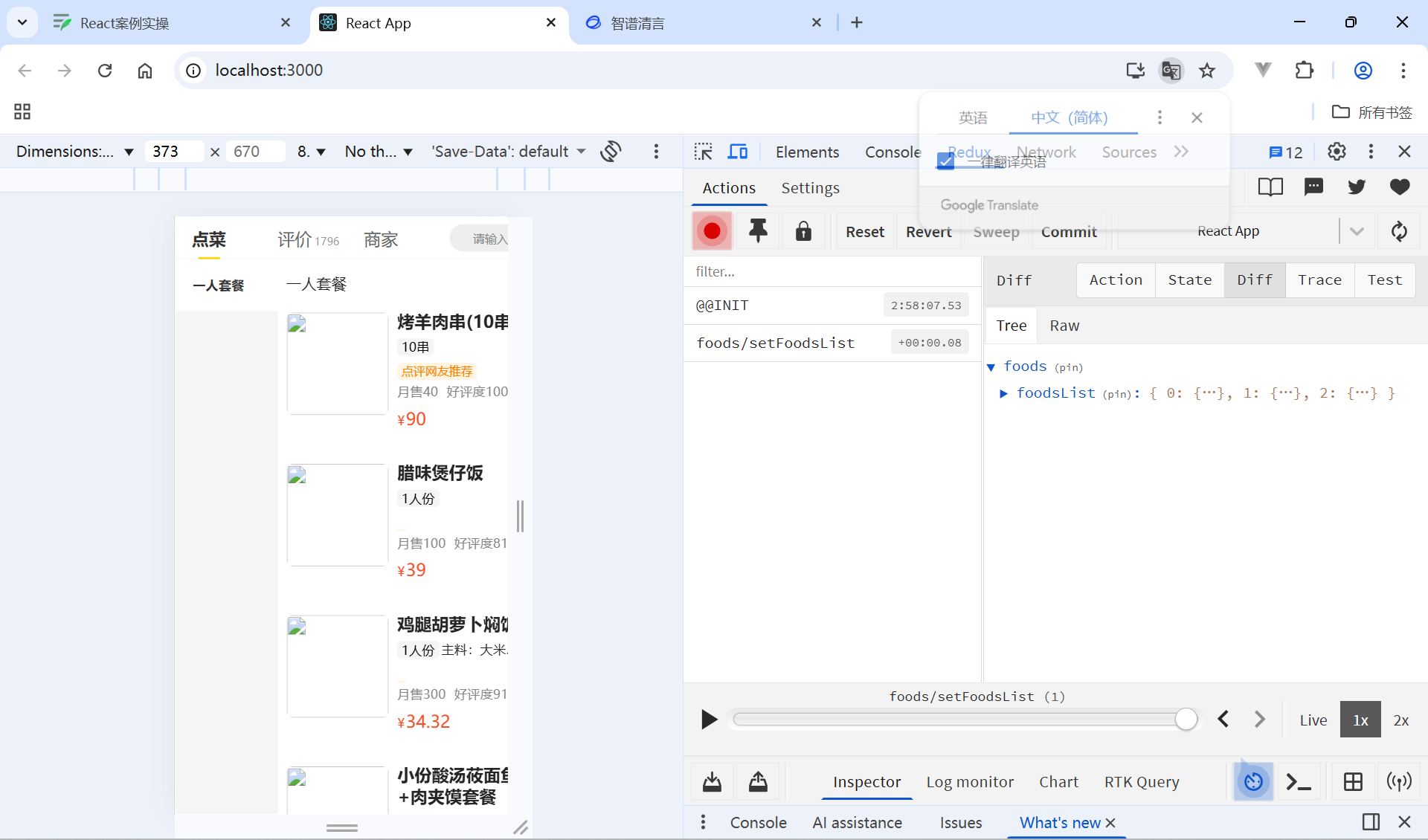
分类列表
找到menu组件
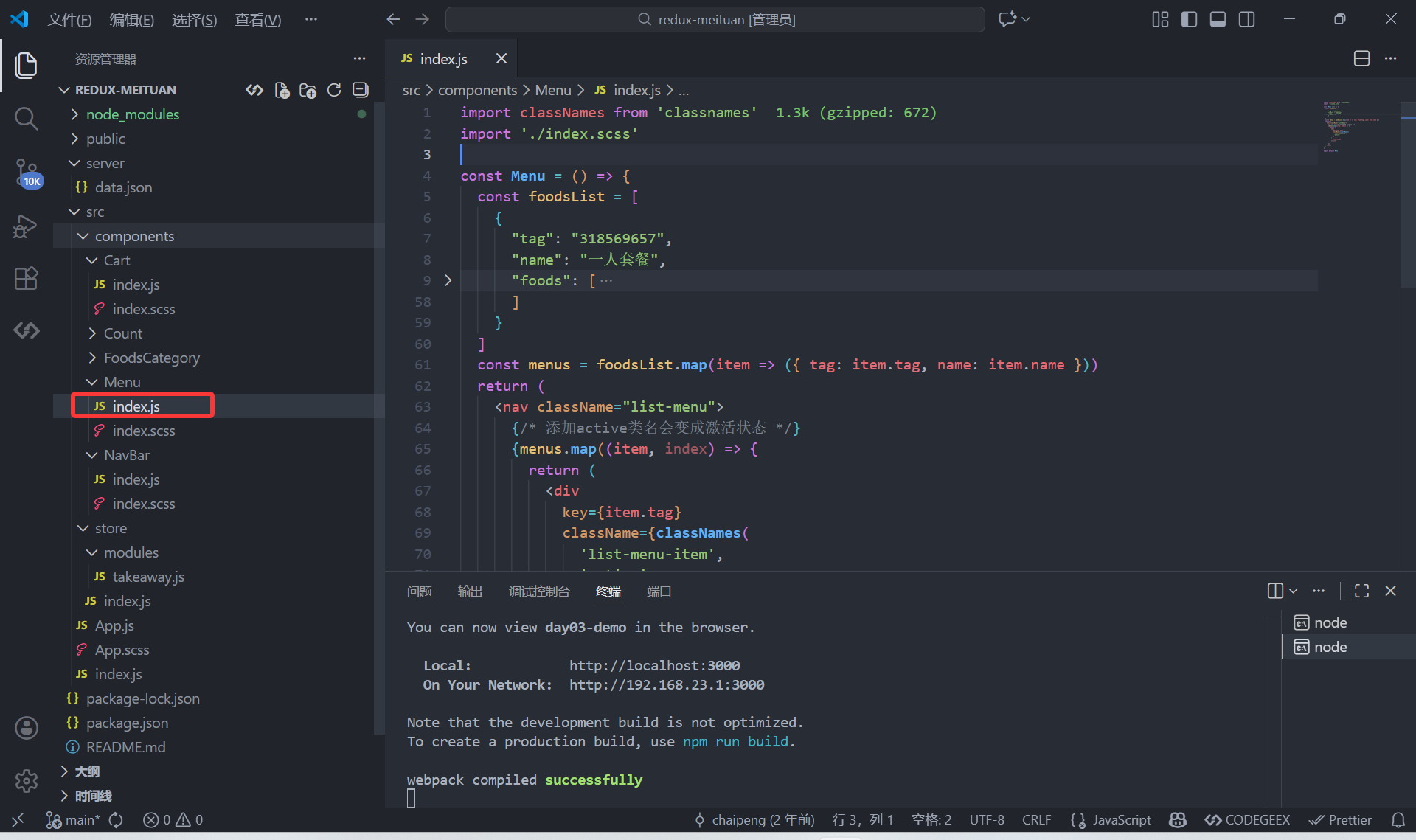
触发action
import { useDispatch } from 'react-redux'
import { useEffect } from 'react'
import { fetchFoodsList } from '../../store/modules/takeaway'
 //触发action
  const dispatch = useDispatch()
  useEffect(()=>{
    dispatch(fetchFoodsList())
  },[dispatch])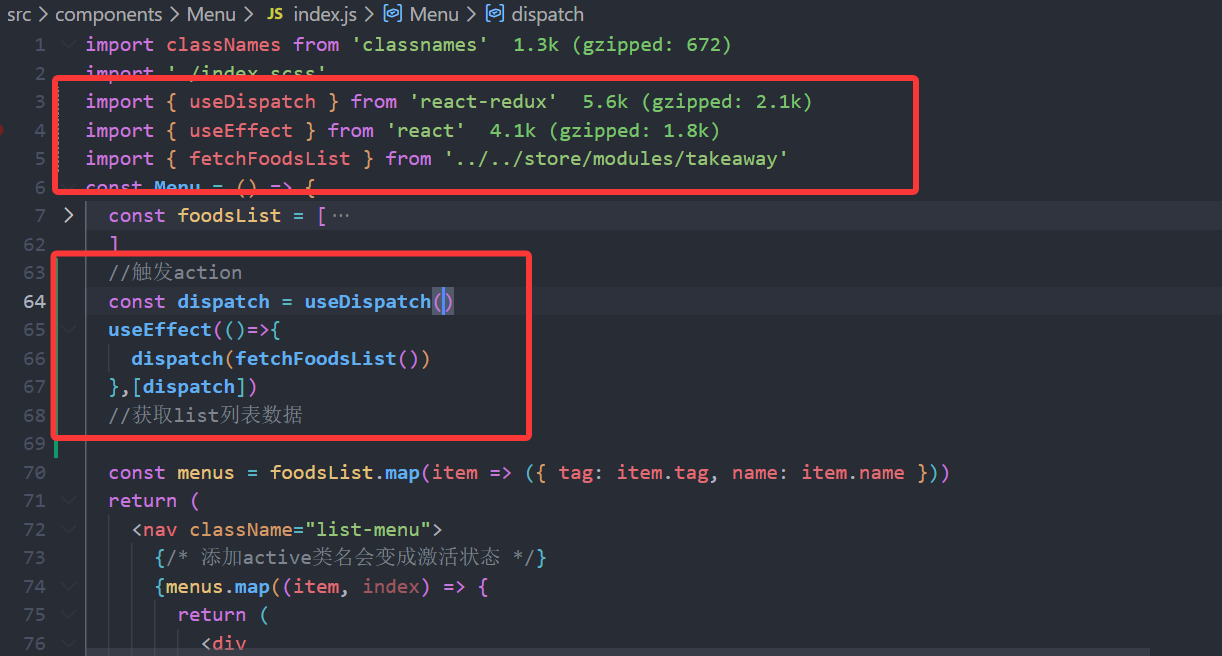
获取list列表值
import { useDispatch ,useSelector} from 'react-redux'
 const {foodsList}= useSelector(state=>state.foods)
全部代码
import classNames from 'classnames'
import './index.scss'
import { useDispatch ,useSelector} from 'react-redux'
import { useEffect } from 'react'
import { fetchFoodsList } from '../../store/modules/takeaway'
const Menu = () => {
  // const foodsList = [
  //   {
  //     "tag": "318569657",
  //     "name": "一人套餐",
  //     "foods": [
  //       {
  //         "id": 8078956697,
  //         "name": "烤羊肉串(10串)",
  //         "like_ratio_desc": "好评度100%",
  //         "month_saled": 40,
  //         "unit": "10串",
  //         "food_tag_list": ["点评网友推荐"],
  //         "price": 90,
  //         "picture": "https://zqran.gitee.io/images/waimai/8078956697.jpg",
  //         "description": "",
  //         "tag": "318569657"
  //       },
  //       {
  //         "id": 7384994864,
  //         "name": "腊味煲仔饭",
  //         "like_ratio_desc": "好评度81%",
  //         "month_saled": 100,
  //         "unit": "1人份",
  //         "food_tag_list": [],
  //         "price": 39,
  //         "picture": "https://zqran.gitee.io/images/waimai/7384994864.jpg",
  //         "description": "",
  //         "tag": "318569657"
  //       },
  //       {
  //         "id": 2305772036,
  //         "name": "鸡腿胡萝卜焖饭",
  //         "like_ratio_desc": "好评度91%",
  //         "month_saled": 300,
  //         "unit": "1人份",
  //         "food_tag_list": [],
  //         "price": 34.32,
  //         "picture": "https://zqran.gitee.io/images/waimai/2305772036.jpg",
  //         "description": "主料:大米、鸡腿、菜心、胡萝卜",
  //         "tag": "318569657"
  //       },
  //       {
  //         "id": 2233861812,
  //         "name": "小份酸汤莜面鱼鱼+肉夹馍套餐",
  //         "like_ratio_desc": "好评度73%",
  //         "month_saled": 600,
  //         "unit": "1人份",
  //         "food_tag_list": [""口味好,包装很好~点赞""],
  //         "price": 34.32,
  //         "picture": "https://zqran.gitee.io/images/waimai/2233861812.jpg",
  //         "description": "酸汤莜面鱼鱼,主料:酸汤、莜面 肉夹馍,主料:白皮饼、猪肉",
  //         "tag": "318569657"
  //       }
  //     ]
  //   }
  // ]
  //触发action
  const dispatch = useDispatch()
  useEffect(()=>{
    dispatch(fetchFoodsList())
  },[dispatch])
  //获取list列表数据
 const {foodsList}= useSelector(state=>state.foods)
  const menus = foodsList.map(item => ({ tag: item.tag, name: item.name }))
  return (
    <nav className="list-menu">
      {/* 添加active类名会变成激活状态 */}
      {menus.map((item, index) => {
        return (
          <div
            key={item.tag}
            className={classNames(
              'list-menu-item',
              'active'
            )}
          >
            {item.name}
          </div>
        )
      })}
    </nav>
  )
}

export default Menu
出来了
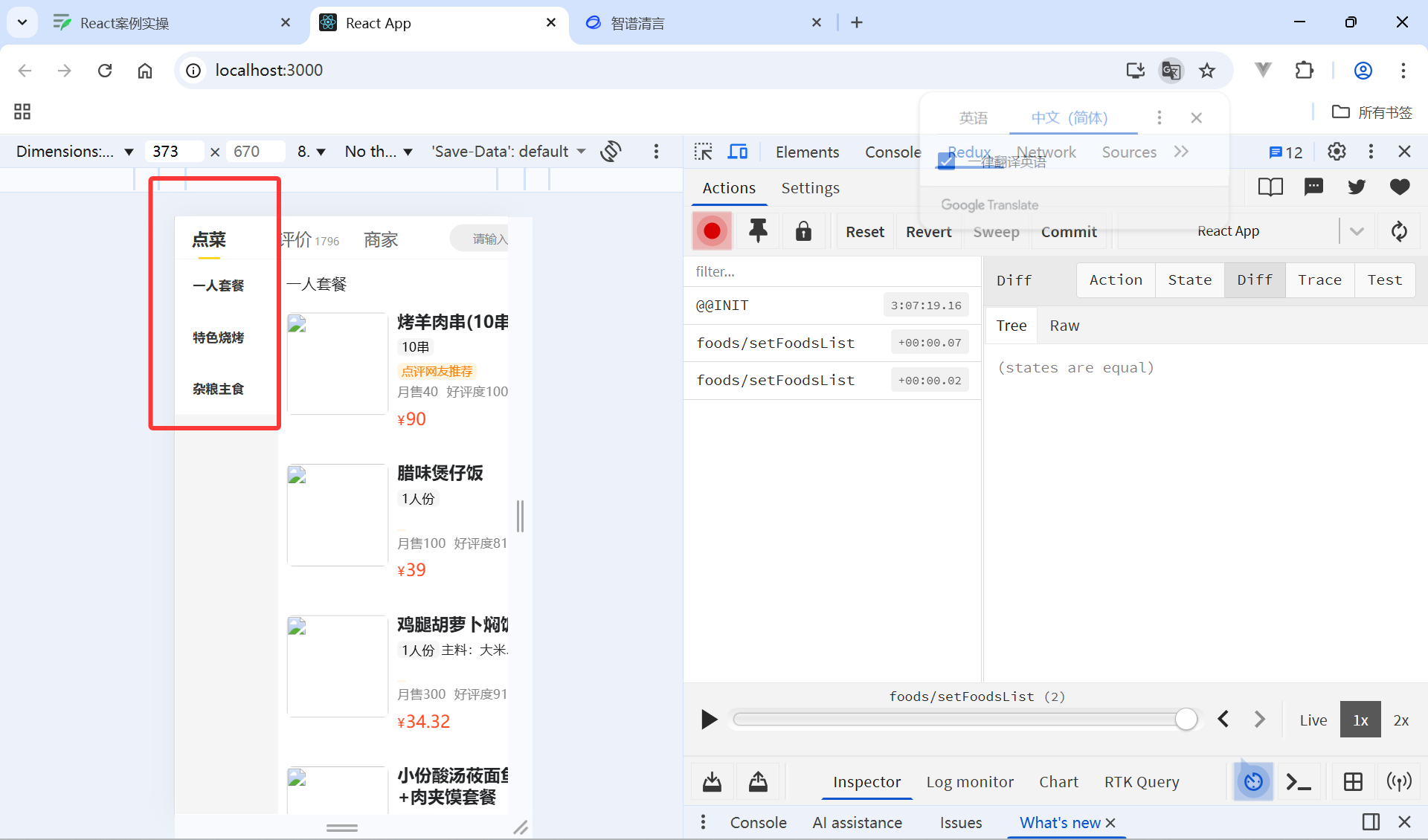
点击分类激活交互实现
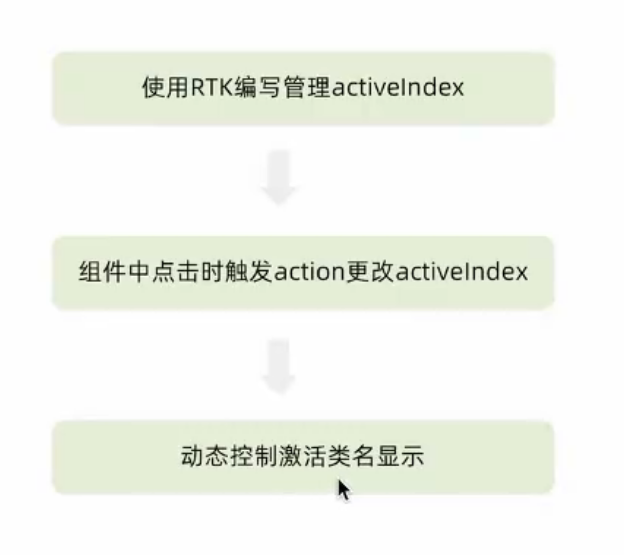
使用RTK编写管理activelndex
takeaway.js
//编写store
import { createSlice } from "@reduxjs/toolkit";
import axios from "axios";

const foodsSlice = createSlice({
    name:'foods',
    initialState:{
        //商品列表
        foodsList:[],
        //菜单激活下标值
        activeIndex:0
    },
    reducers:{
        //设置商品列表
        setFoodsList(state,action){
            state.foodsList=action.payload
        },
        //更改菜单激活下标值
        changeActiveIndex(state,action){
            state.activeIndex=action.payload
        }
    }
})
//异步获取部分
const {setFoodsList,changeActiveIndex}=foodsSlice.actions

const fetchFoodsList=()=>{
    return async (dispatch)=>{
        const res = await axios.get('http://localhost:3004/takeaway')
        //调用dispatch方法,提交action
        dispatch(setFoodsList(res.data))
    }
}
export {fetchFoodsList,changeActiveIndex}
const reducer=foodsSlice.reducer//导出reducer
export default reducer
组件中点击时触发action更改activelndex
  const {foodsList ,activeIndex}= useSelector(state=>state.foods)

<div
            onClick={() => dispatch(changeActiveIndex(index))}
            key={item.tag}
            className={classNames(
              'list-menu-item',
               index === activeIndex && 'active'
            )}
          >
            {item.name}
          </div>
全部代码
import classNames from 'classnames'
import './index.scss'
import { useDispatch ,useSelector} from 'react-redux'
import { useEffect } from 'react'
import { fetchFoodsList ,changeActiveIndex} from '../../store/modules/takeaway'

const Menu = () => {
  // const foodsList = [
  //   {
  //     "tag": "318569657",
  //     "name": "一人套餐",
  //     "foods": [
  //       {
  //         "id": 8078956697,
  //         "name": "烤羊肉串(10串)",
  //         "like_ratio_desc": "好评度100%",
  //         "month_saled": 40,
  //         "unit": "10串",
  //         "food_tag_list": ["点评网友推荐"],
  //         "price": 90,
  //         "picture": "https://zqran.gitee.io/images/waimai/8078956697.jpg",
  //         "description": "",
  //         "tag": "318569657"
  //       },
  //       {
  //         "id": 7384994864,
  //         "name": "腊味煲仔饭",
  //         "like_ratio_desc": "好评度81%",
  //         "month_saled": 100,
  //         "unit": "1人份",
  //         "food_tag_list": [],
  //         "price": 39,
  //         "picture": "https://zqran.gitee.io/images/waimai/7384994864.jpg",
  //         "description": "",
  //         "tag": "318569657"
  //       },
  //       {
  //         "id": 2305772036,
  //         "name": "鸡腿胡萝卜焖饭",
  //         "like_ratio_desc": "好评度91%",
  //         "month_saled": 300,
  //         "unit": "1人份",
  //         "food_tag_list": [],
  //         "price": 34.32,
  //         "picture": "https://zqran.gitee.io/images/waimai/2305772036.jpg",
  //         "description": "主料:大米、鸡腿、菜心、胡萝卜",
  //         "tag": "318569657"
  //       },
  //       {
  //         "id": 2233861812,
  //         "name": "小份酸汤莜面鱼鱼+肉夹馍套餐",
  //         "like_ratio_desc": "好评度73%",
  //         "month_saled": 600,
  //         "unit": "1人份",
  //         "food_tag_list": [""口味好,包装很好~点赞""],
  //         "price": 34.32,
  //         "picture": "https://zqran.gitee.io/images/waimai/2233861812.jpg",
  //         "description": "酸汤莜面鱼鱼,主料:酸汤、莜面 肉夹馍,主料:白皮饼、猪肉",
  //         "tag": "318569657"
  //       }
  //     ]
  //   }
  // ]
  //触发action
  const dispatch = useDispatch()
  useEffect(()=>{
    dispatch(fetchFoodsList())
  },[dispatch])
  //获取list列表数据
  const {foodsList ,activeIndex}= useSelector(state=>state.foods)
  const menus = foodsList.map(item => ({ tag: item.tag, name: item.name }))
  return (
    <nav className="list-menu">
      {/* 添加active类名会变成激活状态 */}
      {menus.map((item, index) => {
        return (
          <div
            onClick={() => dispatch(changeActiveIndex(index))}
            key={item.tag}
            className={classNames(
              'list-menu-item',
               index === activeIndex && 'active'
            )}
          >
            {item.name}
          </div>
        )
      })}
    </nav>
  )
}

export default Menu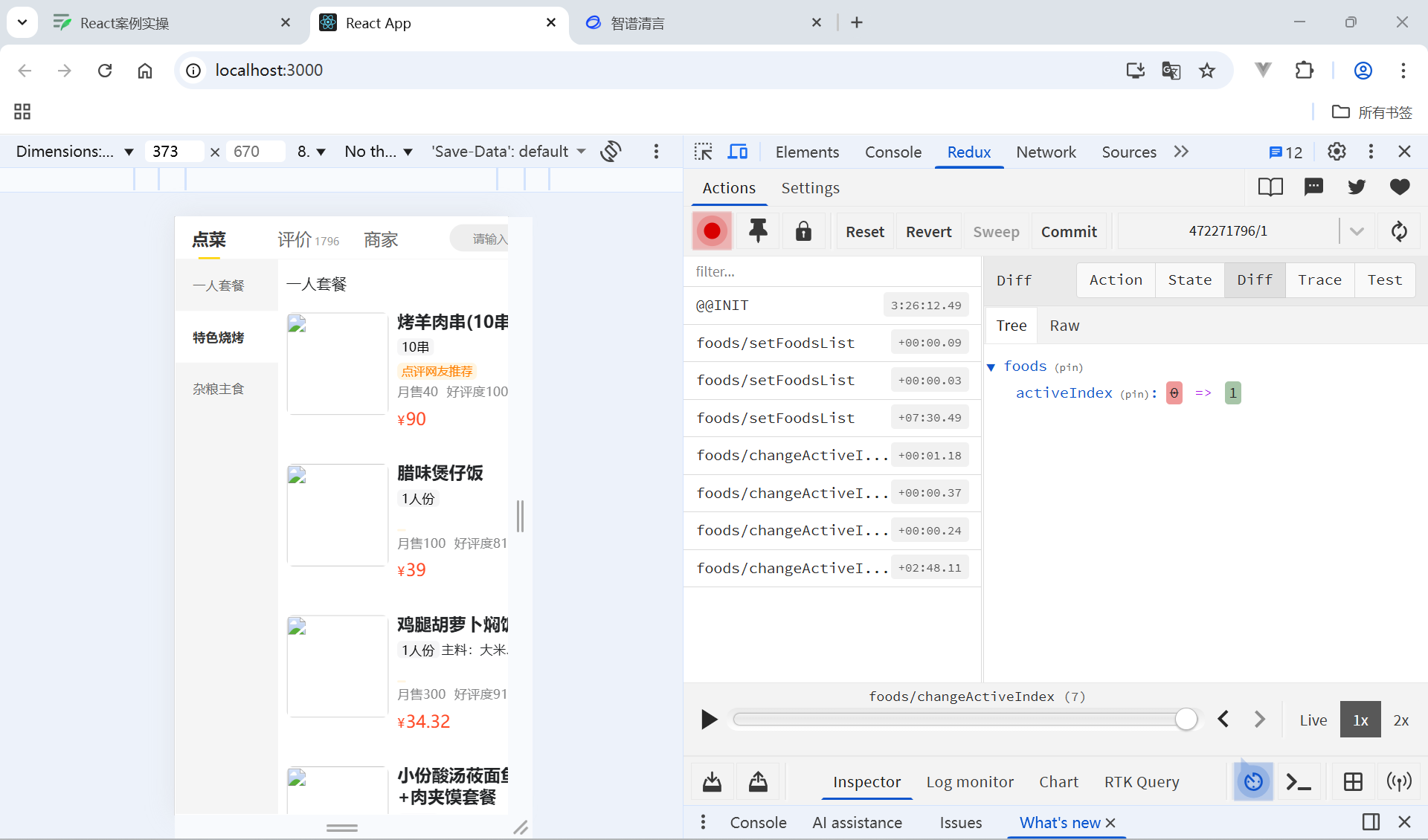
商品列表切换显示
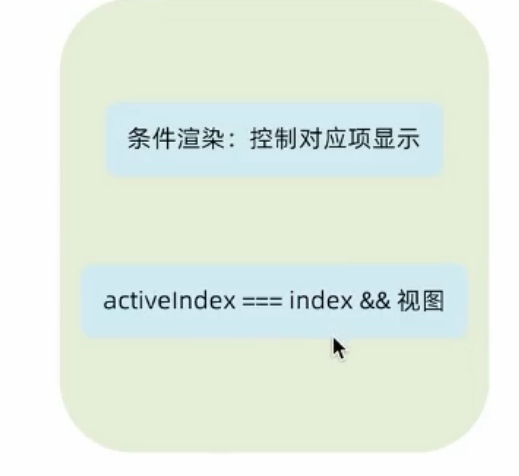
引入activeIndex状态更换,设置符合index保留不符合隐藏
const {foodsList,activeIndex} = useSelector(state=>state.foods)
{foodsList.map((item, index) => {
                return (
                  activeIndex === index && <FoodsCategory
                    key={item.tag}
                    // 列表标题
                    name={item.name}
                    // 列表商品
                    foods={item.foods}
                  />
                )
              })}

import NavBar from './components/NavBar'
import Menu from './components/Menu'
import Cart from './components/Cart'
import FoodsCategory from './components/FoodsCategory'
import { useDispatch, useSelector } from 'react-redux'
import { fetchFoodsList } from './store/modules/takeaway'
import { useEffect } from 'react'
import './App.scss'

const App = () => {
//触发action执行:1.引入useDispatch 2.创建dispatch常量 3.调用dispatch派发action 4.useEffect中调用
  const dispatch = useDispatch()
  useEffect(()=>{
    dispatch(fetchFoodsList())
  },[dispatch])
//获取foodsList列表1.useSelector 2.创建常量 3.调用常量
  const {foodsList,activeIndex} = useSelector(state=>state.foods)
  return (
    <div className="home">
      {/* 导航 */}
      <NavBar />

      {/* 内容 */}
      <div className="content-wrap">
        <div className="content">
          <Menu />

          <div className="list-content">
            <div className="goods-list">
              {/* 外卖商品列表 */}
              {foodsList.map((item, index) => {
                return (
                  activeIndex === index && <FoodsCategory
                    key={item.tag}
                    // 列表标题
                    name={item.name}
                    // 列表商品
                    foods={item.foods}
                  />
                )
              })}
            </div>
          </div>
        </div>
      </div>

      {/* 购物车 */}
      <Cart />
    </div>
  )
}

export default App
添加购物车实现
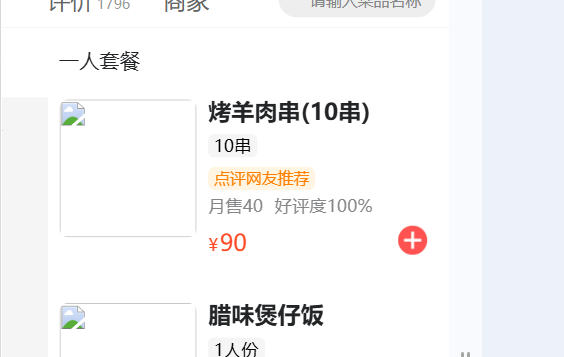
ps:因为这个项目原来的图片没有了所以我找了个图替换了一下
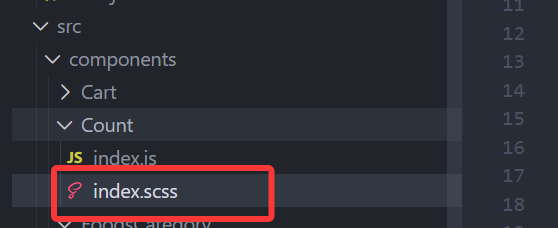
.plus {
    margin-left: 12.5px;
    background-image: url(https://img2.baidu.com/it/u=699728287,474376287&fm=253&fmt=auto&app=138&f=JPEG?w=500&h=500);
    background-repeat: no-repeat;
    background-position: center center;
  }
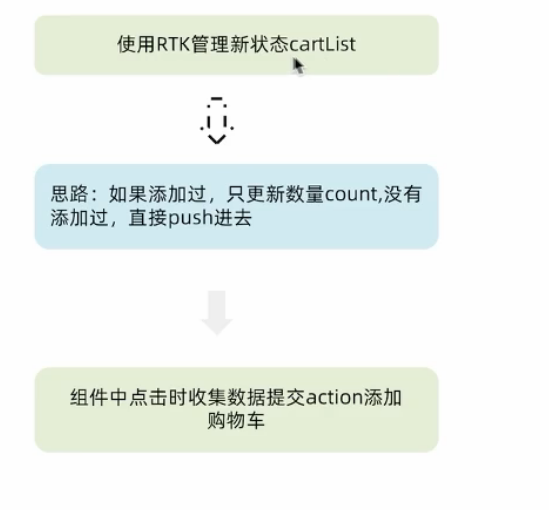
使用RTK管理新状态cartList
是否添加过,如果没有添加就加进去,如果有就count+1
//编写store
import { createSlice } from "@reduxjs/toolkit";
import axios from "axios";

const foodsSlice = createSlice({
    name:'foods',
    initialState:{
        //商品列表
        foodsList:[],
        //菜单激活下标值
        activeIndex:0,
        //购物车列表
        cartList:[],
    },
    reducers:{
        //设置商品列表
        setFoodsList(state,action){
            state.foodsList=action.payload
        },
        //更改菜单激活下标值
        changeActiveIndex(state,action){
            state.activeIndex=action.payload
        },
        //添加商品到购物车
        addCart(state,action){
            //是否添加过?action.payload.id匹配cartList 匹配到添加+1
            const item = state.cartList.find(item=>item.id===action.payload.id)
            if(item){
                item.count++
            }else{
                state.cartList.push(action.payload)
            }
        }

    }
})
//异步获取部分
const {setFoodsList,changeActiveIndex,addCart}=foodsSlice.actions

const fetchFoodsList=()=>{
    return async (dispatch)=>{
        const res = await axios.get('http://localhost:3004/takeaway')
        //调用dispatch方法,提交action
        dispatch(setFoodsList(res.data))
    }
}
export {fetchFoodsList,changeActiveIndex,addCart}
const reducer=foodsSlice.reducer//导出reducer
export default reducer
ps:因为感觉不是很规范就把模拟接口的字段都加了count
全部加上
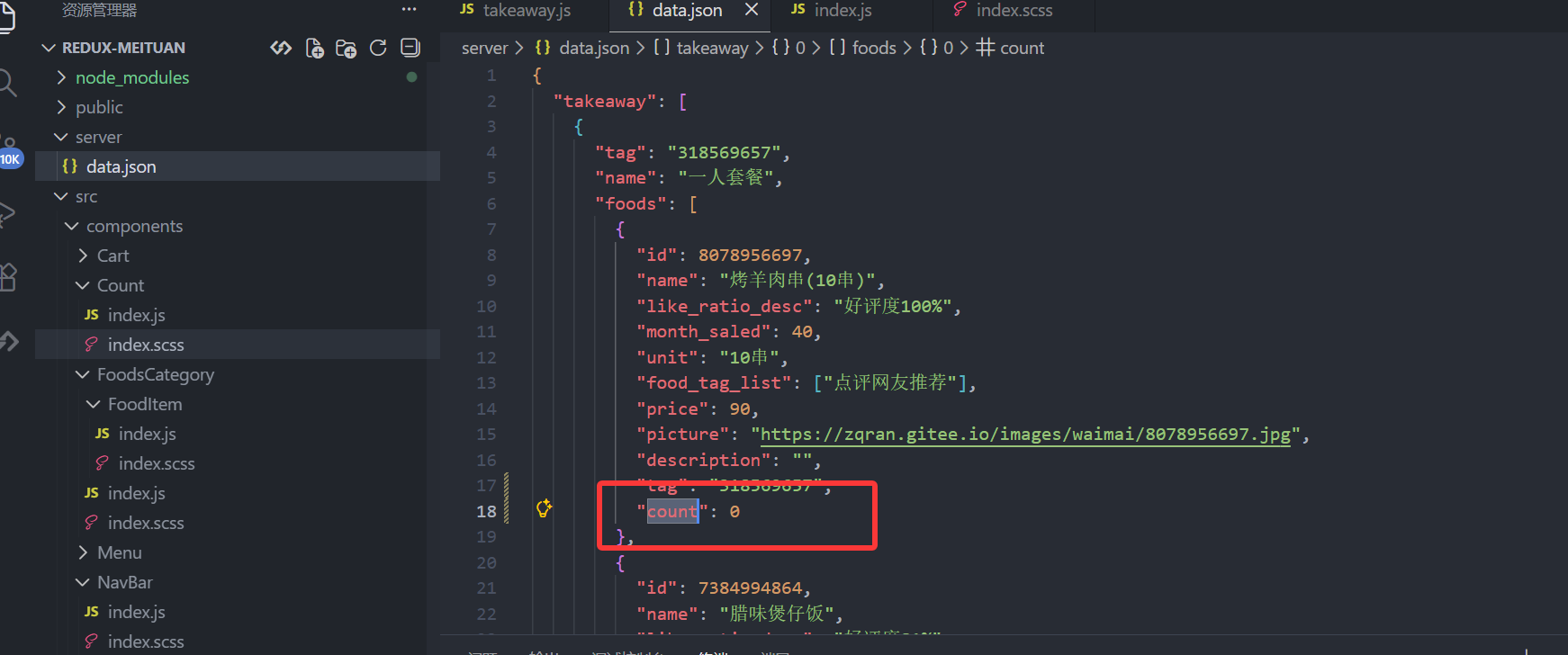
重启一下后端:npm run serve
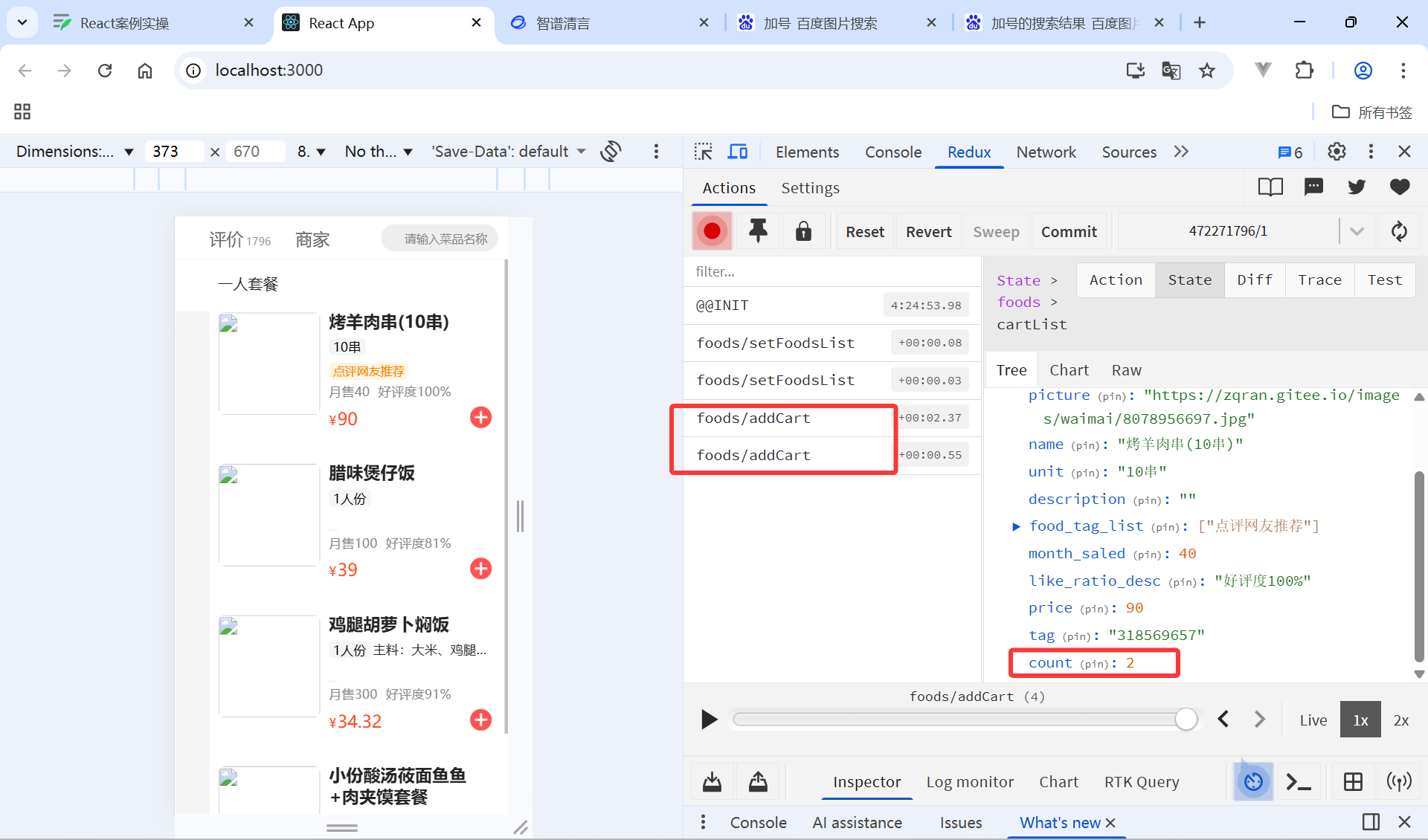
组件中点击时收集数据提交action添加购物车
来到这个文件
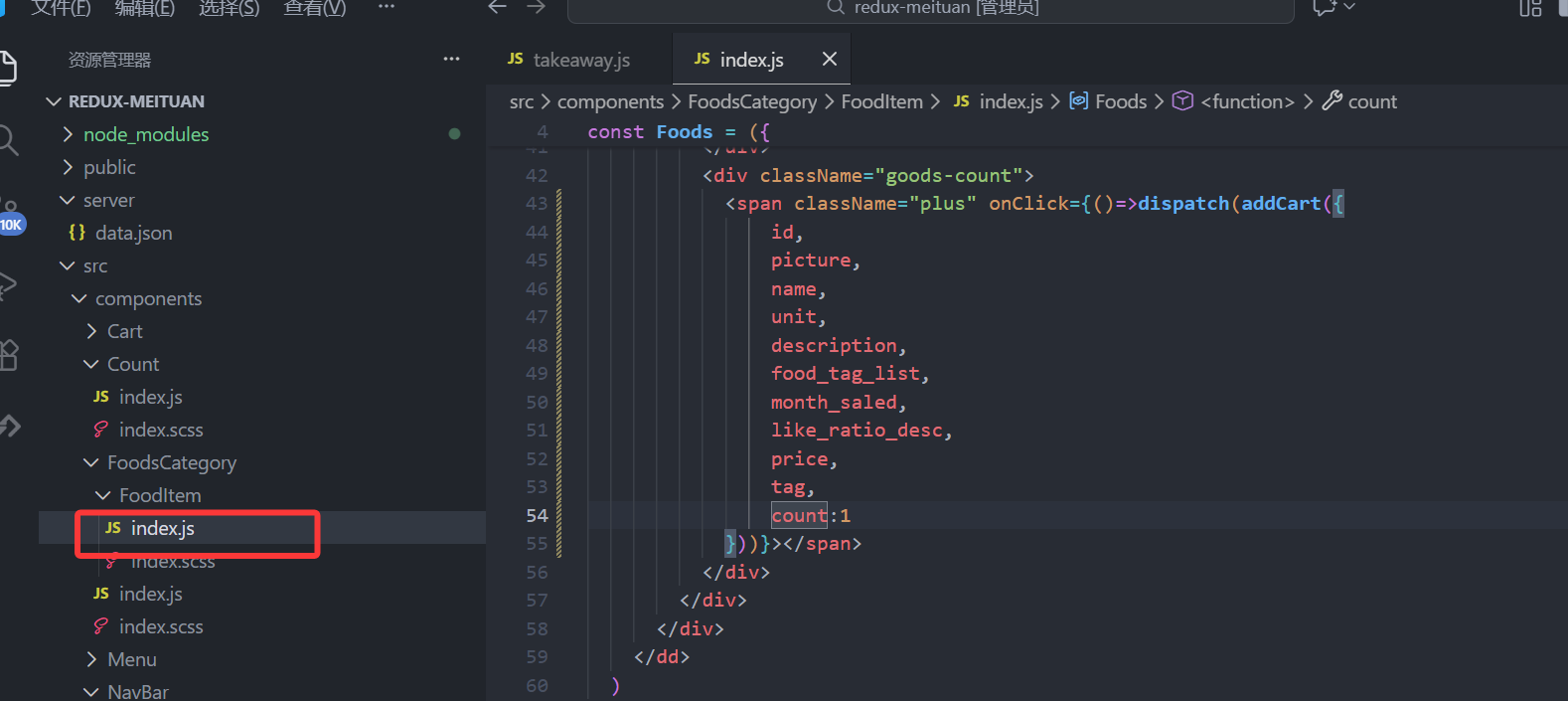
这里改了一下他的代码,让点击后加入push后的count为1,此后++
import { useDispatch } from 'react-redux'
import { addCart } from '../../../store/modules/takeaway';
  <span className="plus" onClick={()=>dispatch(addCart({
                id,
                picture,
                name,
                unit,
                description,
                food_tag_list,
                month_saled,
                like_ratio_desc,
                price,
                tag,
                count:1
            }))}></span>
全部代码
import './index.scss'
import { useDispatch } from 'react-redux'
import { addCart } from '../../../store/modules/takeaway';
const Foods = ({
  id,
  picture,
  name,
  unit,
  description,
  food_tag_list,
  month_saled,
  like_ratio_desc,
  price,
  tag,
  count
}) => {

const dispatch = useDispatch();
  return (
    <dd className="cate-goods">
      <div className="goods-img-wrap">
        <img src={picture} alt="" className="goods-img" />
      </div>
      <div className="goods-info">
        <div className="goods-desc">
          <div className="goods-title">{name}</div>
          <div className="goods-detail">
            <div className="goods-unit">{unit}</div>
            <div className="goods-detail-text">{description}</div>
          </div>
          <div className="goods-tag">{food_tag_list.join(' ')}</div>
          <div className="goods-sales-volume">
            <span className="goods-num">月售{month_saled}</span>
            <span className="goods-num">{like_ratio_desc}</span>
          </div>
        </div>
        <div className="goods-price-count">
          <div className="goods-price">
            <span className="goods-price-unit">¥</span>
            {price}
          </div>
          <div className="goods-count">
            <span className="plus" onClick={()=>dispatch(addCart({
                id,
                picture,
                name,
                unit,
                description,
                food_tag_list,
                month_saled,
                like_ratio_desc,
                price,
                tag,
                count:1
            }))}></span>
          </div>
        </div>
      </div>
    </dd>
  )
}

export default Foods
完成
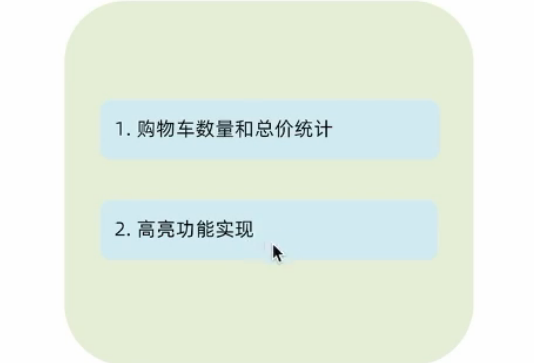
统计区域功能实现
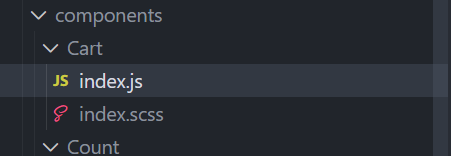
继续做cart文件里
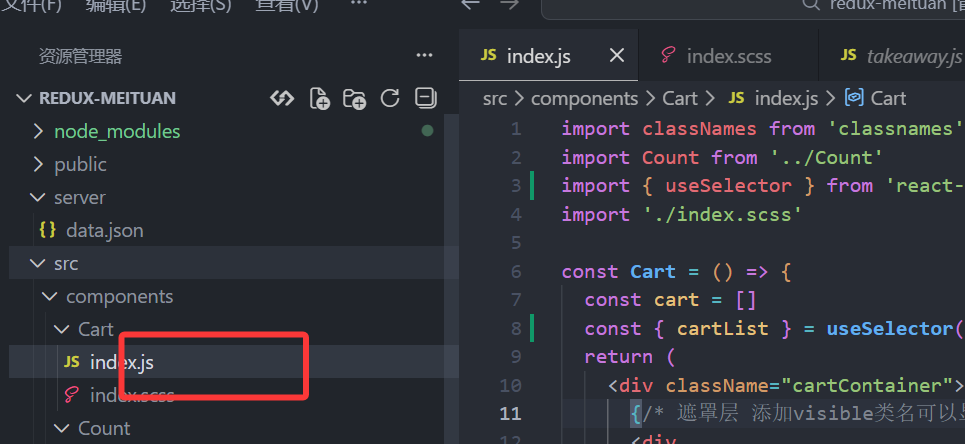
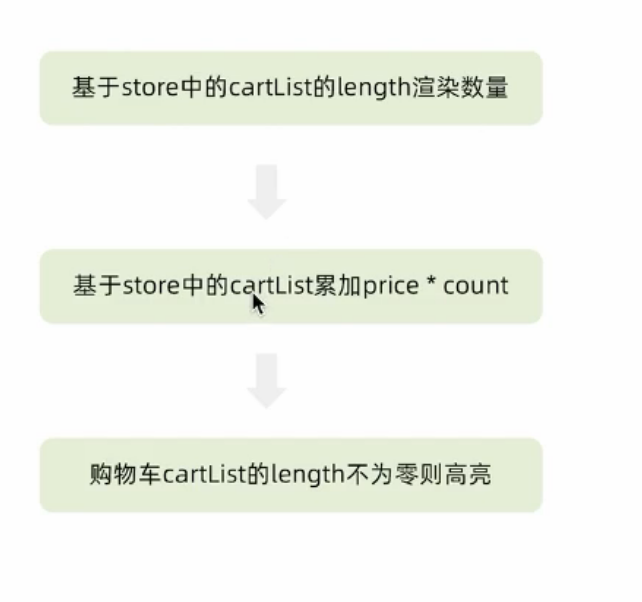
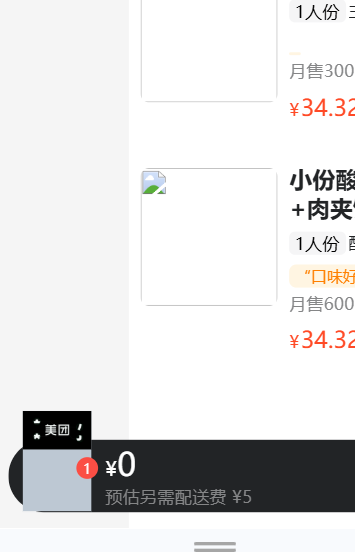
渲染cartlist的购物车内的数量
import { useSelector } from 'react-redux'
const { cartList } = useSelector(state=>state.foods)

        {/* 购物车数量 */}
        <div className={classNames('icon')}>
          {cartList.length > 0 && <div className="cartCornerMark">{cartList.length}</div>}
        </div>
ps:改一下图片地址(找到图丑,别介意)
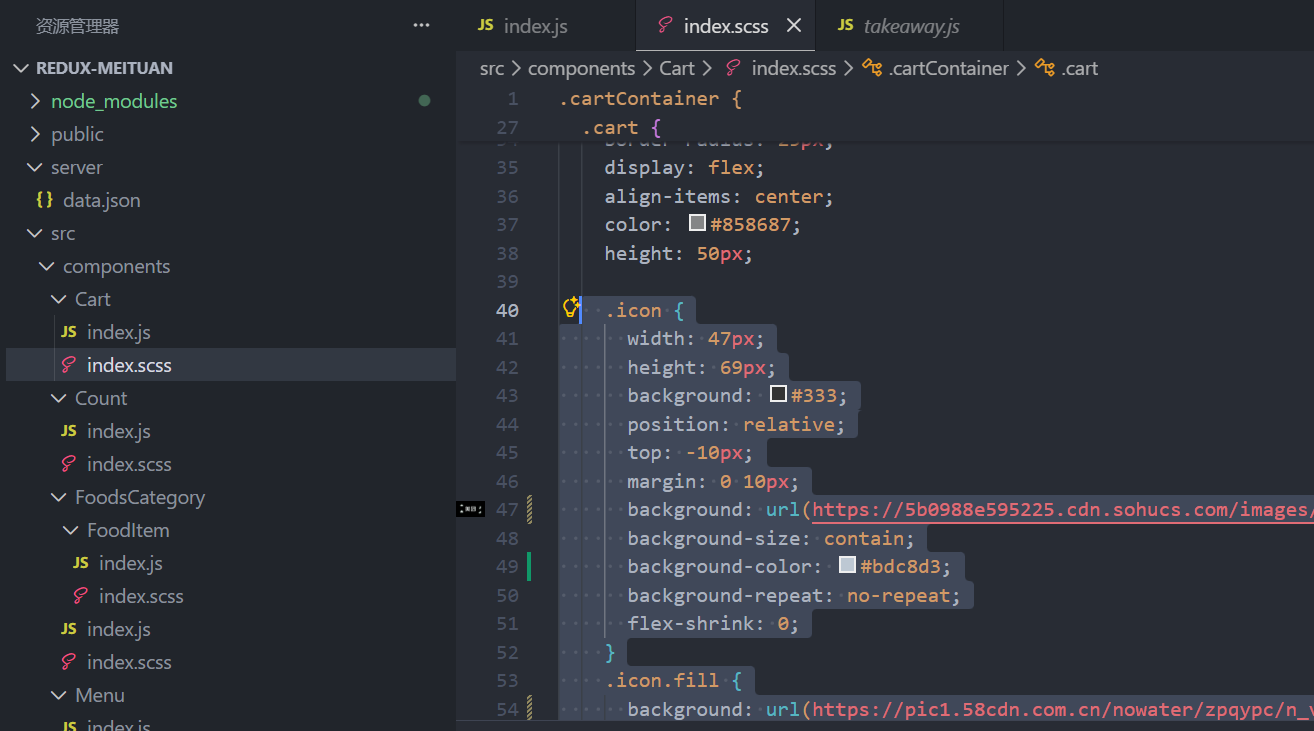
  .icon {
      width: 47px;
      height: 69px;
      background: #333;
      position: relative;
      top: -10px;
      margin: 0 10px;
      background: url(https://5b0988e595225.cdn.sohucs.com/images/20191024/164df886a6cc478eb5a70238e32dfaff.png);
      background-size: contain;
      background-color: #bdc8d3;
      background-repeat: no-repeat;
      flex-shrink: 0;
    }
    .icon.fill {
      background: url(https://pic1.58cdn.com.cn/nowater/zpqypc/n_v3058d11965a104585816c1ade4811667c.jpeg);
      background-size: contain;
      background-color: #f9f90a;
      background-repeat: no-repeat;
    }
基于store中的cartList累加price*count
  const totalPice = cartList.reduce((a, c) => a + c.count * c.price, 0)
   {/* 购物车价格 */}
        <div className="main">
          <div className="price">
            <span className="payableAmount">
              <span className="payableAmountUnit">¥</span>
              {totalPice.toFixed(2)}
            </span>
          </div>
          <span className="text">预估另需配送费 ¥5</span>
        </div>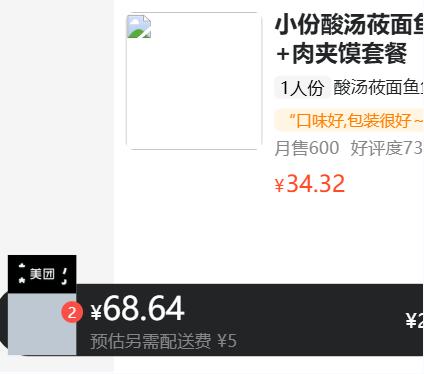
购物车cartList的length不为零则高亮
{/* fill 添加fill类名可以切换购物车状态*/}
        {/* 购物车数量 */}
        <div className={classNames('icon',cartList.length > 0 && 'fill')}>
          {cartList.length > 0 && <div className="cartCornerMark">{cartList.length}</div>}
        </div>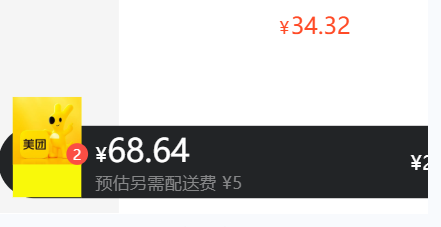
去结算
  {/* 结算 or 起送 */}
        {cartList.length > 0  ? (
          <div className="goToPreview">去结算</div>
        ) : (
          <div className="minFee">¥20起送</div>
        )}
      </div>
全部代码
import classNames from 'classnames'
import Count from '../Count'
import { useSelector } from 'react-redux'
import './index.scss'

const Cart = () => {
  const cart = []
  const { cartList } = useSelector(state=>state.foods)
  const totalPice = cartList.reduce((a, c) => a + c.count * c.price, 0)
  return (
    <div className="cartContainer">
      {/* 遮罩层 添加visible类名可以显示出来 */}
      <div
        className={classNames('cartOverlay')}
      />
      <div className="cart">
        {/* fill 添加fill类名可以切换购物车状态*/}
        {/* 购物车数量 */}
        <div className={classNames('icon',cartList.length > 0 && 'fill')}>
          {cartList.length > 0 && <div className="cartCornerMark">{cartList.length}</div>}
        </div>
        {/* 购物车价格 */}
        <div className="main">
          <div className="price">
            <span className="payableAmount">
              <span className="payableAmountUnit">¥</span>
              {totalPice.toFixed(2)}
            </span>
          </div>
          <span className="text">预估另需配送费 ¥5</span>
        </div>
        {/* 结算 or 起送 */}
        {cartList.length > 0  ? (
          <div className="goToPreview">去结算</div>
        ) : (
          <div className="minFee">¥20起送</div>
        )}
      </div>
      {/* 添加visible类名 div会显示出来 */}
      <div className={classNames('cartPanel')}>
        <div className="header">
          <span className="text">购物车</span>
          <span className="clearCart">
            清空购物车
          </span>
        </div>

        {/* 购物车列表 */}
        <div className="scrollArea">
          {cart.map(item => {
            return (
              <div className="cartItem" key={item.id}>
                <img className="shopPic" src={item.picture} alt="" />
                <div className="main">
                  <div className="skuInfo">
                    <div className="name">{item.name}</div>
                  </div>
                  <div className="payableAmount">
                    <span className="yuan">¥</span>
                    <span className="price">{item.price}</span>
                  </div>
                </div>
                <div className="skuBtnWrapper btnGroup">
                  <Count
                    count={item.count}
                  />
                </div>
              </div>
            )
          })}
        </div>
      </div>
    </div>
  )
}

export default Cart
购物车列表功能实现
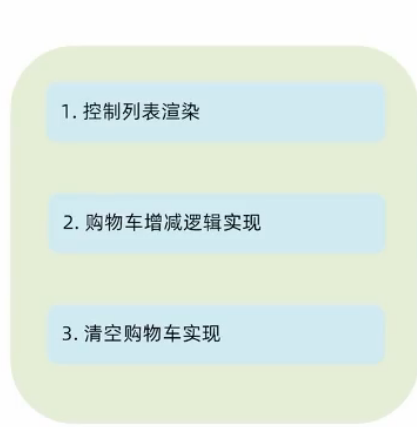
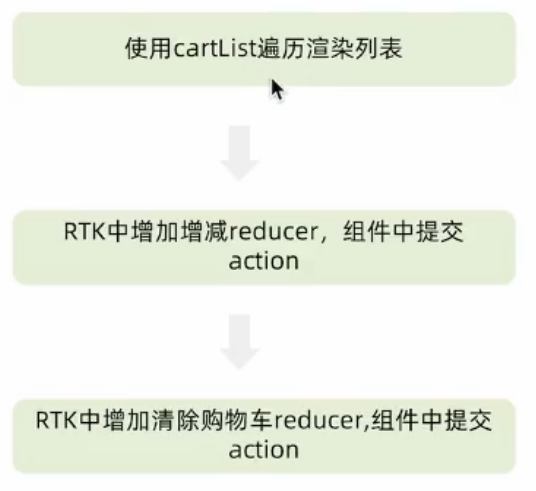
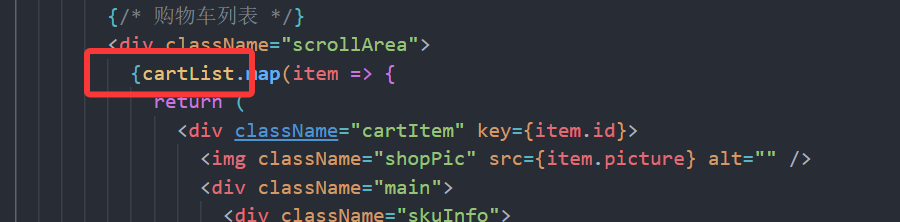
使用cartList遍历渲染列表
注销
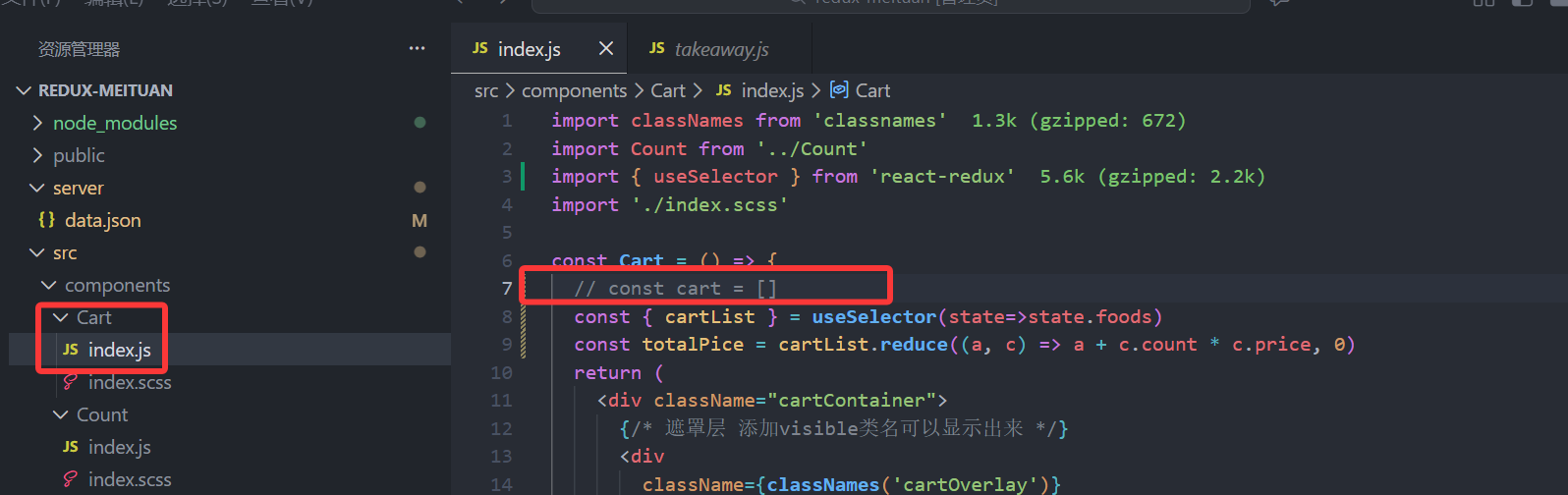
替换
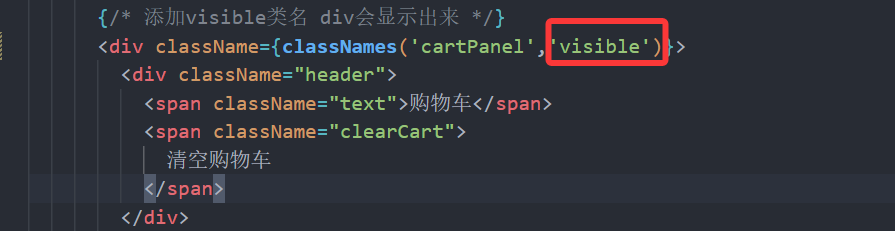
添加类名使列表出现
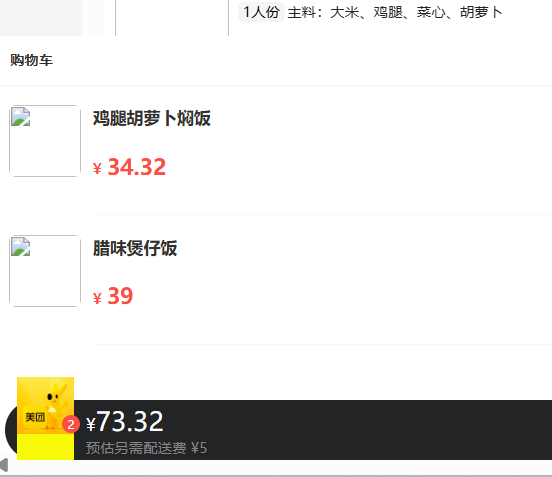
RTK中增加增减reducer,组件中提交action
增减方法
        //count+
        increCount(state,action){
            const item = state.cartList.find(item=>item.id===action.payload)
            item.count++
        },
        //count-,不能为负
         decreCount(state,action){
            const item = state.cartList.find(item=>item.id===action.payload)
            if(item.count===0){
                return
            }
            item.count--
        }

    }
//异步获取部分
const {setFoodsList,changeActiveIndex,addCart,increCount,decreCount}=foodsSlice.actions

export {fetchFoodsList,changeActiveIndex,addCart,increCount,decreCount}
实现增减
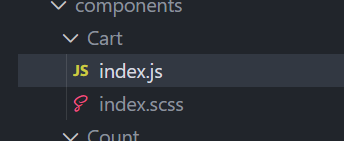
引入
import { useDispatch, useSelector } from 'react-redux'
import { increCount, decreCount } from '../../store/modules/takeaway'

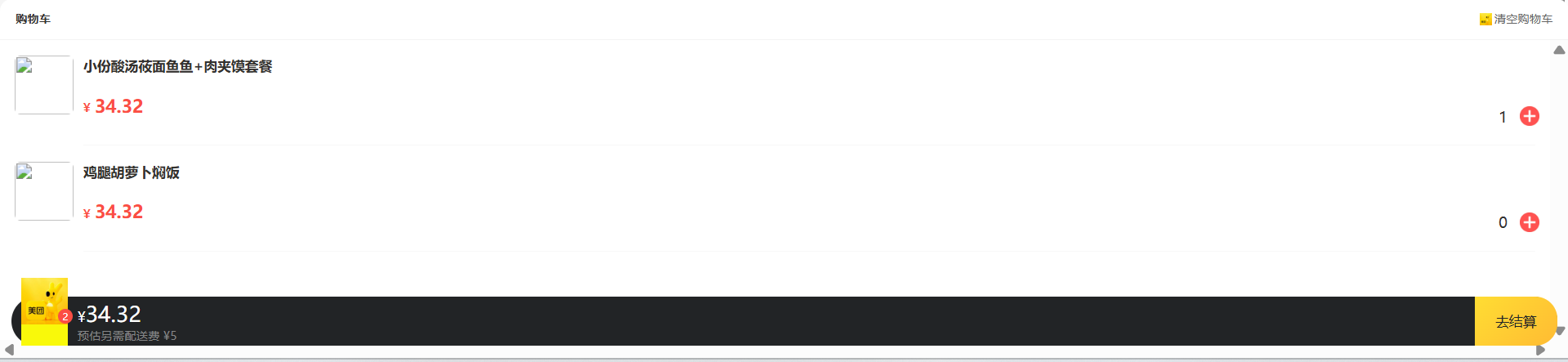
在购物车数量渲染
       <div className="skuBtnWrapper btnGroup">
                  {/* 购物车数量组件 Count */}
                  <Count
                    count={item.count}
                    onPlus={() => dispatch(increCount(item.id))}
                    onMinus={() => dispatch(decreCount(item.id))}
                  />
RTK中增加清除购物车reducer,组件中提交action
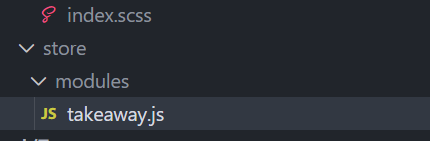
添加清空购物车方法
//编写store
import { createSlice } from "@reduxjs/toolkit";
import axios from "axios";

const foodsSlice = createSlice({
    name:'foods',
    initialState:{
        //商品列表
        foodsList:[],
        //菜单激活下标值
        activeIndex:0,
        //购物车列表
        cartList:[],
        //清空购物车列表
        clearCartList:[],
    },
    reducers:{
        //设置商品列表
        setFoodsList(state,action){
            state.foodsList=action.payload
        },
        //更改菜单激活下标值
        changeActiveIndex(state,action){
            state.activeIndex=action.payload
        },
        //添加商品到购物车
        addCart(state,action){
            //是否添加过?action.payload.id匹配cartList 匹配到添加+1
            const item = state.cartList.find(item=>item.id===action.payload.id)
            if(item){
                item.count++
            }else{
                state.cartList.push(action.payload)
            }
        },
        //count+
        increCount(state,action){
            const item = state.cartList.find(item=>item.id===action.payload)
            item.count++
        },
        //count-
        decreCount(state,action){
            const item = state.cartList.find(item=>item.id===action.payload)
            if(item.count===0){
                return
            }
            item.count--
        },
        //清空购物车
        clearCart(state){
            state.cartList = []
        }
    }
})
//异步获取部分
const {setFoodsList,changeActiveIndex,addCart,increCount,decreCount,clearCart}=foodsSlice.actions

const fetchFoodsList=()=>{
    return async (dispatch)=>{
        const res = await axios.get('http://localhost:3004/takeaway')
        //调用dispatch方法,提交action
        dispatch(setFoodsList(res.data))
    }
}
export {fetchFoodsList,changeActiveIndex,addCart,increCount,decreCount,clearCart}
const reducer=foodsSlice.reducer//导出reducer
export default reducer
实现清空
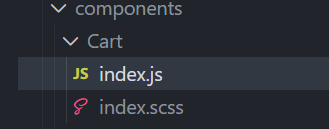
import { increCount, decreCount,clearCart } from '../../store/modules/takeaway'

  {/* 添加visible类名 div会显示出来 */}
      <div className={classNames('cartPanel','visible')}>
        <div className="header">
          <span className="text">购物车</span>
          <span className="clearCart" onClick={()=>dispatch(clearCart())}>
            清空购物车
          </span>
        </div>
全部代码
vb
`import classNames from 'classnames'
import Count from '../Count'
import { useDispatch, useSelector } from 'react-redux'
import { increCount, decreCount,clearCart } from '../../store/modules/takeaway'
import './index.scss'

const Cart = () => {
  // const cart = []
  const { cartList } = useSelector(state=>state.foods)
  const totalPice = cartList.reduce((a, c) => a + c.count * c.price, 0)
  const dispatch = useDispatch()
  return (
    <div className="cartContainer">
      {/* 遮罩层 添加visible类名可以显示出来 */}
      <div
        className={classNames('cartOverlay')}
      />
      <div className="cart">
        {/* fill 添加fill类名可以切换购物车状态*/}
        {/* 购物车数量 */}
        <div className={classNames('icon',cartList.length > 0 && 'fill')}>
          {cartList.length > 0 && <div className="cartCornerMark">{cartList.length}</div>}
        </div>
        {/* 购物车价格 */}
        <div className="main">
          <div className="price">
            <span className="payableAmount">
              <span className="payableAmountUnit">¥</span>
              {totalPice.toFixed(2)}
            </span>
          </div>
          <span className="text">预估另需配送费 ¥5</span>
        </div>
        {/* 结算 or 起送 */}
        {cartList.length > 0  ? (
          <div className="goToPreview">去结算</div>
        ) : (
          <div className="minFee">¥20起送</div>
        )}
      </div>
      {/* 添加visible类名 div会显示出来 */}
      <div className={classNames('cartPanel','visible')}>
        <div className="header">
          <span className="text">购物车</span>
          <span className="clearCart" onClick={()=>dispatch(clearCart())}>
            清空购物车
          </span>
        </div>

        {/* 购物车列表 */}
        <div className="scrollArea">
          {cartList.map(item => {
            return (
              <div className="cartItem" key={item.id}>
                <img className="shopPic" src={item.picture} alt="" />
                <div className="main">
                  <div className="skuInfo">
                    <div className="name">{item.name}</div>
                  </div>
                  <div className="payableAmount">
                    <span className="yuan">¥</span>
                    <span className="price">{item.price}</span>
                  </div>
                </div>
                <div className="skuBtnWrapper btnGroup">
                  {/* 购物车数量组件 Count */}
                  <Count
                    count={item.count}
                    onPlus={() => dispatch(increCount(item.id))}
                    onMinus={() => dispatch(decreCount(item.id))}
                  />
                </div>
              </div>
            )
          })}
        </div>
      </div>
    </div>
  )
}

export default Cart
`
清空完成
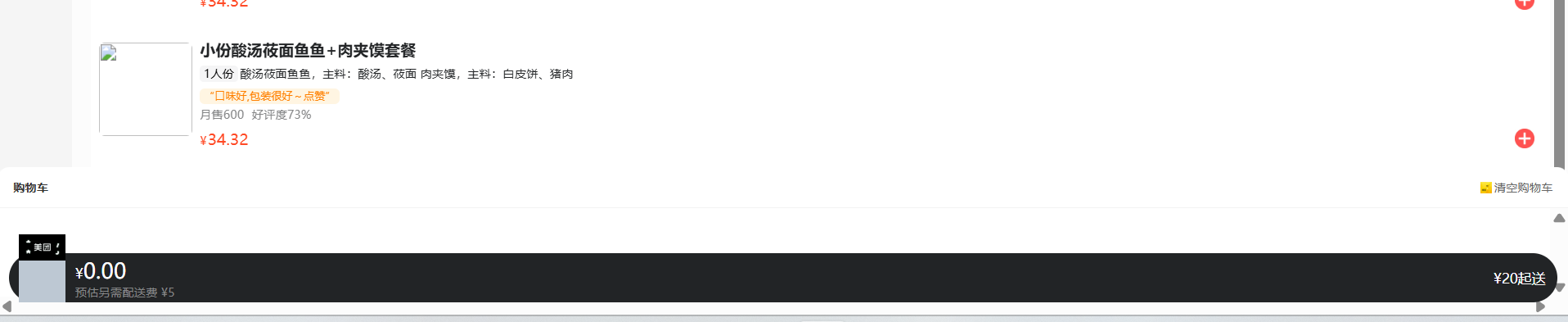
控制购物车显示和隐藏
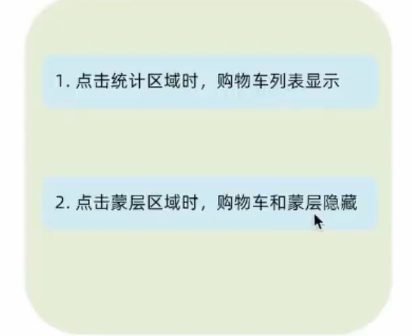
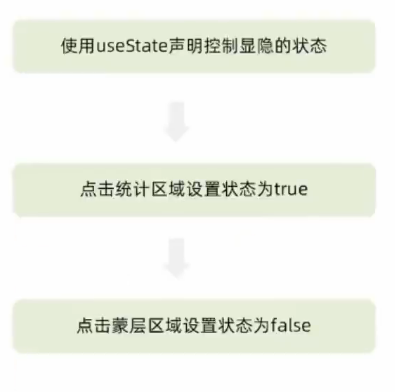
使用useState声明
//明确需求:在有商品时购物车才可以通过点击显示,如果没有商品则点击也不显示
import { useState } from 'react'
 //设置状态
  const [visible, setVisible] = useState(false)
由visible状态控制是否显示统计和蒙层区域
  {/* 遮罩层 添加visible类名可以显示出来 */}
      <div
        className={classNames('cartOverlay', visible && 'visible')}
      />
  {/* 添加visible类名 div会显示出来 */}
      <div className={classNames('cartPanel',visible && 'visible')}>
设置函数点击图标控制显示和隐藏
 const onShow = () => {
    if (cartList.length>0) {
      setVisible(!visible)
    }else{
      return
    }
  }
{/* fill 添加fill类名可以切换购物车状态*/}
{/* 购物车数量 */}
<div onClick={onShow} className={classNames('icon',cartList.length > 0 && 'fill')}>
全部代码
import classNames from 'classnames'
import Count from '../Count'
import { useDispatch, useSelector } from 'react-redux'
import { increCount, decreCount,clearCart } from '../../store/modules/takeaway'
import './index.scss'
import { useState } from 'react'

const Cart = () => {
  // const cart = []
  const { cartList } = useSelector(state=>state.foods)
  const totalPice = cartList.reduce((a, c) => a + c.count * c.price, 0)
  const dispatch = useDispatch()
  //设置状态
  const [visible, setVisible] = useState(false)
  const onShow = () => {
  //在有商品通过点击显示,没有商品则点击也不显示
    if (cartList.length>0) {
      setVisible(!visible)
    }else{
      return
    }
  }
  return (
    <div className="cartContainer">
      {/* 遮罩层 添加visible类名可以显示出来 */}
      <div
        className={classNames('cartOverlay', visible && 'visible')}
      />
      <div className="cart">
        {/* fill 添加fill类名可以切换购物车状态*/}
        {/* 购物车数量 */}
        <div onClick={onShow} className={classNames('icon',cartList.length > 0 && 'fill')}>
          {cartList.length > 0 && <div className="cartCornerMark">{cartList.length}</div>}
        </div>
        {/* 购物车价格 */}
        <div className="main">
          <div className="price">
            <span className="payableAmount">
              <span className="payableAmountUnit">¥</span>
              {totalPice.toFixed(2)}
            </span>
          </div>
          <span className="text">预估另需配送费 ¥5</span>
        </div>
        {/* 结算 or 起送 */}
        {cartList.length > 0  ? (
          <div className="goToPreview">去结算</div>
        ) : (
          <div className="minFee">¥20起送</div>
        )}
      </div>
      {/* 添加visible类名 div会显示出来 */}
      <div className={classNames('cartPanel',visible && 'visible')}>
        <div className="header">
          <span className="text">购物车</span>
          <span className="clearCart" onClick={()=>dispatch(clearCart())}>
            清空购物车
          </span>
        </div>

        {/* 购物车列表 */}
        <div className="scrollArea">
          {cartList.map(item => {
            return (
              <div className="cartItem" key={item.id}>
                <img className="shopPic" src={item.picture} alt="" />
                <div className="main">
                  <div className="skuInfo">
                    <div className="name">{item.name}</div>
                  </div>
                  <div className="payableAmount">
                    <span className="yuan">¥</span>
                    <span className="price">{item.price}</span>
                  </div>
                </div>
                <div className="skuBtnWrapper btnGroup">
                  {/* 购物车数量组件 Count */}
                  <Count
                    count={item.count}
                    onPlus={() => dispatch(increCount(item.id))}
                    onMinus={() => dispatch(decreCount(item.id))}
                  />
                </div>
              </div>
            )
          })}
        </div>
      </div>
    </div>
  )
}

export default Cart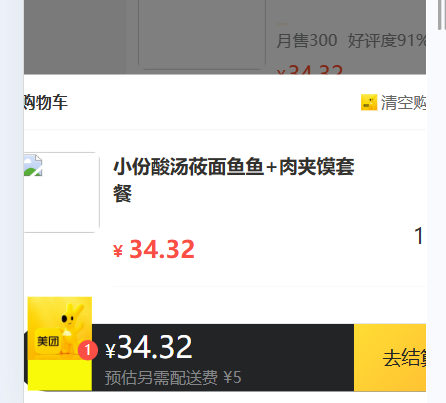
ps:学习内容仅供参考可能有bug