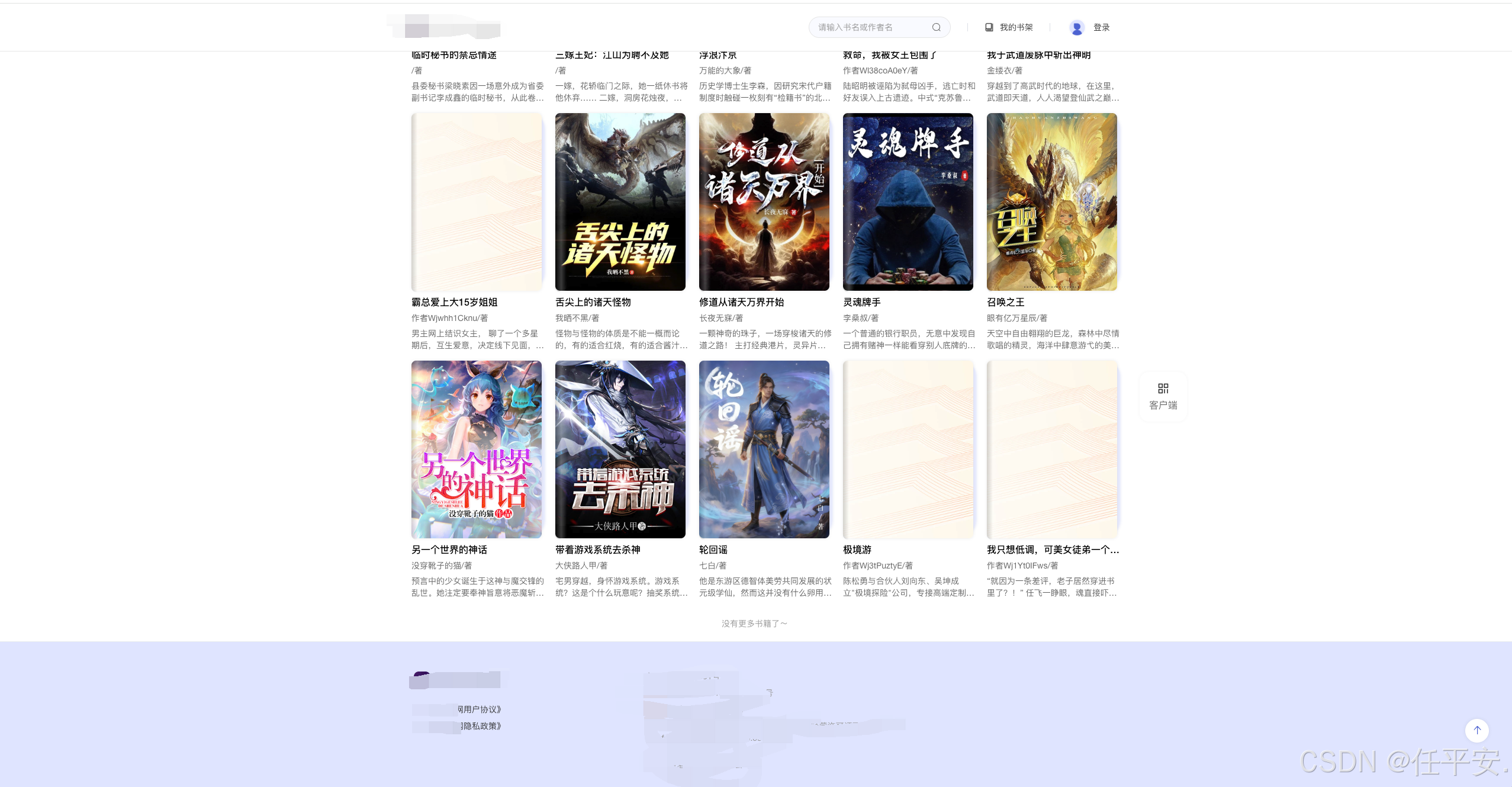
最近在实际开发中 做了一个小说官网
需要有个分页的功能
一直往下滑 知道没有数据为止。这样的官网跟h5 小程序不一样 可以有scroll-view 组件
可以直接有分配的滑动底部函数 top 参数等
我们可以监听window 时间来实现
onUnmounted(() => {
	// 清理防抖计时器
	if (scrollTimer) {
		clearTimeout(scrollTimer);
	}

	// 移除窗口滚动监听
	window.removeEventListener('scroll', handleWindowScroll);
});

onMounted(() => {
	getBookList();
	window.addEventListener('scroll', handleWindowScroll);
	setTimeout(() => {
		handleWindowScroll();
	}, 500);
});
当然 我们这个需要有防抖 不然太频繁了
const handleWindowScroll = () => {
	// 防抖处理
	if (scrollTimer) {
		clearTimeout(scrollTimer);
	}

	scrollTimer = setTimeout(() => {
		// 获取滚动位置
		const scrollTop = document.documentElement.scrollTop || document.body.scrollTop;
		const windowHeight = window.innerHeight;
		const documentHeight = document.documentElement.scrollHeight;

		// 计算距离底部的距离
		const distanceToBottom = documentHeight - scrollTop - windowHeight;

		console.log('滚动检测:', {
			scrollTop,
			windowHeight,
			documentHeight,
			distanceToBottom,
			是否触底: distanceToBottom < 100,
		});

		// 显示/隐藏触底提示
		showBottomHint.value = distanceToBottom < 300 && distanceToBottom > 50;

		// 距离底部100px时触发加载
		if (distanceToBottom < 100 && !loading.value && !noMoreData.value) {
			console.log('触发加载更多,当前页码:', searchParams.value.pageIndex);
			loadMore();
		}
	}, 200);
};
这个距离底部的距离就是 需要根据页面的高度计算一下 目前距离底部的距离
来计算是否触底了 然后我们进行对 page 的 ++
然后调用接口
进行下一页
当然 也有可能 只有一个数据
我们可以在一开始就调用这个函数 进行判断 是否需要加载更多
我把整个代码贴一下
大家如果遇到相同的需求可直接拿去用
<template>
	<div class="categorypage-container">
		<div class="header-title">
			<span class="t1" @click="router.push('/')">首页</span>
			<span class="t2"> > </span>
			<span class="t3">{{ queryInfo.categoryName }}小说</span>
		</div>
		<div class="book-list-container">
			<div @click="bookDetails" class="book-item" v-for="item in list" :key="item.novelID">
				<div class="left-line"></div>
				<img :src="item.coverUrl" class="img" alt="" />
				<div class="highlight"></div>

				<div class="bookName text-row-1">{{ item.novelName }}</div>
				<div class="author text-row-1">{{ item.authorName }}/著</div>
				<div class="desc text-row-2">
					{{ item.novelSummary }}
				</div>
			</div>
		</div>
		<div v-if="loading" class="loading">
			<span>加载中...</span>
		</div>

		<!-- 没有更多数据 -->
		<div v-if="noMoreData" class="no-more">
			<span>没有更多书籍了~</span>
		</div>
	</div>
</template>

<script setup>
import { ref, reactive, onMounted, onUnmounted } from 'vue';
import { useRouter, useRoute } from 'vue-router';
import { useHomeApi } from '/@/api/home/index';
const { getBookListByCategory } = useHomeApi();

const route = useRoute();
const router = useRouter();

const queryInfo = ref({});
queryInfo.value = route.query;
const containerRef = ref(null);

const list = ref([
]);
const searchParams = ref({
	category: route.query.id,
	pageIndex: 1,
	pageSize: 20,
	total: 0,
});
const loading = ref(false);
const noMoreData = ref(false);
const showBottomHint = ref(false); // 触底提示

let scrollTimer = null;
//滑动到底部
// 监听窗口滚动
const handleWindowScroll = () => {
	// 防抖处理
	if (scrollTimer) {
		clearTimeout(scrollTimer);
	}

	scrollTimer = setTimeout(() => {
		// 获取滚动位置
		const scrollTop = document.documentElement.scrollTop || document.body.scrollTop;
		const windowHeight = window.innerHeight;
		const documentHeight = document.documentElement.scrollHeight;

		// 计算距离底部的距离
		const distanceToBottom = documentHeight - scrollTop - windowHeight;

		console.log('滚动检测:', {
			scrollTop,
			windowHeight,
			documentHeight,
			distanceToBottom,
			是否触底: distanceToBottom < 100,
		});

		// 显示/隐藏触底提示
		showBottomHint.value = distanceToBottom < 300 && distanceToBottom > 50;

		// 距离底部100px时触发加载
		if (distanceToBottom < 100 && !loading.value && !noMoreData.value) {
			console.log('触发加载更多,当前页码:', searchParams.value.pageIndex);
			loadMore();
		}
	}, 200);
};
// 加载更多数据
const loadMore = async () => {
	if (loading.value || noMoreData.value) {
		return;
	}

	loading.value = true;

	try {
		// 增加页码
		const nextPage = searchParams.value.pageIndex + 1;

		const result = await getBookListByCategory({
			...searchParams.value,
			pageIndex: nextPage,
		});

		console.log('加载结果:', result);

		if (result.code == 200) {
			const newData = result.data || [];
			const total = result.total || 0;

			console.log('获取到新数据:', newData.length, '条');

			if (newData.length > 0) {
				// 更新页码
				searchParams.value.pageIndex = nextPage;
				// if (uniqueNewData.length > 0) {
				list.value = [...list.value, ...newData];
				console.log('合并后总数据:', list.value.length);
				// }

				// 更新总数据量
				searchParams.value.total = total;

				// 检查是否还有更多数据
				if (list.value.length >= total) {
					noMoreData.value = true;
					console.log('没有更多数据了,总数:', total);
				}
			} else {
				// 没有新数据了
				noMoreData.value = true;
				console.log('没有更多数据了');
			}
		} else {
			ElMessage.error(result.message || '加载失败');
		}
	} catch (error) {
		console.error('加载更多失败:', error);
		ElMessage.error('加载失败');
	} finally {
		loading.value = false;
	}
};

//获取书籍分类列表
const getBookList = async () => {
	try {
		const result = await getBookListByCategory(searchParams.value);
		console.log(result, 'result');
		if (result.code == 200) {
			list.value = result.data || [];
			searchParams.value.total = result.total || 0;
		} else {
			ElMessage.error(result.message);
			list.value = [];
		}
	} catch (error) {
		ElMessage.error('获取书籍分类列表失败~');
	}
};
onUnmounted(() => {
	// 清理防抖计时器
	if (scrollTimer) {
		clearTimeout(scrollTimer);
	}

	// 移除窗口滚动监听
	window.removeEventListener('scroll', handleWindowScroll);
});

onMounted(() => {
	getBookList();
	window.addEventListener('scroll', handleWindowScroll);
	setTimeout(() => {
		handleWindowScroll();
	}, 500);
});
</script>

<style lang="scss" scoped>
.categorypage-container {
	width: 1200px;
	margin: 0 auto;
	margin-top: 80px;
	// background-color: pink;
	min-height: 500px;
	padding: 20px;
	position: relative;

	.header-title {
		font-size: 16px;
		.t1 {
			cursor: pointer;
			// color:;
		}
		.t2 {
			margin: 0 4px;
		}
		.t3 {
			cursor: pointer;
			color: #4c62d1;
		}
	}
	.loading {
		margin-top: 32px;
		color: #999;
		text-align: center;
	}
	.no-more {
		color: #999;
		margin-top: 32px;
		text-align: center;
	}
	.book-list-container {
		margin-top: 40px;
		display: flex;
		flex-flow: row wrap;
		width: 1200px;
		.book-item {
			// padding: 5px;

			width: 227px;
			height: auto;
			display: flex;
			flex-direction: column;
			// align-items: center;
			cursor: pointer;
			transition: all 0.3s;
			position: relative;
			z-index: 1;
			.img {
				width: 220px;
				height: 300px;
			}
			.highlight {
				position: absolute;
				height: 73%;
				width: 25px; /* 适当增加宽度 */
				top: 1px;
				right: 2px;
				background: rgba(223, 228, 255, 0.7);
				/* 椭圆形圆角:水平半径 / 垂直半径 */
				border-top-right-radius: 25px;
				border-bottom-right-radius: 25px;
				z-index: -1;
				box-shadow: 1px 1px 4px rgba(76, 98, 209, 0.15);
				filter: blur(0.6px);
			}

			&:hover {
				.bookName {
					color: #4c62d1;
				}
				transform: translateY(-2px);
				img {
					box-shadow: 0 2px 6px rgba(0, 0, 0, 0.15);
					// width: 225px;
				}
				// .highlight {
				// 	box-shadow: 0 4px 12px rgba(0, 0, 0, 0.15);
				// }
			}
			img {
				width: 220px;
				// 整体投影效果
				box-shadow: 0 0 5px rgba(0, 0, 0, 0.1); // X 0, Y 0, 模糊5px
				border-radius: 8px; // 可选,让投影更自然
				overflow: hidden; // 确保内容不超出圆角
				transition: all 0.3s;
			}
			.left-line {
				position: absolute;
				height: 75%;
				width: 20px;
				top: 0;
				left: 0;
				background: linear-gradient(to right, rgba(51, 51, 51, 0.9), rgba(255, 255, 255, 0.8), rgba(51, 51, 51, 0)); // 渐变色块
				border-bottom-left-radius: 8px;
				border-top-left-radius: 8px;
				opacity: 0.25;
				// box-shadow: 0 0 5px rgba(0, 0, 0, 0.25);
			}
			// .highlight-tag {
			// 	position: absolute;
			// 	top: 10px;
			// 	left: 10px;
			// 	background: linear-gradient(45deg, #ff6b6b, #ffa500); // 渐变色块
			// 	color: white;
			// 	padding: 4px 8px;
			// 	border-radius: 4px;
			// 	font-size: 12px;
			// 	font-weight: bold;
			// }

			.img-left {
				position: absolute;
			}
			.img-right {
				position: absolute;
			}
			.bookName {
				font-size: 16px;
				font-weight: 500;
				margin-top: 8px;
			}
			.desc {
				color: #666;
				font-size: 14px;
				margin-top: 6px;
			}
			.author {
				color: #666;
				font-size: 14px;
				text-align: left;
				margin-top: 6px;
			}
			// background-color: pink;
			&:not(:nth-child(5n + 1)) {
				margin-left: 16px;
			}

			// 从第6个开始(第二行)添加顶部间距
			&:nth-child(n + 6) {
				margin-top: 16px;
			}
		}
	}
}
</style>