要下载对应cuda toolkit版本 的nccl,到nvidia官方下载
我用的GPU是v100显卡,只能下载legacy的。
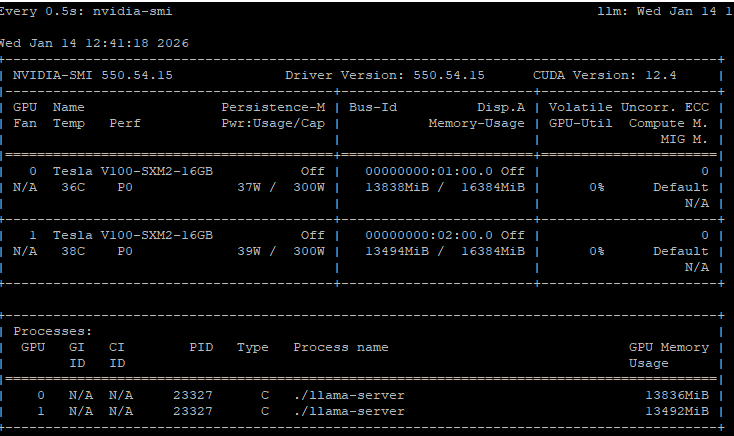
查看cuda版本
bash
yu@llm:~/ik_llama.cpp$ nvcc --version
nvcc: NVIDIA (R) Cuda compiler driver
Copyright (c) 2005-2024 NVIDIA Corporation
Built on Thu_Mar_28_02:18:24_PDT_2024
Cuda compilation tools, release 12.4, V12.4.131
Build cuda_12.4.r12.4/compiler.34097967_0
安装错误的版本,编译可以成功,但是推理时会报错allreduce错误。
安装命令
bash
# 1. 安装仓库包
sudo dpkg -i nccl-local-repo-ubuntu2204-2.27.7-cuda12.4_1.0-1_amd64.deb

# 2. 添加GPG密钥(请根据实际路径调整,或者在1执行完成后,会有个提示,按照那个)
sudo apt-key add /var/nccl-local-repo-ubuntu2204-2.27.7-cuda12.4/7fa2af80.pub

# 3. 更新软件源
sudo apt update

# 4. 安装指定版本的NCCL库
sudo apt install libnccl2=2.27.7-1+cuda12.4 libnccl-dev=2.27.7-1+cuda12.4
配置
bash
cmake -B build -DGGML_BLAS=ON -DGGML_CUDA=ON -DGGML_NCCL=ON -DGGML_AVX=ON -DGGML_AVX2=ON -DGGML_CUDA_FA=ON -DGGML_CUDA_FORCE_CUBLAS=ON -DGGML_GRAPHS=ON -DGGML_CUDA_FA_ALL_QUANTS=ON编译
bash
cmake --build build --config Release -j20e5 2673V4是20核的,利用它的40个pcie通道跑在x16模式。v100如果运行在pcie3.0 x8模式,装载模型时明显慢。
运行
bash
./llama-server --host 0.0.0.0 --port 8086 --no-warmup -m ~/llama/cognitivecomputations_Dolphin-Mistral-24B-Venice-Edition-Q8_0.gguf -c 8192 -ngl 99 -sm graph不能使用 --device cuda0,cuda1,会不分层,推理速度靠cpu基本是1tps
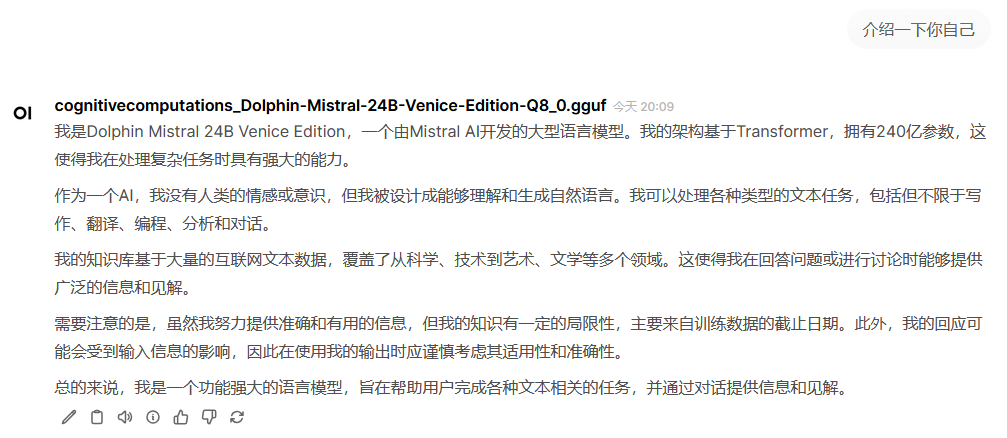
open webui运行在docker,它自己会自动运行。
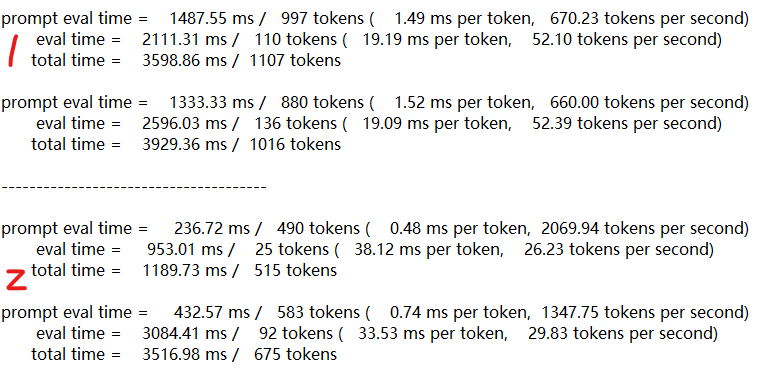
使用graph参数启用NCCL,Prompt处理慢,文本生成生成快,生成时俩个GPU利用率接近100%,功耗也大,但是2张卡合计也就400W。不使用NCCL,文本生成慢,GPU利用率分别在50%左右。