下载harbor:
官网:
https://github.com/goharbor/harbor
文档参考:
https://goharbor.cn/docs/2.13.0/install-config/download-installer/
确定安装好docker 和docker-composer
[root@localhost harbor]# cp harbor.yml.tmpl harbor.yml
[root@localhost harbor]# vi harbor.yml
[root@localhost harbor]# ./install.sh


修改yml文件

主要修改host

安装

[root@localhost harbor]# ./install.sh

[Step 0]: checking if docker is installed ...

Note: docker version: 29.1.4

[Step 1]: checking docker-compose is installed ...

Note: Docker Compose version v5.0.1

[Step 2]: loading Harbor images ...
Loaded image: goharbor/prepare:v2.14.2
Loaded image: goharbor/trivy-adapter-photon:v2.14.2
Loaded image: goharbor/harbor-core:v2.14.2
Loaded image: goharbor/harbor-db:v2.14.2
Loaded image: goharbor/harbor-jobservice:v2.14.2
Loaded image: goharbor/harbor-registryctl:v2.14.2
Loaded image: goharbor/nginx-photon:v2.14.2
Loaded image: goharbor/harbor-portal:v2.14.2
Loaded image: goharbor/redis-photon:v2.14.2
Loaded image: goharbor/registry-photon:v2.14.2
Loaded image: goharbor/harbor-log:v2.14.2
Loaded image: goharbor/harbor-exporter:v2.14.2


[Step 3]: preparing environment ...

[Step 4]: preparing harbor configs ...
prepare base dir is set to /root/harbor
Clearing the configuration file: /config/portal/nginx.conf
Clearing the configuration file: /config/log/logrotate.conf
Clearing the configuration file: /config/log/rsyslog_docker.conf
Clearing the configuration file: /config/nginx/nginx.conf
Clearing the configuration file: /config/core/env
Clearing the configuration file: /config/core/app.conf
Clearing the configuration file: /config/registry/passwd
Clearing the configuration file: /config/registry/config.yml
Clearing the configuration file: /config/registryctl/env
Clearing the configuration file: /config/registryctl/config.yml
Clearing the configuration file: /config/db/env
Clearing the configuration file: /config/jobservice/env
Clearing the configuration file: /config/jobservice/config.yml
Generated configuration file: /config/portal/nginx.conf
Generated configuration file: /config/log/logrotate.conf
Generated configuration file: /config/log/rsyslog_docker.conf
Generated configuration file: /config/nginx/nginx.conf
Generated configuration file: /config/core/env
Generated configuration file: /config/core/app.conf
Generated configuration file: /config/registry/config.yml
Generated configuration file: /config/registryctl/env
Generated configuration file: /config/registryctl/config.yml
Generated configuration file: /config/db/env
Generated configuration file: /config/jobservice/env
Generated configuration file: /config/jobservice/config.yml
copy /data/secret/tls/harbor_internal_ca.crt to shared trust ca dir as name harbor_internal_ca.crt ...
ca file /hostfs/data/secret/tls/harbor_internal_ca.crt is not exist
copy  to shared trust ca dir as name storage_ca_bundle.crt ...
copy None to shared trust ca dir as name redis_tls_ca.crt ...
loaded secret from file: /data/secret/keys/secretkey
Generated configuration file: /compose_location/docker-compose.yml
Clean up the input dir
[Step 5]: starting Harbor ...
WARN[0000] No services to build
[+] up 10/10
 ✔ Network harbor_harbor       Created                                                                                     0.4s
 ✔ Container harbor-log        Created                                                                                     0.3s
 ✔ Container registry          Created                                                                                     0.5s
 ✔ Container harbor-portal     Created                                                                                     0.6s
 ✔ Container registryctl       Created                                                                                     0.6s
 ✔ Container harbor-db         Created                                                                                     0.5s
 ✔ Container redis             Created                                                                                     0.5s
 ✔ Container harbor-core       Created                                                                                     0.2s
 ✔ Container nginx             Created                                                                                     0.2s
 ✔ Container harbor-jobservice Created                                                                                     0.2s
✔ ----Harbor has been installed and started successfully.----
[root@localhost harbor]# cat harbor.yml
# Configuration file of Harbor
其实本质harbor他也是在docker容器中运行的,
访问:https://192.168.123.67/harbor/projects
默认用户名admin Harbor12345
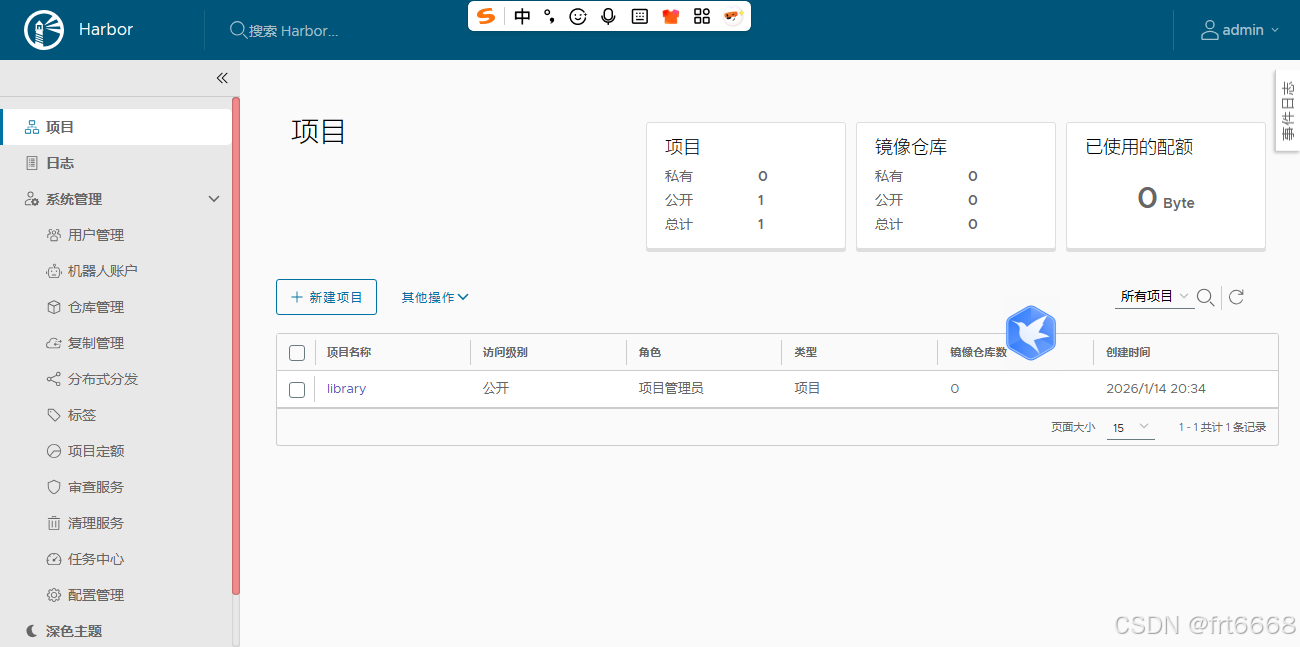
docker login,登录成功
[root@localhost harbor]# docker login yourdomain.com
Authenticating with existing credentials... [Username: admin]

i Info → To login with a different account, run 'docker logout' followed by 'doc                                                ker login'


Login Succeeded
push一个试试
先改个带域名tag,再push
[root@localhost harbor]# docker tag goharbor/harbor-core:v2.14.2 yourdomain.com/goharbor/harbor-core:v2.14.2
[root@localhost harbor]# docker push yourdomain.com/goharbor/harbor-core:v2.14.2
The push refers to repository [yourdomain.com/goharbor/harbor-core]
成功!