采用 uniapp+vue3 实现的一款简单吐司通知弹窗,适配 web、H5、微信小程序(其他平台小程序未测试过,可自行尝试);
用户可下载该组件模板进行自定义开发
可到插件市场下载尝试:https://ext.dcloud.net.cn/plugin?id=26577
- 示例
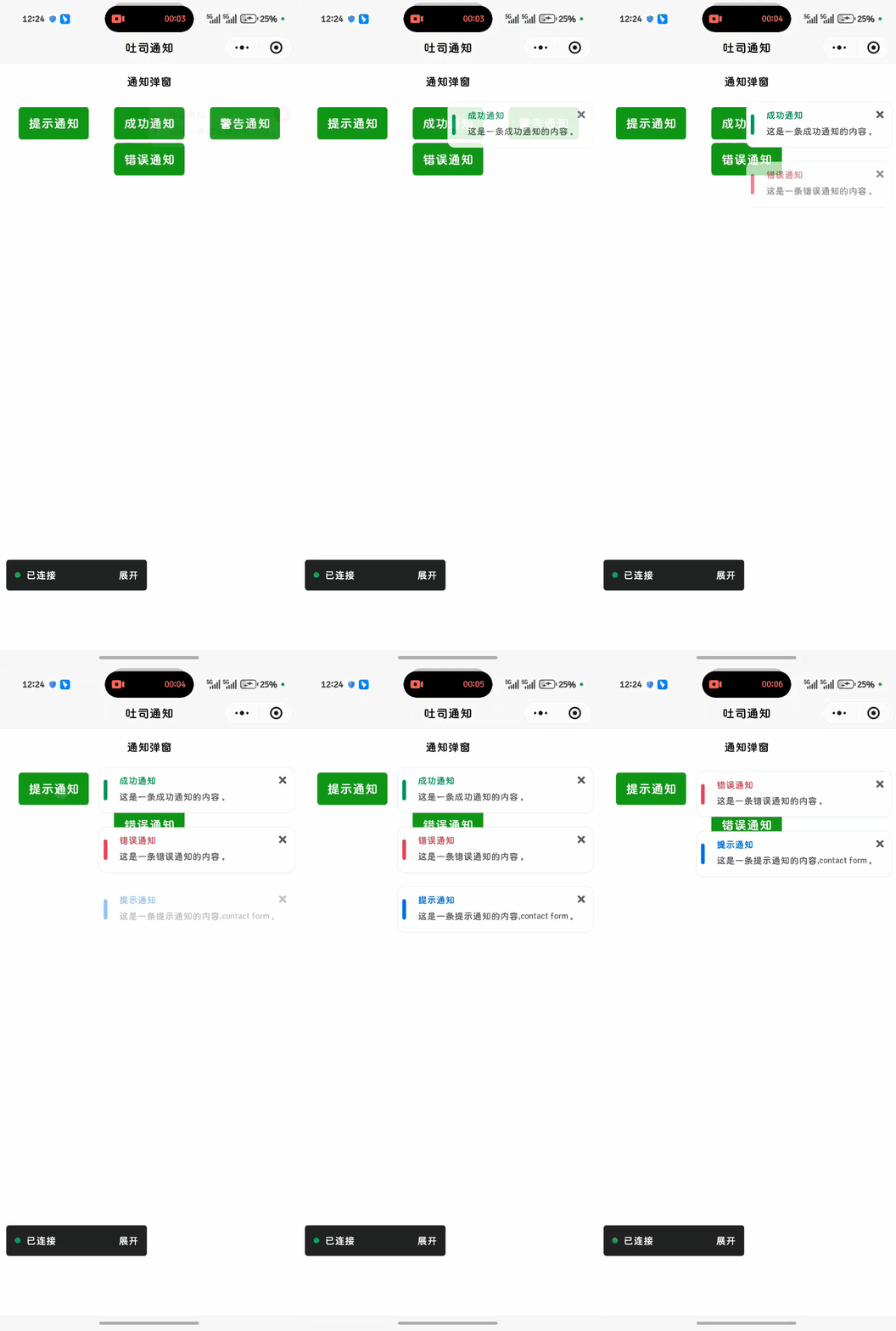
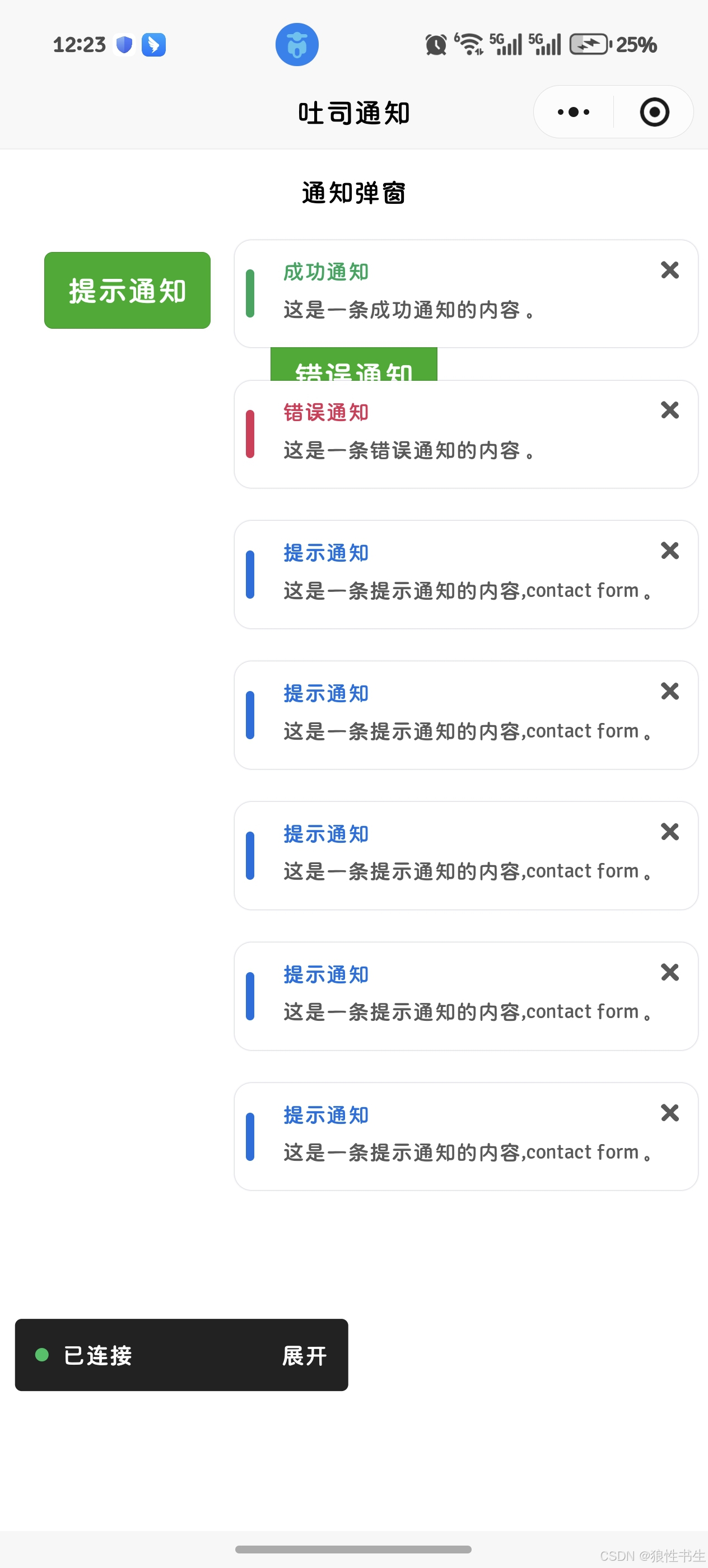
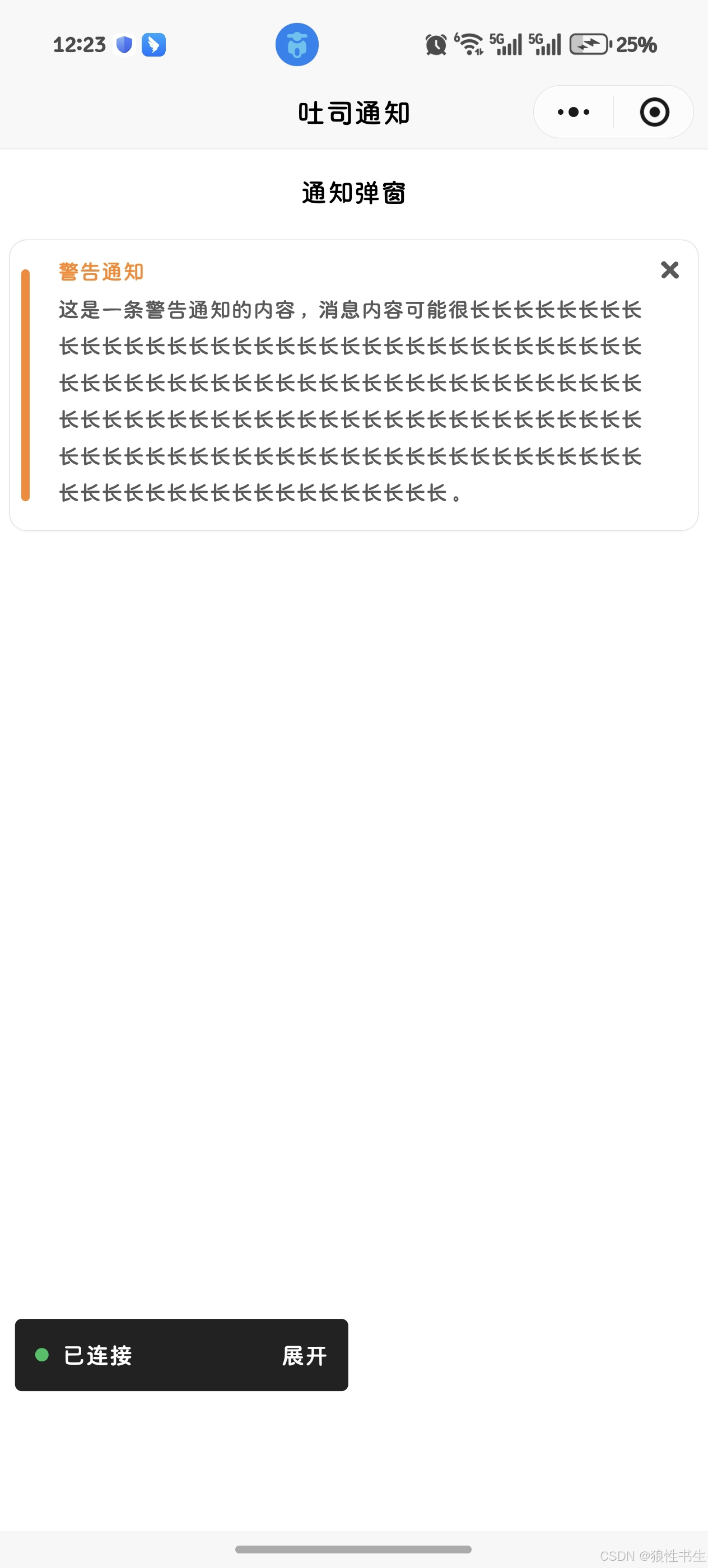
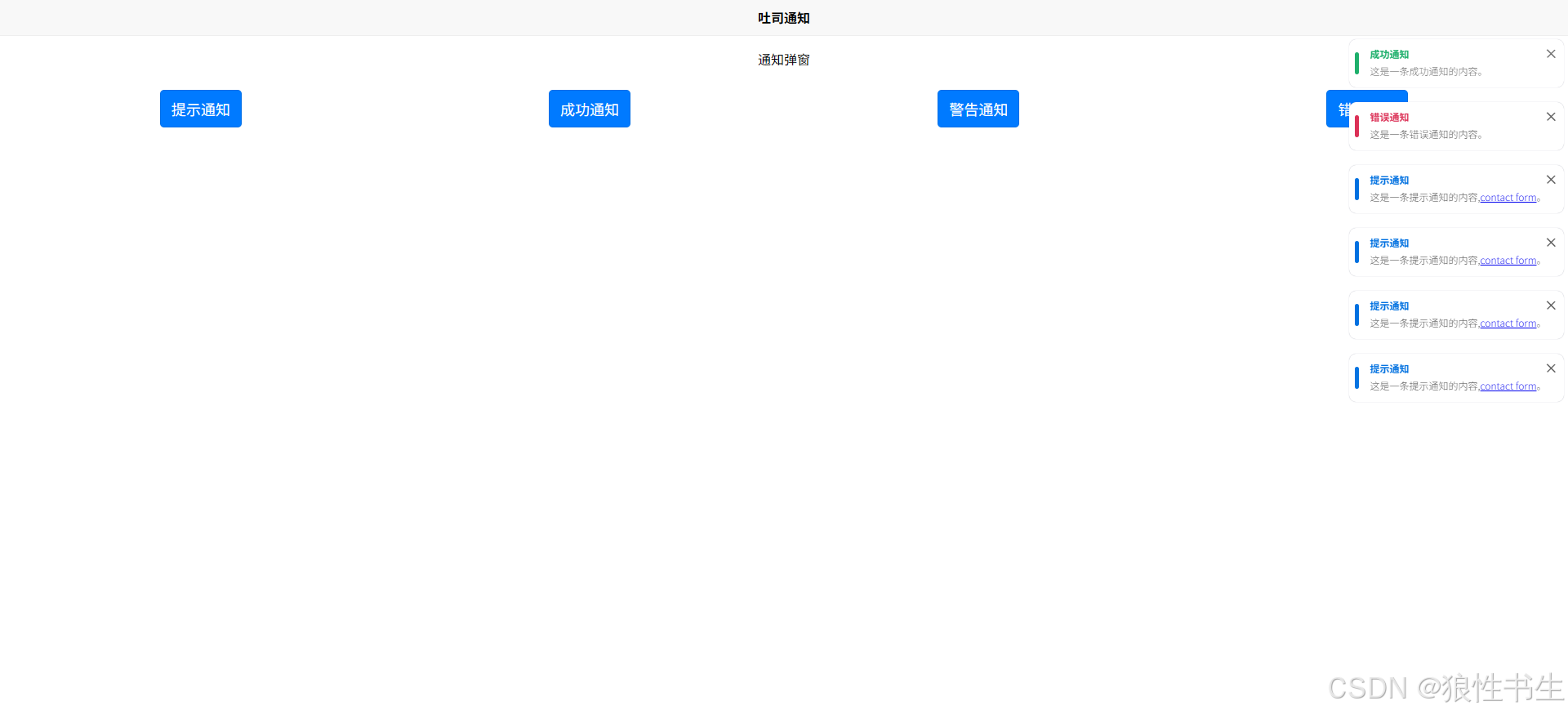
使用方法
- 在需使用弹窗的页面引入组件
javascript
...
<wo-toast-notice-1 ref="noticeRef" />
...- 通过调用组件暴露的 showToast 方法触发弹窗通知
javascript
...
import { ref } from "vue";
const noticeRef = ref();
const confirmOne = (type) => {
  noticeRef.value.showToast({
    type: type,
    title: "提示通知",
    content: '这是一条提示通知的内容,<a href="#">contact form</a>。',
  });
};
...- showToast 方法参数
- type:通知类型,有 tip、success、warning、error 四种类型
- title:弹窗标题
- content:弹窗内容
使用示例
javascript
<template>
  <view class="container">
    <view style="border-top: 1rpx solid #eee">
      <view>
        <view class="h1 flex-center">通知弹窗</view>
      </view>
      <view
        style="
          padding: 20rpx;
          display: flex;
          gap: 10rpx;
          flex-wrap: wrap;
          justify-content: center;
        "
      >
        <button type="primary" @click="confirmOne('tip')">提示通知</button>
        <button type="primary" @click="confirmTwo('success')">成功通知</button>
        <button type="primary" @click="confirmThree('warning')">
          警告通知
        </button>
        <button type="primary" @click="confirmFour('error')">错误通知</button>
      </view>
    </view>
    <wo-toast-notice-1 ref="noticeRef" />
  </view>
</template>

<script setup>
import { ref } from "vue";

const noticeRef = ref();

const confirmOne = (type) => {
  noticeRef.value.showToast({
    type: type,
    title: "提示通知",
    content: '这是一条提示通知的内容,<a href="#">contact form</a>。',
  });
};

const confirmTwo = (type) => {
  noticeRef.value.showToast({
    type: type,
    title: "成功通知",
    content: "这是一条成功通知的内容。",
  });
};

const confirmThree = (type) => {
  noticeRef.value.showToast({
    type: type,
    title: "警告通知",
    content:
      "这是一条警告通知的内容,消息内容可能很长长长长长长长长长长长长长长长长长长长长长长长长长长长长长长长长长长长长长长长长长长长长长长长长长长长长长长长长长长长长长长长长长长长长长长长长长长长长长长长长长长长长长长长长长长长长长长长长长长长长长长长长长长长长长长长长长长长长长长长长长长长长长长长长长长长长长长。",
  });
};

const confirmFour = (type) => {
  noticeRef.value.showToast({
    type: type,
    title: "错误通知",
    content: "这是一条错误通知的内容。",
  });
};
</script>

<style scoped>
.h1 {
  font-size: 1em;
  text-align: center;
  padding: 1em 0;
}

.flex-center {
  display: flex;
  justify-content: center;
  align-items: center;
}
</style>