Word 介入DeepSeek后相当于为文档配备了一个智能高效助手,创作效率翻倍。
deepseek官网,申请API Key
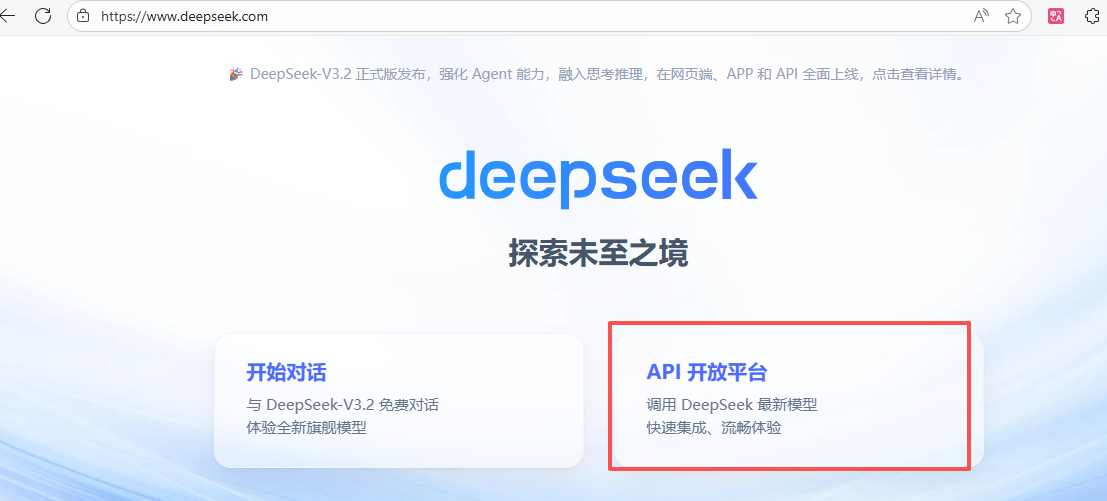
选择API平台,手机号、验证码登录成功,创建自己的API key 注意保存,不要泄密。
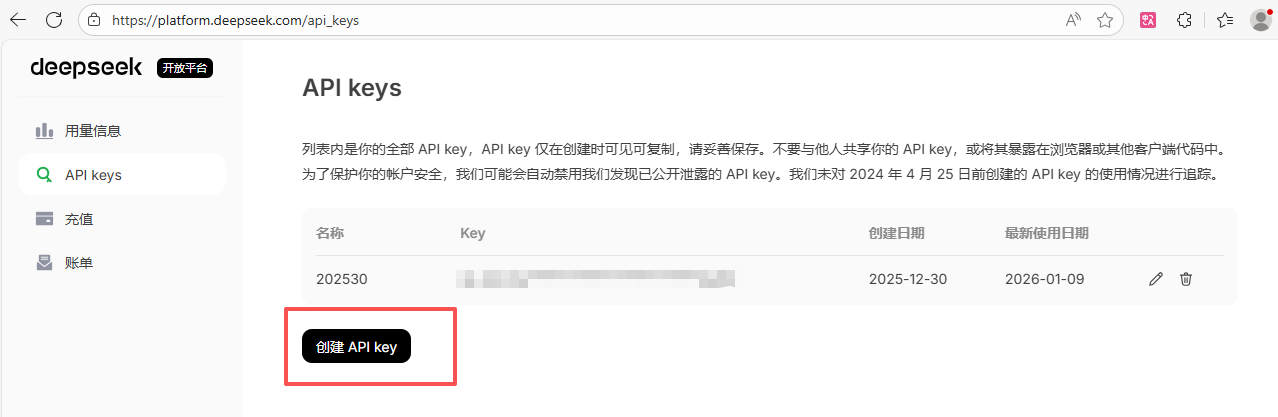
Word 配置
新建一个word 文档
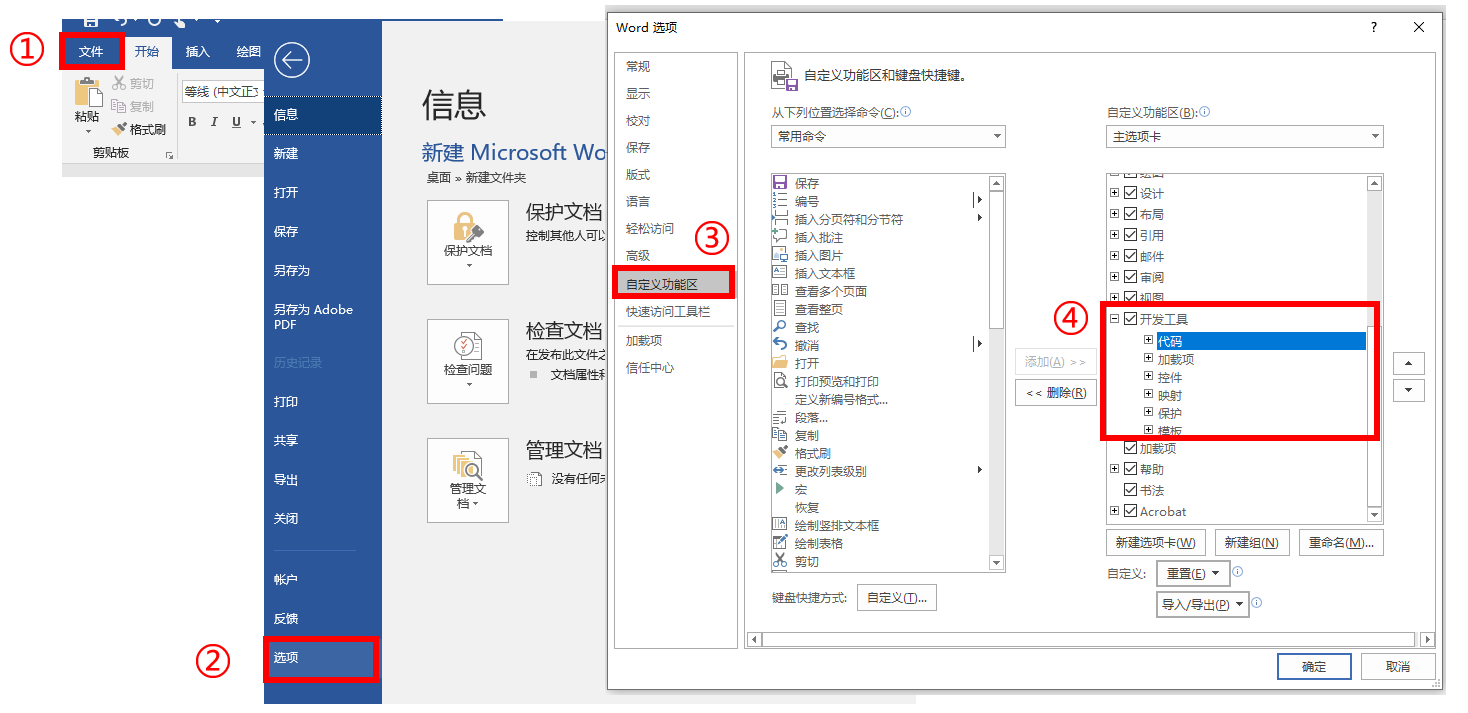
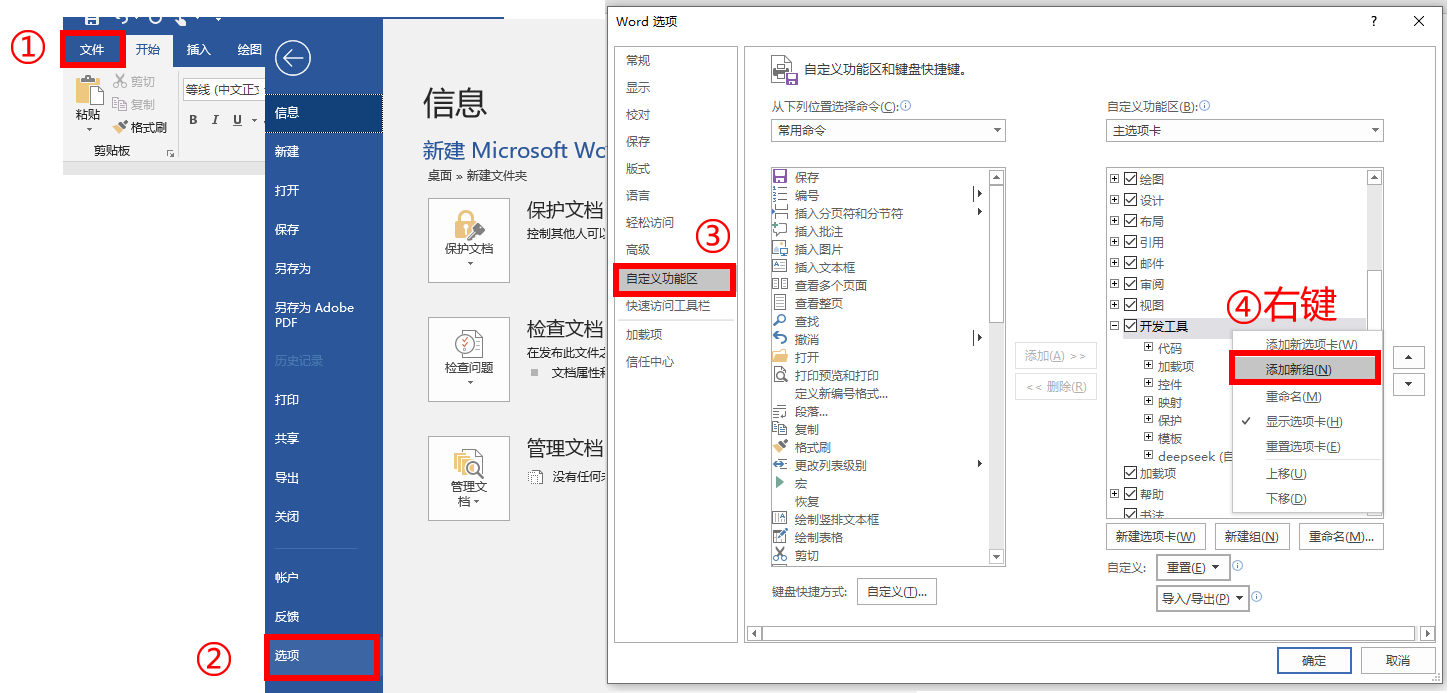
打开"文件"菜单,选择"选项"
勾选开发者工具
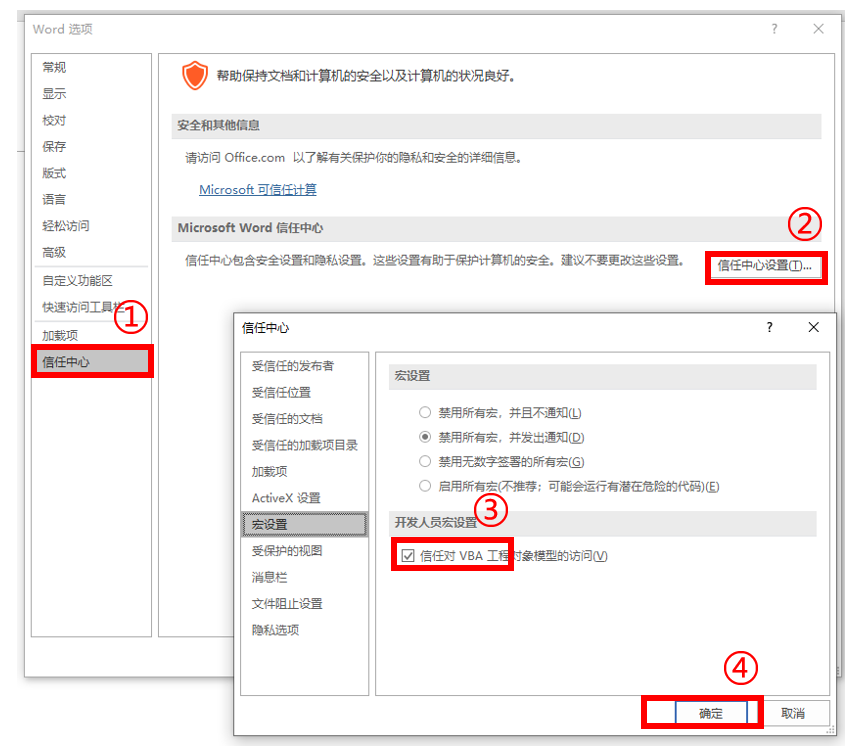
设置信任中心
进行Visual Basic 编程
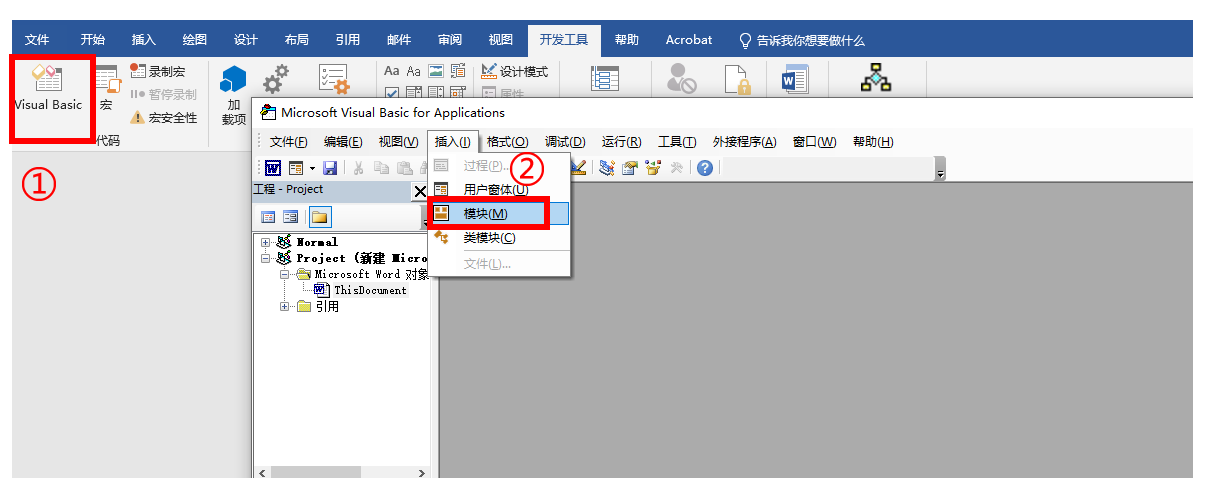
粘贴如下代码:
csharp
Function CallDeepSeekAPI(api_key As String, inputText As String)
    Dim API As String
    Dim SendTxt As String
    Dim Http As Object
    Dim status_code As Integer
    Dim response As String

    API = "https://api.deepseek.com/chat/completions"
    SendTxt = "{""model"": ""deepseek-chat"", ""messages"": [{""role"":""system"", ""content"":""You are a Word assistant""}, {""role"":""user"", ""content"":""" & inputText & """}], ""stream"": false}"
    Set Http = CreateObject("MSXML2.XMLHTTP")
    With Http
   .Open "POST", API, False
   .setRequestHeader "Content-Type", "application/json"
   .setRequestHeader "Authorization", "Bearer " & api_key
   .send SendTxt
    status_code =.Status
    response =.responseText
   End With
   ' 弹出窗口显示 API 响应(调试用)
   ' MsgBox "API Response: " & response, vbInformation, "Debug Info"
If status_code = 200 Then
    CallDeepSeekAPI = response
    Else
      CallDeepSeekAPI = "Error: " & status_code & " - " & response
 End If
    Set Http = Nothing
End Function

Sub DeepSeekV3()

    Dim api_key As String
    Dim inputText As String
    Dim response As String
    Dim regex As Object
    Dim matches As Object
    Dim originalSelection As Object
    api_key = "写入自己申请的APIKey"
    If api_key = "" Then
    MsgBox "请输入API密钥。"
    Exit Sub
ElseIf Selection.Type <> wdSelectionNormal Then
    MsgBox "请选择文本。"
    Exit Sub
End If
' 保存原始选中的文本
Set originalSelection = Selection.Range.Duplicate
inputText = Replace(Replace(Replace(Replace(Replace(Selection.Text, "\", "\\"), vbCrLf, ""), vbCr, ""), vbLf, ""), Chr(34), "\""")
response = CallDeepSeekAPI(api_key, inputText)
If Left(response, 5) <> "Error" Then
    Set regex = CreateObject("VBScript.RegExp")
    With regex
      .Global = True
      .MultiLine = True
      .IgnoreCase = False
      .Pattern = """content"":""(.*?)"""
    End With
    Set matches = regex.Execute(response)
    If matches.Count > 0 Then
        response = matches(0).SubMatches(0)
        response = Replace(Replace(response, """", Chr(34)), """", Chr(34))
        ' 取消选中原始文本
        Selection.Collapse Direction:=wdCollapseEnd
        ' 将内容插入到选中文字的下一行
        Selection.TypeParagraph ' 插入新行
        Selection.TypeText Text:=response
        ' 将光标移回原来选中文本的末尾
        originalSelection.Select
    Else
        MsgBox "解析API响应失败。", vbExclamation
    End If
Else
    MsgBox response, vbCritical
End If
End Sub
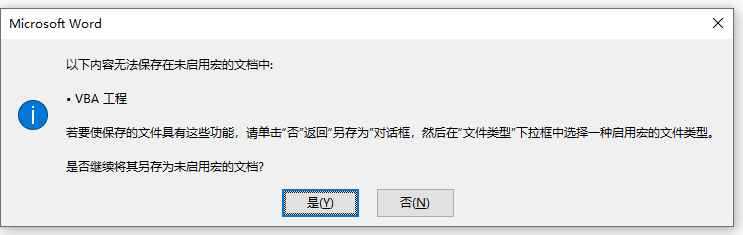
单击否,另存为带宏 的文档类型

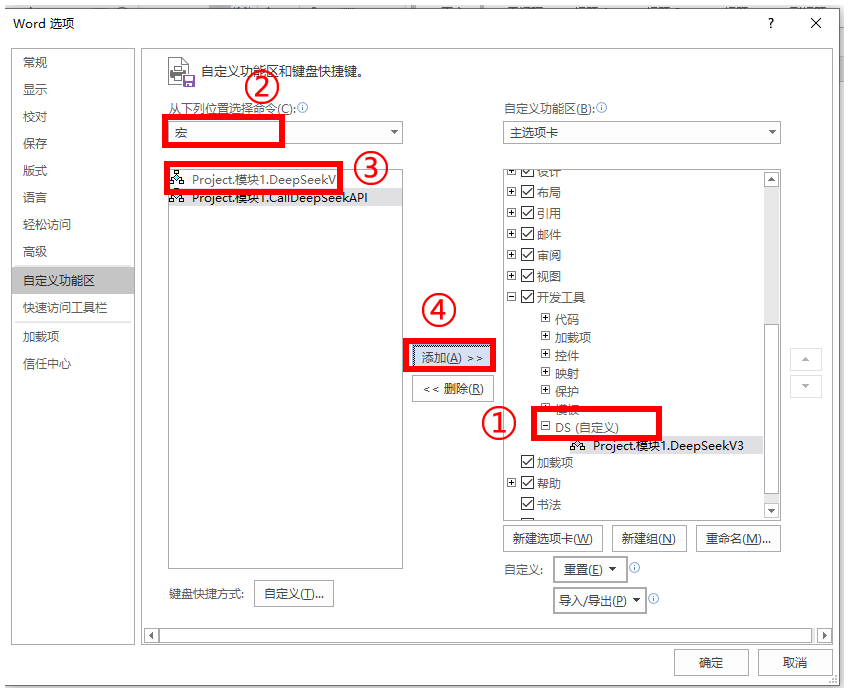
添加新组,重命名
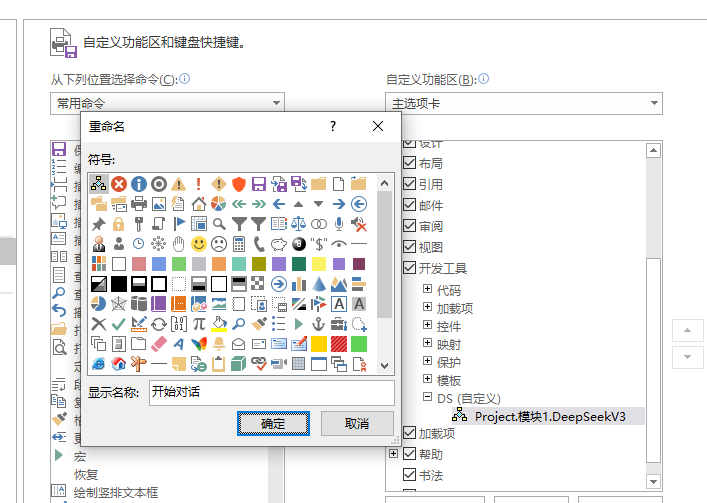
为新组添加宏
测试
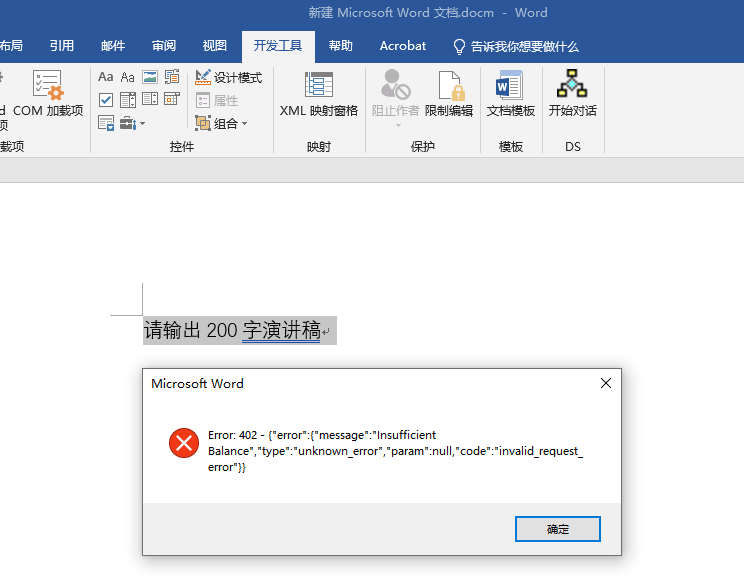
个人账号,未充值,需要充值,提示没有余额。