1、问题描述
vue前端生产部署后,当我们使用history模式进入页面路由后,刷新浏览器,或者输入页面路由或者弹窗会出现404 not found错误。例如我这里访问数据大屏的项目列表,就会报错如下图:
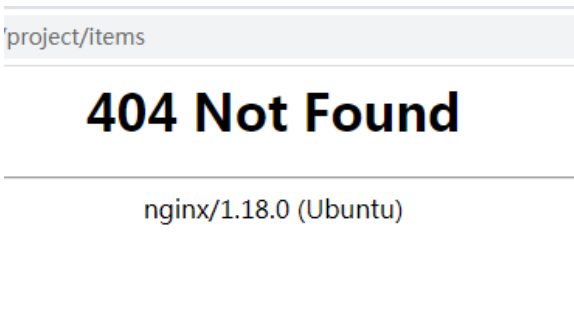
打开控制台报错如下图:

2、原因分析
这里存在两种情况:
1)应用是直接作为部署在nginx的根目录比如/var/www/html中(这种较少).
2)应用作为二级目录部署在nginx的根目录比如/var/www/html/big中(这种较常见).
一般情况下nginx 默认配置如下:
        root /var/www/html;

        # Add index.php to the list if you are using PHP
        index index.html index.htm index.nginx-debian.html;

        location / {
                # First attempt to serve request as file, then
                # as directory, then fall back to displaying a 404.
                try_files $uri $uri/ $uri/index.html $uri/ =404;
        }
当nginx 收到、project/items这个请求时会去root配置路径/var/www/html中找project目录,然后查找该目录下是否有items这个文件,这肯定是找不到的,所以就报了个404错误。
3、解决方案
对应情况1),只需要去掉 try_files 末尾的 $uri/ =404
配置如下
        location / {
                # First attempt to serve request as file, then
                # as directory, then fall back to displaying a 404.
                try_files $uri $uri/ $uri/index.html ;
        }
对应情况 2),建议新增代理,让找不到的页面都去访问index.html
配置如下:
        location /big/ {
               try_files $uri $uri/ $uri/index.html /big/index.html;  #router = history
        }
这种情况建议最好去掉 location / ,容易被拦截了报500错误。
这种情况建议最好去掉 location / ,容易被拦截了报500错误。
这种情况建议最好去掉 location / ,容易被拦截了报500错误。
============= 相关博文 ============Ruoyi-vue-pro Vue + nginx 二级目录部署到云服务器
ruoyi-vue-pro数据大屏------路由支持history,告别难看的hash路由
============= 相关博文 ============