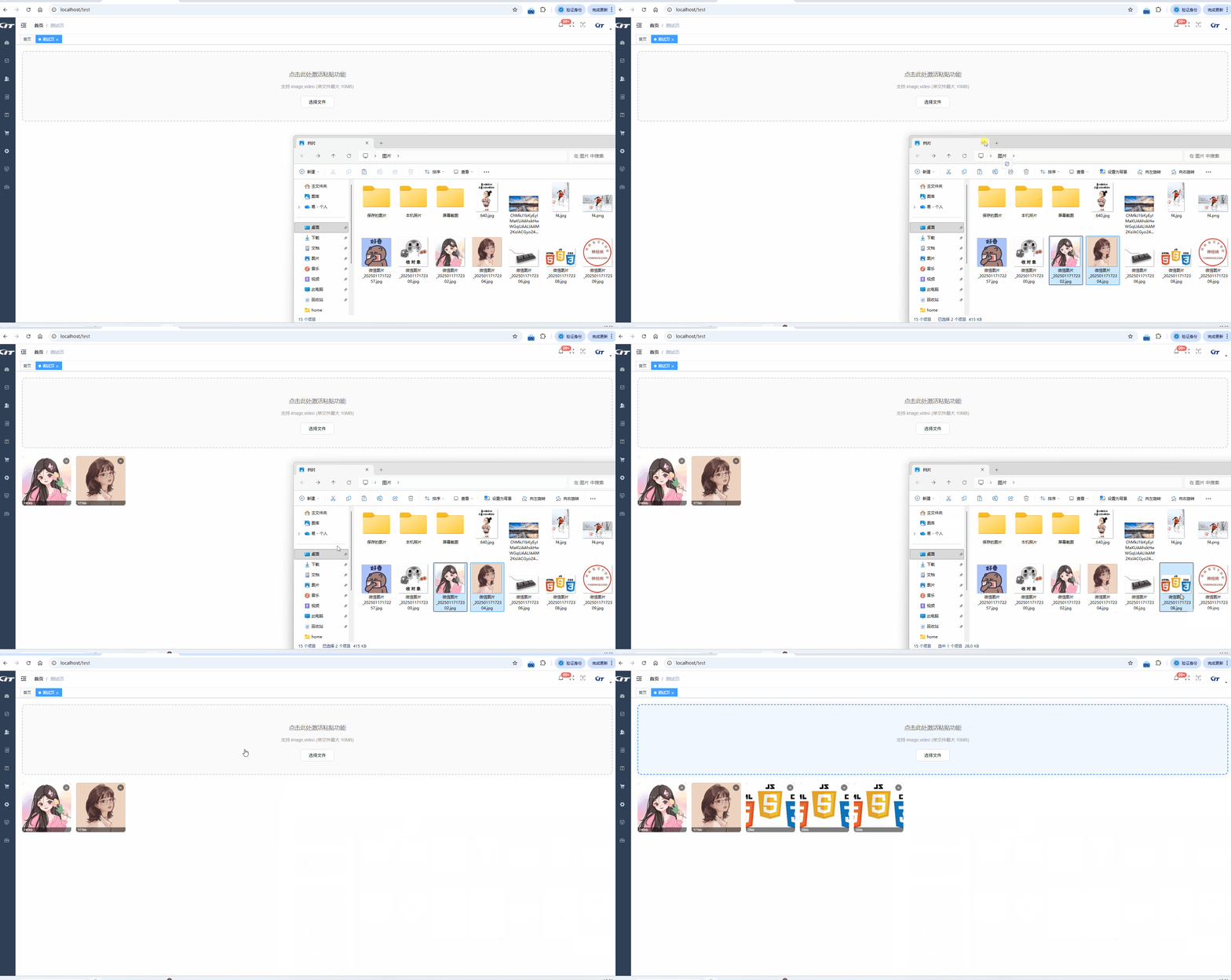
<template>
<div class="upload-wrapper">
<div
ref="dropZoneRef"
class="upload-area"
tabindex="0"
:class="{
'drag-over': isDragOver,
'is-limit': isLimitReached
}"
@dragenter.prevent="isDragOver = true"
@dragover.prevent="isDragOver = true"
@dragleave.prevent="isDragOver = false"
@drop.prevent="onDrop"
@paste.stop.prevent="onPaste"
>
<div class="inner-content">
<template v-if="!isLimitReached">
<p v-if="!isFocused" class="main-hint">{{ placeholder }}</p>
<p v-else class="active-hint">✅ 已激活:现在可以按 Ctrl + V 粘贴了</p>
</template>
<template v-else>
<p class="limit-hint">已达到上传数量上限 ({{ limit }}个)</p>
</template>
<p class="sub-hint">支持 {{ acceptLabel }} (单文件最大 {{ maxSize }}MB)</p>
<button
class="btn-select"
:disabled="isLimitReached"
@click.stop="triggerFileInput"
>
选择文件
</button>
</div>
<input
type="file"
ref="fileInputRef"
:multiple="multiple"
:accept="accept"
hidden
@change="onFileChange"
>
</div>
<div class="preview-grid" v-if="fileList.length > 0">
<div v-for="(file, index) in fileList" :key="file.id" class="preview-item">
<img v-if="file.type === 'image'" :src="file.url" />
<video v-else :src="file.url" muted @loadedmetadata="e => e.target.currentTime = 0.1"></video>
<div class="file-meta">{{ (file.raw.size / 1024).toFixed(0) }}kb</div>
<button class="delete-btn" @click="removeFile(index)">×</button>
</div>
</div>
</div>
</template>
<script setup>
import { ref, computed, onMounted, onUnmounted, watch } from 'vue';
// --- 定义 Model (替代 modelValue prop 和 update:modelValue emit) ---
const model = defineModel({ type: Array, default: () => [] });
// --- 其他 Props ---
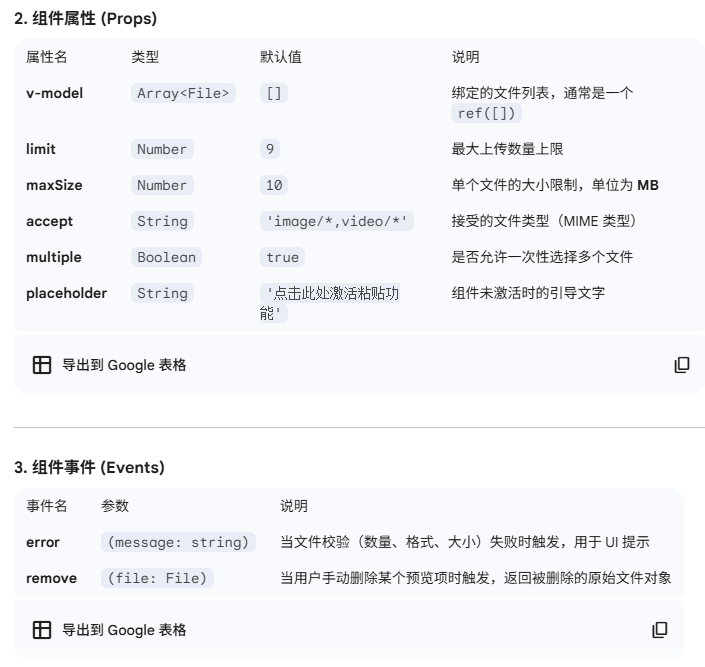
const props = defineProps({
accept: { type: String, default: 'image/*,video/*' },
maxSize: { type: Number, default: 10 },
limit: { type: Number, default: 9 },
multiple: { type: Boolean, default: true },
placeholder: { type: String, default: '点击此处激活粘贴功能' }
});
// --- 其他 Emits ---
const emit = defineEmits(['error', 'remove']);
// --- 状态管理 ---
const fileList = ref([]); // 内部维护包含预览URL的对象数组
const isDragOver = ref(false);
const isFocused = ref(false);
const dropZoneRef = ref(null);
const fileInputRef = ref(null);
const isLimitReached = computed(() => fileList.value.length >= props.limit);
const acceptLabel = computed(() => props.accept.replace(/\/\*/g, ''));
// --- 核心逻辑 ---
// 处理粘贴
const onPaste = (e) => {
if (document.activeElement !== dropZoneRef.value || isLimitReached.value) return;
const items = e.clipboardData?.items;
if (!items) return;
const files = [];
for (const item of items) {
if (item.kind === 'file') files.push(item.getAsFile());
}
handleFiles(files);
};
// 核心文件校验与处理
const handleFiles = (incomingFiles) => {
const filesArray = Array.from(incomingFiles);
const newPreviews = [];
for (const file of filesArray) {
if (fileList.value.length + newPreviews.length >= props.limit) {
emit('error', '超过最大上传数量限制');
break;
}
const isImage = file.type.startsWith('image/');
const isVideo = file.type.startsWith('video/');
if (!isImage && !isVideo) {
emit('error', `不支持的文件类型: ${file.name}`);
continue;
}
if (file.size > props.maxSize * 1024 * 1024) {
emit('error', `文件超过 ${props.maxSize}MB: ${file.name}`);
continue;
}
newPreviews.push({
id: crypto.randomUUID(),
type: isImage ? 'image' : 'video',
url: URL.createObjectURL(file),
raw: file
});
}
if (newPreviews.length > 0) {
fileList.value.push(...newPreviews);
// 直接更新 model 值
model.value = fileList.value.map(f => f.raw);
}
};
const triggerFileInput = () => {
if (!isLimitReached.value) fileInputRef.value?.click();
};
const onFileChange = (e) => {
handleFiles(e.target.files);
e.target.value = '';
};
const onDrop = (e) => {
isDragOver.value = false;
if (!isLimitReached.value) handleFiles(e.dataTransfer.files);
};
const removeFile = (idx) => {
const removed = fileList.value[idx];
URL.revokeObjectURL(removed.url);
fileList.value.splice(idx, 1);
// 更新模型
model.value = fileList.value.map(f => f.raw);
emit('remove', removed.raw);
};
// 监听焦点
onMounted(() => {
dropZoneRef.value?.addEventListener('focus', () => isFocused.value = true);
dropZoneRef.value?.addEventListener('blur', () => isFocused.value = false);
});
// 内存清理
onUnmounted(() => {
fileList.value.forEach(f => URL.revokeObjectURL(f.url));
});
</script>
<style scoped>
/* 样式部分保持一致 */
.upload-area {
border: 2px dashed #ccd0d5;
border-radius: 12px;
padding: 40px 20px;
text-align: center;
background: #fafafa;
transition: all 0.3s ease;
cursor: pointer;
outline: none;
}
.upload-area:focus {
border: 2px solid #4a90e2;
background: #f0f7ff;
box-shadow: 0 0 15px rgba(74, 144, 226, 0.2);
}
.upload-area.drag-over { border-color: #2ecc71; background: #e8f5e9; }
.upload-area.is-limit { cursor: not-allowed; background: #f5f5f5; }
.main-hint { font-size: 1.1rem; color: #666; }
.active-hint { font-size: 1.1rem; color: #4a90e2; font-weight: bold; }
.limit-hint { font-size: 1.1rem; color: #e74c3c; font-weight: bold; }
.sub-hint { font-size: 0.85rem; color: #999; margin: 10px 0; }
.btn-select {
padding: 8px 24px;
background: white;
border: 1px solid #ddd;
border-radius: 6px;
cursor: pointer;
margin-top: 10px;
}
.preview-grid {
display: grid;
grid-template-columns: repeat(auto-fill, minmax(140px, 1fr));
gap: 15px;
margin-top: 25px;
}
.preview-item {
position: relative;
aspect-ratio: 1;
border-radius: 8px;
overflow: hidden;
background: #000;
}
.preview-item img, .preview-item video {
width: 100%;
height: 100%;
object-fit: cover;
}
.file-meta {
position: absolute;
bottom: 0; left: 0; right: 0;
background: rgba(0,0,0,0.5);
color: #fff; font-size: 10px; padding: 2px 5px;
}
.delete-btn {
position: absolute;
top: 5px; right: 5px;
background: rgba(0,0,0,0.5);
color: white; border: none; border-radius: 50%;
width: 20px; height: 20px; cursor: pointer;
}
</style>