Brief
IP68 slim AI model, long time shooting,over 11 hrs at 1080P@25fps, octa core MTK675x, LTE global version, full FDD LTE frequency band(B2/4/5/7 for America) support ,group PTT/PoC,NFC,3.1' LCD android8.1 4G body camera,H.265, BC310, all AI powered for face recognition and LPR etc, ODM/OEM accepted,
https://www.besovideo.com/en/product/detail?i=27
Terms, The body worn camera, or brief to BWC, or called as the device, the unit.
Hardware Description
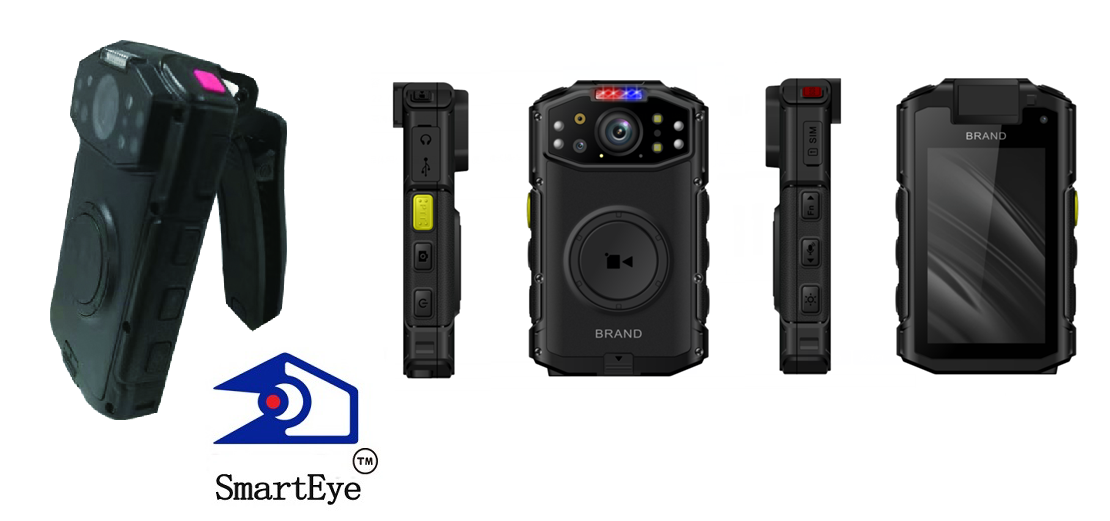
Mcam: FF(OV4689) 2-3m, 2ndCam, 13MP, AF, Macro lens, 3rdCam, 5MP FF
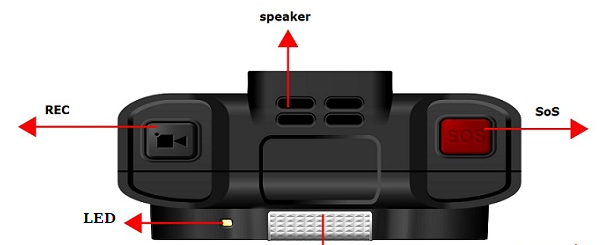
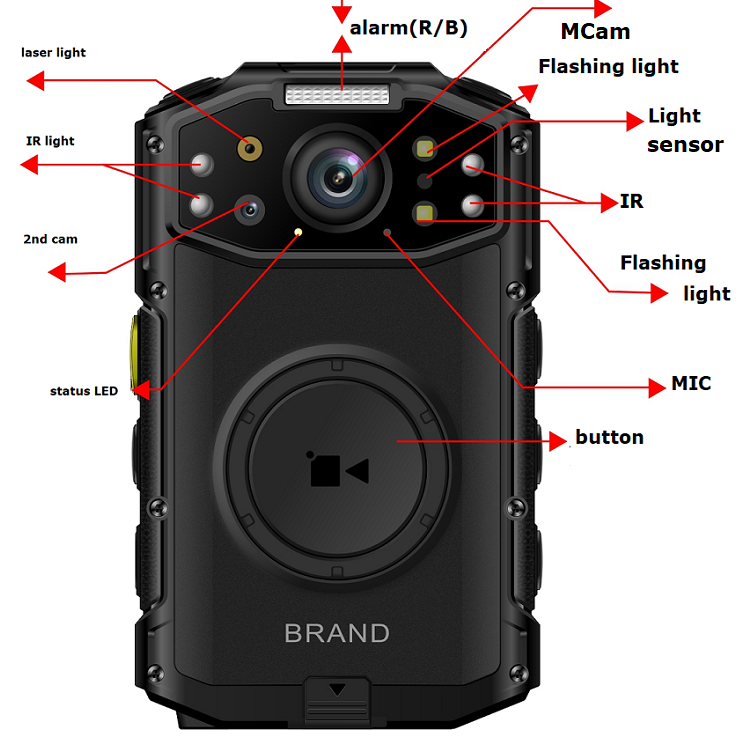
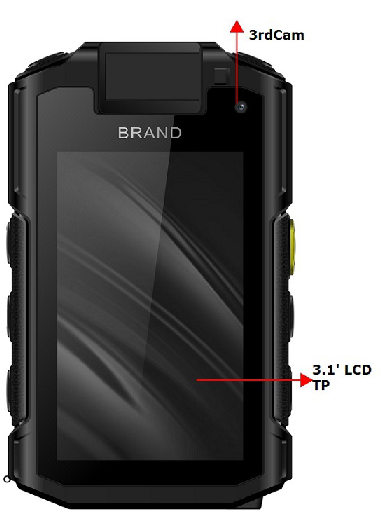
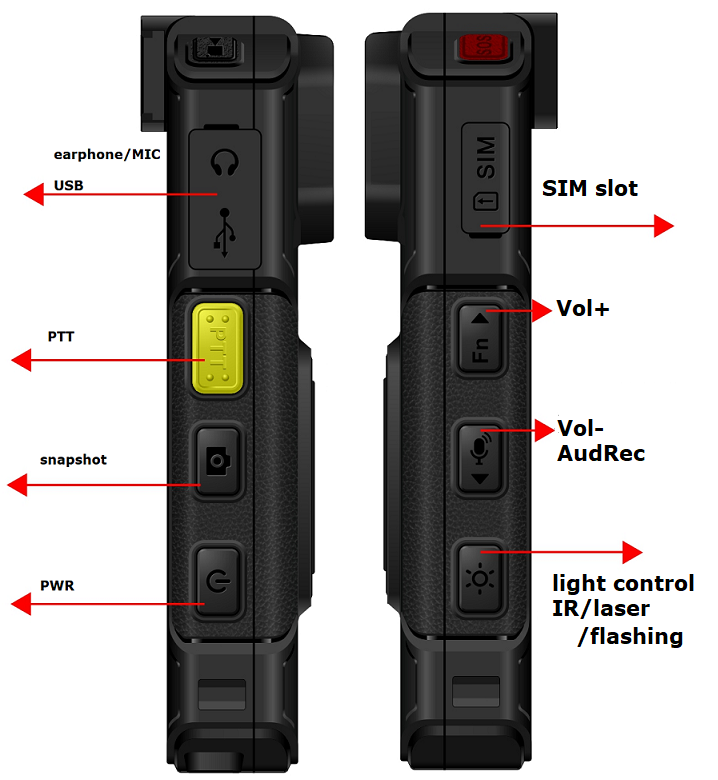
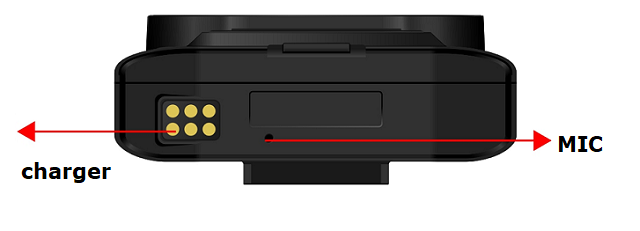
buttons
1) Power/return, long time press to power up/off, press to turn ON/OFF the screen
2) REC, press to start/stop recording, pls note, the big round button in the front panel is also defined to be a REC key for now, long press to enable/disable covert mode(disable all light)
3) snapshot,press to do snapshot and upload,long press to enable/disable FLASH light
4) LIGHT control, press to enable/disable IR light, long press to enable/disable blue/red alert light
5) PTT press to talk in 2-way talking or group PTT talking
6) UP/Vol+, press to increase volumn or move up, long press to enable/disable silent mode(disable all sound)
7) DOWN/Vol-, press to decress volumn or move down, long press to record audio only
8) SoS, press to alert SoS and push stream to VMS/smarteye, long press to mark the record footage file as IMPORTANT
MICs&speaker
Built-in MIC*3,
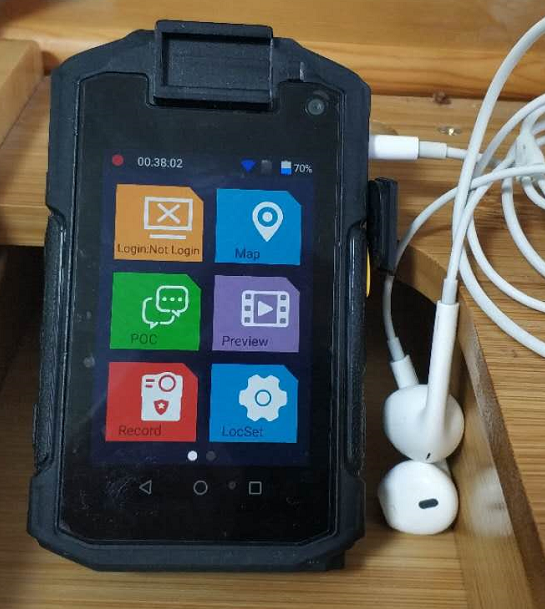
External earphone&MIC supported,
LEDs
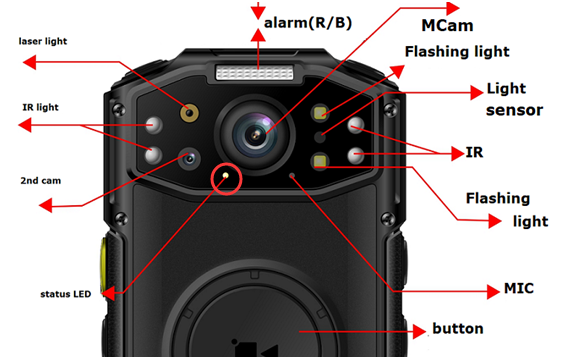
This status LED
-
Turn red&slow blink at recording, turn green when recording stopped
-
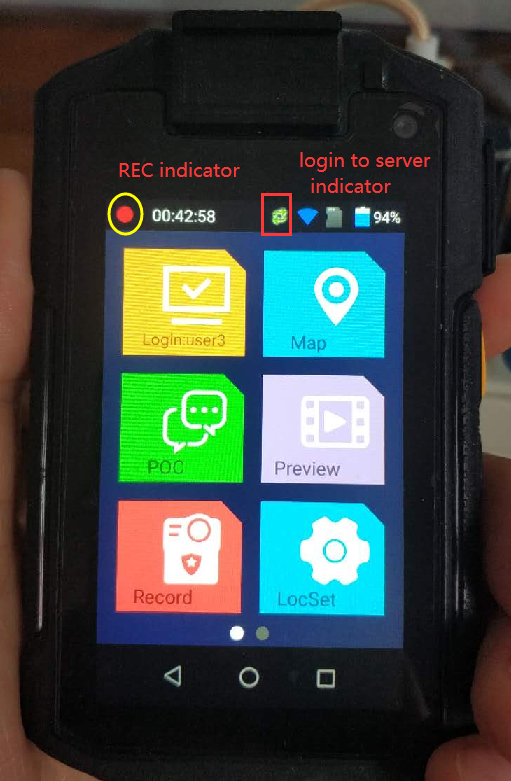
Red LED blinking for recording indicator,
APN&cell network
Valid only after a SIM card inserted,
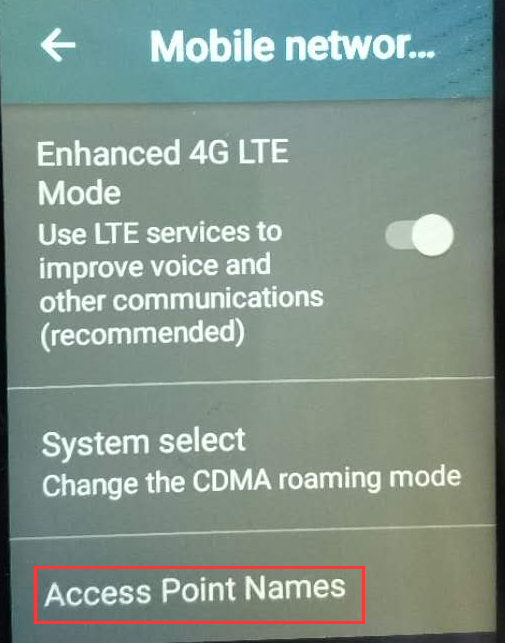
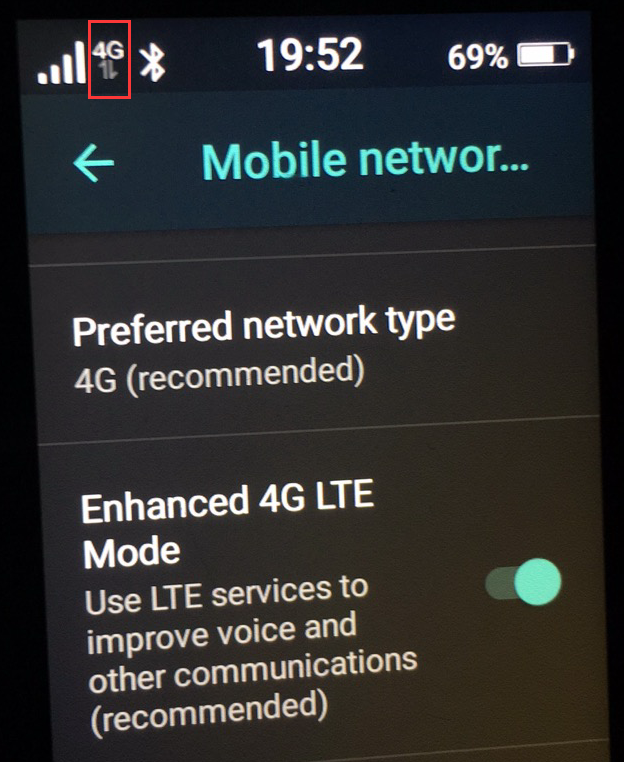
The 4G indicator appears when APN set with SIM card,
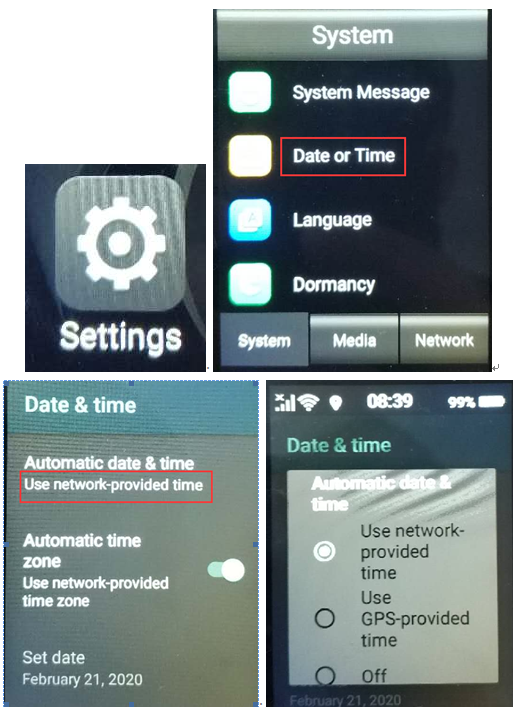
System time
NTP by default, so internet access is necessary at first use.
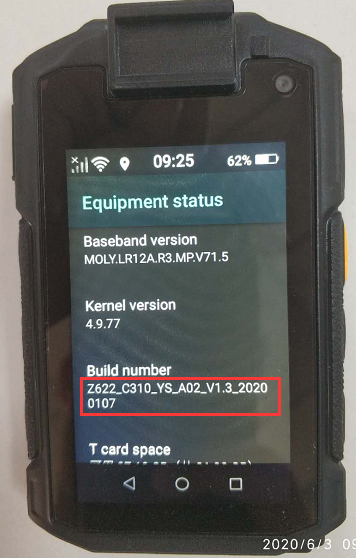
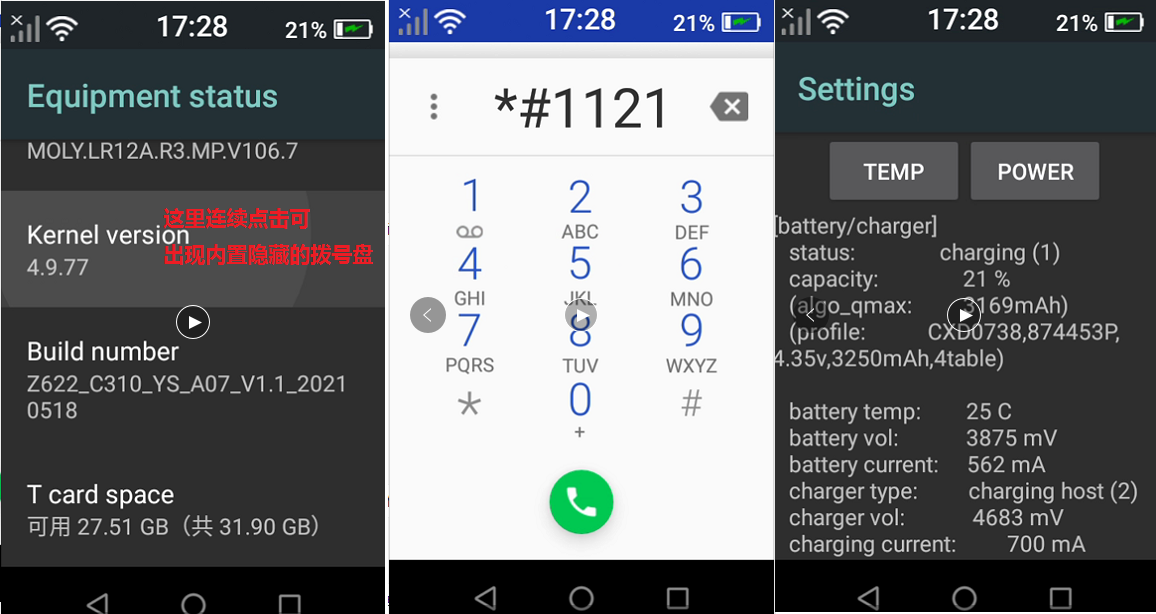
Check firmware version
hidden system settings,
call APP management by adb tool,
adb shell am start -n com.android.settings/com.android.settings.Settings
MCP Software how-to
typical MCP howto, https://www.besovideo.com/en/detail?t=1&i=126
for details pls refer to "MCP user manual" for detailes.
about encryption
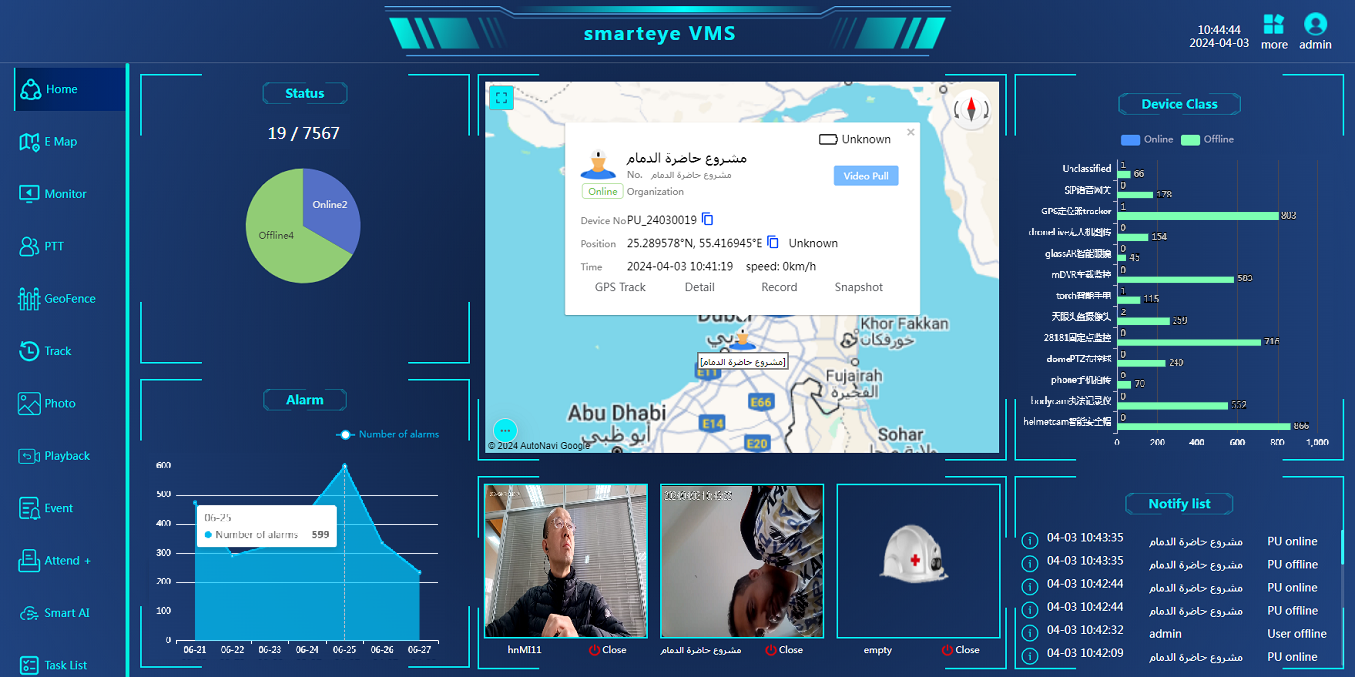
VMS/smarteye software
about smarteye C/S client monitor&manager, https://www.besovideo.com/en/detail?t=1&i=87
FAQ for server-E WEB software, https://www.besovideo.com/en/detail?t=1&i=166
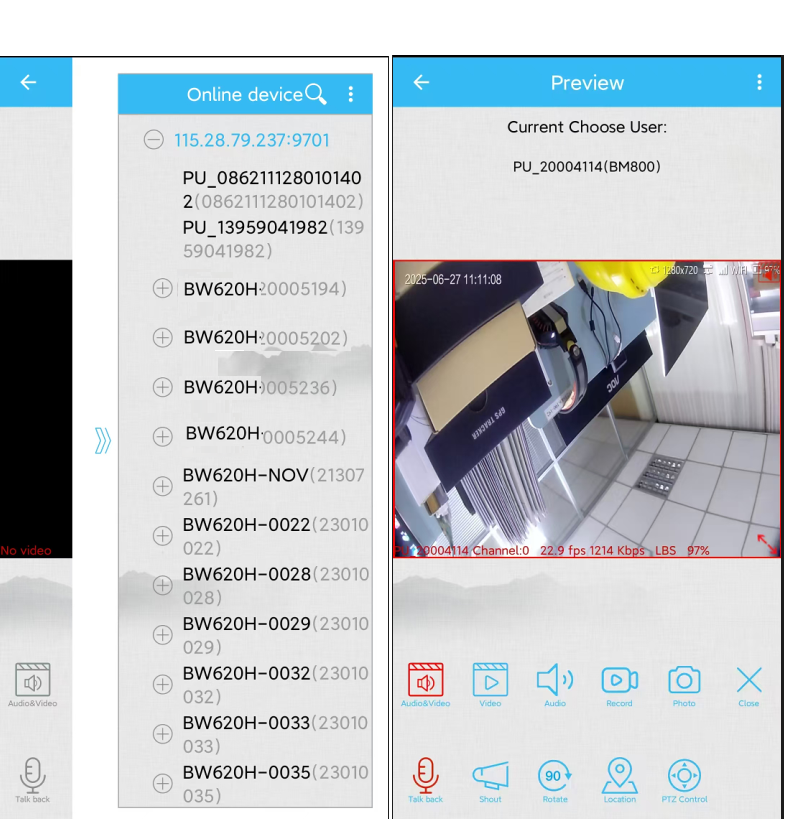
MCP as mobile client
access recording footage files in the camera
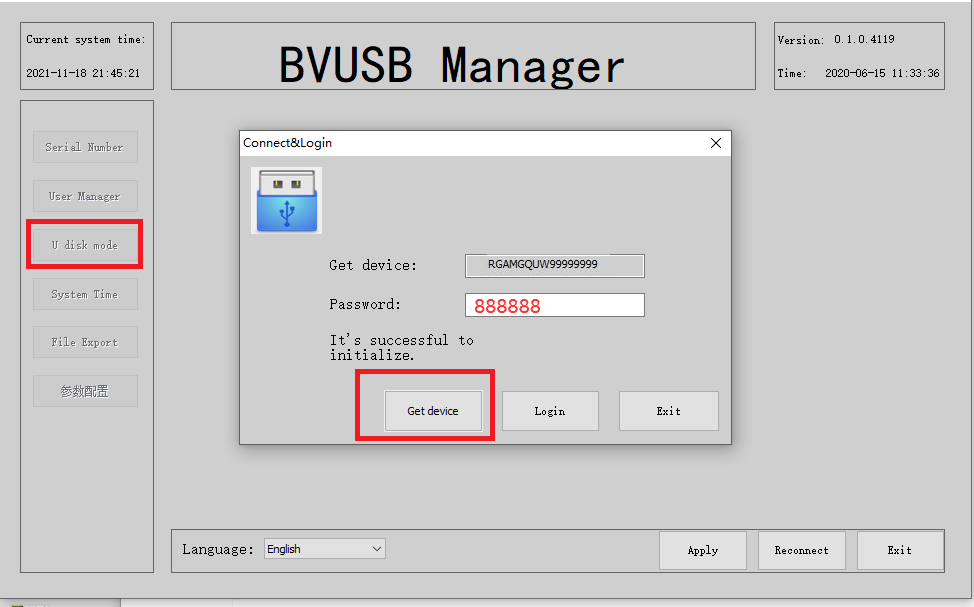
connect the body camera to a WINDOWS PC via USB cable, run "BVUSBManager" tool software on this PC, "get DEVICE" enter passwd "888888",
then enable U-disk mode, the internal storage(TF card) can be accessed, read/write/delete enabled. video footage files are in MCU/video path.
anti-jitter, star-light night vision, explosion-proof 4G/5G/GPS body camera DVR, 4G/5G/GPS helmet camera DVR/hardhat camera, AI box, vehicle mount mDVR, GPS tracker, 4G/5GHDMI DVR for drones/UAV, fixed/cable IPcamera, all-in-one dome PTZ4G/5G camera, RTK/UWB, 4G torch camera DVR, glass camera/AR glass camera, all in large scale VMS/smarteye.