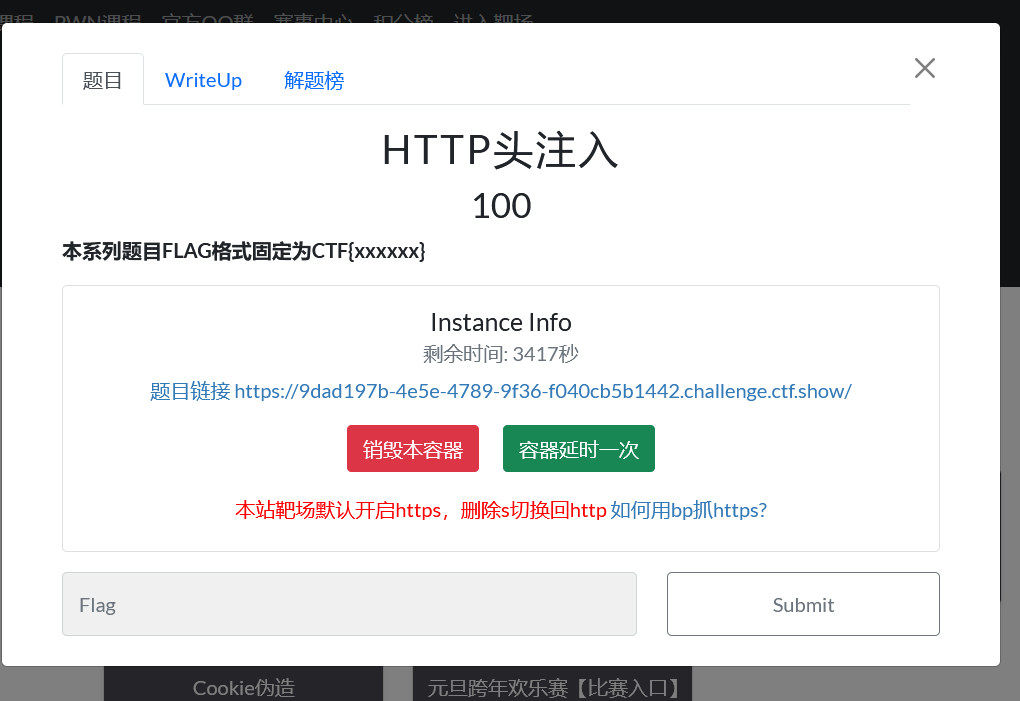
一、什么是HTTP头注入
基本概念
HTTP头注入是指攻击者能够将恶意数据注入到HTTP请求头或响应头中的安全漏洞。这通常发生在应用程序将用户输入未经适当过滤就直接拼接到HTTP头部的情况。
关键特点
-
发生在HTTP头部(请求头或响应头)
-
需要应用程序信任并处理用户提供的头信息
-
可导致多种攻击:CRLF注入、响应拆分、缓存污染等
二、HTTP基础知识回顾
HTTP请求结构
GET /index.php HTTP/1.1          ← 请求行
Host: example.com                ← 请求头
User-Agent: Mozilla/5.0
Accept: text/html
Referer: https://example.com/    ← 用户可控点!
Cookie: session=abc123
                                    ← 空行(CRLF)
参数=值                         ← 请求体(可选)
HTTP响应结构
HTTP/1.1 200 OK                  ← 状态行
Content-Type: text/html          ← 响应头
Content-Length: 1234
Location: /redirect.php          ← 用户可控点!
                                    ← 空行(CRLF)
<html>...</html>                 ← 响应体
关键字符 - CRLF
-
\r\n(CRLF):回车换行,十六进制0x0D0A -
在HTTP中:分隔头部字段,以及头部与主体
-
URL编码:
%0D%0A -
这是HTTP头注入的核心!
<!DOCTYPE html>
<html lang="en">
<head>
    <meta charset="UTF-8">
    <meta name="viewport" content="width=device-width, initial-scale=1.0">
    <title>Admin Login</title>
    <style>
        body {
            font-family: 'Arial', sans-serif;
            background: linear-gradient(135deg, #1e3c72, #2a5298);
            height: 100vh;
            display: flex;
            justify-content: center;
            align-items: center;
            margin: 0;
            color: white;
        }
        .login-container {
            background: rgba(255, 255, 255, 0.1);
            backdrop-filter: blur(10px);
            border-radius: 10px;
            padding: 2rem;
            width: 300px;
            box-shadow: 0 15px 30px rgba(0, 0, 0, 0.2);
            text-align: center;
        }
        .login-container h2 {
            margin-bottom: 1.5rem;
        }
        .form-group {
            margin-bottom: 1rem;
            text-align: left;
        }
        .form-group label {
            display: block;
            margin-bottom: 0.5rem;
        }
        .form-group input {
            width: 100%;
            padding: 0.8rem;
            border: none;
            border-radius: 5px;
            background: rgba(255, 255, 255, 0.2);
            color: white;
        }
        .form-group input:focus {
            outline: none;
            background: rgba(255, 255, 255, 0.3);
        }
        button {
            width: 100%;
            padding: 0.8rem;
            border: none;
            border-radius: 5px;
            background: #4CAF50;
            color: white;
            font-weight: bold;
            cursor: pointer;
            transition: background 0.3s;
        }
        button:hover {
            background: #45a049;
        }
        .message {
            margin-top: 1rem;
            padding: 0.8rem;
            border-radius: 5px;
            display: none;
        }
        .success {
            background: rgba(76, 175, 80, 0.3);
            display: block;
        }
        .error {
            background: rgba(244, 67, 54, 0.3);
            display: block;
        }
    </style>
</head>
<body>
    <div class="login-container">
        <h2>CTFshow Admin Login</h2>
        <form id="loginForm" action="check.php" method="POST">
            <div class="form-group">
                <label for="username">Username</label>
                <input type="text" id="username" name="username" value="admin" readonly>
            </div>
            <div class="form-group">
                <label for="password">Password</label>
                <input type="password" id="password" name="password" placeholder="Enter password" required>
            </div>
            <button type="submit">Login</button>
            <div id="message" class="message"></div>
        </form>
    </div>

    <script>
        document.getElementById('loginForm').addEventListener('submit', function(e) {
            const correctPassword = "Q1RGe2Vhc3lfYmFzZTY0fQ==";
            const enteredPassword = document.getElementById('password').value;
            const messageElement = document.getElementById('message');

            if (btoa(enteredPassword) !== correctPassword) {
                e.preventDefault();
                messageElement.textContent = "Login failed! Incorrect password.";
                messageElement.className = "message error";
            }
        });
    </script>
</body>
</html>
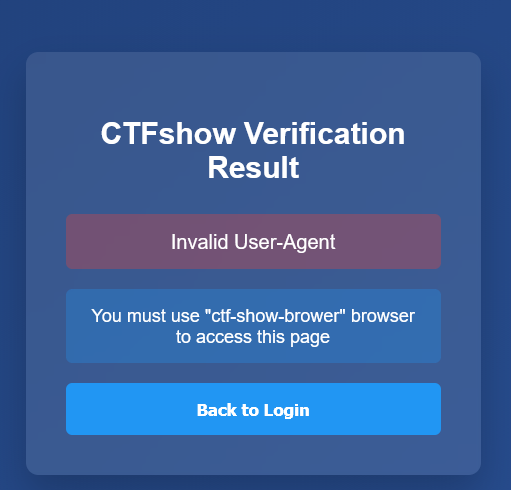
大致意思就是UA头错误,应该是要用 "ctf-show-brower"来当UA头的内容
抓包这个页,抓到的数据包传到Repeater
这个就是UA头
现在把它的内容(:后面的内容)替换成 ctf-show-brower
点击发送