
🔥小叶-duck:个人主页
❄️个人专栏:《Data-Structure-Learning》
✨未择之路,不须回头
已择之路,纵是荆棘遍野,亦作花海遨游
目录
[一、为什么我们要学习 string 类?](#一、为什么我们要学习 string 类?)
[2、C++中 string 类的优势](#2、C++中 string 类的优势)
[二、string 类0基础上手:常见核心接口使用(附实操代码及注释)](#二、string 类0基础上手:常见核心接口使用(附实操代码及注释))
[1、字符串创建(constructor):4 种常用构造形式](#1、字符串创建(constructor):4 种常用构造形式)
[1.1 空字符串构造(默认构造)](#1.1 空字符串构造(默认构造))
[1.2 用C格式字符串构造](#1.2 用C格式字符串构造)
[1.3 拷贝构造(用已有的 string 创建新对象)](#1.3 拷贝构造(用已有的 string 创建新对象))
[1.4 拷贝构造的特殊形式](#1.4 拷贝构造的特殊形式)
[1.4.1 以 pos 位置拷贝部分字符](#1.4.1 以 pos 位置拷贝部分字符)
[1.4.2 以 pos 位置一直拷贝到结尾](#1.4.2 以 pos 位置一直拷贝到结尾)
[1.5 取C语言字符串前n个字符](#1.5 取C语言字符串前n个字符)
[1.6 重复字符构造(创建n个相同字符的字符串)](#1.6 重复字符构造(创建n个相同字符的字符串))
[2.1 operator \[\] 下标访问](#2.1 operator [] 下标访问)
[2.2 迭代器 iterator 遍历(适配所有容器)](#2.2 迭代器 iterator 遍历(适配所有容器))
[2.2.1 反向迭代器(反向遍历)](#2.2.1 反向迭代器(反向遍历))
[2.3 范围 for 遍历(C++11新特性,简洁明了)](#2.3 范围 for 遍历(C++11新特性,简洁明了))
[2.3.1 auto 关键字的讲解](#2.3.1 auto 关键字的讲解)
[3、string 类对象的容量操作](#3、string 类对象的容量操作)
[3.1 size ()、length ()、capacity ()](#3.1 size ()、length ()、capacity ())
[3.2 clear():清空有效字符](#3.2 clear():清空有效字符)
[3.3 empty():判空](#3.3 empty():判空)
[3.4 resize():调整有效字符](#3.4 resize():调整有效字符)
[3.5 reserve(): 预分配空间(避免频繁扩容)](#3.5 reserve(): 预分配空间(避免频繁扩容))
一、为什么我们要学习 string 类?
1、C语言字符串的三大痛点
我们之前用C语言字符串时,大家应该或多或少都应该踩过下面这些坑:
内存需要手动管理: malloc 分配空间,free 释放空间,经常出现漏写或者多写,从而导致内存泄漏(忘记释放)或者野指针(重复释放)等问题。
安全性问题(容易越界访问): 由于C字符串只是普通的数组,没有任何内置的边界检查机制,在进行字符串复制、拼接等操作时,如果目标缓冲区空间不足,就会发生缓冲区溢出。这种溢出不仅会导致程序崩溃,还可能被恶意利用,成为严重的安全漏洞。
**接口零散,使用麻烦:**几乎所有的字符串操作都需要调用库函数,比如复制用 strcpy 、比较用strcmp 、拼接用 strcat 等。这些函数名不够直观,而且需要确保目标缓冲区有足够空间。更麻烦的是,修改字符串常常需要重新分配内存,步骤繁琐。
2、C++中 string 类的优势
相比于C语言中的字符串,C++ 的 string 类的优点就非常之多了:
自动内存管理: 不用手动 new / delete,底层会按需进行扩容,释放,有效避免了内存的泄漏。
OOP设计: 把字符串和操作(如拼接,查找等)封装在一起,比如 a += "BCD" 直接实现拼接,比C语言中的 strcat 简洁很多。
接口丰富,使用方便: 从构造到修改,查找这些原本以前我们需要自己手撕的常用操作全部都实现成了接口,不用再自己造轮子,直接使用即可。
**使用场景广泛:**不管是日常开发还是OJ刷题,string 类的使用都很频繁,并且天然兼容中文,英文,Unicode字符。
string 类的参考文档 :string - C++ Reference
二、string 类0基础上手:常见核心接口使用(附实操代码及注释)
在使用之前我们先需要对 string 类有个基础的了解,并且不要忘记带上头文件 #include <string>,后续的代码演示中就不一个个带这些东西了。
1、字符串创建(constructor):4 种常用构造形式
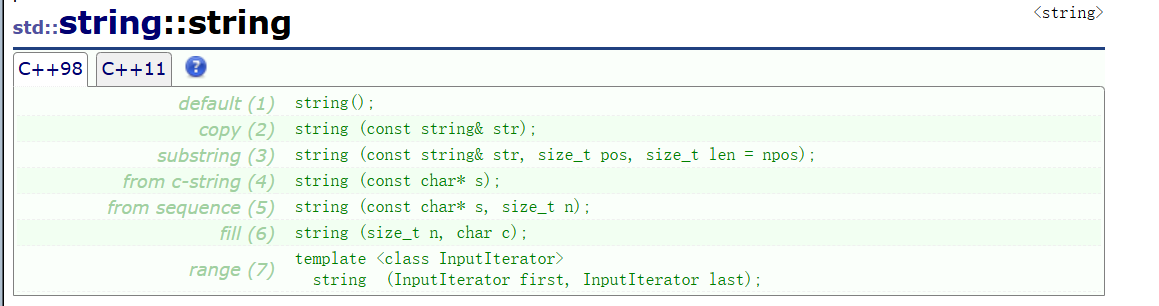
上面就是 string 类中构造函数的大部分形式,我们主要讲解以下4种常用构造形式,其中一些形式我也会在后面代码中进行展示:
|------------------------------|---------------------------|
| (constructor)函数名称 | 功能说明 |
| string() (重点) | 构造空的 string 类对象,即空字符串 |
| string(const char* s) (重点) | 用 C-string 来构造 string 类对象 |
| string(size_t n, char c) | string类对象中包含n个字符c |
| string(const string&s) (重点) | 拷贝构造函数 |
cpp
//1.空字符串构造(默认构造)
//string()
string s1; //构造空的 string 类对象s1,底层已初始化,不用手动加'\0'

//2.用C格式字符串构造(最常用,把 char* 转成 string)
//string(const char* s)
string s2("hello World"); //s2 = "hello World"

//3.重复字符构造(创建n个相同字符的字符串)
//string(size_t n, char c)
string s3(5, 'a'); //s3 = "aaaaa"(5个'a')

//4.拷贝构造(用已有的 string 创建新对象)
//string(const string & s)
string s4(s2); // s4 = "hello World"(和s2内容一样)
实操代码演示:(注意看注释)
1.1 空字符串构造(默认构造)
cpp
void Test_string1()
{
	//空字符串构造(默认构造)
	//string()
	string s1;
	cout << s1 << endl;
}

int main()
{
	Test_string1();
	return 0;
}
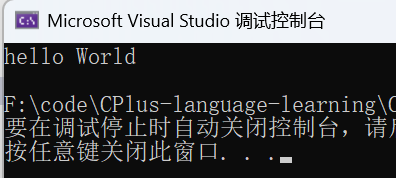
1.2 用C格式字符串构造
cpp
void Test_string1()
{
	//用C格式字符串构造(最常用,把 char* 转成 string)
    //string(const char* s)
    string s2("hello World");
	cout << s2 << endl;
}

int main()
{
	Test_string1();
	return 0;
}
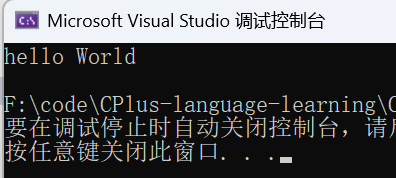
1.3 拷贝构造(用已有的 string 创建新对象)
cpp
void Test_string1()
{
	//拷贝构造(用已有的 string 创建新对象)
    //string(const string & s)
    string s2("hello World");
    string s3(s2);
	cout << s3 << endl;
}

int main()
{
	Test_string1();
	return 0;
}
1.4 拷贝构造的特殊形式
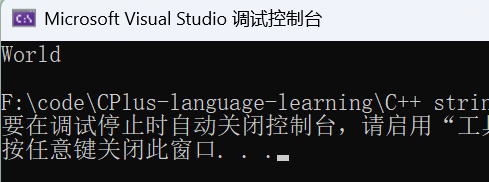
1.4.1 以 pos 位置拷贝部分字符
cpp
void Test_string1()
{
	// pos 位置拷贝部分字符
    //string (const string& str, size_t pos, size_t len = npos);
    string s2("hello World");
    string s5(s2, 6, 5);//从下标为6(w)的位置往后拷贝5个字符
    cout << s5 << endl;
}

int main()
{
	Test_string1();
	return 0;
}
1.4.2 以 pos 位置一直拷贝到结尾
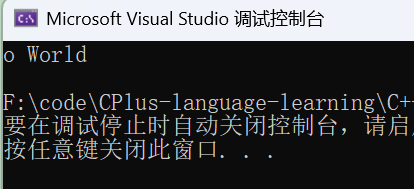
第一种方式:第三个形参写一个超过原字符串长度
cpp
void Test_string1()
{
	//第一种情况:写一个超过原字符串长度的
    //string (const string& str, size_t pos, size_t len = npos);
    string s2("hello World");
   string s6(s2, 4, 100);
    cout << s6 << endl;
}

int main()
{
	Test_string1();
	return 0;
}
第二种方式:直接不写第三个实参(默认使用缺省值npos)
cpp
void Test_string1()
{
	//第二种情况:直接不写第三个实参(默认使用缺省值npos)
    //string (const string& str, size_t pos, size_t len = npos);
    string s2("hello World");
	string s7(s2, 4);
	cout << s7 << endl;
}

int main()
{
	Test_string1();
	return 0;
}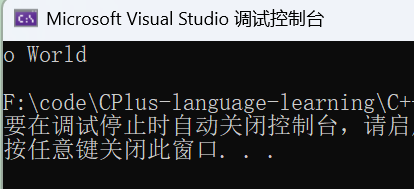
这里可以给大家解释一下为什么不写默认使用nops的缺省值就是这个结果,nops到底是什么?
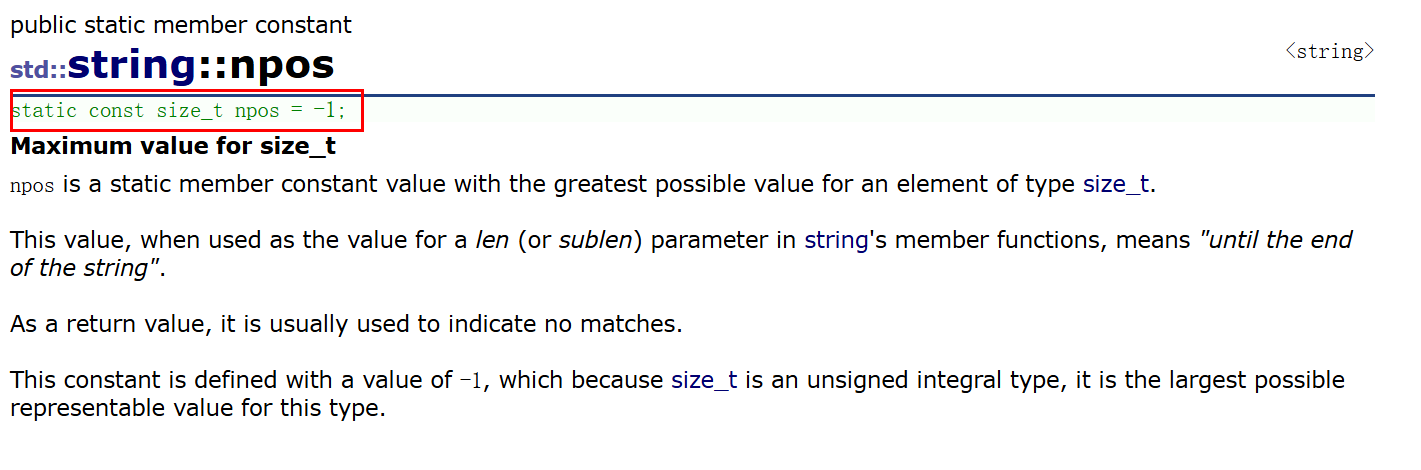
我们会发现 nops 在 string 类中是一个静态成员常量 ,并且被定义的值为 -1 ,那为什么能拷贝到结尾呢?因为nops 还是一个 size_t(无符号整型) ,-1 需要取补码,所以得到的值应为整型的最大值,这就是为什么不写默认给缺省值能拷贝到结尾了。
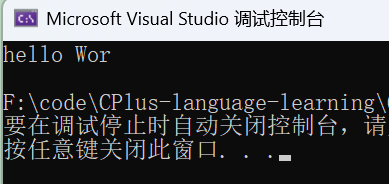
1.5 取C语言字符串前n个字符
cpp
void Test_string1()
{
	//取C语言字符串前n个字符
	//string(const char* s, size_t n);
	string s8("hello World", 9);
	cout << s8 << endl;
}

int main()
{
	Test_string1();
	return 0;
}
1.6 重复字符构造(创建n个相同字符的字符串)
cpp
void Test_string1()
{
	//重复字符构造(创建n个相同字符的字符串)
    //string(size_t n, char c)
    string s9(5, 'a');
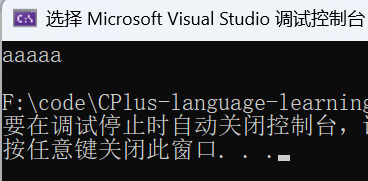
    cout << s9 << endl;

}

int main()
{
	Test_string1();
	return 0;
}
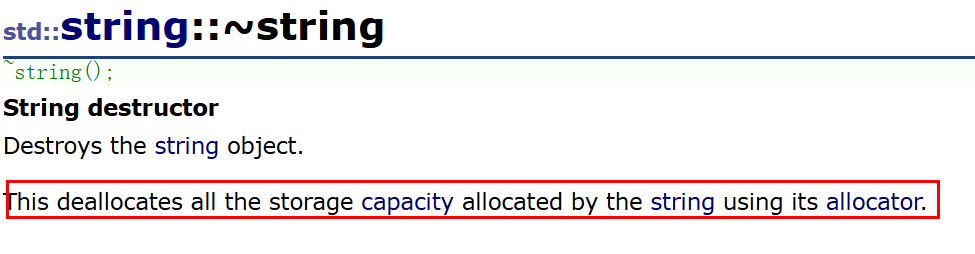
对于字符串的析构而言,编译器会自动调用释放字符串通过其分配器所分配的全部存储空间,所以我们就不需要深入了解了。
2、字符串遍历:3种便捷方式
|-------------------------------------------------------------------------------------------------------------------------------------------------------------|---------------------------------------------|
| 函数名称 | 功能说明 |
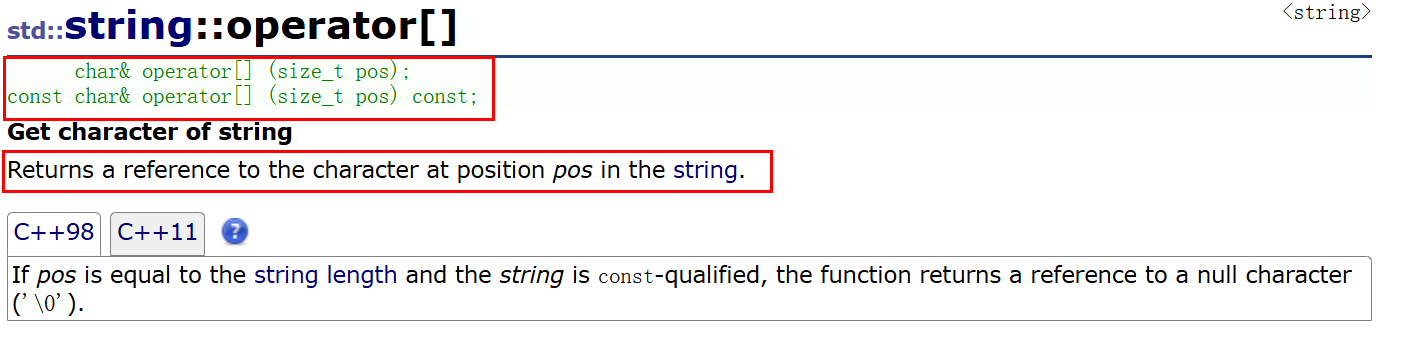
| operator\[\](重点) | 返回 pos 位置的字符,const string 类对象调用 |
| begin + end | begin 获取一个字符的迭代器 + end 获取最后一个字符下一个位置的迭代器 |
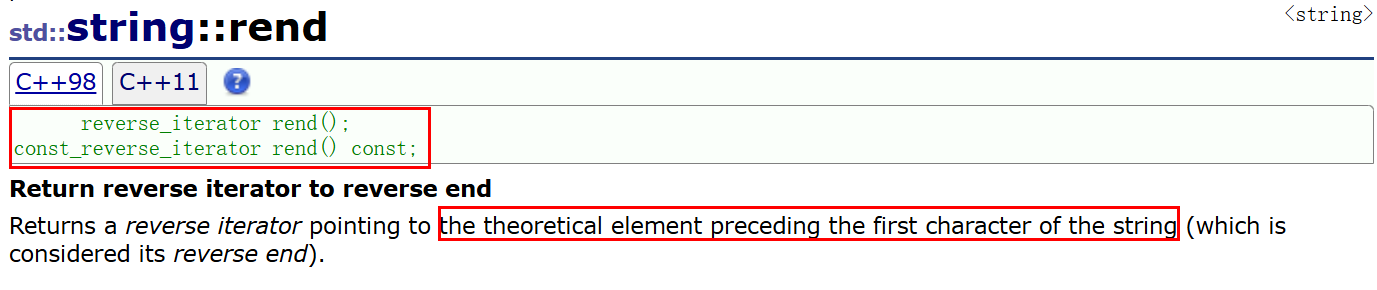
| rbegin + rend | rbegin 获取最后一个字符的迭代器 + rend 获取最后首字符前一个位置的迭代器 |
| 范围 for | C++11支持更简洁的范围for的新遍历方式 |
2.1operator \[\]下标访问
和数组下标访问逻辑类似 ,支持读和写,注意下标从0开始:
cpp
void Test_string2()
{
	//字符串遍历
	//1. operator [] 下标访问
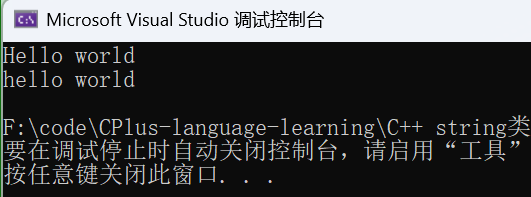
	string s1("Hello world");
	cout << s1 << endl;
	s1[0] = 'h';
	cout << s1 << endl;
}

int main()
{
	Test_string2();
	return 0;
}
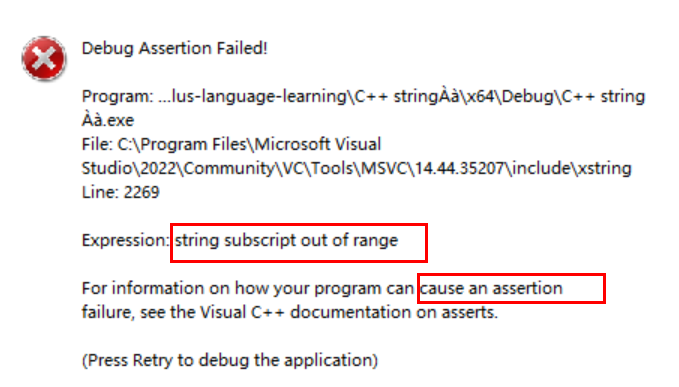
对于越界访问相比于C语言的数组而言有更加严格的检查(断言):
cpp
void Test_string2()
{
	//字符串遍历
	//1. operator [] 下标访问
	string s1("Hello world");
	s1[100];//断言
}

int main()
{
	Test_string2();
	return 0;
}
其实实现起来跟下面的逻辑差不多:
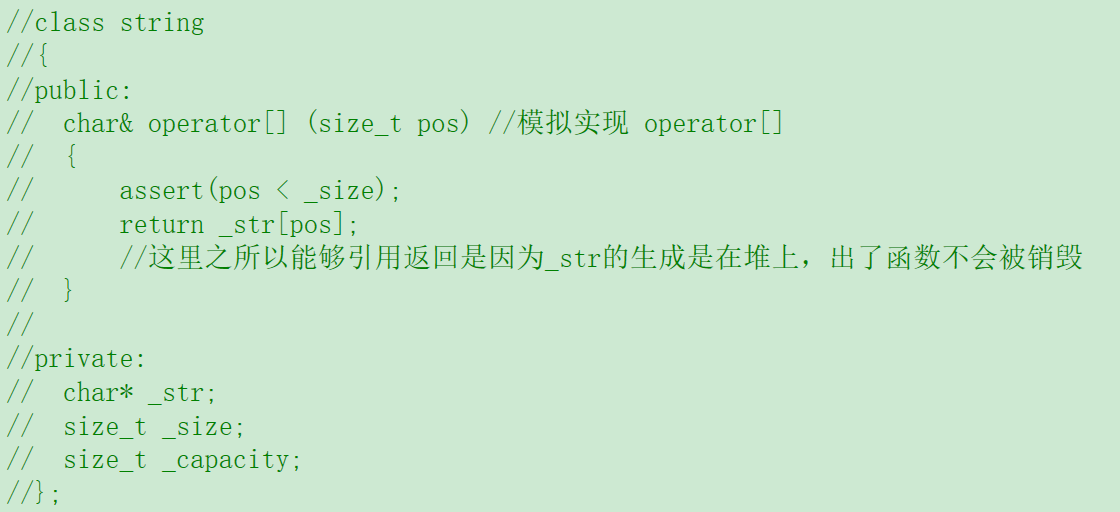
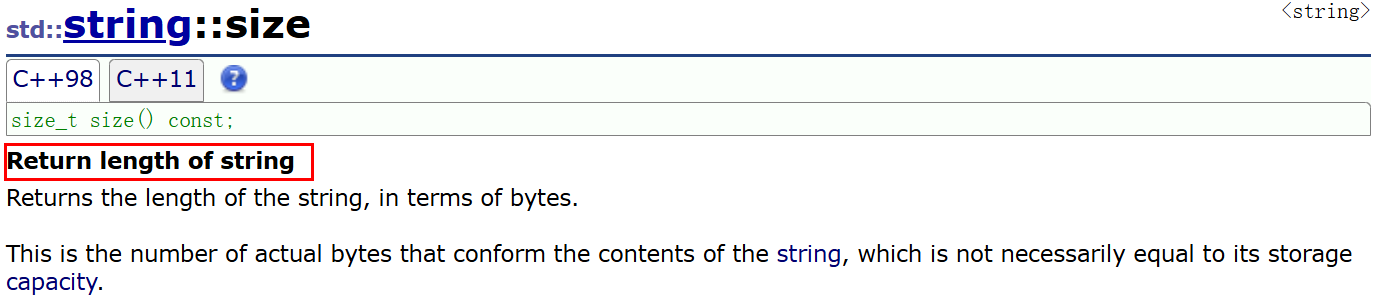
如果想要遍历整个字符串 就需要用到另一个东西:size
cpp
void Test_string2()
{
	//字符串遍历
	//1. operator [] 下标访问
	string s1("Hello world");
	//遍历整个字符串
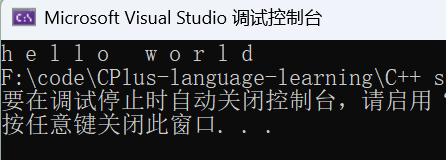
    for (size_t i = 0; i < s1.size(); i++)
    {
    	cout << s1[i] << " ";
    }
}

int main()
{
	Test_string2();
	return 0;
}
2.2 迭代器 iterator 遍历(适配所有容器)
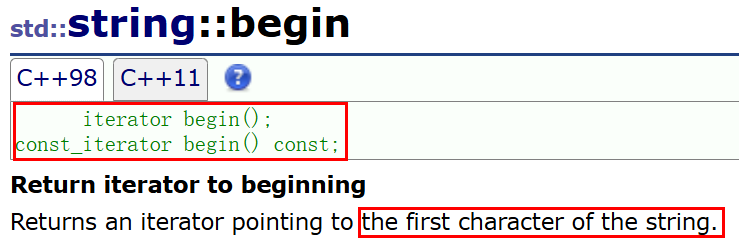
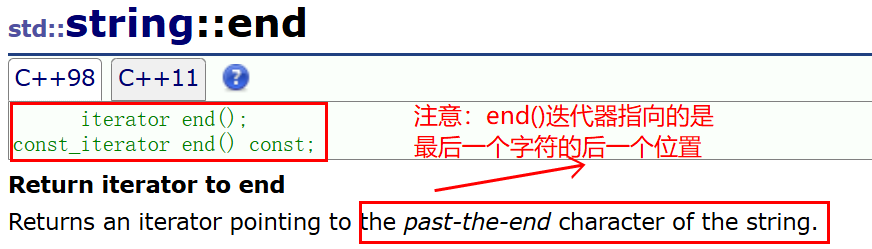
迭代器 是 STL 容器的一个通用遍历方式,begin() 指向第一个字符,end() 指向最后一个字符的下一位
cpp
void Test_string2()
{
	//2.迭代器遍历
	string::iterator it = s1.begin();
	while (it != s1.end())
	{
		cout << *it << " "; //和指针的使用非常类似
		                    //但是it不一定是指针,因为 * 是 operator * 进行了重载
		it++;
	}
	cout << endl;

    //虽然迭代器不能和指针划等于,但我们能理解为指针,因为用法非常类似
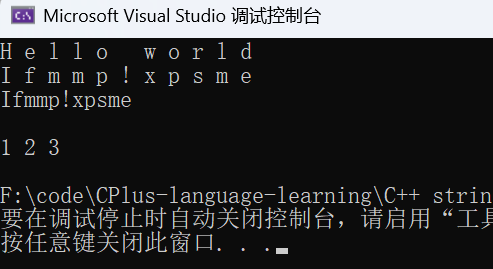
    //所以迭代器也可以直接对指向对象本身进行修改(而后面要讲的关键字 auto 需要加上引用才能修改):
    string::iterator it2 = s1.begin();
    while (it2 != s1.end())
    {
    	*it2 += 1;
    	cout << *it2 << " ";
    	it2++;
    }
    cout << endl;
    cout << s1 << endl;
 	cout << endl;

    //相对于 下标+[] 来说,迭代器更加通用,我们这里再来看看在链表中的使用
    list<int> lt;
    lt.push_back(1);
    lt.push_back(2);
    lt.push_back(3);
    list<int>::iterator lit = lt.begin();
    while(lit != lt.end())
    {
    	cout << *lit << " ";
    	lit++;
    }
    cout << endl;
}

int main()
{
	Test_string2();
	return 0;
}
2.2.1 反向迭代器(反向遍历)

cpp
void Test_string2()
{
	//反向迭代器
	string s1("Hello world");
    //string::reverse_iterator rch = s1.rbegin();
    auto rch = s1.rbegin(); //这里auto的作用就能体现出来了,上面的类型比较长就可以用auto进行简化
    while (rch != s1.rend())
{
	cout << *rch << " ";
	rch++; //此时反向时 ++ 已经被重载了,是反方向移动
}

int main()
{
	Test_string2();
	return 0;
}
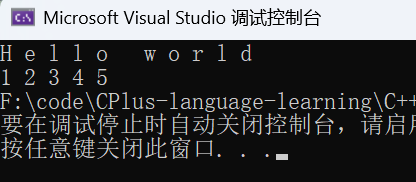
2.3 范围 for 遍历(C++11新特性,简洁明了)
对于一个有范围的集合而言,由程序员来说明循环的范围是多余的,有时候还会容易犯错误。因此C++11中引入了基于范围的for循环 。for循环后的括号由冒号 " : " 分为两部分: 第一部分是范围内用于迭代的变量 ;第二部分则表示被迭代的范围 范围for遍历能够自动迭代,自动取数据,自动判断结束 。
范围for可以作用到数组 和容器对象 上进行遍历
范围for的底层很简单,容器遍历 实际就是替换为迭代器,这个从汇编层也可以看到。
cpp
void Test_string2()
{
	//3.范围 for 遍历(C++11)
    //自动取容器数据赋值,自动迭代++,自动判断结束
    string s1("Hello world");
    for (auto it : s1)
    {
    	cout << it << " ";
    }
	cout << endl;

    //范围for也可以作用到数组上进行遍历
    int array[] = { 1, 2, 3, 4, 5 };
    for (auto e : array)
    {
    	cout << e << " ";
    }
}

int main()
{
	Test_string2();
	return 0;
}
2.3.1 auto 关键字的讲解
我们会发现在写范围 for 遍历的时候里面有一个以前没有见过的关键字 auto
在早期C/C++中auto的含义是:使用auto修饰的变量,是具有自动存储器的局部变量,后来这个不重要了。C++11中,标准委员会变废为宝赋予了auto全新的含义即:auto不再是一个存储类型指示符,而是作为一个新的类型指示符来指示编译器,auto声明的变量必须由编译器在编译时期推导而得。
用 auto 声明指针类型时,用 auto 和 auto* 没有任何区别,但用auto 声明引用类型时则必须加&。
当在同一行声明多个变量时,这些变量必须是相同的类型,否则编译器将会报错,因为编译器实际只对第一个类型进行推导 ,然后用推导出来的类型定义其他变量。
auto 不能作为函数的参数 ,可以做返回值,但是建议谨慎使用。
auto 不能直接用来声明数组。
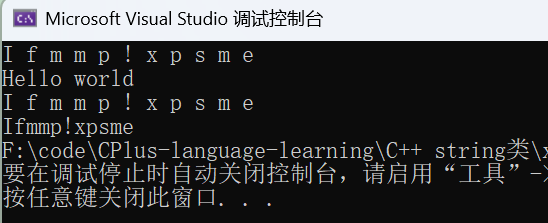
cpp
void autolearning()
{
	int a = 10;
	auto b = a; //关键字auto自动推断类型
	auto c = 'a';
	auto d = func3();

	//auto e; // error C3531: "e": 类型包含"auto"的符号必须具有初始值设定项

	//需要注意的是:对于上面范围for遍历中,如果想对对象本身进行修改,必须加上引用
	string s1("Hello world");
	for (auto ch : s1) //这个可以理解成相当于把s1的所有字符挨个拷贝到ch中
		               //此时ch为局部变量,对其修改并不会影响s1的改变
	{
		ch += 1;
		cout << ch << " ";
	}
	//之所以迭代器能直接修改,是因为我们可以把迭代器看成是指针,也就类似于自带引用功能
	cout << endl;
	cout << s1 << " ";
	cout << endl;

	for (auto& ch : s1)//加上引用后,ch的每个字符也就是s1里面字符的别名
	{
		ch += 1; //修改ch也就相当于是修改了s1
		cout << ch << " ";
	}
	cout << endl;
	cout << s1 << " ";

	//当在同一行声明多个变量时,这些变量必须是相同的类型
	auto aa = 1, bb = 2;
	//auto cc = 3, dd = 4.0; //error C3538: 在声明符列表中,"auto"必须始终推导为同一类型

	//auto 不能直接用来声明数组
	//auto array[] = { 4, 5, 6 }; //error C3318: "auto []": 数组不能具有其中包含"auto"的元素类型
}

int main()
{
	autolearning();
	return 0;
}
简单来说关键字 auto 的作用就是简化代码 ,由于其能够自动推导出类型,在一些类型比较长的情况下可以用 auto 进行简化代码。
3、string 类对象的容量操作
|----------------------------------------------------------------------------------------|------------------------------|
| 函数名称 | 功能说明 |
| size(重点) | 返回字符串有效字符长度 |
| length | 返回字符串有效字符长度 |
| capacity | 返回空间总大小 |
| empty(重点) | 检测字符串释放为空串,是返回true,否则返回false |
| clear(重点) | 清空有效字符 |
| reserve(重点) | 为字符串预留空间 |
| resize(重点) | 将有效字符的个数该成n个,多出的空间用字符c填充 |
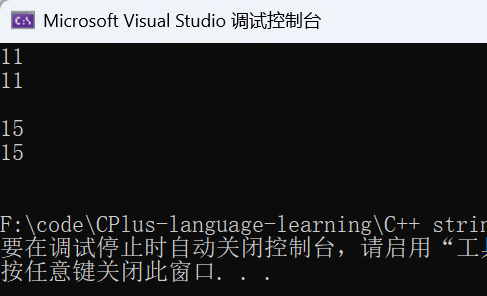
3.1 size ()、length ()、capacity ()
cpp
void Test_string3()
{
	// string 类对象的容量操作
	// size 和 length:返回字符串有效字符长度
	string s1("Hello world");
	cout << s1.size() << endl; //不包含结尾的\0
	cout << s1.length() << endl << endl;; //两者用法是完全一样的,但基本是用size来求长度


	// capacity:返回空间总大小
	string s2; //空串
	cout << s1.capacity() << endl;
	cout << s2.capacity() << endl << endl;;
    //在vs中大多数情况容量都是比字符串本身长度要大的,因为会进行对齐
}

int main()
{
	Test_string3();
	return 0;
}
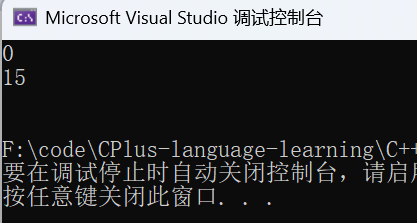
3.2 clear():清空有效字符
cpp
void Test_string3()
{
    // clear:清空有效字符
	string s1("Hello world");
	s1.clear();
    cout << s1.size() << endl;
    cout << s1.capacity() << endl << endl;
    // clear()只是将 string 中有效字符清空,但不改变底层空间大小
}

int main()
{
	Test_string3();
	return 0;
}
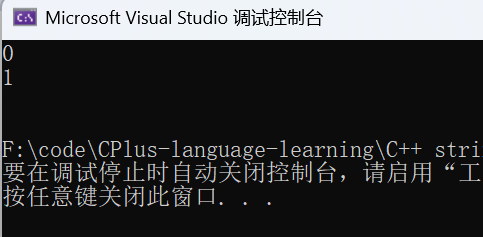
3.3 empty():判空
cpp
void Test_string3()
{
    // empty:检测字符串释放为空串,是返回true,否则返回false
   	string s1("Hello world");
	string s2; //空串
    cout << s1.empty() << endl;
    cout << s2.empty() << endl << endl;;
}

int main()
{
	Test_string3();
	return 0;
}
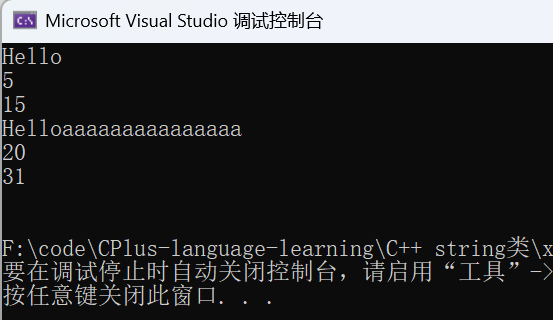
3.4 resize():调整有效字符
cpp
void Test_string3()
{
    // resize:将有效字符的个数该成n个,多出的空间用字符c填充
    //注意:resize在改变元素个数时,如果是将元素个数增多,可能会改变底层容量的大小,
    //如果是将元素个数减少,底层空间总大小不变
    string s3("Hello world");
    s3.resize(5);
    string::iterator ch = s3.begin();
    while (ch != s3.end())
    {
    	cout << *ch;
    	ch++;
    }
    cout << endl;
	cout << s3.size() << endl;
    cout << s3.capacity() << endl;

    s3.resize(20, 'a');
    for (size_t i = 0; i < s3.size(); i++)
    {
    	cout << s3[i];
    }
    cout << endl;
	cout << s3.size() << endl;
    cout << s3.capacity() << endl << endl; //此时底层容量的大小就发生了改变
    }

int main()
{
	Test_string3();
	return 0;
}
3.5 reserve(): 预分配空间(避免频繁扩容)
如果我们已经知道一个字符串大概有多长,就可以先用 reserve() 预分配空间,避免后续扩容次数过多导致效率降低。
cpp
void Test_string3()
{
    //reserve:为字符串预留空间,不改变有效元素个数(预分配空间)
    //作用:如果我们已经知道一个字符串大概有多长,
    //就可以先用 reserve() 预分配空间,避免后续扩容次数过多导致效率降低
    string s;
    // 已知要存1000个字符,提前预分配
    s.reserve(1000);
    // 后续拼接1000个字符,不会频繁扩容
    for (int i = 0; i < 1000; ++i)
    {
    	s += 'a';
    }

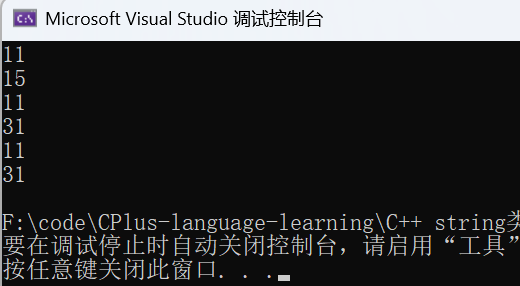
    //reserve也可以用来增容
    string s4("hello world");
    cout << s4.size() << endl;
    cout << s4.capacity() << endl;

    s4.reserve(20);//会开的比20大,因为会进行对齐
    cout << s4.size() << endl;
    cout << s4.capacity() << endl;

    //当reserve的参数小于string的底层空间总大小时,reserver不会改变容量大小
    s4.reserve(5);//在 vs 上 reserve 不会缩容,但其他平台如 g++ 是可以缩容的
    cout << s4.size() << endl;
    cout << s4.capacity() << endl; //由于上面预留总空间到31,reserve的参数小于31,仍为31
}

int main()
{
	Test_string3();
	return 0;
}
结束语
到此,string 类常见核心接口的创建、遍历及容量操作就讲解完了,string 类还有一些接口我们在下次再进行讲解。希望这篇文章对大家学习C++能有所帮助!