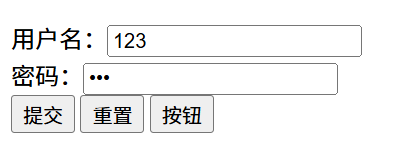
表单
作用:收集用户信息
使用场景:登录页面、注册页面、搜索区域。
一、input 标签
input 标签 type 属性值不同,则功能不同。
A、type 属性
| type属性值 | 说明 |
|---|---|
| text | 文本框,用于输入单行文本 |
| password | 密码框 |
| radio | 单选框 |
| checkbox | 多选框 |
| file | 上传文件 |
1、text 属性
html
文本框:<input type="text">
2、password 属性
html
密码框:<input type="password">
3、radio 属性
html
性别:男<input type="radio">
单选框常用属性:
| 属性名 | 作用 | 特殊说明 |
|---|---|---|
| name | 控件名称 | 控件分组,同组只能选中一个(单选功能) |
| checked | 默认选中 | 属性名和属性值相同,简写为一个的单词 |
a、name 属性
html
 性别:
 男<input type="radio" name="gender">
 女<input type="radio" name="gender">
 <!-- name值可以自定义,但是同一组的name值必须相同 -->
b、checked 属性
html
性别:
男<input type="radio" name="gender">
女<input type="radio" name="gender" checked>
<!-- 使用checked属性,该选项默认选中 -->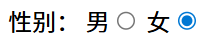
4、checkbox 属性
html
苹果<input type="checkbox">
香蕉<input type="checkbox">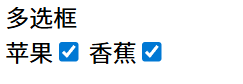
checked 默认选中属性
html
苹果<input type="checkbox" checked>
香蕉<input type="checkbox" checked>
石榴<input type="checkbox">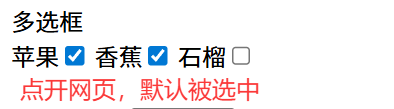
5、file 属性
(默认只能上传一个文件)
html
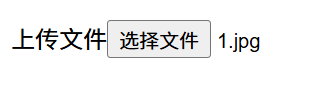
上传文件<input type="file">
点击选择文件后,选择所需要上传的文件
-multiple 属性(实现多个文件上传)
html
上传文件:<input type="file" multiple>
B、input标签占位文本
占位文本:提示信息
文本框和密码框都可以使用
html
<input type="" placeholder="提示信息">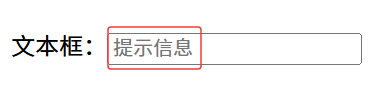
占位文本默认灰色,输入信息后占位文本消失,输入信息显示效果灰色

二、下拉菜单
标签:select 嵌套 option,select 是下拉菜单整体,option 是下拉菜单的每一项
html
<select>
    <option>北京</option>
    <option>上海</option>
    <option>杭州</option>
    <option>深圳</option>
</select>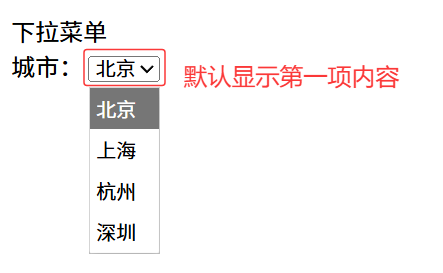
可以通过 selected 属性,设置默认选项
html
<select>
    <option>北京</option>
    <option>上海</option>
    <option selected>杭州</option>
    <option>深圳</option>
</select>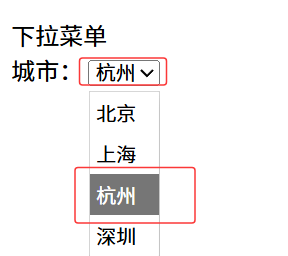
三、文本域
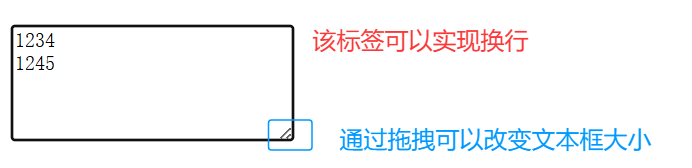
作用:多行输入文本的表单控件
标签:textarea,双标签
html
<textarea >请输入内容</textarea>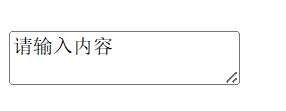
四、label 标签
作用:在网页中,某个标签的说明文本。
用 label 标签绑定文字和表单控件的关系,增大表单控件的点击范围。
A、写法一
label 标签只包裹内容,不包裹表单控件。
设置 label 标签的 for 属性值和表单控件的 id 属性值相同。
html
性别:
<input type="radio" name="gender" id="man"><label for="man">男</label>
<input type="radio" name="gender" id="woman"><label for="woman">女</label>
普通的单选框只能通过点击"选项框(圆圈)"进行勾选,而 label 标签可以通过点击"选项框"和"label 标签中的文字"进行勾选。
B、写法二
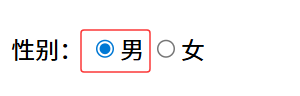
使用 label 标签包裹文字和控制表单,不需要属性。
html
<label><input type="radio">女</label>提示: 文本框、密码框、上传文件、单选框、多选框、下拉菜单、文本域等均可使用 label 标签。
五、button 标签
type 属性
| type 属性值 | 说明 |
|---|---|
| submit | 提交按钮,点击后可以提交数据到后台(省略type属性依旧是提交功能) |
| reset | 重置按钮,点击后将表单控件恢复到默认值 |
| button | 普通按钮,默认没有功能,一般配合JavaScript使用 |
注 :实现功能需要将代码写在form表单区域
(action:发送数据的地址)
html
<form action="">
    用户名:<input type="text">
    <br>
    密码:<input type="password">
    <br>
    <button type="submit">提交</button>
    <button type="reset">重置</button>
    <button type="button">按钮</button>
</form>