1、安装uiautomator2
bash
pip show uiautomator22、验证安装
c
pip show uiautomator2如果能看到版本号,说明安装好了。

记得初始化手机哦(如果没做过): 在命令行运行:
uiautomator2 init
ps:文件夹是空的,不像zip有相关文件
3、运行
如果你是批量查看那么写一个脚本
python
import uiautomator2 as u2
import time

d = u2.connect()

# 1. 启动你想看的 App (比如设置页面)
# "com.android.settings" 是设置的包名,你需要换成你要测的 App 包名
d.app_start("com.android.settings")

# 2. 等待几秒,确保 App 完全打开了,否则可能打印到启动时的白屏
time.sleep(3)

# 3. 现在的 hierarchy 就是这个 App 的了
xml = d.dump_hierarchy()
print(xml)
或者使用Weditor静态定格分析
第一步:手机连接电脑
第二步:启动Weditor
python
python -m weditor然后浏览器会自动打开(通常是 http://localhost:17310)
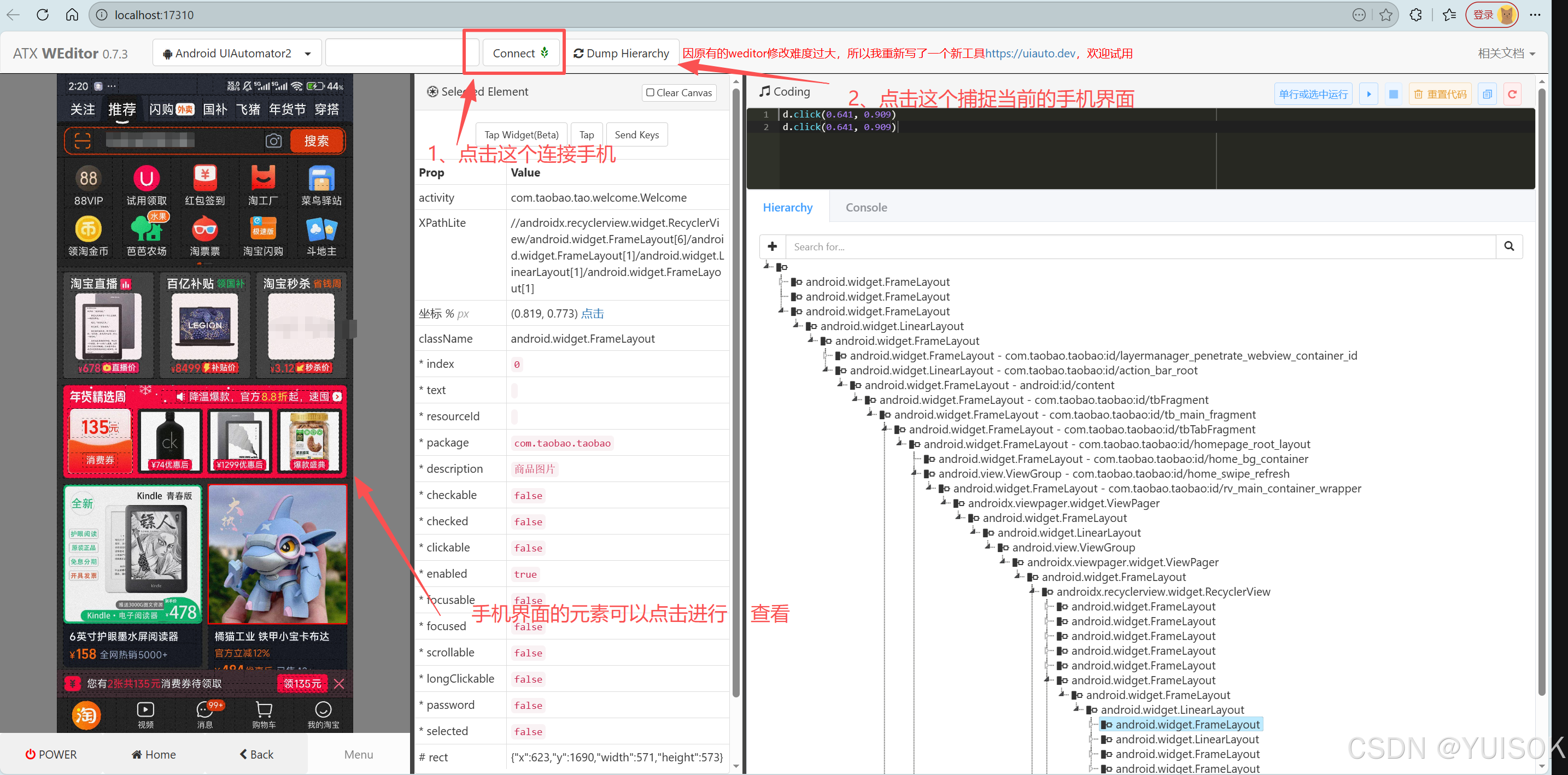
如果出现以下问题:

是因为Python 的库是跟着解释器走的。如果你之前在 Python 其他版本里装的 weditor,更换新的python版本就需要重新安装
解决方法:
cmd运行以下代码
python
E:\python3.10.11\python.exe -m pip install weditor uiautomator2然后输入以下命令运行
python
E:\python3.10.11\python.exe -m weditor如果遇到这个问题
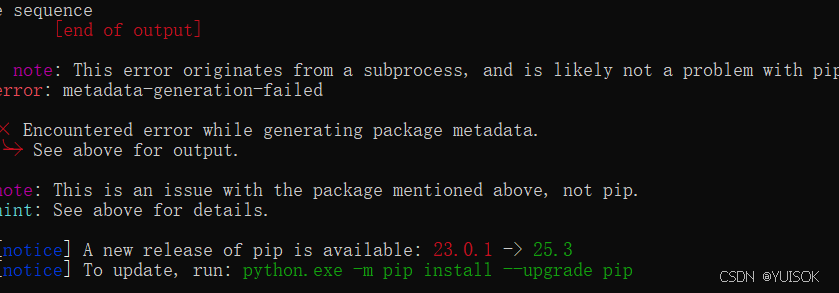
先退出当前目录
python
cd ..然后升级 pip 并重新安装,输入以下命令
python
E:\python3.10.11\python.exe -m pip install --upgrade pip
python
E:\python3.10.11\python.exe -m pip install weditor uiautomator2然后运行
python
E:\python3.10.11\python.exe -m weditor还出现错误就到python所在的那个盘
python
cd /d E:\
python
E:\python3.10.11\python.exe -m pip install weditor然后
python
python.exe -m weditor就可以了