https://blog.csdn.net/gitblog_01226/article/details/143045521
1.安装皮肤
Arch: pacman -S fcitx5-material-color
Debian: apt install fcitx5-material-color
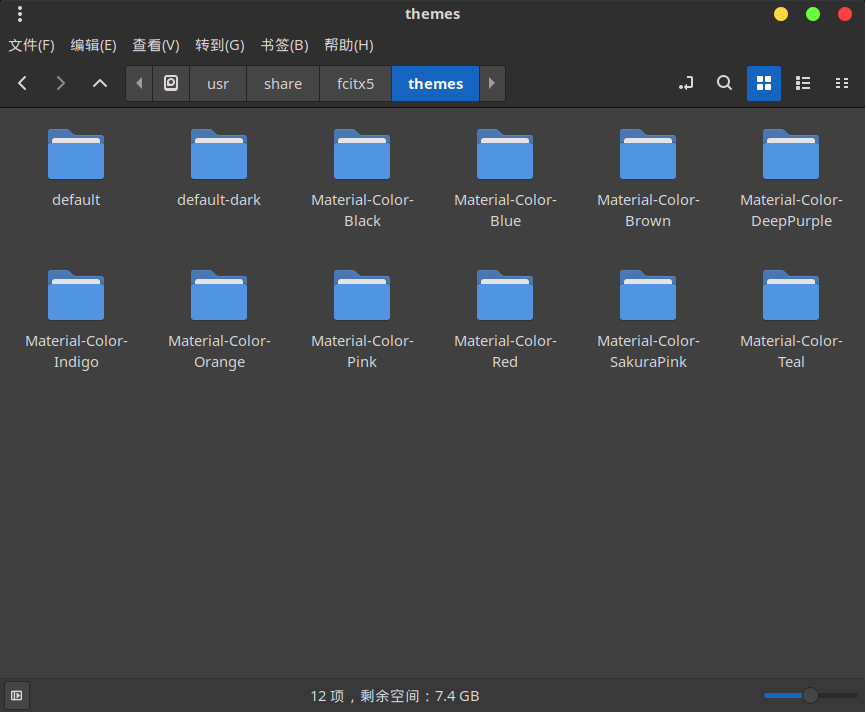
2.切换皮肤
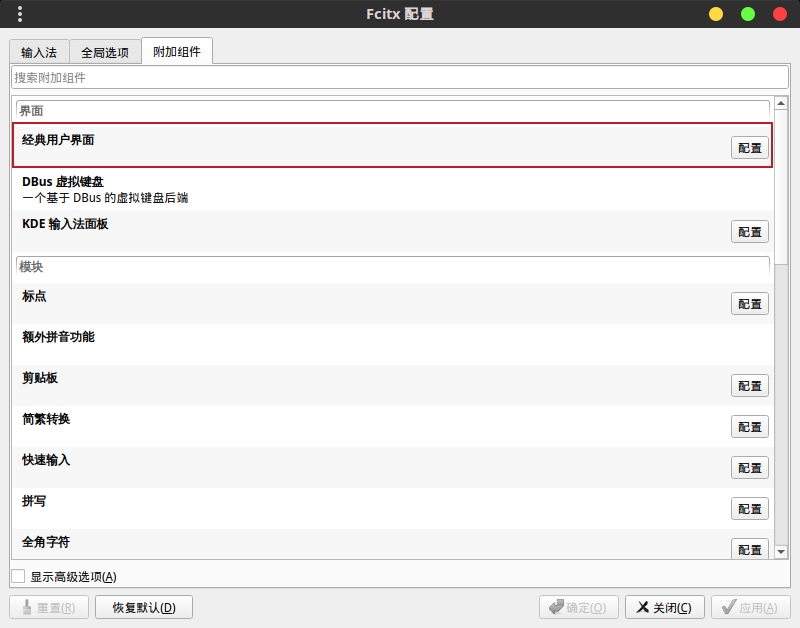
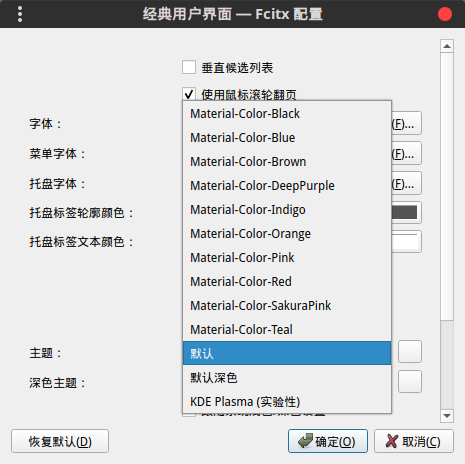
确定后会修改 ~/.config/fcitx5/conf/classicui.conf 里的 Theme=default 字段,立即生效。
https://blog.csdn.net/gitblog_01226/article/details/143045521
Arch: pacman -S fcitx5-material-color
Debian: apt install fcitx5-material-color
确定后会修改 ~/.config/fcitx5/conf/classicui.conf 里的 Theme=default 字段,立即生效。