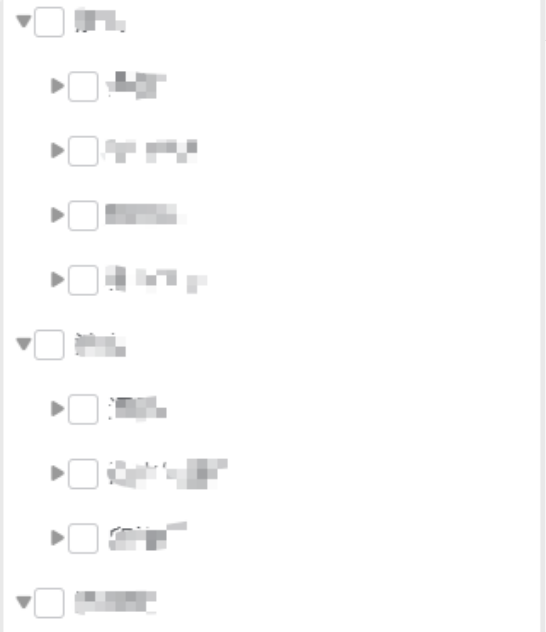
//组件:
<template>
    <view>
        <!-- 触发器 -->
        <!-- <view class="picker" @click="show = true">
            <text v-if="checkedLabel" class="txt">{{ checkedLabel }}</text>
            <text v-else class="placeholder">请选择1234(可多选)</text>
            <u-icon name="arrow-down" color="#c0c4cc" />
        </view> -->

        <!-- 弹层 -->
        <u-popup v-model="show" :show="show" mode="bottom" border-radius="16" closeable @close="handleClose">
            <view class="head">
                <text class="title">请选择设施类型</text>
                <!-- <view class="btn">
                    <text class="clear" @click="handleClear">清空</text>
                    <text class="sure" @click="handleConfirm">确定</text>
                </view> -->
            </view>

            <scroll-view scroll-y class="box">
                <!-- 一级 -->
                <view v-for="node in tree" :key="node.ids">
                    <view class="row">
                        <u-icon v-if="node.children" class="xiala"
                            :name="node.expand ? 'arrow-down-fill' : 'play-right-fill'" size="12" color="#999"
                            @click="toggle(node)" />

                        <u-checkbox-group v-model="node.checkedKeys" @change="val => groupChange(node, val)"
                            class="my-check">
                            <u-checkbox :name="node.ids" :label="node.name">
                                <text class="name">{{ node.name }}</text>
                            </u-checkbox>
                        </u-checkbox-group>
                    </view>

                    <!-- 二级 -->
                    <view v-if="node.expand && node.children" class="child-box">
                        <view v-for="second in node.children" :key="second.ids" class="">
                            <view class="row">
                                <u-icon v-if="second.children" class="xiala"
                                    :name="second.expand ? 'arrow-down-fill' : 'play-right-fill'" size="12" color="#999"
                                    @click="toggle(second)" />

                                <u-checkbox-group v-model="second.checkedKeys"
                                    @change="val => groupChange(second, val)">
                                    <u-checkbox :name="second.ids" :label="second.name">
                                        <text class="name">{{ second.name }}</text>
                                    </u-checkbox>
                                </u-checkbox-group>
                            </view>
                            <!-- 三级 -->
                            <view v-if="second.expand && second.children" class="child-box">
                                <view v-for="third in second.children" :key="third.ids" class="row1">
                                    <u-checkbox-group v-model="third.checkedKeys"
                                        @change="val => groupChange(third, val)">
                                        <u-checkbox :name="third.ids" :label="third.name">
                                            <text class="name">{{ third.name }}</text>
                                        </u-checkbox>
                                    </u-checkbox-group>
                                </view>
                            </view>
                        </view>
                    </view>
                </view>
                 <!-- 空状态 -->
        <view class="cascade-empty" v-if="list.length === 0">
          <su-empty text="暂无数据"></su-empty>
        </view>
            </scroll-view>
            <view class="head cascade-footer">
               <!-- <text class="clear" @click="handleClear">重置</text> -->
                    <u-button type="default" size="normal" @click="handleClear">重置</u-button>
                    <!-- <text class="sure" @click="handleConfirm">确定</text> -->
                    <u-button type="primary" size="normal" @click="handleConfirm"
                        style="margin-left: 20rpx;">确定</u-button>
            </view>
        </u-popup>
    </view>
</template>

<script>
export default {
    name: 'SimpleTreeCheck',
    props: {
        list: { type: Array, required: true },
        // 显示控制
        show: {
            type: Boolean,
            default: false
        },
    },
    data() {
        return {
            // isShow: this.show,
            tree: [],
            dataVal: null,
        }
    },
    computed: {
        checkedLabel() {
            const names = []
            // console.log('fasf:',this.getFiltrate(this.tree))
            // // 只要最后一级的选中项,进行筛选
            // const walk = arr => arr.forEach(item => {
            //     if (item.checkedKeys && item.checkedKeys.length) names.push(item.name)
            //     if (item.children && item.children.length > 0) walk(item.children)
            // })
            // walk(this.getFiltrate(this.tree))
            return names.slice(0, 2).join('、') + (names.length > 2 ? `+${names.length - 2}` : '')
        }
    },
    watch: {
        list: {
            handler(v) {
                console.log('list:', v)
                // this.tree = this.initTree(v)
                this.tree = v
                // 初始化后触发一次结果回调,确保默认选中值生效
                // this.emitResult()
            },
            immediate: true
        }
    },
    methods: {
        // 筛选,只要最后一级选中的,用以显示
        getFiltrate(val) {
            let checkedData = []
            if (val && val.length > 0) {
                val.forEach(item => {
                    if (item.children && item.children.length > 0) {
                        this.getFiltrate(item.children);
                    } else if (item.children == null) {
                        item.checkedKeys = item.checkedKeys || []
                        if (item.checkedKeys && item.checkedKeys.length) {
                            checkedData.push(item)
                        }
                    }
                })
            }
            console.log('选中的checkedData:', checkedData)
            return checkedData;
        },
        initTree(arr) {
            return JSON.parse(JSON.stringify(arr)).map(n => {
                this.$set(n, 'expand', false)
                this.$set(n, 'checkedKeys', n.checkedKeys || [])
                if (n.children && n.children.length > 0) n.children = this.initTree(n.children)
                return n
            })
        },
        toggle(node) {
            console.log('点击展开关闭:', node)
            this.$set(node, 'expand', !node.expand)
        },

        /* --------------- 联动核心 --------------- */
        groupChange(node, keys) {
            console.log('选中:', node, keys)
            this.dataVal = node
            // 1. 同步当前节点
            this.$set(node, 'checkedKeys', keys)
            // 2. 向下:父选中→子全选 / 父取消→子全取消
            if (node.children && node.children.length > 0) {
                const checked = keys.includes(node.ids)
                this.checkChildren(node, node.children, checked)
            } else {
            }

            // 3. 向上:子全部选中→父选中 / 任一未选→父取消
            this.checkParent(node)
            // 4. 对外抛结果
            // this.emitResult()
            console.log('aaa:', this.dataVal)
            this.$emit('change1', this.dataVal)

        },

        /* 子级全选/全消 */
        checkChildren(node, children, checked) {
            children.forEach(c => {
                this.$set(c, 'checkedKeys', checked ? [c.ids] : [])
                if (c.children && c.children.length > 0) this.checkChildren(c, c.children, checked)
            })
            console.log('子级:', children)
            this.dataVal = node;
            // this.$emit('change1', node)
        },

        /* 父级联动 */
        checkParent(node) {
            const parent = this.findParentObject(this.tree, node.ids)
            if (!parent) return
            // 判断父级的每一个子级是否都被选中了,如果都被选中了,则父级也被选中
            let allChecked = 1;//1表示所有子级都被选中了,0表示有未选中的
            parent.children.forEach(ele => {
                if (ele.ids == node.ids) {
                    ele.checkedKeys = node.checkedKeys;
                    ele.children = node.children;
                }
                if (ele.checkedKeys.length > 0) {
                    // 如果是1,表示选中了
                    // parent.checkedKeys = [parent.ids]
                } else {
                    // 如果是0,表示有未选中的,父级不需要选中
                    allChecked = 0
                    // parent.checkedKeys = []
                }
            })
            if (allChecked == 0) {
                parent.expand = true
                parent.checkedKeys = []
            } else {
                parent.expand = true
                parent.checkedKeys = [parent.ids]
            }
            this.dataVal = parent
            const parent1 = this.findParentObject(this.tree, parent.ids)
            if (parent1) {
                console.log('点击:', parent1, allChecked)
                let isFlag = 1;//如果是1表示全部选中了,父级选中,如果是0,则父级取消选中
                // 查找id一样的,如果一样,则更新子级
                parent1.children.forEach(ele => {
                    if (ele.ids == parent.ids) {
                        ele.checkedKeys = parent.checkedKeys;
                        ele.children = parent.children;
                    }
                    if (ele.checkedKeys.length > 0) {
                        // 如果checkedKeys都有值,表示都选中了,则isFlag = 1
                        // parent1.checkedKeys = [parent1.ids]
                    } else {
                        // 如果有没值的,表示有未选中的,父级不需要选中isFlag = 0
                        isFlag = 0
                        // parent1.checkedKeys = []
                    }
                })
                parent1.checkedKeys = isFlag==1 ? [parent1.ids] : [];
                this.dataVal = parent1;
            }
            console.log('父级:', node, parent, parent1)

            // this.$emit('change1', parent)
        },
        // 查找父级
        findParentObject(tree, targetId) {
            // 遍历树
            for (let node of tree) {
                // 检查当前节点的子节点是否包含目标节点
                if (node.children && node.children.length > 0) {
                    // 如果子节点中有目标节点,返回当前节点(父级)
                    const foundInChildren = node.children.find(child => child.ids === targetId);
                    if (foundInChildren) {
                        // 返回父级的深拷贝,避免修改原始数据
                        return JSON.parse(JSON.stringify(node));
                    }

                    // 否则继续深度搜索
                    const found = this.findParentObject(node.children, targetId);
                    if (found) {
                        return found;
                    }
                }
            }
            return null;
        },
        /* 找父级(广度) */
        findParent(target, arr, parent = null) {
            for (let i = 0; i < arr.length; i++) {
                const n = arr[i]
                if (n.children && n.children.length > 0) {
                    if (n.children.includes(target)) return n
                    const p = this.findParent(target, n.children, n)
                    if (p) return p
                }
            }
            return null
        },

        /* 收集结果 */
        emitResult() {
            const res = []
            const walk = (arr, path = '') => {
                arr.forEach(n => {
                    const p = path ? `${path}/${n.name}` : n.name
                    if (n.checkedKeys && n.checkedKeys.includes(n.ids)) res.push({ ...n, path: p })
                    if (n.children && n.children.length > 0) walk(n.children, p)
                })
            }
            walk(this.tree)
            this.$emit('change', res)
        },

        /* --------------- 底部按钮 --------------- */
        handleClear() {
            const walk = arr => arr.forEach(n => {
                this.$set(n, 'checkedKeys', [])
                if (n.children && n.children.length > 0) walk(n.children)
            })
            walk(this.tree)
            // this.emitResult()
            this.$emit('clear');
        },
        handleConfirm() {
            this.$emit('Confirm');
        },
        handleClose() {
             this.$emit('Confirm');
        }
    }
}
</script>

<style scoped>
.picker {
    display: flex;
    align-items: center;
    justify-content: space-between;
    padding: 24rpx;
    background: #f7f7f7;
    border-radius: 8rpx;
}

.placeholder {
    color: #c0c4cc;
}

.head {
    display: flex;
    align-items: center;
    justify-content: space-between;
    padding: 24rpx 32rpr;
    border-bottom: 1rpx solid #e4e7ed;
}

.cascade-footer {
  padding: 24rpx 30rpx;
  background: #fff;
  border-top: 1rpx solid #e5e5e5;
  display: flex;
  justify-content: space-between;
  box-shadow: 0 -4rpx 12rpx rgba(0, 0, 0, 0.05);
}
.title {
    font-size: 32rpx;
    font-weight: bold;
    margin-left: 32rpx;
    padding: 20rpx 0;
}

.btn {
    display: flex;
    gap: 32rpx;
}

.clear {
    color: #909399;
}

.sure {
    color: #2979ff;
}

.box {
    max-height: 60vh;
    height: 50vh;
    padding: 0 32rpx 32rpx;
    overflow-y: scroll;
}

.row {
    display: flex;
    align-items: center;
    padding: 20rpx 0;
}

.row1 {
    padding: 20rpx 0;
}

.dot {
    width: 40rpx;
    font-size: 20rpx;
    color: #ccc;
}

.name {
    margin-left: 16rpx;
    font-size: 30rpx;
    color: #303133;
}

.child-box {
    padding-left: 40rpx;
}

.half {
    color: #909399;
}

::v-deep .u-checkbox-group {
    width: 100% !important;
}

::v-deep .u-checkbox {
    position: relative !important;
    width: 100% !important;
}

::v-deep .u-checkbox__icon-wrap {
    position: absolute !important;
    right: 50px !important;
}
</style>

<style>
::v-deep .box .u-checkbox {
    position: relative !important;
    width: 100% !important;
}

::v-deep .box .u-checkbox__icon-wrap {
    position: absolute !important;
    right: 50px !important;
}
</style>
//引用
import MpMultiTree from '@/components/su-cascade-picker/mp-multi-tree.vue'
  <view class="form-value flex ju-en al-cn flex1" @click="handleSelectType"></view>
<mp-multi-tree :show="typePickerShow" :list="pollutionTypeList" @change1="onChange" @Confirm="handleConfirm"
      @clear="handleClear" />

      typePickerShow: false,
pollutionTypeList:[
             {
               ids: 'bj',
               name: '北京',
               checkedKeys: []
             },
             {
               ids: 'sh',
              name: '上海',
               checkedKeys: [],
               expand: true,
               children: [
                 { ids: 'sh1', name: '上海-1', checkedKeys: [] },
                 { ids: 'sh2', name: '上海-2', checkedKeys: [] },
                 { ids: 'sh3', name: '上海-3', checkedKeys: [] }
               ]
             },
             {
               ids: 'gz',
               name: '广州',
               expand: true,
               checkedKeys: [],
               children: [
                 { ids: 'hz', name: '海珠区', checkedKeys: [] },
                 { ids: 'py', name: '番禺区', checkedKeys: [] },
                 {
                   ids: 'hp',
                   name: '黄浦区',
                   expand: true,
                   checkedKeys: [],
                   children: [
                     { ids: 'hp1', name: '黄浦区-1', checkedKeys: [] },
                     { ids: 'hp2', name: '黄浦区-2', checkedKeys: [] }
                   ]
                 }
               ]
             },
             {
               ids: '09-275286',
               expand: true,
               name: "污染类型",
               checkedKeys: [],
               children: [{
                 ids: '02-275287',
                 expand: true,
                 name: "污染类型",
                 checkedKeys: [],
                 children: [{
                   ids: '00-275288',
                   name: "污染类型",
                   checkedKeys: [],
                 }]
               }]
             }
           ],
  /**
     * 选择设施类型
     */
    handleSelectType() {
      this.typePickerShow = true;
    },
 onChange(nodes, isEchoMode = false) {
      console.log('onChange调用:', { isEchoMode, nodes: nodes.ids, checkedArrBefore: [...this.checkedArr] });

      // 如果不是编辑模式回显,才清空checkedArr
      if (!isEchoMode) {
        this.checkedArr = []
      }
      // this.paths = nodes.map(n => n.path)
      this.pollutionTypeList.forEach(ele => {
        if (ele.ids == nodes.ids) {
          ele.expand = true;
          ele.checkedKeys = nodes.checkedKeys;
          if (ele.children && ele.children.length > 0) {
            ele.children = nodes.children;
          }
          // console.log('父组件中的子级1:', ele.children, ele.children && ele.children.length > 0);
        }
        if (ele.children && ele.children.length > 0) {
          ele.children.forEach(item => {
            // console.log('父组件中的子级2:', item, nodes);
            if (item.ids == nodes.ids) {
              item.expand = true;
              item.checkedKeys = nodes.checkedKeys;
              item.children = nodes.children;
            }
          })
        }
      })
      // 处理第三层
      if (nodes.children && nodes.children.length > 0) {
        nodes.children.forEach(secondLevel => {
          if (secondLevel.children && secondLevel.children.length > 0) {
            secondLevel.children.forEach(thirdLevel => {
              if (thirdLevel.checkedKeys && thirdLevel.checkedKeys.length > 0) {
                console.log('第三岑:', thirdLevel)
                let str = thirdLevel.ids;
                str = str.substring(0, str.indexOf("-"));
                this.checkedArr.push(str);
              }
            })
          }
        });
      }
      console.log('父选择的路径1:', this.pollutionTypeList);
      console.log('选择的路径:', this.checkedArr);
      let checkedData = []
      let checkedArr = this.getFiltrate(this.pollutionTypeList, checkedData)
      console.log('打印:', checkedArr, checkedData[0] + '+' + String(checkedData.length - 1))
      this.displayData.facilityTypeName = checkedData.length > 1 ? checkedData[0] + '+' + String(checkedData.length - 1) : checkedData.length == 1 ? checkedData[0] : ''
      // 将数组转换为逗号分隔的字符串,保持与API接口的数据类型一致
      // 如果不是编辑模式回显,才更新facilityType(避免在回显过程中被清空)
      if (!isEchoMode) {
        this.formData.facilityType = this.checkedArr.join(',');
      }
    },
        // 确认
    handleConfirm() {
      this.typePickerShow = false;
    },
    // 重置
    handleClear() {
      this.checkedArr = []
      this.displayData.facilityTypeName = '';
      this.formData.facilityType = ''; // 使用空字符串而不是null,保持类型一致
      this.formData.pollutionTreeOne = ''
    },
     // 筛选,只要最后一级选中的,用以显示
    getFiltrate(val, checkedData) {
      // console.log('获取:', val)
      if (val && val.length > 0) {
        val.forEach(firstLevel => {
          if (firstLevel.children && firstLevel.children.length > 0) {
            console.log('第一级别', firstLevel)
            // 一级
            // this.getFiltrate(item.children, checkedData);
            firstLevel.children.forEach(secondLevel => {
              // 二级
              if (secondLevel.children && secondLevel.children.length) {
                // checkedData.push(secondLevel)
                console.log('第二级别', val, secondLevel)
                // 三级
                secondLevel.children.forEach(thirdLevel => {
                  if (thirdLevel.checkedKeys && thirdLevel.checkedKeys.length) {
                    console.log('第三级别', val, thirdLevel)
                    // checkedData.push(thirdLevel)
                    if (thirdLevel.children == null) {
                      if (thirdLevel.checkedKeys && thirdLevel.checkedKeys.length) {
                        // 拼接展示数据
                        checkedData.push(firstLevel.name + '/' + secondLevel.name + '/' + thirdLevel.name)
                      }
                    }
                  }
                })
              }
            })
          }
          // else if (item.children == null) {
          //   if (item.checkedKeys && item.checkedKeys.length) {
          //     checkedData.push(item)
          //   }
          // }
        })
      }
      return checkedData
      // this.displayData.facilityTypeName = checkedData.length>1?checkedData[0].name+'+'+checkedData.length-1:checkedData.length==1?checkedData[0].name:''
    },
      /**
     * 根据code设置选中的类型(用于编辑回显)
     * 使用三层code精确定位,避免facilityType重复的问题
     * @param {String} pollutionType - 第一层:污染类型code,数据是00,11,22
     * @param {String} industry - 第二层:行业类型code,数据是00,11,22
     * @param {String} facilityType - 第三层:设施类型code,数据是00,11,22
     */
    setSelectedTypeByCode(pollutionType, industry, facilityType) {
      // 回显时,根据code设置选中的类型,数据是00,11,22,每一组都是三个数据,分别是一级,二级,三级,拆分开给 this.pollutionTypeList设置回显,并进行验证,是否子级全部选中,则父级就选中
      // 把每一级拆开来,分配成数组,组成正常的一级一级的数据
      const pollutionTypeItems = pollutionType.split(',');
      const industryItems = industry.split(',');
      const facilityTypeItems = facilityType.split(',');
      if (pollutionTypeItems.length !== industryItems.length || industryItems.length !== facilityTypeItems.length || facilityTypeItems.length !== pollutionTypeItems.length) {
        console.warn('参数格式错误,无法回显设施类型:', { pollutionType, industry, facilityType });
        return;
      }
      let normalDataArr = []
      pollutionTypeItems.forEach((item, indexs) => {
        normalDataArr.push({ codes: [item, industryItems[indexs], facilityTypeItems[indexs]] })
      })

      // 循环this.pollutionTypeList中,匹配normalDataArr中的每一级codes,匹配成功则checkedKeys等于ids的值,就可以回显了
      // normalDataArr中的codes是一级,二级,三级的code,分别对应this.pollutionTypeList中的一级,二级,三级
      normalDataArr.forEach(item => {
        // 一级
        const first = this.pollutionTypeList.find(firstLevel => firstLevel.code === item.codes[0])
        if (!first || !first.children) return
        // 二级
        const second = first.children.find(secondLevel => secondLevel.code === item.codes[1])
        if (!second || !second.children) return

        // 三级
        const third = second.children.find(thirdLevel => thirdLevel.code === item.codes[2])
        if (third) {
          this.$set(third, 'checkedKeys', [third.ids])   // 选中
        }
      })
      // 现在检测所有三级是否都被选中了,如果选中了,则上级父级被选中,如果二级都被选中了,则上级父级也被选中
      let thirdData = [];
      // 遍历数据,获取所有三级数据
      this.pollutionTypeList.forEach(firstLevel => {
        if (firstLevel.children && firstLevel.children.length > 0) {
          firstLevel.children.forEach(secondLevel => {
            if (secondLevel.children && secondLevel.children.length > 0) {
              thirdData.push(secondLevel.children[0])
            }
          })
        }
      })
      // 遍历三级数据,判断是否所有子级都被选中了
      thirdData.forEach(ele => {
        let dataVal = null
        const parent = this.findParentObject(this.pollutionTypeList, ele.ids)
        let isAllThirdSelected = 1;//1表示所有子级都被选中了,0表示有未选中的
        parent.children.forEach(ele => {
          if (ele.ids == ele.ids) {
            ele.checkedKeys = ele.checkedKeys;
            ele.children = ele.children;
          }
          if (ele.checkedKeys.length > 0) {
            // 如果是1,表示选中了
          } else {
            // 如果是0,表示有未选中的,父级不需要选中
            isAllThirdSelected = 0
          }
        })
        if (isAllThirdSelected == 0) {
          parent.checkedKeys = []
        } else {
          parent.checkedKeys = [parent.ids]
        }
        // 第一次赋值,是如果没有三级,也不至于报错
        dataVal = parent;
        // 查找二级数据的父级,也就是parent的父级,然后看其子级是不是每一个都被选中了
        const parent1 = this.findParentObject(this.pollutionTypeList, parent.ids)
        if (parent1) {
          let isFlag = 1;//如果是1表示全部选中了,父级选中,如果是0,则父级取消选中
          // 查找id一样的,如果一样,则更新子级
          parent1.children.forEach(ele => {
            if (ele.ids == parent.ids) {
              ele.checkedKeys = parent.checkedKeys;
              ele.children = parent.children;
            }
            if (ele.checkedKeys.length > 0) {
              // 如果checkedKeys都有值,表示都选中了,则isFlag = 1
            } else {
              // 如果有没值的,表示有未选中的,父级不需要选中isFlag = 0
              isFlag = 0
            }
          })
          parent1.checkedKeys = isFlag == 1 ? [parent1.ids] : [];
          // 第二次赋值,是有三级,这样不会报错
          dataVal = parent1;
        }
        // 调用onChange方法,更新父级的checkedKeys(编辑模式回显)
        this.onChange(dataVal, true)
      })

      // 编辑模式回显完成后,重新构建checkedArr以保持facilityType的值
      this.rebuildCheckedArr();
    },
      /**
     * 重新构建checkedArr数组(用于编辑模式回显后保持数据一致性)
     */
    rebuildCheckedArr() {
      this.checkedArr = [];

      // 遍历所有三级节点,找到被选中的项目
      this.pollutionTypeList.forEach(firstLevel => {
        if (firstLevel.children && firstLevel.children.length > 0) {
          firstLevel.children.forEach(secondLevel => {
            if (secondLevel.children && secondLevel.children.length > 0) {
              secondLevel.children.forEach(thirdLevel => {
                if (thirdLevel.checkedKeys && thirdLevel.checkedKeys.length > 0) {
                  // 提取选中项的路径信息
                  let str = thirdLevel.ids;
                  str = str.substring(0, str.indexOf("-"));
                  this.checkedArr.push(str);
                }
              });
            }
          });
        }
      });

      // 更新formData.facilityType
      this.formData.facilityType = this.checkedArr.join(',');

    },
    // 查找父级
    findParentObject(tree, targetId) {
      // 遍历树
      for (let node of tree) {
        // 检查当前节点的子节点是否包含目标节点
        if (node.children && node.children.length > 0) {
          // 如果子节点中有目标节点,返回当前节点(父级)
          const foundInChildren = node.children.find(child => child.ids === targetId);
          if (foundInChildren) {
            // 返回父级的深拷贝,避免修改原始数据
            return JSON.parse(JSON.stringify(node));
          }

          // 否则继续深度搜索
          const found = this.findParentObject(node.children, targetId);
          if (found) {
            return found;
          }
        }
      }
      return null;
    },
    // 回显数据
          this.setSelectedTypeByCode(data.pollutionType, data.industry, data.facilityType);