一、组件通信
**1.**什么是prop
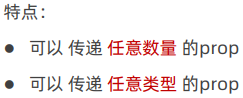
定义:组件上注册的一些自定义属性
作用:向子组件传递数据
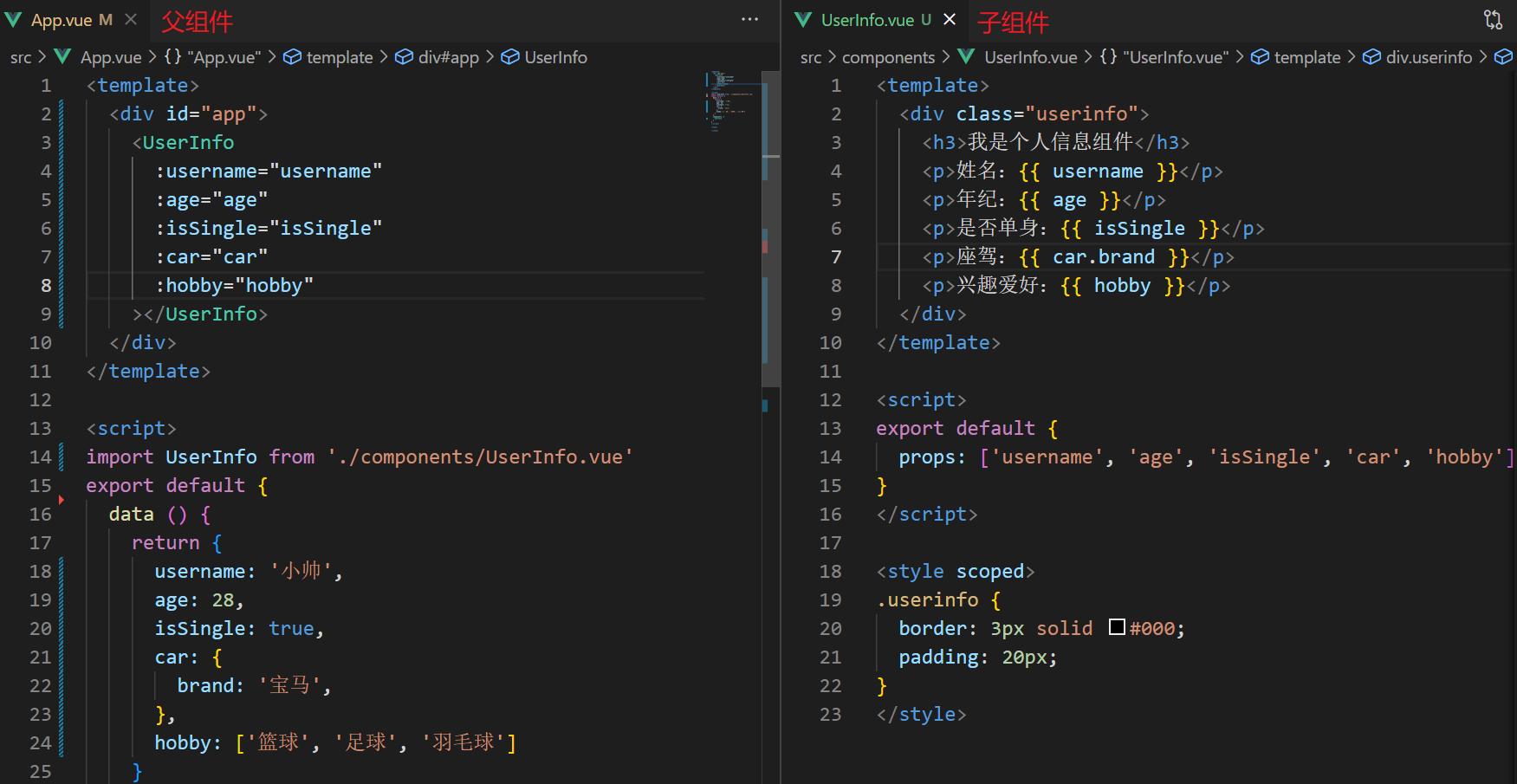
javascript
/* App.vue */
<template>
  <div class="app">
    <UserInfo
    :username="username"
    :age="age"
    :isSingle="isSingle"
    :car="car"
    :hobby="hobby"
    ></UserInfo>
  </div>
</template>

<script>
import UserInfo from './components/UserInfo.vue'
export default {
  data() {
    return {
      username: '小帅',
      age: 28,
      isSingle: true,
      car: {
        brand: '宝马',
      },
      hobby: ['篮球', '足球', '羽毛球'],
    }
  },
  components: {
    UserInfo,
  },
}
</script>

<style>
</style>
javascript
/* UserInfo.vue */
<template>
  <div class="userinfo">
    <h3>我是个人信息组件</h3>
    <div>姓名:{{ username }}</div>
    <div>年龄:{{ age }}</div>
    <div>是否单身:{{ isSingle ? '是' : '否' }}</div>
    <div>座驾:{{ car.brand }}</div>
    <div>兴趣爱好 {{ hobby.join(' , ') }}</div>
  </div>
</template>

<script>
export default {
  props: ['username', 'age', 'isSingle', 'car', 'hobby']
}
</script>

<style>
.userinfo {
  width: 300px;
  border: 3px solid #000;
  padding: 20px;
}
.userinfo > div {
  margin: 20px 10px;
}
</style>
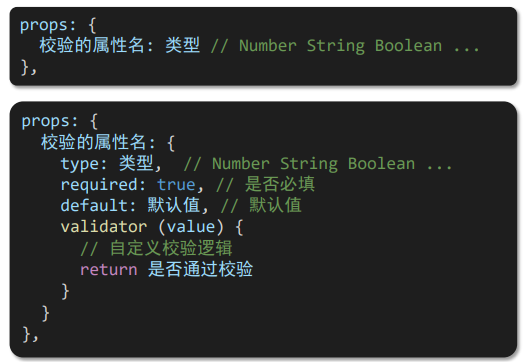
**2.**prorps校验
语法:
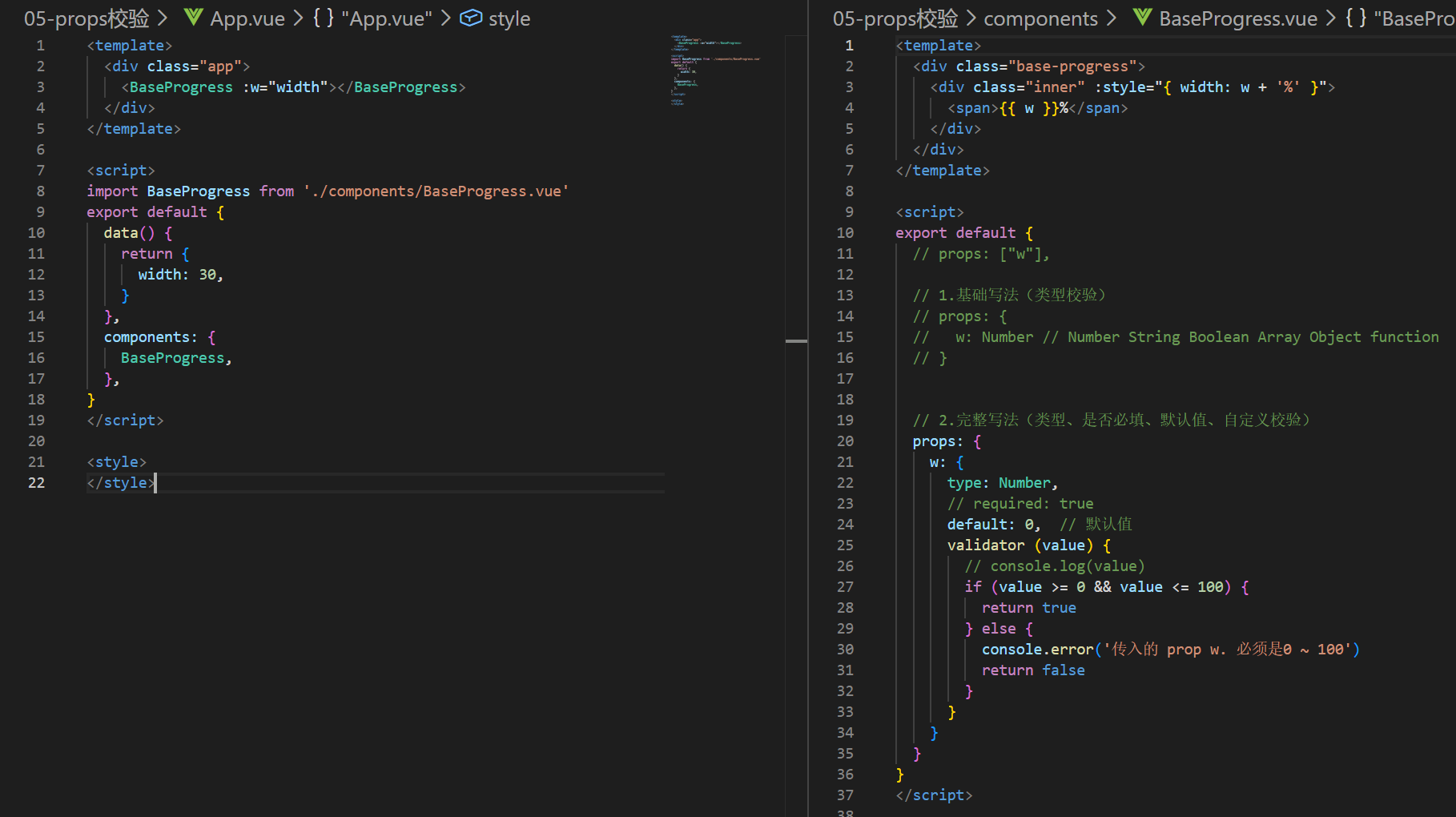
javascript
/* App.vue */
<template>
  <div class="app">
    <BaseProgress :w="width"></BaseProgress>
  </div>
</template>

<script>
import BaseProgress from './components/BaseProgress.vue'
export default {
  data() {
    return {
      width: 30,
    }
  },
  components: {
    BaseProgress,
  },
}
</script>

<style>
</style>
javascript
/* BaseProgress.vue */
<template>
  <div class="base-progress">
    <div class="inner" :style="{ width: w + '%' }">
      <span>{{ w }}%</span>
    </div>
  </div>
</template>

<script>
export default {
  // props: ["w"],

  // 1.基础写法(类型校验)
  // props: {
  //   w: Number // Number String Boolean Array Object function
  // }


  // 2.完整写法(类型、是否必填、默认值、自定义校验)
  props: {
    w: {
      type: Number,
      // required: true
      default: 0,  // 默认值
      validator (value) {
        // console.log(value)
        if (value >= 0 && value <= 100) {
          return true
        } else {
          console.error('传入的 prop w. 必须是0 ~ 100')
          return false
        }
      }
    }
  }
}
</script>

<style scoped>
.base-progress {
  height: 26px;
  width: 400px;
  border-radius: 15px;
  background-color: #272425;
  border: 3px solid #272425;
  box-sizing: border-box;
  margin-bottom: 30px;
}
.inner {
  position: relative;
  background: #379bff;
  border-radius: 15px;
  height: 25px;
  box-sizing: border-box;
  left: -3px;
  top: -2px;
}
.inner span {
  position: absolute;
  right: 0;
  top: 26px;
}
</style>
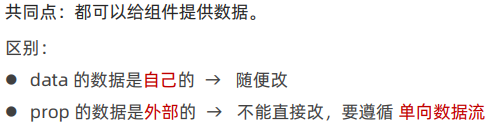
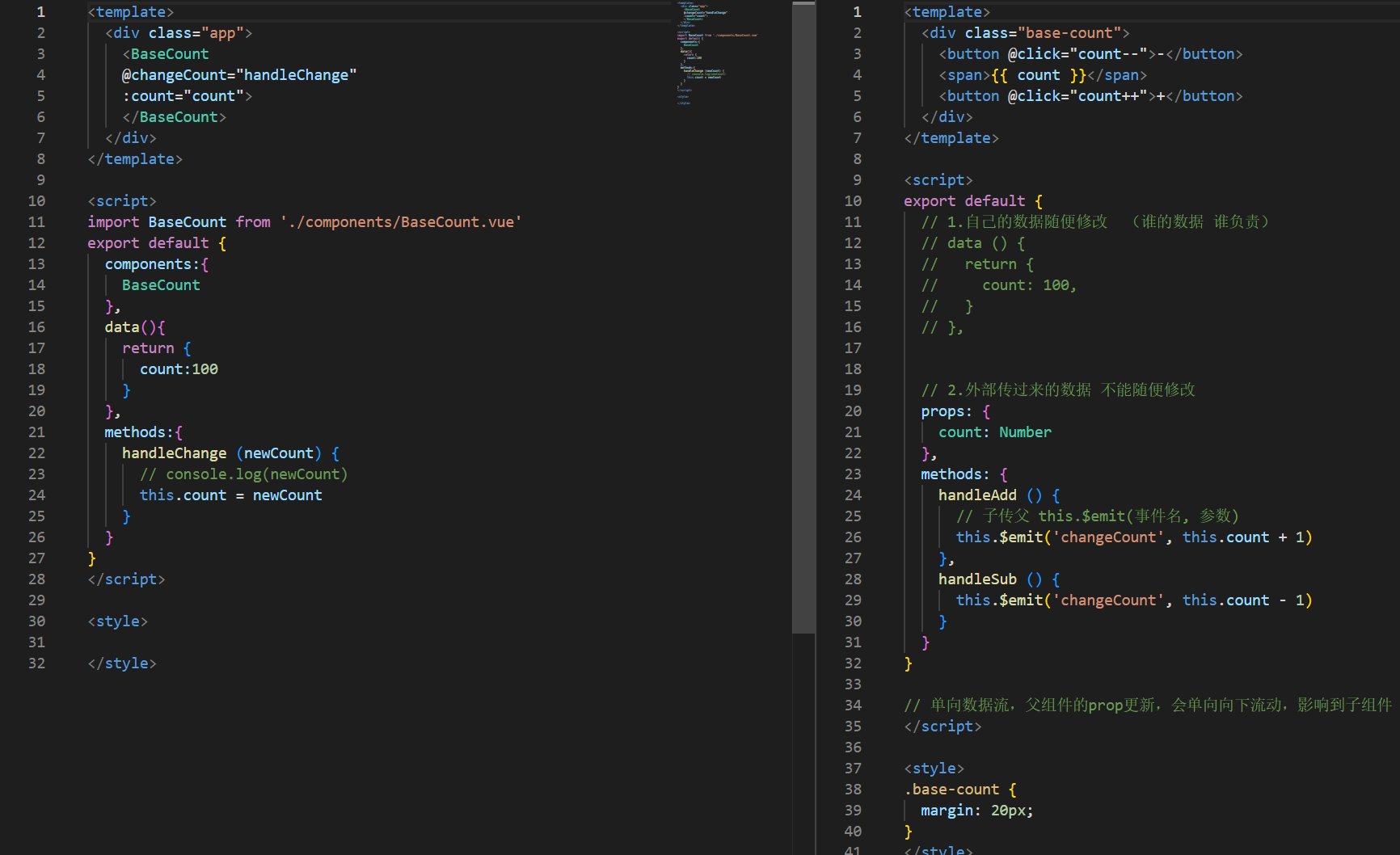
3. prop 和 data、单向数据流
javascript
/* App.vue */
<template>
  <div class="app">
    <BaseCount
    @changeCount="handleChange"
    :count="count">
    </BaseCount>
  </div>
</template>

<script>
import BaseCount from './components/BaseCount.vue'
export default {
  components:{
    BaseCount
  },
  data(){
    return {
      count:100
    }
  },
  methods:{
    handleChange (newCount) {
      // console.log(newCount)
      this.count = newCount
    }
  }
}
</script>

<style>

</style>
javascript
/* BasCount.vue */
<template>
  <div class="base-count">
    <button @click="count--">-</button>
    <span>{{ count }}</span>
    <button @click="count++">+</button>
  </div>
</template>

<script>
export default {
  // 1.自己的数据随便修改  (谁的数据 谁负责)
  // data () {
  //   return {
  //     count: 100,
  //   }
  // },


  // 2.外部传过来的数据 不能随便修改
  props: {
    count: Number
  },
  methods: {
    handleAdd () {
      // 子传父 this.$emit(事件名, 参数)
      this.$emit('changeCount', this.count + 1)
    },
    handleSub () {
      this.$emit('changeCount', this.count - 1)
    }
  }
}

// 单向数据流,父组件的prop更新,会单向向下流动,影响到子组件
</script>

<style>
.base-count {
  margin: 20px;
}
</style>
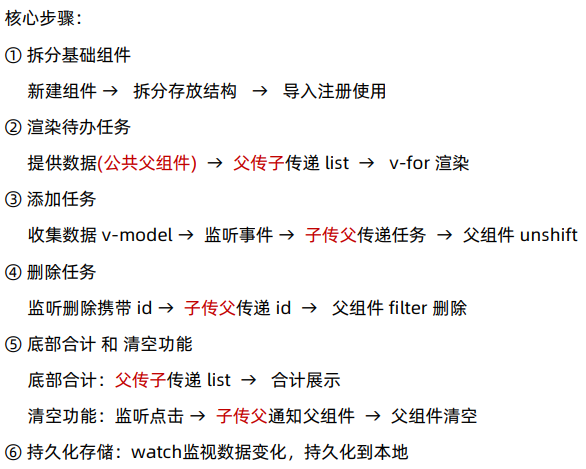
二、综合案例
**1.**总结
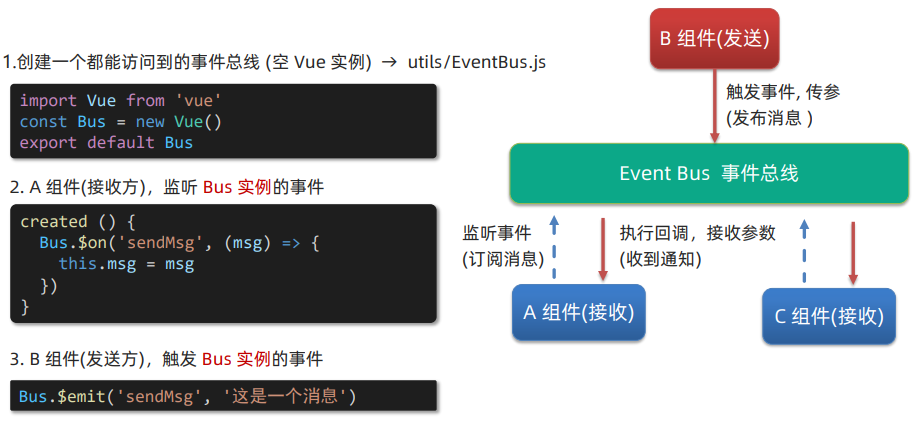
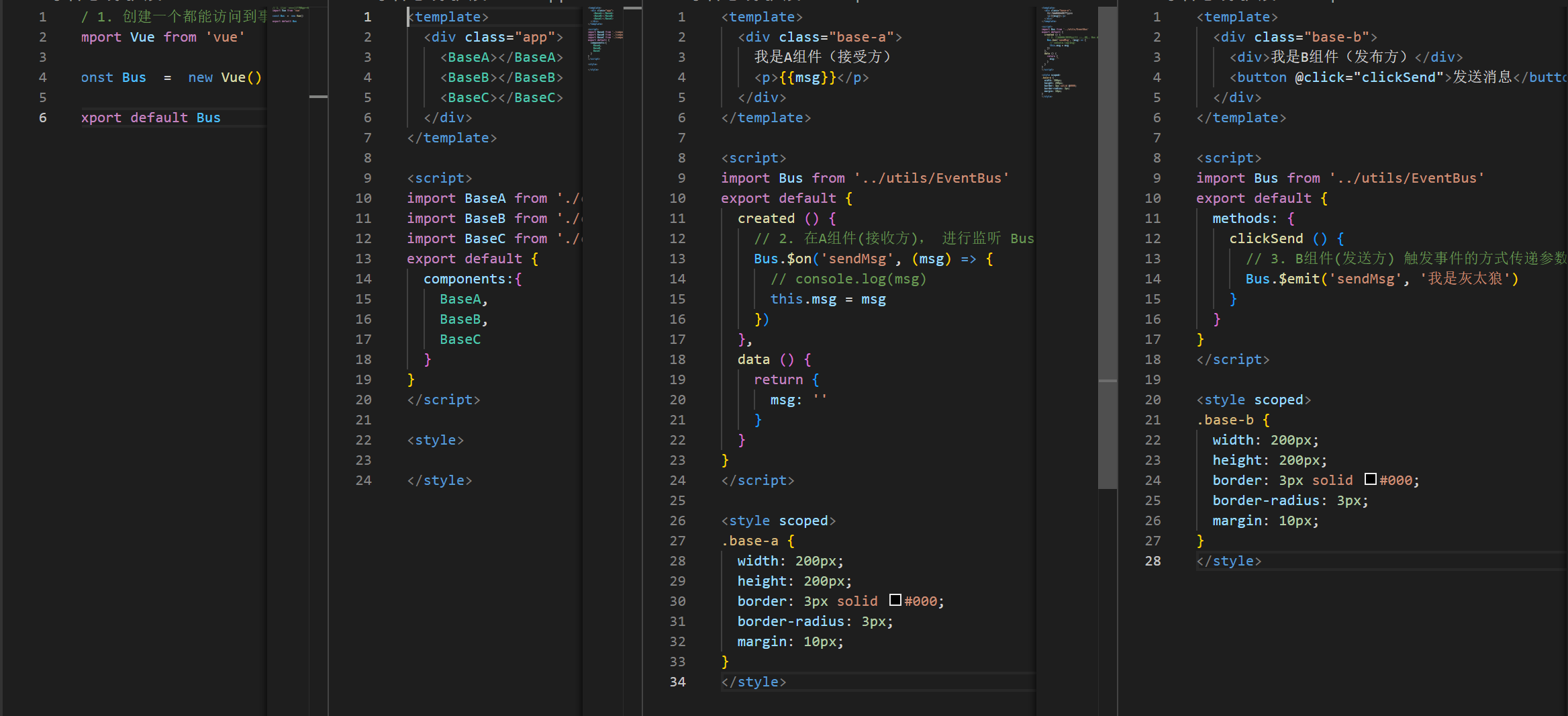
2. 非父子通信 (拓展) - event bus 事件总线
作用:非父子组件之间,进行简易消息传递。(复杂场景 → Vuex)
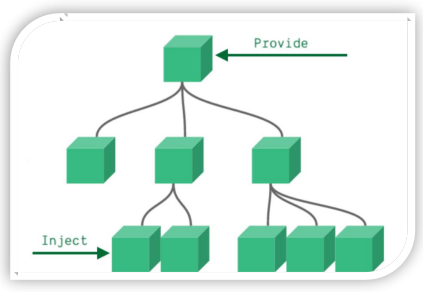
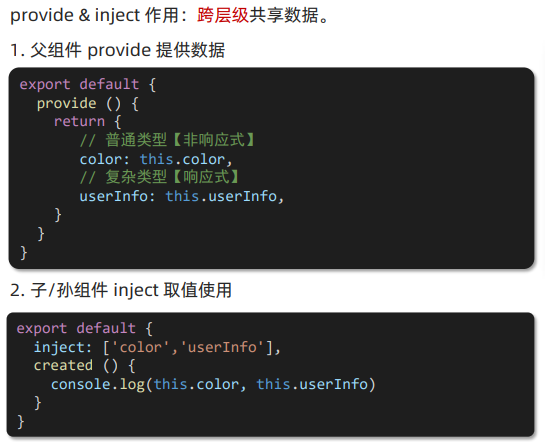
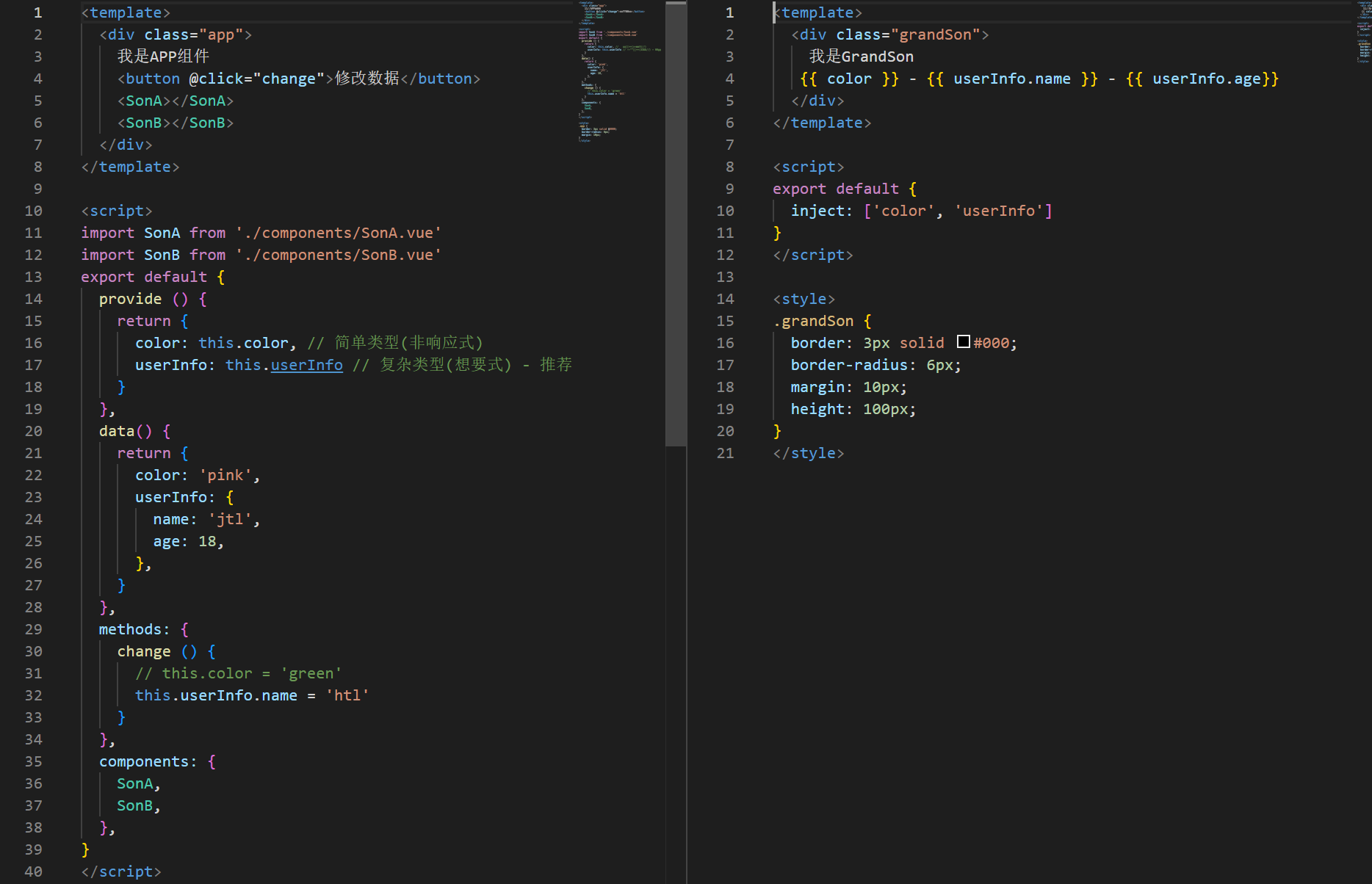
3. 非父子通信 (拓展) - provide & inject
javascript
<template>
  <div class="app">
    我是APP组件
    <button @click="change">修改数据</button>
    <SonA></SonA>
    <SonB></SonB>
  </div>
</template>

<script>
import SonA from './components/SonA.vue'
import SonB from './components/SonB.vue'
export default {
  provide () {
    return {
      color: this.color, // 简单类型(非响应式)
      userInfo: this.userInfo // 复杂类型(想要式) - 推荐
    }
  },
  data() {
    return {
      color: 'pink',
      userInfo: {
        name: 'jtl',
        age: 18,
      },
    }
  },
  methods: {
    change () {
      // this.color = 'green'
      this.userInfo.name = 'htl'
    }
  },
  components: {
    SonA,
    SonB,
  },
}
</script>

<style>
.app {
  border: 3px solid #000;
  border-radius: 6px;
  margin: 10px;
}
</style>
javascript
<template>
  <div class="grandSon">
    我是GrandSon
   {{ color }} - {{ userInfo.name }} - {{ userInfo.age}}
  </div>
</template>

<script>
export default {
  inject: ['color', 'userInfo']
}
</script>

<style>
.grandSon {
  border: 3px solid #000;
  border-radius: 6px;
  margin: 10px;
  height: 100px;
}
</style>
三、进阶语法
1. v-model 原理
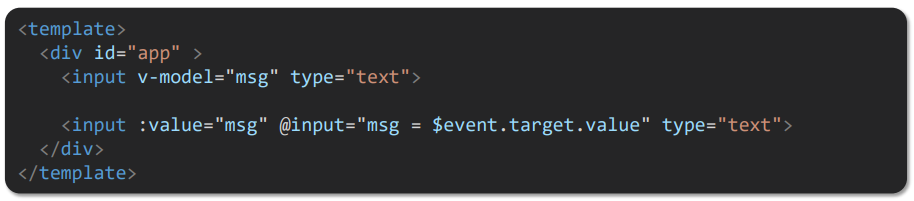
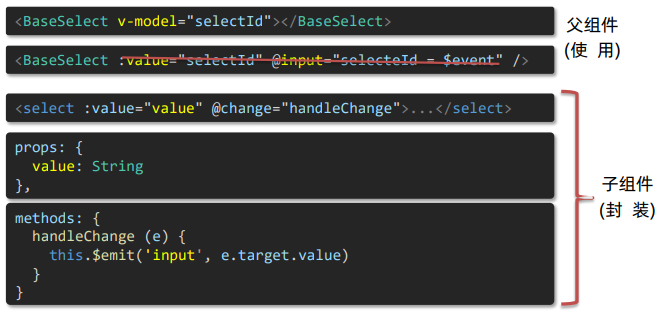
(1)原理:v-model本质上是一个语法糖。如应用在输入框上,就是 value属性和input事件的合写
(2)作用:提供数据的双向绑定
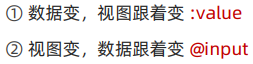
(3)注意:$event 用于在模板中,获取事件的形参
javascript
<template>
  <div class="app">
    <input v-model="msg1" type="text" />
    <br />
    <!-- 模板中获取事件的形参 => $event 获取 -->
    <input :value="msg2" @input="msg2 = $event.target.value" type="text" >
  </div>
</template>

<script>
export default {
  data() {
    return {
      msg1: '',
      msg2: '',
    }
  },
}
</script>

<style>
</style>
2. 表单类组件封装 & v-model 简化代码
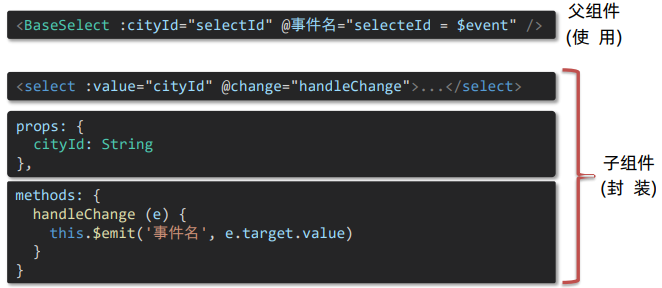
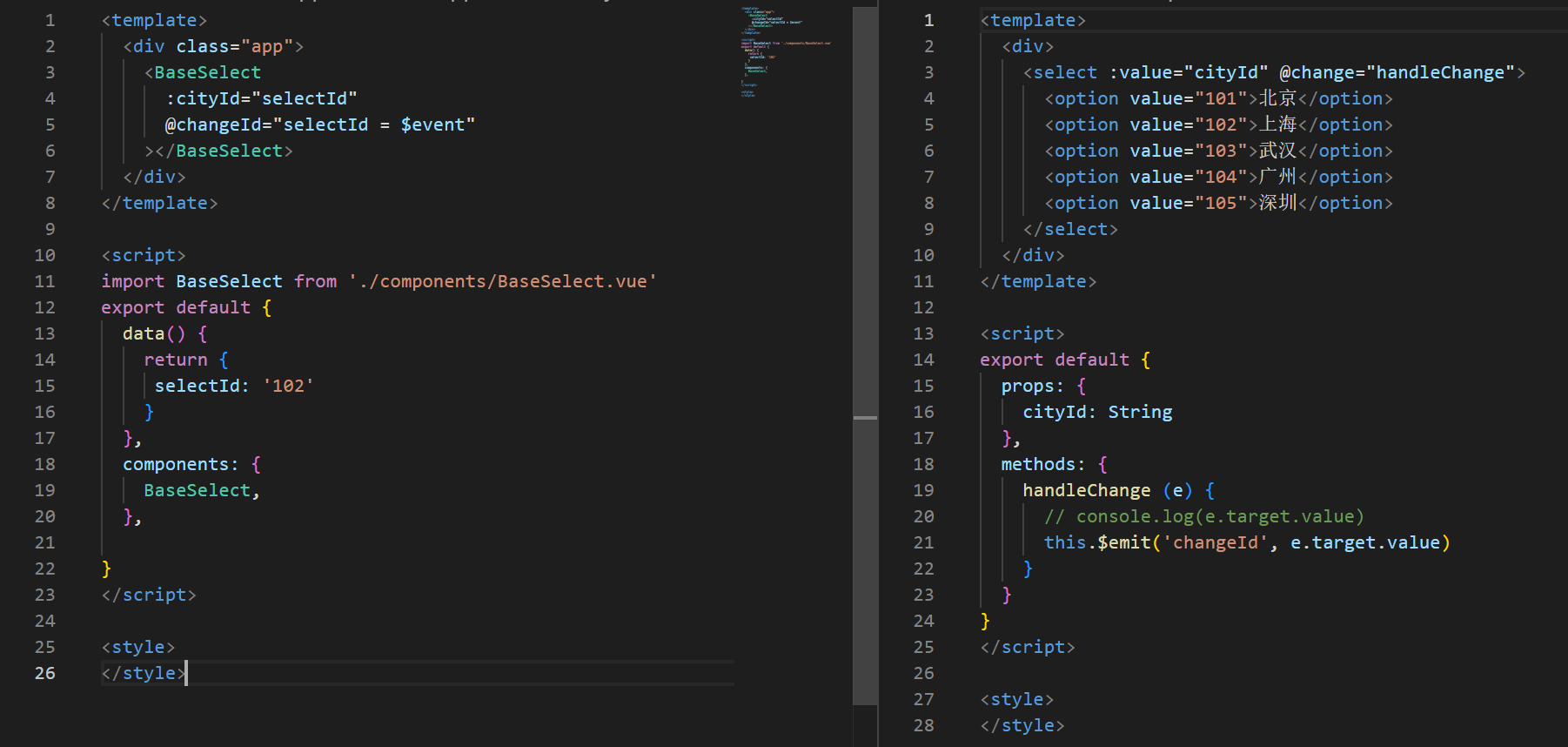
(1)表单类组件封装 => 实现 子组件 和 父组件数据 的双向绑定

javascript
<template>
  <div class="app">
    <BaseSelect
      :cityId="selectId"
      @changeId="selectId = $event"
    ></BaseSelect>
  </div>
</template>

<script>
import BaseSelect from './components/BaseSelect.vue'
export default {
  data() {
    return {
     selectId: '102'
    }
  },
  components: {
    BaseSelect,
  },

}
</script>

<style>
</style>
javascript
<template>
  <div>
    <select :value="cityId" @change="handleChange">
      <option value="101">北京</option>
      <option value="102">上海</option>
      <option value="103">武汉</option>
      <option value="104">广州</option>
      <option value="105">深圳</option>
    </select>
  </div>
</template>

<script>
export default {
  props: {
    cityId: String
  },
  methods: {
    handleChange (e) {
      // console.log(e.target.value)
      this.$emit('changeId', e.target.value)
    }
  }
}
</script>

<style>
</style>
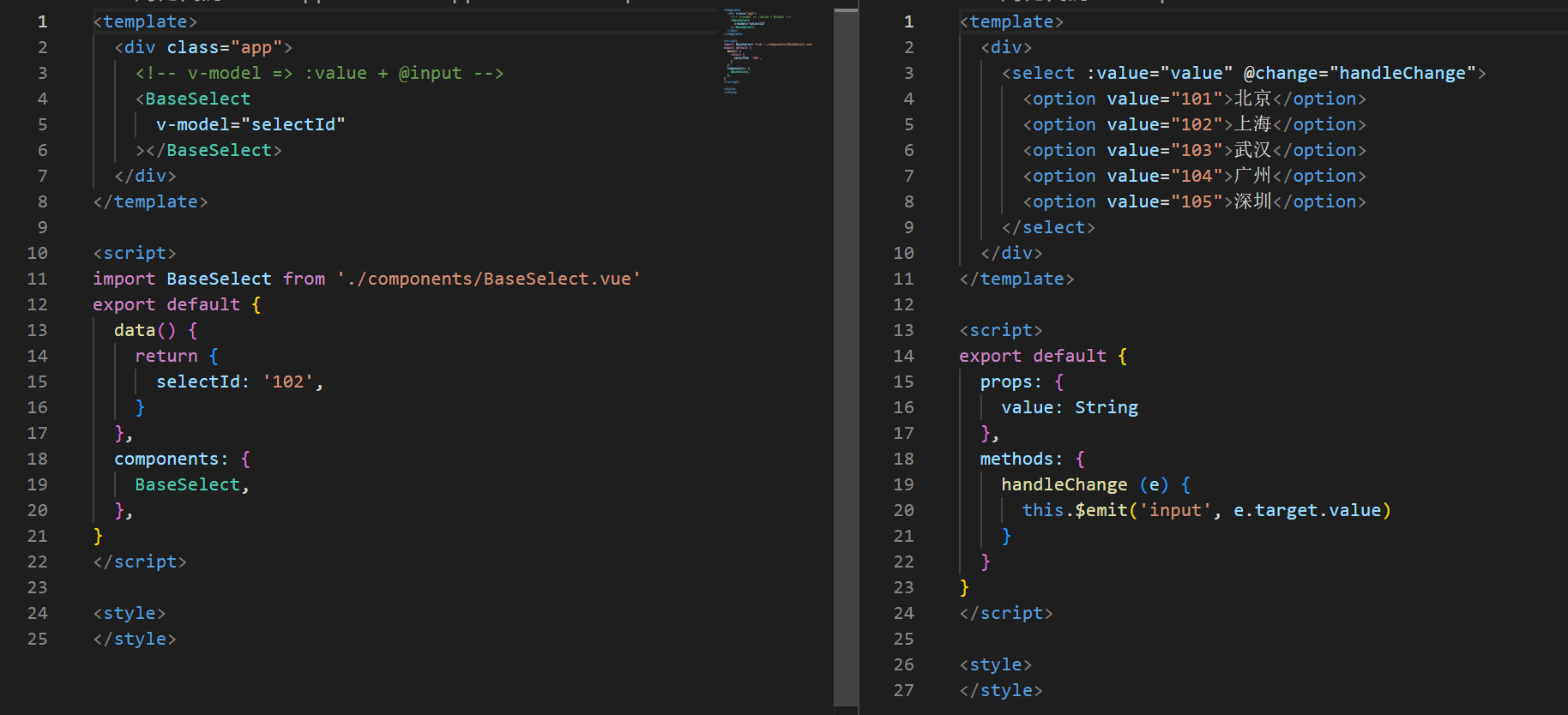
(2)父组件 v-model 简化代码,实现 子组件 和 父组件数据 双向绑定

javascript
<template>
  <div class="app">
    <!-- v-model => :value + @input -->
    <BaseSelect
      v-model="selectId"
    ></BaseSelect>
  </div>
</template>

<script>
import BaseSelect from './components/BaseSelect.vue'
export default {
  data() {
    return {
      selectId: '102',
    }
  },
  components: {
    BaseSelect,
  },
}
</script>

<style>
</style>
javascript
<template>
  <div>
    <select :value="value" @change="handleChange">
      <option value="101">北京</option>
      <option value="102">上海</option>
      <option value="103">武汉</option>
      <option value="104">广州</option>
      <option value="105">深圳</option>
    </select>
  </div>
</template>

<script>
export default {
  props: {
    value: String
  },
  methods: {
    handleChange (e) {
      this.$emit('input', e.target.value)
    }
  }
}
</script>

<style>
</style>
3. .sync 修饰符
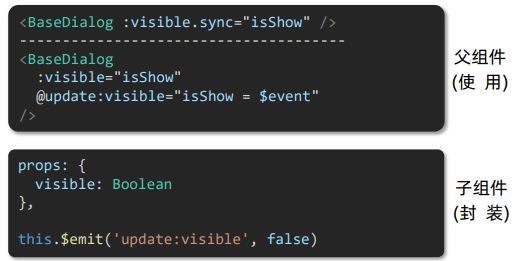
(1)作用:可以实现 子组件 与 父组件数据 的 双向绑定,简化代码
(2)特点:prop属性名,可以自定义,非固定为 value
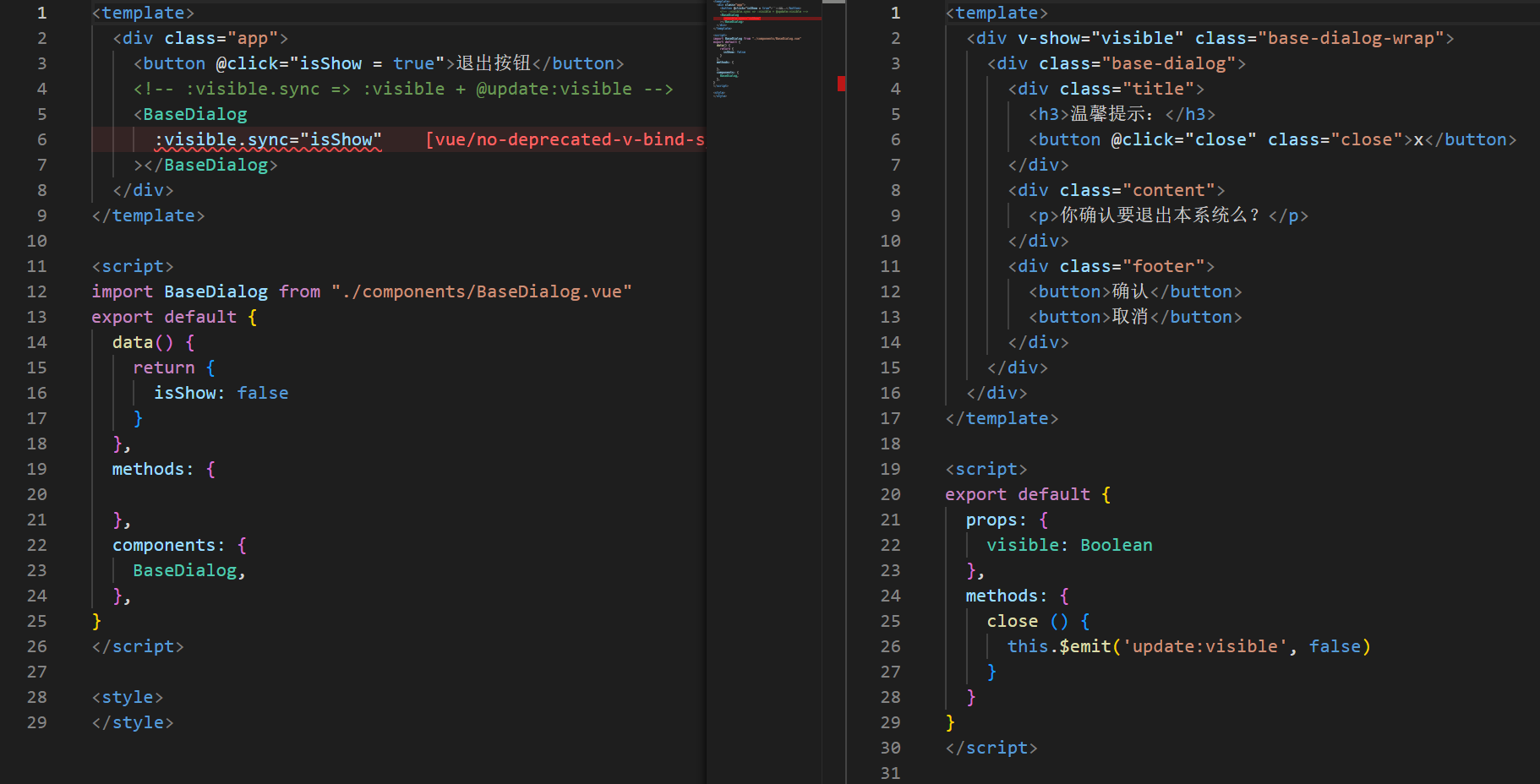
(3)场景:封装弹框类的基础组件, visible属性 true显示 false隐藏
(4)本质:就是 :属性名 和 @update:属性名 合写
4. .ref 和 $refs
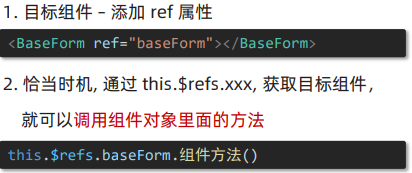
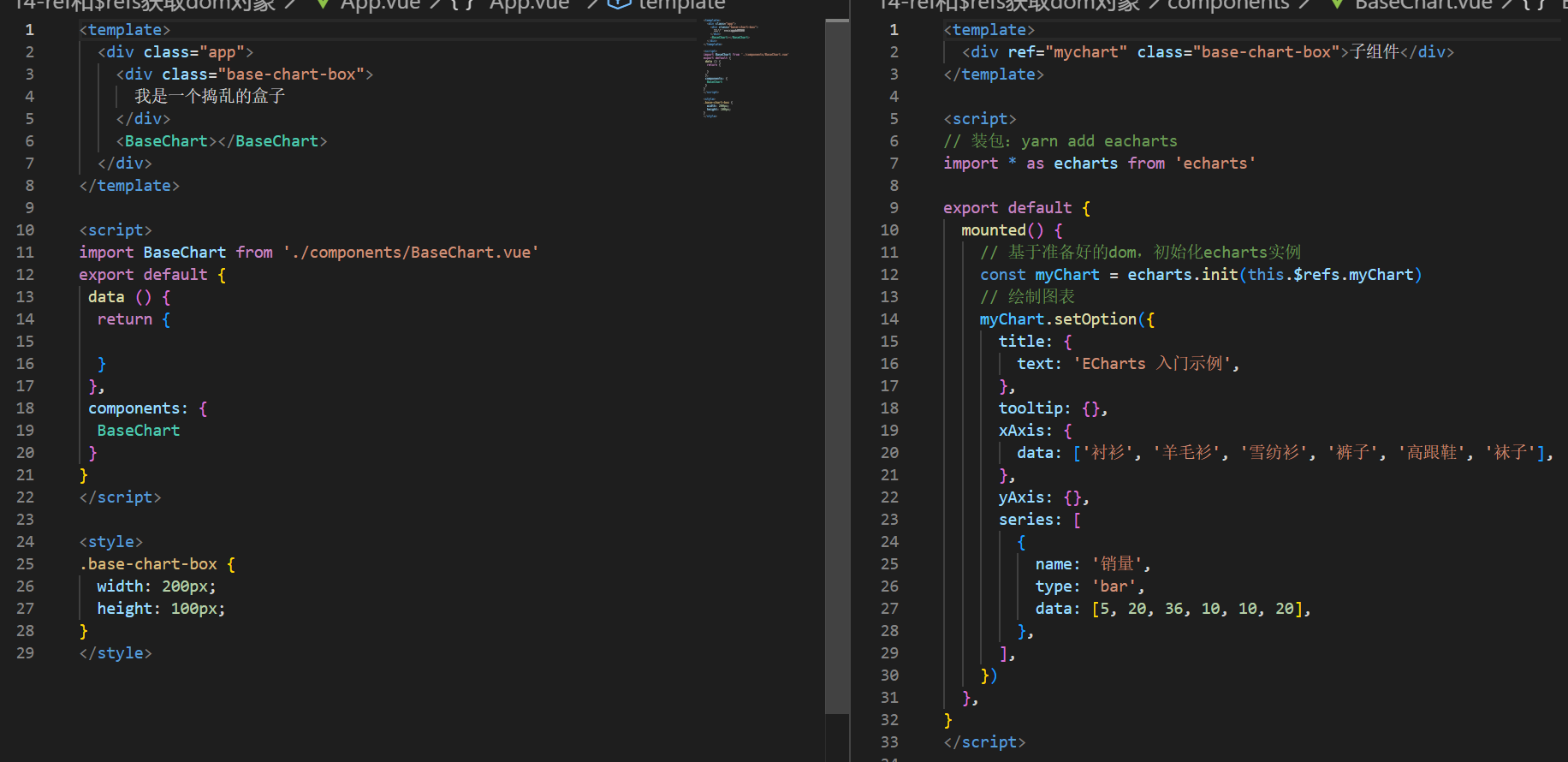
作用:利用 ref 和 $refs 可以用于 获取 dom 元素, 或 组件实例
5. Vue异步更新、$nextTick
javascript
<template>
<!-- 编辑状态 -->
  <div class="app">
    <div v-if="isShowEdit">
      <input type="text"  v-model="editValue" ref="inp" />
      <button>确认</button>
    </div>
    <!-- 默认状态 -->
    <div v-else>
      <span>{{ title }}</span>
      <button @click="handleEdit">编辑</button>
    </div>
  </div>
</template>

<script>
export default {
  data() {
    return {
      title: '大标题',
      isShowEdit: false,
      editValue: '',
    }
  },
  methods: {
   handleEdit () {
    // 1. 显示输入框 (异步 dom 更新)
    this.isShowEdit = true
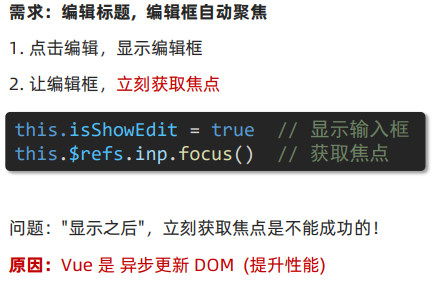
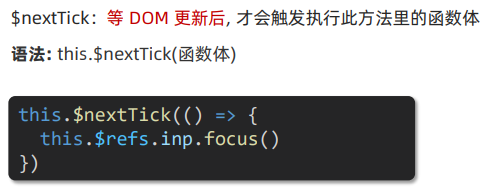
    // 2. 让输入框获取焦点 ($nextTick等 dom 更新完,立刻执行准备的函数体)
    this.$nextTick(() => {
      // console.log(this.$refs.inp)
      this.$refs.inp.focus()
    })

    // setTimeout(() => {
    //   this.$refs.inp.focus()
    // }, 1000)
   }
  },
}
</script>

<style>
</style>