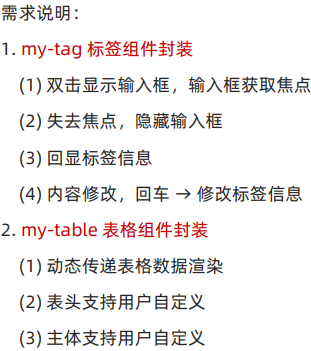
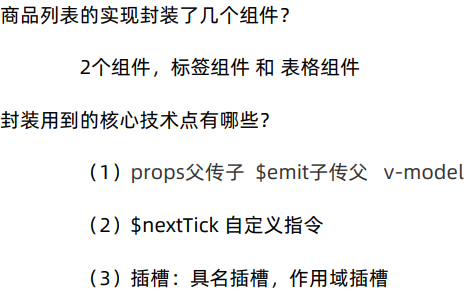
一、自定义指令
1.基础语法
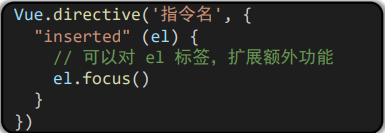
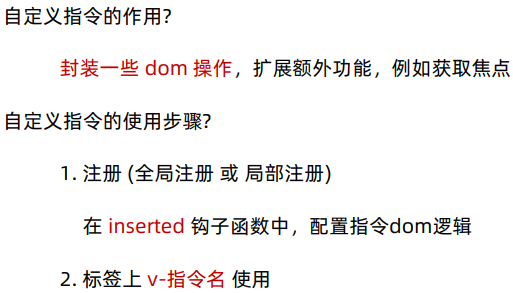
自定义指令:自己定义的指令, 可以封装一些 dom 操作, 扩展额外功能
(1)全局注册
(2)局部注册
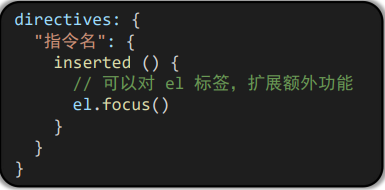
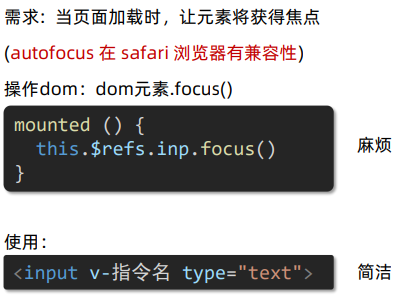
(3)总结:
javascript
<template>
  <div>
    <h1>自定义指令</h1>
    <input v-focus ref="inp" type="text">
  </div>
</template>

<script>
export default {
  // mounted () {
  //   this.$refs.inp.focus()
  // }

  // 2. 局部注册指令
  directives: {
    // 指令名:指令的配置项
    focus: {
      inserted (el) {
        el.focus()
      }
    }
  }
}
</script>

<style>

</style>
2.指令的值
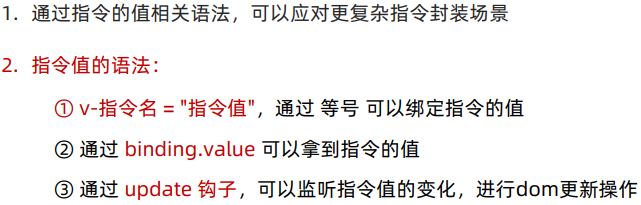
(1)语法:在绑定指令时,可以通过"等号"的形式为指令 绑定 具体的参数值

(2)通过 binding.value 可以拿到指令值,指令值修改会 触发 update 函数。
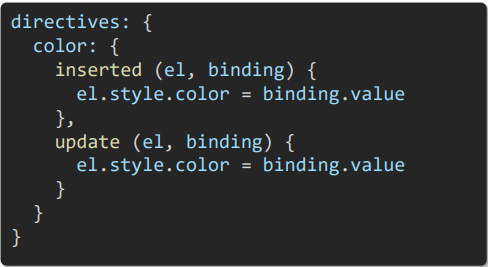
(3)总结:
javascript
<template>
  <div>
    <h1 v-color = "color1">指令的值1测试</h1>
    <h1 v-color = "color2">指令的值2测试</h1>
  </div>
</template>

<script>
export default {
  data () {
    return {
      color1: 'red',
      color2: 'green'
    }
  },
  directives: {
    color: {
      // 1. inserted 提供的是元素被添加到页面中时的逻辑
      inserted (el, binding) {
        // console.log(el,binding.value)
        // binding.value 就是指令的值
        el.style.color = binding.value
      },
      // 2. update 指令的值修改的时候触发,提供值变化后,dom更新的逻辑
      update (el, binding) {
        console.log('指令的值修改了')
        el.style.color = binding.value
      }
    }
  }
}
</script>

<style>

</style>
3.v-loading 指令封装
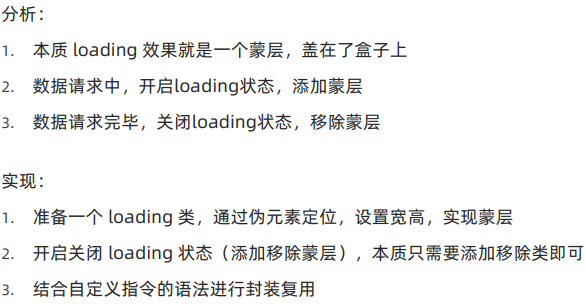
(1)场景:实际开发过程中,发送请求需要时间,在请求的数据未回来时,
页面会处于空白状态 => 用户体验不好
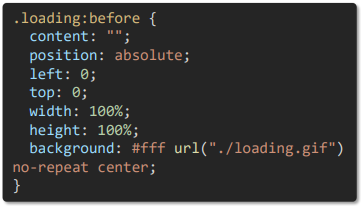
(2)
(3)总结: 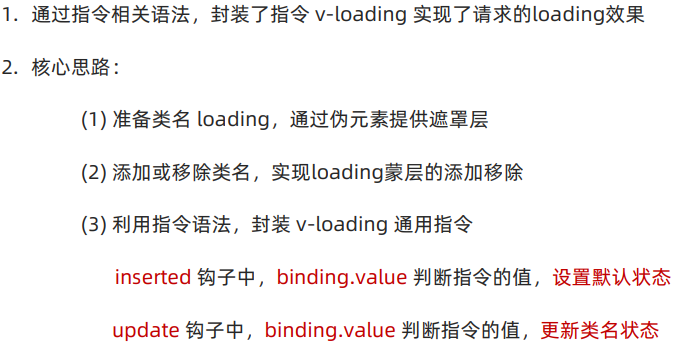
javascript
<template>
  <div class="main">
    <div class="box" v-loading="isLoading">
      <ul>
        <li v-for="item in list" :key="item.id" class="news">
          <div class="left">
            <div class="title">{{ item.title }}</div>
            <div class="info">
              <span>{{ item.source }}</span>
              <span>{{ item.time }}</span>
            </div>
          </div>

          <div class="right">
            <img :src="item.img" alt="">
          </div>
        </li>
      </ul>
    </div>
    <div class="box2"></div>
  </div>
</template>

<script>
// 安装axios =>  yarn add axios
import axios from 'axios'

// 接口地址:http://hmajax.itheima.net/api/news
// 请求方式:get
export default {
  data () {
    return {
      list: [],
      isLoading: true
    }
  },
  async created () {
    // 1. 发送请求获取数据
    const res = await axios.get('http://hmajax.itheima.net/api/news')

    setTimeout(() => {
      // 2. 更新到 list 中,用于页面渲染 v-for
      this.list = res.data.data
      this.isLoading = false
    }, 2000)
  },
  directives: {
    loading: {
      inserted (el, binding) {
        binding.value ? el.classList.add('loading') : el.classList.remove('loading')
      },
      update (el, binding) {
        binding.value ? el.classList.add('loading') : el.classList.remove('loading')
      }
    }
  }
}
</script>

<style>
.loading:before {
  content: '';
  position: absolute;
  left: 0;
  top: 0;
  width: 100%;
  height: 100%;
  background: #fff url('./loading.gif') no-repeat center;
}

.box2 {
  width: 400px;
  height: 400px;
  border: 2px solid #000;
  position: relative;
}

.box {
  width: 800px;
  min-height: 500px;
  border: 3px solid orange;
  border-radius: 5px;
  position: relative;
}
.news {
  display: flex;
  height: 120px;
  width: 600px;
  margin: 0 auto;
  padding: 20px 0;
  cursor: pointer;
}
.news .left {
  flex: 1;
  display: flex;
  flex-direction: column;
  justify-content: space-between;
  padding-right: 10px;
}
.news .left .title {
  font-size: 20px;
}
.news .left .info {
  color: #999999;
}
.news .left .info span {
  margin-right: 20px;
}
.news .right {
  width: 160px;
  height: 120px;
}
.news .right img {
  width: 100%;
  height: 100%;
  object-fit: cover;
}
</style>
二、插槽
1.默认插槽
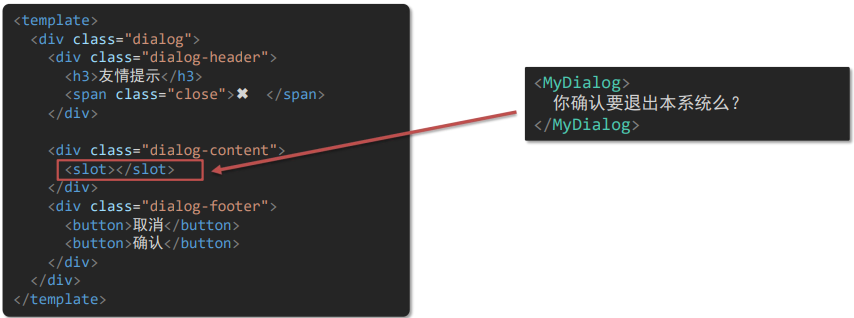
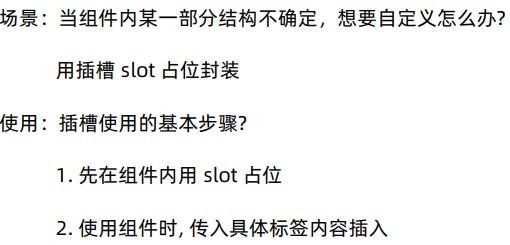
(1)作用:让组件内部的一些结构支持自定义
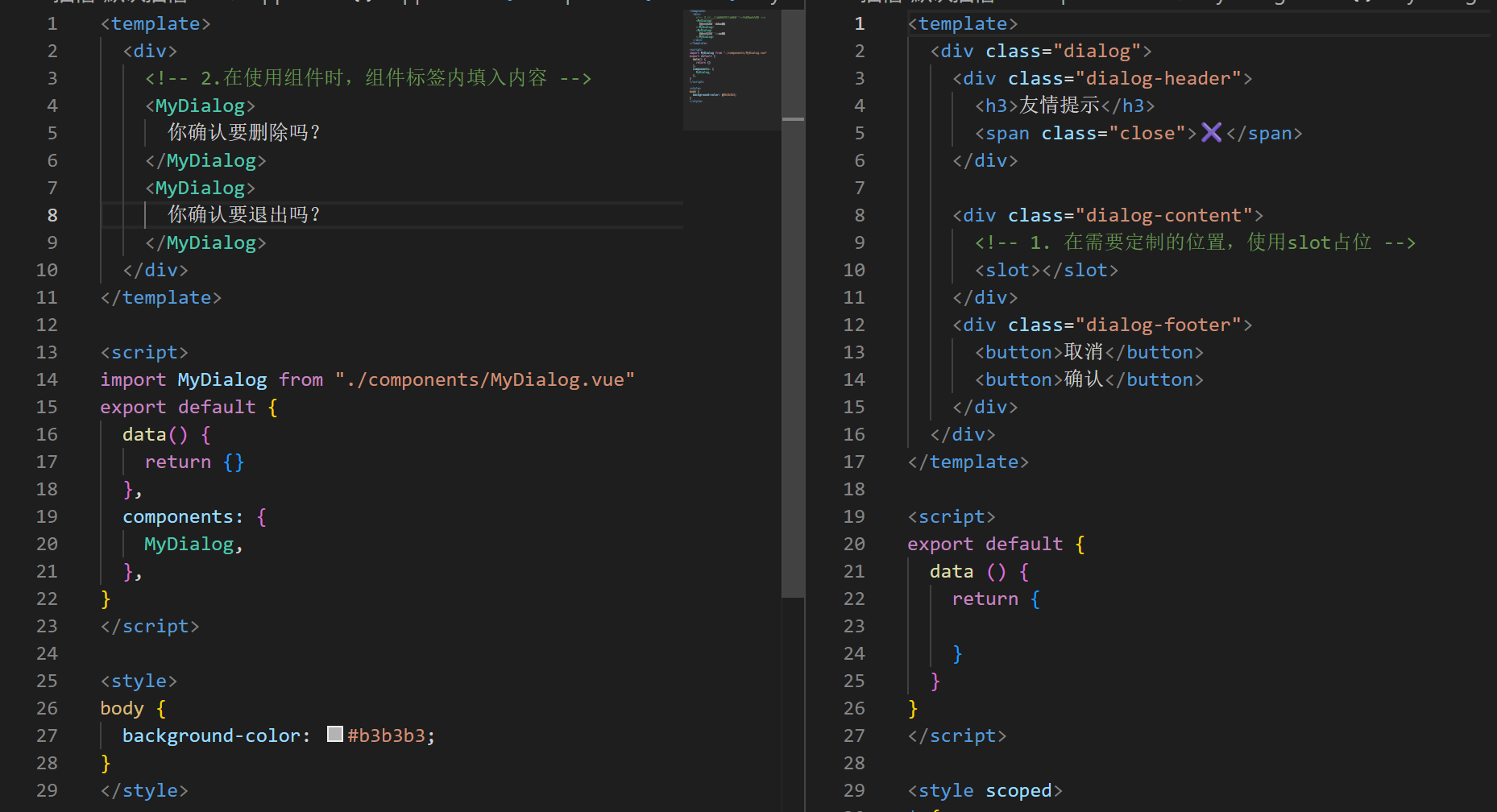
(2)需求: 将需要多次显示的对话框, 封装成一个组件
(3)语法:
(4)总结
2.后备内容(默认值)
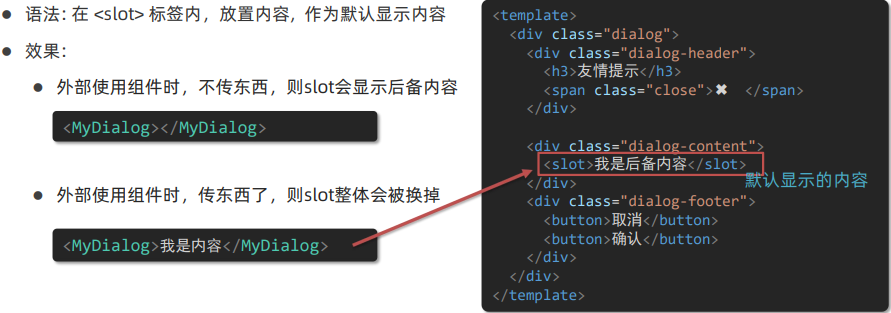
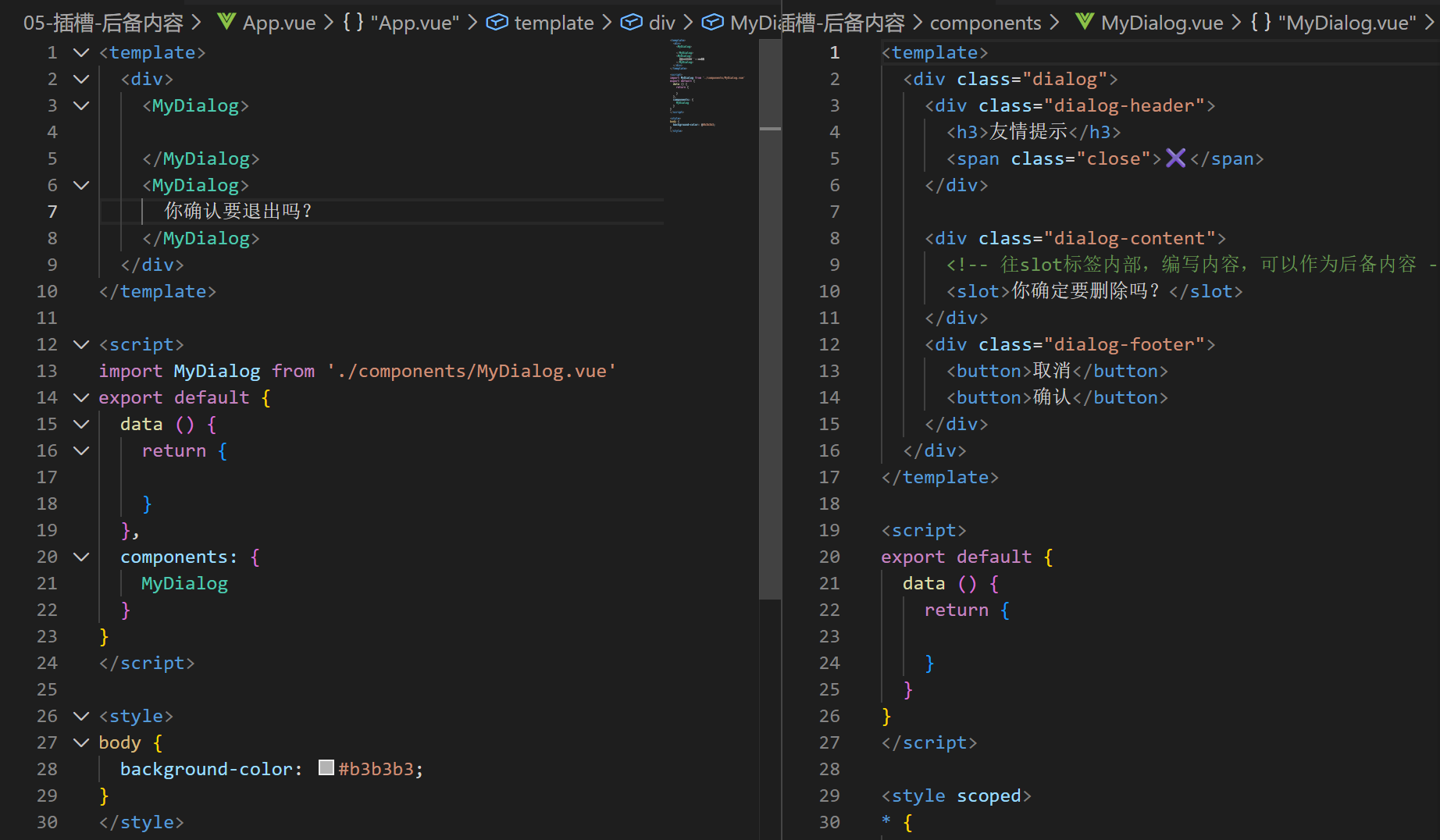
槽后备内容:封装组件时,可以为预留的 `<slot>` 插槽提供后备内容(默认内容)。
3.具名插槽
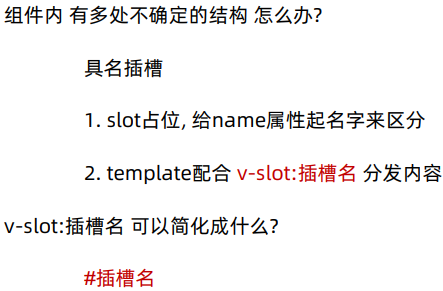
需求:一个组件内有多处结构,需要外部传入标签,进行定制
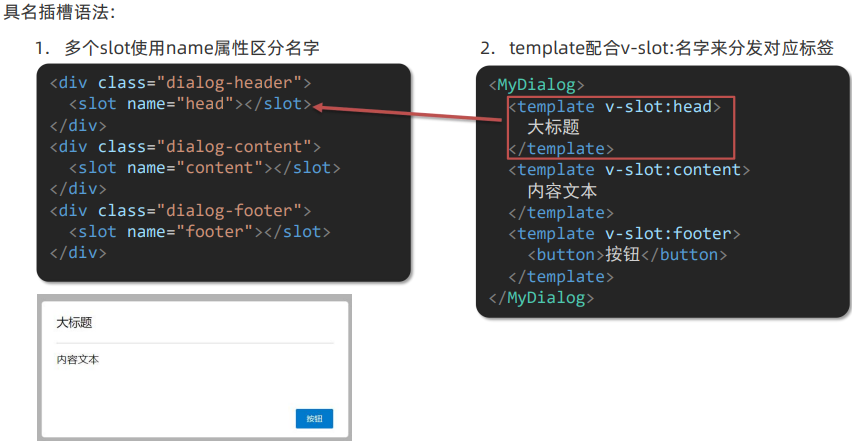
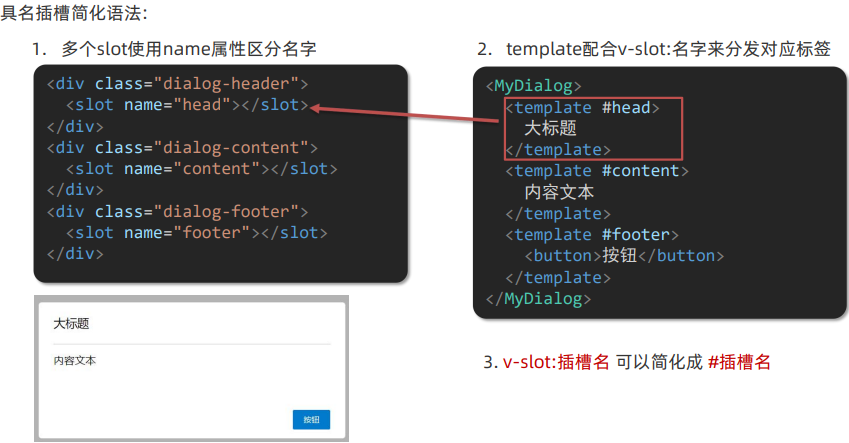
总结:
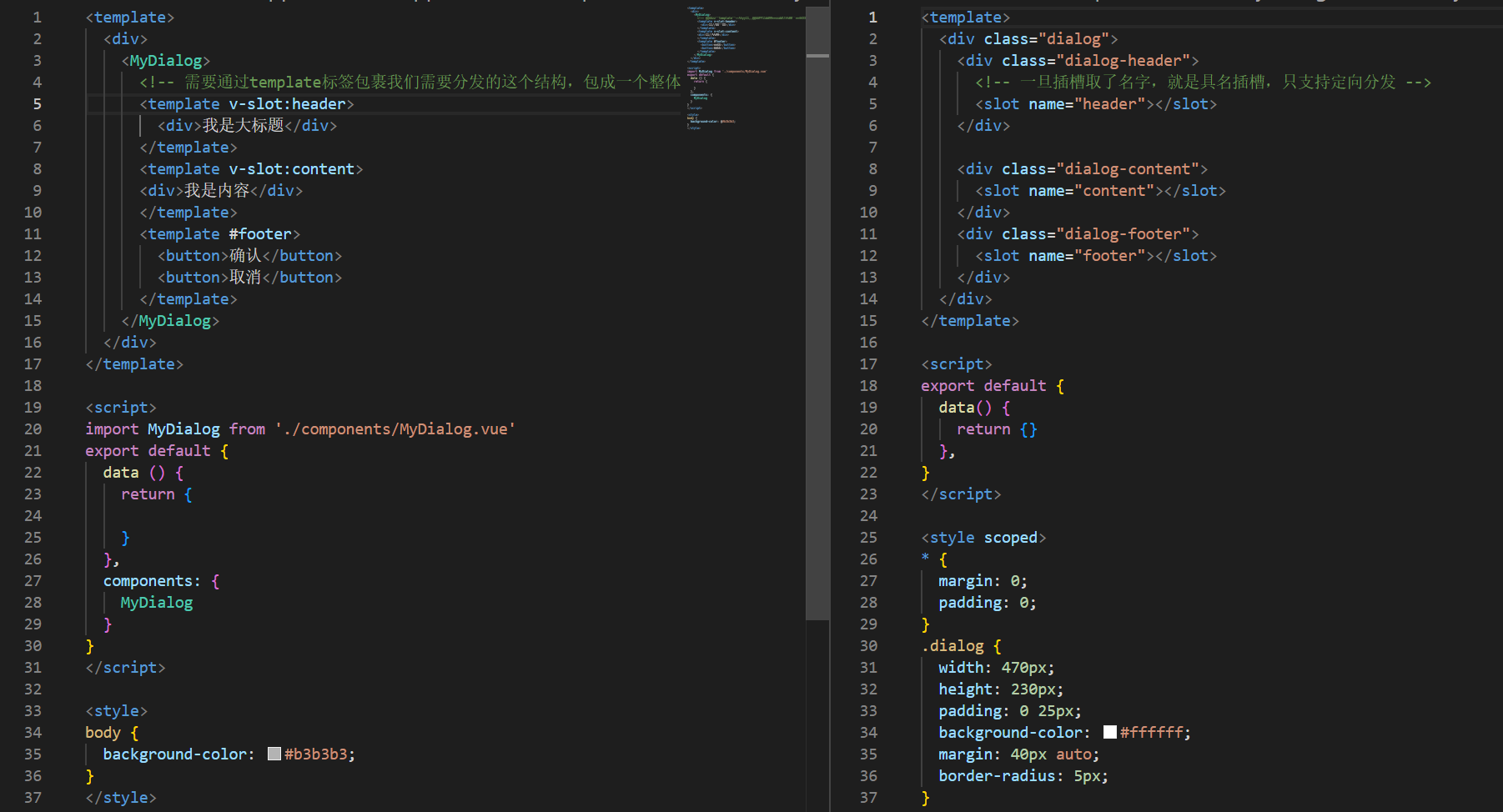
4.作用域插槽
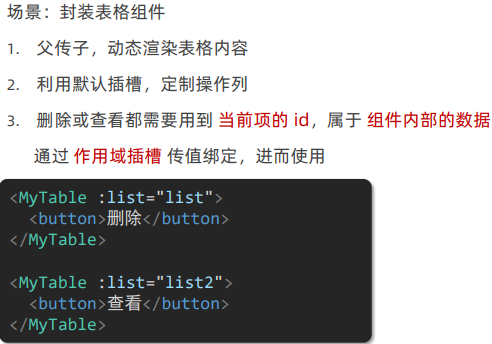
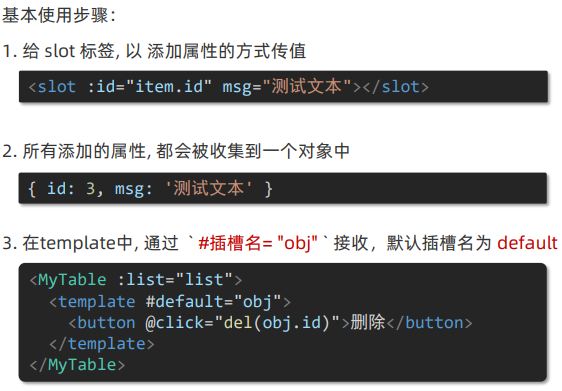
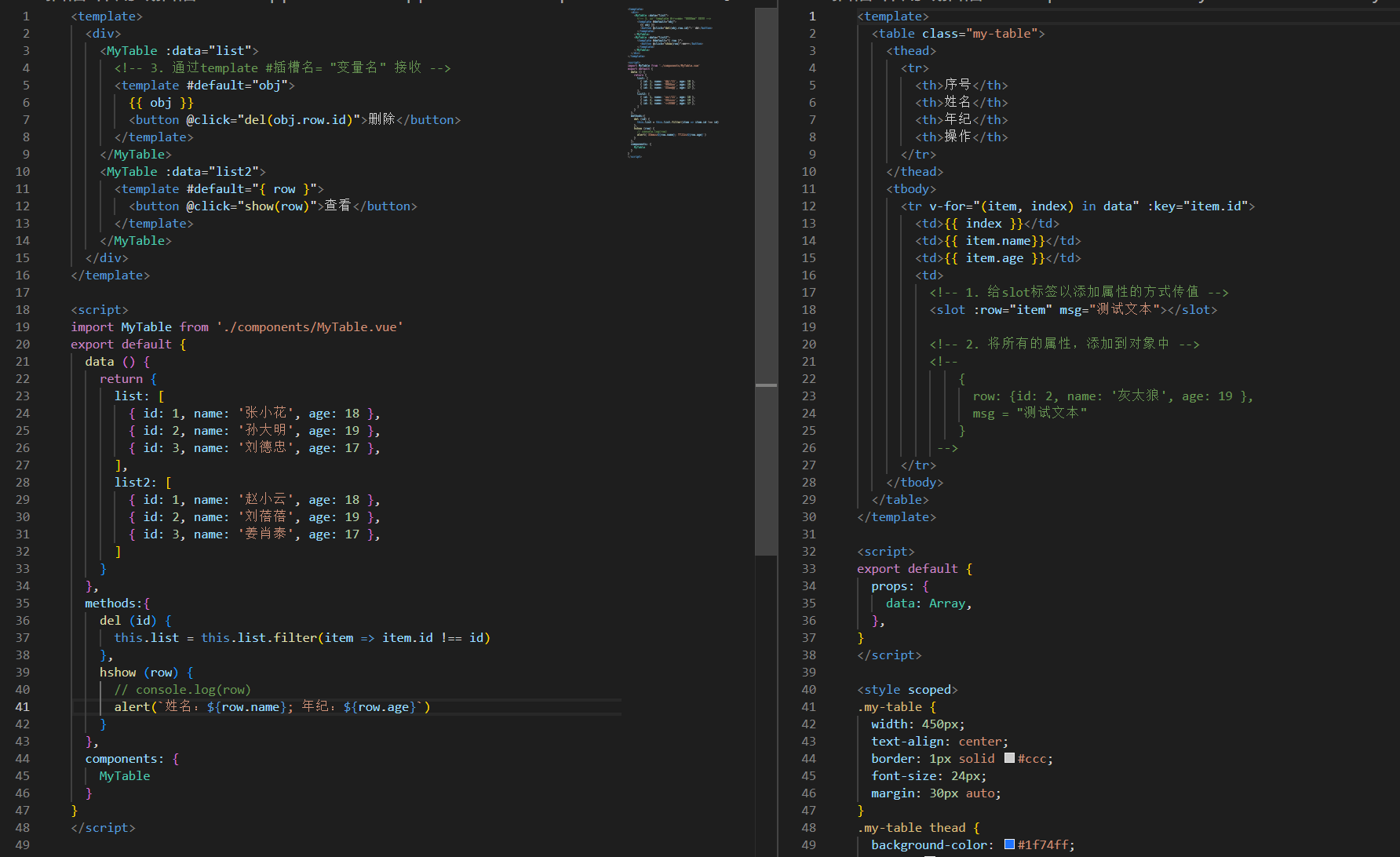
作用域插槽: 定义slot插槽的同时, 是可以传值的。给插槽上可以绑定数据,将来使用组件时可以用
三、综合案例