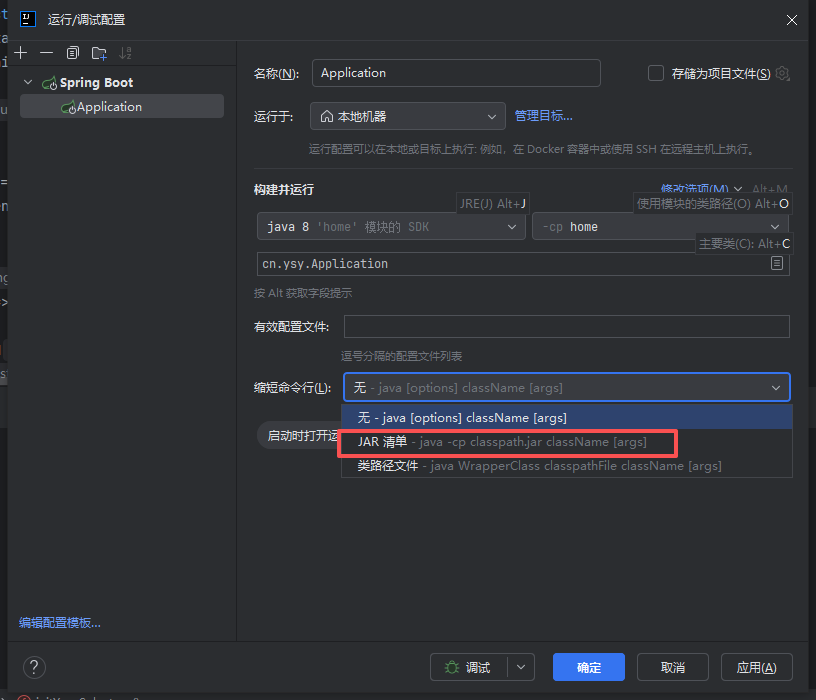
++你在使用 IntelliJ IDEA 运行或调试项目时,是否遇到了「命令行过长」(Command line is too long)的报错?++
这是 IDEA 执行项目时,生成的命令行参数超出了系统或 JVM 的限制导致的。
Error running 'Application': Command line is too long. Shorten command line for Application or try to decrease the number of classpath entries.这是 Windows 系统下常见的限制问题------命令行长度超过 32767 字符上限。使用 JAR 清单(Manifest)运行(最推荐,简单高效)
解决方法
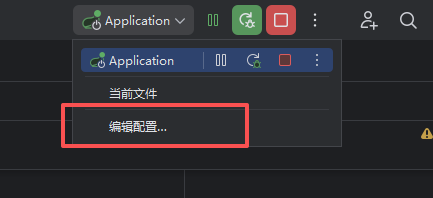
1、点击右上角运行配置下拉菜单-》选择编辑配置
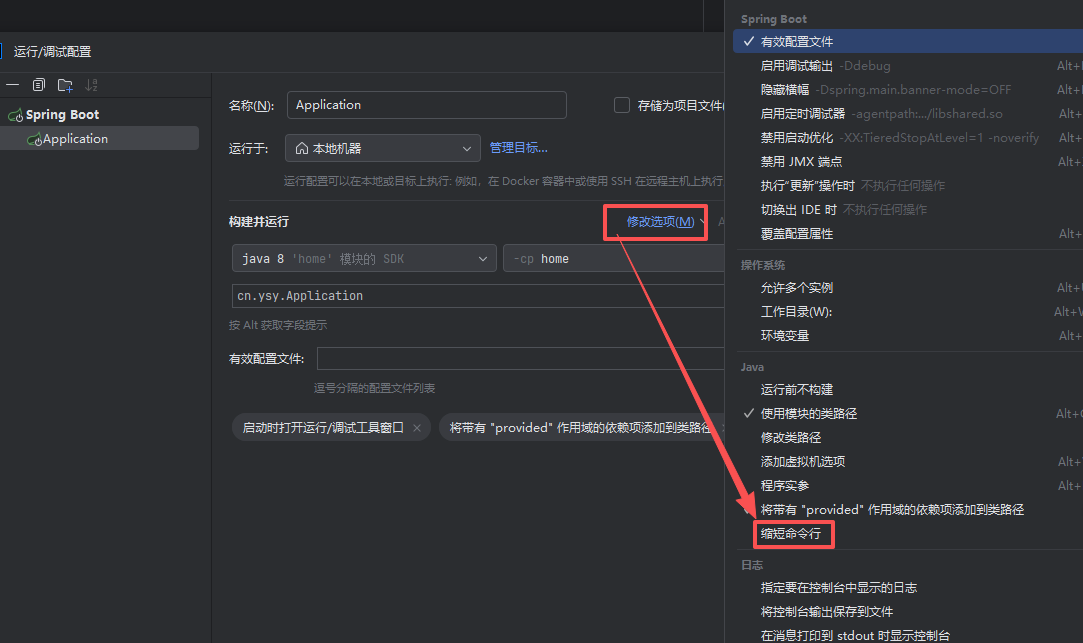
2、单击修改选项-》缩短命令行
3、选择JAR清单,单击应用-,最后单击确定就可以了