一、回顾与概览
第八天主要完成了用户下单和订单支付两处功能,第九天则是对用户下单功能进行优化 ,加入加入校验逻辑 ,如果用户的收货地址距离商家门店超出配送范围(配送范围为5公里内),则下单失败。另外需要完成用户端的历史订单模块 以及商家端订单管理模块,第九天为实战内容,根据产品原型进行需求分析和接口设计,再根据接口设计进行代码实现,最后分别通过swagger接口文档和前后端联调进行功能测试。
二、用户端历史订单模块
1.产品原型和接口文档概览
(1)产品原型
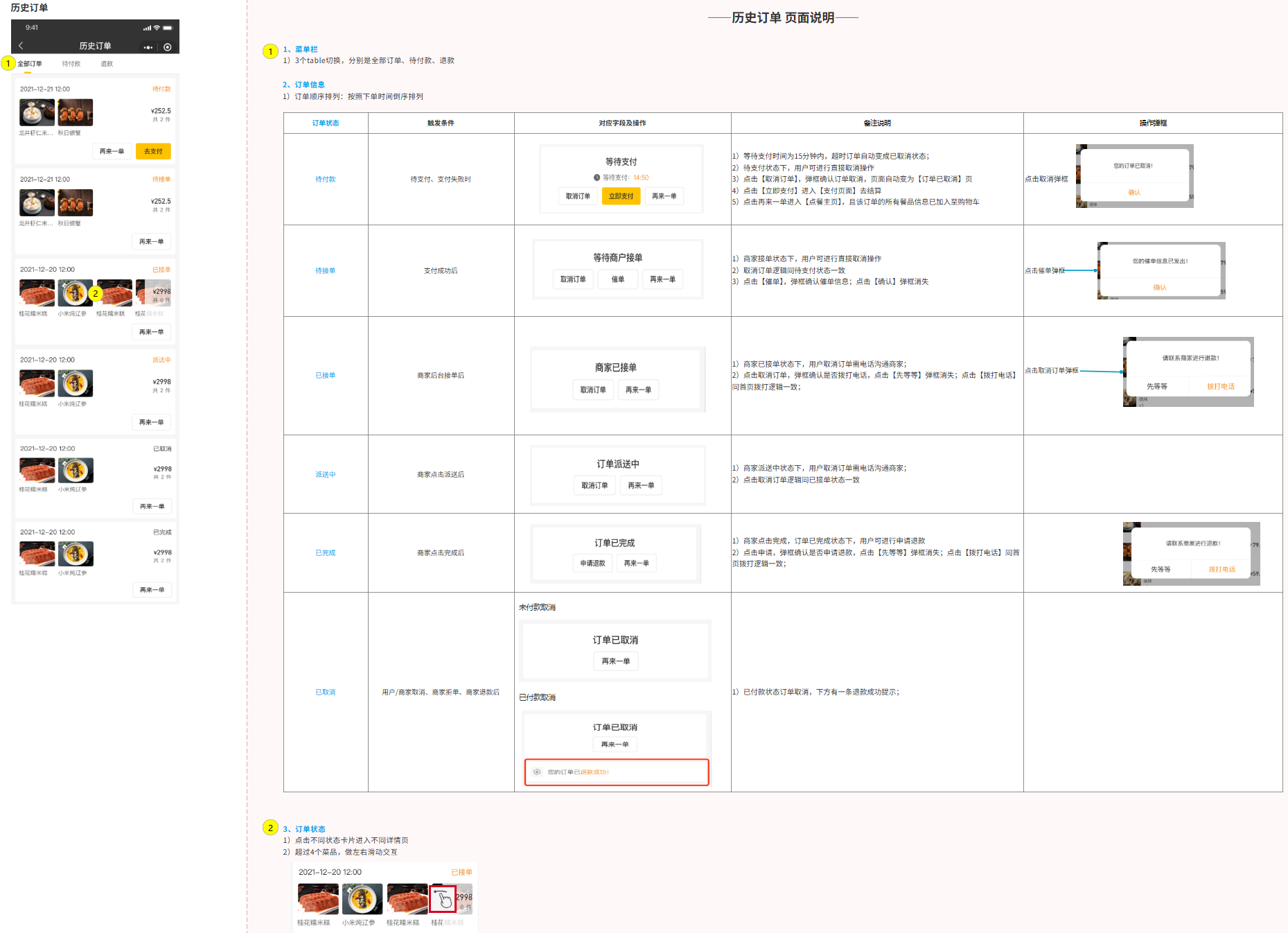
查询历史订单:
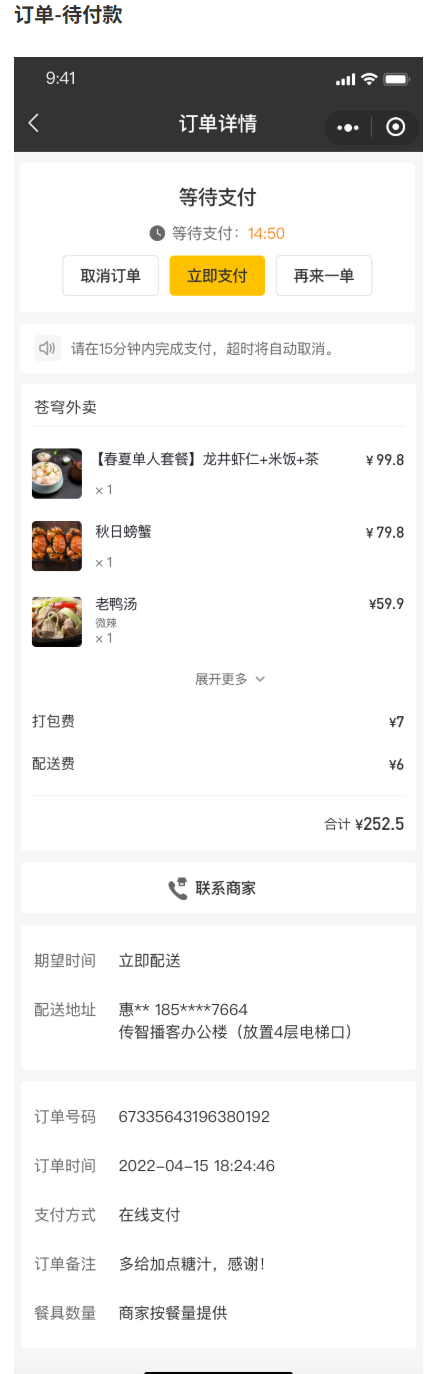
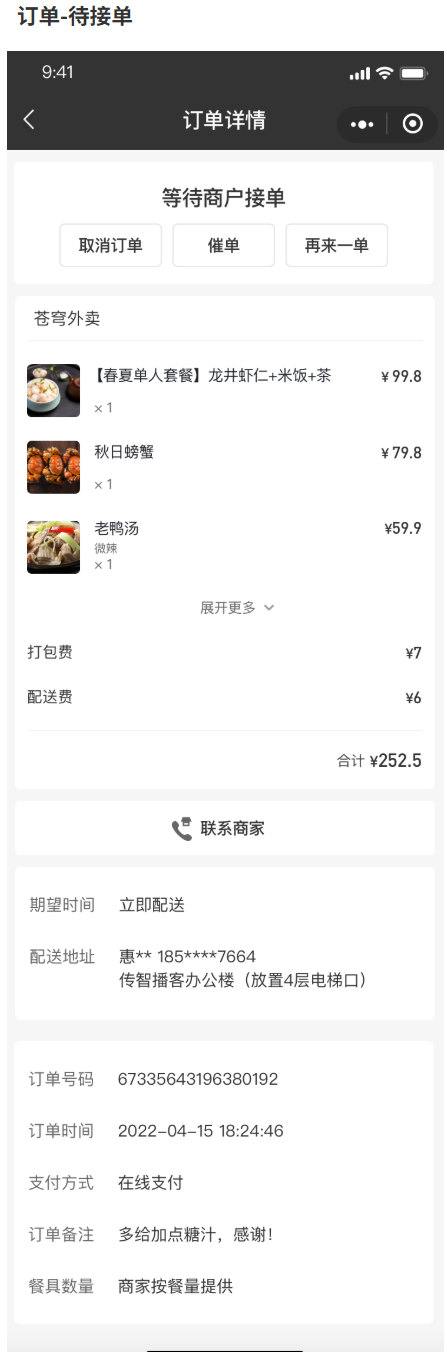
查询订单详情:
取消订单:
再来一单:
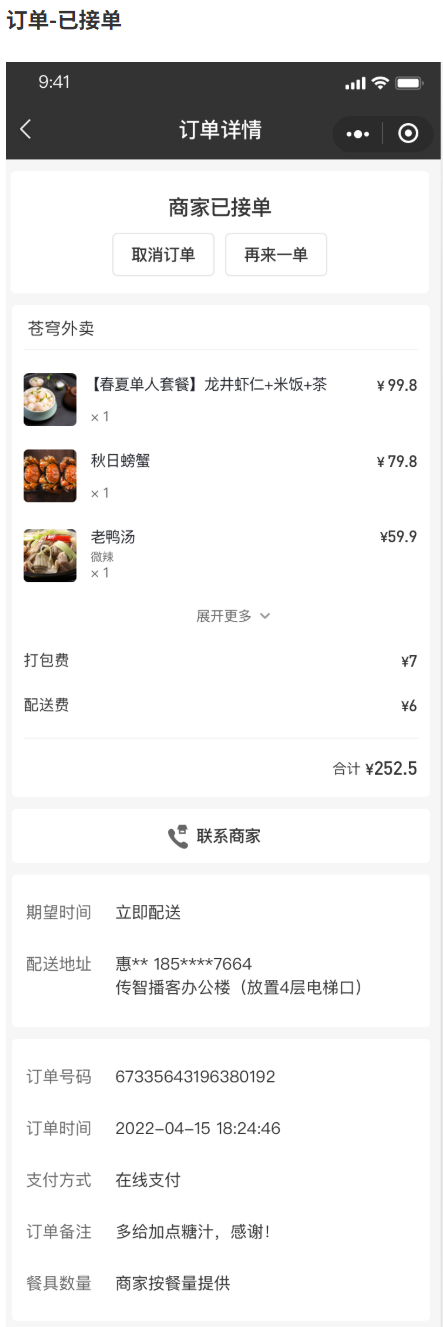
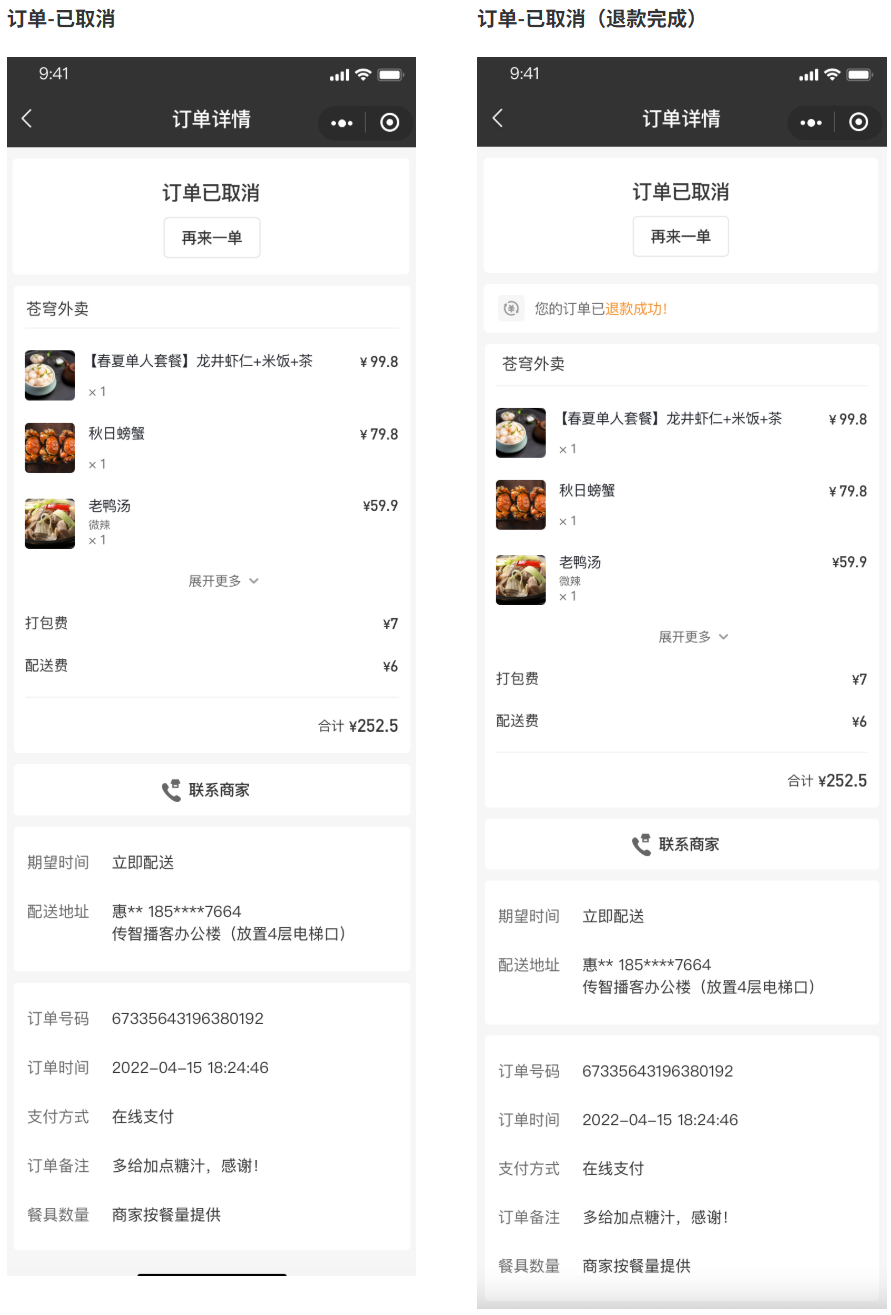
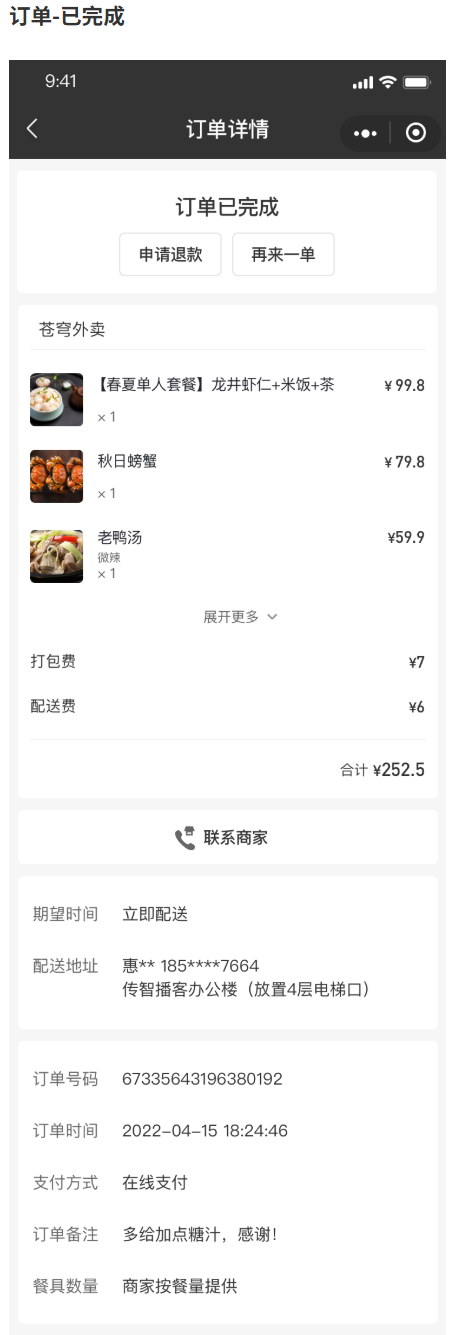
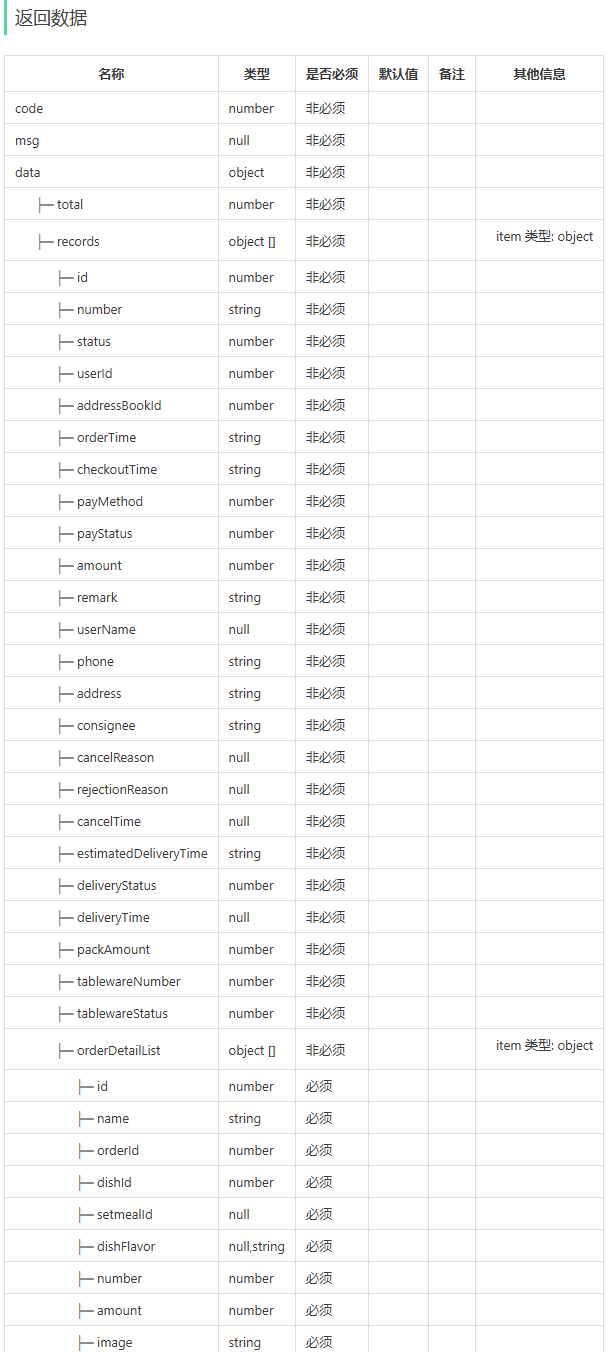
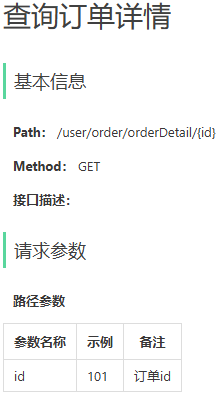
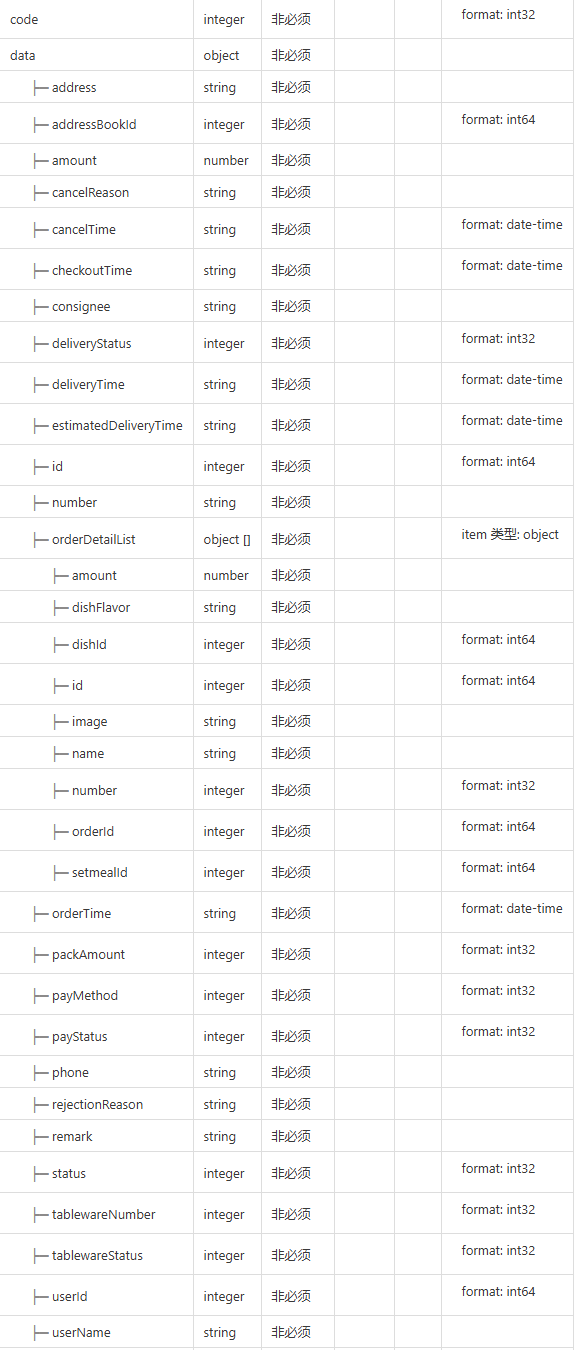
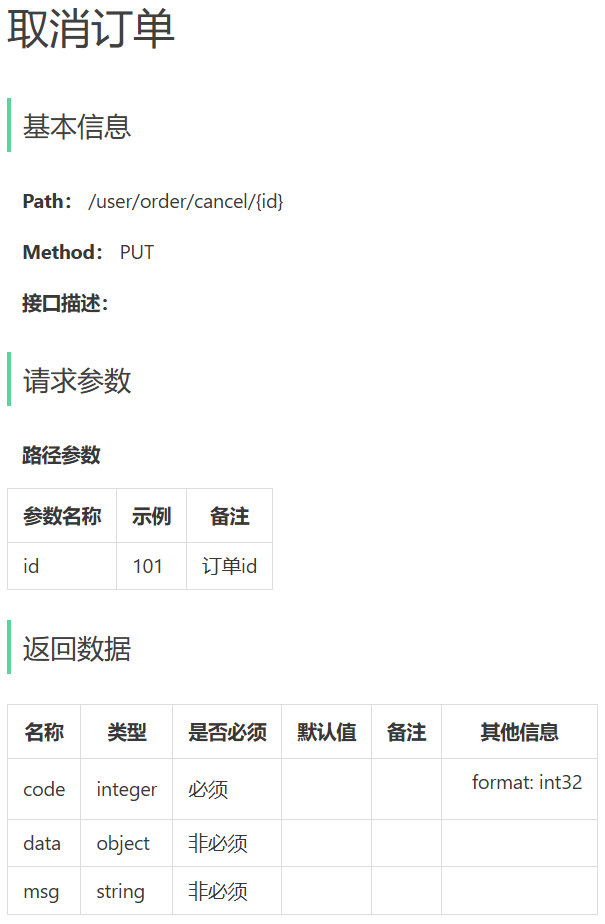
(2)接口文档
历史订单查询:
查询订单详情:
取消订单:
再来一单:
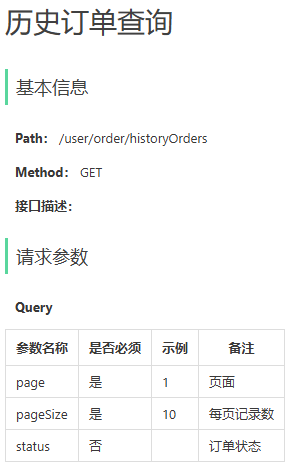
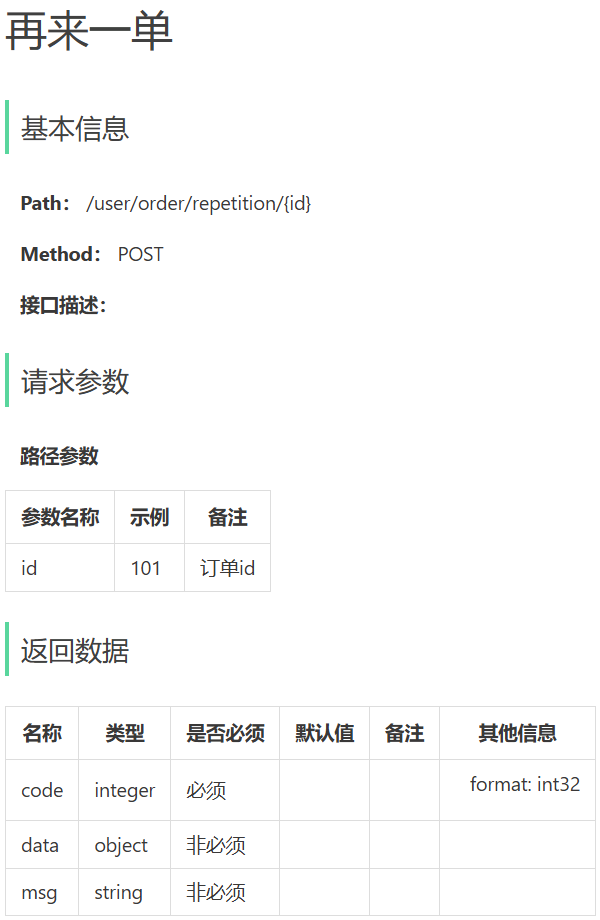
2.查询历史订单
(1)需求分析和接口设计
从请求参数page和pageSize可以看出这个查询是做一个分页查询操作,还有个status通过观察产品原型可以发现有全部订单、待付款、已取消三种选项页面,推出这个status到时候就是通过一个动态SQL查询,条件status,当然还有个userId作为条件,正好这三个参数可以用自定义DTO类OrdersPageQueryDTO封装。分析返回值可以使用Orders进行封装SQL语句查询结果,需要注意orderDetailList字段是个List<OrderDetail>,OrderDetail类的所有字段属性都来自另一个表order_detail,因此需要联表查询,可以通过一次Select语句完成全部属性的封装,在.xml文件里面利用resultMap、<result>、<collection>,由于两张表一次性查存在重复字段,需要给其中一张表的查询字段添加统一前缀(别名)进行区分,防止封装时属性相互覆盖。
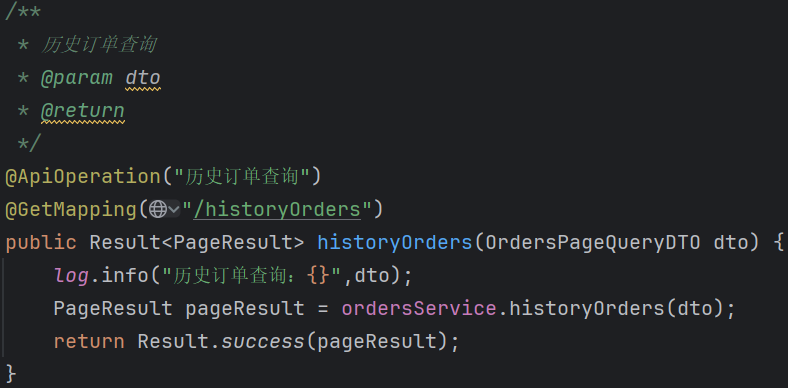
(2)Controller层
java/** * 历史订单查询 * @param dto * @return */ @ApiOperation("历史订单查询") @GetMapping("/historyOrders") public Result<PageResult> historyOrders(OrdersPageQueryDTO dto) { log.info("历史订单查询:{}",dto); PageResult pageResult = ordersService.historyOrders(dto); return Result.success(pageResult); }Controller层直接调Service层即可,分页查询返回结果为PageResult类。
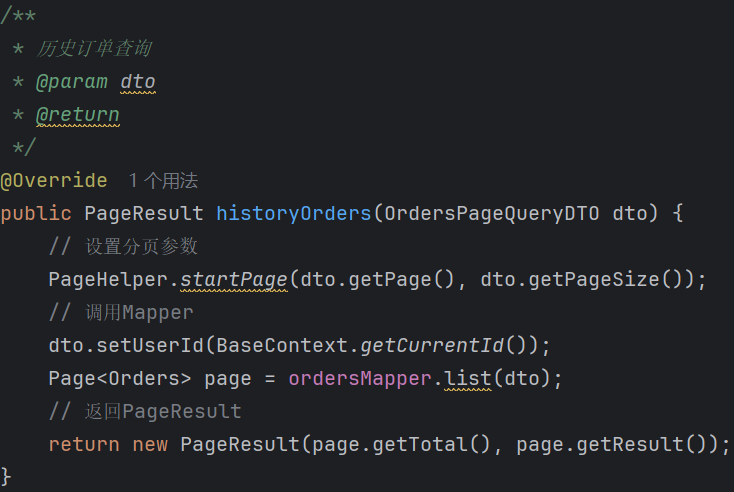
(3)Service层
java/** * 历史订单查询 * @param dto * @return */ @Override public PageResult historyOrders(OrdersPageQueryDTO dto) { // 设置分页参数 PageHelper.startPage(dto.getPage(), dto.getPageSize()); // 调用Mapper dto.setUserId(BaseContext.getCurrentId()); Page<Orders> page = ordersMapper.list(dto); // 返回PageResult return new PageResult(page.getTotal(), page.getResult()); }分页查询Service层依旧三步走,设置分页参数(请求参数DTO里面封装了传过来),调用Mapper(调用前补充字段userId,作为list方法的条件之一,只看用户自己历史订单。确定最后查出来的每条数据是用Orders类进行封装,Page泛型就写Orders,由于我这里把Orders的主表字段和联表字段orderDetailList的全部属性一次性查了封装,所以Service层比较简单,后续在商家端订单搜索接口实现遇到相似需求我会采用分两次SQL查询封装的操作,后一种方法利于Mapper层方法的复用,不过Service层逻辑会稍微复杂一些),返回新建的PageResult(这里page.getResult()其实就是得到了List<Orders>,所以Page的泛型就是查出来的每行数据究竟用什么封装,记住这一点分页查询就不会忘了)。
(4)Mapper层
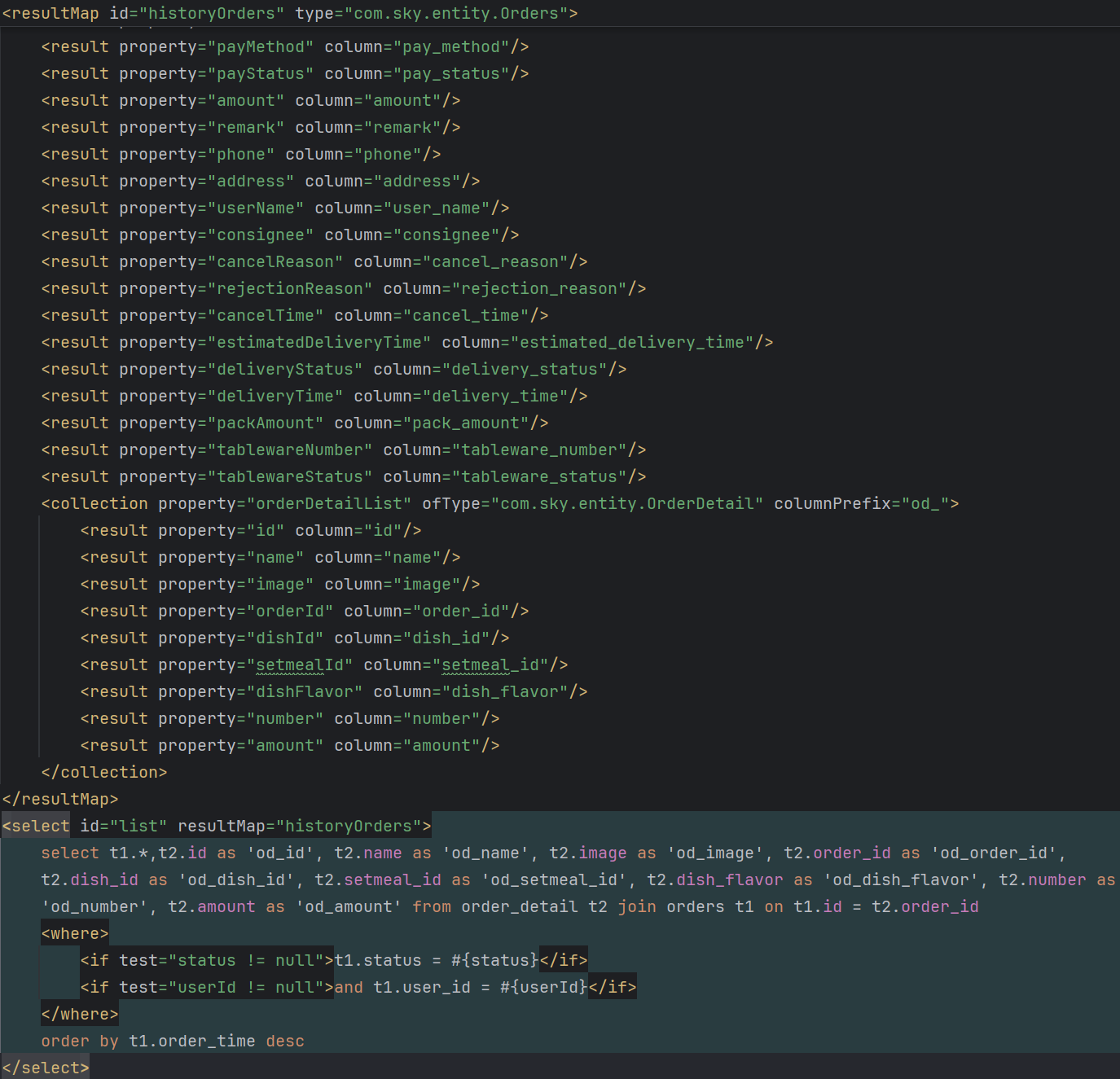
XML<resultMap id="historyOrders" type="com.sky.entity.Orders"> <result property="id" column="id"/> <result property="number" column="number"/> <result property="status" column="status"/> <result property="userId" column="user_id"/> <result property="addressBookId" column="address_book_id"/> <result property="orderTime" column="order_time"/> <result property="checkoutTime" column="checkout_time"/> <result property="payMethod" column="pay_method"/> <result property="payStatus" column="pay_status"/> <result property="amount" column="amount"/> <result property="remark" column="remark"/> <result property="phone" column="phone"/> <result property="address" column="address"/> <result property="userName" column="user_name"/> <result property="consignee" column="consignee"/> <result property="cancelReason" column="cancel_reason"/> <result property="rejectionReason" column="rejection_reason"/> <result property="cancelTime" column="cancel_time"/> <result property="estimatedDeliveryTime" column="estimated_delivery_time"/> <result property="deliveryStatus" column="delivery_status"/> <result property="deliveryTime" column="delivery_time"/> <result property="packAmount" column="pack_amount"/> <result property="tablewareNumber" column="tableware_number"/> <result property="tablewareStatus" column="tableware_status"/> <collection property="orderDetailList" ofType="com.sky.entity.OrderDetail" columnPrefix="od_"> <result property="id" column="id"/> <result property="name" column="name"/> <result property="image" column="image"/> <result property="orderId" column="order_id"/> <result property="dishId" column="dish_id"/> <result property="setmealId" column="setmeal_id"/> <result property="dishFlavor" column="dish_flavor"/> <result property="number" column="number"/> <result property="amount" column="amount"/> </collection> </resultMap> <select id="list" resultMap="historyOrders"> select t1.*,t2.id as 'od_id', t2.name as 'od_name', t2.image as 'od_image', t2.order_id as 'od_order_id', t2.dish_id as 'od_dish_id', t2.setmeal_id as 'od_setmeal_id', t2.dish_flavor as 'od_dish_flavor', t2.number as 'od_number', t2.amount as 'od_amount' from order_detail t2 join orders t1 on t1.id = t2.order_id <where> <if test="status != null">t1.status = #{status}</if> <if test="userId != null">and t1.user_id = #{userId}</if> </where> order by t1.order_time desc </select>由于Orders类里面存在字段orderDetailList,它属于List<OrderDetail>,业务逻辑要求我们在一次SQL语句中把每个订单对应的每一条订单明细数据OrderDetail的每个属性都做查询填充。因此单纯的resultType已经无法满足这种业务需求(一次SQL语句,属性里面套属性),需要使用.xml文件里面的resultMap,id属性是方便SQL语句对其进行引用,type属性则是返回结果封装到哪个类。内部就使用<result>标签先表示Orders主表字段,property属性是结果封装类里的属性名,column属性是SQL查询出的字段名(有别名优先别名,没有别名就是表中的字段名)。然后就是专门使用resultMap的情形所在(属性里面包属性),属性OrderDetail内又包含了多个属性,至于<collection>的使用是因为每个订单Orders类对应了多个OrderDetail类,即List,property属性依然是封装类Orders的属性名,ofType属性是这个集合的泛型类(of有种里面的意思就可以记成List里面的东西是什么?),columnPrefix主要是前缀(逻辑是<collection>内部的<result>的column属性加上这个前缀columnPrefix就是SQL查询OrderDetail属性内部属性时的字段名,同上别名或者order_detail表中字段名)。观察下面的select语句可以发现resultMap引用了上面的id,然后查order_detail表的时候我把这个表查出来的每个字段都取了别名"od_xx",大费周章的原因就是主表orders和联表order_detail表字段名有重复(如id、number....),如果放任重复直接查不取别名,那么就会出现两个表查询重复字段的结果,相互覆盖封装类的某个属性。可以发现<collection>内的<result>的column属性加上columnPrefix就刚好是select语句中给order_detail表每个字段取的别名。联表查询一个细节是order_detail join orders(join默认左外连接,因为接口文档要求order_detail属性必须返回,orders主表属性反而不是必须的,这么做就正好可以以order_detail为主)。后面的话就是按照status和userId动态查询,并且按照下单时间倒序排序,符合产品原型要求。