文章目录
-
- [git - github工程中不能包含大文件](#git - github工程中不能包含大文件)
- 概述
- 如果非要在github工程中包含大文件
-
- [最好是在文档中加大文件的链接url, 而不是直接在工程中包含大文件](#最好是在文档中加大文件的链接url, 而不是直接在工程中包含大文件)
- 可以用文件分割工具,将大文件切割成小块
- 备注
- END
git - github工程中不能包含大文件
概述
如果在本地,用自己搭的gitea库建立的.git, 在提交时,如果文件大于10MB, 只是有个提示。而不会导致git push失败。
如果是在github上建立的.git工程, 里面不能有大文件。
如果非要放大文件,必须要用git lfs.
但是git lfs是有配额限制的,github也不可能因为你用了lfs, 就允许你无限制的提交大文件,人家不是开网盘的。
github定义的大文件尺寸不确定,根据git push后的报错,可知,大于100MB是不行的。
bash
chenx@ls3561 MINGW64 /d/my_dev/krgy_juki_holder_user_manual (main)
$ git push
Enumerating objects: 4, done.
Counting objects: 100% (4/4), done.
Delta compression using up to 16 threads
Compressing objects: 100% (3/3), done.
Writing objects: 100% (3/3), 339.45 MiB | 196.00 KiB/s, done.
Total 3 (delta 0), reused 0 (delta 0), pack-reused 0 (from 0)
remote: error: Trace: 7ffbaacc633a58449f5e09230a0c88d2abcebd60c76bdb5abded97cef018f4a1
remote: error: See https://gh.io/lfs for more information.
remote: error: File openpnp_使用高精度juki吸嘴快拆连接器铜套座-v8_自动换刀.mp4 is 351.53 MB; this exceeds GitHub's file size limit of 100.00 MB
remote: error: GH001: Large files detected. You may want to try Git Large File Storage - https://git-lfs.github.com.
To https://github.com/LostSpeed/krgy_juki_holder_user_manual.git
 ! [remote rejected] main -> main (pre-receive hook declined)
error: failed to push some refs to 'https://github.com/LostSpeed/krgy_juki_holder_user_manual.git'
尝试将文件切割为小于100MB的小文件,e.g. 90MB, 也是不行的。
bash
chenx@ls3561 MINGW64 /d/my_dev/krgy_juki_holder_user_manual (main)
$ git push
Enumerating objects: 11, done.
Counting objects: 100% (11/11), done.
Delta compression using up to 16 threads
Compressing objects: 100% (10/10), done.
Writing objects: 100% (10/10), 339.56 MiB | 180.00 KiB/s, done.
Total 10 (delta 4), reused 0 (delta 0), pack-reused 0 (from 0)
remote: Resolving deltas: 100% (4/4), done.
remote: warning: File product_video_000.mp4 is 89.92 MB; this is larger than GitHub's recommended maximum file size of 50.00 MB
remote: warning: File product_video_001.mp4 is 89.90 MB; this is larger than GitHub's recommended maximum file size of 50.00 MB
remote: warning: File product_video_002.mp4 is 92.38 MB; this is larger than GitHub's recommended maximum file size of 50.00 MB
remote: error: Trace: f3043d361f79f93171de1549ba6f52a3006aeac0df9b53a60939a7ebde042aa1
remote: error: See https://gh.io/lfs for more information.
remote: error: File openpnp_使用高精度juki吸嘴快拆连接器铜套座-v8_自动换刀.mp4 is 351.53 MB; this exceeds GitHub's file size limit of 100.00 MB
remote: error: GH001: Large files detected. You may want to try Git Large File Storage - https://git-lfs.github.com.
To https://github.com/LostSpeed/krgy_juki_holder_user_manual.git
 ! [remote rejected] main -> main (pre-receive hook declined)
error: failed to push some refs to 'https://github.com/LostSpeed/krgy_juki_holder_user_manual.git'
根据报错信息,可知,github推荐的文件size是小于50MB,文件最大不能超过100MB, 要不人家就不跟你玩了.
如果是mp4, 50MB的播放时间不超过30秒。反正如果工程中放个mp4, 如果是几十秒,只能是示意性的。
那么尝试10秒的视频是多大? 切割完看了一下,20~30MB之间。
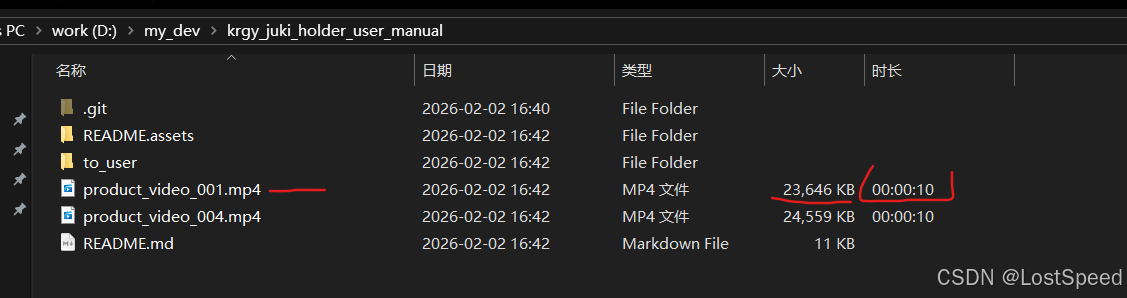
尝试git push, 操作完,还是有报错提示,说can't lock ref/xx
不过去github看仓库内容,已经git push好了。
尝试将工程拉下来,也正常。
如果非要在github工程中包含大文件
最好是在文档中加大文件的链接url, 而不是直接在工程中包含大文件
可以将视频传到bili, youtube, 然后在readme.md中将url添上
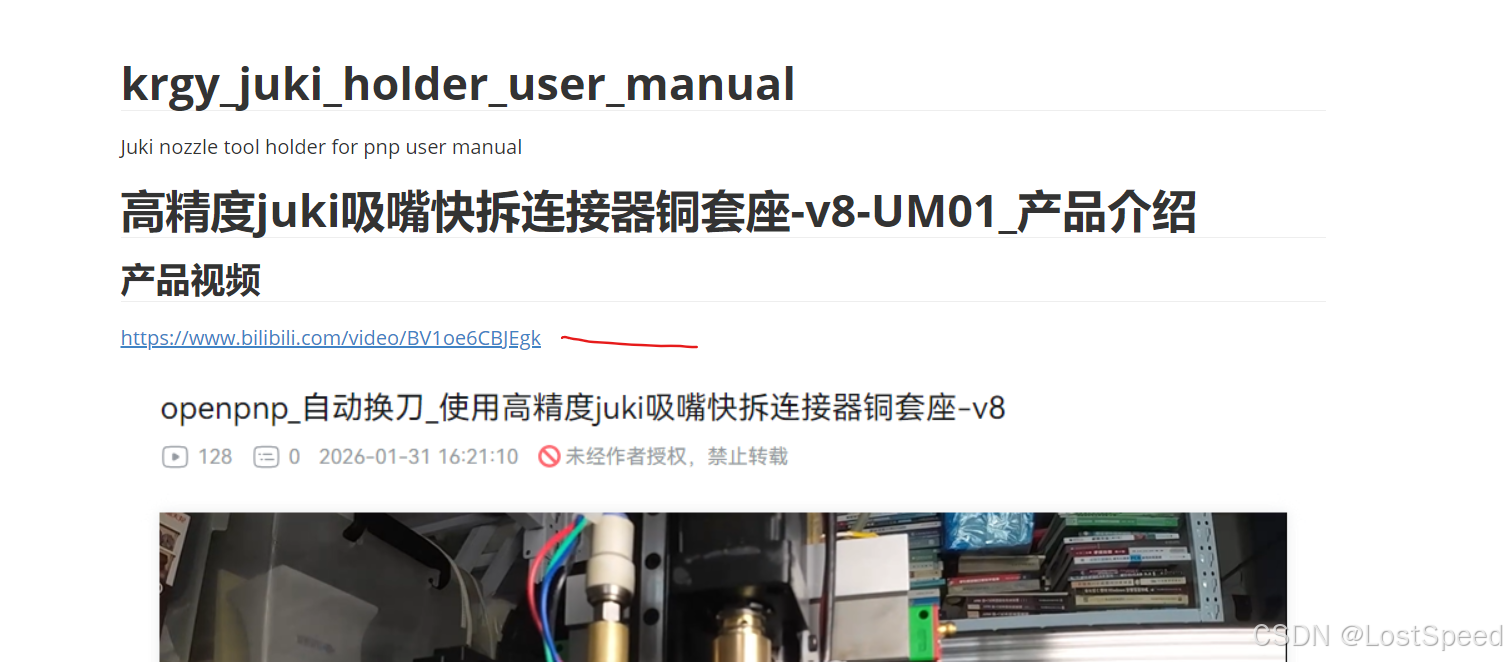
可以用文件分割工具,将大文件切割成小块
如果是非视频文件,可以用7z分卷压缩成多个小文件。
如果是视频文件,可以用ffmpeg切割成多个小视频(10秒左右),命令如下:
bash
ffmpeg -i in.mp4 -c copy -f segment -segment_time 10 -reset_timestamps 1 out_%03d.mp4我在msys2-mingw64中装了ffmpeg, 切割视频好使。
有一些视频软件干花活时,是要收费的。这时,可以考虑用ffmpeg命令行自己将这个活干了。
备注
正常工程中的文件,如果是工程中自己用的文件(非代码实现, e.g. 资源文件),是很难超过10MB的.
所以说,人家github是考虑到工程师的正常需求的。