效果图
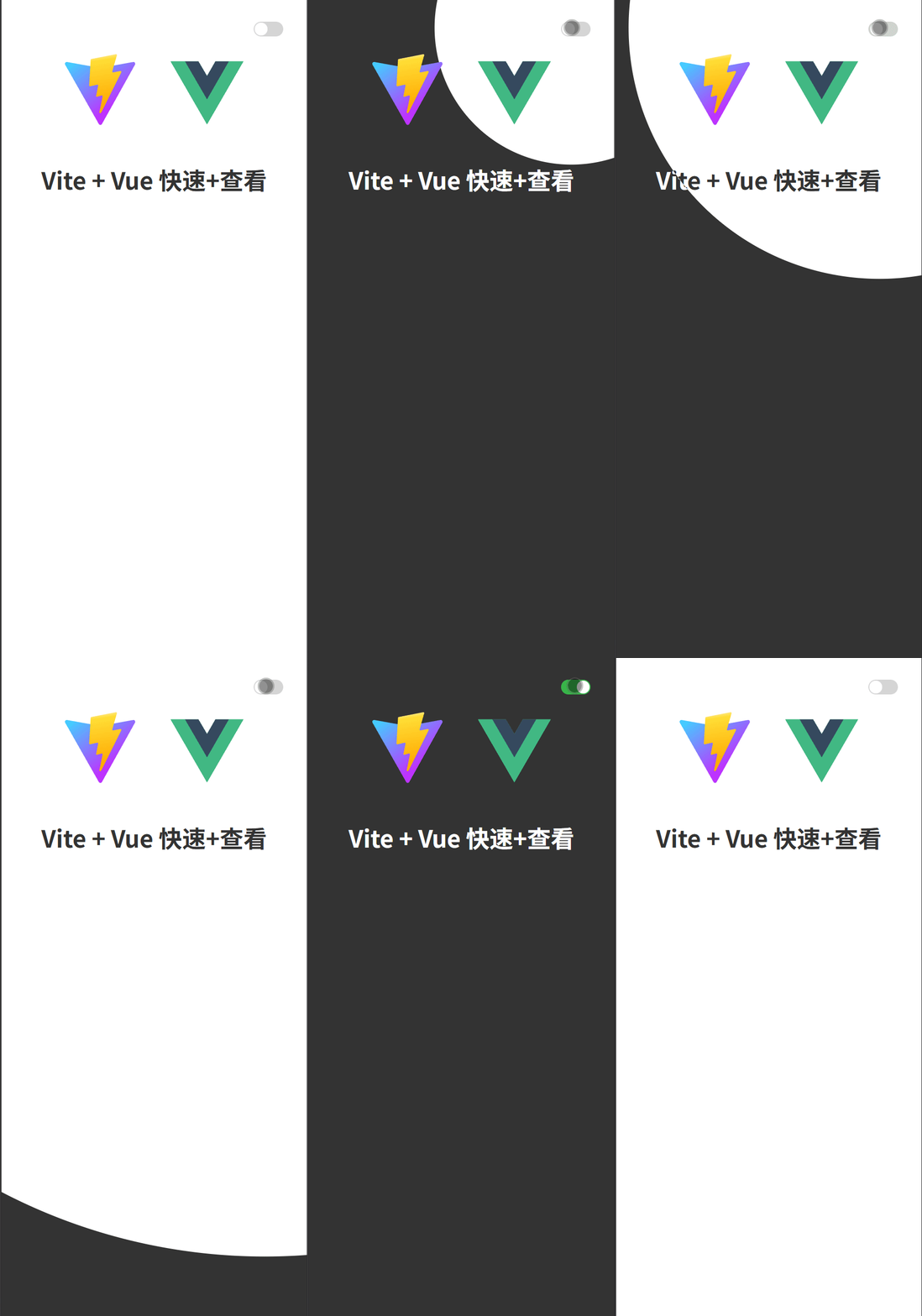
.vue
bash
<template>
  <view class="flex-end">
    <div class="wxy-switch" :class="{'wxy-switch-checked':showView}"
    @click="themeSwitch" >
      <div class="wxy-switch-round"></div>
    </div>
  </view>
</template>

<script setup>
import {ref } from 'vue'

const showView = ref(false)

const themeSwitch = (e) => {
  showView.value = !showView.value;
  // 如果不支持 startViewTransition 直接切换
  if (!document.startViewTransition) {
  	document.documentElement.classList.toggle("dark");
  	return
  }

  const transition =  document.startViewTransition(() => {
    document.documentElement.classList.toggle("dark");
  });

  transition.ready.then(() => {
    const { clientX, clientY } = e
    const radius = Math.hypot(
      Math.max(clientX, window.innerWidth - clientX),
      Math.max(clientY, window.innerHeight - clientY)
    )

    const isDark = document.documentElement.classList.contains("dark");
    const clipPath = [
      `circle(0px at ${clientX}px ${clientY}px)`,
      `circle(${radius}px at ${clientX}px ${clientY}px)`,
    ]
    document.documentElement.animate(
      { clipPath: isDark ? clipPath.reverse() : clipPath },
      {
        duration: 500,
        fill: "both",
        pseudoElement: isDark ? "::view-transition-old(root)" : "::view-transition-new(root)"
      }
    )
  });
}
</script>

<style scoped>
.flex-end{
  display: flex;
  align-items: center;
  justify-content: flex-end;
}

.wxy-switch{
  --w:40px;
  --h:20px;

  position: relative;
  width: var(--w);
  height: var(--h);
  background-color: #D6D6D6;
  border-radius: 25px;
  transition: background-color 0.3s;
}

.wxy-switch-checked{
  background-color: #39b54a;
}

.wxy-switch-round{
  position: absolute;
  top: 0;
  bottom: 0;
  left: 1.5px;
  width: calc(var(--h) - 3px);
  height: calc(var(--h) - 3px);
  margin: auto 0;
  background: #fff;
  border-radius: 50%;
  transition: left 0.3s;
}

.wxy-switch-checked .wxy-switch-round{
  left: calc(100% - var(--h) + 1.5px);
}
</style>
.css
bash
body{
  margin: 0;
}

:root {
  --theme-bg-color: #fff;
  --theme-text-color: #333;
}

:root.dark {
  --theme-bg-color: #333;
  --theme-text-color: #fff;
}

::view-transition-new(root),
::view-transition-old(root) {
  animation: none;
}

.dark::view-transition-old(root) {
  z-index: 9999;
}

#app {
  min-height: 100vh;
  background-color: var(--theme-bg-color);
  color: var(--theme-text-color);
  text-align: center;
  padding: 2rem;
}

div,a{
  box-sizing: border-box;
}
遇到问题可以看我主页加我,很少看博客,对你有帮助别忘记点赞收藏。