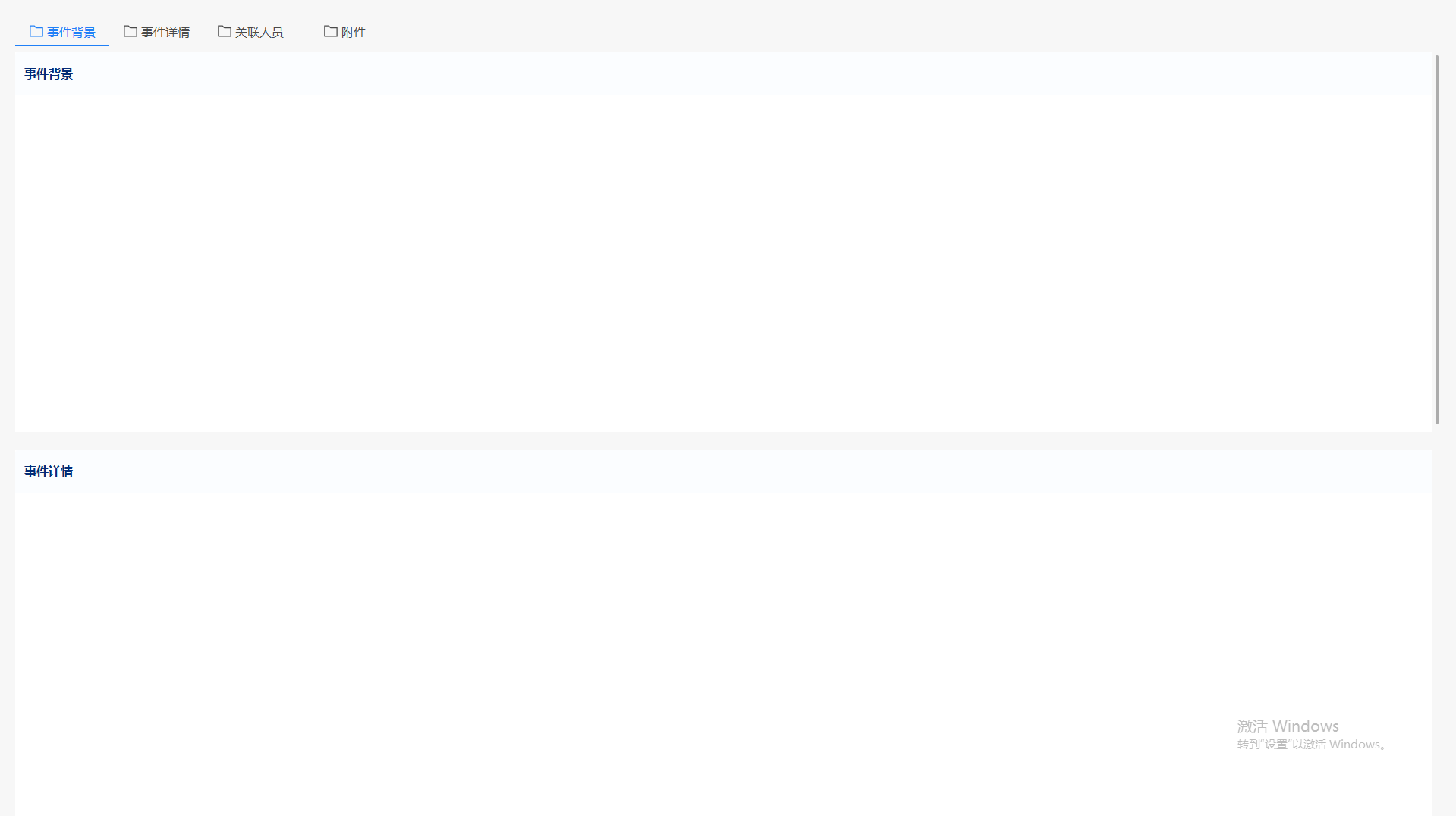
demo
html
<template>
  <div class="demo-page">
    <div class="anchor-nav">
      <div v-for="item in anchors" :key="item.id" class="anchor-item" :class="{ active: activeAnchor === item.id }"
        @click="scrollToAnchor(item.id)">
        <i class="el-icon">
          <svg xmlns="http://www.w3.org/2000/svg" viewBox="0 0 1024 1024">
            <path fill="currentColor"
              d="M128 192v640h768V320H485.76L357.504 192zm-32-64h287.872l128.384 128H928a32 32 0 0 1 32 32v576a32 32 0 0 1-32 32H96a32 32 0 0 1-32-32V160a32 32 0 0 1 32-32">
            </path>
          </svg>
        </i>
        <a>{{ item.name }}</a>
      </div>
    </div>

    <div ref="contentRef" class="content scrollbar">
      <div id="eventBackground">
        <div class="module-title">事件背景</div>
      </div>

      <div id="eventDetail">
        <div class="module-title">事件详情</div>
      </div>

      <div id="relatePerson">
        <div class="module-title">关联人员</div>
      </div>

      <div id="attachment">
        <div class="module-title">附件</div>
      </div>
    </div>
  </div>
</template>

<script setup>
import { ref, onMounted, onUnmounted } from 'vue'
// 锚点配置
const anchors = [
  {
    id: 'eventBackground',
    name: '事件背景'
  },
  {
    id: 'eventDetail',
    name: '事件详情'
  },
  {
    id: 'relatePerson',
    name: '关联人员'
  },
  {
    id: 'attachment',
    name: '附件'
  }
]
const activeAnchor = ref('eventBackground')

const contentRef = ref(null)
const isScrollingByClick = ref(false) // 标记是否由点击触发的滚动

// 滚动到指定锚点
function scrollToAnchor(anchorId) {
  activeAnchor.value = anchorId
  isScrollingByClick.value = true // 标记为点击触发的滚动

  const element = document.getElementById(anchorId)
  if (element) {
    element.scrollIntoView({
      // 滚动行为:平滑滚动
      behavior: 'smooth',
      // 垂直对齐方式: 1. 'start':元素顶部与滚动容器顶部对齐; 2. 'center':元素在滚动容器中垂直居中; 3. 'end':元素底部与滚动容器底部对齐; 4. 'nearest':元素最近的对齐位置
      block: 'start',
      // 水平对齐方式: 'start':元素左端与滚动容器左端对齐; 2. 'center':元素在滚动容器中水平居中; 3. 'end':元素右端与滚动容器右端对齐; 4. 'nearest':元素最近的对齐位置
      // inline: 'start'
    })

    // 平滑滚动结束后重置标记(根据滚动时间设置合适的延迟)
    setTimeout(() => {
      isScrollingByClick.value = false
    }, 500) // 500ms是平滑滚动的典型持续时间
  }
}

// 检测当前激活的锚点
function updateActiveAnchor() {
  // 如果是点击触发的滚动,不进行激活状态更新
  if (isScrollingByClick.value || !contentRef.value) return

  const scrollTop = contentRef.value.scrollTop
  const scrollHeight = contentRef.value.scrollHeight
  const clientHeight = contentRef.value.clientHeight

  // 计算每个锚点元素的位置
  const anchorPositions = anchors.map(anchor => {
    const element = document.getElementById(anchor.id)
    if (!element) return { id: anchor.id, top: -1 }

    // 获取元素相对于滚动容器的位置
    const rect = element.getBoundingClientRect()
    const containerRect = contentRef.value.getBoundingClientRect()
    const top = rect.top - containerRect.top + contentRef.value.scrollTop

    return { id: anchor.id, top }
  })

  // 添加底部边界(最后一个锚点)
  anchorPositions.push({ id: 'end', top: scrollHeight })

  // 查找当前应该激活的锚点
  let currentAnchor = activeAnchor.value

  for (let i = 0; i < anchors.length; i++) {
    const currentTop = anchorPositions[i].top
    const nextTop = anchorPositions[i + 1].top

    // 判断当前滚动位置是否在这个锚点区域内
    // 添加偏移量(例如50px)来提前切换激活状态,提升用户体验
    if (scrollTop + 50 >= currentTop && scrollTop + 50 < nextTop) {
      currentAnchor = anchors[i].id
      break
    }
  }

  // 如果滚动到底部,激活最后一个锚点
  if (scrollTop + clientHeight >= scrollHeight - 10) {
    currentAnchor = anchors[anchors.length - 1].id
  }

  activeAnchor.value = currentAnchor
}

// 防抖函数,避免滚动时频繁触发
function debounce(func, wait) {
  let timeout
  return function executedFunction(...args) {
    const later = () => {
      clearTimeout(timeout)
      func(...args)
    }
    clearTimeout(timeout)
    timeout = setTimeout(later, wait)
  }
}

// 防抖后的更新函数
const debouncedUpdate = debounce(updateActiveAnchor, 10)

// 监听滚动事件
function setupScrollListener() {
  if (contentRef.value) {
    contentRef.value.addEventListener('scroll', debouncedUpdate)
  }
}

// 移除滚动监听
function removeScrollListener() {
  if (contentRef.value) {
    contentRef.value.removeEventListener('scroll', debouncedUpdate)
  }
}


// 组件挂载时设置监听
onMounted(() => {
  setupScrollListener()
  scrollToAnchor(activeAnchor.value)
})

// 组件卸载时移除监听
onUnmounted(() => {
  removeScrollListener()
})
</script>

<style lang="scss" scoped>
.demo-page {
  width: 100%;
  height: 100%;
  background: rgba(247, 247, 247, 1);
  font-size: 16px;
  padding: 10px 20px;

  .anchor-nav {
    height: 40px;
    display: flex;
    align-items: center;
    margin: 16px 0 8px 0;

    .anchor-item {
      width: 124px;
      height: 40px;
      display: flex;
      justify-content: center;
      align-items: center;
      position: relative;
      cursor: pointer;
      color: rgba(0, 0, 0, 0.7);
      transition: color 0.3s ease;

      &:hover {
        color: rgba(32, 128, 247, 0.8);
      }

      &.active {
        color: rgba(32, 128, 247, 1);

        &::after {
          content: '';
          position: absolute;
          left: 0;
          bottom: 0;
          width: 100%;
          height: 2px;
          background-color: rgba(32, 128, 247, 1);
          animation: slideIn 0.3s ease;
        }
      }

      a {
        text-decoration: none;
        color: inherit;
      }

      .el-icon {
        font-size: 20px;
        color: inherit;
        height: 1em;
        width: 1em;
        line-height: 1em;
        display: inline-flex;
        justify-content: center;
        align-items: center;
        position: relative;
        fill: currentColor;
        margin-right: 4px;
      }
    }
  }

  .content {
    width: 100%;
    height: calc(100% - 48px);
    overflow-x: hidden;
    overflow-y: auto;
  }

  #eventBackground,
  #eventDetail,
  #relatePerson,
  #attachment {
    width: 100%;
    height: 500px;
    background-color: #fff;

    &:not(:last-child) {
      margin-bottom: 24px;
    }
  }

  .module-title {
    width: 100%;
    height: 56px;
    border-radius: 4px 4px 0px 0px;
    background: rgba(32, 128, 247, 0.02);
    display: flex;
    align-items: center;
    padding: 0 12px;
    color: rgba(4, 44, 119, 1);
    font-family: Microsoft YaHei UI;
    font-size: 16px;
    font-weight: 600;
    line-height: 24px;
  }
}

// 添加动画效果
@keyframes slideIn {
  from {
    transform: scaleX(0);
  }

  to {
    transform: scaleX(1);
  }
}
</style>

<style lang="scss">
.scrollbar {

  /* 滚动条 */
  &::-webkit-scrollbar {
    width: 12px;
    height: 12px;
  }

  /* 滚动条边角 */
  &::-webkit-scrollbar-corner {
    width: 0;
  }

  /* 滚动条轨道 */
  &::-webkit-scrollbar-track {
    padding: 0px 2px;
    background: transparent;
  }

  &::-webkit-scrollbar-track:hover {
    background: rgba(0, 0, 0, 0.04);
  }

  /* 滚动条滑块 */
  &::-webkit-scrollbar-thumb {
    border-radius: 6px;
    background-color: transparent;
    cursor: pointer;
    border: 4px solid transparent;
    background-clip: padding-box;
  }

  &:hover::-webkit-scrollbar-thumb {
    background-color: rgba(0, 0, 0, 0.3);
  }

  &:hover::-webkit-scrollbar-thumb:hover {
    border: 2px solid transparent;
  }

  &:hover::-webkit-scrollbar-thumb:active {
    background-color: rgba(0, 0, 0, 0.7);
  }
}
</style>