词云图
词云是一种可视化一组单词的方式,其中单词的大小和位置由其权重决定。
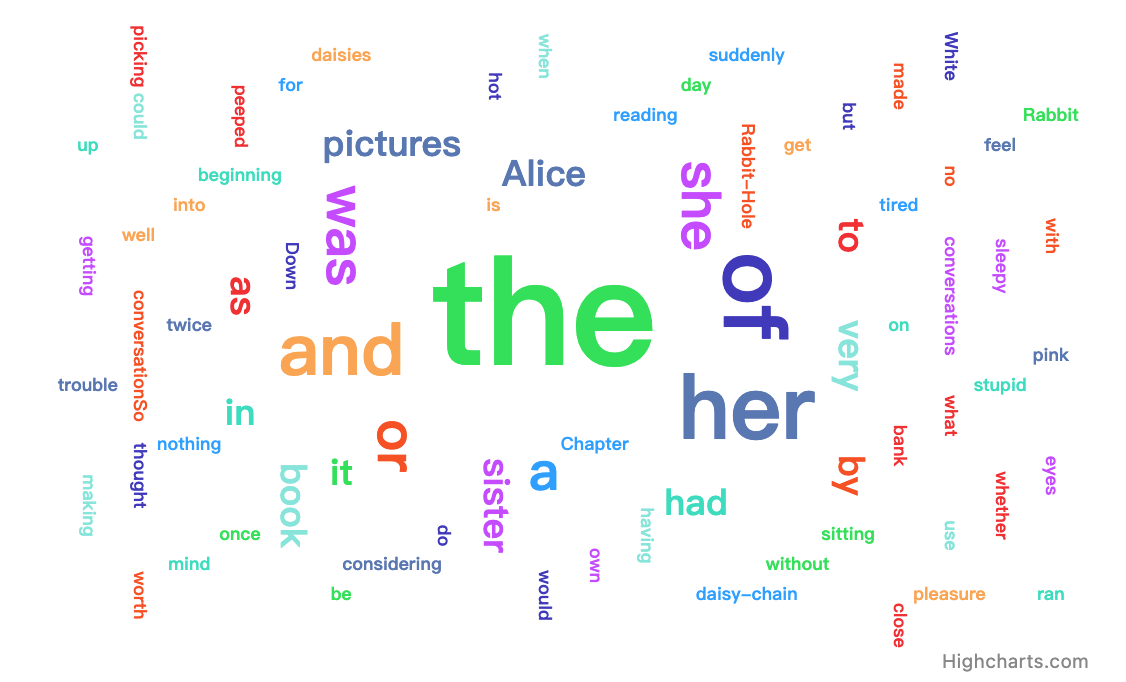
点击 这里 here 查看代码
需求
词云图表需要以下模块: modules/wordcloud.js.
选项
点击 这里 here 查看所有可用的词云系列选项的概述。
数据结构
每个词云系列中的点都必须包含一个 name 和一个 weight。 名称决定了在可视化中显示的文本内容,而权重 决定了其优先级。优先级最高的点会先被绘制, 并且字体会更大。
js
data: [{
    name: 'Lorem',
    weight: 3
}, {
    name: 'Ipsum',
    weight: 2
}, {
    name: 'Dolor',
    weight: 1
}]
高级用法
自定义螺旋算法
螺旋用于在单词与其他单词碰撞或边界发生碰撞后,将单词移动到初始位置之外。 若要实现自定义螺旋,可以参考 archimedeanSpiral 函数,例如:
js
/**
 * archimedeanSpiral - Gives a set of coordinates for an Archimedian Spiral.
 *
 * @param {number} t How far along the spiral we have traversed.
 * @return {object} Resulting coordinates, x and y.
 */
var archimedeanSpiral = function archimedeanSpiral(t) {
    t *= 0.1;
    return {
        x: t * Math.cos(t),
        y: t * Math.sin(t)
    };
};
螺旋算法通过将其附加到 spirals 属性上实现了访问:
js
Highcharts.seriesTypes.wordcloud.prototype.spirals.archimedean = archimedeanSpiral;之后,你可以通过指定选项 series<wordcloud>.spiral来使用该算法:
js
Highcharts.chart(..., {
  series: [{
    type: 'wordcloud',
    spiral: 'archimedean'
  }]
});
自定义布局策略
策略用于决定单词的旋转角度和初始位置。 若要实现自定义策略,可以参考 randomPlacement 函数,例如:
js
var randomPlacement = function randomPlacement(point, options) {
  var field = options.field,
    r = options.rotation;
  return {
    x: getRandomPosition(field.width) - (field.width / 2),
    y: getRandomPosition(field.height) - (field.height / 2),
   rotation: getRotation(r.orientations, r.from, r.to)
  };
};
放置算法通过将其附加到 placementStrategy 属性上实现了访问:property:
js
Highcharts.seriesTypes.wordcloud.prototype.placementStrategy.random= randomPlacement;之后你可以通过指定选项 series<wordcloud>.placementStrategy 来使用该算法:
js
Highcharts.chart(..., {
  series: [{
    type: 'wordcloud',
    placementStrategy: 'random'
  }]
});
自定义字体大小
字体的大小由函数deriveFont计算得出,该函数根据单词的相对权重来确定结果。权重的范围是0到1,表示该单词相对于最大权重单词的大小。当自定义字体大小时,应注意,较大的字体可能会导致布局算法运行变慢,而较小的字体则可能使单词的排布更加分散。
js
// Include this snippet after loading Highcharts and before Highcharts.chart is executed.
Highcharts.seriesTypes.wordcloud.prototype.deriveFontSize = function (relativeWeight) {
   var maxFontSize = 25;
  // Will return a fontSize between 0px and 25px.
  return Math.floor(maxFontSize * relativeWeight);
};
需要注意的事项
- 当单词以非90度倍数的角度旋转时,它们之间会有很多空隙。
- 当前的碰撞算法没有考虑旋转,只会检查两个单词的外部区域是否碰撞。为了解决这个问题,我们可以利用 分离轴定理 Separating Axis Theorem
- 当我导出我的图表时,单词的位置发生了变化。
- 出时会重新渲染数据,这会导致单词在不同的坐标位置,而不是原始图表中的位置。
- 出时会重新渲染数据,这会导致单词在不同的坐标位置,而不是原始图表中的位置。
- 当前我们在词云系列中使用的默认字体没有安装在导出服务器上。