我一直在纠结要用websocket还是两个端护法get方法,就没想到有post这种好东西
一个错都没报一次就跑通了
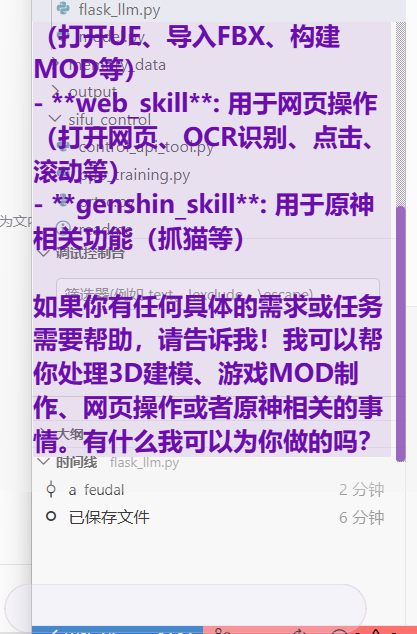
python
from flask import Flask, request, jsonify
import asyncio
import threading
from agentscope.message import Msg
from agent_llm import tool_agent  # 导入已有的agent实例

app = Flask(__name__)

@app.route('/chat', methods=['POST'])
def chat_endpoint():
    """
    接收用户输入并返回LLM结果的POST端点
    """
    try:
        # 获取JSON数据
        data = request.get_json()

        if not data or 'message' not in data:
            return jsonify({
                'error': '缺少message字段',
                'status': 'failed'
            }), 400

        user_message = data['message']

        # 创建消息对象
        enhanced_message = f"当前用户输入:{user_message}\n调用方法前要读取一下对应的skill.md文件然后在按指示调用方法"
        msg = Msg(name="user", content=enhanced_message, role="user")

        # 运行异步函数
        result_msg = asyncio.run(tool_agent_async_wrapper(msg))

        response = {
            'status': 'success',
            'response': result_msg.get_text_content(),
            'original_message': user_message
        }

        return jsonify(response), 200

    except Exception as e:
        return jsonify({
            'error': str(e),
            'status': 'failed'
        }), 500

async def tool_agent_async_wrapper(msg):
    """
    包装tool_agent的异步调用
    """
    return await tool_agent(msg)

@app.route('/health', methods=['GET'])
def health_check():
    """
    健康检查端点
    """
    return jsonify({'status': 'healthy'}), 200

def run_flask_app():
    """
    在独立线程中运行Flask应用
    """
    app.run(host='0.0.0.0', port=5001, debug=False, use_reloader=False)

if __name__ == "__main__":
    # 可以选择在主线程运行或者新线程运行
    print("启动POST服务...")
    run_flask_app()
python
import sys
import json
import os
import requests
from PyQt6.QtWidgets import (
QApplication, QMainWindow, QTextEdit, QLineEdit, QVBoxLayout, QHBoxLayout,
QWidget, QFrame, QPushButton
)
from PyQt6.QtCore import Qt, pyqtSignal, pyqtSlot, QTimer
from PyQt6.QtGui import QColor
class UIWindow(QMainWindow):
"""简化的UI窗口类,提供输入窗口和输出窗口"""
# 定义信号
input_submitted_signal = pyqtSignal(str) # 输入提交信号
interrupt_signal = pyqtSignal() # 中断对话信号
switch_agent_signal = pyqtSignal() # 切换Agent信号
clear_output_signal = pyqtSignal() # 清空输出窗口信号
def __init__(self):
"""初始化UI窗口"""
super().__init__()
# 窗口拖动相关变量
self.dragging = False
self.offset = None
# 加载配置
self.load_config()
# 设置窗口
self._setup_window()
# 设置UI
self._setup_ui()
# 设置信号连接
self._setup_connections()
# 设置定时器用于自动清除
self.clear_timer = QTimer()
self.clear_timer.timeout.connect(self.clear_output)
# POST服务URL
self.post_service_url = "http://localhost:5001/chat"
def _setup_window(self):
"""设置窗口属性"""
# 设置窗口标志:无边框、置顶、工具窗口
self.setWindowFlags(
Qt.WindowType.FramelessWindowHint |
Qt.WindowType.WindowStaysOnTopHint |
Qt.WindowType.Tool
)
# 设置透明背景属性
self.setAttribute(Qt.WidgetAttribute.WA_TranslucentBackground, True)
# 获取屏幕尺寸
screen = QApplication.primaryScreen()
screen_geometry = screen.geometry()
# 计算窗口位置,靠左显示,调整窗口大小(减小窗口尺寸),提高y坐标
window_width = 350
window_height = 400
x = getattr(self, 'saved_x', 50) # 使用保存的x坐标,如果没有则使用默认值
y = getattr(self, 'saved_y', screen_geometry.height() - window_height - 100) # 使用保存的y坐标
# 设置窗口位置和大小
self.setGeometry(x, y, window_width, window_height)
# 设置窗口不透明度为1.0
self.setWindowOpacity(1.0)
def _setup_ui(self):
"""设置UI"""
# 创建主布局
main_layout = QVBoxLayout()
# 创建输出窗口(字幕显示区域)
self.output_display = QTextEdit(self)
self.output_display.setReadOnly(True)
self.output_display.setFrameShape(QFrame.Shape.NoFrame)
self.output_display.setVerticalScrollBarPolicy(Qt.ScrollBarPolicy.ScrollBarAsNeeded)
self.output_display.setHorizontalScrollBarPolicy(Qt.ScrollBarPolicy.ScrollBarAsNeeded)
# 设置透明背景的样式
self.output_display.setStyleSheet(
"""
QTextEdit {
background-color: transparent;
padding: 15px;
color: #6A0DAD; /* 深紫色 */
font-size: 18px;
}
QScrollBar:vertical {
background: rgba(100, 80, 120, 0.3);
width: 8px;
margin: 0px;
}
QScrollBar::handle:vertical {
background: rgba(106, 13, 173, 0.5); /* 深紫色 */
border-radius: 4px;
}
QScrollBar::add-line:vertical, QScrollBar::sub-line:vertical {
height: 0px;
}
"""
)
main_layout.addWidget(self.output_display)
# 创建主窗口部件
central_widget = QWidget()
central_widget.setLayout(main_layout)
# 设置更透明的浅灰色背景
central_widget.setStyleSheet("background-color: rgba(240, 240, 240, 0.3); border-radius: 8px;")
self.setCentralWidget(central_widget)
# 安装事件过滤器以支持拖动
central_widget.installEventFilter(self)
# 创建独立的输入窗口
self.input_window = QWidget()
self.input_window.setWindowFlags(
Qt.WindowType.WindowStaysOnTopHint |
Qt.WindowType.FramelessWindowHint |
Qt.WindowType.Tool
)
self.input_window.setAttribute(Qt.WidgetAttribute.WA_TranslucentBackground)
# 设置输入窗口布局
input_layout = QHBoxLayout()
input_layout.setContentsMargins(5, 5, 5, 5)
input_layout.setSpacing(5)
# 设置输入窗口透明背景
self.input_window.setStyleSheet("background-color: rgba(240, 240, 240, 0.2); border-radius: 10px;")
# 创建输入栏
self.input_line = QLineEdit()
# 移除占位符文字,使输入窗口完全空白
self.input_line.setFixedHeight(40)
self.input_line.setStyleSheet(
"QLineEdit { background-color: rgba(230, 230, 250, 0.3); color: #6A0DAD; font-size: 18px; padding: 10px; border: 1px solid rgba(216, 191, 216, 0.5); border-radius: 20px; }"
)
self.input_line.returnPressed.connect(self.on_input_submitted)
input_layout.addWidget(self.input_line)
self.input_window.setLayout(input_layout)
# 设置输入窗口位置
screen = QApplication.primaryScreen()
screen_geometry = screen.geometry()
input_window_width = 300 # 调整宽度以适应只有输入框的情况
input_window_height = 60
self.input_window.setGeometry(
screen_geometry.left() + 50,
screen_geometry.bottom() - input_window_height - 40,
input_window_width,
input_window_height
)
self.input_window.show()
def eventFilter(self, obj, event):
"""事件过滤器,用于处理中央部件的鼠标事件以实现拖动"""
if obj == self.centralWidget(): # 如果事件发生在中央部件上
if event.type() == event.Type.MouseButtonPress:
if event.button() == Qt.MouseButton.LeftButton:
self.dragging = True
self.offset = event.globalPosition().toPoint() - self.pos()
return True # 表示事件已被处理
elif event.type() == event.Type.MouseMove:
if self.dragging:
self.move(event.globalPosition().toPoint() - self.offset)
return True # 表示事件已被处理
elif event.type() == event.Type.MouseButtonRelease:
if event.button() == Qt.MouseButton.LeftButton:
self.dragging = False
# 在鼠标释放(拖动结束)时保存窗口位置
self.save_window_position()
return True # 表示事件已被处理
return super().eventFilter(obj, event) # 调用父类的事件过滤器
def load_config(self):
"""从配置文件加载窗口位置"""
try:
config_file = "ui/config.json"
if os.path.exists(config_file):
with open(config_file, 'r', encoding='utf-8') as f:
config = json.load(f)
if 'window_position' in config:
pos = config['window_position']
self.saved_x = pos.get('x', 50)
self.saved_y = pos.get('y', 300) # 默认y坐标
else:
# 默认位置
self.saved_x = 50
self.saved_y = 300
else:
# 默认位置
self.saved_x = 50
self.saved_y = 300
except Exception as e:
print(f"加载配置失败: {e}")
# 出错时使用默认位置
self.saved_x = 50
self.saved_y = 300
def save_window_position(self):
"""保存窗口当前位置到配置文件"""
try:
# 获取当前窗口位置
current_pos = self.pos()
config_file = "ui/config.json"
# 确保ui目录存在
os.makedirs(os.path.dirname(config_file), exist_ok=True)
# 读取现有配置
config = {}
if os.path.exists(config_file):
with open(config_file, 'r', encoding='utf-8') as f:
config = json.load(f)
# 更新窗口位置
config['window_position'] = {
'x': current_pos.x(),
'y': current_pos.y()
}
# 保存配置
with open(config_file, 'w', encoding='utf-8') as f:
json.dump(config, f, ensure_ascii=False, indent=2)
except Exception as e:
print(f"保存窗口位置失败: {e}")
def _setup_connections(self):
"""设置信号连接"""
# 连接清空输出信号
self.clear_output_signal.connect(self.clear_output)
def on_input_submitted(self):
"""处理用户输入"""
input_text = self.input_line.text().strip()
if not input_text:
return
# 处理特殊命令
if input_text == '/w':
# Clear the input field
self.input_line.clear()
# Read and display workflow.txt content
try:
workflow_path = "ui/workflow.txt"
with open(workflow_path, 'r', encoding='utf-8') as f:
content = f.read()
# Display the workflow content in the output window
self.add_output_text("工作流程内容:")
self.add_output_text(content)
except FileNotFoundError:
self.add_output_text("错误: 找不到文件 ui/workflow.txt")
except Exception as e:
self.add_output_text(f"错误: 读取工作流程文件时出错 - {str(e)}")
return
# 清空输入栏
self.input_line.clear()
# 添加用户输入到输出窗口
self.add_output_text(f"用户: {input_text}")
# 调用POST服务获取LLM结果
self.call_post_service(input_text)
# 发送输入提交信号
self.input_submitted_signal.emit(input_text)
def call_post_service(self, user_input):
"""调用POST服务获取LLM结果"""
try:
# 发送POST请求
response = requests.post(
self.post_service_url,
json={'message': user_input},
timeout=30 # 设置超时时间
)
if response.status_code == 200:
result = response.json()
if result.get('status') == 'success':
ai_response = result.get('response', '未收到有效回复')
self.add_output_text(f"AI: {ai_response}")
# 启动20秒后自动清除计时器
self.clear_timer.stop() # 停止之前的计时器
self.clear_timer.setSingleShot(True) # 设置为单次触发
self.clear_timer.setInterval(20000) # 20秒
self.clear_timer.start()
else:
error_msg = result.get('error', '未知错误')
self.add_output_text(f"错误: {error_msg}")
else:
self.add_output_text(f"错误: 服务返回状态码 {response.status_code}")
except requests.exceptions.Timeout:
self.add_output_text("错误: 请求超时")
except requests.exceptions.ConnectionError:
self.add_output_text("错误: 无法连接到服务,请确保POST服务正在运行")
except Exception as e:
self.add_output_text(f"错误: {str(e)}")
@pyqtSlot(str)
def add_output_text(self, text):
"""添加文本到输出窗口(流式显示)"""
# 确保窗口可见
self.setWindowOpacity(1.0)
if not self.isVisible():
self.show()
# 显示文本(追加模式)
escaped_text = text.replace('&', '&').replace('<', '<').replace('>', '>').replace('\n', '<br>')
# 根据文本内容设置不同的样式
if text.startswith('用户:'):
# 用户输入样式
new_content = f"""
<div style="
color: #800080;
font-size: 14px;
font-weight: bold;
font-family: 'Microsoft YaHei', Arial, sans-serif;
margin-bottom: 10px;
padding: 8px;
background-color: rgba(128, 0, 128, 0.1);
border-radius: 4px;
border-left: 3px solid #800080;
">{escaped_text}</div>
"""
elif text.startswith('AI:'):
# AI输出样式
new_content = f"""
<div style="
color: #6A0DAD;
font-size: 20px;
font-weight: bold;
font-family: 'Microsoft YaHei', Arial, sans-serif;
margin-bottom: 15px;
padding: 10px;
background-color: rgba(106, 13, 173, 0.1);
border-radius: 4px;
border-left: 3px solid #6A0DAD;
">{escaped_text}</div>
"""
elif text.startswith('错误:'):
# 错误信息样式
new_content = f"""
<div style="
color: #FF69B4; /* 热粉色,仍然醒目但与主题协调 */
font-size: 16px;
font-weight: bold;
font-family: 'Microsoft YaHei', Arial, sans-serif;
margin-bottom: 10px;
padding: 8px;
background-color: rgba(255, 105, 180, 0.1);
border-radius: 4px;
border-left: 3px solid #FF69B4;
">{escaped_text}</div>
"""
else:
# 默认样式
new_content = f"""
<div style="
color: #6A0DAD;
font-size: 16px;
font-weight: bold;
font-family: 'Microsoft YaHei', Arial, sans-serif;
margin-bottom: 10px;
padding: 8px;
background-color: rgba(106, 13, 173, 0.05);
border-radius: 4px;
">{escaped_text}</div>
"""
# 获取当前内容
current_content = self.output_display.toHtml()
# 检查是否为空内容
if '<body>' in current_content and '</body>' in current_content:
# 替换body标签内的内容,保留其他部分
new_html = current_content.replace('</body>', new_content + '</body>')
else:
# 如果内容为空或格式不正确,使用新内容
new_html = f"<html><body style='background-color: transparent;'>{new_content}</body></html>"
self.output_display.setHtml(new_html)
# 滚动到底部
self.output_display.verticalScrollBar().setValue(self.output_display.verticalScrollBar().maximum())
def clear_output(self):
"""清空输出窗口"""
if hasattr(self, 'output_display') and self.output_display:
self.output_display.setHtml("<html><body style='background-color: transparent;'></body></html>")
def closeEvent(self, event):
"""关闭事件处理"""
# 保存窗口位置
self.save_window_position()
# 关闭输入窗口
if hasattr(self, 'input_window') and self.input_window:
self.input_window.close()
if event:
event.accept()
# 测试代码
if __name__ == "__main__":
# 创建应用程序实例
app = QApplication(sys.argv)
# 创建UI窗口实例
window = UIWindow()
# 显示窗口
window.show()
# 进入应用程序主循环
sys.exit(app.exec())