⏺ 在全新的Mac上安装Claude Code非常简单。以下是推荐的步骤:
快速安装
-
在终端中运行安装命令:
curl -fsSL https://claude.ai/install.sh | bash
这会自动下载并安装Claude Code到你的系统。
-
验证安装:
claude doctor
-
首次使用时登录:
进入任意项目目录并运行:
  cd /path/to/your/project
  claude
首次运行时会提示你登录。你需要:
- Claude Pro/Max 订阅账户,或
- Claude Console API 账户(console.anthropic.com)
替代安装方式
如果你使用Homebrew:
brew install --cask claude-code 注意:Homebrew版本需要手动更新。
系统要求
- macOS 13.0 或更高版本
- 至少 4GB RAM
- 稳定的网络连接
安装完成后,在项目目录中运行 claude 即可开始使用。输入 /help 查看所有可用命令。
cat > ~/.claude.json << 'EOF'
{
  "numStartups": 19,
  "installMethod": "native",
  "autoUpdates": false,
  "customApiKeyResponses": {
    "approved": [],
    "rejected": []
  },
  "anthropicBaseUrl": "https://api.anthropic.com",
  "apiKey": "sk-ant-api03-KKyxxxxxxxxxxxxxxxA",
  "authenticationMethod": "apiKey",
  "hasCompletedOnboarding": true,
  "lastOnboardingVersion": "2.1.19",
  "sonnet45MigrationComplete": true,
  "opus45MigrationComplete": true,
  "opusProMigrationComplete": true,
  "thinkingMigrationComplete": true,
  "projects": {}
}
EOF

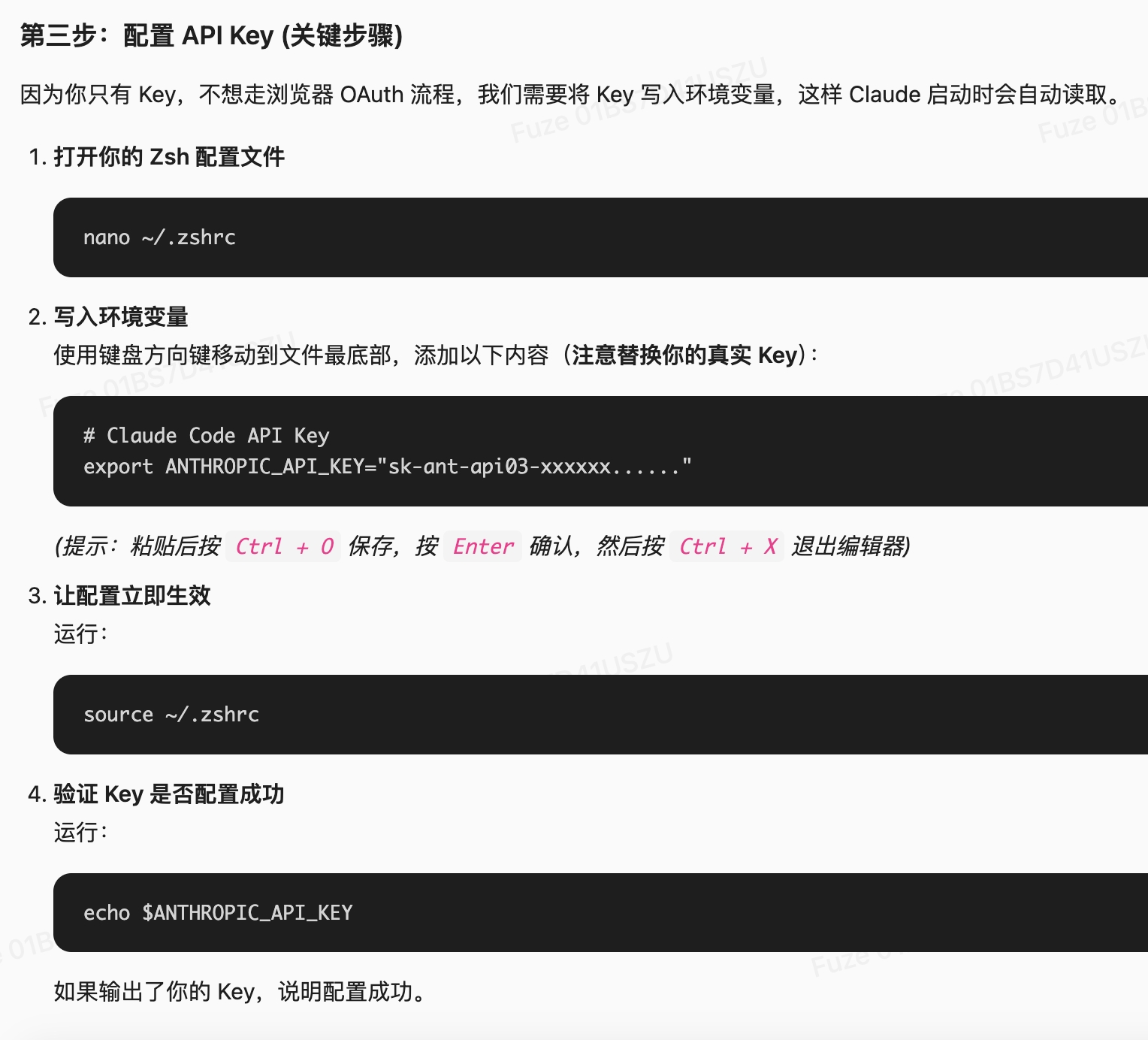
nano ~/.zshrc

# Claude Code API Key
export ANTHROPIC_API_KEY="sk-ant-api03-xxxxxx......"

source ~/.zshrc

echo $ANTHROPIC_API_KEY